
Enzonix
Shared Compute - General Compute
$5.00/mo
1 vCPU · 1 GB · 20 GB
Choose location
Ashburn, United States
| Provider | Plan | vCPU | RAM | Disk | Regions | Billing | Price |
|---|---|---|---|---|---|---|---|
| Enzonix | Shared Compute - General Compute | 1 | 1 GB | 20 GB | Ashburn, United States | Fixed price | $5.00/mo |
| Enzonix | Shared Compute - General Compute | 1 | 1 GB | 20 GB | Amsterdam, Netherlands | Fixed price | $5.00/mo |
| Enzonix | Shared Compute - General Compute | 2 | 4 GB | 80 GB | Amsterdam, Netherlands | Fixed price | $9.00/mo |
| Enzonix | Shared Compute - General Compute | 2 | 4 GB | 80 GB | Ashburn, United States | Fixed price | $9.00/mo |
| Enzonix | Shared Compute - General Compute | 4 | 8 GB | 160 GB | Amsterdam, Netherlands | Fixed price | $16.00/mo |
| Enzonix | Shared Compute - General Compute | 4 | 8 GB | 160 GB | Ashburn, United States | Fixed price | $16.00/mo |
| Enzonix | Shared Compute - General Compute | 8 | 16 GB | 320 GB | Amsterdam, Netherlands | Fixed price | $32.00/mo |
| Enzonix | Shared Compute - General Compute | 8 | 16 GB | 320 GB | Ashburn, United States | Fixed price | $32.00/mo |
| Enzonix | Shared Compute - General Compute | 1 | 1 GB | 20 GB | Ashburn, United States | Hourly | $0.007/hr |
| Enzonix | Shared Compute - General Compute | 1 | 2 GB | 40 GB | Ashburn, United States | Hourly | $0.01/hr |
| Enzonix | Shared Compute - General Compute | 2 | 4 GB | 80 GB | Ashburn, United States | Hourly | $0.015/hr |
v2ray-agent Instant App
v2ray-agent Docker Reality runs Xray-core with VLESS Reality Vision. Compare live prices, deploy, and import the ready VLESS URL into v2rayNG, Hiddify, Streisand, or Happ.

v2ray-agent
Instant App on marketplace VPS
Live marketplace offers
Choose billing and size, compare providers side by side, pick a location, then launch.
Shared Compute - General Compute
$5.00/mo
1 vCPU · 1 GB · 20 GB
Choose location
Ashburn, United States
1 provider
v2ray-agent here is the Docker Reality helper, and the VPN work is Xray-core with VLESS Reality Vision. There is no browser admin. This Instant App installs non-interactively, listens on TCP 8443 with SNI www.cloudflare.com, names the client noderings, and writes a VLESS URL that uses the provisioned IPv4. A status page on port 80 points at the credentials file. Use it instead of paying for a retail VLESS Reality subscription.
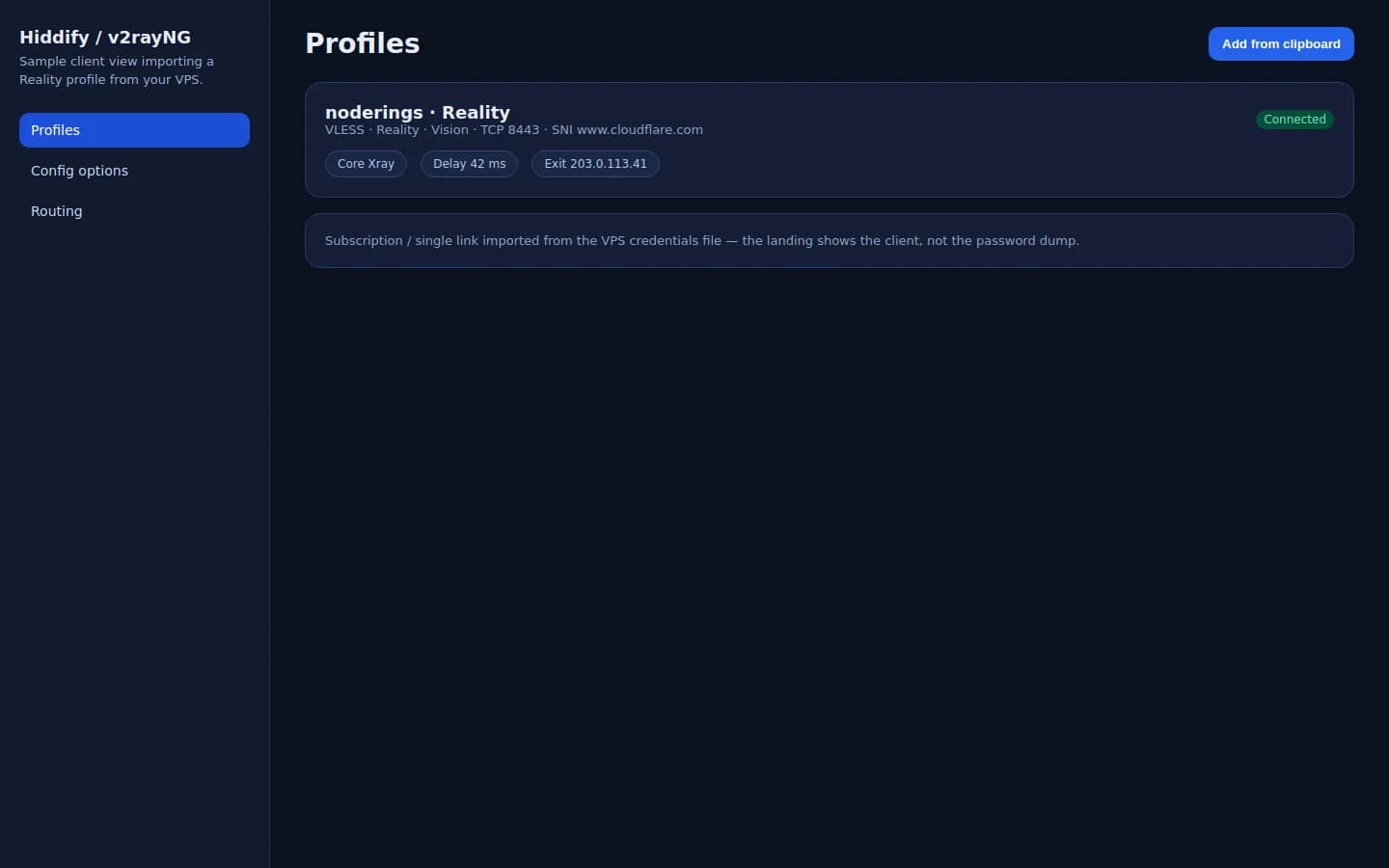
v2ray-agent has no browser admin. The product UI is your VLESS client after you import v2ray_agent_vless_url from the VPS.
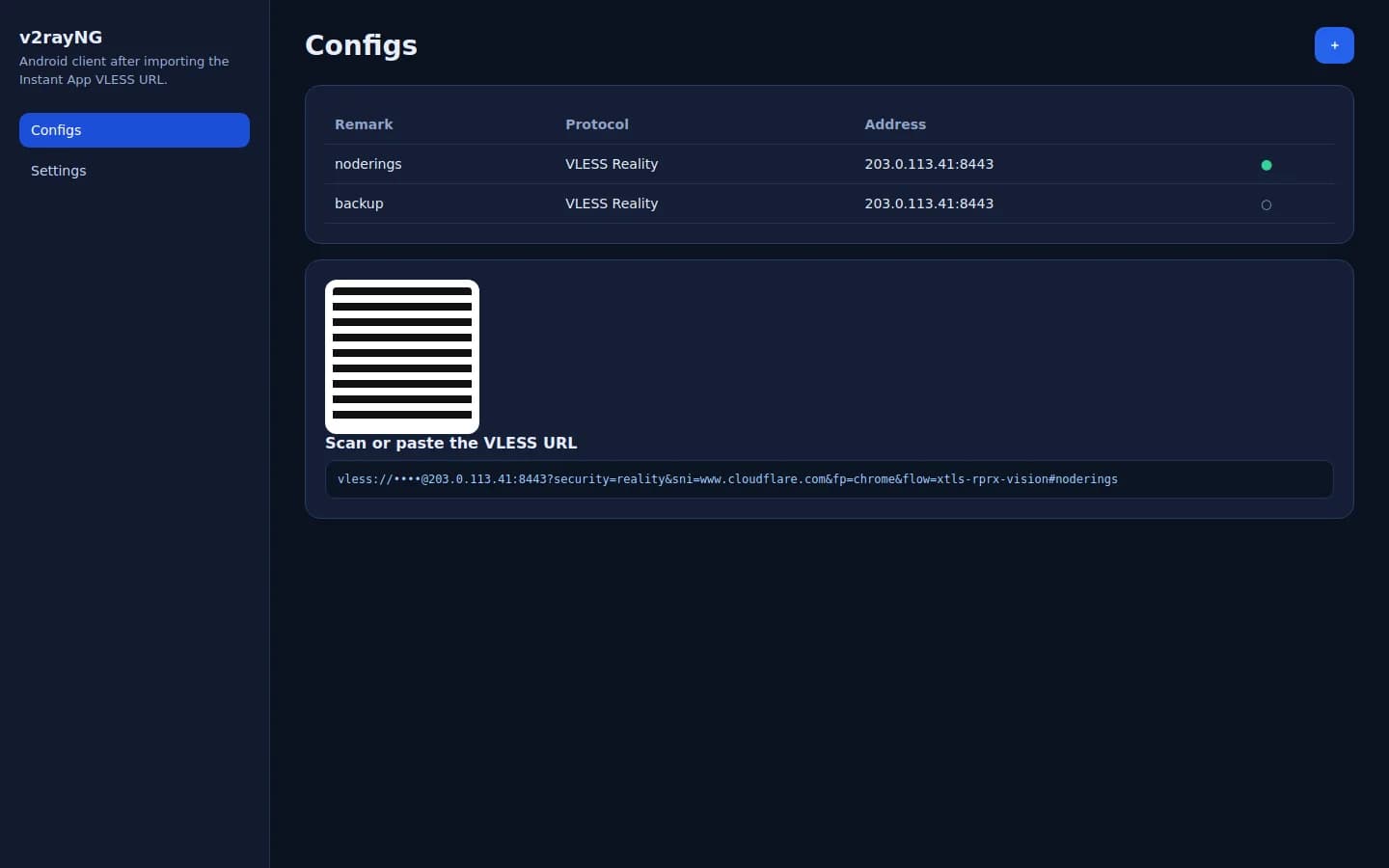
Paste or scan the Instant App VLESS URL. Xray listens on TCP 8443 with Reality Vision and SNI www.cloudflare.com.
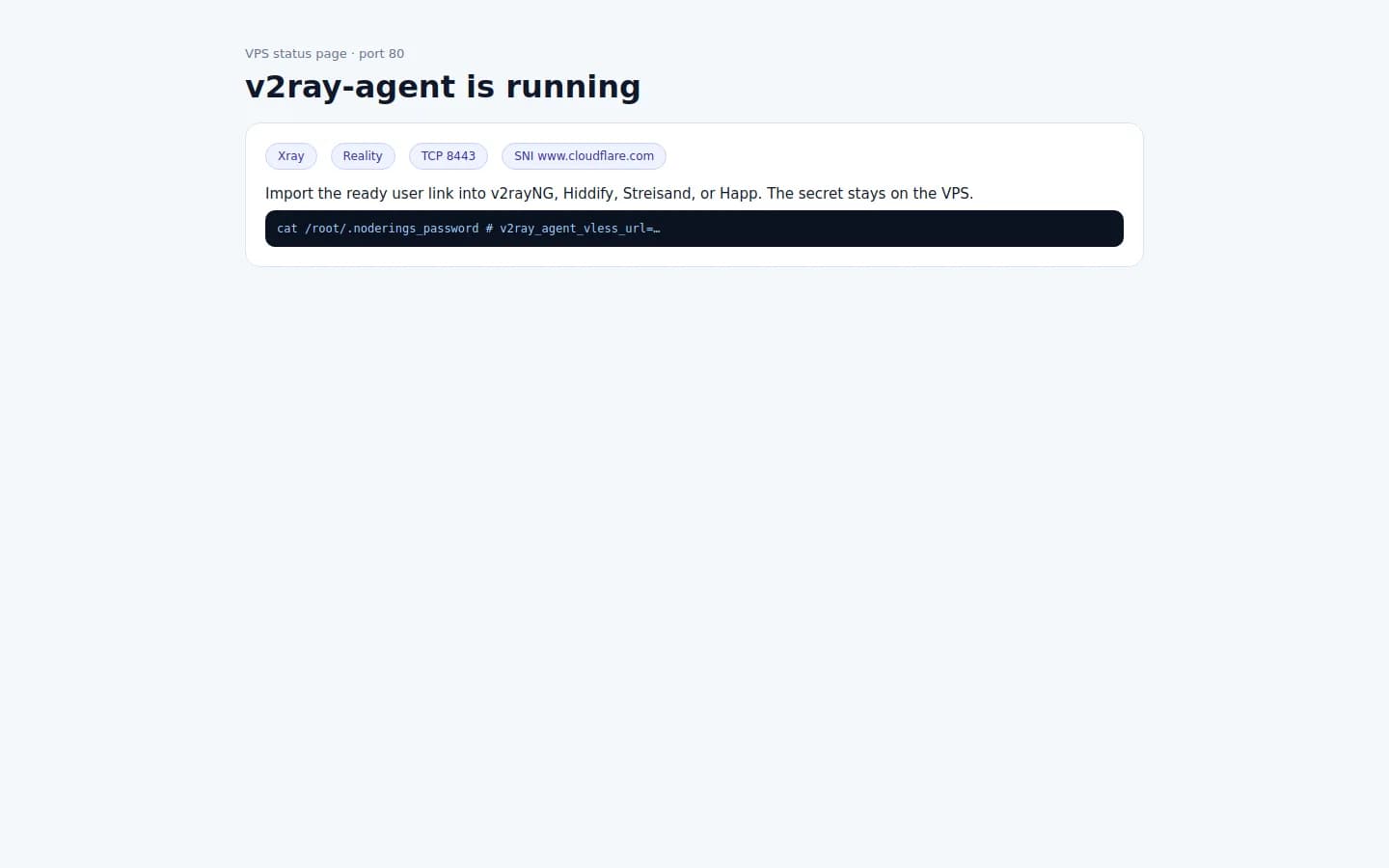
Port 80 confirms the helper is up. The secret VLESS URL stays in /root/.noderings_password.
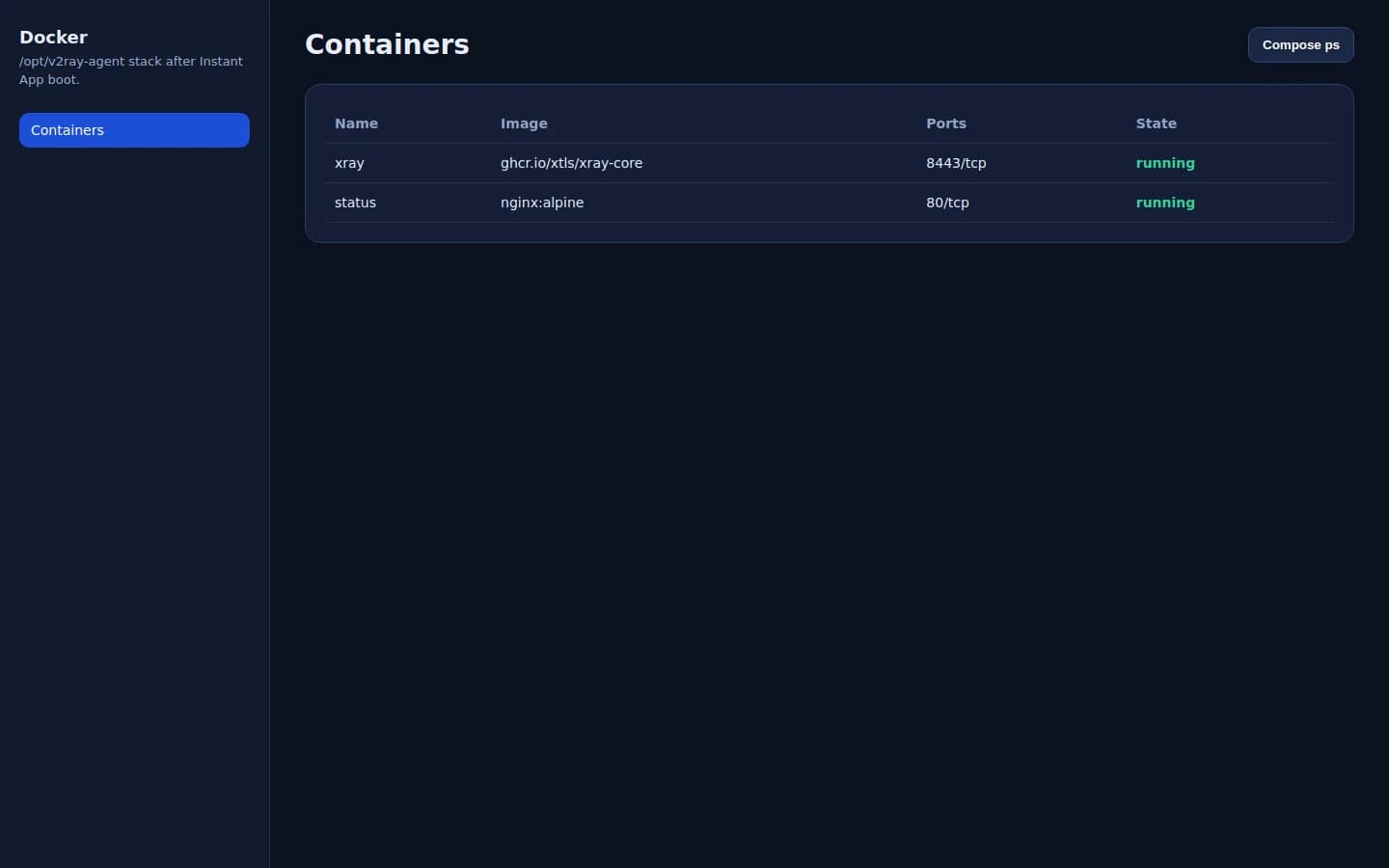
Container v2ray-agent-docker runs Xray; a subscribe helper may listen on TCP 2096; status nginx stays on port 80.
Xray-core (VLESS Reality Vision)
The Docker Reality helper configures Xray with one VLESS Reality inbound, flow xtls-rprx-vision, on TCP. Clients import that VLESS URL. A small subscription service on TCP 2096 can also hand the same client to v2ray and Clash Meta apps. There is no multi-user web panel.
After the VPS is up, read the credentials file and confirm Reality is listening on TCP 8443.
01
In a browser, open http://YOUR_IP/ for the server address, port, and SNI. The status page does not include the VLESS URL.
02
SSH in as root with the create-flow password or key. Look for v2ray_agent_vless_url, v2ray_agent_install=ok, port 8443, and SNI www.cloudflare.com.
cat /root/.noderings_password03
TCP 22 is SSH. TCP 80 is the status page. TCP 8443 is VLESS Reality Vision. TCP 2096 is the subscription helper.
04
The Instant App passes email noderings into the helper. The VLESS URL is built with this VPS IPv4, so the host matches the machine you deployed.
05
Re-download the upstream Docker Reality script and run it against the same data directory. When config.json and container v2ray-agent-docker already exist, the menu can show the account, show the subscription, recreate the container, or reinstall.
curl -fsSL -o /tmp/docker_reality_en.sh https://raw.githubusercontent.com/mack-a/v2ray-agent/master/shell/docker_reality_en.sh
bash /tmp/docker_reality_en.sh --data-dir /opt/noderings/v2ray-agent/dataThis Docker Reality install is one client. The helper menu can view that account and its subscription. It does not create a second user.
01
Import v2ray_agent_vless_url. That client is the one first boot created.
02
The same VLESS URL on a phone and a laptop is still one client. Anyone who has the URL can use this server.
03
Run the helper interactively and choose user management, then view subscription. It prints the HTTP subscription on port 2096, including a Clash Meta profile path. That URL is not copied into the credentials file.
04
Choose reinstall in the helper menu when you need a new UUID. Reinstall replaces the previous link. Old imports stop working after the new URL is in place.
05
Uninstall from the helper menu removes the Xray container and the data directory, or block TCP 8443 and 2096 in the host firewall.
Import the VLESS Reality URL, then turn the tunnel on in the client app.
01
Android: v2rayNG or Hiddify. iOS: Hiddify, Streisand, Happ, or Shadowrocket. Windows: v2rayN, Happ, or Hiddify. macOS and Linux: Hiddify or Happ. Clash Meta can use the subscription on port 2096.
02
Paste v2ray_agent_vless_url from the credentials file. The host is the VPS IPv4. Security is Reality, transport is TCP, flow is Vision.
03
Select that profile and turn the tunnel on. Allow the VPN permission the phone asks for.
04
Open a page that shows your public IP and compare it with the VPS address.
05
Confirm TCP 8443 is open and the address in the URL is the VPS IP. Reality clients with the wrong clock often fail the handshake. Set the phone time to automatic and try again. SNI should stay www.cloudflare.com unless you change the helper.
These apps run on the phone or computer. They are not Instant Apps. Import the VLESS Reality URL from this server, or the subscription the helper serves on port 2096.

Android. Paste the VLESS Reality URL.

Android client built on sing-box.

The Hiddify app. Imports VLESS Reality links.

iOS, and macOS on Apple silicon.

Phone and desktop builds.

Paid iOS app. Imports VLESS Reality links.

Windows client. Add the VLESS URL.

Use the Clash Meta subscription the helper prints on port 2096.
A VPS in a region you pick is an exit for traffic you send through Reality. On a filtered ISP, success depends on SNI, the client, and what that network blocks.
| Situation | Fit | What to expect |
|---|---|---|
| Everyday privacy exit | Often used | Useful when you want traffic from a phone to leave through a VPS you picked. |
| Filtered networks in Iran | Often used | VLESS Reality is commonly used when ordinary VPN apps fail. Test on your own line. No unblock guarantee. |
| China (GFW) | Depends on the network | People test Reality destinations and SNIs, including www.cloudflare.com. Expect to tune. No guarantee. |
| Russia and other filtered ISPs | Depends on the network | Sometimes chosen when a network filters WireGuard or OpenVPN. |
| Turkey | Depends on the network | Reality clients are used on some Turkish networks. For a Turkish panel language, use shipped 3X-UI, S-UI, or Hiddify when that build includes Türkçe. This Instant App has no panel locale. |
| OpenVPN-only profiles | Poor match | OpenVPN Connect will not import a VLESS Reality URL. |
Compare live v2ray-agent VPS plans from independent providers, then run Docker Reality with Xray and a ready VLESS Vision link on the offer you pick. Use it instead of paying for a retail VLESS Reality VPN subscription.
See live prices, regions, and plan sizes before you buy. Shop self-hosted VLESS Reality hosts across independent providers.
Deploy v2ray-agent and the VPS comes up with Xray on TCP 8443, SNI www.cloudflare.com, and a VLESS URL that uses this server's IPv4. You still get root SSH.
The provider region is the geography of the VPS address clients will use. The link is built from that provisioned IPv4, so the host in the URL matches the machine you bought.
v2ray_agent_vless_url is written on the server. You decide who receives it, and you can reinstall the helper when you want a new UUID.
Most v2ray-agent guides assume one VPS you already own. NodeRings lists Compute Instance plans from independent providers so you can compare self-hosted Reality offers by price, size, and region, then launch on the one that fits.
v2ray-agent Instant App runs the upstream Docker Reality helper on the provider VPS you selected. The provider operates that machine. NodeRings lists the plan and deploys the Instant App.
Compare plans, pick a provider offer, and launch v2ray-agent on that server.
01
Pick a provider offer. A sensible start is 1 vCPU, 1 GB RAM, and 20 GB disk.
02
Launch the Instant App on that plan. The Docker Reality helper runs on first boot. There are no extra form fields.
03
Read v2ray_agent_vless_url from the server, import it in v2rayNG, Hiddify, Streisand, or Happ, and confirm the tunnel from the phone.
NodeRings Instant App runs the upstream Docker Reality helper in Vision mode, starts Xray, and writes a VLESS URL that uses the provisioned IPv4.
Credentials are written on first boot to:
/root/.noderings_passwordRead them over SSH:
cat /root/.noderings_passwordApp directory
/opt/noderings/v2ray-agentStatus page Compose project and the data directory.
Xray data
/opt/noderings/v2ray-agent/data
/opt/noderings/v2ray-agent/data/config.json
/opt/noderings/v2ray-agent/data/client-summary.txt
Helper config, client summary, and subscription files.
Credentials file
/root/.noderings_passwordWritten on first boot.
Install log
/tmp/v2ray-agent-admin.logBootstrap output from first boot.
The upstream helper starts Xray and a subscription nginx. NodeRings Compose runs the status page.
v2ray-agent-dockerXray-core with VLESS Reality Vision on TCP 8443.
v2ray-agent-docker-subscribeSubscription files on TCP 2096.
statusnginx status page on port 80.
Helper containers
docker ps --filter name=v2ray-agent-dockerStatus Compose
cd /opt/noderings/v2ray-agent && docker compose psXray Reality is light. Bandwidth matters more than CPU once a few clients are online.
| Workload | Illustrative starting point | Note |
|---|---|---|
| One or two phones | 1 vCPU, 1 GB RAM, 20 GB disk | Matches the Instant App floor. |
| A household sharing one link | 1-2 vCPU, 1-2 GB RAM, 20 GB disk | The same VLESS URL on several devices is still one client. |
| Heavier daily use | 2 vCPU, 2 GB RAM, 40 GB disk | The provider's bandwidth cap shows up before disk does. |
Illustrative only. Live plans are not filtered by this table.
You get root on a provider VPS. NodeRings lists the plan and deploys v2ray-agent. The provider runs the machine.
Who receives the VLESS URL, the host firewall, and the provider terms. Reinstall when a link leaks.
The VPS, the network, and the exit IP. Abuse on a public proxy port can get that provider to suspend the server.
The marketplace and the Instant App. NodeRings does not run a VPN service and does not see client traffic.
v2rayNG and NekoBox on Android. Hiddify on Android, iOS, Windows, macOS, and Linux. Streisand on iOS and macOS. Happ on phone and desktop. Shadowrocket on iOS. v2rayN on Windows. Clash Meta on Android, Windows, macOS, and Linux when you use the subscription on port 2096. OpenVPN Connect will not import VLESS Reality links.
People commonly run VLESS Reality Vision when an ISP filters ordinary VPN apps. A line connects when the SNI, the client, and that ISP still match. This install uses SNI www.cloudflare.com. Test on your own connection. No unblock guarantee.
No. Port 80 is a status page. Manage the install over SSH with the Docker Reality helper. The menu can show the account and the subscription. It does not add a second user.
Import the same VLESS URL on the second device. To invalidate every copy, reinstall the helper so it issues a new UUID, then import the new URL.
v2ray-agent Docker Reality and reality-ezpz are both one-command Reality installs without a browser admin. 3X-UI is a multi-inbound web panel. Xboard and SSPanel UIM are shop panels that need a separate node backend.
TCP 22 for SSH, TCP 80 for the status page, TCP 8443 for VLESS Reality Vision, and TCP 2096 if you use the subscription helper.
NodeRings lists provider plans and deploys the Instant App onto the plan you pick. The provider operates the VPS. You operate v2ray-agent.
Xboard Instant App
Subscription panel with an optional colocated Xboard-Node. User traffic needs a node backend.
SSPanel UIM Instant App
Shop panel on port 80. Pair it with soga, XrayR, or Air-Universe.
MTProto Proxy Instant App
Telegram-only proxy link on port 443. Not a general VPN.
reality-ezpz Instant App
One-command VLESS Reality installer, also without a browser admin.
3X-UI Instant App
Sanaei panel with Xray-core and a browser UI.
Outline Server Instant App
Jigsaw Outline Shadowsocks server with access keys.
Hiddify Manager Instant App
All-in-one panel with Xray and sing-box. Use its locale switch when you want Türkçe.
All Instant Apps
Browse every Instant App landing on Compute Instance.