
[ Built for cloud providers ]
Why providers list on NodeRings
01 / 04
Turn unused capacity into revenue
List spare Compute Instance capacity on the marketplace, fill idle servers, and earn more from hardware you already own.
02 / 04
Kubernetes operator: orders stay in your boundary
The NodeRings Agent runs as a K8s operator in your cluster. Orders arrive as Custom Resources inside your boundary, with no shell or deep network access from us.
03 / 04
Your brand stays yours
Customers see you on listings and invoices. NodeRings is the channel. Your infrastructure and identity stay the same.
04 / 04
Platform tooling without a WHMCS-style stack
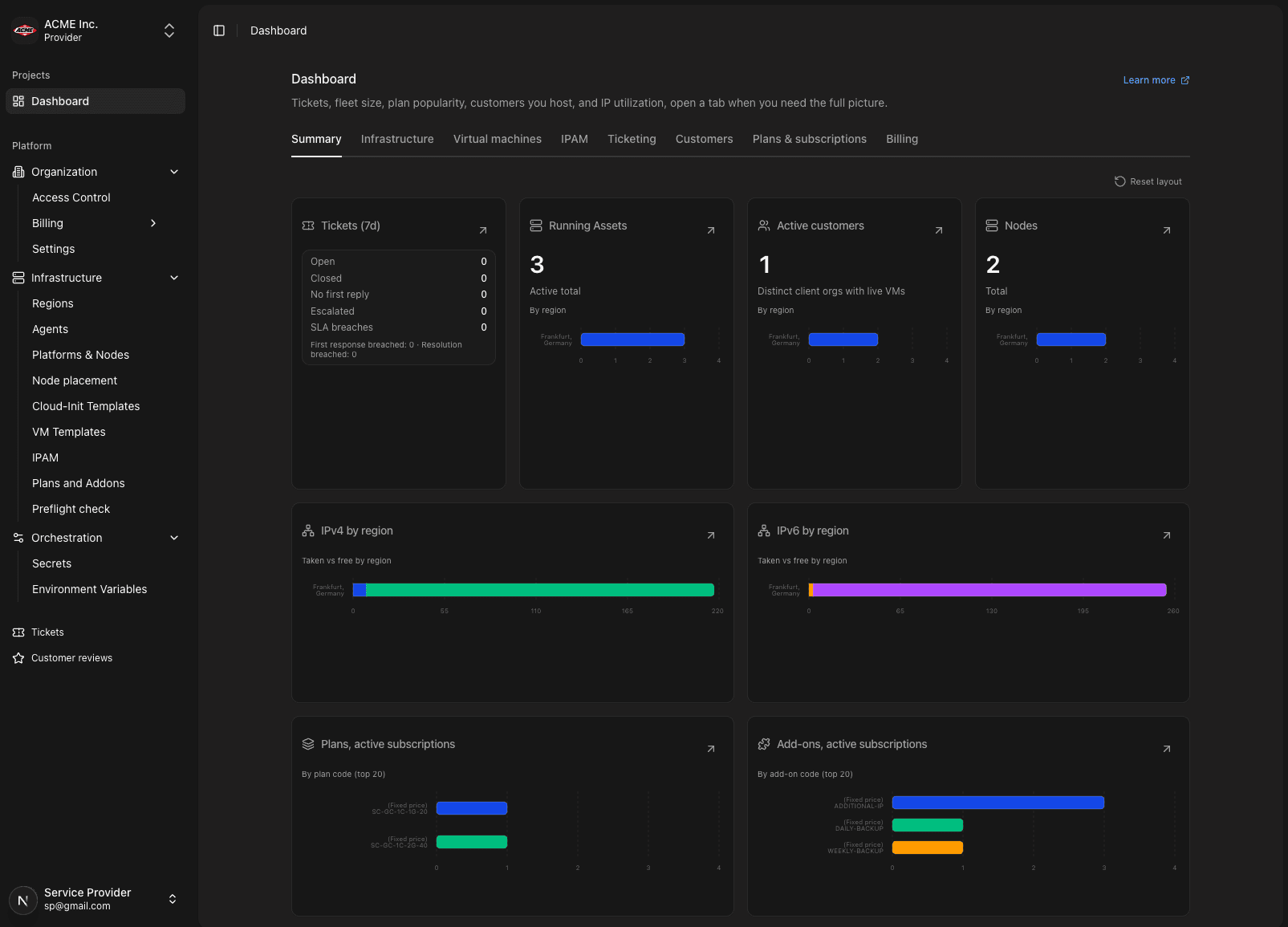
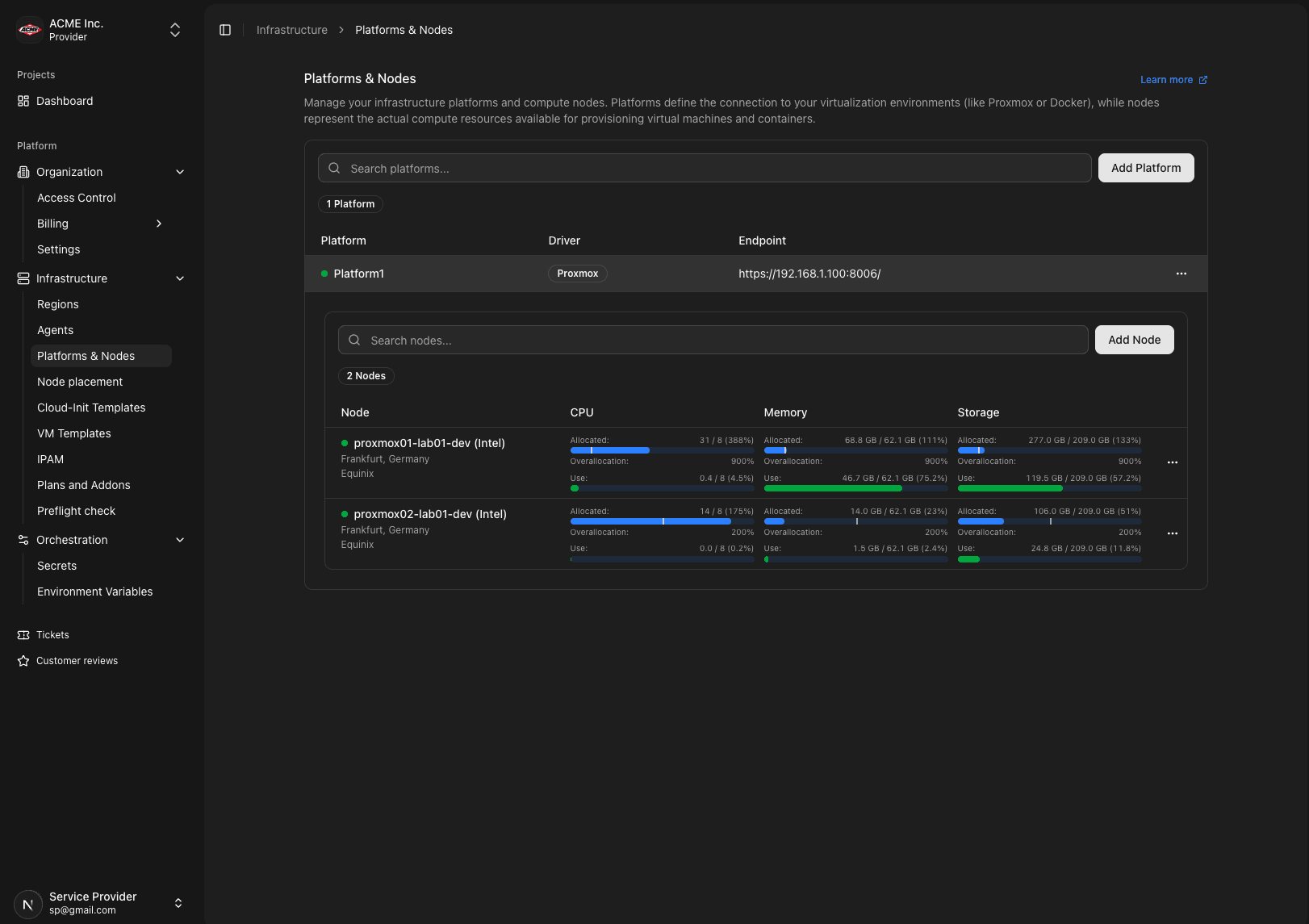
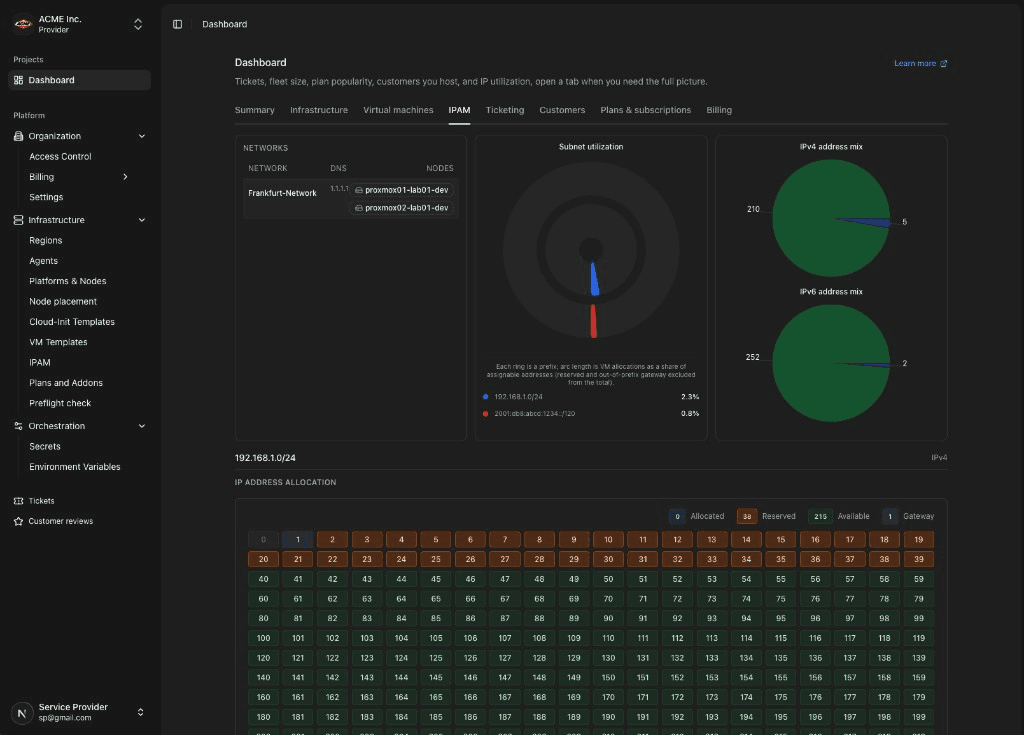
The provider console is included for fleet, plans, IPAM, and preflight. No separate WHMCS addons required for this channel, so you keep more margin on every sale.
Provider console
Operate the fleet you already own
Platform pricing
Plans that suit every provider
Full product access on every plan. Tiers differ by marketplace take rate and infrastructure scale limits.
Community
Free forever with full product access. Start selling on the marketplace with infrastructure scale limits.
$0/month
- 15% marketplace take rate
- 1 platform, 1 region, 5 nodes
- Full API, webhooks, backups & monitoring
- 1 team member
- Popular
Starter
For growing providers: lower take rate and higher infrastructure limits on the same full product.
$39$19.50/month
50% off for 3 months
- 10% marketplace take rate
- 3 platforms, 3 regions, 25 nodes
- 5 team members, 5 custom roles
- Full product access on every plan
Premium
Scale your hosting business with the lowest take rate and highest infrastructure limits.
$89$44.50/month
50% off for 3 months
- 6% marketplace take rate
- 10 platforms, 6 regions, 60 nodes
- 25 team members, priority 4h SLA
- Full product access on every plan
Enterprise
Custom solutions with dedicated support, SLAs, and negotiated take rates.
Custom
- Negotiable marketplace take rate
- Custom infrastructure limits
- Dedicated support & custom SLA
- Full product access on every plan
Compare all features
Compare all plans
Limits and take rates side by side across Community, Starter, Premium, and Enterprise.
| Plans |  Community Community |  Starter Starter |  Premium Premium |  Enterprise Enterprise |
|---|---|---|---|---|
| Marketplace | ||||
| Marketplace take rate | 15% | 10% | 6% | Custom |
| Payout management (Stripe Connect) | ||||
| Infrastructure limits | ||||
| Max platforms | 1 | 3 | 10 | Custom |
| Max regions | 1 | 3 | 6 | Custom |
| Max nodes | 5 | 25 | 60 | Custom |
| Max K8s agents | 1 | 3 | 10 | Custom |
| Max VM templates | Unlimited | Unlimited | Unlimited | Custom |
| Team & access | ||||
| Max team members | 1 | 5 | 25 | Custom |
| Max custom roles | 2 | 5 | 20 | Custom |
| Max secrets / env variables | Unlimited | Unlimited | Unlimited | Custom |
| Max concurrent sessions | 2 | 10 | 50 | Custom |
| Support | ||||
| SLA response time | Community | 24 h | 4 h | Custom |
Pricing FAQs
Answers about Community, Starter, Premium, marketplace fees, and platform billing. Need Enterprise pricing? Reach out to our sales team.
Plans & product
Is the Community plan really free?
Yes. Community is free forever, not a time-limited trial. You get the same product features as paid tiers, with infrastructure scale limits: 1 platform, 1 region, and 5 nodes. Marketplace payouts via Stripe Connect are included at a 15% take rate.
What is different between Community, Starter, and Premium?
Every plan includes the same product capabilities. Tiers differ only by marketplace take rate and infrastructure scale limits. Community is 15% with the smallest footprint; Starter is 10% with higher limits ($19.50/mo, 50% off the $39 list price for 3 months); Premium is 6% with the highest limits ($44.50/mo, 50% off the $89 list price for 3 months). Compare the full matrix above for nodes, regions, team size, and SLA.
How does the marketplace take rate work?
When a client pays you through the NodeRings marketplace, the platform retains a percentage before payout to your Stripe Connect account: 15% on Community, 10% on Starter, and 6% on Premium. A minimum fee per transaction also applies ($0.50 on Community and Starter, $1.00 on Premium). Your platform subscription fee is separate from this marketplace fee.
Do I need a paid plan to accept payouts?
No. Stripe Connect payout management is available on Community, Starter, and Premium. The Community plan lets you start selling on the marketplace without a monthly platform subscription. You only pay the marketplace take rate on transactions.
Billing & subscriptions
How can I try NodeRings before paying?
Use the Community plan. It is free forever, not a time-limited trial. Starter ($19.50/mo) and Premium ($44.50/mo) are paid from day one when you subscribe — currently 50% off list for 3 months. Start on Community, then upgrade when you need higher infrastructure limits or a lower marketplace take rate.
How does monthly vs yearly billing work?
Starter is $19.50/month (50% off list for 3 months) or $390/year at the regular yearly rate; Premium is $44.50/month or $890/year. Yearly billing is roughly two months free compared to paying the full monthly list price for twelve months, and is not discounted further by the intro offer. You can switch between monthly and yearly when changing plans from Billing → Subscription.
Can I upgrade or downgrade my plan?
You can upgrade at any time from Billing → Subscription. Starter and Premium support downgrades when your current usage fits the lower tier's limits (for example, node and region counts). Community is the entry tier and can only be upgraded, not downgraded to. Downgrades typically take effect at the next billing cycle.
How do I pay for my platform subscription?
Paid plans (Starter and Premium) require a credit card on file for the platform subscription. Community has no platform subscription fee, so no card is needed for the plan itself. You only need Stripe Connect set up for marketplace payouts when you are ready to sell.
Where can I see invoices and subscription history?
Sign in and open Billing → Subscription. Use the Invoices, Payments, and Subscriptions tabs to view platform subscription invoices, payment history, and plan changes for your organization.
What about Enterprise?
Enterprise is for large providers that need custom infrastructure limits, negotiated marketplace take rates, and dedicated support SLAs. Email [email protected] to discuss a tailored agreement.