
Enzonix
Shared Compute - General Compute
$5.00/mo
1 vCPU · 1 GB · 20 GB
Choose location
Ashburn, United States
| Provider | Plan | vCPU | RAM | Disk | Regions | Billing | Price |
|---|---|---|---|---|---|---|---|
| Enzonix | Shared Compute - General Compute | 1 | 1 GB | 20 GB | Ashburn, United States | Fixed price | $5.00/mo |
| Enzonix | Shared Compute - General Compute | 1 | 1 GB | 20 GB | Amsterdam, Netherlands | Fixed price | $5.00/mo |
| Enzonix | Shared Compute - General Compute | 2 | 4 GB | 80 GB | Amsterdam, Netherlands | Fixed price | $9.00/mo |
| Enzonix | Shared Compute - General Compute | 2 | 4 GB | 80 GB | Ashburn, United States | Fixed price | $9.00/mo |
| Enzonix | Shared Compute - General Compute | 4 | 8 GB | 160 GB | Amsterdam, Netherlands | Fixed price | $16.00/mo |
| Enzonix | Shared Compute - General Compute | 4 | 8 GB | 160 GB | Ashburn, United States | Fixed price | $16.00/mo |
| Enzonix | Shared Compute - General Compute | 8 | 16 GB | 320 GB | Amsterdam, Netherlands | Fixed price | $32.00/mo |
| Enzonix | Shared Compute - General Compute | 8 | 16 GB | 320 GB | Ashburn, United States | Fixed price | $32.00/mo |
| Enzonix | Shared Compute - General Compute | 1 | 1 GB | 20 GB | Ashburn, United States | Hourly | $0.007/hr |
| Enzonix | Shared Compute - General Compute | 1 | 2 GB | 40 GB | Ashburn, United States | Hourly | $0.01/hr |
| Enzonix | Shared Compute - General Compute | 2 | 4 GB | 80 GB | Ashburn, United States | Hourly | $0.015/hr |
MTProto Proxy Instant App
This Instant App runs mtg, a Telegram MTProto proxy, on TCP 443. Compare live prices, deploy, and open mtproto_proxy_link in Telegram. It does not proxy the rest of the phone.

MTProto Proxy
Instant App on marketplace VPS
Live marketplace offers
Choose billing and size, compare providers side by side, pick a location, then launch.
Shared Compute - General Compute
$5.00/mo
1 vCPU · 1 GB · 20 GB
Choose location
Ashburn, United States
1 provider
mtg is a Telegram MTProto proxy. It speaks Telegram's proxy protocol on TCP 443 and can fall back to a normal website when a request is not a Telegram client. This Instant App generates a hex secret, writes mtproto_proxy_link, and serves a status page on port 80. There is no browser admin and no general VPN. Use it instead of paying for a retail Telegram proxy.
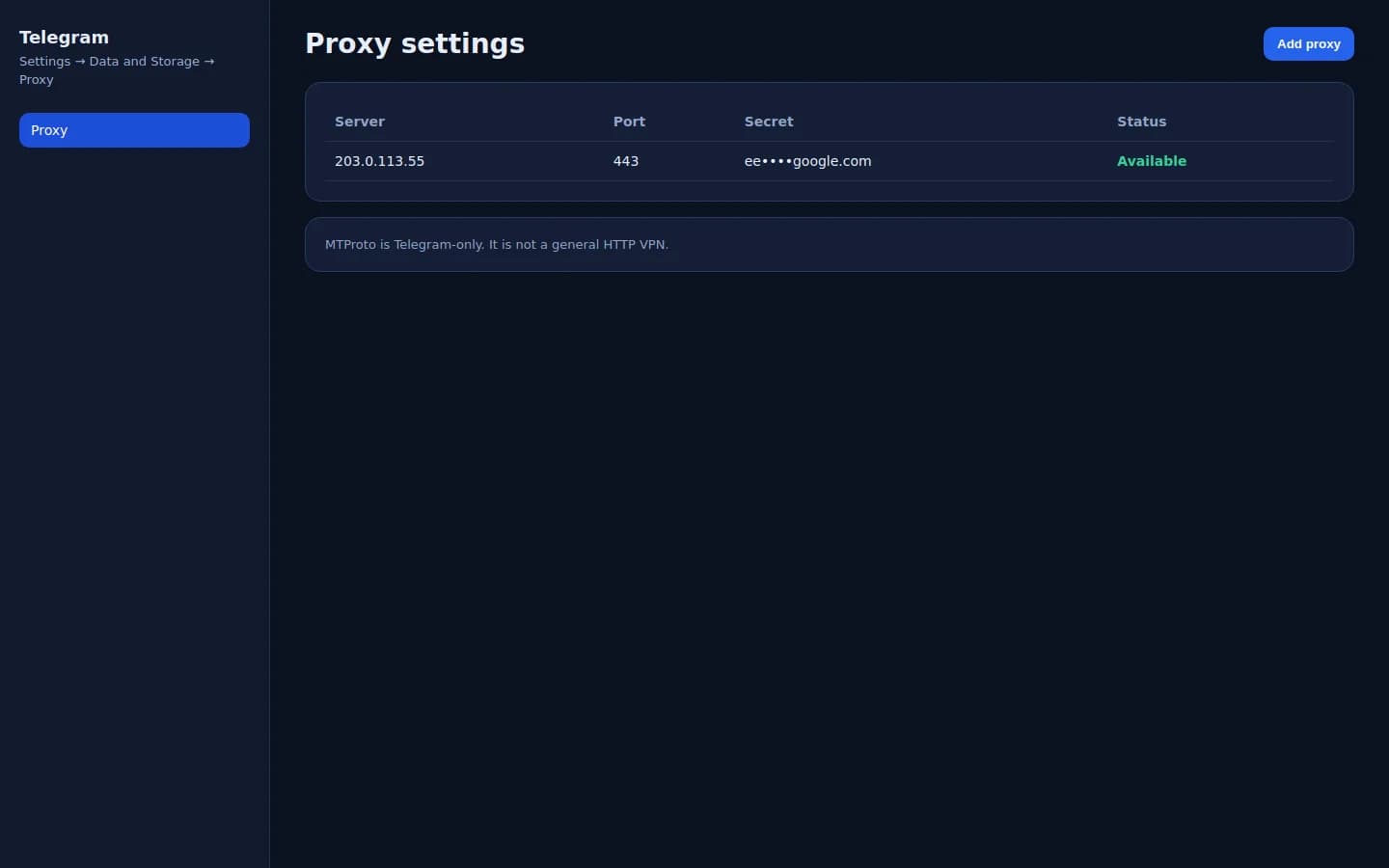
There is no shop admin UI. The product surface is Telegram → Data and Storage → Proxy after you add the Instant App link.
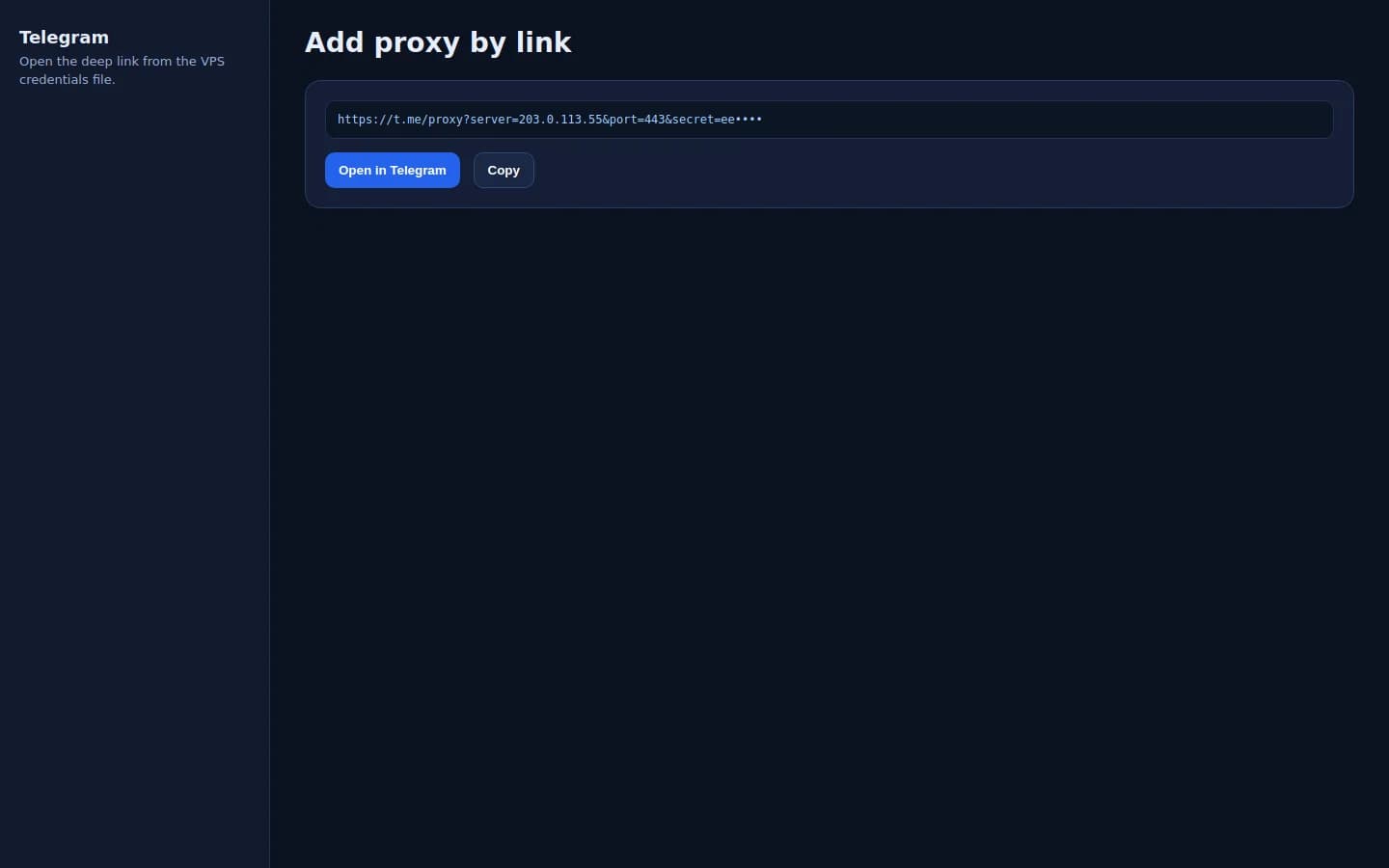
mtproto_proxy_link opens Telegram's add-proxy screen for this IPv4, port 443, and the secret.
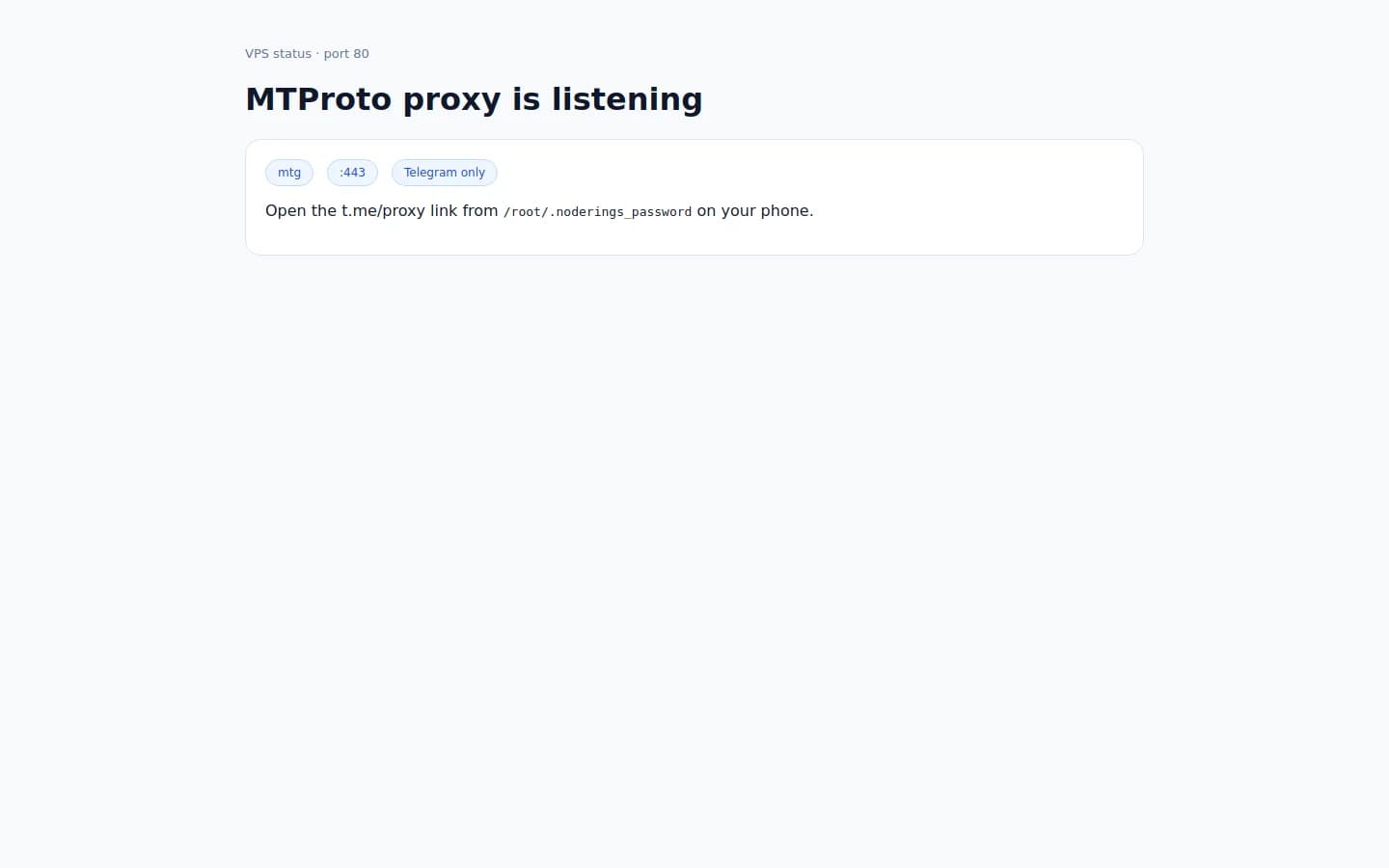
Port 80 confirms mtg is up. The proxy itself listens on TCP 443 (not a website admin).
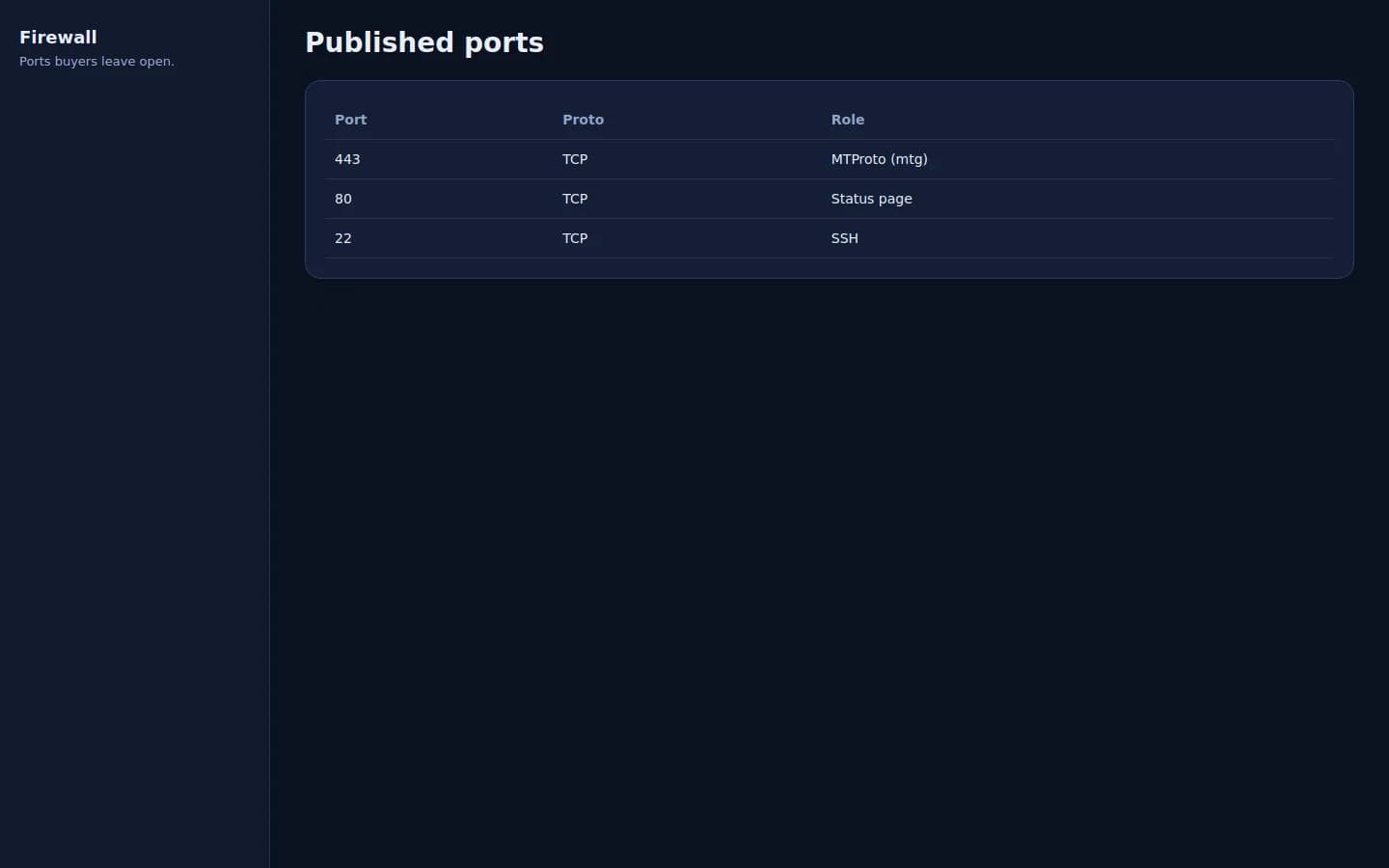
Publish TCP 443 for Telegram, TCP 80 for status, and TCP 22 for SSH.
mtg (MTProto for Telegram)
mtg is the whole service. It proxies Telegram clients that present the secret. It does not accept VLESS, WireGuard, OpenVPN, or a system-wide VPN profile. The secret is produced with mtg's hex generator fronting google.com when that command succeeds.
After the VPS is up, read the Telegram link and confirm mtg is listening on TCP 443.
01
In a browser, open http://YOUR_IP/ . It shows the server and port 443. It does not include the secret.
02
SSH in as root. Copy mtproto_proxy_link. The same file lists the server, port 443, and the secret.
cat /root/.noderings_password03
TCP 22 is SSH. TCP 80 is the status page. TCP 443 is the Telegram proxy. Do not put a normal HTTPS website on 443 or mtg cannot bind it.
04
Telegram clients speak MTProto to this port. A padlock in a browser is a different service. The status page on port 80 is the only HTTP site this Instant App serves.
05
First boot asks mtg to generate a hex secret aimed at google.com. The finished link is what you import. You do not assemble it by hand.
mtg has one secret for the server. There is no per-person user list and no admin UI for invites.
01
Share mtproto_proxy_link with people who should use this proxy. Opening it in Telegram adds the server.
02
The secret is the only gate. A leaked link is a public proxy until you rotate it.
03
In Telegram, open Settings, then Data and Storage, then Proxy. Add the server from mtproto_proxy_server, port 443, and mtproto_proxy_secret.
04
Replace the secret in the mtg config, restart the mtg container, and write a new t.me link with the new secret. Old links stop working.
cd /opt/noderings/mtproto-proxy && docker compose restart mtg05
Stop the mtg container or close TCP 443 in the host firewall. Telegram on those phones returns to a direct connection.
Open the proxy link inside Telegram. Other apps on the phone stay on the normal network.
01
Use Telegram on Android or iOS, or Telegram Desktop on Windows, macOS, or Linux.
02
Paste mtproto_proxy_link into Telegram, or open it from the phone browser so Telegram takes the add-proxy prompt.
03
Turn that proxy on under Settings, Data and Storage, Proxy. The server is the VPS IPv4 and the port is 443.
04
Send a message or open a chat. The proxy indicator in Telegram should show this server.
05
Confirm TCP 443 is open and you imported the secret from this VPS. A browser pointed at port 443 is not a test. v2rayNG and Outline will not speak MTProto.
Only Telegram clients use this proxy. They are not Instant Apps. v2rayNG, Hiddify, and Outline do not connect here.

Official Telegram app. Open mtproto_proxy_link or add the proxy in Settings.
Same proxy link. Settings, then Data and Storage, then Proxy.
This proxy only carries Telegram. A VPS in a region you pick is the address Telegram uses. It does not move the rest of the device, and it does not guarantee Telegram will connect on every network.
| Situation | Fit | What to expect |
|---|---|---|
| Telegram on a network that blocks it | Often used | MTProto proxies are commonly used where Telegram itself is filtered. Test on your own line. No unblock guarantee. |
| Iran, Russia, and similar filters | Depends on the network | People run MTProto proxies for Telegram in those environments. The ISP can still block the IP or the protocol. No guarantee. |
| Everyday Telegram exit | Depends on the network | Useful when you want Telegram to egress from a VPS region you picked, even if Telegram already works directly. |
| A general VPN for the phone | Poor match | Browsers, v2rayNG, and WireGuard do not use this port. Deploy v2ray-agent, 3X-UI, Outline Server, or Hiddify when you need a device-wide tunnel. |
| Turkey-only panel forks | Poor match | Pho3nix and x-ui-TR are not this proxy. For a Turkish Xray panel, use shipped 3X-UI, S-UI, or Hiddify and the Türkçe locale when that build has one. |
Compare live MTProto proxy VPS plans from independent providers, then run mtg and open the ready Telegram proxy link on the offer you pick. Use it instead of paying for a retail Telegram proxy.
See live prices, regions, and plan sizes before you buy. Shop self-hosted Telegram proxy hosts across independent providers.
Deploy the Instant App and the VPS comes up with mtg on TCP 443 and a t.me proxy link in the credentials file. You still get root SSH.
The provider region is the geography Telegram will use for this proxy. The link is built with that VPS IPv4.
mtproto_proxy_link and the secret are written on the server. Share the link only with people who should use this proxy.
Most mtg guides assume one VPS you already own. NodeRings lists Compute Instance plans from independent providers so you can compare self-hosted Telegram proxy offers by price, size, and region, then launch on the one that fits.
MTProto Proxy Instant App runs nineseconds/mtg on the provider VPS you selected. The provider operates that machine. NodeRings lists the plan and deploys the Instant App. NodeRings does not run Telegram and does not see your chats.
Compare plans, pick a provider offer, and launch MTProto Proxy on that server.
01
Pick a provider offer. A sensible start is 1 vCPU, 1 GB RAM, and 20 GB disk.
02
Launch the Instant App on that plan. mtg starts on first boot. There are no extra form fields.
03
Read mtproto_proxy_link from the server and open it in Telegram on Android, iOS, or desktop. Confirm a message sends while the proxy is enabled.
NodeRings Instant App starts nineseconds/mtg:2 on the host network, generates a secret, and writes a Telegram proxy link.
Credentials are written on first boot to:
/root/.noderings_passwordRead them over SSH:
cat /root/.noderings_passwordApp directory
/opt/noderings/mtproto-proxyCompose project, status page, and mtg config.
mtg config
/opt/noderings/mtproto-proxy/mtg.toml
/opt/noderings/mtproto-proxy/admin.env
Secret and bind address. The public link is in the credentials file.
Credentials file
/root/.noderings_passwordWritten on first boot.
Install log
/tmp/mtproto-proxy-admin.logBootstrap output from first boot.
Compose runs mtg on the host network and a status page on port 80.
mtgnineseconds/mtg:2, MTProto on TCP 443.
statusnginx status page on port 80.
Compose status
cd /opt/noderings/mtproto-proxy && docker compose psmtg logs
cd /opt/noderings/mtproto-proxy && docker compose logs mtg --tail 80mtg is light. Bandwidth matters when many Telegram clients are online.
| Workload | Illustrative starting point | Note |
|---|---|---|
| A few Telegram accounts | 1 vCPU, 1 GB RAM, 20 GB disk | Matches the Instant App floor. |
| A small group sharing one link | 1 vCPU, 1-2 GB RAM, 20 GB disk | One secret covers every client. There is no per-user quota. |
| Busy Telegram proxy | 2 vCPU, 2 GB RAM, 20 GB disk | The provider bandwidth cap shows up before disk does. |
Illustrative only. Live plans are not filtered by this table.
You get root on a provider VPS. NodeRings lists the plan and deploys mtg. The provider runs the machine.
Who receives the Telegram link, when the secret rotates, the host firewall, and the provider terms.
The VPS, the network, and the IP Telegram clients use. Abuse on a public proxy port can get that provider to suspend the server.
The marketplace and the Instant App. NodeRings does not run a Telegram proxy service and does not see chats.
Telegram on Android and iOS, and Telegram Desktop on Windows, macOS, and Linux. Open the mtproto_proxy_link or add the server under Settings, Data and Storage, Proxy. v2rayNG, Hiddify, Streisand, Clash Meta, and Outline do not speak MTProto.
MTProto proxies are commonly used when a network blocks Telegram. A line connects when that ISP still allows this IP and this protocol. Test on your own connection. No unblock guarantee. The rest of the phone is not proxied.
No. It is a Telegram proxy. Browsers and other apps keep their normal route. For a device-wide tunnel, use v2ray-agent, 3X-UI, Outline Server, or Hiddify.
Open the same mtproto_proxy_link on that phone. There are no separate users. Rotate the secret in mtg.toml and restart mtg when a link leaks.
Port 443 is mtg, not a web server. The status page is http://YOUR_IP/ on port 80. The secret is only in the credentials file.
TCP 22 for SSH, TCP 80 for the status page, and TCP 443 for the Telegram proxy.
NodeRings lists provider plans and deploys the Instant App onto the plan you pick. The provider operates the VPS. You operate mtg.
v2ray-agent Instant App
Xray VLESS Reality for a device-wide tunnel. Not limited to Telegram.
Xboard Instant App
Subscription panel. User traffic needs Xboard-Node, V2bX, or soga.
SSPanel UIM Instant App
Shop panel. Pair it with soga, XrayR, or Air-Universe.
reality-ezpz Instant App
One-command VLESS Reality installer without a browser admin.
3X-UI Instant App
Sanaei panel with Xray-core, including optional MTProto inbounds you configure yourself.
Outline Server Instant App
Jigsaw Outline Shadowsocks server for the Outline client.
Hiddify Manager Instant App
All-in-one panel with Xray and sing-box on the same VPS.
All Instant Apps
Browse every Instant App landing on Compute Instance.