We clicked Execute in n8n and a new server called web-1 appeared in our NodeRings account, already with a public IP. A second workflow, two nodes long, saw that server and wrote web-1.shiftsquid.com into our NodeRings DNS zone. A few seconds later the NodeRings nameserver answered for the name. Nobody opened the console, and nobody copied an IP address anywhere.
That's the NodeRings node for n8n, the open-source workflow tool. This post shows what the node can do, how to set it up, and what happened when we ran every operation against the production API.
What's in the package
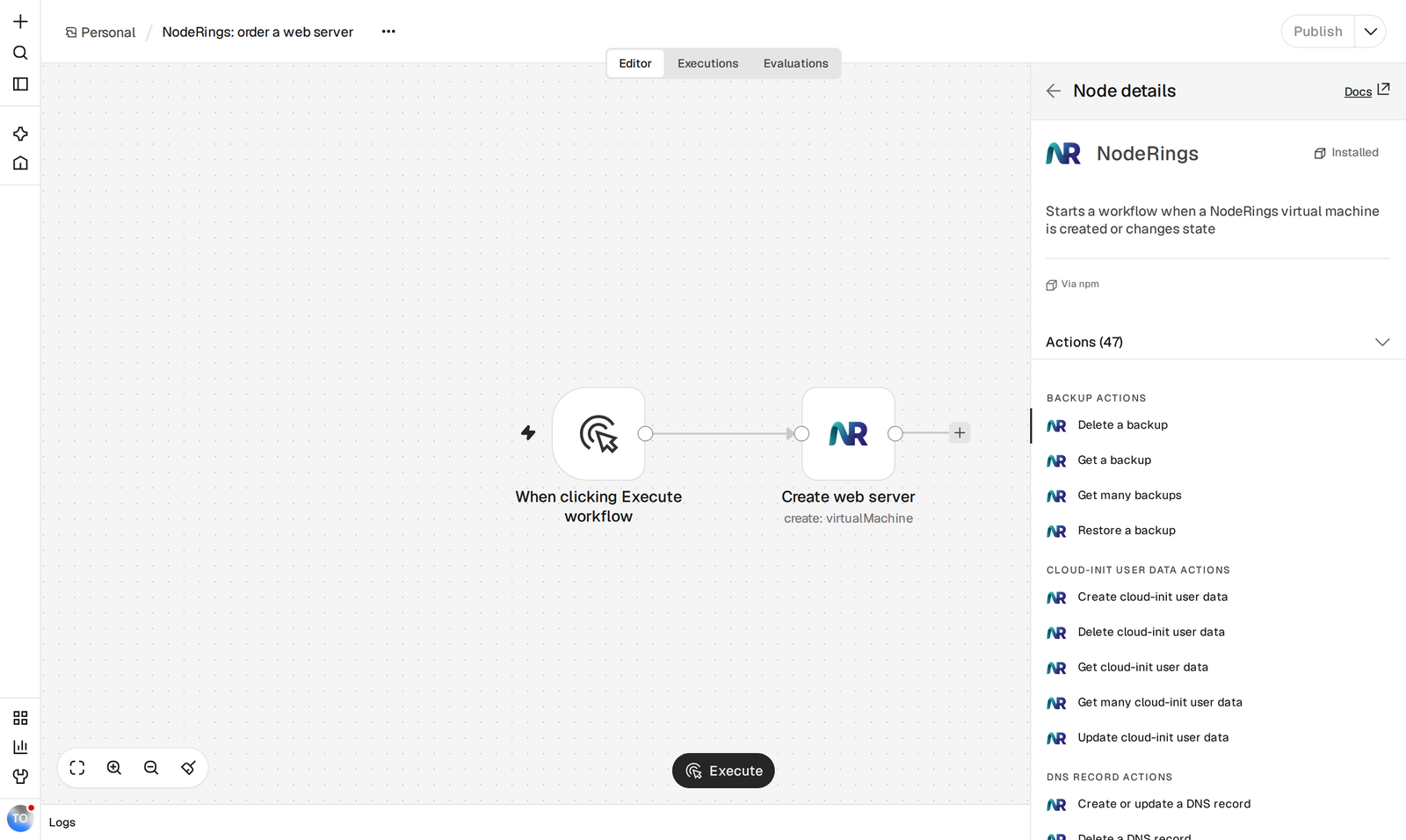
The package n8n-nodes-noderings adds two nodes to n8n.
NodeRings is the action node: 47 operations across 10 resources. It can also be used as a tool by n8n's AI agents.
| Resource | What you can do |
|---|---|
| Virtual Machine | Create, get, list, start, stop, restart, reinstall, delete, update tags, attach or detach a firewall ruleset |
| DNS Zone | Create, get, list, delete |
| DNS Record | Create or update a record set, list, delete |
| SSH Key | Create, get, list, delete |
| Firewall Ruleset | Create, get, list, rename, delete |
| Snapshot | Create, get, list, restore, delete |
| Backup | Get, list, restore, delete |
| Cloud-Init User Data | Create, get, list, update, delete saved cloud-init |
| Tag | List every tag used on your servers |
| Marketplace | Regions, plan codes, offers for a plan, plan details, the distro catalog |
NodeRings Trigger starts a workflow on one of three events:
| Event | Fires when |
|---|---|
| New Virtual Machine | A server shows up that wasn't there on the last check |
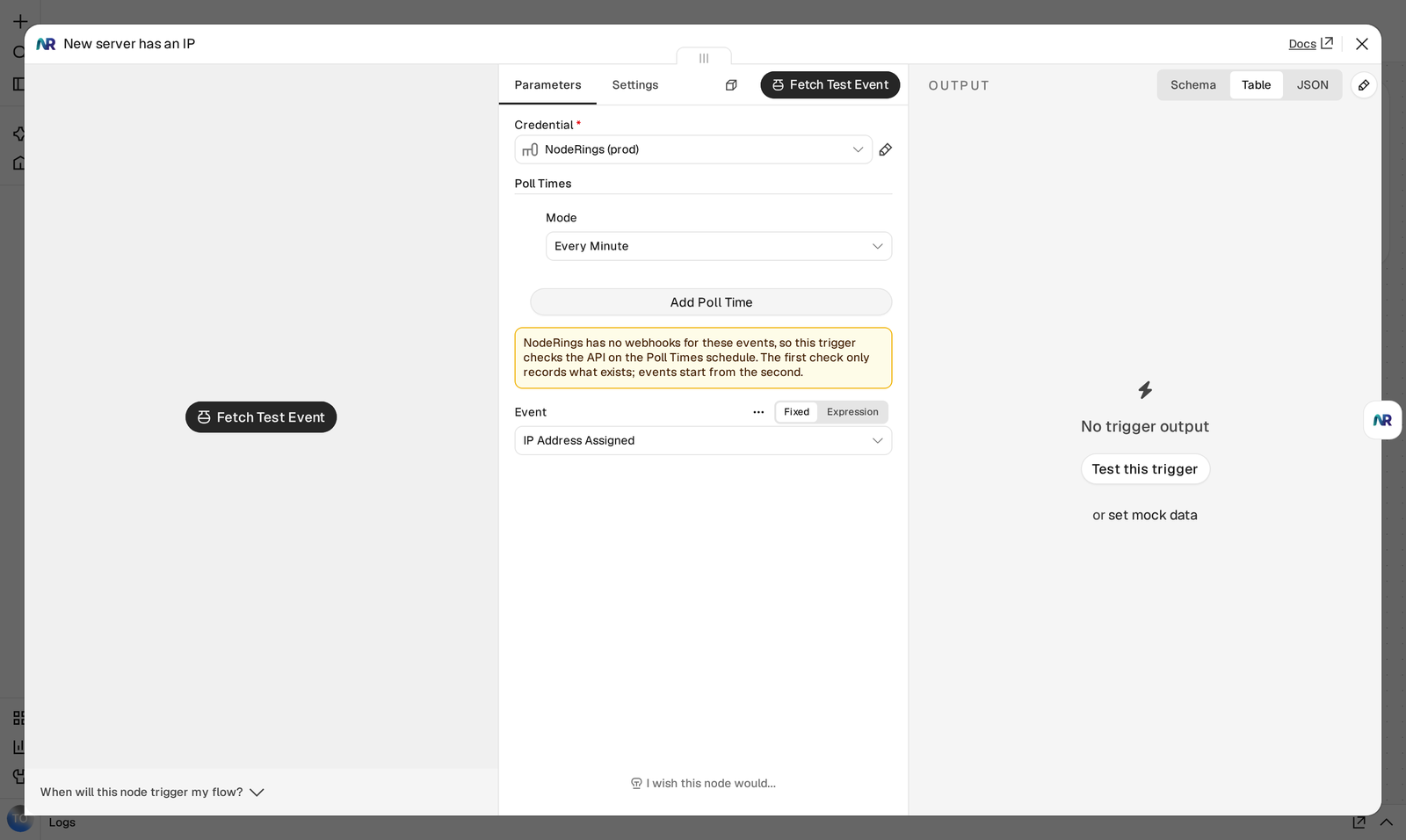
| IP Address Assigned | A server gets its first public IP, which is the moment it becomes reachable |
| Status Changed | A server starts, stops, restarts, reinstalls or is deleted. The output includes the previous status. |
Setting it up
1. Install the package. On self-hosted n8n, open Settings → Community Nodes → Install and enter n8n-nodes-noderings. On n8n Cloud it shows up once n8n has verified it.
2. Create a token. In the NodeRings console go to Organization → Access Control → Service accounts and create a service account. Give it only the permissions your workflows need. For the DNS example in this post, DNS access and read access to virtual machines are enough.
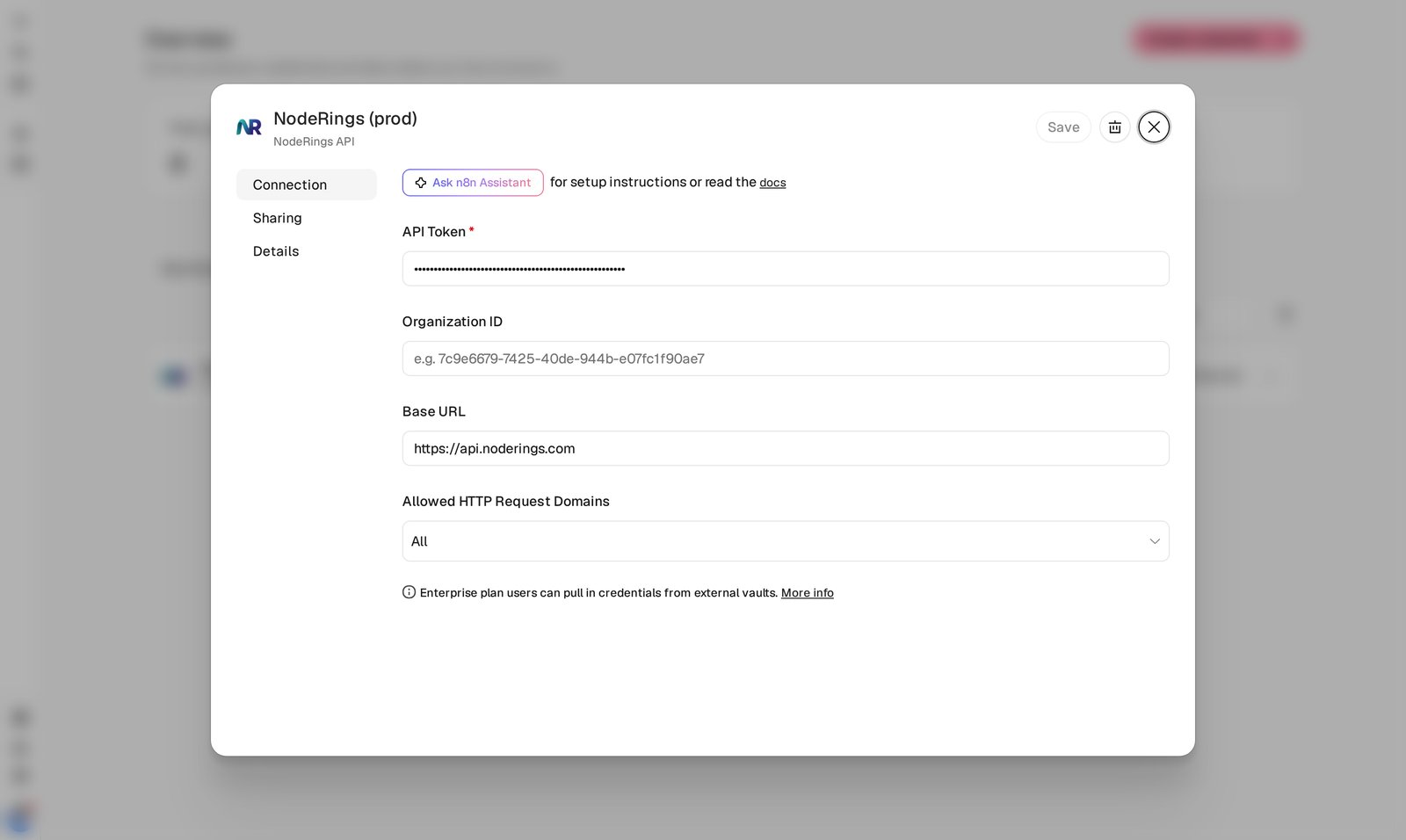
3. Add the credential. In n8n, create a NodeRings API credential and paste the token. Organization ID is optional: leave it empty to work in the token's own organization. n8n's Test button checks the token against the API.
Creating a server
A Create operation on Virtual Machine orders a real server, billed from that moment, so the node asks for exactly what the API needs and nothing it would have to guess:
- Hostname, Plan ID and Region ID. If you don't know the IDs yet, Marketplace → Get Many Offers takes a plan code, country and city and returns the
planIdandregionIdof every provider selling it. - Distro. The dropdown is filled from the API's own catalog, so new distros appear without a node update.
- Access method: SSH keys saved in NodeRings, a root password, cloud-init user data, or a saved cloud-init profile. The API accepts exactly one, so the node shows the field for the method you pick and sends only that.
- Idempotency key. Every create carries one. Leave it empty and the node generates a UUID. Set it yourself, for example from an order number, and a retried workflow won't order a second server.
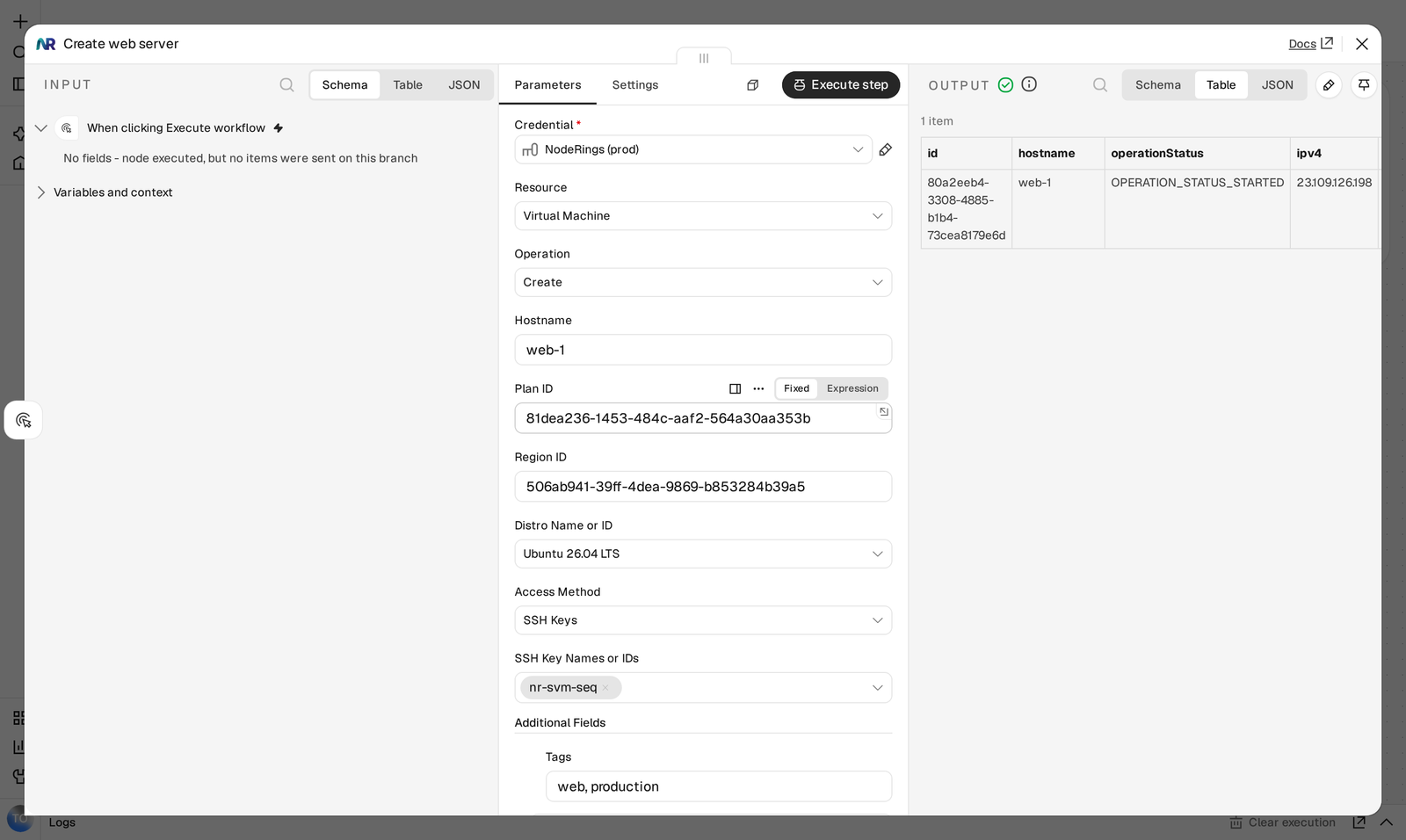
In our run the response came back with the server already started and holding its IPv4 address. That isn't guaranteed on every plan, which is why the trigger has an IP Address Assigned event.
Giving every new server a DNS name
This is the workflow from the recording, and it's in the repository as examples/dns-for-new-vms.json:
- NodeRings Trigger, event IP Address Assigned, checking every minute.
- NodeRings, DNS Record → Create or Update, in your zone, with name
{{ $json.hostname }}and value{{ $json.ipv4 }}.
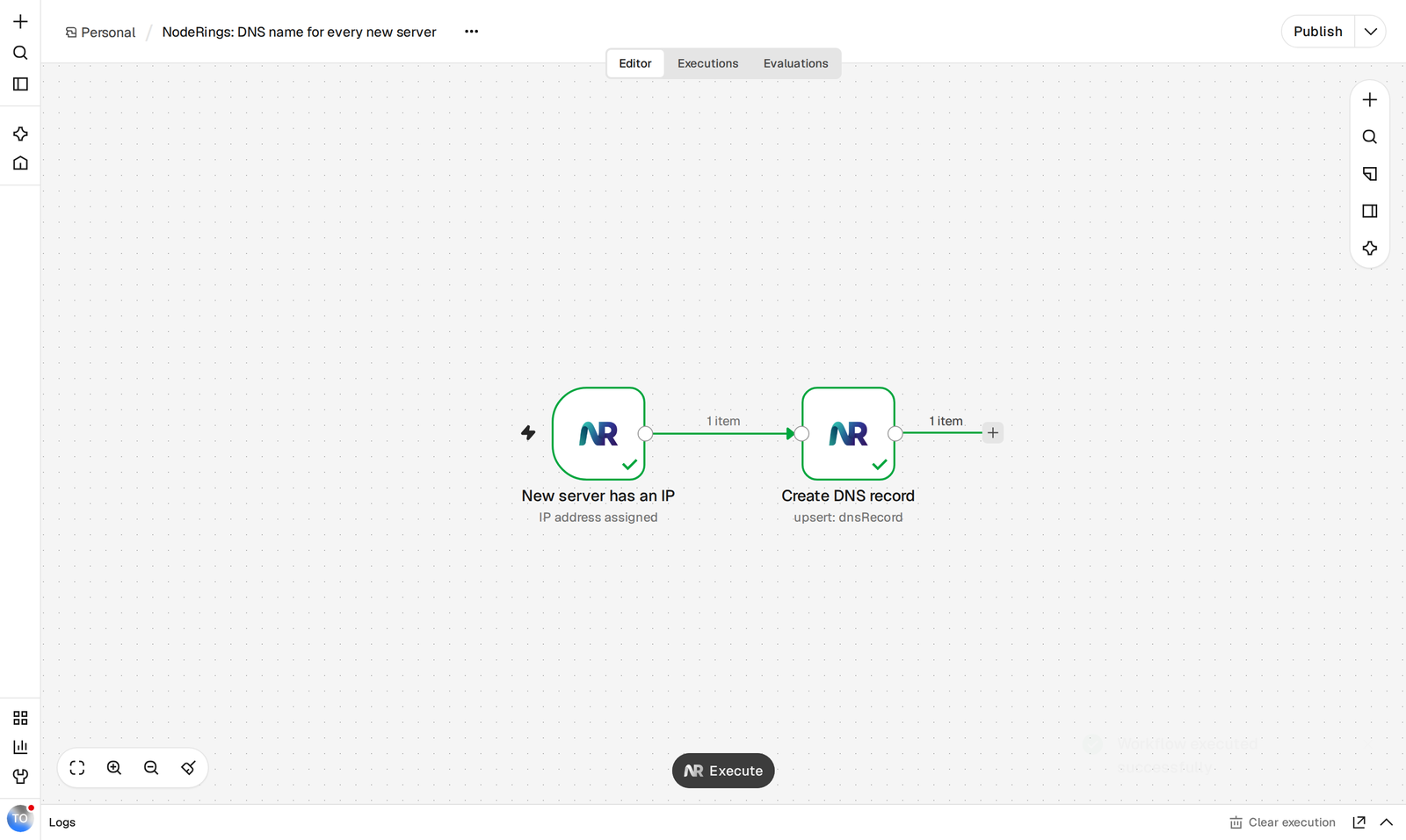
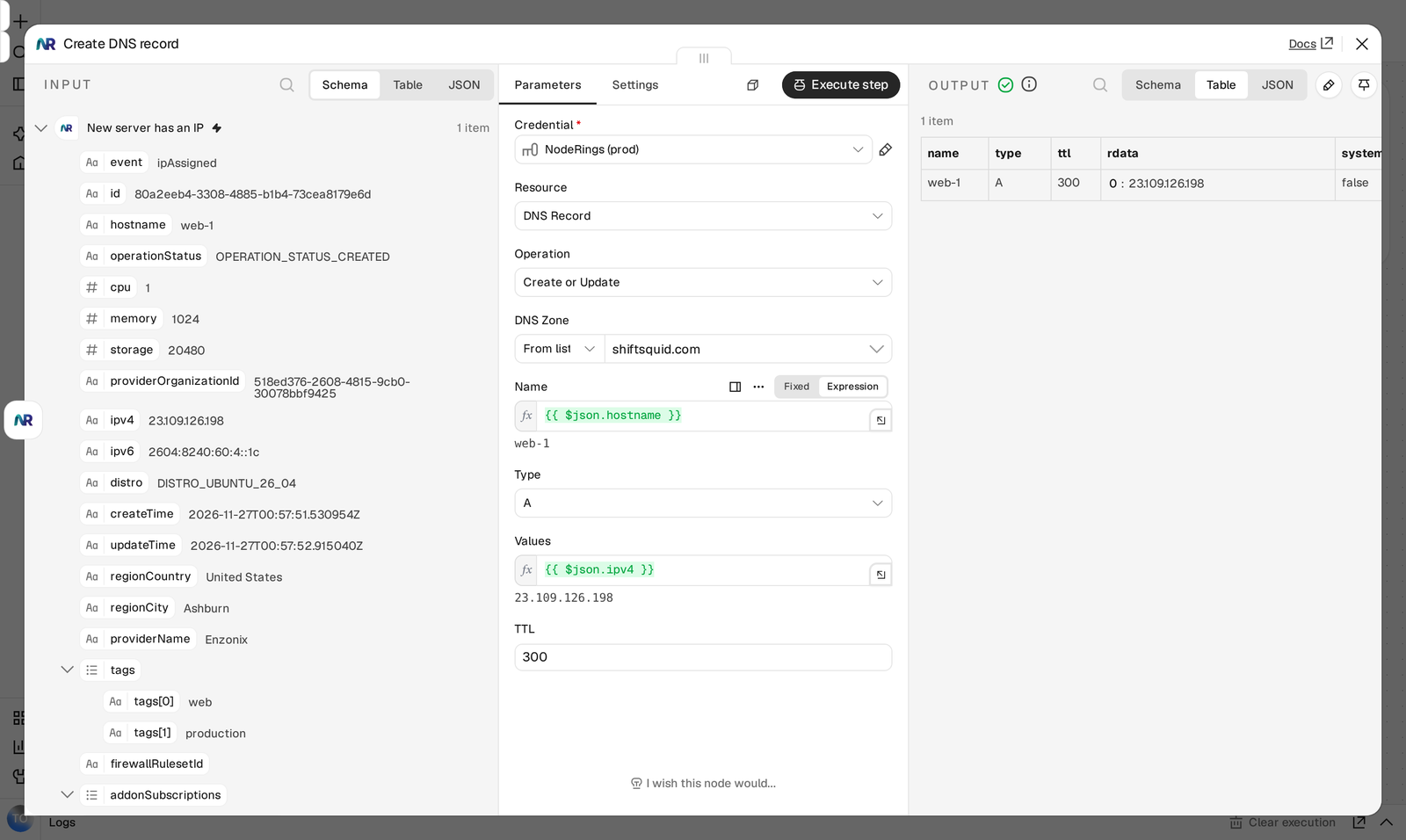
Afterwards we asked the NodeRings nameserver directly with dig @ans1.nrings.io web-1.shiftsquid.com, and it returned the new address. Public lookups only reach the zone once the domain is delegated to NodeRings. Our test zone isn't delegated, so we asked the nameserver itself.
Create or Update sets every value for a name and type, so running the workflow twice doesn't stack up duplicate records. Swap the trigger for Status Changed and filter on OPERATION_STATUS_DELETED, and the same idea removes the record when a server goes away.
How the trigger works
NodeRings doesn't send webhooks for server events, so the trigger polls the API on n8n's Poll Times schedule. Every minute is the shortest interval and a sensible default. The first check after you activate a workflow only records what already exists, so switching a workflow on doesn't flood you with events for servers you've had for months. Fetch Test Event in the editor returns your newest server, so you can build the next node against real data.
With three trigger workflows active, we created a server from n8n, stopped it, started it again and deleted it. Every event arrived on the next poll:
| What we did (UTC) | Trigger event | Output |
|---|---|---|
Created n8n-demo (00:47:21) | New Virtual Machine, 00:47:40 | n8n-demo, status created |
| IP Address Assigned, 00:47:58 | the server's IPv4 address | |
| Server finished installing | Status Changed, 00:48:56 | created → started |
| Stopped it from n8n (00:48:50) | Status Changed, 00:49:55 | started → stopped |
| Started it from n8n (00:50:10) | Status Changed, 00:50:55 | stopped → started |
| Deleted it from n8n (00:51:26) | Status Changed, 00:51:55 | started → deleted |
What we tested
Every operation in the table above ran against the production API in n8n 2.49, apart from backup restore and reinstall, which would have overwritten a disk. Everything we created was deleted again afterwards.
| Area | Checked |
|---|---|
| Credential | The real token passes n8n's credential test; a wrong one fails with "Unauthorized" |
| Reads | 20 list and get operations, including Return All, Limit, Simplify and the status filter |
| Writes | SSH key create and delete; DNS A and TXT records upserted, listed, deleted; firewall ruleset create, rename, delete; cloud-init create, update, delete; tags added and removed |
| Server lifecycle | Create, stop, start, snapshot, list snapshots, delete, at the hourly rate of the plan, which came to about a cent |
| Trigger | All three events, including deletion, as in the table above |
The package also has unit tests for the parts with logic in them: paging, the single access method on create, idempotency keys, and the trigger's memory between checks. It passes n8n's own community-node linter.
What it can't do
The node only offers what the NodeRings API supports. It can't resize a server, boot from a custom image, attach block volumes or create load balancers. Snapshot and backup restores roll the same server back rather than creating a new one. And because the trigger polls, events arrive up to a minute late.
Get it
The node is open source under the MIT license: github.com/noderings/n8n-nodes-noderings. Install n8n-nodes-noderings from Settings → Community Nodes. If you'd rather manage servers from code, the same API is behind our Terraform provider, Ansible collection and Pulumi package. If you want n8n to watch your servers' health rather than their lifecycle, see Prometheus service discovery.