
We uploaded an 86-second recording of a team meeting to an n8n form and waited. Eight minutes later the form showed a short summary and six action items, each with a name and a day. In between, n8n had rented a server from NodeRings, installed Whisper and an open AI model on it, run the job, and deleted the server again. The server existed for 7 minutes and 38 seconds. Its estimated cost was $0.0018.
Transcription and summaries need real CPU and memory, but only for a few minutes at a time. Keeping a machine running all month for that is paying for idle time. This post shows how to build the workflow that rents a server for each job instead, and what happened when we ran it on production.
What the workflow does
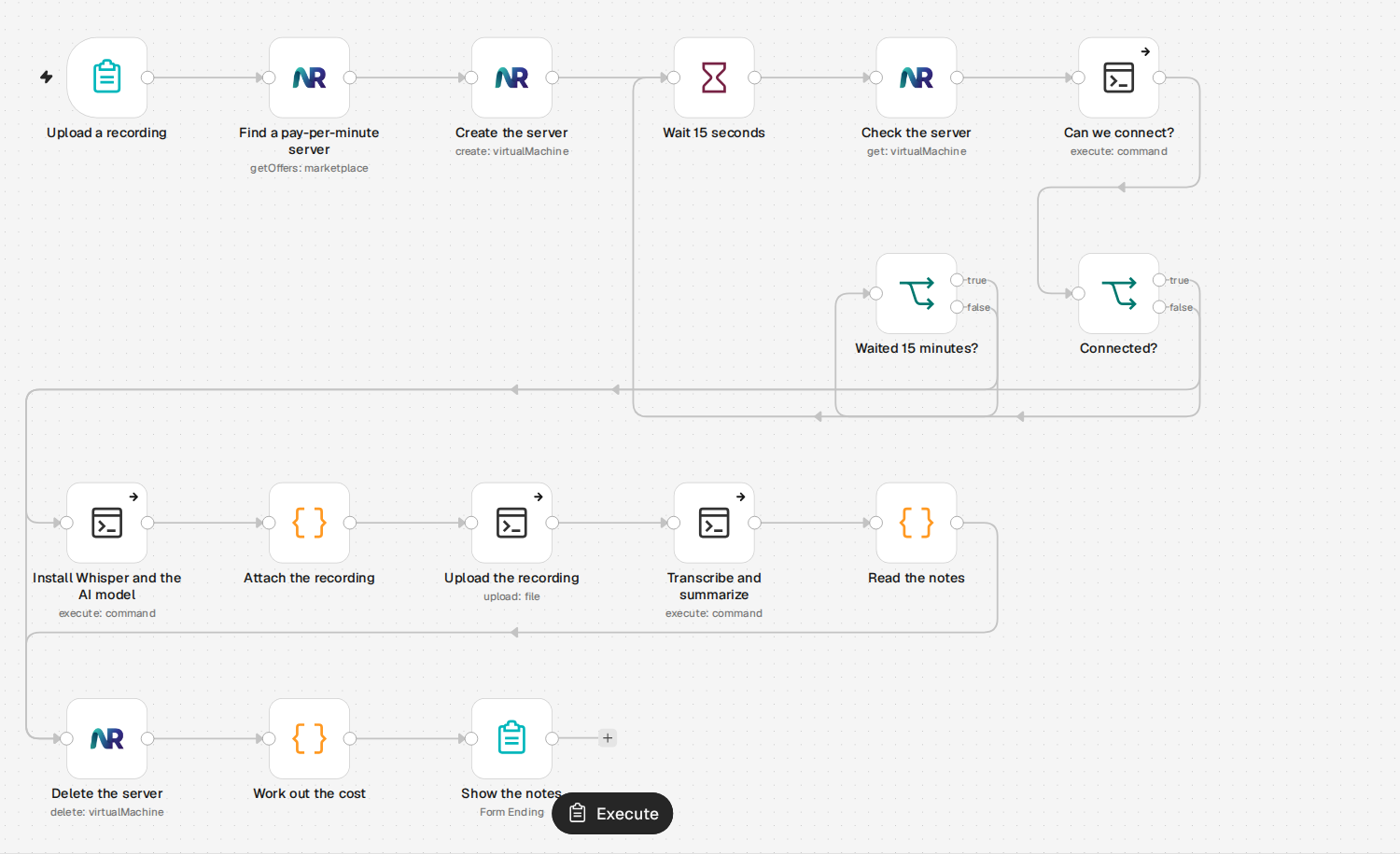
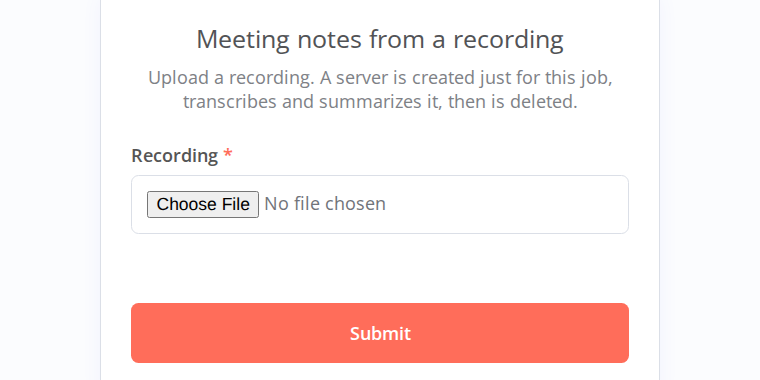
- A form takes the recording. An n8n Form Trigger with one file field. That's all the user does.
- Find a pay-per-minute server. The NodeRings node's Marketplace → Get Many Offers returns the plan and region IDs for the 1 vCPU, 2 GB plan in Ashburn.
- Create the server with Ubuntu 26.04 and an SSH key that n8n also holds. The hostname has the time in it, and the tags
on-demand, transcriptionmake these servers easy to spot. - Wait until it accepts SSH. Every 15 seconds the workflow checks the server and tries to connect. If it still can't after 15 minutes, it gives up and deletes the server, so a stuck job never leaves a machine running.
- Install the tools with one SSH command: faster-whisper for the transcript, and llama.cpp with Qwen2.5 3B Instruct for the notes.
- Upload the recording over SSH and run the job. It prints the transcript, the summary and the action items as JSON.
- Delete the server with the NodeRings node.
- Work out the cost from the plan's own prices and how long the server existed.
- Show the notes on the form's last page.
Why a small server, and what it really costs
On NodeRings today, the 1 vCPU plans are billed by usage: compute is $0.01 per compute-hour, counted in fractions of an hour. The bigger plans (4 to 32 vCPU) are monthly subscriptions, so renting one for eight minutes would be charged as a month. That's why this workflow uses the 1 vCPU, 2 GB plan: for this pattern, "you pay for the minutes you use" is only true on usage-billed plans.
The cost step adds two prices from the plan, both prorated to the seconds the server existed: $0.01 per compute-hour, and the plan's $3 a month spread over 730 hours. For our run:
| Server existed | 7 min 38 s |
| Compute ($0.01 per hour) | $0.0013 |
| Base ($3 a month, prorated) | $0.0005 |
| Estimated total | $0.0018 |
It's an estimate from the published prices; your invoice is the final word. Either way, it's a fraction of a cent. Keeping the same server running all month would be about $10: the $3 base plus 730 compute-hours at $0.01.
What happened on the live run
We ran it on production on 27 November 2026 with a fictional 86-second team meeting, generated with synthetic voices so no real person is recorded.
| Step | Time |
|---|---|
| Form submitted → server reachable over SSH | 66 s |
| Install Whisper and the AI model | 83 s |
| Transcribe 86 s of audio (Whisper base.en) | 6.5 s |
| Summary and action items (Qwen2.5 3B, one CPU core) | 4 min 51 s |
| Delete the server, work out the cost | 3 s |
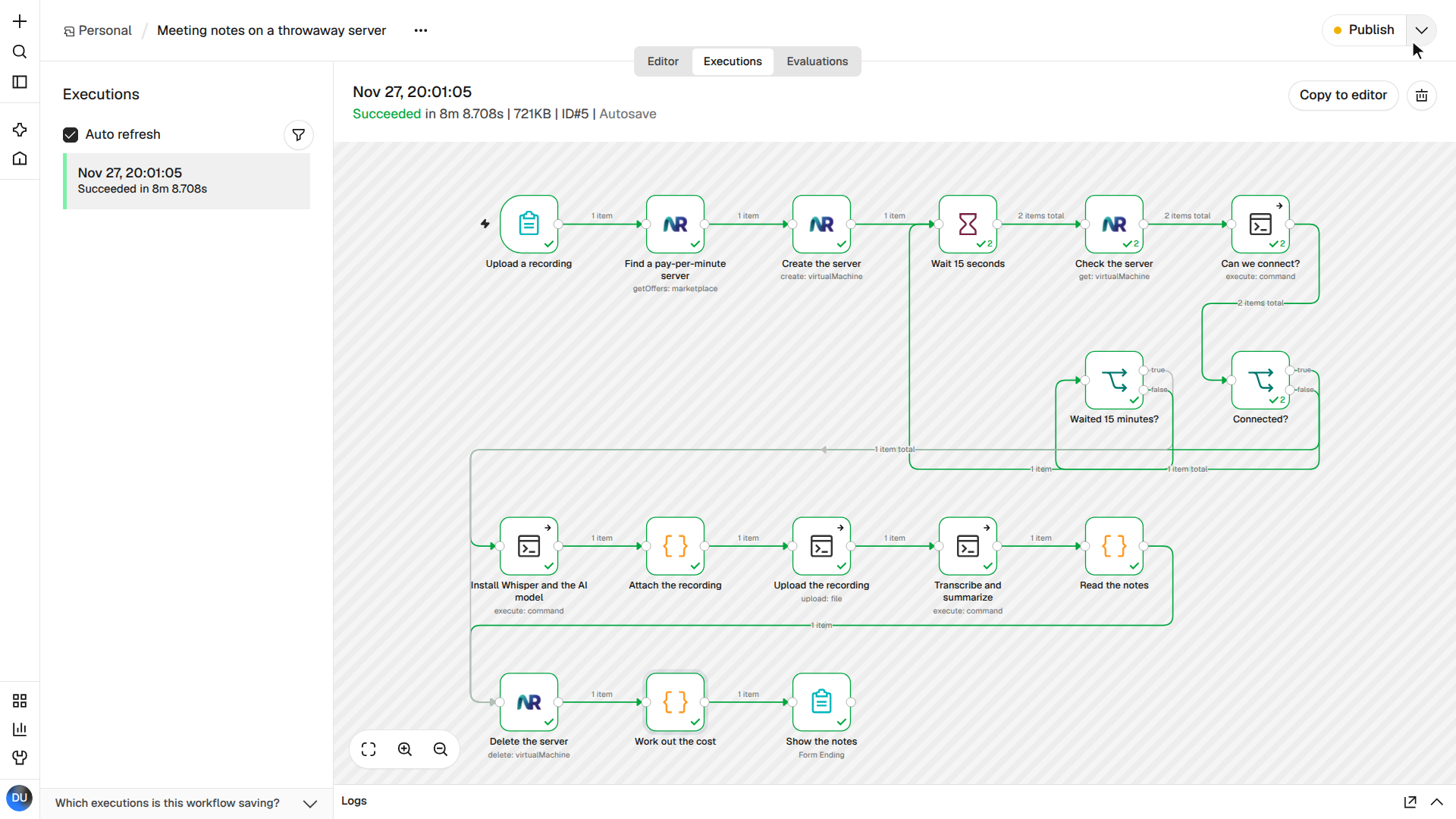
Whisper is fast even on one core. The AI model is the slow part: a 3-billion-parameter model on a single CPU takes about five minutes to read the transcript and write the notes. That's fine for a job nobody is watching. If it matters, the same workflow on a bigger plan would be much faster, at a different price.
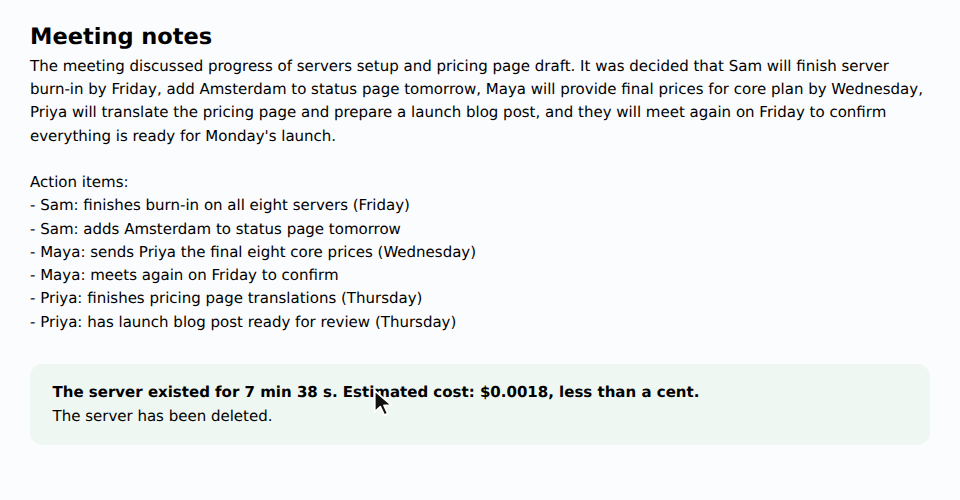
Getting a small model to write good notes
Our first try used Qwen2.5 1.5B, the smallest model that fits comfortably. It invented a month ("July 7th" for "Monday the seventh") and gave Sam's task to Maya. Three changes fixed it:
- A bigger model, squeezed to fit. Qwen2.5 3B at 3-bit quantization is 1.7 GB, which still fits next to the system in 2 GB of RAM.
- Two small questions instead of one big one. First a two-sentence summary without dates, then the action items on their own. Small models follow short instructions much better.
- Use the recap. Whisper doesn't say who is speaking, so "I'll do it" is ambiguous. Most meetings end with a recap ("so, to recap: Sam does X by Friday"), and the workflow asks the model to take action items from there, with the host's name from their introduction.
Temperature is 0, so the same recording gives the same notes. It's still a small model: read the action items before you send them on.
Set it up yourself
You need a self-hosted n8n with the NodeRings community node installed, and a NodeRings account.
- Download the workflow: n8n-meeting-notes-workflow.json. The install script and the job are inside it, in the install step's SSH command.
- Make an SSH key pair for these throwaway servers (
ssh-keygen -t ed25519). Add the public key in NodeRings, either in the console or with the node's SSH Key → Create. - Create two credentials in n8n:
- NodeRings API with a service-account token that can create and delete servers and read the marketplace.
- SSH Private Key with user
root, the private key, and as the host the expression{{ $('Check the server').last().json.ipv4 }}, so it always points at the server this run created.
- Import the workflow, select those credentials in the NodeRings and SSH nodes, and choose your key in Create the server.
- Publish it and open the form's URL.
Things to know
- The job runs over SSH, not cloud-init. The NodeRings API no longer accepts cloud-init user data when you create a server, so the workflow installs everything with an SSH command after the server boots.
- Keep the give-up path. A server that never becomes reachable is deleted after 15 minutes. Don't remove it.
- Keep the SSH key just for this. n8n holds its private key; use a key that only these throwaway servers accept.
- Recordings go to your own server, and to nowhere else. The models run on the rented server, and the server is deleted with the recording on it. Nothing is sent to an AI API.
- Long recordings need more time, not a different design. Whisper on one core transcribes much faster than real time; the summary is limited by the model's context (4096 tokens here), so very long meetings need the transcript split up first.
Get it
The workflow is a download, and the NodeRings node for n8n is open source: github.com/noderings/n8n-nodes-noderings. For the node itself, every operation it has and how to install it, see Automate NodeRings servers and DNS with n8n.