
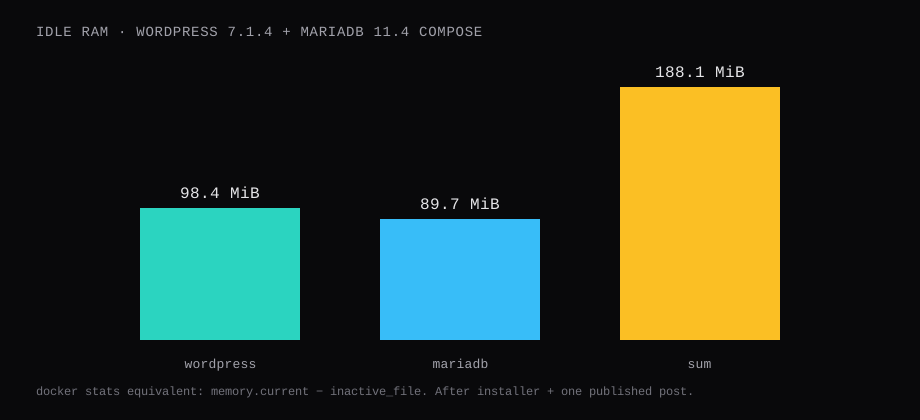
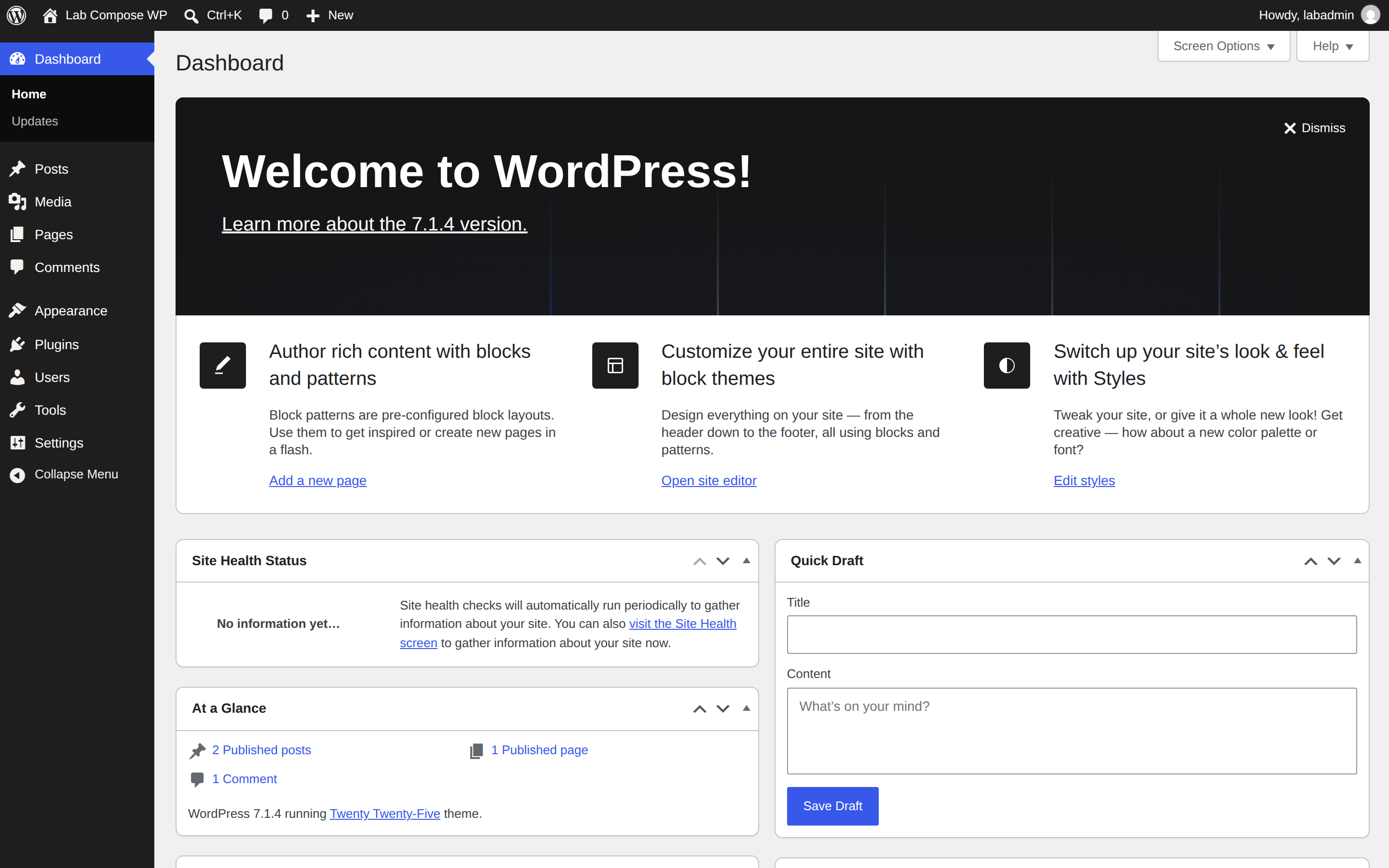
WordPress 7.1.4 (official php8.3-apache image) and MariaDB 11.4.13 answered on http://127.0.0.1:8089 after a Compose bring-up and a finished install. Idle memory, measured as cgroup memory.current minus inactive_file (the same number docker stats prints), sat at 98.4 MiB for WordPress and 89.7 MiB for the database (188.1 MiB together), median of twenty samples two seconds apart after the homepage and one published post. / returned HTTP 200 with title Lab Compose WP.
That is the container path. The apt LEMP post and the bare-metal WordPress post stay on host packages. This one pins Hub digests, keeps secrets in .env, publishes loopback only, and finishes the installer past the language picker.
| Service | Image | Idle (docker stats / adj. cgroup) |
|---|---|---|
| wordpress | wordpress:7.1.4-php8.3-apache@sha256:04b6c5d0… | 98.4 MiB |
| db | mariadb:11.4@sha256:d1891ede… | 89.7 MiB |
| Sum | 188.1 MiB |
| Proof | Result |
|---|---|
| Install | wp core install success (same end state as the web wizard) |
| Homepage | HTTP 200, <title>Lab Compose WP</title> |
| MariaDB | 11.4.13-MariaDB-ubu2404 |
| PHP in container | 8.3.36 |
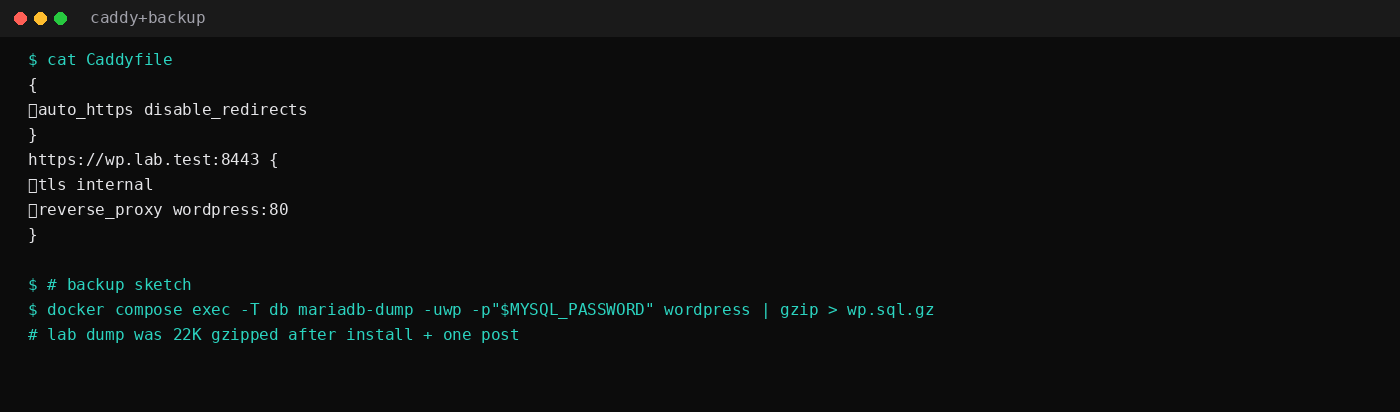
mariadb-dump gzip | 22 KiB after install + one post |
| Skip this | What this run did |
|---|---|
wordpress:latest / mariadb:latest | Pinned tag + digest |
80:80 on every interface | 127.0.0.1:8089:80 |
Passwords in docker-compose.yml | .env mode 600 via env_file |
| Stopping at the language screen | Full install + one published post |
Watchtower on latest | Manual digest bumps |
How do you write the Compose file?
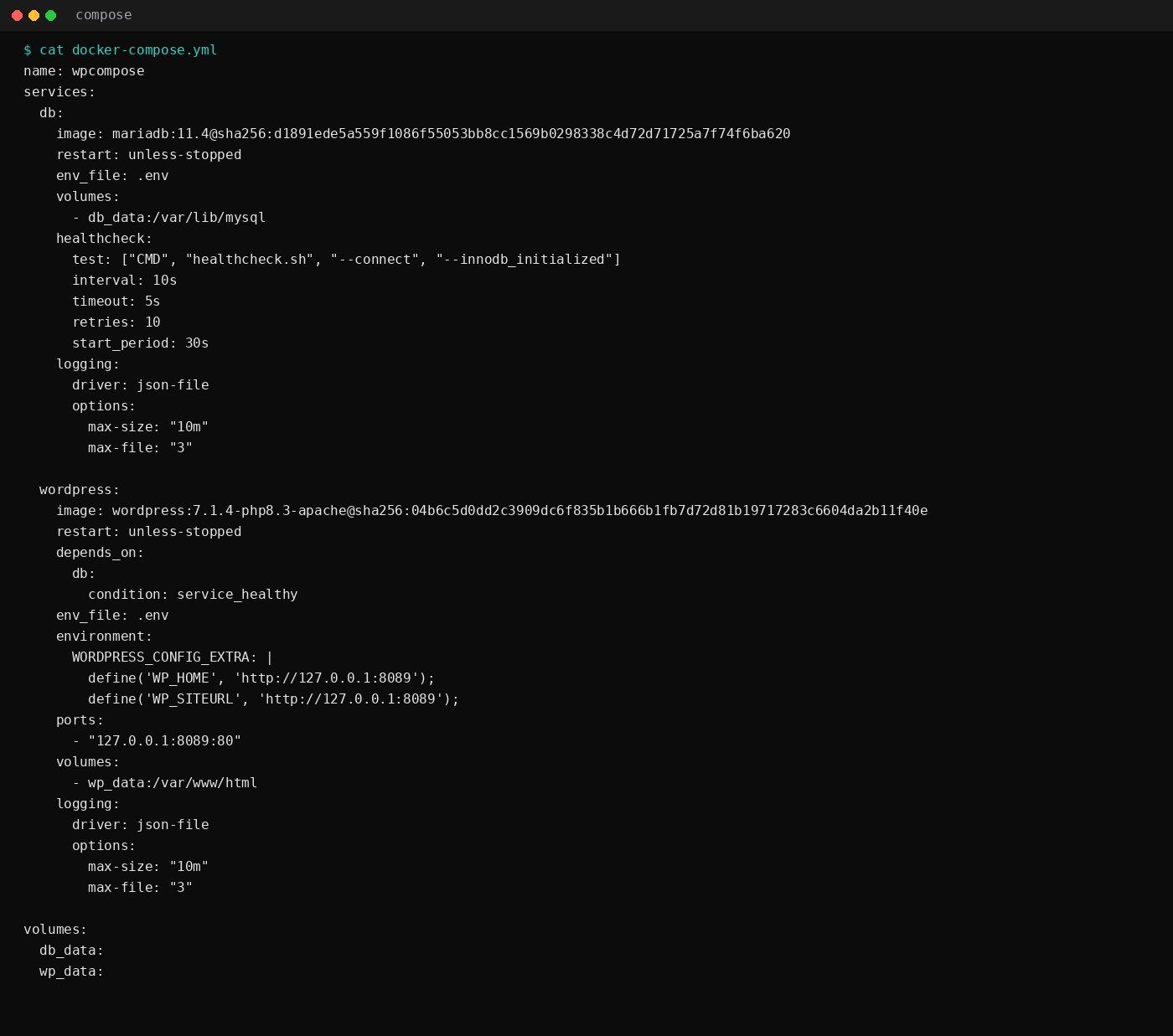
On Ubuntu 24.04 with Docker Engine and the Compose plugin (Compose checklist):
mkdir -p ~/wp && cd ~/wpname: wpcompose
services:
db:
image: mariadb:11.4@sha256:d1891ede5a559f1086f55053bb8cc1569b0298338c4d72d71725a7f74f6ba620
restart: unless-stopped
env_file: .env
volumes:
- db_data:/var/lib/mysql
healthcheck:
test: ["CMD", "healthcheck.sh", "--connect", "--innodb_initialized"]
interval: 10s
timeout: 5s
retries: 10
start_period: 30s
logging:
driver: json-file
options:
max-size: "10m"
max-file: "3"
wordpress:
image: wordpress:7.1.4-php8.3-apache@sha256:04b6c5d0dd2c3909dc6f835b1b666b1fb7d72d81b19717283c6604da2b11f40e
restart: unless-stopped
depends_on:
db:
condition: service_healthy
env_file: .env
environment:
WORDPRESS_CONFIG_EXTRA: |
define('WP_HOME', 'http://127.0.0.1:8089');
define('WP_SITEURL', 'http://127.0.0.1:8089');
ports:
- "127.0.0.1:8089:80"
volumes:
- wp_data:/var/www/html
logging:
driver: json-file
options:
max-size: "10m"
max-file: "3"
volumes:
db_data:
wp_data:Replace the digests with whatever docker pull prints the day you install. On a real hostname, set WP_HOME / WP_SITEURL to https://example.com (or drop WORDPRESS_CONFIG_EXTRA and let the installer write the URL).
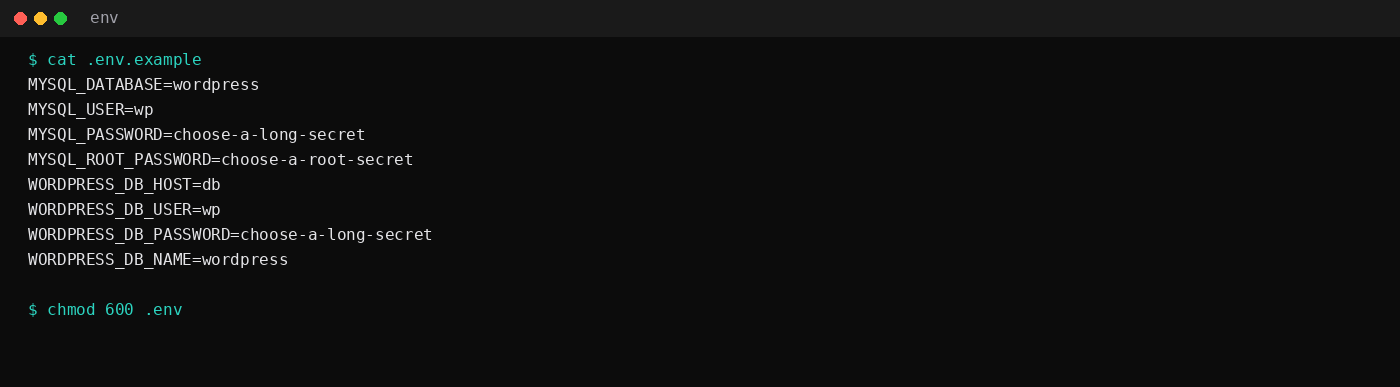
# .env.example
MYSQL_DATABASE=wordpress
MYSQL_USER=wp
MYSQL_PASSWORD=choose-a-long-secret
MYSQL_ROOT_PASSWORD=choose-a-root-secret
WORDPRESS_DB_HOST=db
WORDPRESS_DB_USER=wp
WORDPRESS_DB_PASSWORD=choose-a-long-secret
WORDPRESS_DB_NAME=wordpress
cp .env.example .env
chmod 600 .env
# edit passwords
docker compose up -d
docker compose psWait until db is healthy and curl -I http://127.0.0.1:8089/wp-admin/install.php returns a redirect or 200.
How do you finish the install?
Open http://127.0.0.1:8089/wp-admin/install.php and walk the wizard, or use WP-CLI against the same volumes and network:
docker run --rm --network wpcompose_default \
  --env-file .env \
  -e WORDPRESS_DB_HOST=db \
  -v wpcompose_wp_data:/var/www/html \
  wordpress:cli-php8.3 \
  wp core install \
    --url='http://127.0.0.1:8089' \
    --title='Lab Compose WP' \
    --admin_user='labadmin' \
    --admin_password='choose-a-long-secret' \
    --admin_email='[email protected]' \
    --skip-email
This lab used CLI for a repeatable install, then published one post (Compose hello). Fix upload ownership once if the CLI container wrote as root:
docker compose exec -u root wordpress \
  chown -R www-data:www-data /var/www/html/wp-content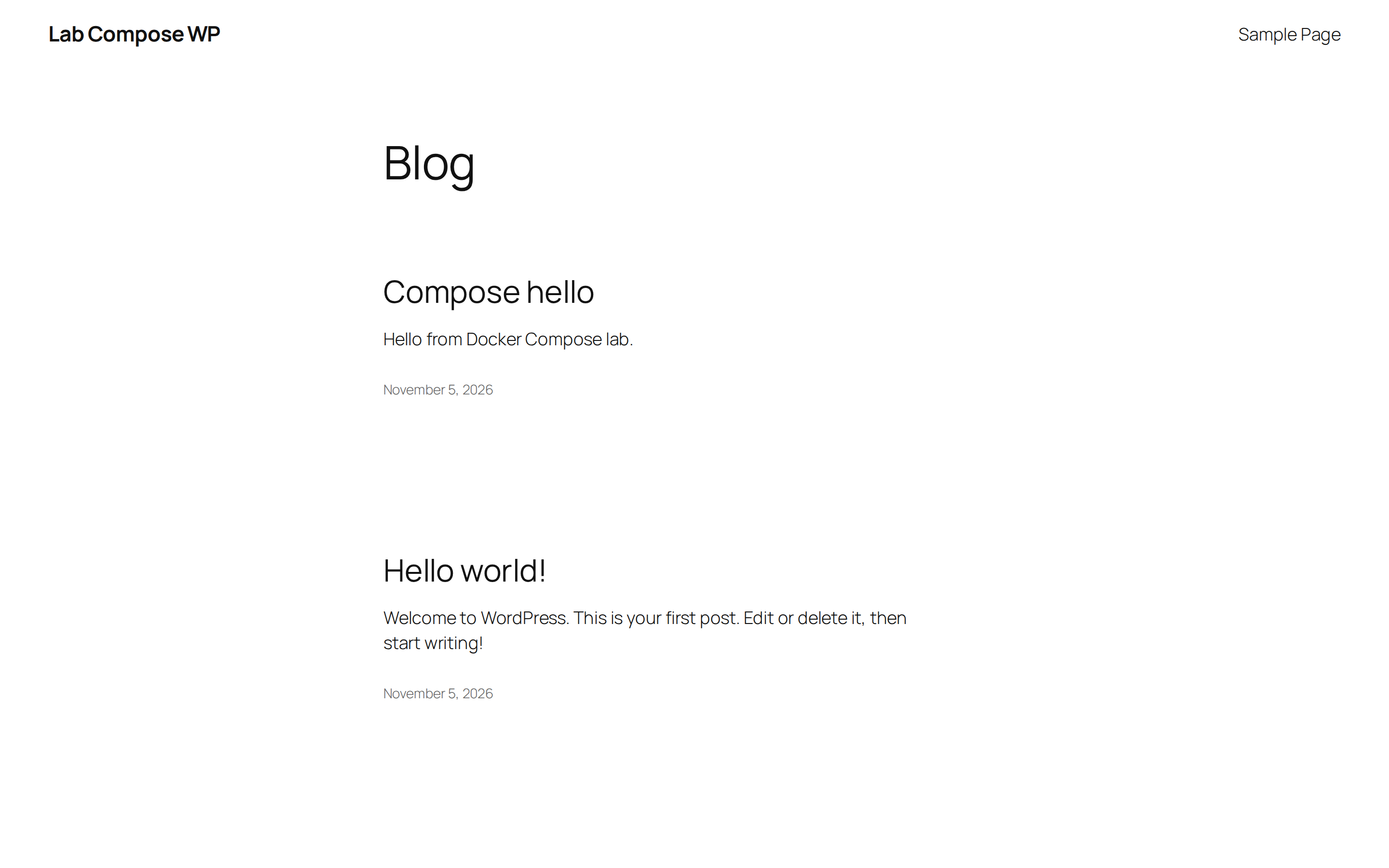
How do you put HTTPS in front?
Keep WordPress on loopback. Put Caddy (or nginx) on 80/443:
{
	auto_https disable_redirects
}
https://wp.lab.test:8443 {
	tls internal
	reverse_proxy wordpress:80
}
On the VPS, publish Caddy on 80/443, set the real hostname, and point DNS at the box. Update WP_HOME / WP_SITEURL to that HTTPS URL. The Caddy automatic HTTPS post owns the certificate path. Leave 8089 closed on the panel firewall.
TLS termination on Caddy with plain HTTP to the WordPress container is the common layout. Upstream WordPress docs and the official Docker image expect the reverse proxy to send X-Forwarded-Proto. Without it, admin redirects can loop between http and https forever. The official image injects the usual HTTP_X_FORWARDED_PROTO handling when you set the documented env vars; still confirm Caddy (or nginx) actually sets the header. Named volumes for both wordpress and db are non-negotiable: wipe the containers without volumes and the site vanishes. Prefer MariaDB LTS or a pinned MySQL tag over floating latest on the database side the same way you pin the WordPress digest.
How much RAM does idle Compose use?
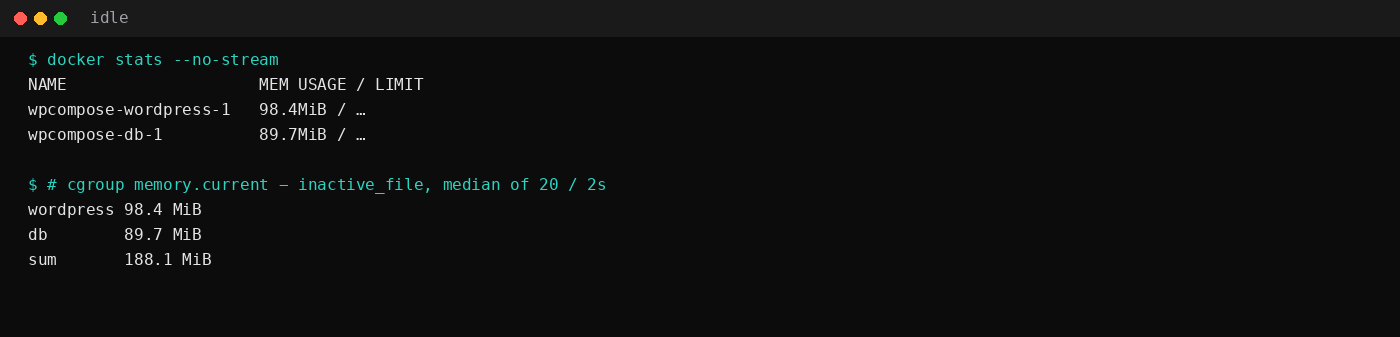
A 2 GB plan holds this stack with room for traffic spikes. Plugins, page builders, and Redis object cache change the budget. The 2 GB idle table is the wider guest context.
How do you back it up?
docker compose exec -T db \
  mariadb-dump -uwp -p"$MYSQL_PASSWORD" wordpress | gzip > wp-$(date +%F).sql.gz

docker run --rm -v wpcompose_wp_data:/data -v "$PWD":/backup alpine \
  tar czf /backup/wp-content-$(date +%F).tgz -C /data .
This lab's database dump after install and one post was 22 KiB gzipped. Off-box copies belong in restic or your usual object store.
FAQ
Compose or apt LEMP?
Compose wins when you want the same file on a laptop and a VPS, or when you already run Docker for everything else. Apt LEMP wins when you want host nginx, Certbot in the Ubuntu repos, and fewer moving parts (LEMP post). Permalinks and TTFB on host nginx are measured in the bare-metal WordPress post.
Why Apache inside the WordPress image?
The official php8.3-apache tag ships Apache in the container. You can front it with Caddy or nginx on the host. An FPM variant plus a separate web container is a longer Compose file; this post stayed on the Hub default.
Can I migrate from a host install?
Dump MySQL/MariaDB, rsync wp-content, load into the db service, point DNS, then fix WP_HOME / WP_SITEURL. Test on a staging hostname first.
Do I need Proxmox or a second VM?
No. This lab ran on Docker Engine on Ubuntu. A clean VM only helps when the host already fights you for port 80; loopback 8089 avoided that here.