
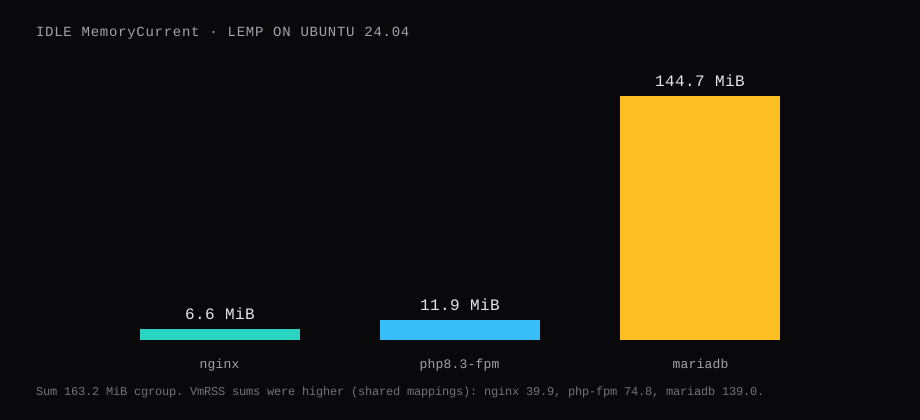
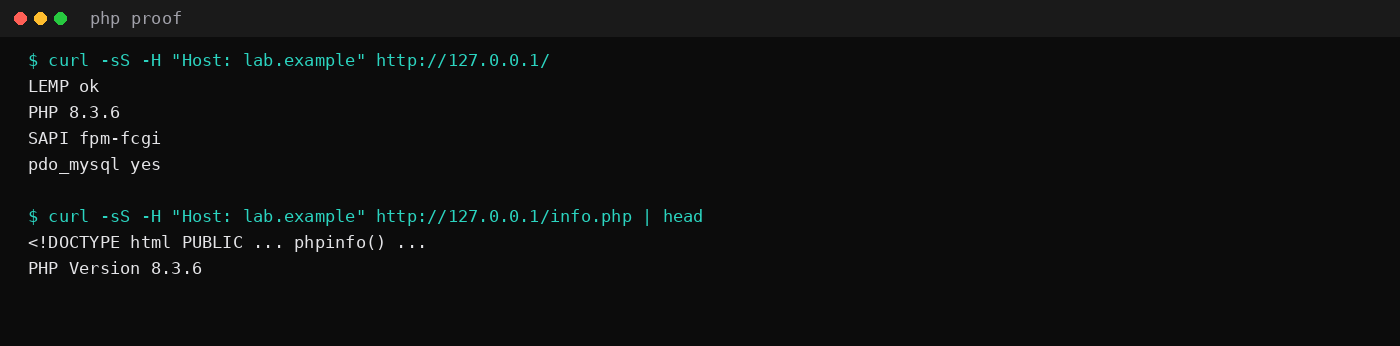
Ubuntu 24.04's packages gave Nginx 1.24.0, MariaDB 10.11.14, and PHP 8.3.6 through php-fpm. After a quiet window, systemd MemoryCurrent sat at 6.6 MiB for nginx, 11.9 MiB for php8.3-fpm, and 144.7 MiB for mariadb (medians of twenty samples, one second apart). Process VmRSS sums for the same units were 39.9 MiB, 74.8 MiB, and 139.0 MiB. A request to / with Host: lab.example returned plain text from index.php with SAPI fpm-fcgi and pdo_mysql yes. Certbot 2.9.0 was on the box with the nginx plugin; this lab kept HTTP on 127.0.0.1:80 so a public certificate wait for DNS day.
That is the bare LEMP stack before WordPress or Laravel. The WordPress on Nginx and MariaDB post is the next layer. Panels that hide these packages are a different path: CyberPanel vs Hestia vs aaPanel.
| Unit | MemoryCurrent median | VmRSS sum |
|---|---|---|
| nginx | 6.6 MiB | 39.9 MiB |
| php8.3-fpm | 11.9 MiB | 74.8 MiB |
| mariadb | 144.7 MiB | 139.0 MiB |
| Sum (cgroup) | 163.2 MiB |
| Component | Lab version |
|---|---|
| Nginx | 1.24.0-2ubuntu7.19 |
| MariaDB | 10.11.14-0ubuntu0.24.04.1 |
| PHP-FPM | 8.3.6-0ubuntu0.24.04.13 |
| Certbot | 2.9.0-1 (+ python3-certbot-nginx) |
| FPM socket | /run/php/php8.3-fpm.sock |
| Skip this | What this run did |
|---|---|
| Apache + Nginx both claiming port 80 | Nginx only; default site removed |
mod_php under Apache | php8.3-fpm over a Unix socket |
Leaving info.php on a public hostname | Lab proof, then delete the file |
| Certbot before DNS points here | HTTP + php first; Certbot commands ready |
| Database password in the web root | MariaDB user lemp@localhost only |
How do you install the packages?
On a fresh Ubuntu 24.04 VPS:
sudo apt update
sudo apt install nginx mariadb-server php-fpm php-mysql \
  php-curl php-gd php-mbstring php-xml php-zip php-intl \
  certbot python3-certbot-nginx
sudo systemctl enable --now nginx php8.3-fpm mariadb
Unversioned php-fpm pulls 8.3 on Noble. Confirm the socket and the binaries:
nginx -v
php -v
mariadb --version
ls /run/php/php8.3-fpm.sock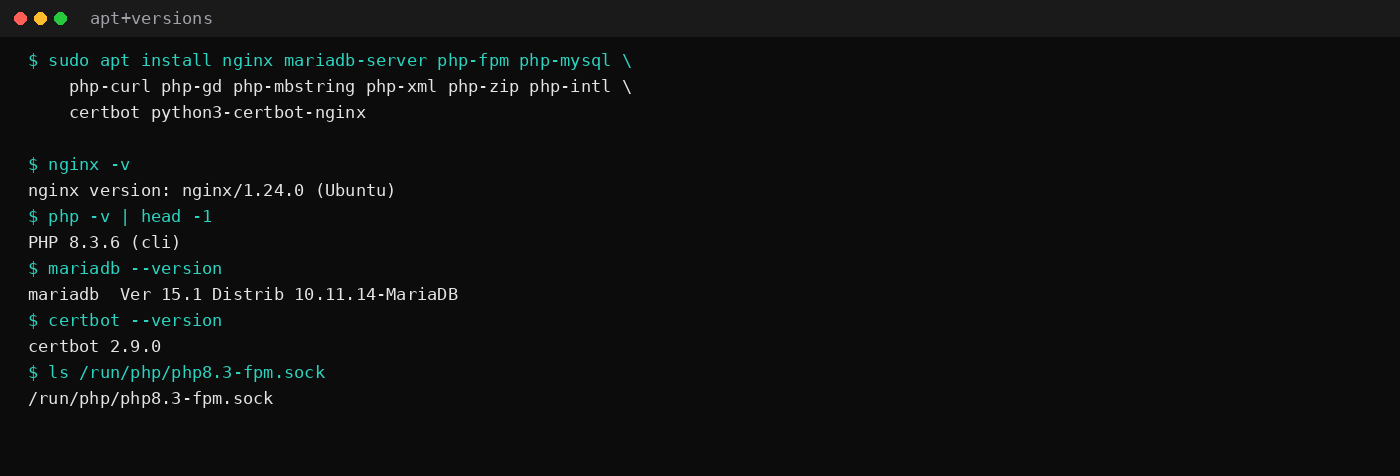
How do you create the database user?
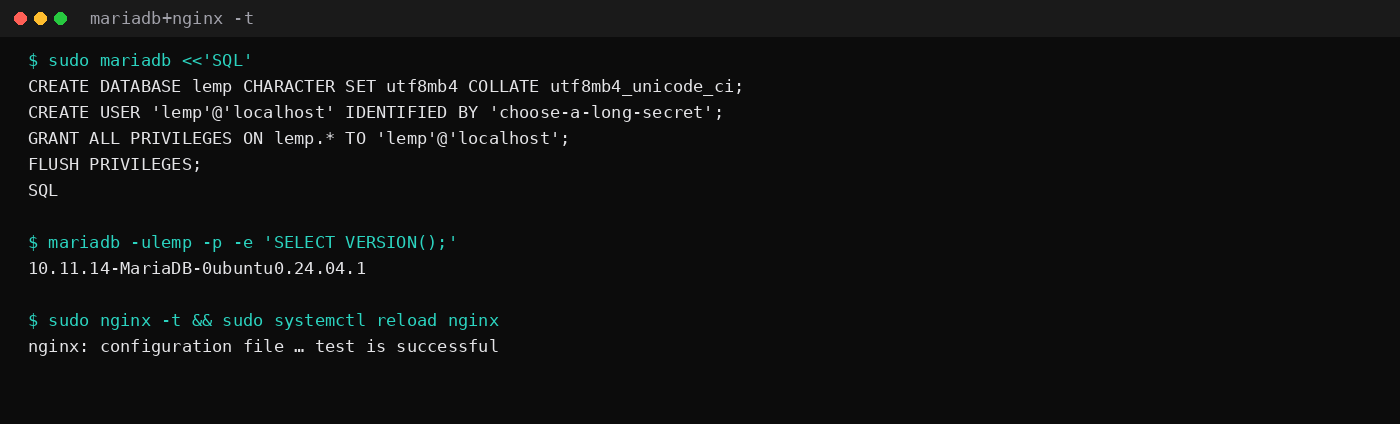
MariaDB root on Ubuntu uses unix_socket authentication from the system root account. Create an application database and a user that only reaches that schema:
sudo mariadb <<'SQL'
CREATE DATABASE lemp CHARACTER SET utf8mb4 COLLATE utf8mb4_unicode_ci;
CREATE USER 'lemp'@'localhost' IDENTIFIED BY 'choose-a-long-secret';
GRANT ALL PRIVILEGES ON lemp.* TO 'lemp'@'localhost';
FLUSH PRIVILEGES;
SQL
mariadb -ulemp -p -e 'SELECT VERSION();'
Remove anonymous users and the test schema if mariadb-secure-installation still asks; remote root login stays off. Keep the app password out of git and out of /var/www.
How do you point Nginx at PHP-FPM?
sudo mkdir -p /var/www/lab.example
sudo tee /var/www/lab.example/index.php >/dev/null <<'EOF'
<?php
header('Content-Type: text/plain; charset=utf-8');
echo "LEMP ok\n";
echo "PHP " . PHP_VERSION . "\n";
echo "SAPI " . PHP_SAPI . "\n";
echo "pdo_mysql " . (extension_loaded('pdo_mysql') ? 'yes' : 'no') . "\n";
EOF
sudo chown -R www-data:www-data /var/www/lab.example
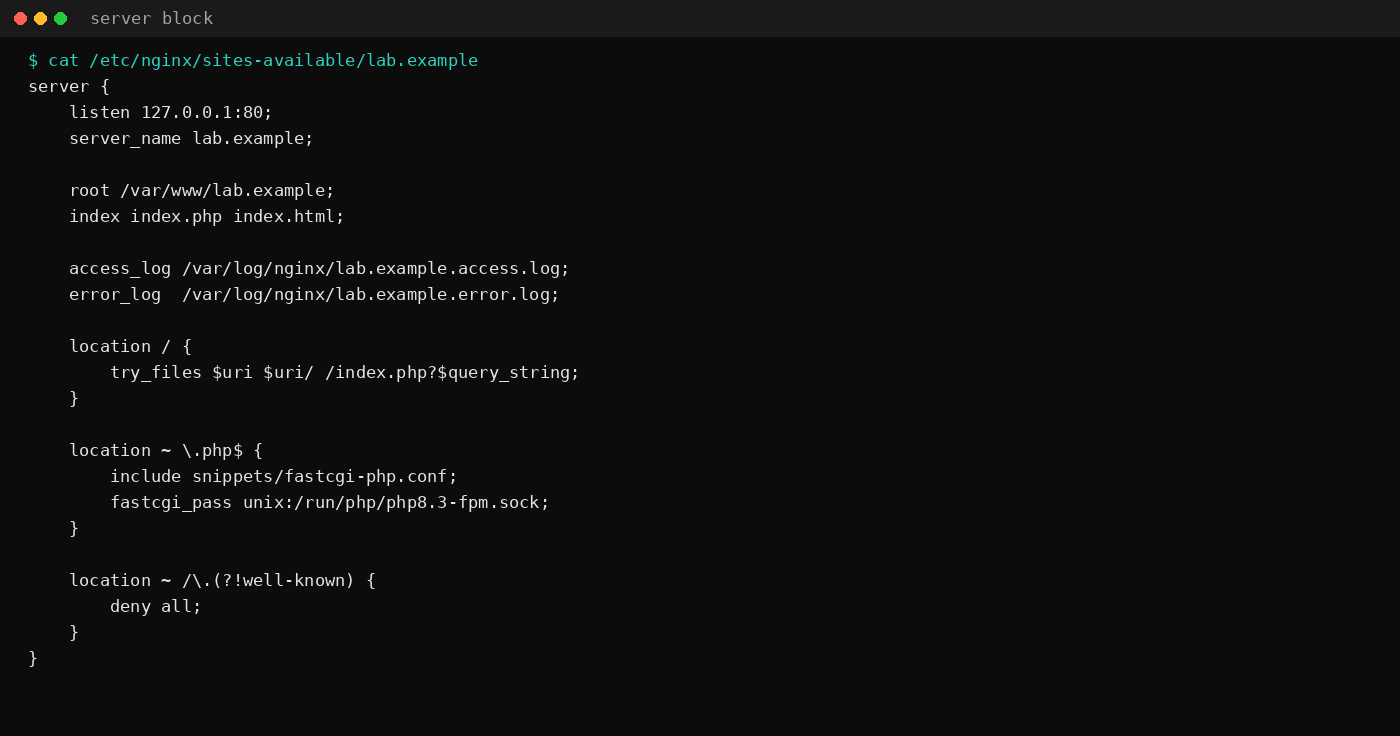
Server block (fresh VPS listens on 80 for Certbot; this lab used 127.0.0.1:80 so other stacks on the host stayed alone):
server {
    listen 80;
    listen [::]:80;
    server_name lab.example;

    root /var/www/lab.example;
    index index.php index.html;

    access_log /var/log/nginx/lab.example.access.log;
    error_log  /var/log/nginx/lab.example.error.log;

    location / {
        try_files $uri $uri/ /index.php?$query_string;
    }

    location ~ \.php$ {
        include snippets/fastcgi-php.conf;
        fastcgi_pass unix:/run/php/php8.3-fpm.sock;
    }

    location ~ /\.(?!well-known) {
        deny all;
    }
}
sudo ln -sfn /etc/nginx/sites-available/lab.example /etc/nginx/sites-enabled/lab.example
sudo rm -f /etc/nginx/sites-enabled/default
sudo nginx -t
sudo systemctl reload nginx
curl -sS -H "Host: lab.example" http://127.0.0.1/Expected body:
LEMP ok
PHP 8.3.6
SAPI fpm-fcgi
pdo_mysql yes
Drop a temporary info.php with <?php phpinfo(); only while you confirm the pool, then delete it.
Point DNS at the VPS when the hostname is real (DNS guide). Until then, /etc/hosts on your laptop is enough for browser checks.
Ubuntu pins one PHP and one MariaDB for the life of the LTS. On 24.04 that is PHP 8.3 and MariaDB 10.11; the FPM socket is /run/php/php8.3-fpm.sock. Unversioned packages (php-fpm, php-mysql) install that pair. Pull php-curl, php-gd, php-mbstring, php-xml, php-zip, and php-intl when the app is WordPress-shaped; skip the kitchen sink until something fails on a missing extension. Bind MariaDB to localhost, run mariadb-secure-installation, and give the site its own database user with rights only on that schema.
Before real traffic, size the FPM pool from measured worker RSS, not from a blog comment. Leave headroom for Nginx, InnoDB, and the OS. Turn display_errors off and keep logging on. Confirm Certbot renewal with a dry run after the first certificate, and make sure an unmatched Host header does not fall through to another site's document root.
How do you add HTTPS with Certbot?
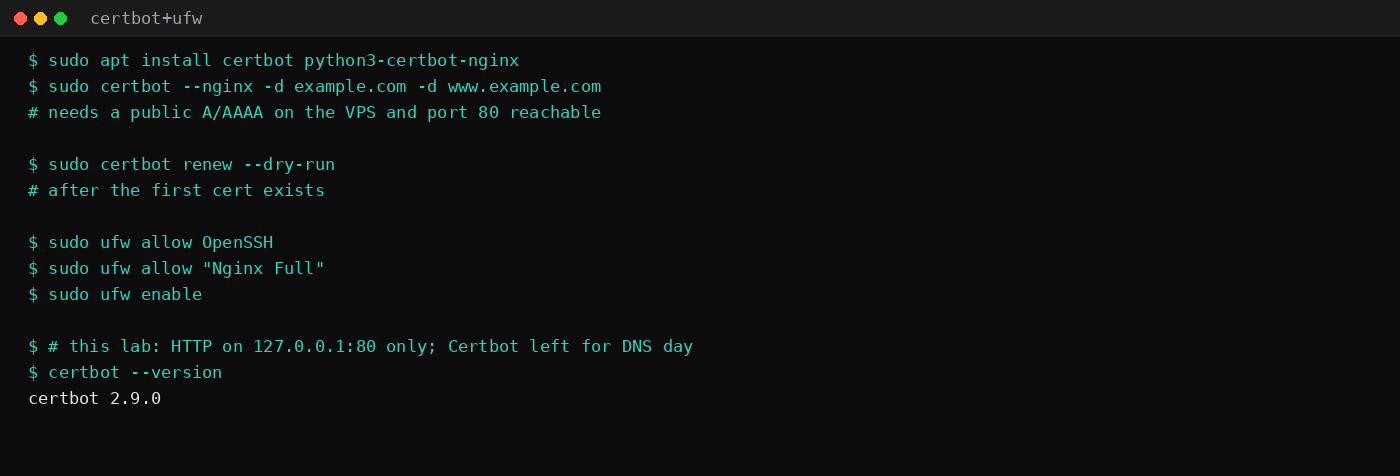
Ports 80 and 443 must reach this machine, and the name must resolve here.
sudo ufw allow OpenSSH
sudo ufw allow "Nginx Full"
sudo ufw enable

sudo certbot --nginx -d lab.example -d www.lab.example
sudo certbot renew --dry-run
Certbot edits the server block for TLS and installs a renew timer. Certificates last 90 days; the dry-run is the check that renewal works before you forget. This lab stopped at HTTP on loopback because the host had no public lab.example A record. The packages and plugin were already installed (certbot 2.9.0).
Caddy as a front proxy is an alternate TLS path; the Caddy automatic HTTPS post owns that shape. LEMP-native Certbot stays with the Nginx file above.
Leave 80/443 open on the panel firewall the same way. SSH stays on 22 unless you already moved it.
FAQ
LEMP or LAMP?
LAMP swaps Nginx for Apache. PHP under LEMP is FPM behind FastCGI. Under LAMP it is often mod_php or FPM with a different vhost syntax. This post measured Nginx.
LEMP or a control panel?
A panel installs a similar stack plus UI, mail options, and more idle RAM (panel comparison). Hand-rolled LEMP is smaller and clearer when you want one site and SSH.
What RAM plan holds this idle stack?
The three cgroups summed to about 163 MiB before Ubuntu's own share. A 1 GB VPS holds the stack with room for a small app. WordPress with plugins climbs from there; use the WordPress timings post and the 2 GB idle table when you size for CMS traffic.
Do I need Certbot if I already terminate TLS elsewhere?
If a reverse proxy or CDN presents the certificate, you can leave Nginx on loopback HTTP behind that proxy. For a single VPS with a public hostname, Certbot on Nginx is the usual path.