
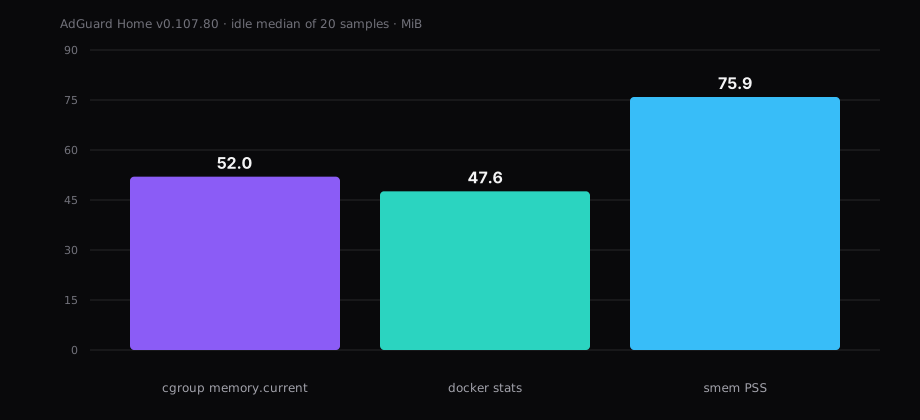
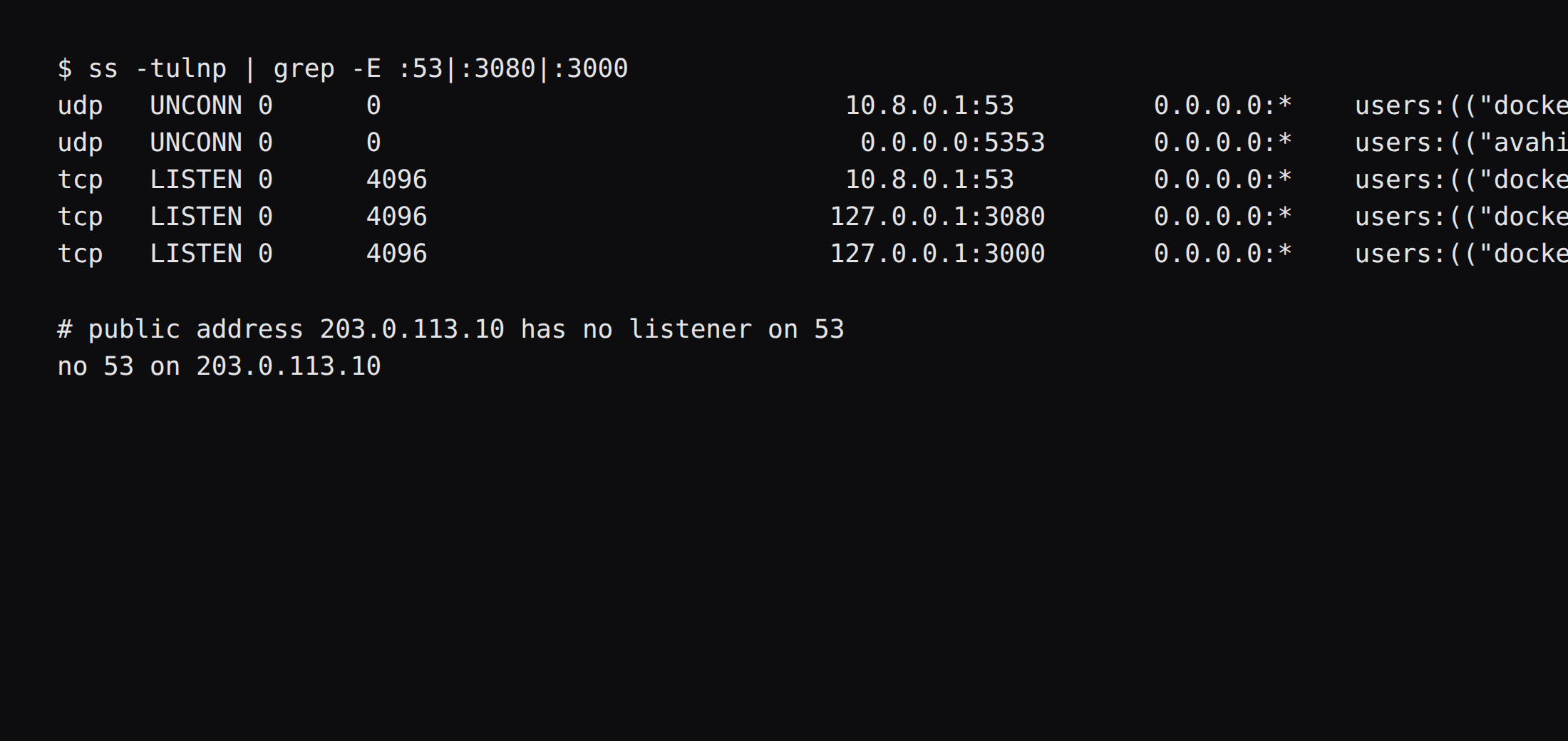
AdGuard Home v0.107.80 held 52.0 MiB idle. That is cgroup memory.current, the median of twenty samples taken 30 seconds apart, after the wizard, one filter update, and a quiet stretch with no client traffic. docker stats printed 47.6 MiB. smem put the same processes at 75.9 MiB PSS. CPU sat at 0.01 percent. Port 53 listened on 10.8.0.1 only. The public address had no DNS socket.
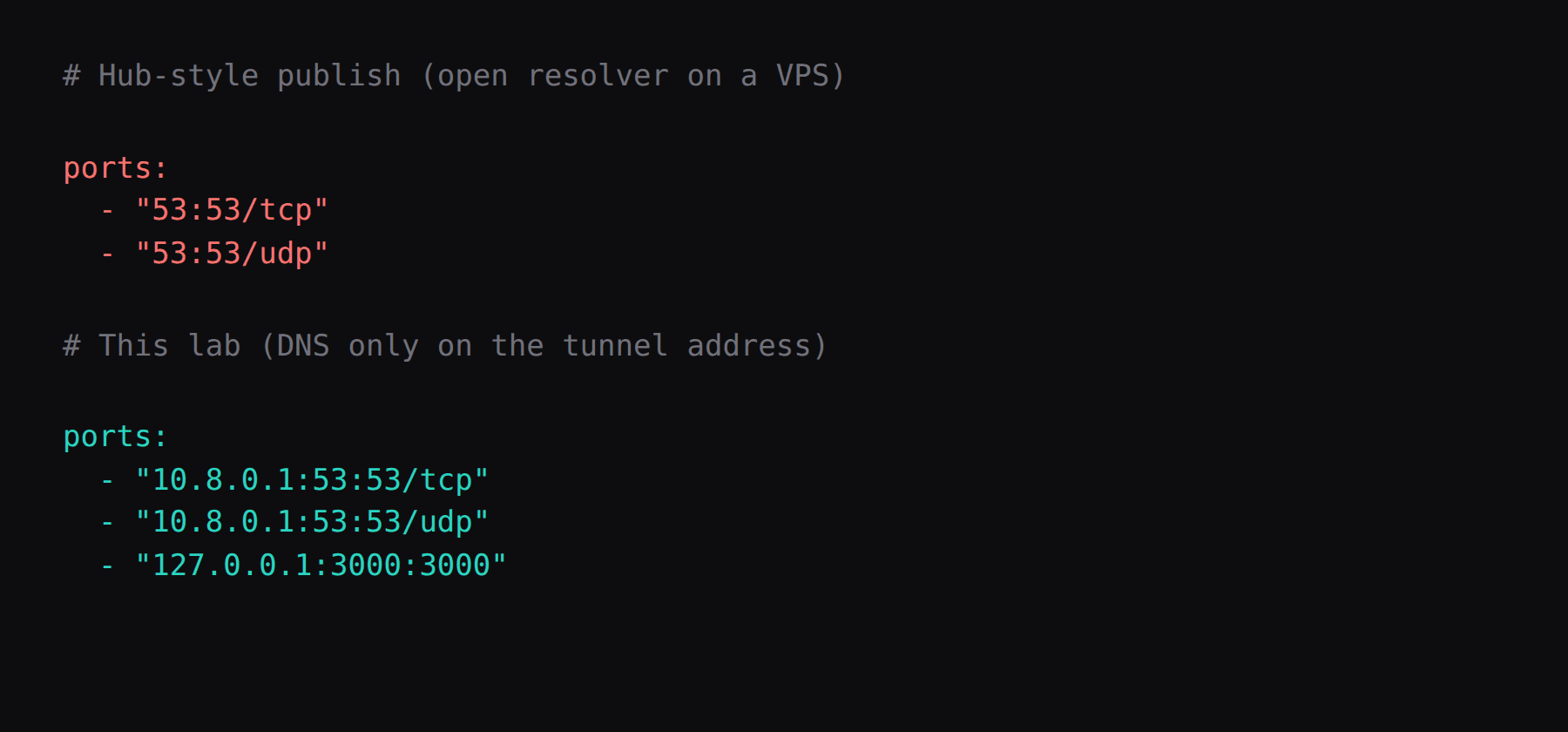
A Pi on the LAN can publish plain DNS on the home subnet and stay private because the router leaves 53 unforwarded. A VPS has a public address on day one. The Docker Hub run line still maps 53:53 on every interface. That mapping is fine at home. On a VPS it is an open resolver, and open resolvers get pulled into amplification attacks. AdGuard's running securely page covers the same ground: pick bind addresses carefully, use an allowlist when the instance is reachable from outside, and shut plain DNS once every client can use encrypted DNS.
The Pi-hole on WireGuard post is the twin for people who already live in that UI. This post is AdGuard Home: same bind rule, DoH and DoT built in when you need them later.
| Reading | Idle |
|---|---|
cgroup memory.current | 52.0 MiB, median of 20 |
docker stats | 47.6 MiB |
smem PSS | 75.9 MiB |
| CPU percent | 0.01, median |
| Default filter rules | 188,528 |
| Port 53 on the public address | no |
| Skip this | What this run did |
|---|---|
"53:53" on every interface | Published 10.8.0.1:53 only |
| DHCP ports on a VPS | Left 67 and 68 off |
| Five giant blocklists on day one | Kept the default AdGuard DNS filter |
| Public DoH as the first path | WireGuard first. Encryption is optional later |
latest or edge | Pinned v0.107.80 by digest |
Why is a VPS AdGuard different from a Pi on the LAN?
Phones on cellular need a resolver they can reach when Wi-Fi is gone. The useful answer is a tunnel into your VPS, with DNS listening on the tunnel address. The dangerous answer is plain DNS on the public NIC.
This lab used 10.8.0.1/24 as the tunnel address, the same shape the WireGuard phone QR post hands to a peer. This post starts when a peer can reach that address.
How do you install AdGuard Home without binding the world?
The image is adguard/adguardhome:v0.107.80, digest sha256:e2e1b48c832f7705be915873f95de0d5114de573736441d7f2923a8a6293027c. Skip latest, edge, and the v1.0.0-b.* tags. A newer stable tag on the day you install replaces 0.107.80, and you should pin that digest instead.
The machine was Ubuntu 24.04, Docker 29.1.3, with swap at 0. The container fits a 1 GB plan with room left for the OS and WireGuard. Volumes are ./work and ./conf under /opt/adguardhome/. Publish DNS only on the tunnel address. Publish the first-run wizard on loopback. Leave host networking off. Leave DHCP ports off. restart: unless-stopped. Log the json-file driver at max-size 10m and max-file 3, as in the Compose checklist.
services:
  adguardhome:
    image: adguard/adguardhome:v0.107.80@sha256:e2e1b48c832f7705be915873f95de0d5114de573736441d7f2923a8a6293027c
    container_name: adguardhome
    restart: unless-stopped
    ports:
      - "10.8.0.1:53:53/tcp"
      - "10.8.0.1:53:53/udp"
      - "127.0.0.1:3000:3000/tcp"
    volumes:
      - ./work:/opt/adguardhome/work
      - ./conf:/opt/adguardhome/conf
    logging:
      driver: json-file
      options:
        max-size: "10m"
        max-file: "3"
If WireGuard comes up after Docker, the bind to 10.8.0.1 can fail at boot. Start the stack after wg-quick@wg0 with a systemd drop-in. The tunnel install stays in its own post.
On Ubuntu, systemd-resolved often owns 127.0.0.53:53. Binding only 10.8.0.1:53 leaves that stub alone. If you ever publish 0.0.0.0:53 and Docker refuses the port, use AdGuard's documented drop-in: DNS=127.0.0.1, DNSStubListener=no, point /etc/resolv.conf at /run/systemd/resolve/resolv.conf, then reload systemd-resolved.
How do you finish the wizard and lock the admin UI?
Reach http://127.0.0.1:3000 through an SSH local forward:
ssh -L 3000:127.0.0.1:3000 [email protected]Create a strong admin user. Keep DNS on port 53. Set the web interface to port 80 inside the container (the wizard default after setup). Then remove the published 3000 mapping from Compose and recreate the container so the wizard port is gone from the host.
After that, put Caddy on loopback in front of the web port, the same pattern as the Jellyfin install and the Caddy HTTPS guide. On a real VPS hostname, Caddy takes 80 and 443 and gets a public certificate. This lab kept the admin UI on 127.0.0.1:3080 so screenshots left the host's own 443 alone.
The panel firewall leaves 53 and 3000 closed on the public NIC. Docker's published ports sit inside the guest, so a bind address plus the panel rule are the controls that matter. UFW inside the guest leaves those publishes alone.
What do you change after install?
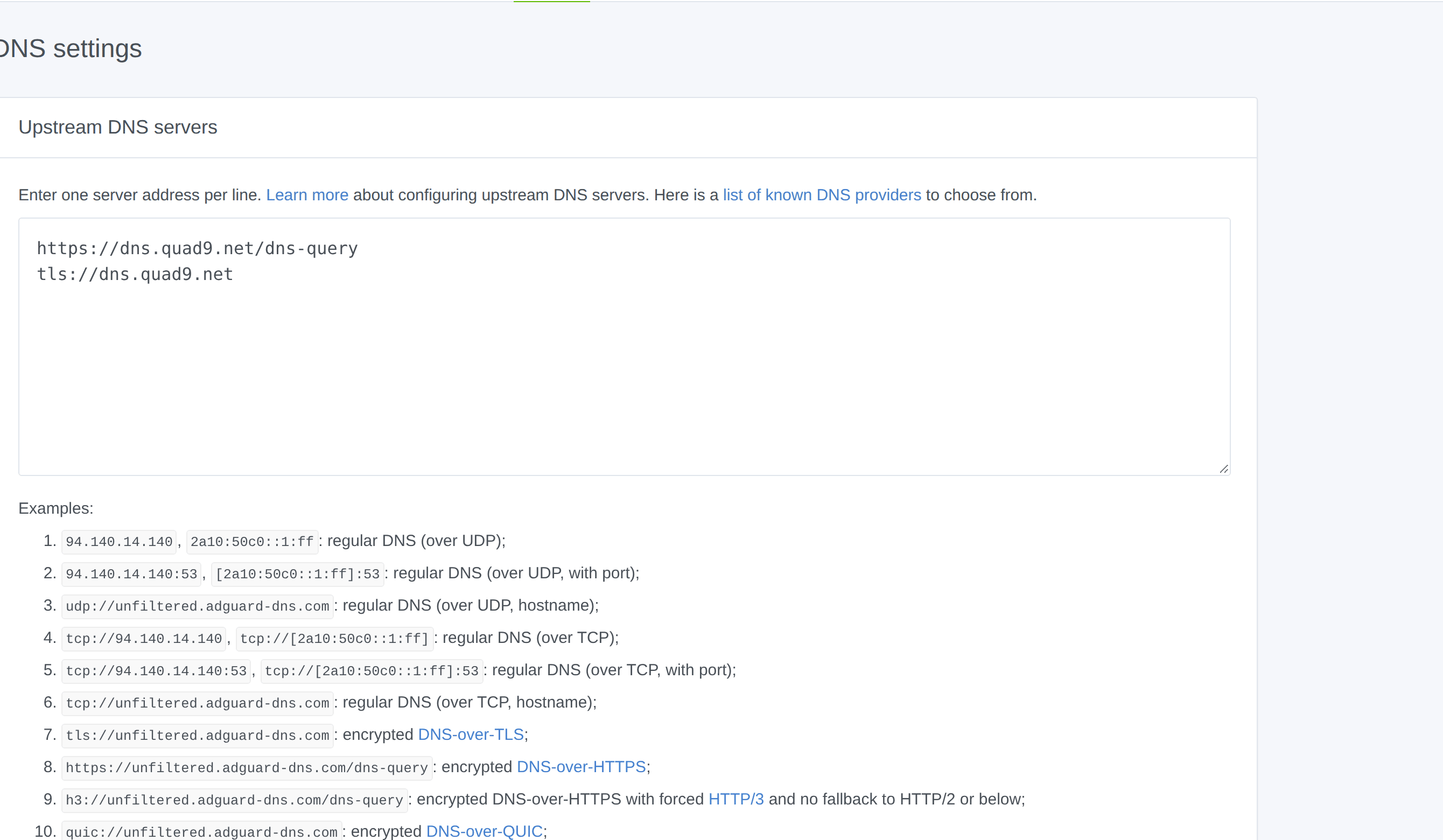
Upstream DNS went to encrypted Quad9 with plain bootstrap IPs and parallel mode:
https://dns.quad9.net/dns-query
tls://dns.quad9.net
Bootstrap:
9.9.9.9
1.1.1.1
The upstream still sees the queries. Parallel mode asks every upstream and keeps the fastest answer.
Filters kept the default AdGuard DNS filter (188,528 rules on this run). AdAway stayed off. Adding five mega-lists mostly adds false positives and RAM. Add a second list when you can name an ad that slipped through.
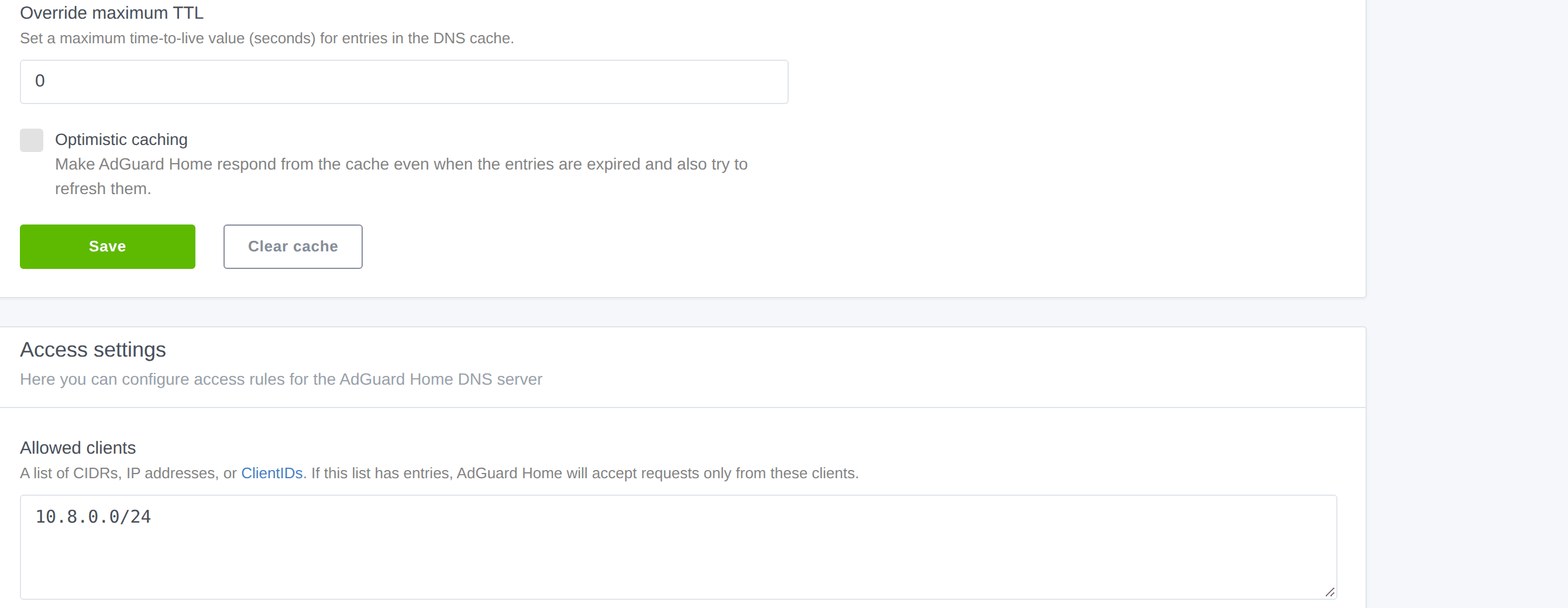
Access settings allowlisted the tunnel subnet 10.8.0.0/24. Rate limit stayed at the default of 20. DHCP stayed off. Query log stayed on for the screenshots; on a shared box, shorten retention or turn anonymize on.
How do you prove it from a peer on the tunnel?
From an address that can reach 10.8.0.1:
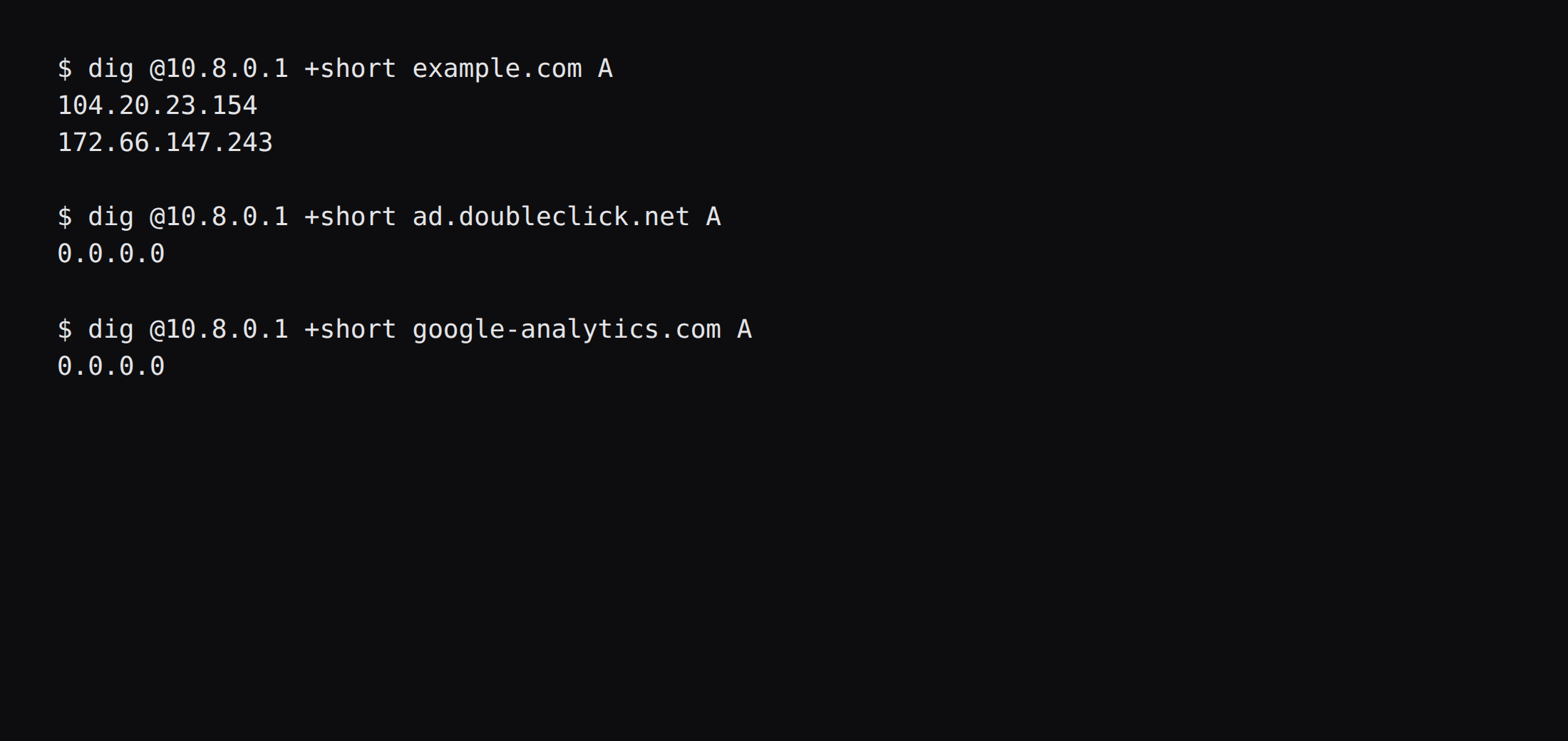
dig @10.8.0.1 +short example.com A
dig @10.8.0.1 +short ad.doubleclick.net A
example.com returned public A records. ad.doubleclick.net returned 0.0.0.0 under the default filter. google-analytics.com did the same.
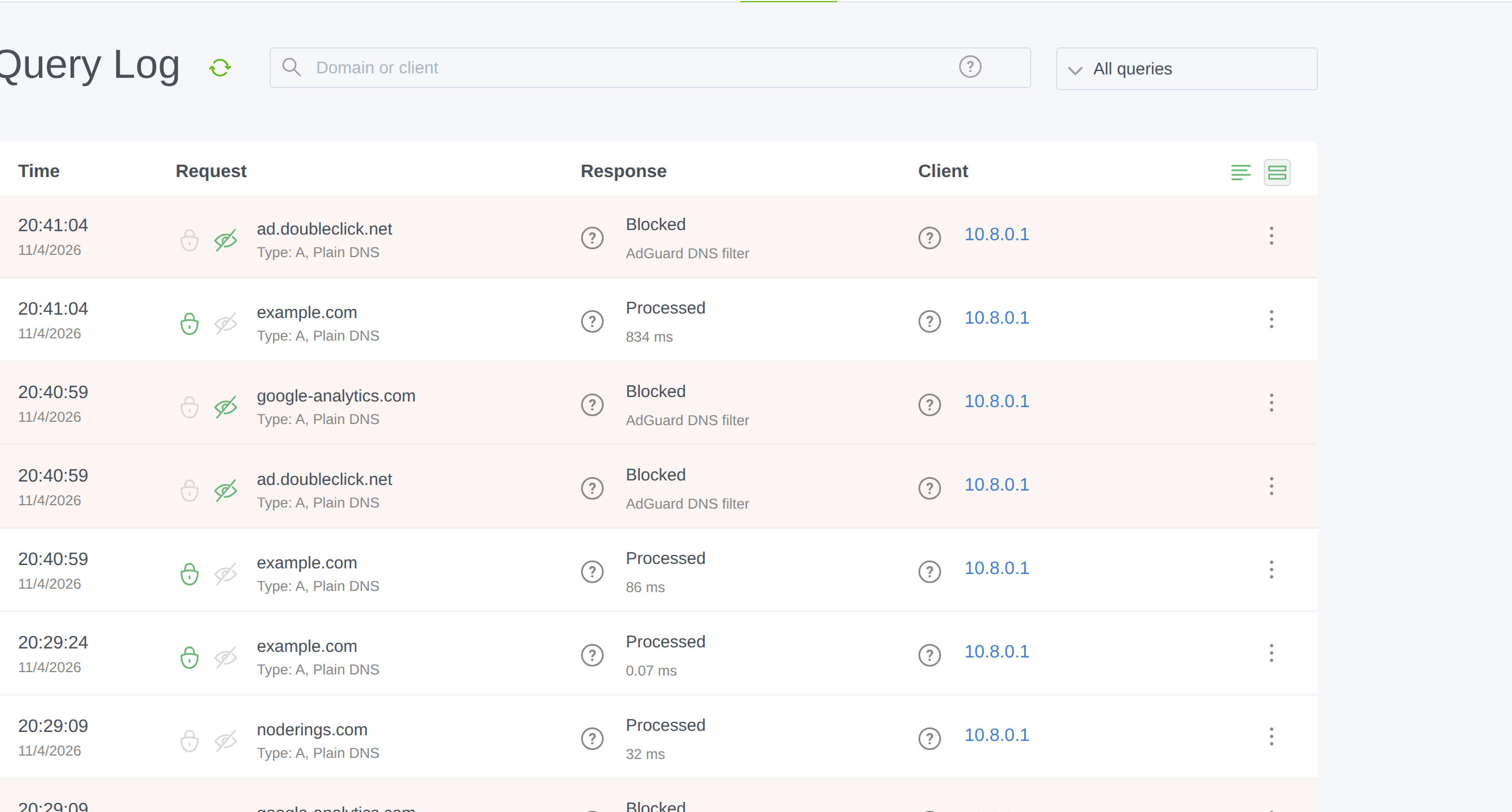
ss showed DNS on 10.8.0.1 only. The lab's public address had no listener on 53. Published figures rewrite that address to 203.0.113.10.
When do you turn on DoH or DoT?
When a phone should keep filtering on random Wi-Fi without a VPN. That is the usual case for encrypted DNS.
Enable encryption in Settings, set the server name to your hostname, and point at certificate files Caddy already issued, mounted read-only into the container. Prefer a DoH URL with a ClientID over a wide-open /dns-query. AdGuard's secure setup page wants allowlist mode for public instances. Once encrypted clients work, disable plain DNS from the outside. Leave DNS-over-QUIC off unless you have a reason to open UDP 853. From a machine that is not on the VPN, dig @PUBLIC_IP example.com +time=3 +tries=1 must time out; an answer means you still have an open resolver (selfhost.computer, PrivateByte). Keep the default AdGuard DNS filter first; stacking five giant lists mostly adds false positives.
That path is longer than this post. WireGuard remains the default here.
How much RAM does it use, and how do you back it up?
The idle table at the top is the answer. After stop, an archive of work and conf hashed to:
042fa1659ff0ed6546ae361dc1f4cfc900df97a203dd4c2262af0de45c93418fRestore onto clean directories, start the container, and the same two digs still matched. Restic to a storage box stays in its own post. No Watchtower. Pin the digest and move it on purpose.
Disk for work plus conf after the filter update was about 4.4 MiB on this run. Query history is what grows later.
FAQ
AdGuard Home or Pi-hole? AdGuard ships DoH, DoT, and DoQ in the same binary. Pi-hole has the larger community and the WireGuard twin. Pick one. One process owns port 53.
Is NodeRings DNS the same thing? No. Hosted DNS is authoritative for names you own. AdGuard Home is a filtering resolver for the devices on your tunnel.
Is 1 GB enough? For household use with the default list, yes. Giant lists are why people jump to 2 GB. This idle sample sat near 52 MiB of memory.current.
Why does Docker say address already in use on 53? Usually systemd-resolved. Free the stub listener with AdGuard's drop-in, or keep publishing only on the tunnel address and leave 127.0.0.53 alone.
Does UFW block a published 53? Inside the guest, Docker's published ports bypass UFW. Bind to 10.8.0.1 and keep the panel firewall closed on the public side.