

Enzonix
Shared Compute - General Compute
$5.00/mo
1 vCPU · 1 GB · 20 GB
Choose location
Amsterdam, Netherlands
| Provider | Plan | vCPU | RAM | Disk | Regions | Billing | Price |
|---|---|---|---|---|---|---|---|
| Enzonix | Shared Compute - General Compute | 1 | 1 GB | 20 GB | Amsterdam, Netherlands | Fixed price | $5.00/mo |
| Enzonix | Shared Compute - General Compute | 1 | 1 GB | 20 GB | Ashburn, United States | Fixed price | $5.00/mo |
| Enzonix | Shared Compute - General Compute | 2 | 4 GB | 80 GB | Amsterdam, Netherlands | Fixed price | $9.00/mo |
| Enzonix | Shared Compute - General Compute | 2 | 4 GB | 80 GB | Ashburn, United States | Fixed price | $9.00/mo |
| Enzonix | Shared Compute - General Compute | 4 | 8 GB | 160 GB | Amsterdam, Netherlands | Fixed price | $16.00/mo |
| Enzonix | Shared Compute - General Compute | 4 | 8 GB | 160 GB | Ashburn, United States | Fixed price | $16.00/mo |
| Enzonix | Shared Compute - General Compute | 8 | 16 GB | 320 GB | Amsterdam, Netherlands | Fixed price | $32.00/mo |
| Enzonix | Shared Compute - General Compute | 8 | 16 GB | 320 GB | Ashburn, United States | Fixed price | $32.00/mo |
| Enzonix | Shared Compute - General Compute | 1 | 1 GB | 20 GB | Ashburn, United States | Hourly | $0.007/hr |
| Enzonix | Shared Compute - General Compute | 1 | 2 GB | 40 GB | Ashburn, United States | Hourly | $0.01/hr |
| Enzonix | Shared Compute - General Compute | 2 | 4 GB | 80 GB | Ashburn, United States | Hourly | $0.015/hr |
| Virtualized | Shared Compute - General Compute | 2 | 4 GB | 40 GB | Phoenix, United States | Fixed price | $12.49/mo |
| Virtualized | Shared Compute - General Compute | 3 | 6 GB | 60 GB | Phoenix, United States | Fixed price | $17.49/mo |
| Virtualized | Shared Compute - General Compute | 4 | 8 GB | 80 GB | Phoenix, United States | Fixed price | $22.99/mo |
| Virtualized | Shared Compute - General Compute | 8 | 16 GB | 160 GB | Phoenix, United States | Fixed price | $44.99/mo |
| Virtualized | Shared Compute - General Compute | 16 | 32 GB | 320 GB | Phoenix, United States | Fixed price | $79.99/mo |
| Virtualized | Shared Compute - General Compute | 32 | 64 GB | 640 GB | Phoenix, United States | Fixed price | $139.99/mo |
T3 Code Instant App
T3 Code is a web UI for coding agents such as Codex, Claude Code and OpenCode. Park coding agents on the VPS you pick, drive them remotely while your laptop is closed, and compare live plans across providers before you deploy.

T3 Code
Instant App on marketplace VPS
Live marketplace offers
Choose billing and size, compare providers side by side, pick a location, then launch.
Shared Compute - General Compute
$5.00/mo
1 vCPU · 1 GB · 20 GB
Choose location
Amsterdam, Netherlands
1 provider
T3 Code is a web UI for coding agents such as Codex, Claude Code and OpenCode. Park them on a Linux VPS, connect providers on the host, and drive them remotely while your laptop is closed.
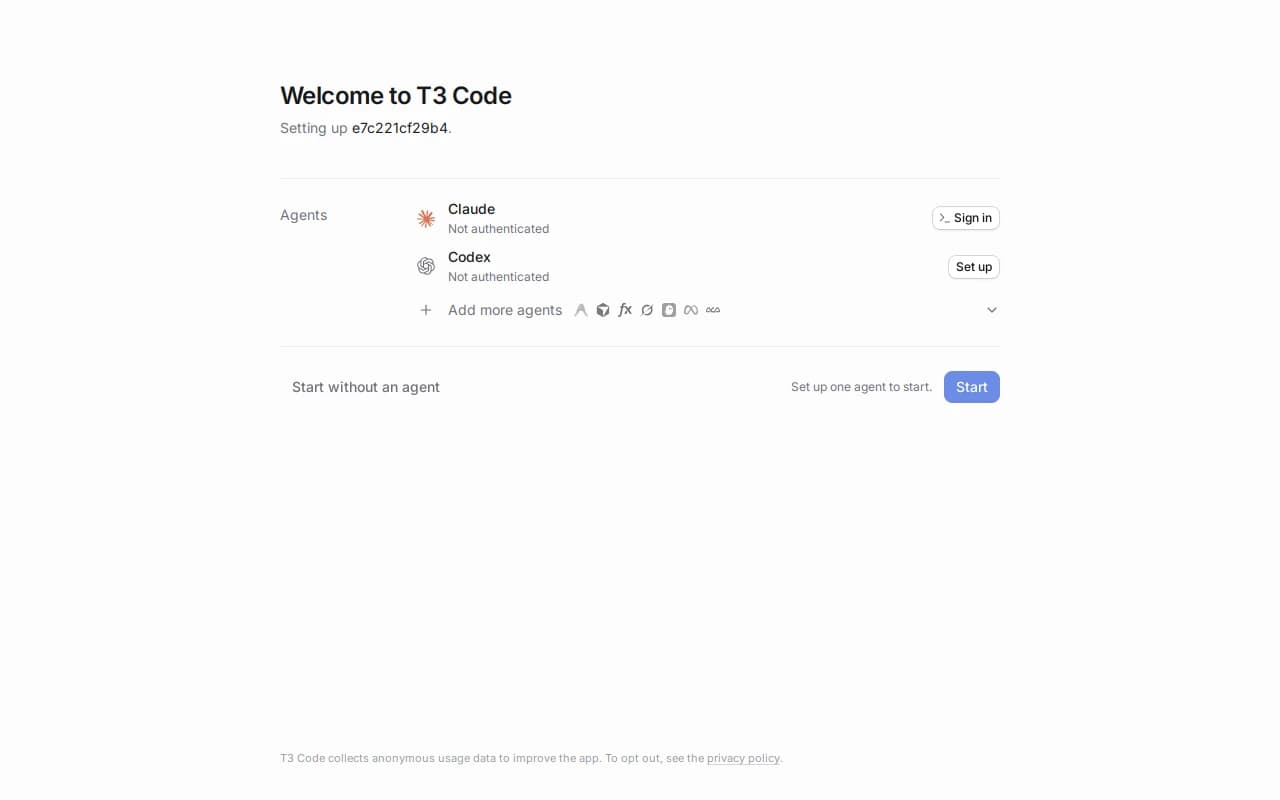
Park Codex, Claude Code or OpenCode on the VPS and drive them remotely while your laptop is closed. Projects and sessions stay on the server you control.
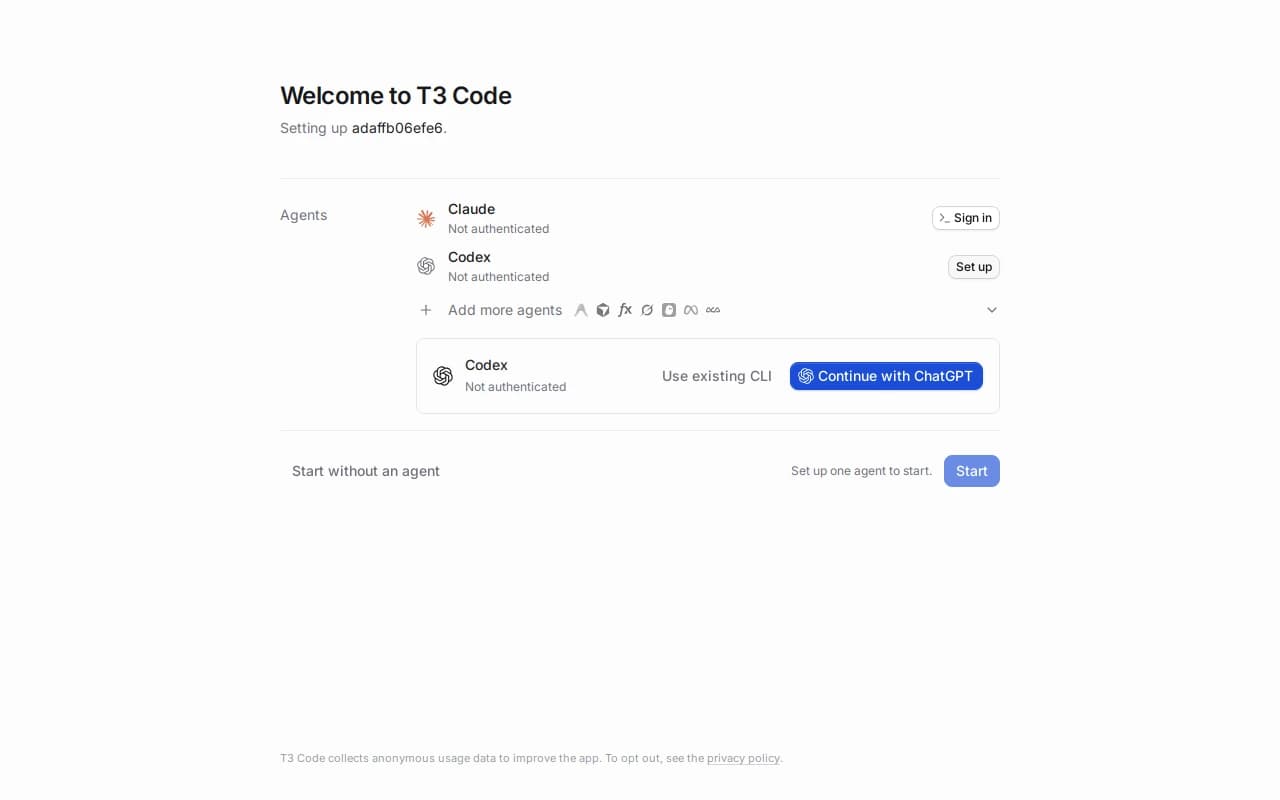
Sign agents in on the VPS: Claude Sign in, Codex Continue with ChatGPT, or add more providers. Auth stays on the host you own.
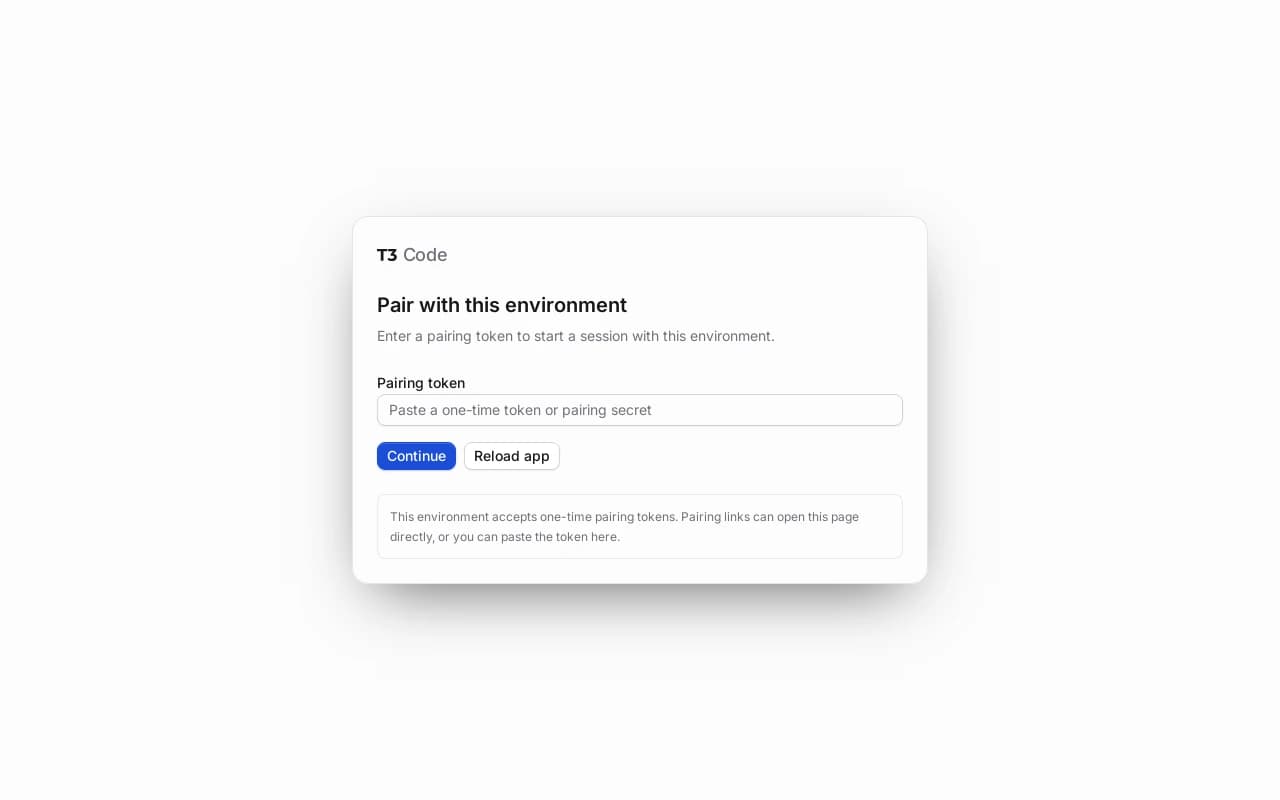
Ports 80 and 443 stay closed. In T3 Code go to Settings → Environments → Add environment → SSH, enter root@your-VPS-IP and the SSH password from create, and the client tunnels in.
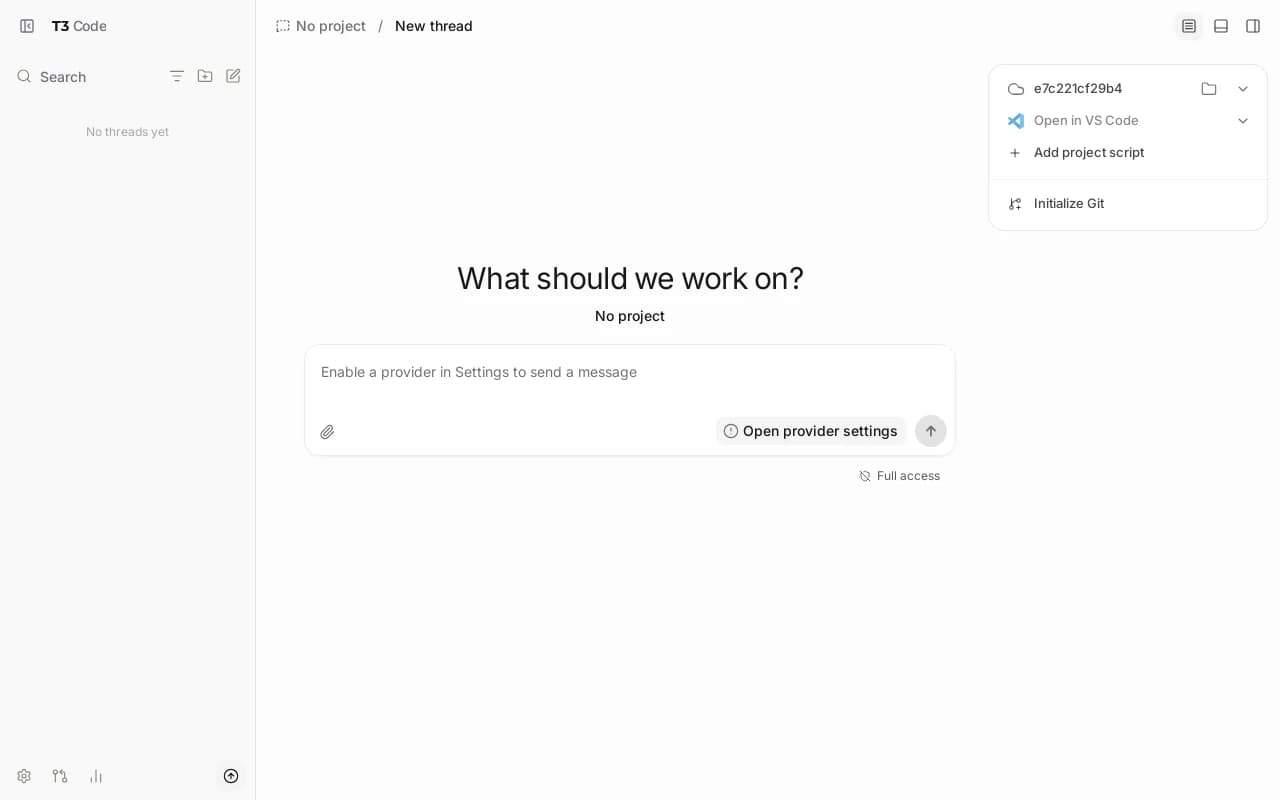
Workspace files and provider sessions live on the VPS volume under root access.
T3 Code is a web UI for coding agents such as Codex, Claude Code and OpenCode. Park them on a VPS and drive them remotely while your laptop is closed.
See live prices, regions and plan sizes before you buy. Shop always-on agent hosts across independent providers, from a quiet 2 vCPU box upward.
Pick a plan and T3 Code is prepared on that VPS for you. You still get root access for providers, projects and private networking.
Compatible offers list cities and countries. Pair from a laptop or phone once the server is up, over a path you control.
Workspace files and provider sessions live on your VPS. You control SSH, DNS and how you reach the UI.
Most T3 Code VPS pages sell one company's servers. NodeRings lists Compute Instance plans from independent providers so you can compare agent-ready offers by price, size and region, then launch on the one that fits.
T3 Code Instant App prepares T3 Code on the provider VPS you selected. NodeRings does not operate that hardware or sell its own VPS fleet.
Compare plans, pick a provider offer, and launch T3 Code on that server.
01
Browse live offers below. Every general-compute plan is listed — pick the size you want. Sort by provider, size, price and region the way you would for any production VPS.
02
Choose the provider plan and region. There are no Instant App form fields to fill for T3 Code. Provider API keys and private networking come after the server is up.
03
Confirm checkout and wait for the server. In T3 Code: Settings → Environments → Add environment → SSH, then root@your-IP with the create SSH password. Nothing is published on ports 80 or 443.
Quiet cloud-model agent use is fairly light. Multiple concurrent agents, browser tooling and large project trees raise RAM and disk. Practical guides often start around 2 vCPU and 4 GB; leave more room when several agents run at once.
| Workload | Illustrative starting point | Note |
|---|---|---|
| Personal always-on agent host | 2 vCPU / 4 GB RAM / 40+ GB disk | Suggested start for a quiet T3 Code server with cloud model APIs. |
| Several agents or larger repos | 2 to 4 vCPU / 4 to 8 GB RAM | Extra headroom for concurrent threads, logs and working trees. |
| Browser tools or heavier builds | 4 vCPU / 8 GB RAM | Web tooling and bigger contexts need more memory on the same box. |
| Busy shared or production host | Often 4+ vCPU / 8 to 16 GB RAM and more disk | Size for traffic, project growth and backups. No universal agent count. |
These are starting points, not guarantees. Needs depend on agents, providers, project size and how long history stays on disk.
This is self-hosted T3 Code on a provider VPS, not managed agent hosting. You pick the plan. T3 Code is prepared on that server. Day-to-day agent care stays with you.
T3 Code is prepared on the VPS with no Instant App form variables and no public HTTP ports. Pair from the T3 Code client over SSH.
Root SSH on the VPS. You own DNS, TLS, Tailscale or other private access, model spend, provider logins, OS updates and backups unless a provider product says otherwise.
Managed model billing, automatic provider onboarding and hands-off OS patching are not bundled in. Complete those in T3 Code and on the server after it is up.
NodeRings helps with marketplace, billing and console. Provider hardware issues go to that provider. Looking after T3 Code on the server is yours.
T3 Code is an open-source web UI for coding agents. The server runs on your machine or a VPS. You connect from a browser or the apps, then sign agents in under Settings.
A VPS stays online when your laptop sleeps. Guides treat a Linux cloud VPS as a normal place to run an always-on agent host, with the UI reached over a private path you choose.
No. NodeRings is a marketplace. Independent providers list VPS plans. You pick a plan, T3 Code is prepared on that provider server, and you manage agents from there.
No. You get a virtual machine with T3 Code prepared for you, plus root access. That is different from a managed product that owns updates and support for you. Provider keys, backups and day-to-day care remain yours unless a provider product says otherwise.
It prepares T3 Code on the VPS you choose so you skip hunting through install guides by hand. It is still your self-hosted server, not a separate managed hosting brand.
No. T3 Code Instant App asks for no form variables at create time. After the VPS is ready, pair from the T3 Code client over SSH.
In T3 Code open Settings → Environments → Add environment → SSH. Enter root@your-VPS-IP and the SSH password from your NodeRings create / server notes. The client SSHs in, opens a tunnel, and pairs for you. Ports 80 and 443 are not published.
On purpose. A public T3 UI on the open internet is unsafe for a coding-agent host. This Instant App keeps HTTP on loopback only. Use the T3 Code SSH environment flow instead.
Not for normal cloud-model agent use. Agents call remote model APIs. Local model inference is a different sizing problem and usually wants a GPU host.
A common starting point is about 2 vCPU, 4 GB RAM and 40 GB disk. Quiet personal use can work there; several agents, large repos or browser tools usually need more. Use the sizing guide above and compare plans in the list.
You confirm the plan and finish checkout. When the server is ready, pair from T3 Code with Settings → Environments → Add environment → SSH using root@IP and your create SSH password.
Yes. Each compatible plan lists available regions. Pick the city or country that matches latency and compliance needs.
You do, unless you add backup tooling yourself or a provider product explicitly includes it. Treat the VPS volume as the source of truth and back it up regularly.
You can move to a larger plan from the same or another marketplace provider when load grows. Exact options depend on the provider. Compare offers again when you need more capacity.