

Enzonix
Shared Compute - General Compute
$5.00/mo
1 vCPU · 1 GB · 20 GB
Choose location
Ashburn, United States
| Provider | Plan | vCPU | RAM | Disk | Regions | Billing | Price |
|---|---|---|---|---|---|---|---|
| Enzonix | Shared Compute - General Compute | 1 | 1 GB | 20 GB | Ashburn, United States | Fixed price | $5.00/mo |
| Enzonix | Shared Compute - General Compute | 1 | 1 GB | 20 GB | Amsterdam, Netherlands | Fixed price | $5.00/mo |
| Enzonix | Shared Compute - General Compute | 2 | 4 GB | 80 GB | Amsterdam, Netherlands | Fixed price | $9.00/mo |
| Enzonix | Shared Compute - General Compute | 2 | 4 GB | 80 GB | Ashburn, United States | Fixed price | $9.00/mo |
| Enzonix | Shared Compute - General Compute | 4 | 8 GB | 160 GB | Amsterdam, Netherlands | Fixed price | $16.00/mo |
| Enzonix | Shared Compute - General Compute | 4 | 8 GB | 160 GB | Ashburn, United States | Fixed price | $16.00/mo |
| Enzonix | Shared Compute - General Compute | 8 | 16 GB | 320 GB | Amsterdam, Netherlands | Fixed price | $32.00/mo |
| Enzonix | Shared Compute - General Compute | 8 | 16 GB | 320 GB | Ashburn, United States | Fixed price | $32.00/mo |
| Enzonix | Shared Compute - General Compute | 1 | 1 GB | 20 GB | Ashburn, United States | Hourly | $0.007/hr |
| Enzonix | Shared Compute - General Compute | 1 | 2 GB | 40 GB | Ashburn, United States | Hourly | $0.01/hr |
| Enzonix | Shared Compute - General Compute | 2 | 4 GB | 80 GB | Ashburn, United States | Hourly | $0.015/hr |
| Virtualized | Shared Compute - General Compute | 2 | 4 GB | 40 GB | Phoenix, United States | Fixed price | $12.49/mo |
| Virtualized | Shared Compute - General Compute | 3 | 6 GB | 60 GB | Phoenix, United States | Fixed price | $17.49/mo |
| Virtualized | Shared Compute - General Compute | 4 | 8 GB | 80 GB | Phoenix, United States | Fixed price | $22.99/mo |
| Virtualized | Shared Compute - General Compute | 8 | 16 GB | 160 GB | Phoenix, United States | Fixed price | $44.99/mo |
| Virtualized | Shared Compute - General Compute | 16 | 32 GB | 320 GB | Phoenix, United States | Fixed price | $79.99/mo |
| Virtualized | Shared Compute - General Compute | 32 | 64 GB | 640 GB | Phoenix, United States | Fixed price | $139.99/mo |
Portainer Instant App
Portainer CE is a self-hosted UI for containers, images, volumes and stacks on your own Docker host. Compare live VPS prices, CPU, RAM, disk and regions, launch Portainer on the plan you choose, and keep root access.

Portainer
Instant App on marketplace VPS
Live marketplace offers
Choose billing and size, compare providers side by side, pick a location, then launch.
Shared Compute - General Compute
$5.00/mo
1 vCPU · 1 GB · 20 GB
Choose location
Ashburn, United States
1 provider
Portainer CE is a web UI for Docker on a single VPS. From the browser you can see containers, images, volumes, networks and stacks on that host. The UI is the management layer. The containers you deploy are the workload, and they run on the same server.
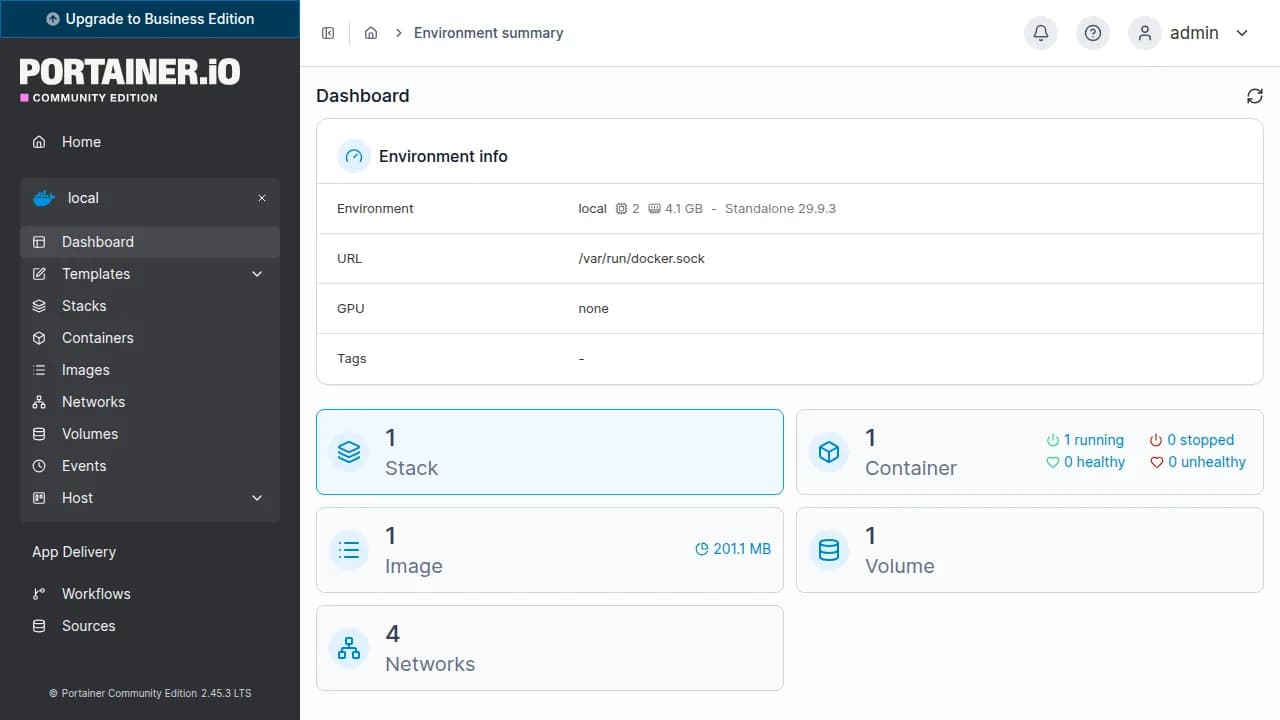
After you sign in, manage Docker on that VPS from the dashboard. Start, stop and inspect containers there. Root SSH is still there when you want the shell.
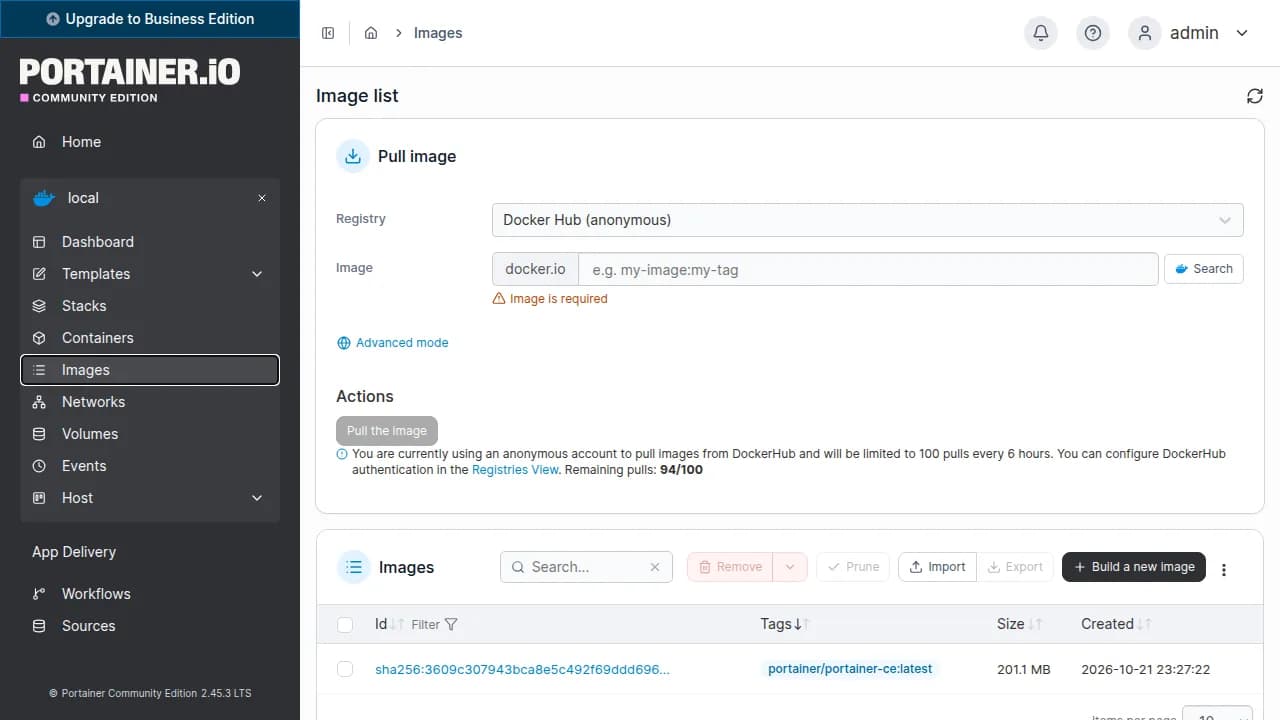
Pull images and keep volumes on the same server. The UI shows disk use, which matters because image layers fill a 20 GB volume quickly.
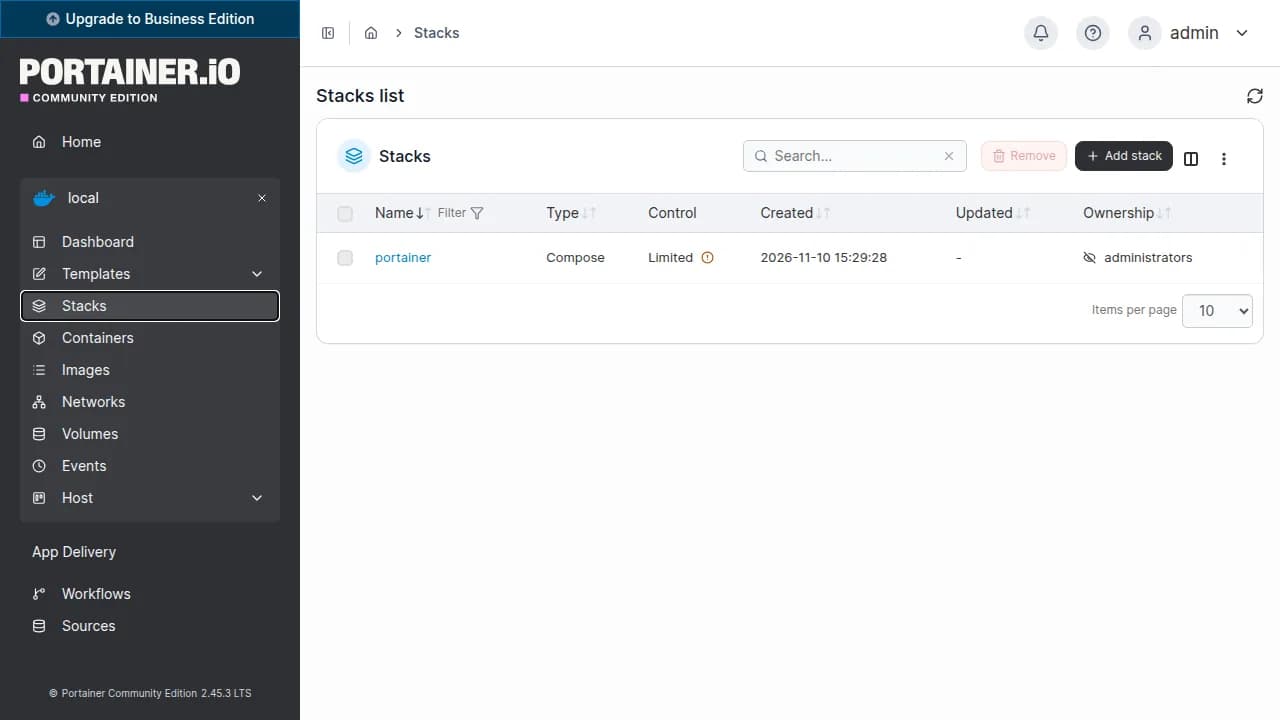
Add a stack from the UI when you are ready and run it on this Docker host. The Instant App does not preload a catalogue of applications for you.
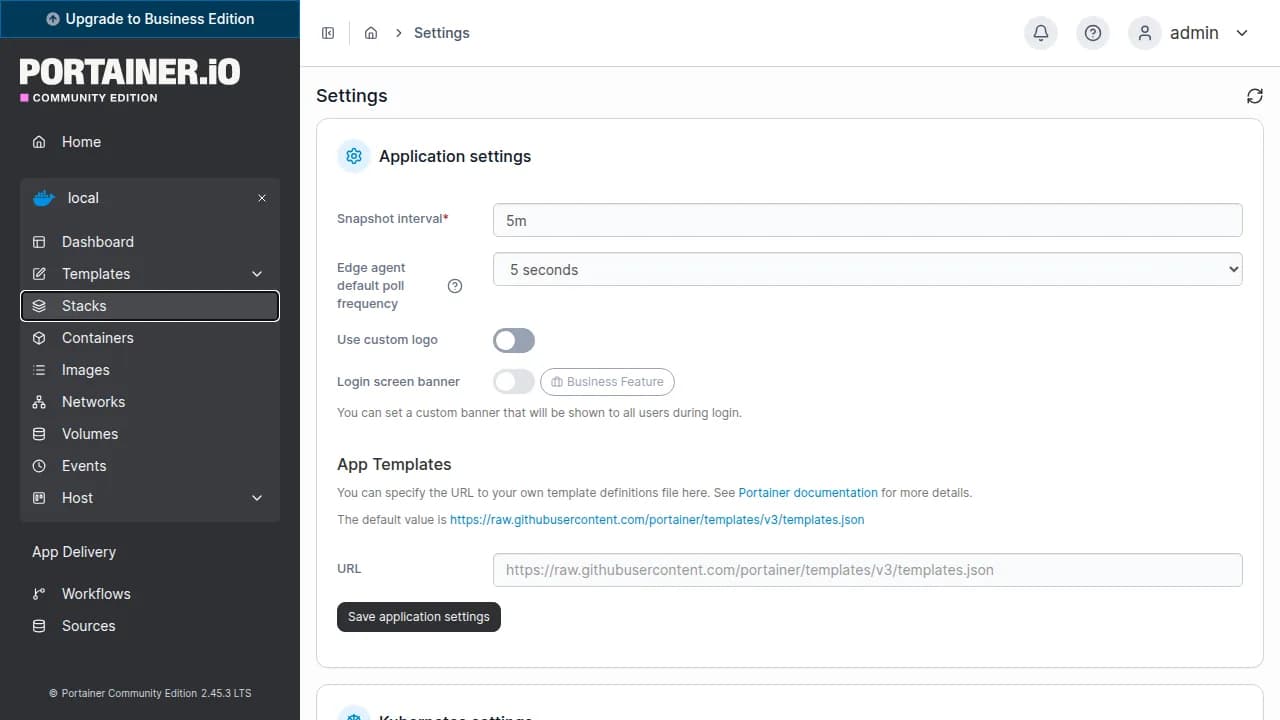
The admin account is created for you. Add users and adjust preferences after login.
Compare live Portainer CE VPS plans from independent providers, then self-host a Docker management UI on the offer you pick.
See live prices, regions and plan sizes before you buy. Shop Docker hosts with Portainer across independent providers, from the 1 vCPU and 1 GB floor upward.
Pick a plan and Portainer CE is prepared on that VPS for you, with access to Docker on the same server. You still get root access for the shell.
Compatible offers list cities and countries. Portainer's own clicks are light. The containers you run are what visitors feel, so pick the region for those apps.
Images, volumes and stacks live on your VPS. You control SSH, who can open the UI, and how you back the disk up.
Most Portainer VPS pages sell one company's servers. NodeRings lists Compute Instance plans from independent providers so you can compare Portainer-ready offers by price, size and region, then launch on the one that fits.
Portainer Instant App prepares Portainer CE on the provider VPS you selected. NodeRings does not operate that hardware or sell its own VPS fleet.
Compare plans, pick a provider offer, and launch Portainer on that server.
01
Browse live offers below. Every general-compute plan is listed — pick the size you want. Size the plan for the containers you intend to run, not for the UI alone.
02
Choose the provider plan and region. The apps you want on the host come after you sign in.
03
Confirm checkout and wait for the server. Then open the Portainer address in your server notes and sign in with the admin username and password stored there. You keep root SSH.
Portainer's requirements page does not publish a CPU or RAM minimum for the UI. It does say the server needs persistent storage for its own configuration. The interface itself is small. A quiet lab with little else on the host can start around 1 vCPU, 1 GB RAM and 20 GB disk. Databases, builds and large images are what move you to a bigger plan.
| Workload | Illustrative starting point | Note |
|---|---|---|
| Portainer plus a couple of small containers | 1 vCPU / 1 GB RAM / 20+ GB disk | Suggested start. Enough when the UI is the main thing on the box. |
| Several stacks | 1 to 2 vCPU / 2 GB RAM | Room for more images, volumes and containers that stay running together. |
| An app host with a database | 2 vCPU / 2 to 4 GB RAM | Databases and build jobs need more headroom than the Portainer UI. Measure the containers, not the dashboard. |
| Many images or large volumes | Often 2 to 4 vCPU / 4 GB RAM and more disk | Image layers and persistent volumes fill disk first. Portainer also keeps its own configuration on that disk. No universal container count. |
These are starting points, not guarantees. Needs depend on the containers, images and volumes you run on the same VPS. Portainer CE itself stays small.
This is self-hosted Portainer CE on a provider VPS, not managed container hosting. You pick the plan. Portainer is prepared on that server. Day-to-day Docker care stays with you.
Portainer CE is prepared, an admin account is created, and it has access to Docker on that VPS. Sign in at the address in your server notes with the admin username and password stored there.
Root SSH on the VPS. You own DNS, TLS, image updates, volume backups and day-to-day care unless a provider product says otherwise.
A domain, TLS certificates, backup jobs and a catalogue of apps are not part of the Instant App. You get Portainer CE on the one VPS you picked, with access to Docker on that host. Business-only features and a Kubernetes cluster sit outside this deploy. Extra environments can be added in Portainer later, on servers you run yourself.
NodeRings helps with marketplace, billing and console. Provider hardware issues go to that provider. Looking after Portainer and the containers on the server is yours.
Portainer CE is the community edition of Portainer, a web UI for Docker. On this VPS it manages the containers, images, volumes, networks and stacks on that same host. You sign in from a browser. Root SSH on the server is still yours.
After sign-in you can inspect and operate containers on that host, pull images, manage volumes and networks, and add stacks. The Instant App does not preload applications. You bring the workloads.
No. NodeRings is a marketplace. Independent providers list VPS plans. You pick a plan, Portainer CE is prepared on that provider server, and you manage Docker from there.
No. You get a virtual machine with Portainer CE prepared for you, plus root access. That is different from a managed container platform that owns the cluster, updates and backups for you. Images, volumes and day-to-day care remain yours unless a provider product says otherwise.
No. You get Portainer CE, the community edition. Business-only features are not part of this Instant App. The UI on the VPS is CE.
It prepares Portainer CE on the VPS you choose, with access to Docker on that server, so you skip hunting through the install by hand. It is still your self-hosted host, not a separate managed hosting brand.
Portainer does not publish a RAM minimum for the UI, and the UI is small. A quiet host can start around 1 vCPU, 1 GB RAM and 20 GB disk. Size the plan for the containers, images and volumes you will run. A database or a build on the same host usually wants more.
This Instant App prepares Portainer CE for Docker on the same VPS. It does not create a Kubernetes cluster. If you later have a cluster elsewhere, connecting it is something you do inside Portainer, on infrastructure you provide.
You confirm the plan and finish checkout. When the server is ready, open the Portainer address in your server notes and sign in with the admin username and password stored there. Keep that password private.
Yes. After you sign in you can add a stack and run it on this Docker host. You supply the stack. The Instant App does not ship a library of applications.
The VPS you deploy is the Docker host Portainer is ready to manage. Adding other environments is something you do in Portainer later. This page does not provision extra servers for you.
Yes. Each compatible plan lists available regions. Pick a city near the people who will use the apps on that host. The Portainer UI itself is a small part of that latency.
You do, unless you add backup tooling yourself or a provider product explicitly includes it. Portainer keeps its own configuration on the VPS disk, next to your images and volumes. Back up the data you cannot recreate, and update the host and the containers yourself.
You can move to a larger plan from the same or another marketplace provider when containers or images outgrow the disk and RAM. Exact options depend on the provider. Compare offers again when you need more capacity. Volumes do not move themselves.