

Enzonix
Shared Compute - General Compute
$5.00/mo
1 vCPU · 1 GB · 20 GB
Choose location
Amsterdam, Netherlands
| Provider | Plan | vCPU | RAM | Disk | Regions | Billing | Price |
|---|---|---|---|---|---|---|---|
| Enzonix | Shared Compute - General Compute | 1 | 1 GB | 20 GB | Amsterdam, Netherlands | Fixed price | $5.00/mo |
| Enzonix | Shared Compute - General Compute | 1 | 1 GB | 20 GB | Ashburn, United States | Fixed price | $5.00/mo |
| Enzonix | Shared Compute - General Compute | 2 | 4 GB | 80 GB | Amsterdam, Netherlands | Fixed price | $9.00/mo |
| Enzonix | Shared Compute - General Compute | 2 | 4 GB | 80 GB | Ashburn, United States | Fixed price | $9.00/mo |
| Enzonix | Shared Compute - General Compute | 4 | 8 GB | 160 GB | Amsterdam, Netherlands | Fixed price | $16.00/mo |
| Enzonix | Shared Compute - General Compute | 4 | 8 GB | 160 GB | Ashburn, United States | Fixed price | $16.00/mo |
| Enzonix | Shared Compute - General Compute | 8 | 16 GB | 320 GB | Amsterdam, Netherlands | Fixed price | $32.00/mo |
| Enzonix | Shared Compute - General Compute | 8 | 16 GB | 320 GB | Ashburn, United States | Fixed price | $32.00/mo |
| Enzonix | Shared Compute - General Compute | 1 | 1 GB | 20 GB | Ashburn, United States | Hourly | $0.007/hr |
| Enzonix | Shared Compute - General Compute | 1 | 2 GB | 40 GB | Ashburn, United States | Hourly | $0.01/hr |
| Enzonix | Shared Compute - General Compute | 2 | 4 GB | 80 GB | Ashburn, United States | Hourly | $0.015/hr |
| Virtualized | Shared Compute - General Compute | 2 | 4 GB | 40 GB | Phoenix, United States | Fixed price | $12.49/mo |
| Virtualized | Shared Compute - General Compute | 3 | 6 GB | 60 GB | Phoenix, United States | Fixed price | $17.49/mo |
| Virtualized | Shared Compute - General Compute | 4 | 8 GB | 80 GB | Phoenix, United States | Fixed price | $22.99/mo |
| Virtualized | Shared Compute - General Compute | 8 | 16 GB | 160 GB | Phoenix, United States | Fixed price | $44.99/mo |
| Virtualized | Shared Compute - General Compute | 16 | 32 GB | 320 GB | Phoenix, United States | Fixed price | $79.99/mo |
| Virtualized | Shared Compute - General Compute | 32 | 64 GB | 640 GB | Phoenix, United States | Fixed price | $139.99/mo |
GitLab Instant App
GitLab CE is a self-hosted DevOps platform for repositories, merge requests and CI/CD. Compare live VPS prices, CPU, RAM, disk and regions, launch GitLab on the plan you choose, and keep root access. GitLab is heavy: official guidance often starts at 8 vCPU and 16 GB.

GitLab
Instant App on marketplace VPS
Live marketplace offers
Choose billing and size, compare providers side by side, pick a location, then launch.
Shared Compute - General Compute
$5.00/mo
1 vCPU · 1 GB · 20 GB
Choose location
Amsterdam, Netherlands
1 provider
GitLab CE is a self-hosted DevOps platform. Repositories, merge requests, CI/CD, a container and package registry, and project permissions live on one server you administer. Omnibus is GitLab's name for that all-in-one install, and it is the edition this Instant App prepares.
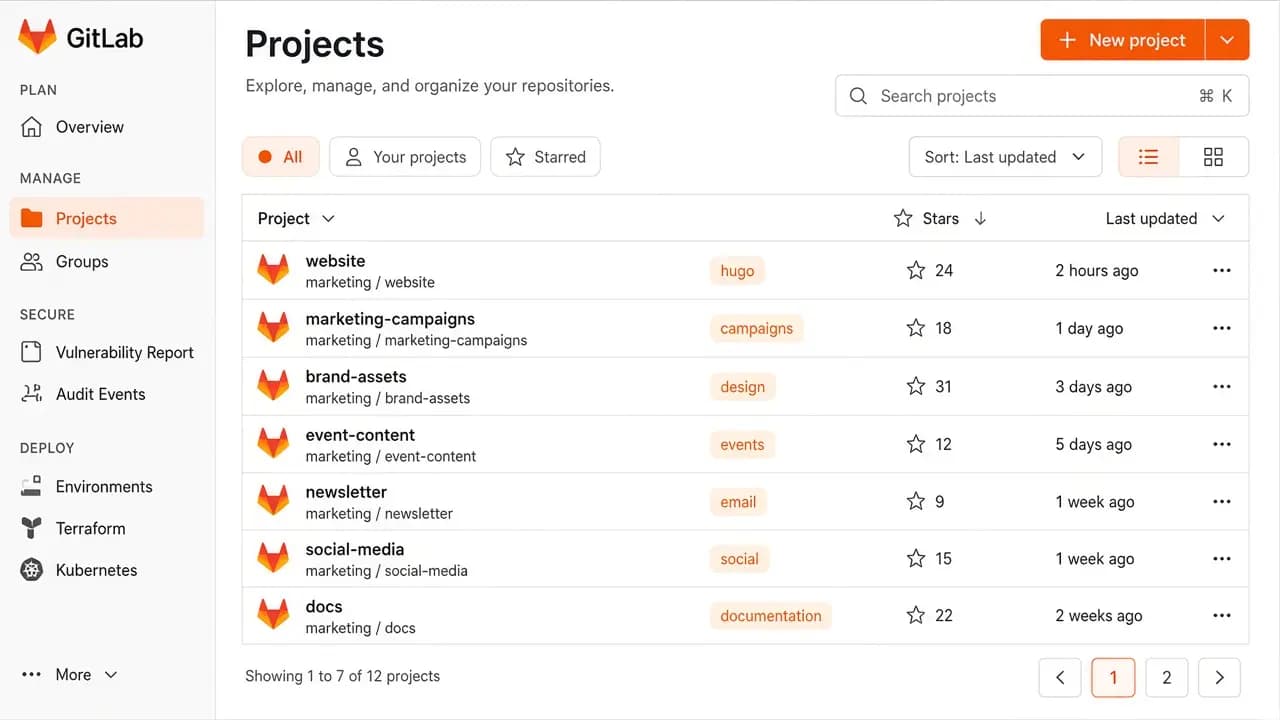
Host private and public projects on the provider plan you chose. Groups, permissions and protected branches stay under your control after you sign in.
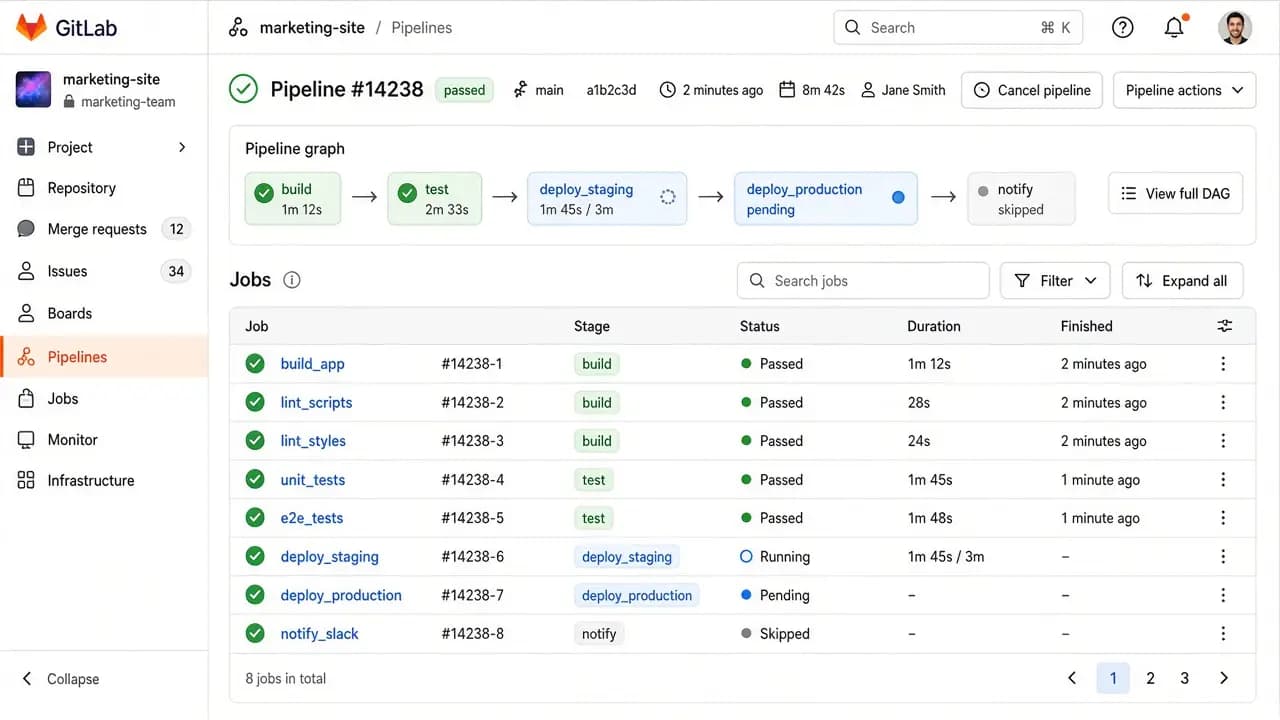
Pipelines start from the CI file in each repository. This Instant App is the GitLab server. Runners are separate, and you register them yourself. Jobs on the same VPS compete with GitLab for RAM.
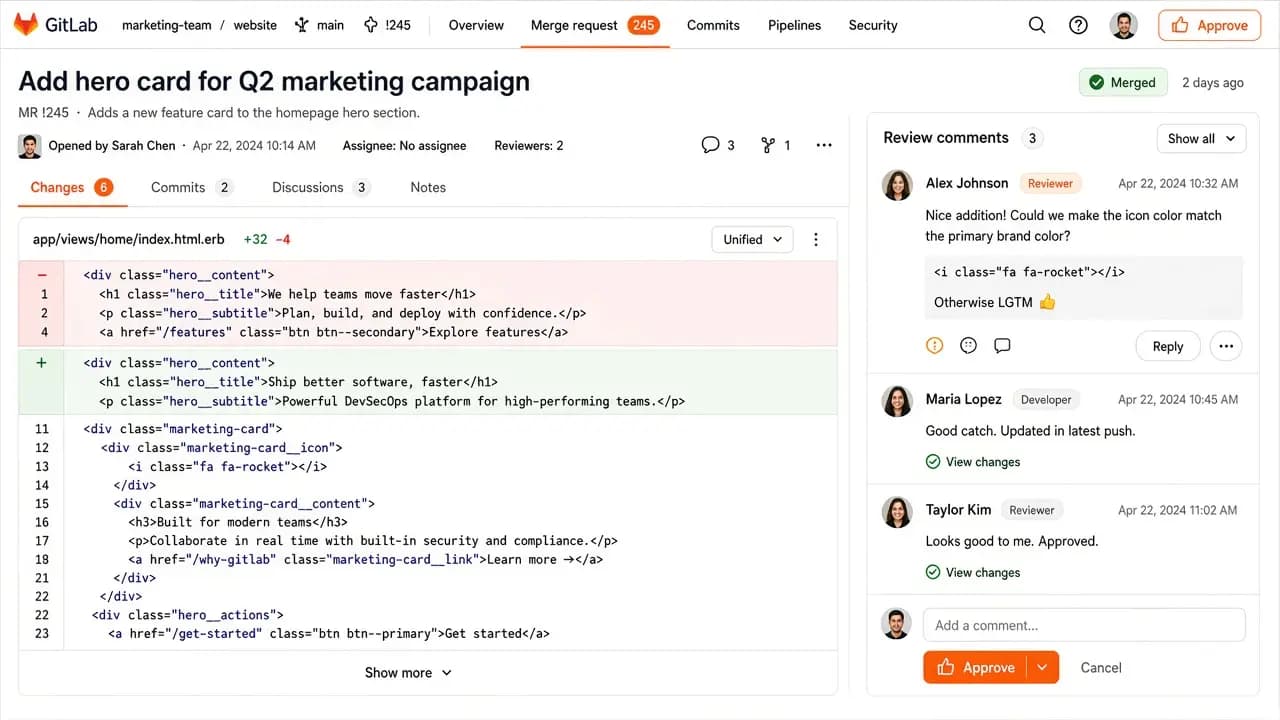
Review diffs, comment on lines and merge when the branch is ready. The workflow matches what teams already do on GitLab.com, on a server you administer.
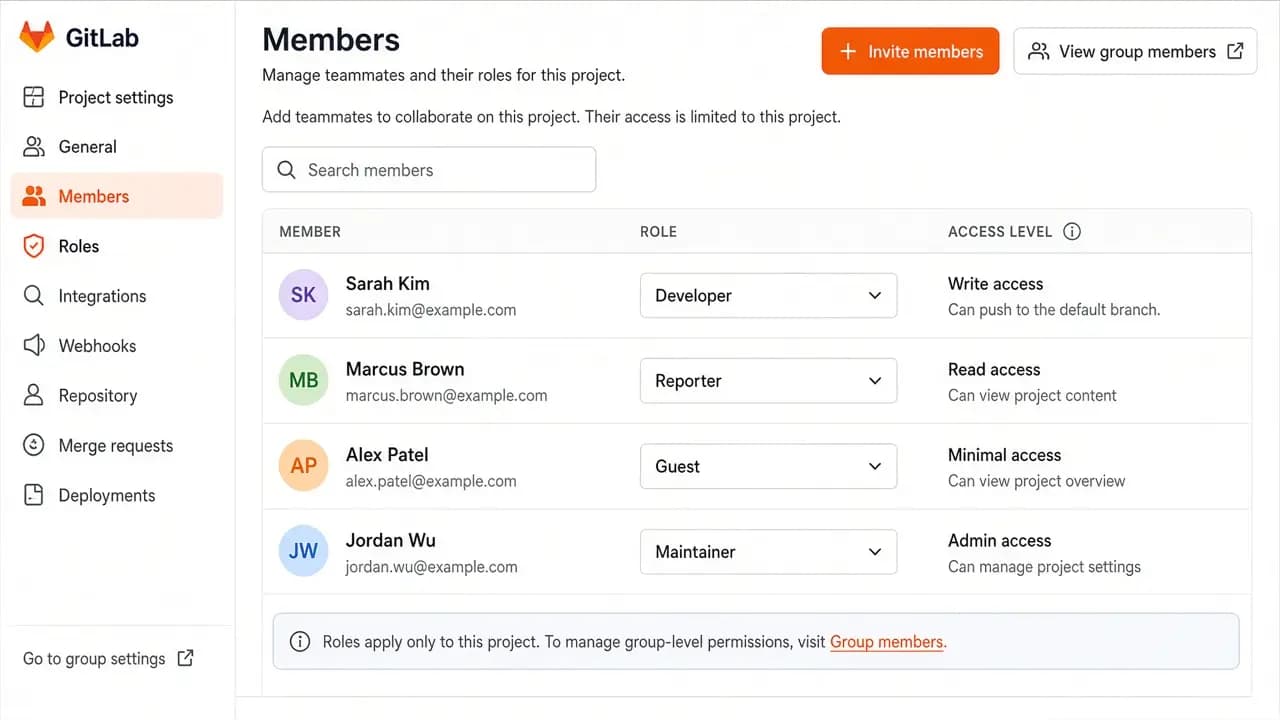
Invite teammates and assign roles per project or group after the first sign-in. The root admin account is created for you.
Compare live GitLab CE VPS plans from independent providers, then self-host GitLab with repositories and CI/CD on the offer you pick.
See live prices, regions and plan sizes before you buy. Shop GitLab-ready servers across independent providers, including offers above the 4 vCPU and 8 GB floor.
Pick a plan and GitLab CE is prepared on that VPS for you. You still get a real server with root access when you add a domain, runners or backups.
Compatible offers list cities and countries. Clone traffic and any runners you place nearby feel the region you pick.
Projects, CI artifacts and registry data sit on your VPS. You control SSH, upgrades, tokens and who can sign in.
Most GitLab VPS pages sell one company's servers. NodeRings lists Compute Instance plans from independent providers so you can compare GitLab-ready offers by price, size and region, then launch on the one that fits.
GitLab Instant App prepares GitLab CE on the provider VPS you selected. NodeRings does not operate that hardware or sell its own VPS fleet.
Compare plans, pick a provider offer, and launch GitLab on that server.
01
Browse live offers below. Every general-compute plan is listed — pick the size you want. GitLab's published single-node baseline is 8 vCPU and 16 GB, so check the sizing guide before you keep a team on a small plan.
02
Choose the provider plan and region. A domain, TLS and runners come after the server is up.
03
Confirm checkout and wait for the server. The ready estimate for this GitLab CE install is about 20 minutes, and a slow start can take longer. Then sign in as root with the password from your server notes. You keep root SSH.
GitLab CE is a heavy single-node install. The official requirements call 8 vCPU and 16 GB the baseline, and they mention 8 GB of RAM as a memory-constrained option. This Instant App does not apply that memory-constrained configuration. A practical launch size is about 4 vCPU, 8 GB RAM and 80 GB disk. Compare a larger offer before you call a small plan a team server.
| Workload | Illustrative starting point | Note |
|---|---|---|
| Practical launch size | 4 vCPU / 8 GB RAM / 80+ GB disk | Suggested start, under GitLab's 8 vCPU baseline. Enough to bring GitLab CE up, and tight once pipelines and repositories arrive. |
| GitLab's single-node baseline | 8 vCPU / 16 GB RAM | The figure GitLab publishes for a normal single-node install. A closer match for a small team with light CI. |
| Pipelines, packages, container registry | 8 vCPU / 16 GB RAM and more disk | GitLab's application storage note starts near 40 GB before repository data. Artifacts, packages and registry data grow on the same volume. 80 GB fills faster than a fresh install suggests. |
| Busy production GitLab | Often above 8 vCPU / 16 GB, sometimes split across machines | Size for concurrent users, CI load and backup copies. Reference architectures scale once one node is not enough. No universal user count. |
These are starting points, not guarantees. Needs depend on repository size, CI load, runners, registry data and whether other software shares the VPS.
This is self-hosted GitLab CE on a provider VPS, not managed GitLab hosting. You pick the plan. GitLab is prepared on that server. Day-to-day platform care stays with you.
GitLab CE is prepared and the root admin password is created for you. Sign in as root with the password from your server notes.
Root SSH on the VPS. You own DNS, TLS, runners, backups, upgrades and day-to-day GitLab care unless a provider product says otherwise. Git clone details over SSH are in your server notes, separate from the VPS login.
Managed runners, a domain, TLS certificates, backup jobs and outbound email reputation are not part of the Instant App. You set those up in GitLab and on the server after it is ready. This deploy does not turn on GitLab's built-in certificate automation.
NodeRings helps with marketplace, billing and console. Provider hardware issues go to that provider. Looking after GitLab on the server is yours.
GitLab CE is the Community Edition of GitLab: Git repositories, merge requests, CI/CD, a package and container registry, and team permissions on a server you administer. GitLab.com is GitLab's hosted service. This page is the self-hosted server.
Omnibus is GitLab's all-in-one install. It brings up the web UI, Git storage, the database and background jobs as one GitLab CE server. This Instant App prepares that edition.
No. NodeRings is a marketplace. Independent providers list VPS plans. You pick a plan, GitLab CE is prepared on that provider server, and you manage projects and CI from there.
No. You get a virtual machine with GitLab CE prepared for you, plus root access. That is different from GitLab.com or a managed host that owns upgrades and support for you. DNS, TLS, runners, backups and day-to-day care remain yours unless a provider product says otherwise.
It prepares GitLab CE on the VPS you choose so you skip hunting through the Omnibus install by hand. It is still your self-hosted server, not a separate managed hosting brand.
GitLab's installation requirements list 8 vCPU and 16 GB as the single-node baseline. The same page says a single node can run with at least 8 GB of RAM in a memory-constrained environment. This Instant App does not apply that configuration. Compare 8 vCPU and 16 GB, with more disk, when the server will hold a team, pipelines or a registry — and pick any listed plan if you accept the tradeoffs.
You get the GitLab server, so CI/CD is there to configure. Runners are not registered for you. A runner executes jobs from your repositories and can exhaust an 8 GB server if it shares the box with GitLab. Many teams keep heavy jobs on another machine.
You confirm the plan and finish checkout. The ready estimate for this GitLab CE install is about 20 minutes, and a slow start can take longer. Then open the site and sign in as root with the password from your server notes. Keep that password private.
HTTPS clone URLs use the site address. Git SSH uses a separate access path from root SSH on the VPS, and those details are in your server notes. Point a domain at the server when you want clone URLs on your own name.
You can restore a backup you take from the old server, or migrate projects after this VPS is up. That work is yours. This Instant App does not import a GitLab.com group during checkout.
Yes. Each compatible plan lists available regions. Pick a city near the people who clone and near any runners you will add.
You do, unless you add backup tooling yourself or a provider product explicitly includes it. GitLab upgrades and backup copies of repositories, artifacts and the registry are part of running the server. Treat the VPS as the source of truth until you have a restore you have actually tested.
You can move to a larger plan from the same or another marketplace provider when repos or CI grow. Exact options depend on the provider. Compare offers again when you need more CPU, RAM or disk.