

Enzonix
Shared Compute - General Compute
$5.00/mo
1 vCPU · 1 GB · 20 GB
Choose location
Amsterdam, Netherlands
| Provider | Plan | vCPU | RAM | Disk | Regions | Billing | Price |
|---|---|---|---|---|---|---|---|
| Enzonix | Shared Compute - General Compute | 1 | 1 GB | 20 GB | Amsterdam, Netherlands | Fixed price | $5.00/mo |
| Enzonix | Shared Compute - General Compute | 1 | 1 GB | 20 GB | Ashburn, United States | Fixed price | $5.00/mo |
| Enzonix | Shared Compute - General Compute | 2 | 4 GB | 80 GB | Amsterdam, Netherlands | Fixed price | $9.00/mo |
| Enzonix | Shared Compute - General Compute | 2 | 4 GB | 80 GB | Ashburn, United States | Fixed price | $9.00/mo |
| Enzonix | Shared Compute - General Compute | 4 | 8 GB | 160 GB | Amsterdam, Netherlands | Fixed price | $16.00/mo |
| Enzonix | Shared Compute - General Compute | 4 | 8 GB | 160 GB | Ashburn, United States | Fixed price | $16.00/mo |
| Enzonix | Shared Compute - General Compute | 8 | 16 GB | 320 GB | Amsterdam, Netherlands | Fixed price | $32.00/mo |
| Enzonix | Shared Compute - General Compute | 8 | 16 GB | 320 GB | Ashburn, United States | Fixed price | $32.00/mo |
| Enzonix | Shared Compute - General Compute | 1 | 1 GB | 20 GB | Ashburn, United States | Hourly | $0.007/hr |
| Enzonix | Shared Compute - General Compute | 1 | 2 GB | 40 GB | Ashburn, United States | Hourly | $0.01/hr |
| Enzonix | Shared Compute - General Compute | 2 | 4 GB | 80 GB | Ashburn, United States | Hourly | $0.015/hr |
| Virtualized | Shared Compute - General Compute | 2 | 4 GB | 40 GB | Phoenix, United States | Fixed price | $12.49/mo |
| Virtualized | Shared Compute - General Compute | 3 | 6 GB | 60 GB | Phoenix, United States | Fixed price | $17.49/mo |
| Virtualized | Shared Compute - General Compute | 4 | 8 GB | 80 GB | Phoenix, United States | Fixed price | $22.99/mo |
| Virtualized | Shared Compute - General Compute | 8 | 16 GB | 160 GB | Phoenix, United States | Fixed price | $44.99/mo |
| Virtualized | Shared Compute - General Compute | 16 | 32 GB | 320 GB | Phoenix, United States | Fixed price | $79.99/mo |
| Virtualized | Shared Compute - General Compute | 32 | 64 GB | 640 GB | Phoenix, United States | Fixed price | $139.99/mo |
Cloudron Instant App
Cloudron is an app platform for self-hosting web apps on your own server. Compare live VPS prices, CPU, RAM, disk and regions, choose a KVM plan, and launch with root access. ARM, LXC and OpenVZ are unsupported. The dashboard uses your my. subdomain once wildcard DNS points at the server.

Cloudron
Instant App on marketplace VPS
Live marketplace offers
Choose billing and size, compare providers side by side, pick a location, then launch.
Shared Compute - General Compute
$5.00/mo
1 vCPU · 1 GB · 20 GB
Choose location
Amsterdam, Netherlands
1 provider
Cloudron is a self-hosted app platform. From one dashboard you install and update web apps, give each one a subdomain, and handle users, certificates and backups on a VPS you control. The dashboard is the my. subdomain of the domain you enter. A wildcard DNS record lets a new app answer on its own name without a fresh DNS edit every time.
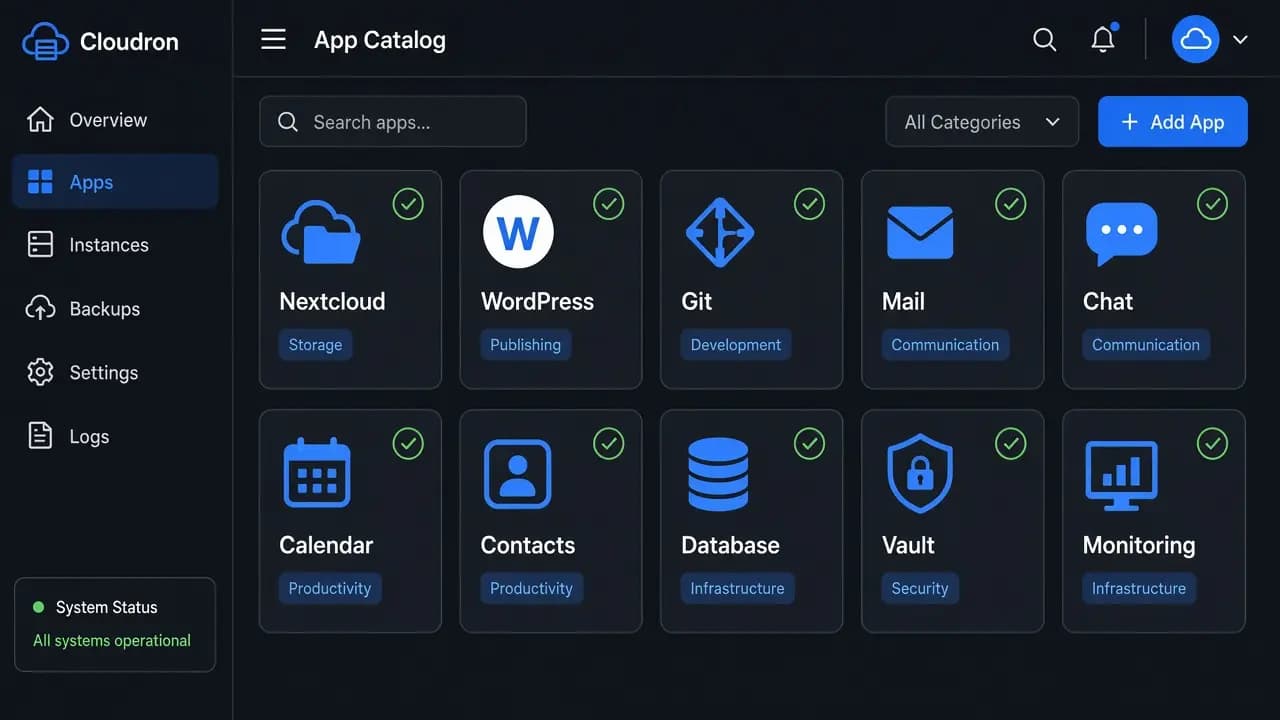
Install web apps from the Cloudron store onto the VPS you chose, then update them from the same dashboard.
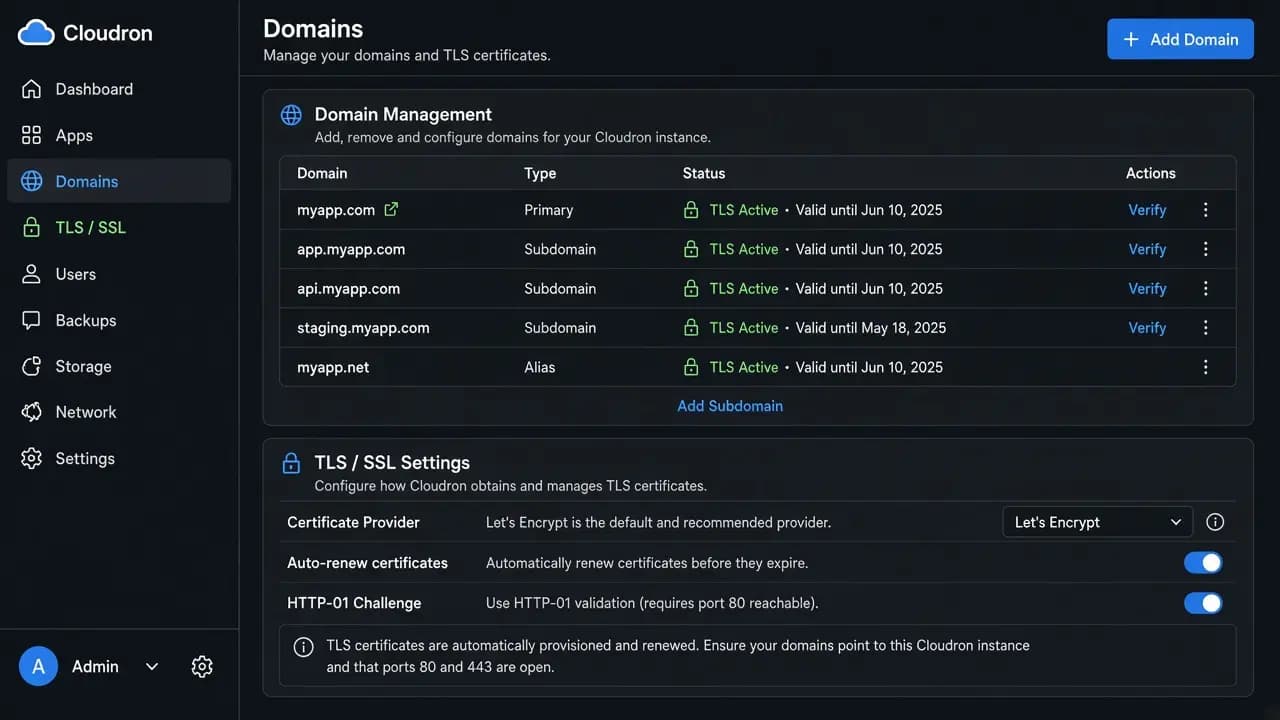
After setup, the dashboard lives at my. plus your domain. Apps take names under that domain. Point the my. record and a wildcard DNS record at the VPS before those names can get certificates.
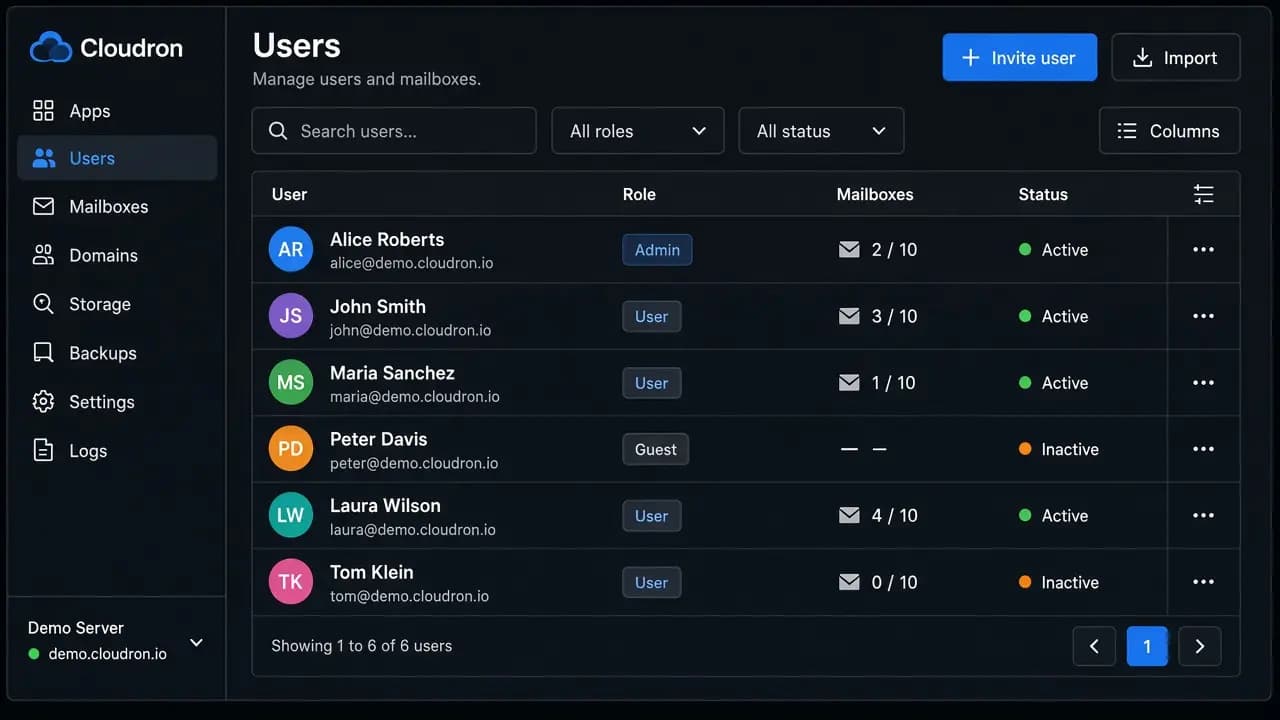
Manage users for the apps from the same dashboard. Mail can be turned on later. Many mailbox providers treat mail from a VPS as spam, so delivery setup stays with you.
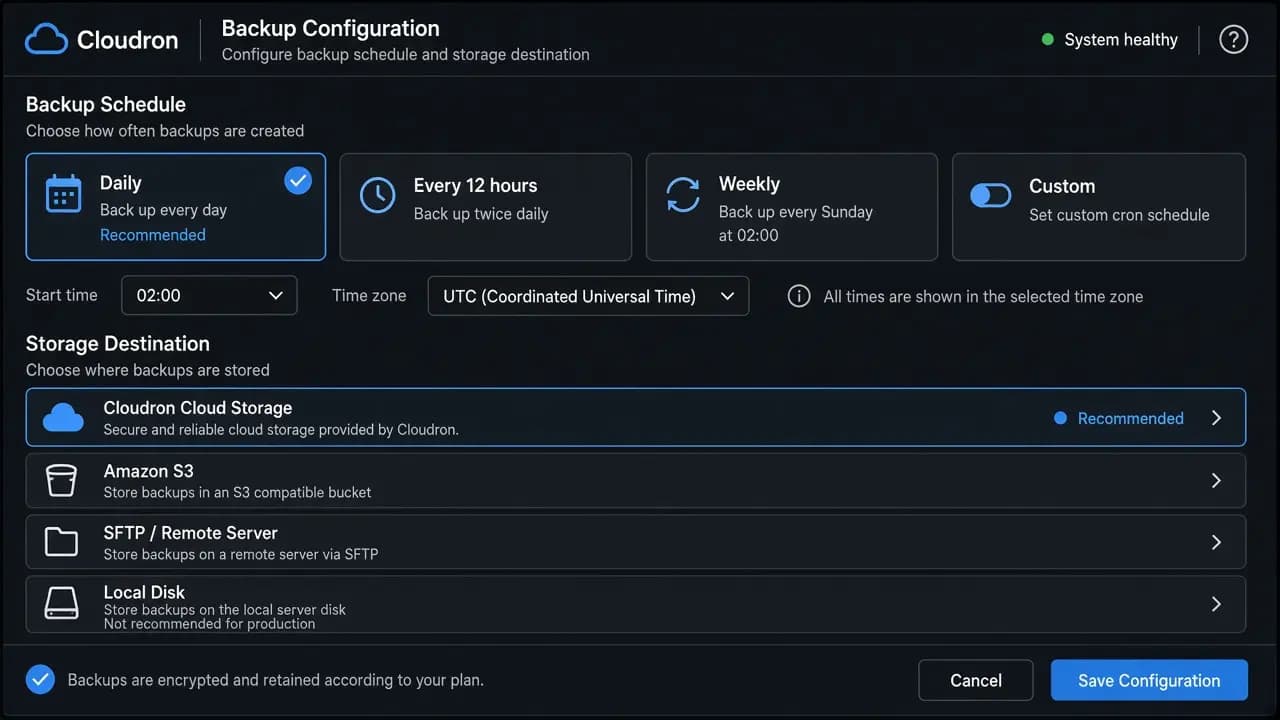
Cloudron can send backups to a destination you add after setup. NodeRings does not sell managed Cloudron backups with this Instant App.
Compare live Cloudron VPS plans from independent providers, then self-host the Cloudron app platform on a KVM plan.
See live prices, regions and plan sizes before you buy. Independent providers publish the offers. Match the Cloudron VPS to the apps you will run and the city they should live in.
Pick a plan and Cloudron is prepared on that VPS for you. You finish the browser setup: temporary certificate, domain, then the admin account.
Compatible offers list cities and countries. The dashboard and every app you install later share that region. Choose the city for the people who open the apps.
You keep root SSH. Cloudron's install notes reject ARM, LXC and OpenVZ. Choose a KVM plan, which is hardware virtualization on 64-bit x86, and confirm that with the provider before you deploy.
NodeRings lists Compute Instance plans from independent providers. You compare Cloudron VPS offers by price, size and region, then launch on the one that fits.
Cloudron Instant App prepares Cloudron on the provider VPS you selected. NodeRings does not operate that hardware or sell its own VPS fleet.
Compare plans, pick a provider offer, and launch Cloudron on that server.
01
Browse live offers below. Every general-compute plan is listed — pick the size you want. Cloudron's own notes ask for 2 GB RAM and 20 GB disk on 64-bit x86, and they reject LXC and OpenVZ. Prefer a KVM plan.
02
Choose the provider plan and confirm it is a KVM VPS. The admin account is created in the browser after the server is up.
03
Confirm checkout and wait for the VPS. Open the setup address, accept the temporary certificate, then enter your domain and create the admin account. Have the my. subdomain and wildcard DNS aimed at the server before you rely on app hostnames.
Cloudron's install docs ask for at least 2 GB RAM and 20 GB disk on 64-bit x86 Ubuntu. ARM, LXC and OpenVZ are unsupported. A KVM VPS is the usual plan that meets the hardware-virtualization requirement. The platform is already using memory before the first app is installed. A common starting point is about 2 vCPU, 2 GB RAM and 40 GB disk, which clears the published RAM minimum and leaves more disk than the 20 GB doc floor. Each app you add takes more CPU, RAM and disk.
| Workload | Illustrative starting point | Note |
|---|---|---|
| Platform and a couple of light apps | 2 vCPU / 2 GB RAM / 40+ GB disk | Suggested start. Docs ask for 2 GB RAM and 20 GB disk. The extra disk is for app data. |
| Small team, several apps | 2 vCPU / 4 GB RAM | Room for a handful of apps, updates and background jobs. |
| Heavier apps, databases or mail | 2 to 4 vCPU / 4 to 8 GB RAM | Collaboration apps, databases and mail raise memory and disk use. Measure after the apps are installed. |
| Busy multi-app server | Often 4+ vCPU / 8+ GB RAM and more disk | Size for concurrent users, backup storage and mail volume. There is no universal app count. |
These are starting points, not guarantees. Needs depend on which apps you install, how many people use them at once, mail, and how large backups grow.
This is self-hosted Cloudron on a provider VPS, ready for first-run setup. You pick the plan. Cloudron is prepared on that server. You finish setup and run the app platform day to day.
Cloudron is installed on the server. Open the setup URL, accept the temporary certificate, then create your domain and admin account in the browser.
Root SSH on the VPS. You own domain DNS, the my. subdomain, wildcard DNS, mail delivery, backups, app choices and day-to-day care unless a provider product says otherwise.
A finished admin account, DNS edits, managed backups and outbound email reputation are not bundled in. Complete those in Cloudron after the server is up. Confirm the plan is KVM. LXC and OpenVZ are outside Cloudron's install requirements.
NodeRings helps with marketplace, billing and console. Provider hardware issues go to that provider. Looking after Cloudron on the server is yours.
Cloudron is a self-hosted app platform. It runs on a VPS you control and gives you a dashboard to install, update and back up web apps. Users and certificates are handled there too. You still administer the server.
Each app needs a server that stays online, a name on your domain, and disk for its data. A Cloudron VPS is one place to run that set, with root access when the platform's defaults are not enough. You pick the provider and the region.
No. NodeRings is a marketplace. Independent providers list VPS plans. You pick a plan, Cloudron is prepared on that provider server, and you finish setup and manage apps from there.
No. You get a virtual machine with Cloudron prepared for you, plus root access. Domain DNS, the admin account, app updates, backups and day-to-day care remain yours unless a provider product says otherwise.
It prepares Cloudron on the VPS you choose, so the installer has already run when you open a browser. You create the admin account there.
You confirm the plan and finish checkout. When the server is ready, open the setup address, accept the temporary certificate, enter your domain and create the admin user. Install apps after the dashboard is on your my. subdomain.
Cloudron publishes the dashboard at my. plus the domain you enter, and each app on a subdomain you choose. Create an A record for that my. name and a wildcard DNS record for the same domain, both aimed at the VPS address. Existing records for other hostnames can stay. If my.example.com is already taken, enter a name such as cloudron.example.com. The dashboard then lands at my.cloudron.example.com, and that my. name has to be free. In setup, pick your DNS provider. If it is missing from the list, choose Wildcard or Manual.
Yes. Cloudron's installation notes reject ARM, LXC and OpenVZ. Use a KVM VPS, hardware virtualization on 64-bit x86, and confirm that with the provider before you deploy.
Cloudron's docs ask for 2 GB RAM and 20 GB disk before apps. A common starting point is about 2 vCPU, 2 GB RAM and 40 GB disk. Several apps, mail or a busy team usually want 4 GB RAM or more, and more disk for data and backups. Use the guide above and compare plans when the server stays busy.
Yes. Each compatible plan lists available regions. Pick the city or country that matches the people who will open the apps.
You do, unless a provider product explicitly includes backups. Cloudron can send mail from the VPS, and many mailbox providers treat those addresses as spam. Cloudron's docs suggest checking delivery and using a relay when direct delivery fails. App updates are available from the dashboard. OS-level care beyond that is still yours.
You can move to a larger plan from the same or another marketplace provider when apps or users grow. Exact options depend on the provider. Compare Cloudron VPS offers again when you need more CPU, RAM or disk. Keep the new plan on KVM as well.