
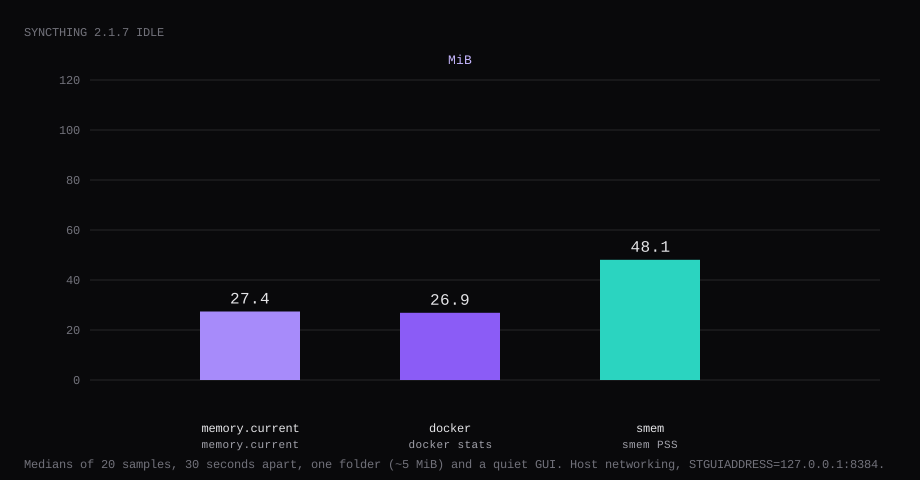
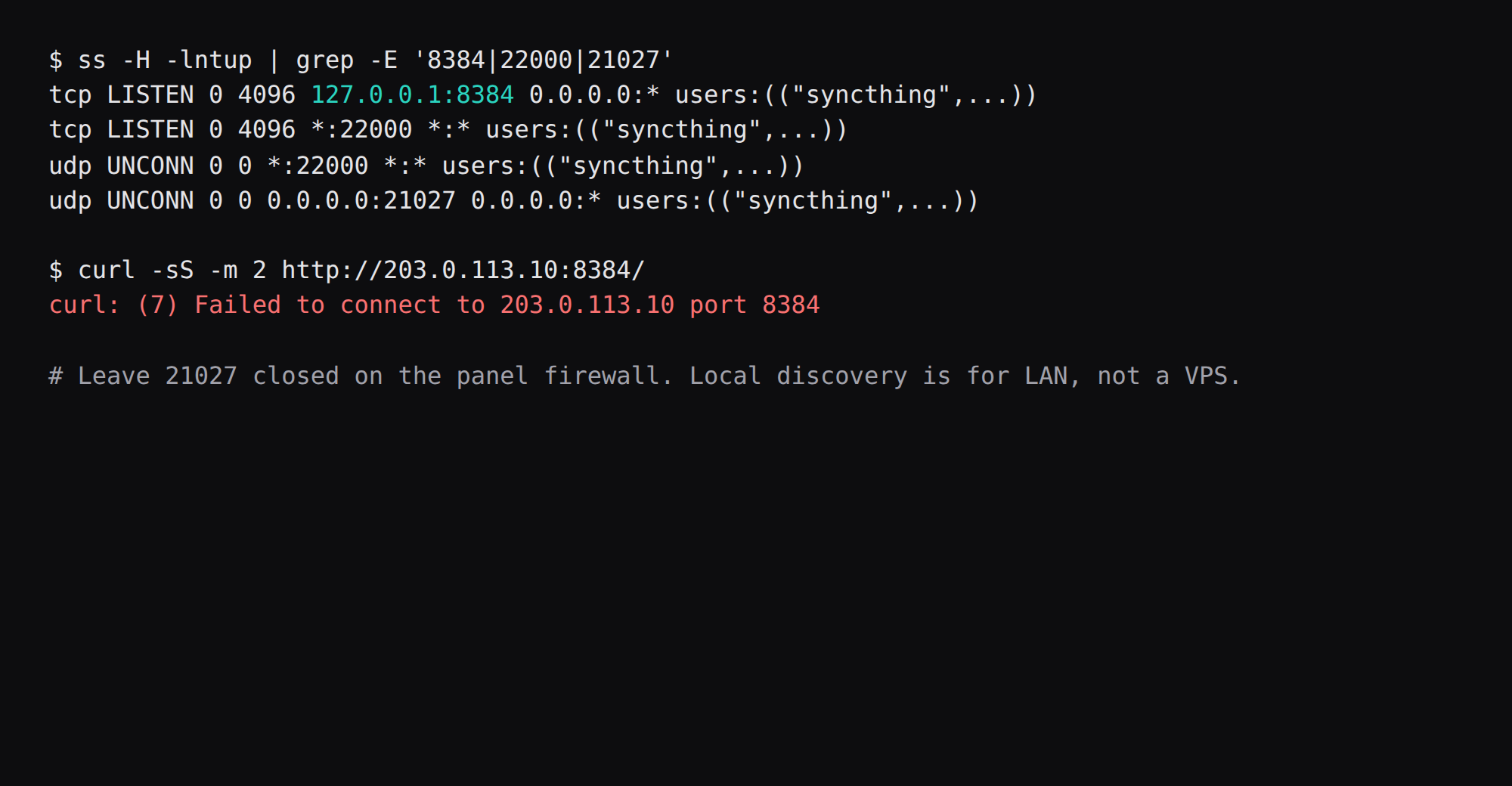
Syncthing 2.1.7 held 27.4 MiB idle on this lab host. That is cgroup memory.current, the median of twenty samples taken 30 seconds apart with one folder (~5 MiB of lab files) and a quiet GUI. docker stats printed 26.9 MiB. smem put the same processes at 48.1 MiB PSS. Port 8384 listened on 127.0.0.1 only. TCP and UDP 22000 were open for sync. A curl to the public address on 8384 was refused.
Syncthing continuously syncs folders between devices you authorize, without a central cloud account. Peers discover each other (global discovery optional), transfer over encrypted connections, and keep versioned conflicts when both sides edit. A VPS is a useful always-on peer for laptops and phones: the GUI stays private on loopback while sync ports stay reachable.
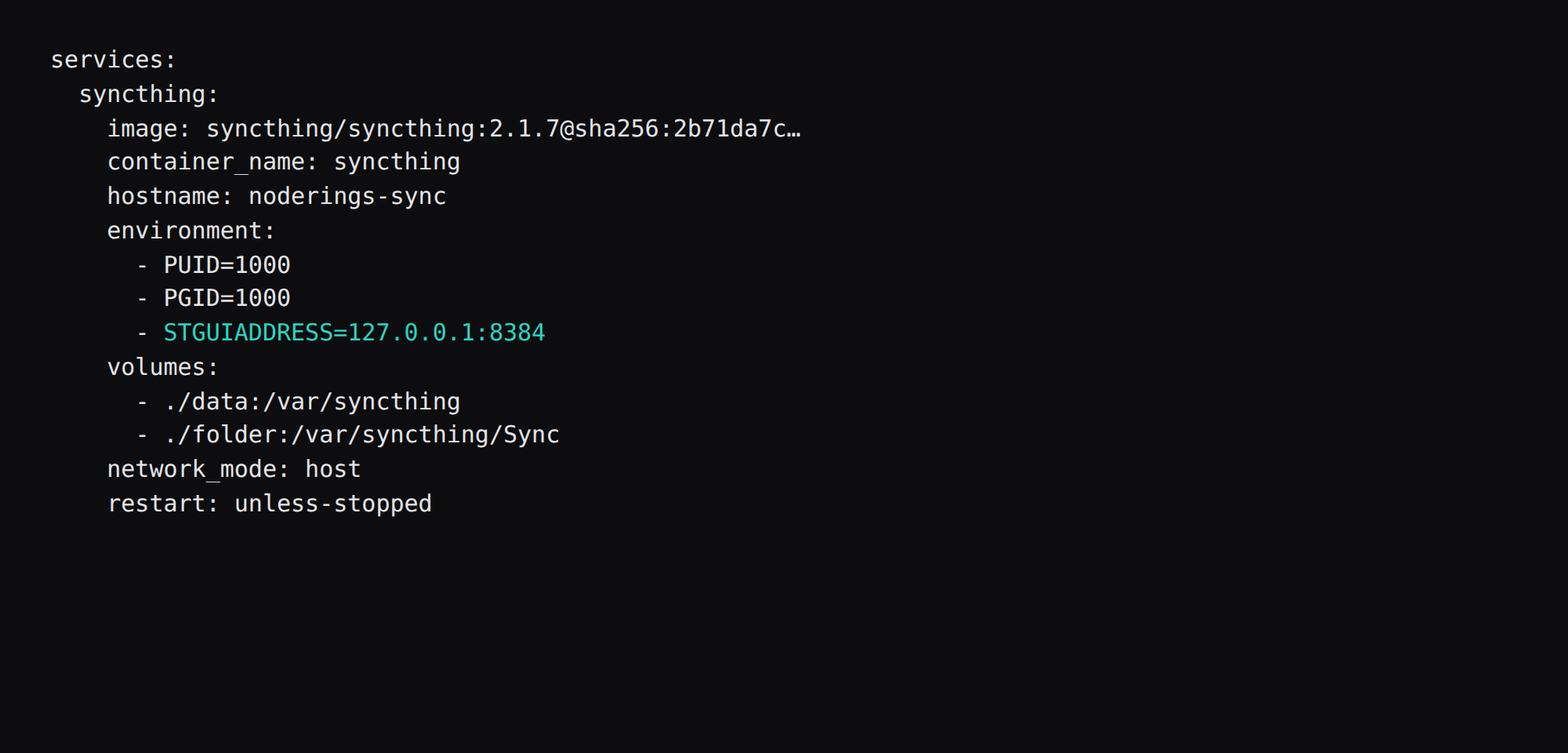
The Docker README recommends host networking so Syncthing sees real peer addresses. The image listens on 0.0.0.0:8384 unless you pin the GUI. Set STGUIADDRESS=127.0.0.1:8384 and leave 22000 open for direct sync. One folder is shared between a laptop and the VPS.
| Reading | Value |
|---|---|
cgroup memory.current | 27.4 MiB, median of 20 |
docker stats | 26.9 MiB |
smem PSS | 48.1 MiB |
| CPU percent | 0.08, median |
| Host GUI listener | 127.0.0.1:8384 |
| Sync listeners | TCP/UDP 22000 |
| Local folder state | 2 files, ~5 MiB |
| Image | about 21 MB |
| Skip this | What this run did |
|---|---|
syncthing/syncthing:latest without a digest | Pinned 2.1.7 by digest |
Bridge network (container sees 172.17.0.0/16) | network_mode: host |
GUI on 0.0.0.0:8384 | STGUIADDRESS=127.0.0.1:8384 |
| Opening 8384 or 21027 on the panel | Allowed 22000/tcp and 22000/udp only |
| Many folders and a mesh on day one | One folder under /var/syncthing/Sync |
How do you install Syncthing on Docker?
The image is syncthing/syncthing:2.1.7, digest sha256:2b71da7c0d0a91a6ae5285ad079226fecc0a365d08b27720e1f7037b018f7546. On this pull, latest pointed at the same digest. Keep the version in the file you store.
mkdir -p ~/syncthing/{data,folder}
chown -R 1000:1000 ~/syncthing
cd ~/syncthing
services:
syncthing:
image: syncthing/syncthing:2.1.7@sha256:2b71da7c0d0a91a6ae5285ad079226fecc0a365d08b27720e1f7037b018f7546
container_name: syncthing
hostname: noderings-sync
environment:
- PUID=1000
- PGID=1000
- STGUIADDRESS=127.0.0.1:8384
volumes:
- ./data:/var/syncthing
- ./folder:/var/syncthing/Sync
network_mode: host
restart: unless-stopped
logging:
driver: json-file
options:
max-size: "10m"
max-file: "3"docker compose up -d
curl -sS http://127.0.0.1:8384/rest/noauth/healthHealth returns {"status":"OK"}. Config and the database live under /var/syncthing/config on the ./data mount. The one shared folder is ./folder on the host, /var/syncthing/Sync in the container. Match PUID/PGID to the user that owns those directories (id -u / id -g). Log rotation matches the Compose checklist.
An empty STGUIADDRESS= falls back to the config default of localhost. The compose file sets 127.0.0.1:8384 in the environment.
How do you fine-tune folders and devices?
Share one folder at a time until both device IDs are trusted. Prefer Send & Receive on the VPS for a backup peer, or Send Only when the VPS is a publish drop. Put a .stignore in the folder root for .DS_Store, *.tmp, and node_modules (ignore docs). Set a reasonable rescan interval; watching every filesystem event on a huge tree burns CPU. Enable versioning (simple or staggered) on the folder that holds irreplaceable files. GUI auth belongs on if anything but SSH can reach 8384; with STGUIADDRESS=127.0.0.1:8384 the bigger risk is sync ports and relay usage. The official Docker README prefers network_mode: host so peers see real addresses; bridge networking alone often forces relays and slow transfers (SelfHost Atlas, selfhosting.sh). If the connection type shows Relay, forward TCP+UDP 22000 (and UDP 21027 for discovery) or accept the public-relay tax.
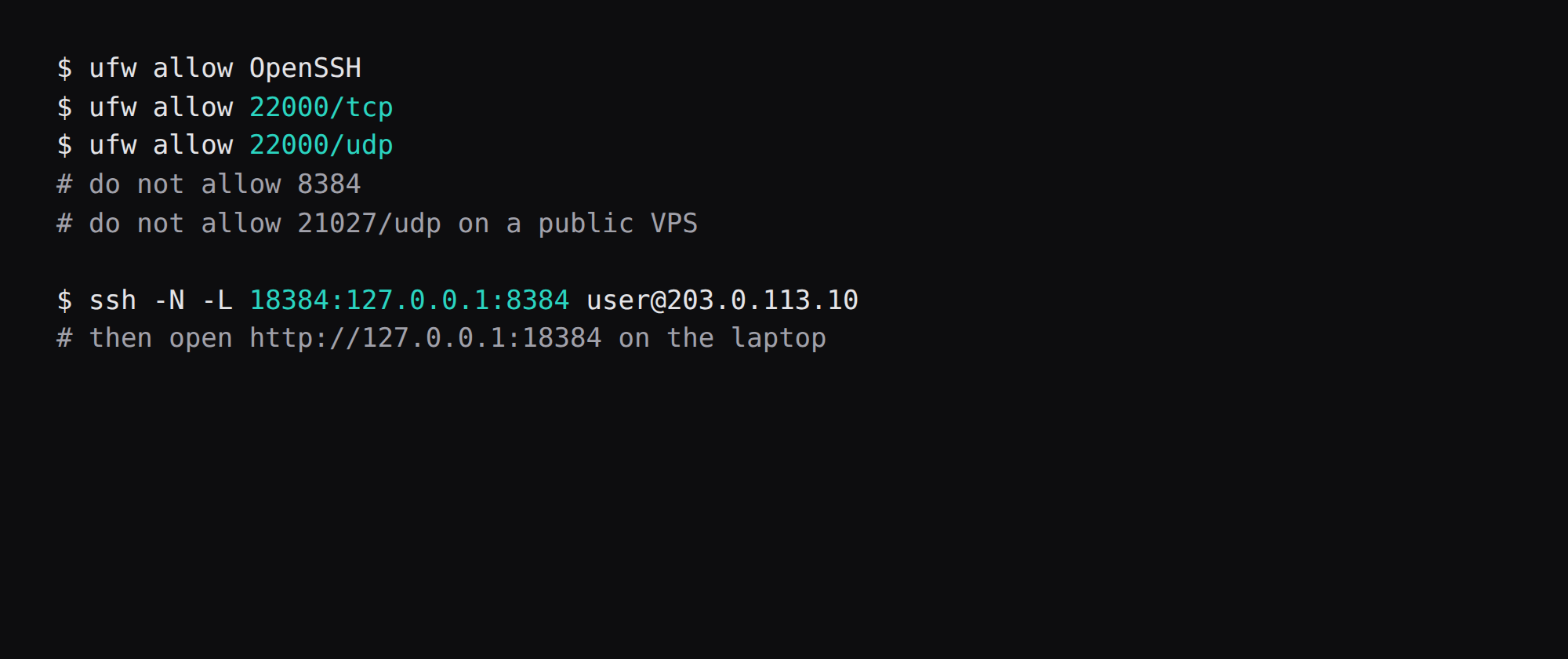
Open TCP/UDP 22000 on the panel firewall for direct connections; leave UDP 21027 (LAN discovery) closed on a public VPS (hyehost’s Syncthing Docker guide). Access the GUI with an SSH tunnel (ssh -L 18384:127.0.0.1:8384 …) rather than publishing 8384. Back up Syncthing’s config directory when device keys matter; the folder data is the files themselves.
Why must 8384 stay on loopback?
8384 is the web GUI, and sync traffic uses 22000. Allow 22000 on the public firewall and deny 8384.
| Port | Proto | Job | Public firewall |
|---|---|---|---|
| 8384 | TCP | Web GUI | deny (SSH tunnel only) |
| 22000 | TCP | Sync | allow |
| 22000 | UDP | Sync (QUIC) | allow |
| 21027 | UDP | Local discovery | deny on a VPS |
ufw allow OpenSSH
ufw allow 22000/tcp
ufw allow 22000/udp
Put the same two allows on the panel firewall. Host networking means those rules apply to the listeners you see in ss. Leave 21027 closed on the public side even when the process binds it for LAN discovery.
ss -H -lntup | grep -E '8384|22000|21027'On this host, 8384 was 127.0.0.1 only. Curl to the public address on 8384 failed. That public-address case is in provider-side firewall.
How do you open the GUI and set a password?
From the laptop:
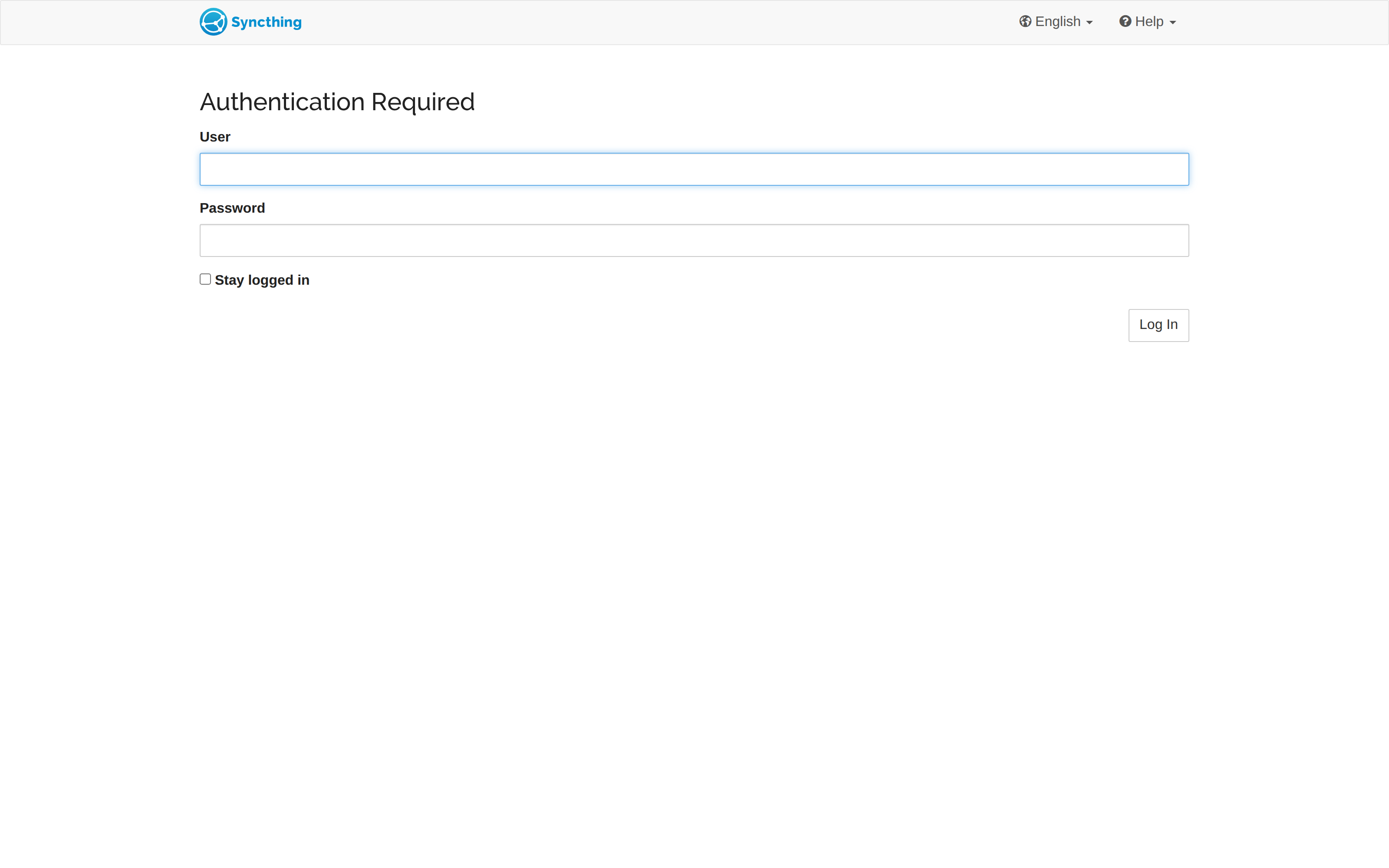
ssh -N -L 18384:127.0.0.1:8384 user@YOUR_VPS_IPOpen http://127.0.0.1:18384. Port 18384 avoids clashing with a local Syncthing already on 8384. On first use, set a GUI username and password under Actions → Settings → GUI. After that, the login page asks for those credentials. Crop the password from screenshots.
A public GUI listen address skips the SSH tunnel and puts 8384 on the VPS address. Keep STGUIADDRESS on 127.0.0.1:8384. If you later put the GUI behind Caddy, turn on HTTPS for the GUI and keep authentication. The proxy steps are in the Caddy HTTPS post.
Where does the one folder live?
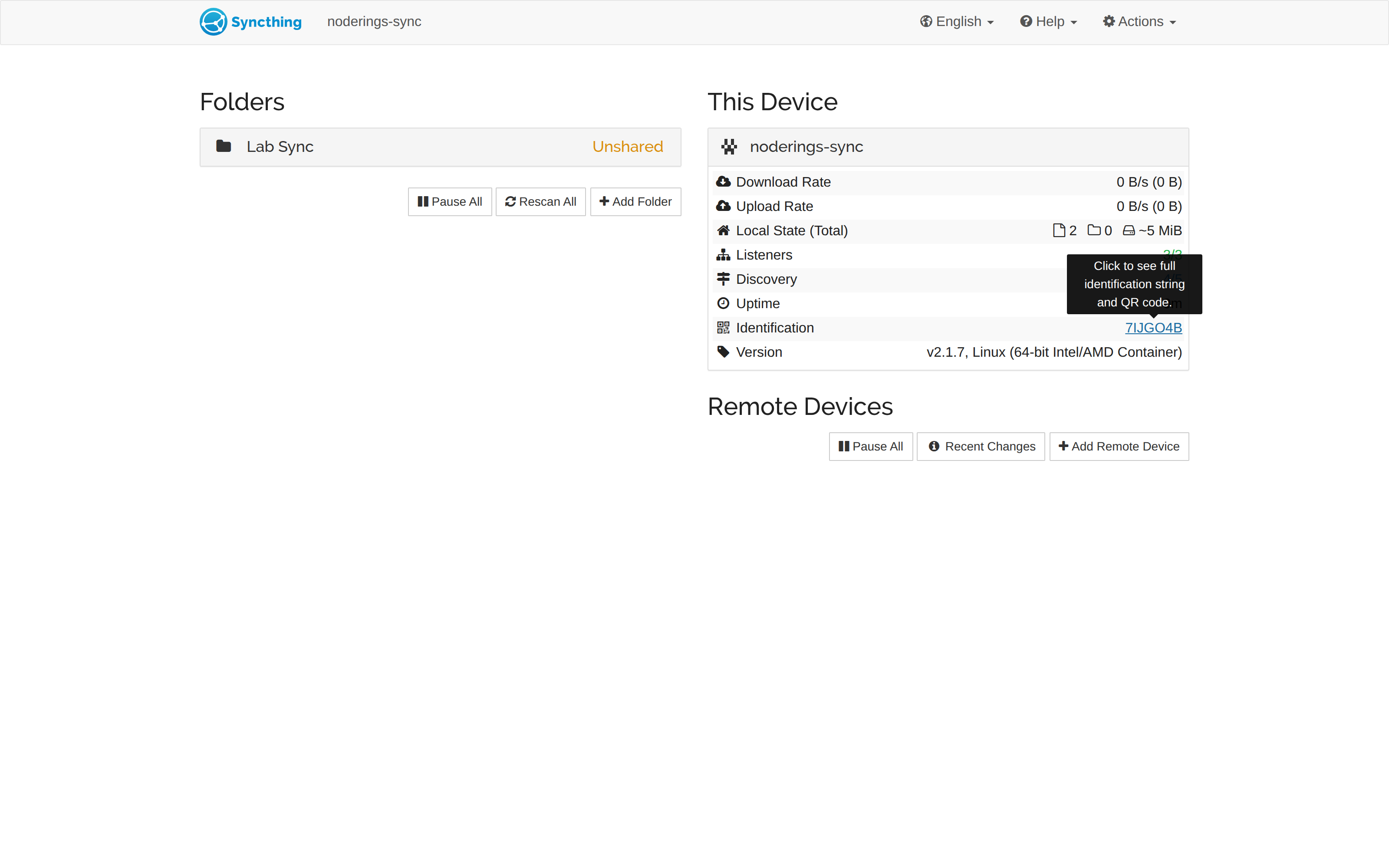
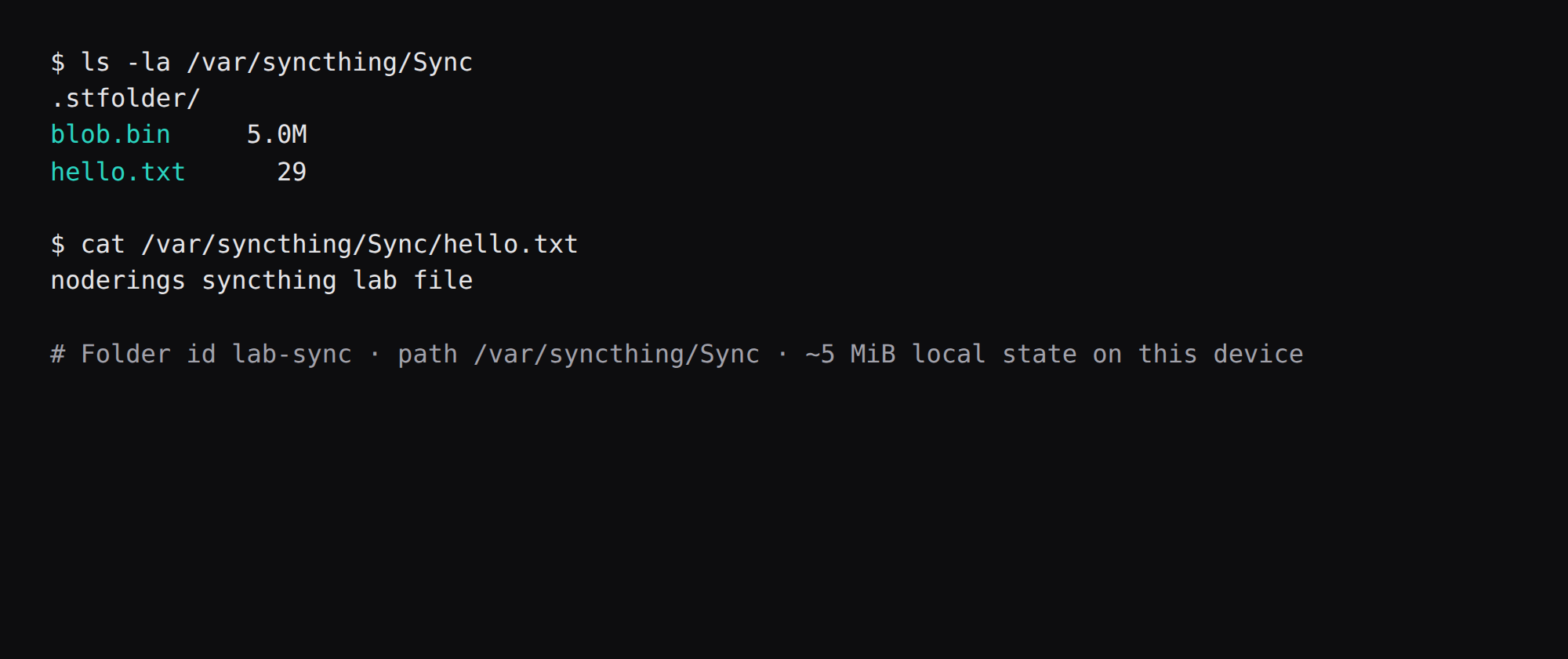
Add one folder in the GUI (or via the API) with path /var/syncthing/Sync, which is ~/syncthing/folder on the host. Share Device IDs in both directions, using the VPS ID from This Device and the laptop ID from the laptop GUI. Label the VPS with a hostname you recognize (noderings-sync here).
This lab folder held hello.txt and a 5 MiB blob.bin. Local state showed 2 files, ~5 MiB. A second folder or a full mesh is a different post, and so is relay tuning.
On the laptop, add the same folder ID, point it at a local path, and accept the share. A file written on either side appears on the other once both devices are online and connected on 22000.
When do you use WireGuard instead of public 22000?
If the laptop and VPS already share a WireGuard network, leave 22000 off the public allow list and point Device Addresses at the WireGuard IPs. The tunnel setup stays in that post. Public 22000 is the default path when you want direct sync without a VPN.
How do you keep sync boring?
Approve every new device ID deliberately. Use folders with different paths per device when layouts differ. Pause folders before huge local refactors. Check the UI for out-of-sync items after travel. Relays are fine as fallback; direct 22000 is better on home connections. When retiring a laptop, remove its device ID from the VPS.
FAQ
Is 1 GB enough? Idle here was under 30 MiB of memory.current. Plan disk for the folder size and a little RAM headroom during large scans. A 1 GB guest is enough for this peer role.
Why host networking? The Docker README warns that the default bridge only shows Syncthing a 172.17.0.0/16 address, which breaks discovery and hurts transfer rates unless you set addresses by hand.
Syncthing or Nextcloud? Syncthing syncs folders between devices you pick. Nextcloud is a file app with sharing links and apps, so the jobs differ.
What about deletes? A delete on one side propagates. Keep an off-box copy with restic if you need restore after a bad sync.
Does UFW see host-network ports? Yes on Linux. Bridge publishes are the path that often bypasses UFW. Prefer host networking for this stack, then open only 22000.