
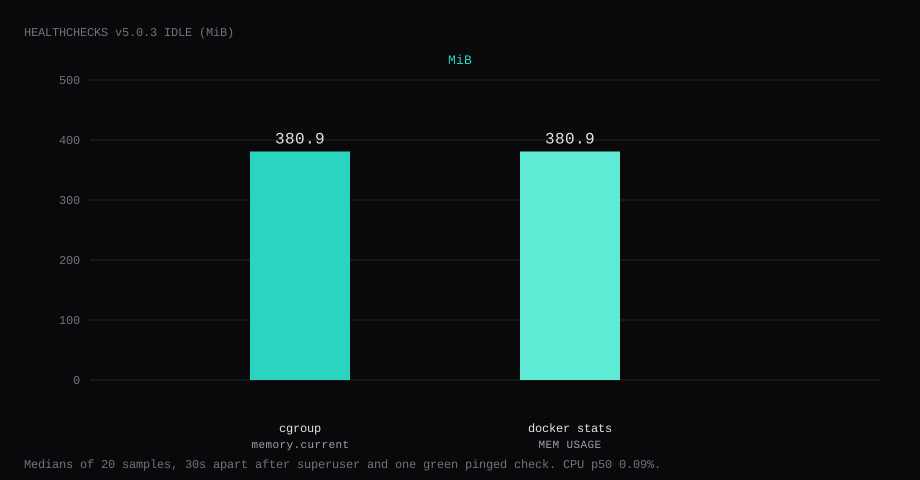
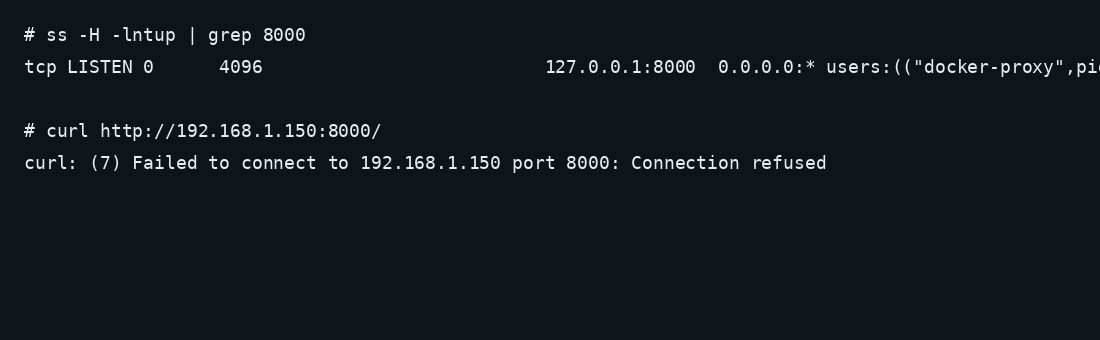
Healthchecks v5.0.3 held 380.9 MiB idle on this lab host after createsuperuser and a check named Lab cron went green from an HTTP ping. That is cgroup memory.current, the median of twenty samples taken 30 seconds apart with a quiet UI. docker stats printed 380.9 MiB. CPU percent sat at 0.09. Port 8000 listened on 127.0.0.1 only. A curl to the guest's LAN address on 8000 was refused.
Healthchecks is a cron monitoring service you can self-host. Each check gets a unique ping URL; your job hits that URL on success, and Healthchecks alerts you (email, webhook, ntfy, Slack, and more) when the ping is late or missing. It covers simple heartbeats, grace periods, cron schedules, and status pages for sets of checks. The hosted product and the open-source app share the same mental model; this post is the Docker self-host path.
The self-hosted Docker guide covers Compose, SECRET_KEY, SITE_ROOT, and createsuperuser. Most paste-ready Compose files still publish 8000:8000 and stop once the login page loads. Pin v5.0.3 by digest, bind the port to loopback, put a real SECRET_KEY in .env, create one check and curl its ping URL until the row goes green, keep REGISTRATION_OPEN=False, and terminate TLS on Caddy.
v5 serves the app with gunicorn through run.sh. Posts that still say uWSGI are on an older release line.
| Reading | Value |
|---|---|
cgroup memory.current | 380.9 MiB, median of 20 |
docker stats | 380.9 MiB |
| CPU percent | 0.09, median |
| Host listener | 127.0.0.1:8000 |
| After proof | Superuser login; Lab cron status up |
| Image | healthchecks/healthchecks:v5.0.3 (~102 MB) |
| SQLite / backup | /data/hc.sqlite ~332 KB; stopped tar ~15 KB |
| Skip this | What this run did |
|---|---|
8000:8000 on every interface | Published 127.0.0.1:8000:8000 |
SECRET_KEY left as dashes or empty | openssl rand -hex 32 into .env |
Floating latest / old uWSGI recipes | Pinned v5.0.3 by digest (gunicorn) |
| Stopping at an empty project | Created Lab cron and curled /ping/… to up |
| Leaving registration open | REGISTRATION_OPEN=False |
| Opening 8000 on the panel firewall | Left the app port closed; Caddy on 80/443 |
How do you install Healthchecks on Docker?
The image is healthchecks/healthchecks:v5.0.3, digest sha256:5eb96eb72dc63ac24743f1c0fc4469931155329e05c9781a0809320de0ae479c. Create a data directory owned by uid 999 (user hc in the image) so SQLite can create /data/hc.sqlite:
mkdir -p ~/healthchecks/data
cd ~/healthchecks
sudo chown -R 999:999 data
openssl rand -hex 32 > /tmp/hc.secret
# .env - mode 600
SECRET_KEY=PASTE_THE_OPENSSL_OUTPUT
SITE_ROOT=https://hc.example.com
ALLOWED_HOSTS=hc.example.com
DB=sqlite
DB_NAME=/data/hc.sqlite
DEBUG=False
REGISTRATION_OPEN=False
DEFAULT_FROM_EMAIL=healthchecks@localhost
EMAIL_HOST=Leave EMAIL_HOST empty for a ping-only lab. SMTP warnings in the log are fine until you add a mail host. For the first local bring-up you can set SITE_ROOT=http://127.0.0.1:8000 and ALLOWED_HOSTS=127.0.0.1,localhost, then switch both to the public hostname before Caddy goes live.
services:
  healthchecks:
    image: healthchecks/healthchecks:v5.0.3@sha256:5eb96eb72dc63ac24743f1c0fc4469931155329e05c9781a0809320de0ae479c
    container_name: healthchecks
    restart: unless-stopped
    ports:
      - "127.0.0.1:8000:8000"
    env_file: .env
    volumes:
      - ./data:/data
    logging:
      driver: json-file
      options:
        max-size: "10m"
        max-file: "3"
chmod 600 .env
docker compose up -d
curl -sS -o /dev/null -w '%{http_code}\n' http://127.0.0.1:8000/accounts/login/A working process returns 200 on the login page. Log rotation matches the Compose checklist. Inside the container, run.sh starts gunicorn plus the sendalerts and sendreports helpers. That process set is why idle sits near 380 MiB on a quiet host.
If the log says SQLite cannot open the database file, the data/ directory is still root-owned. Fix ownership and recreate:
docker compose down
sudo chown -R 999:999 data
docker compose up -d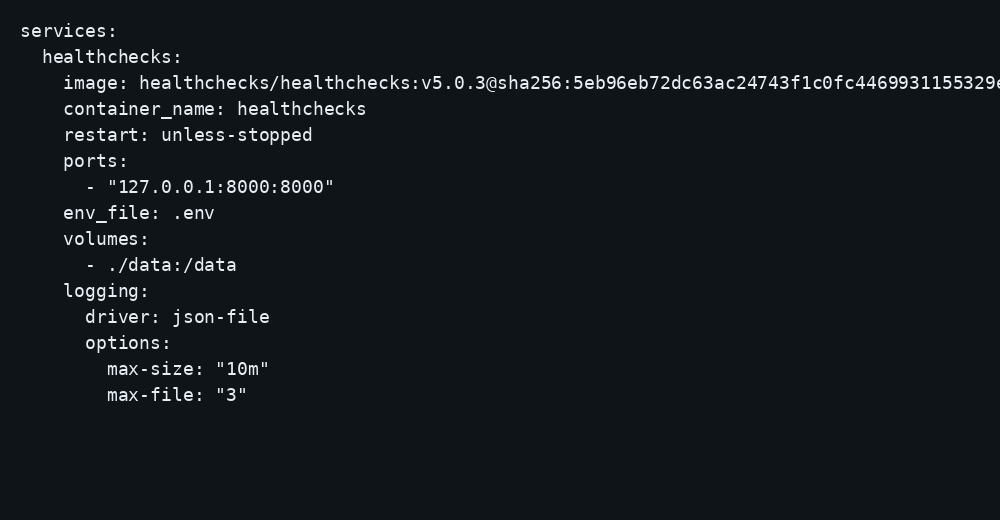
How do you wire checks and notifications?
Create a project, add a check with a timeout and grace that match the job (a daily backup might allow 25 hours; a five-minute cron needs a tighter window). Copy the ping URL into crontab, systemd timers, or scripts (curl -fsS -m 10 --retry 3 URL). Use /start and /fail variants when you want duration tracking or explicit failure. Integrations live under Project Settings: SMTP for mail, webhooks for ntfy/Discord, and similar sinks. Keep SITE_ROOT and ALLOWED_HOSTS equal to the public HTTPS hostname so Django accepts the request and email links resolve (CubePath’s Healthchecks guide). If you customize PING_ENDPOINT, it must end with a trailing slash and your reverse proxy must route that base (configuration docs). The Management API (X-Api-Key) can create checks idempotently with "unique": ["name"].
REGISTRATION_OPEN=False stops strangers from creating accounts on a public hostname (Railyard’s Healthchecks post). Invite teammates as project members instead. Caddy must set X-Forwarded-Proto (and discard a client-supplied value) or login POSTs return CSRF 403; it must also set X-Forwarded-For so rate limits see the real client (Docker reverse-proxy notes). From v3.8 you can put a path in SITE_ROOT (for example https://example.org/hc) and proxy that prefix without rewriting (Healthchecks blog); prefer a dedicated hostname when you can. SQLite on /data is fine for a personal fleet; move to Postgres when your ops preference says so. Prefer SECRET_KEY_FILE / DB_PASSWORD_FILE when you want secrets on a mounted file. Back up /data (or hc.sqlite) with the container stopped or with a consistent copy.
Why must the port stay on loopback?
Healthchecks is a signed-in Django app that holds check tokens and project data. A publish of 8000:8000 puts that UI on the public address without TLS. Bots will find the login form even with registration closed.
ss -H -lntup | grep 8000On this lab host the line showed 127.0.0.1:8000. Curl to the guest LAN address failed with connection refused. Leave the app port closed in the panel firewall. Open 80 and 443 for Caddy. Docker published ports often bypass UFW inside the guest, so the loopback bind kept the LAN address quiet. The public-address case is in provider-side firewall.
How do you create the first superuser?
Run createsuperuser against the running container. Use a real email; that address is the login username.
docker compose exec healthchecks /opt/healthchecks/manage.py createsuperuserAnswer the prompts for email and password. Open http://127.0.0.1:8000/accounts/login/ (or an SSH tunnel) and sign in. Crop the password from screenshots and shell history.
ssh -N -L 8000:127.0.0.1:8000 user@YOUR_VPS_IP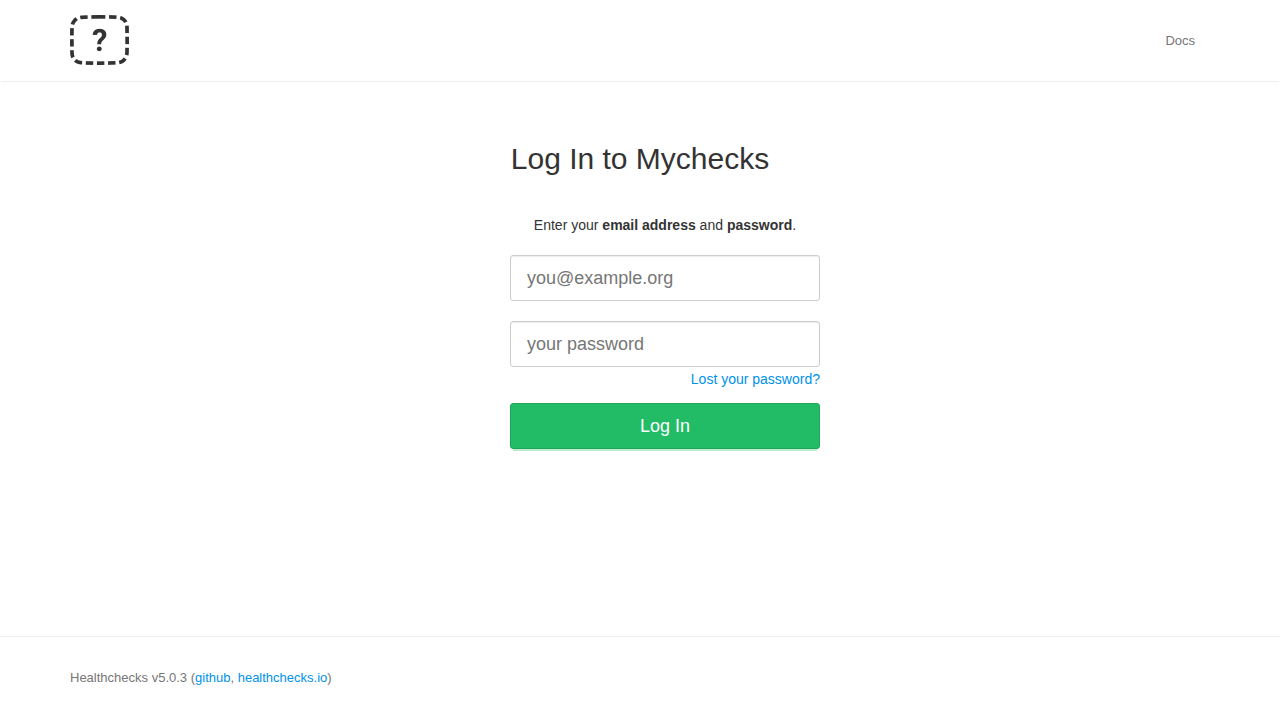
What does one green check prove?
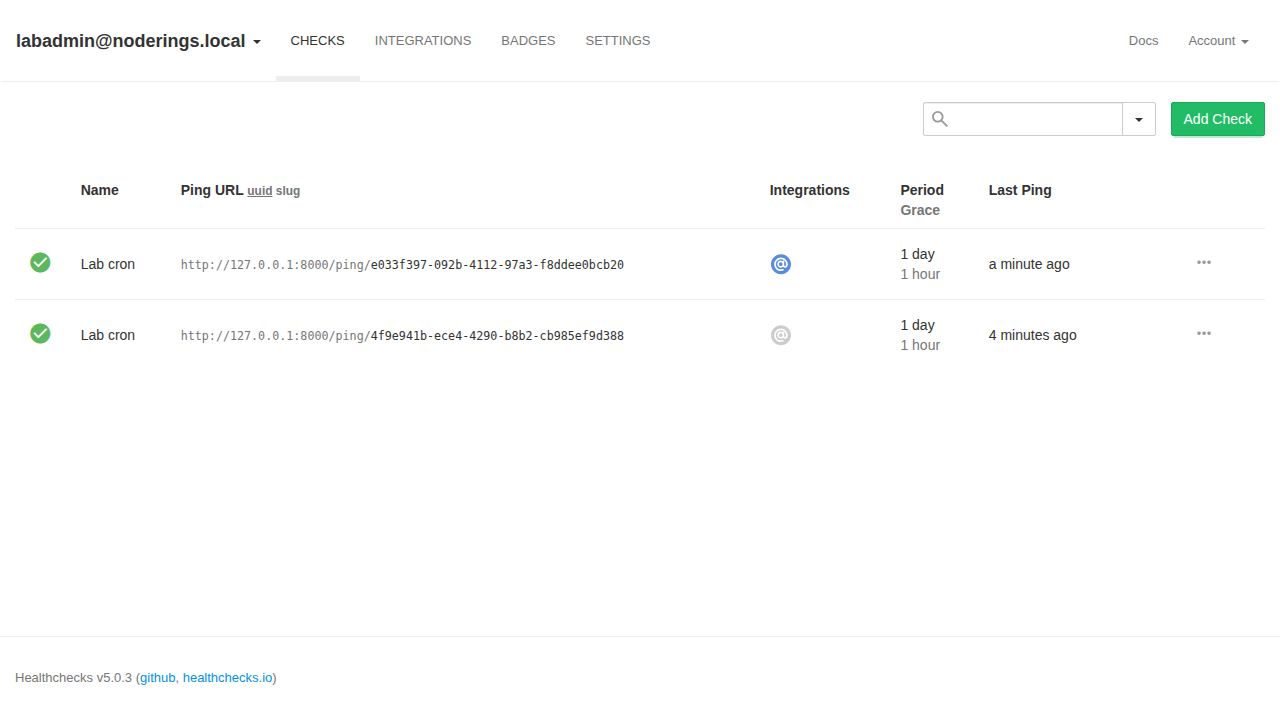
From the project Checks page, add a check (this lab used the name Lab cron with a period that matches how often your job will ping). Copy the ping URL. From the VPS, hit it with curl:
curl -fsS -o /dev/null -w '%{http_code}\n' 'http://127.0.0.1:8000/ping/YOUR-CHECK-UUID'A 200 response and a status of up in the UI means gunicorn took the request, SQLite stored the ping, and the check flipped green. Put that same URL on the cron, systemd timer, or backup job you care about. An empty project with no ping only shows the container started.
Where does Caddy go?
Set SITE_ROOT and ALLOWED_HOSTS to the public hostname before you rely on HTTPS links in emails or the UI.
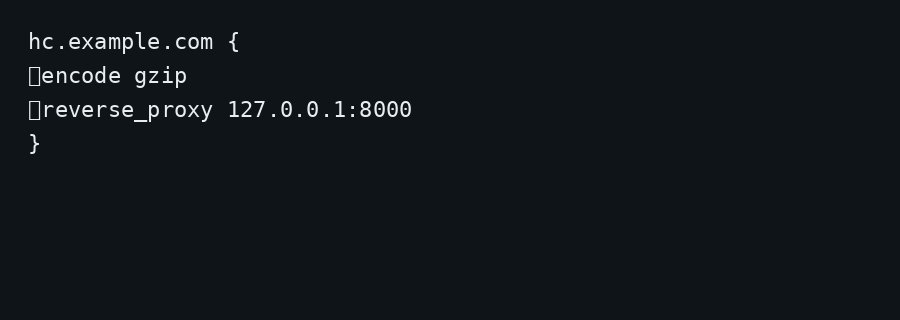
hc.example.com {
	encode gzip
	reverse_proxy 127.0.0.1:8000
}
# .env (production values)
SITE_ROOT=https://hc.example.com
ALLOWED_HOSTS=hc.example.comRestart the container after changing .env. TLS setup is in the Caddy HTTPS post. Put Healthchecks on a hostname and skip a path prefix.
How do you back up the SQLite data?
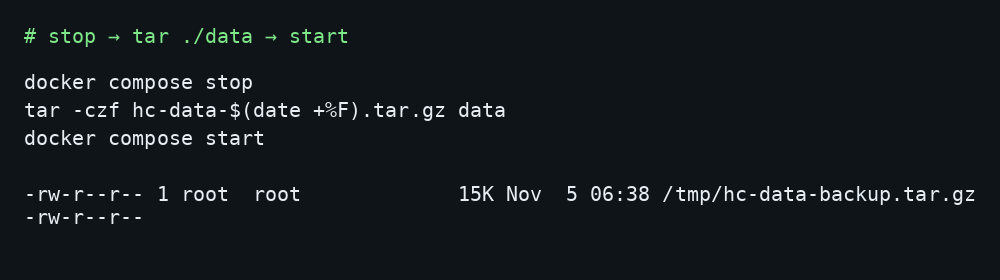
/data/hc.sqlite holds projects, checks, and ping history. Stop the container, archive data/, start again:
docker compose stop healthchecks
tar -C ~/healthchecks -czf hc-data-$(date +%F).tar.gz data
docker compose start healthchecks
On this lab the stopped archive was about 15 KB with one check and a short ping history; the live SQLite file was about 332 KB. Point Restic at that tarball. Copying while gunicorn writes risks a torn database.
How do you keep checks honest?
Name checks after the job, not the server. Include the host in the name when many VPS share one Healthchecks. Silence notifications during planned maintenance with the pause controls. Rotate ping URLs if they leak in a public CI log. For scripts behind flaky networks, use retries on curl. Pair late jobs with ntfy so the phone buzzes without opening email.
FAQ
Postgres instead of SQLite? Set DB=postgres and the matching DB_* variables from the upstream Docker docs. SQLite is enough for a single-VPS dead-man-switch with a handful of checks. Move to Postgres when you want concurrent writers or a separate database host.
Email / SMTP? Fill EMAIL_HOST, credentials, and DEFAULT_FROM_EMAIL when you want down notices by mail. The lab left EMAIL_HOST empty and proved the install with HTTP pings only.
gunicorn or uWSGI? v5 runs gunicorn via run.sh. Guides that start uWSGI describe older images. Pin v5.0.3 and ignore those flags.
Healthchecks or Uptime Kuma? Uptime Kuma pulls HTTP targets and draws a status page. Healthchecks waits for your jobs to push a ping and goes red when those pings stop. Run both if you want endpoint probes and cron dead-man switches on the same VPS.
Does UFW block a published 8000? Inside the guest, published Docker ports often bypass UFW. Bind 127.0.0.1:8000:8000 and leave 8000 closed on the panel firewall.