
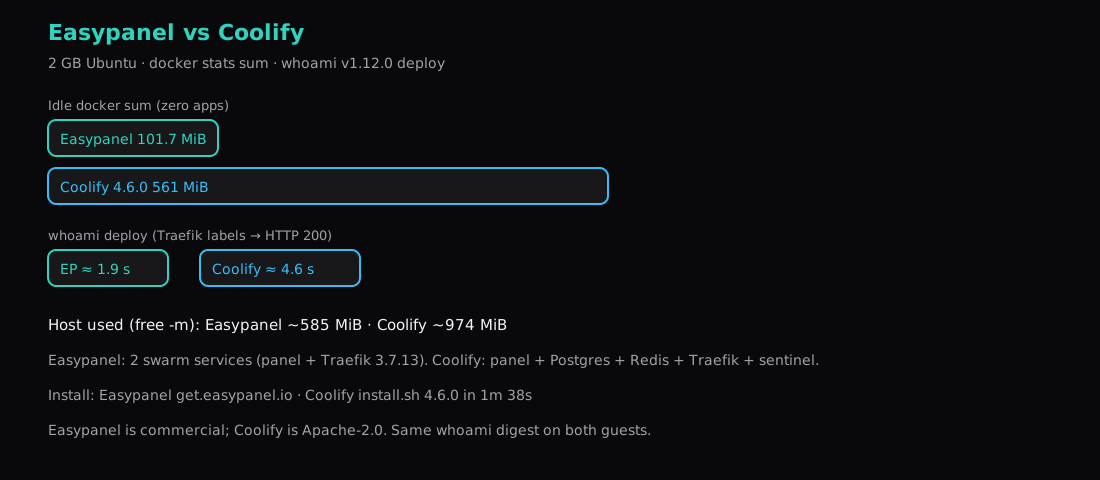
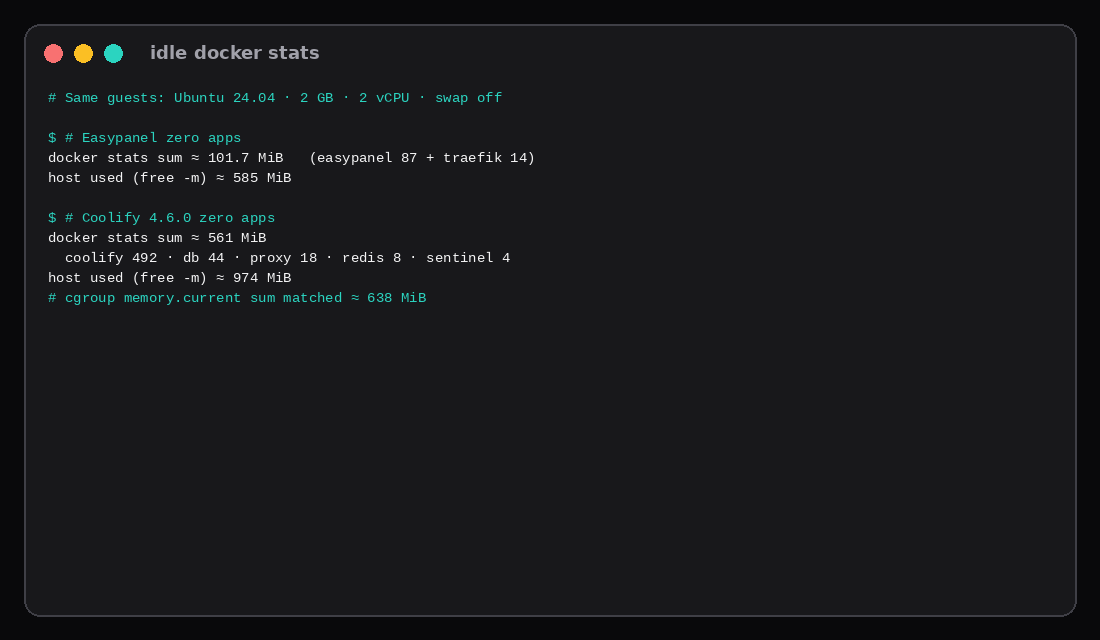
Two fresh Ubuntu 24.04 guests, each with 2 GB RAM, 2 vCPU, and swap off (MemTotal about 1931 MiB). Easypanel from get.easypanel.io settled at about 101.7 MiB across two Swarm services (panel ~87 MiB, Traefik 3.7.13 ~14 MiB). Coolify 4.6.0 from the pinned installer sat near 561 MiB on docker stats for its five named containers (panel ~492, Postgres ~44, Traefik ~18, Redis ~8, sentinel ~4); summing cgroup memory.current for all six Coolify containers landed around 638 MiB. Host free -m used was ~585 MiB on Easypanel and ~974 MiB on Coolify.
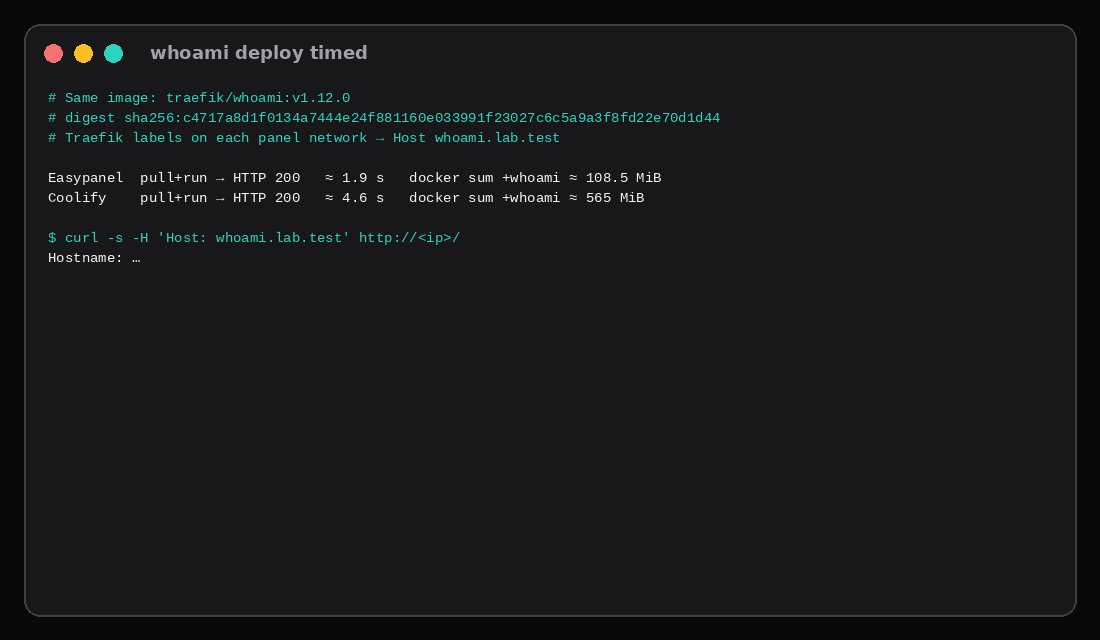
The same traefik/whoami:v1.12.0 image (digest sha256:c4717a8d1f0134a7444e24f881160e033991f23027c6c5a9a3f8fd22e70d1d44) reached HTTP 200 through each panel’s Traefik with Host whoami.lab.test in about 1.9 s on Easypanel and 4.6 s on Coolify, counted from pull+run through the first 200. With whoami up, docker sums were ~108.5 MiB and ~565 MiB.
Easypanel (latest) | Coolify 4.6.0 | |
|---|---|---|
| Idle docker sum (zero apps) | ~101.7 MiB | ~561 MiB |
Host used (free -m) | ~585 MiB | ~974 MiB |
| Platform containers / services | 2 Swarm services | 6 containers |
| Installer wall | ~100 s (script to “installed successfully”) | 98 s (“Installed in 1m 38s”) |
| whoami → HTTP 200 | ~1.9 s | ~4.6 s |
| With whoami docker sum | ~108.5 MiB | ~565 MiB |
| Proxy | Traefik 3.7.13 | Traefik v3.7 |
| Ports | UI :3000, 80/443 | UI :8000, 80/443 |
| License | Commercial (production) | Apache-2.0 |
The wider Coolify / Dokploy / CapRover field already lives in Coolify vs Dokploy vs CapRover. This post is the two-way search people type: Easypanel’s thin Docker UI versus Coolify’s fuller self-hosted PaaS.
What you are choosing
Easypanel runs as a Swarm stack: one easypanel/easypanel service and one Traefik service. The UI listens on port 3000. Production use needs their commercial license; the installer still brings up the stack so you can measure it.
Coolify pulls a multi-container stack: the Coolify app, Postgres 15, Redis 7, Traefik, sentinel, and a tiny error-pages helper. UI on 8000. Source is Apache-2.0. Docs still ask for about 2 GB RAM and enough disk for images (the installer warned under 30 GB; this Coolify guest was grown to ~38 GB before install).
Both expect to own 80/443 for Traefik. Put other reverse proxies on another guest.
Install
Easypanel
curl -sSL https://get.easypanel.io | sudo bashThe script installs Docker if needed, runs docker swarm init, pulls easypanel/easypanel:latest and traefik:3.7.13, then prints http://<ip>:3000. This lab’s image digest was easypanel/easypanel@sha256:9af9b2f275120b5d6a05bc52a880d7a36f0c7c0f7077f54bc42be3dd5ce7db40.
sudo docker service ls
# easypanel           1/1   easypanel/easypanel:latest
# easypanel-traefik   1/1   traefik:3.7.13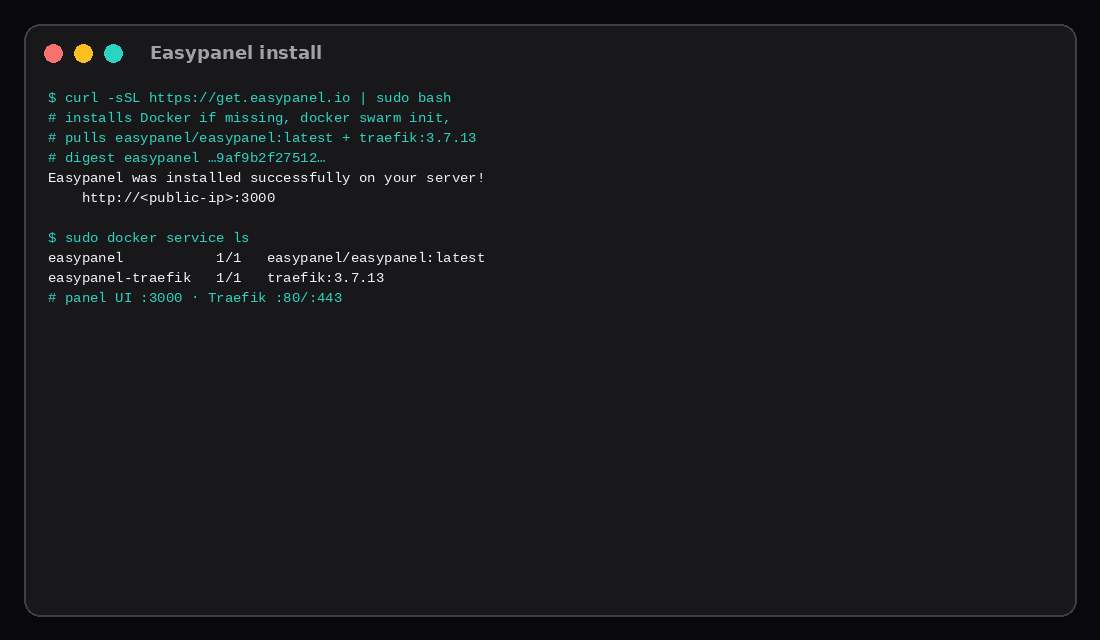
Coolify
curl -fsSL https://cdn.coollabs.io/coolify/install.sh -o install.sh
sudo bash install.sh 4.6.0
The installer reported Coolify ready in 1m 38s. UI: http://<ip>:8000. Pinning 4.6.0 kept the tag from floating under latest.
sudo docker ps --format '{{.Names}} {{.Image}}'
# coolify  coollabsio/coolify:4.6.0
# coolify-db  postgres:15-alpine
# coolify-redis  redis:7-alpine
# coolify-proxy  traefik:v3.7
# coolify-sentinel  coollabsio/sentinel:1.1.3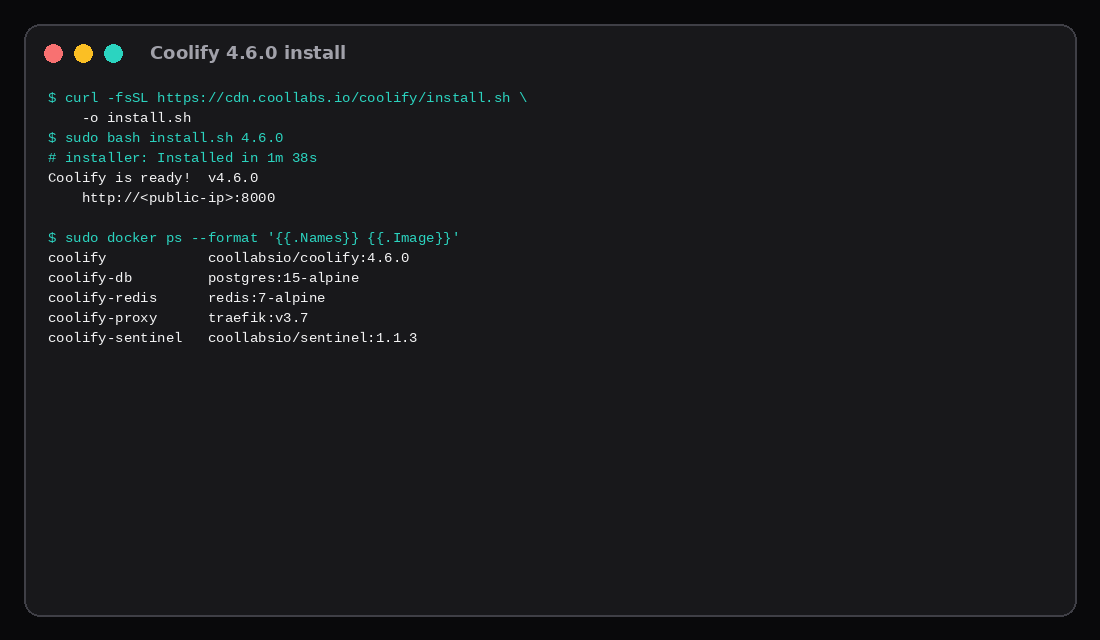
Idle RAM
After install and a quiet window, before whoami:
| Piece | Easypanel ~MiB | Coolify ~MiB |
|---|---|---|
| Panel process | 87 | 492 |
| Traefik | 14 | 18 |
| Postgres | n/a | 44 |
| Redis | n/a | 8 |
| Sentinel / helpers | n/a | ~5 |
| docker stats sum | 102 | 561 |
| Host used | 585 | 974 |
Coolify’s Node panel container is the gap. Easypanel’s UI process stayed under 100 MiB here. Disk after install: Easypanel images ~1.6 GB; Coolify images ~2.4 GB (docker system df).
One whoami deploy
Same image and digest on both guests. Each app was started with Traefik labels on that product’s Docker network (easypanel vs coolify), Host whoami.lab.test, then curled with that Host header until HTTP 200.
| Clock | Easypanel | Coolify |
|---|---|---|
| Pull + run → first 200 | ~1.9 s | ~4.6 s |
whoami docker stats | ~1.7 MiB | ~1.7 MiB |
| docker sum with whoami | ~108.5 MiB | ~565 MiB |
Coolify’s longer clock is mostly image pull on a quieter link plus Traefik picking up the container; the whoami process itself is tiny on both. The clock is pull+run through each panel’s proxy network. The earlier Coolify field post timed a UI whoami record around 9 seconds on an older tag; use that piece for UI-path context.
When to pick which
Pick Easypanel when you want a thin Docker UI, Swarm is fine, and you accept a commercial license for production. The idle bill on 2 GB leaves room for apps.
Pick Coolify when you want an open-source PaaS with Postgres/Redis in the platform, git-style deploys, and you can spare roughly half a gigabyte for the panel stack before apps. Prefer 2 GB minimum; 4 GB once apps matter.
If you only need Compose in a browser, Dockge is lighter than either. Packaged apps with built-in backups are Cloudron. Homelab App Store UI tax is CasaOS.
License and “free” in 2026 guides
Third-party 2026 comparisons keep landing on the same split this lab saw in practice. Coolify’s self-hosted path is Apache-2.0 with no feature gate on the open panel; optional Coolify Cloud is a paid control plane if you want someone else to host that layer. Easypanel stays commercial/open-core: the installer runs without a key, free tiers usually cap projects, and paid plans unlock backups and multi-user features on a per-server price. If “can my company run this without buying a panel licence?” is the hard requirement, Coolify wins on paper. If you want the thinner idle stack and accept a licence later, Easypanel’s ~100 MiB quiet set in this lab is the measured win.
Both products’ install docs still quote about 2 GB as a minimum. Contabo-class guides often push 4–8 GB once you add databases and builds. That matches the Coolify floor here (~561 MiB of containers before apps): workable on 2 GB alone, uncomfortable once Nixpacks builds and Postgres-backed apps share the guest.
SKU pick
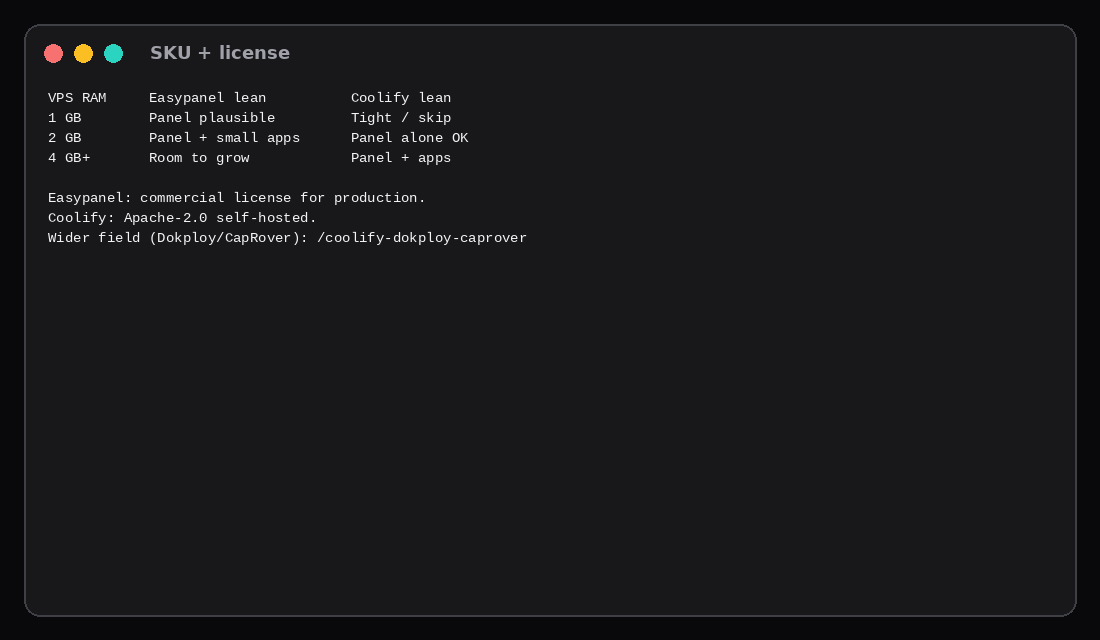
| VPS RAM | Easypanel | Coolify |
|---|---|---|
| 1 GB | Possible for panel only | Skip for a comfortable floor |
| 2 GB | Panel + small apps | Panel alone is workable |
| 4 GB+ | Headroom | Panel + real apps |
| Skip this | What this lab did |
|---|---|
| Comparing screenshots without RAM | Measured docker sums on matched 2 GB guests |
Floating latest on Coolify | Pinned install.sh 4.6.0 |
Ignoring host free | Reported host used and docker sums |
| Calling same-disk Traefik labels a full UI tour | Timed proxy-path whoami; linked the UI field post |
| Sharing 80/443 with another panel | Dedicated guest per product |
FAQ
Is Easypanel free? The installer runs without a key. Production licensing is commercial; check easypanel.io for current terms. This post measured the stack floor only.
Why is Coolify heavier than Easypanel? Postgres, Redis, sentinel, and a much larger panel process. Easypanel’s quiet set is two services.
Can both sit on one VPS? They both want 80/443. Use two guests, or one product.
Where do CapRover and Dokploy fit? Coolify vs Dokploy vs CapRover has those idle numbers on the same class of guest.
What to run on the VPS
Plan a Compute Instance from ~0.1 GiB of container RAM for Easypanel or ~0.6 GiB for Coolify 4.6.0, then add apps. Prefer 2 GB for Easypanel-with-apps and 2–4 GB for Coolify-with-apps. Finish first-run admin on :3000 or :8000 before DNS is public. Plain Compose habits live in Docker Compose on a VPS.