
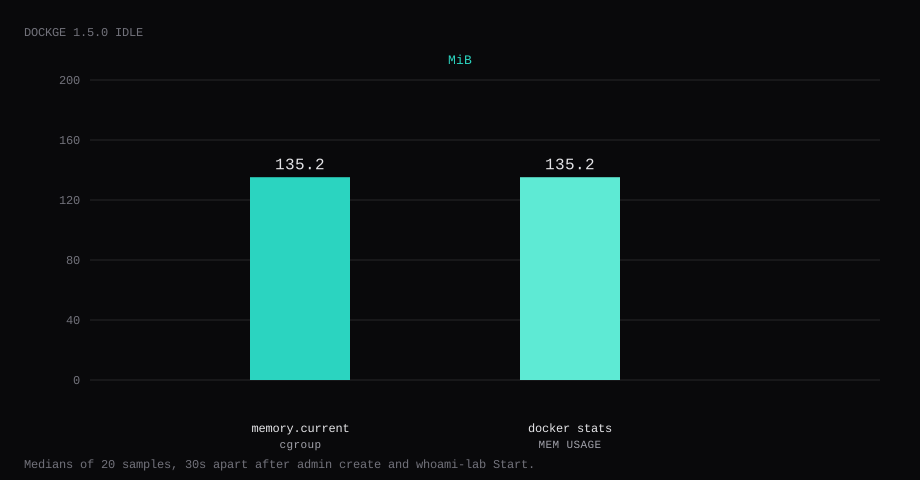
Dockge 1.5.0 held 135.2 MiB idle on this lab host after the admin account existed and whoami-lab was Start-ed to active. That is cgroup memory.current, the median of twenty samples taken 30 seconds apart. docker stats printed the same 135.2 MiB. CPU percent sat at 0.07. Port 5001 listened on 127.0.0.1 only. A curl to the guest's LAN address on 5001 was refused. http://127.0.0.1:8088/ from the whoami stack returned HTTP 200 with a hostname line.
Dockge is a Compose stack manager in the browser from the Uptime Kuma author. You edit compose.yaml files, start/stop stacks, and watch container state without living in SSH. It mounts the Docker socket and a stacks directory, so it can create and recreate the same projects you would run with docker compose on the CLI. Think of it as a focused Portainer alternative for Compose-only workflows.
The official compose publishes 5001:5001, mounts the Docker socket, and requires the stacks directory path on the left of the volume to match the path on the right. Competing guides leave 5001 on every interface and stop once the create-account form loads. Pin 1.5.0 by digest, bind the UI to loopback, keep the stacks paths identical, create the admin, Start one stack, and put Caddy on 443.
| Reading | Value |
|---|---|
cgroup memory.current | 135.2 MiB, median of 20 |
docker stats | 135.2 MiB |
| CPU percent | 0.07, median |
| Host listener | 127.0.0.1:5001 |
whoami-lab after Start | active, 127.0.0.1:8088 → 200 |
| First-run | Create admin, no default password |
| Skip this | What this run did |
|---|---|
5001:5001 on every interface | Published 127.0.0.1:5001:5001 |
Floating louislam/dockge:1 without a digest | Pinned 1.5.0 by digest |
/docker:/opt/stacks (paths differ) | /opt/stacks:/opt/stacks with matching DOCKGE_STACKS_DIR |
| Stopping at an empty Home | Dropped whoami-lab/compose.yaml, Start from the UI |
| Opening 5001 on the panel firewall | Left 5001 closed; Caddy on 80/443 |
How do you install Dockge on Docker?
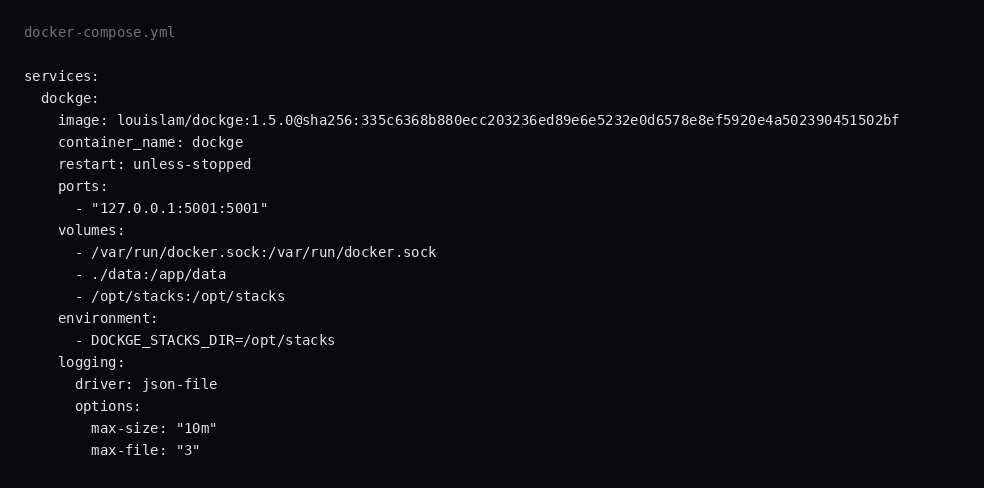
This lab pinned louislam/dockge:1.5.0 (digest sha256:335c6368b880ecc203236ed89e6e5232e0d6578e8ef5920e4a502390451502bf). The stacks volume must use the same absolute path on both sides. Relative paths and mismatched left/right mounts write compose files into the wrong place.
mkdir -p /opt/stacks /opt/dockge && cd /opt/dockgeservices:
dockge:
image: louislam/dockge:1.5.0@sha256:335c6368b880ecc203236ed89e6e5232e0d6578e8ef5920e4a502390451502bf
container_name: dockge
restart: unless-stopped
ports:
- "127.0.0.1:5001:5001"
volumes:
- /var/run/docker.sock:/var/run/docker.sock
- ./data:/app/data
- /opt/stacks:/opt/stacks
environment:
- DOCKGE_STACKS_DIR=/opt/stacks
logging:
driver: json-file
options:
max-size: "10m"
max-file: "3"docker.sock lets Dockge run Compose on the host. Treat the UI like root on that Docker daemon. Log rotation matches the Compose checklist.
docker compose up -d
curl -sS -o /dev/null -w '%{http_code}\n' http://127.0.0.1:5001/
You want 200. The first visit redirects to /setup.
How do you operate stacks safely from Dockge?
Treat the UI as root: anyone who can log in can start privileged containers if your compose files allow it (Bitdoze’s Dockge install). Keep the first admin password strong, leave 5001 on loopback or behind Tailscale/Cloudflare Access, and put Caddy (or SSO) in front when you need remote access. Store stacks under a matched host path (/opt/stacks:/opt/stacks); mismatched left/right paths write data into the wrong place (upstream README). Mount /root/.docker only if private registry pulls need it. A :ro docker.sock mount is still full API access; for a thinner surface, point DOCKER_HOST at a socket-proxy with only the verbs Dockge needs.
Commit stack YAML to git outside the VPS; Dockge is the control plane, not the history. Pair with Dozzle for live logs.
Why must 5001 stay on loopback?
Anyone who reaches Dockge before you finish /setup can create the first admin. After setup, the same port can start and stop every stack the socket can see.
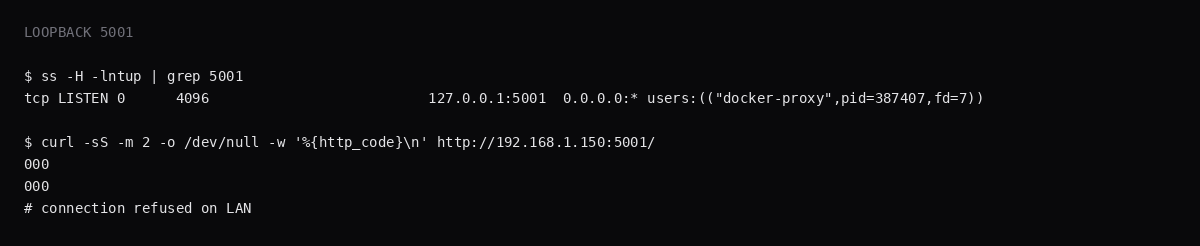
ss -H -lntup | grep 5001On this host that printed 127.0.0.1:5001. Curl to 192.168.1.150:5001 failed with connection refused. Leave 5001 closed in the panel firewall. Open 80 and 443 for Caddy. Docker published ports often bypass UFW inside the guest, so the loopback bind is what kept the LAN address quiet.
How do you create the admin and start one stack?
Open http://127.0.0.1:5001/ (or an SSH tunnel). /setup asks for username, password, and repeat password. There is no default account. Crop the password from screenshots.
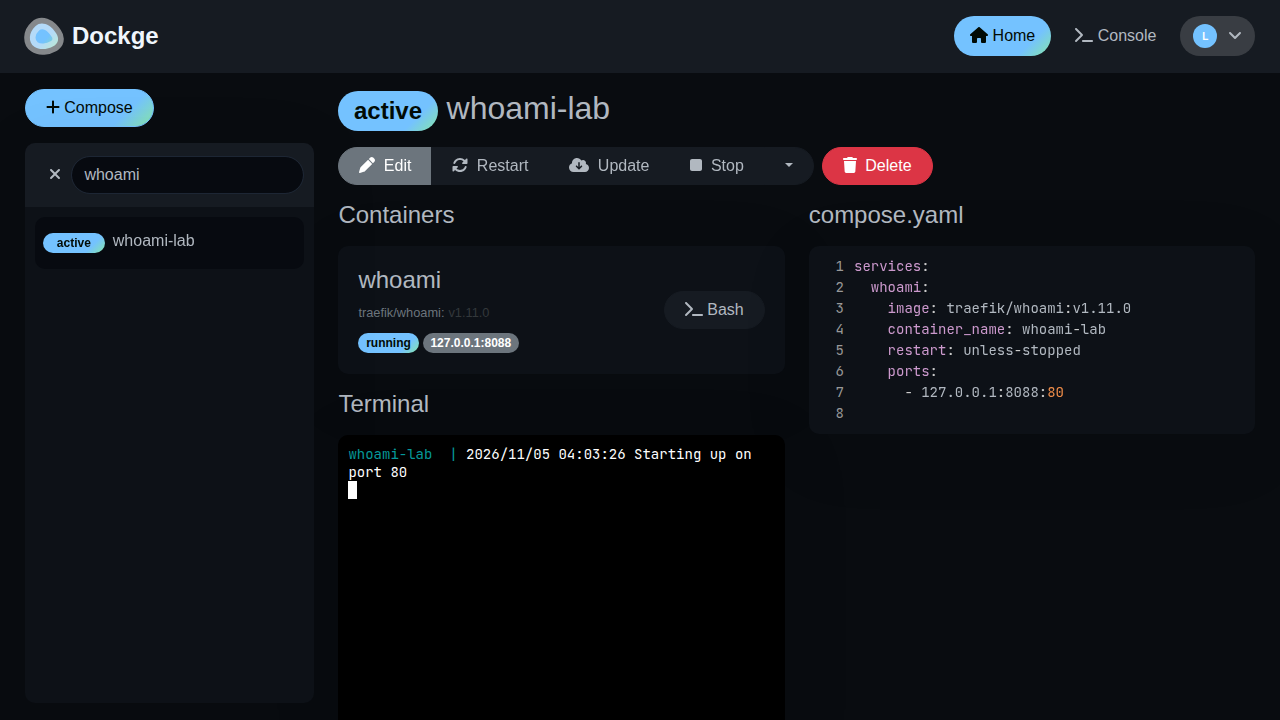
Put a stack under the stacks directory. This lab used whoami-lab:
mkdir -p /opt/stacks/whoami-labservices:
whoami:
image: traefik/whoami:v1.11.0
container_name: whoami-lab
restart: unless-stopped
ports:
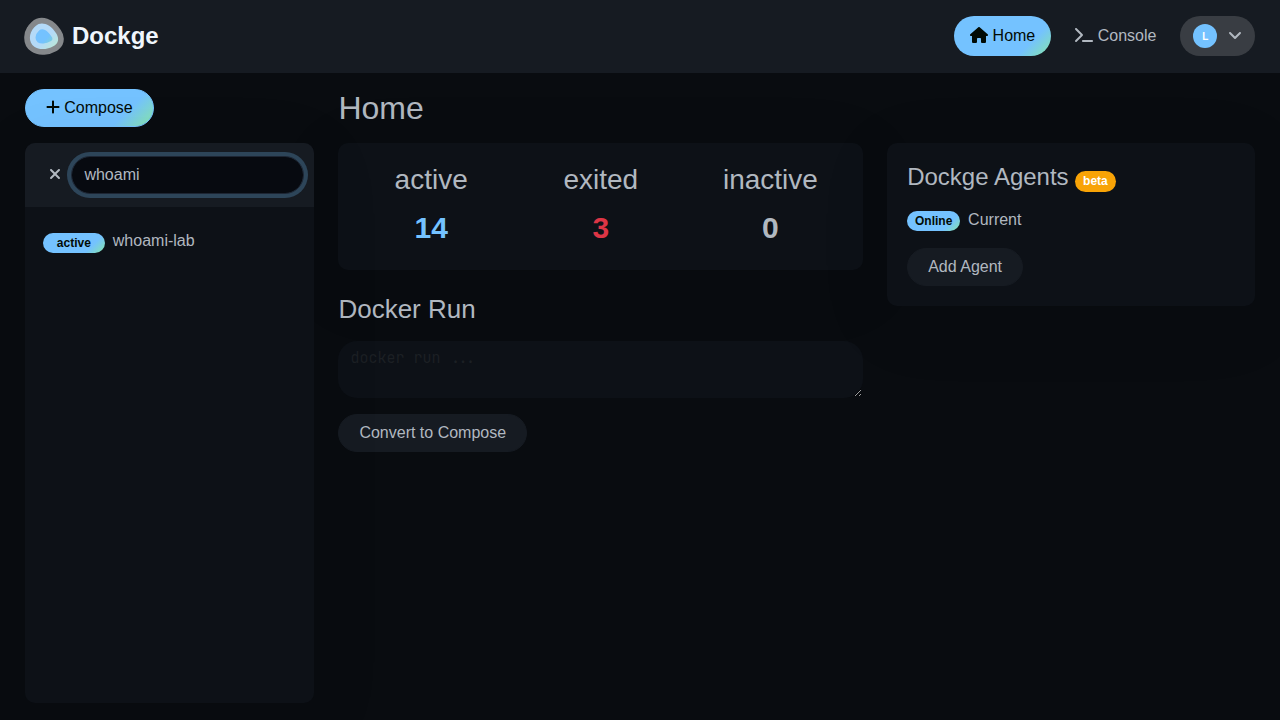
- "127.0.0.1:8088:80"Save that as /opt/stacks/whoami-lab/compose.yaml. In Dockge, open the stack (Scan Stacks Folder from the menu if it does not appear) and click Start. The row flips to active.
curl -sS http://127.0.0.1:8088/ | head -3
docker ps --filter name=whoami-lab --format '{{.Names}} {{.Status}} {{.Ports}}'
You want HTTP 200 and whoami-lab Up on 127.0.0.1:8088.
Where does Caddy go?
dockge.example.com {
	reverse_proxy 127.0.0.1:5001
}
TLS setup is in the Caddy HTTPS post. Keep 5001 on loopback. A login on that hostname can start and stop containers, because the socket still reaches the host Docker daemon.

How do you back up Dockge data?
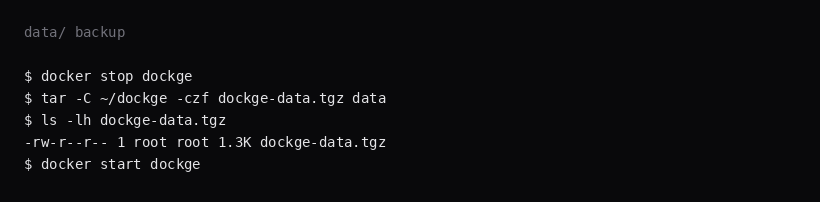
Users, JWT secret, and settings live under ./data. Stacks live under /opt/stacks as ordinary compose directories. Stop Dockge, archive data, start again:
docker stop dockge
tar -C /opt/dockge -czf dockge-data.tgz data
docker start dockge
On this lab the archive was about 1.3 KB after one admin. Back up /opt/stacks separately with the rest of your compose trees. Point Restic at both.
What belongs in Dockge vs git?
Dockge is the control plane; git is the history. After a stack works, copy the compose file into a private repo. Avoid storing secrets only inside Dockge’s UI without a file on disk you can restore. Pull images intentionally; floating tags in the UI have the same risk as in CLI compose. When Dockge itself needs an upgrade, pin the new digest and read the release notes for socket or path changes.
FAQ
Why do the stacks paths have to match? Dockge runs Compose with host paths. If the mount is /docker:/opt/stacks while DOCKGE_STACKS_DIR=/opt/stacks, the compose files go to the wrong directory. Use the same absolute path on both sides.
docker.sock risk? Full control of containers on that daemon. Bind loopback and set a strong admin password. Put Caddy or a VPN in front. Do not publish 5001 on the public IP.
Portainer vs Dockge? Portainer covers broader Docker ops. Dockge stays on compose.yaml stacks. Many hosts run one of them.
Console? The in-browser terminal at /console is another root shell on the guest. Turn it on when you need that shell.
Floating :1 tag? Major 1 moves. Pin 1.5.0 by digest so a redeploy stays on that build.