
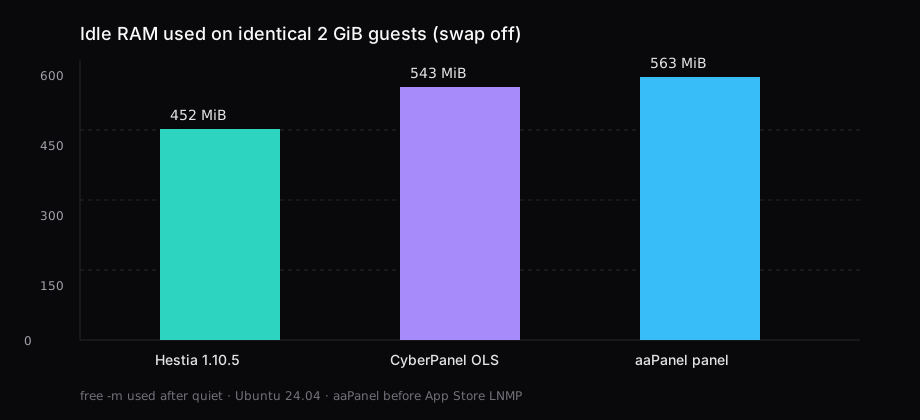
Three fresh Ubuntu 24.04 guests, each capped at 2 GiB RAM with swap off, got one free hosting panel. After a quiet period, free -m used sat at 452 MiB for HestiaCP 1.10.5 (Nginx, PHP-FPM, MariaDB, mail agents, ClamAV and SpamAssassin left off), 543 MiB for CyberPanel on OpenLiteSpeed in minimal mode, and 563 MiB for aaPanel with only the panel services running. The App Store LNMP stack for aaPanel was still compiling Nginx from source when those numbers were taken, so that row is the dashboard alone.
On a 2 GB VPS the panel is a tenant. Pick Hestia without the mail scanners if you want a finished Nginx stack. Choose CyberPanel when the point is OpenLiteSpeed. Choose aaPanel when you want the Soft store UI and will add LNMP yourself.
| HestiaCP 1.10.5 | CyberPanel OLS minimal | aaPanel (panel only) | |
|---|---|---|---|
Idle used (free -m) | 452 MiB | 543 MiB | 563 MiB |
| Vendor floor | 1 GB without ClamAV/SpamAssassin | 1 GB | 512 MB |
| Install wall in this lab | ~3.5 min | ~16 min (clean guest) | 3 min |
| Panel port | 8083 | 8090 | printed URL (random high port + path) |
| Web stack in this run | Nginx + PHP-FPM + MariaDB | OpenLiteSpeed + MariaDB | none yet (LNMP via App Store) |
| Mail / DNS in this run | Exim + Dovecot; BIND off | PowerDNS/Postfix skipped (-m) | optional plugins, not installed |
| Licence | GPLv3 | GPL-3.0 panel; OLS free | free edition (+ paid Pro) |
How the three were measured
Each guest was qemu-system-x86_64 -enable-kvm -cpu host -m 2048 -smp 2 from the same Ubuntu 24.04 cloud image, with a fresh qcow2 overlay per panel. After install:
sudo swapoff -a
# wait until the panel UI answers, then sit quiet
sleep 180
free -m
ps -eo rss,pid,user,comm --sort=-rss | head -20
Hestia's quiet window was three minutes after reboot; CyberPanel and aaPanel used the same sleep 180 after the panel returned HTTP 200. Swap stayed at zero on all three. Top RSS on Hestia was mariadbd (~99 MiB) and php-fpm8.5 (~42 MiB). On CyberPanel it was mariadbd (~124 MiB), lswsgi (~47 MiB), and firewalld (~46 MiB). aaPanel's panel processes (BT-Panel, BT-Task, a Python worker) plus its bundled webserver sat near half a gigabyte before any site stack landed.
Install commands that matched the table
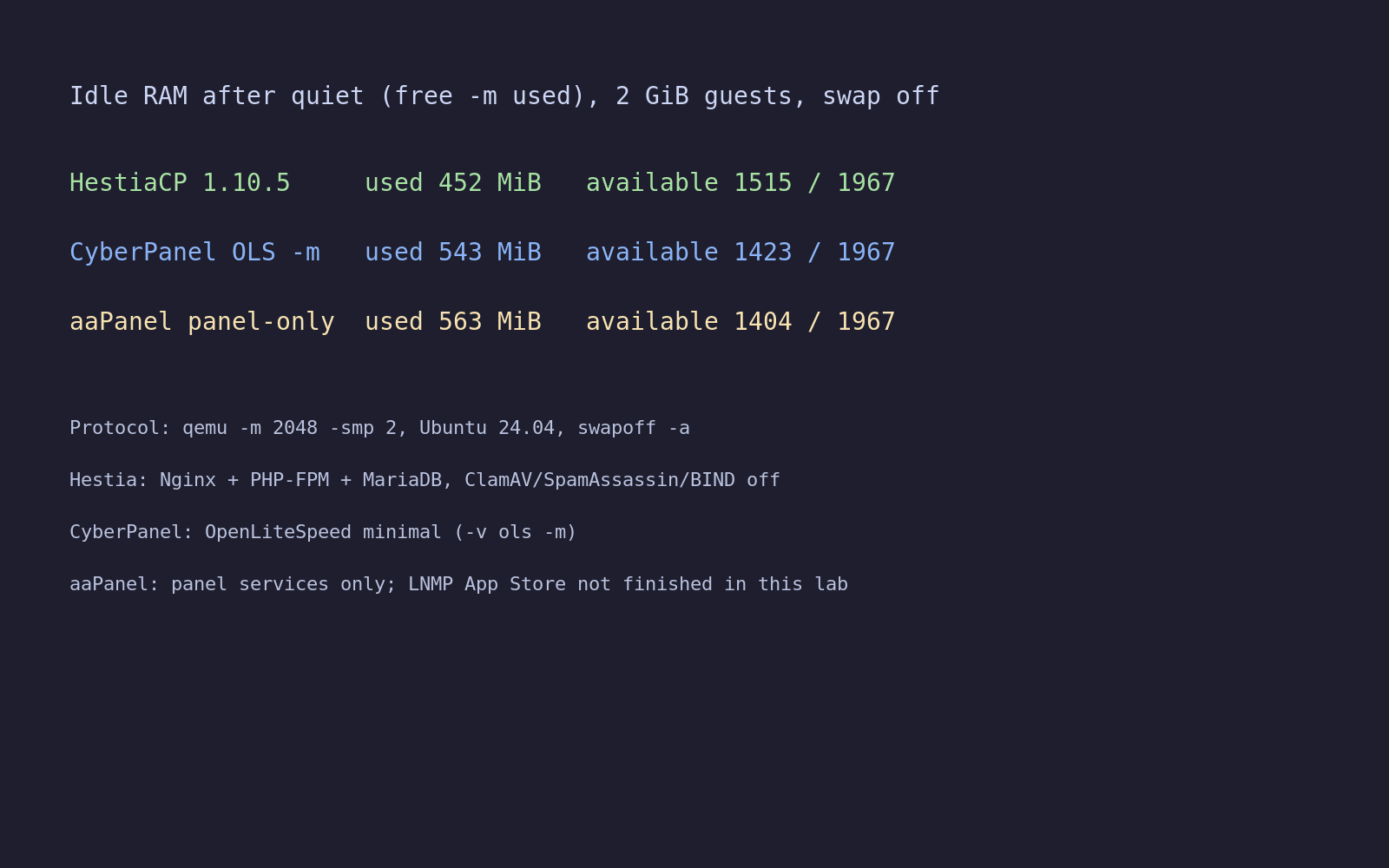
Run each on a fresh OS as root. Hestia and CyberPanel both refuse a half-used box. aaPanel is the same idea in practice once you start adding LNMP.
HestiaCP
wget https://raw.githubusercontent.com/hestiacp/hestiacp/release/install/hst-install.sh
bash hst-install.sh \
  --interactive no \
  --hostname hestia.lab.example \
  --email [email protected] \
  --password 'choose-a-long-secret' \
  --username hestiaadmin \
  --apache no \
  --clamav no \
  --spamassassin no \
  --named no \
  --force
Do not use admin as --username if that account already exists on the image. The installer stopped until the name was unique. After it finished it asked for a reboot; the idle sample above is from the rebooted guest. Panel URL: https://YOUR_IP:8083.
CyberPanel (OpenLiteSpeed, minimal)
sudo su -
curl -fsSL -o cyberpanel.sh 'https://cyberpanel.sh/?dl&UBUNTU'
bash cyberpanel.sh -v ols -m -p 'choose-a-long-secret'
-v ols is OpenLiteSpeed. -m skips PowerDNS, Postfix, and Pure-FTPd so a 2 GB box is not also a mail host. The outer install.sh wrapper is a sh script that downloads this one; on Ubuntu the real installer needs bash, and it must see a real root shell (sudo su -), not sudo bash from a normal user. A first attempt on a dirty guest failed when MariaDB's root plugin state did not match what the installer expected. A wiped cloud image completed and printed https://YOUR_IP:8090 with user admin.
aaPanel
URL=https://www.aapanel.com/script/install_7.0_en.sh
curl -sSO "$URL"
bash install_7.0_en.sh aapanel
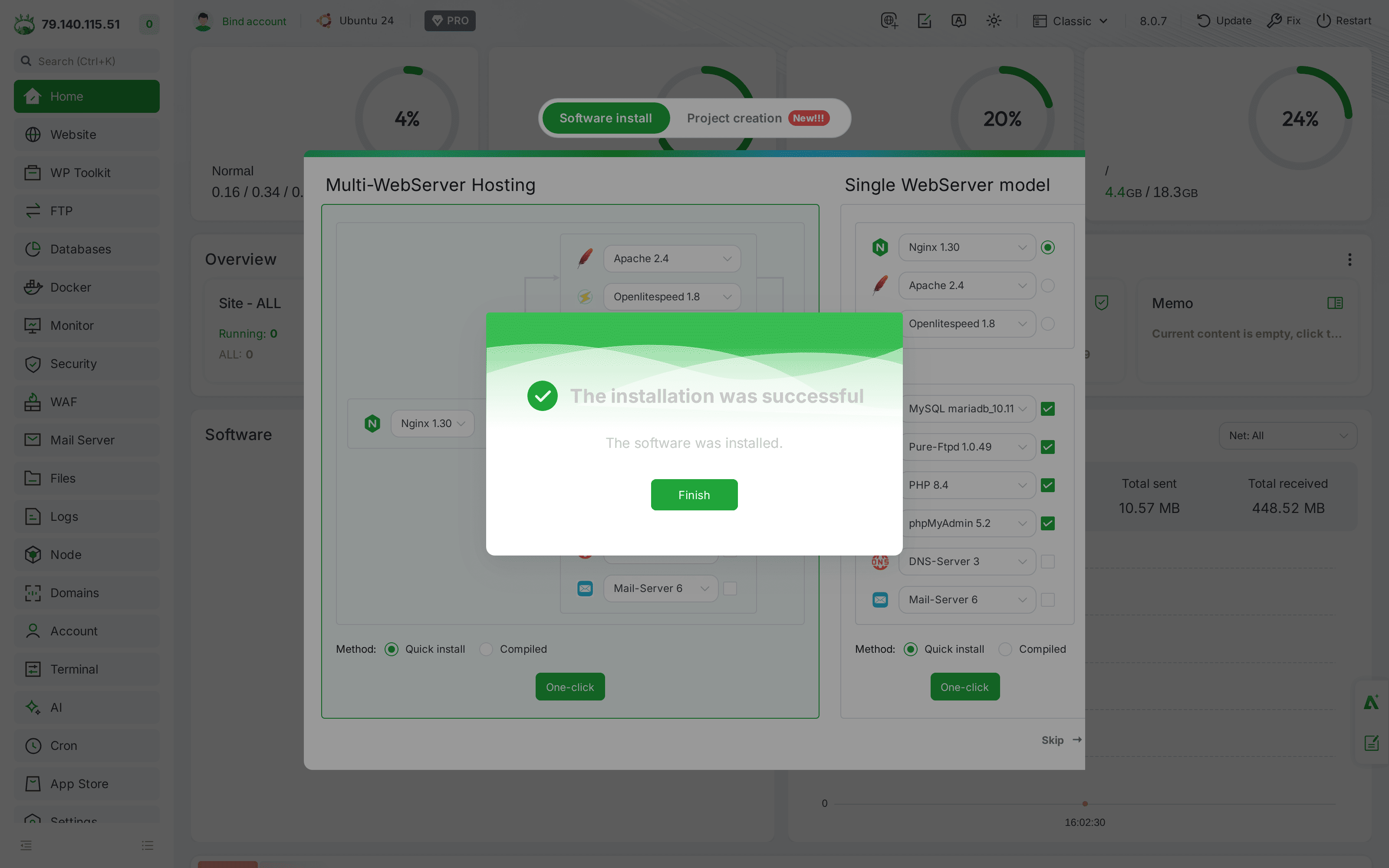
The English installer finished in three minutes and printed an internet URL with a random high port and a security path, plus a generated username and password. Change both before you point DNS at the box. The panel alone does not install Nginx or MySQL; that is a second step in Soft / App Store, and the Nginx build from source is slow enough that this lab left the idle row at panel-only.
What you see after login
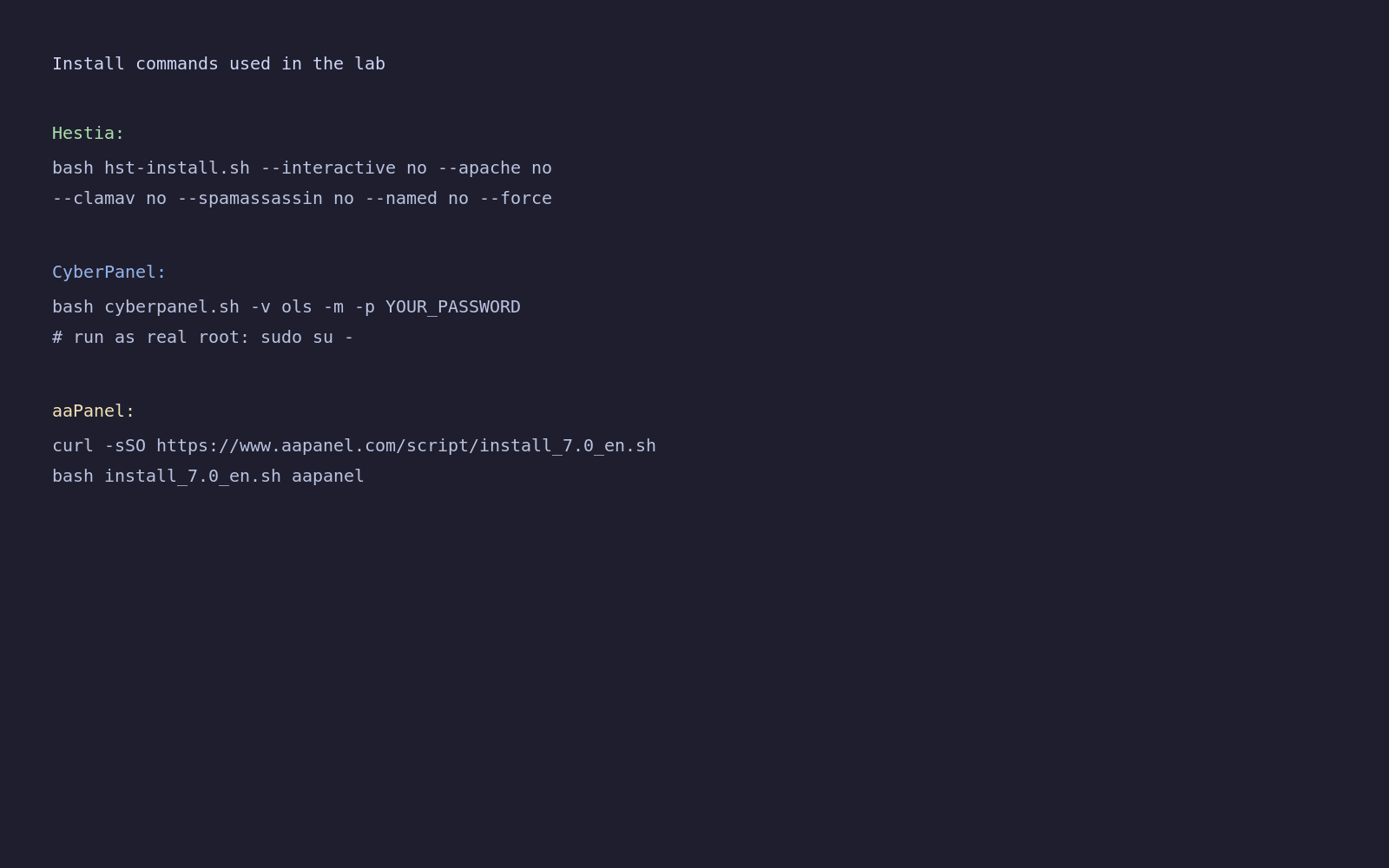
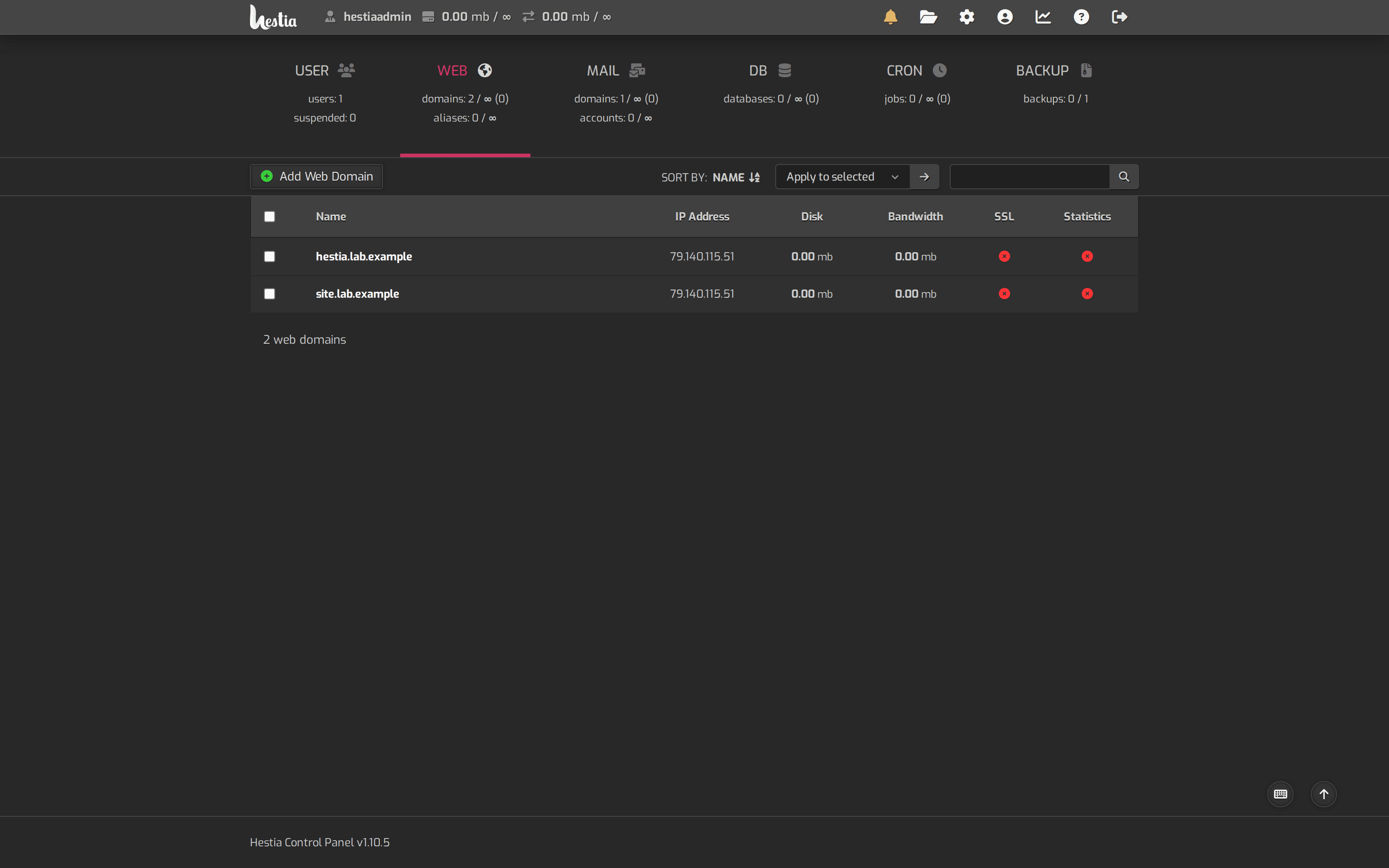
Hestia lands on a classic hosting panel: users, web domains, mail, DNS, databases. Creating site.lab.example under the admin account was one v-add-domain call; the Web list then showed the hostname and the default template.
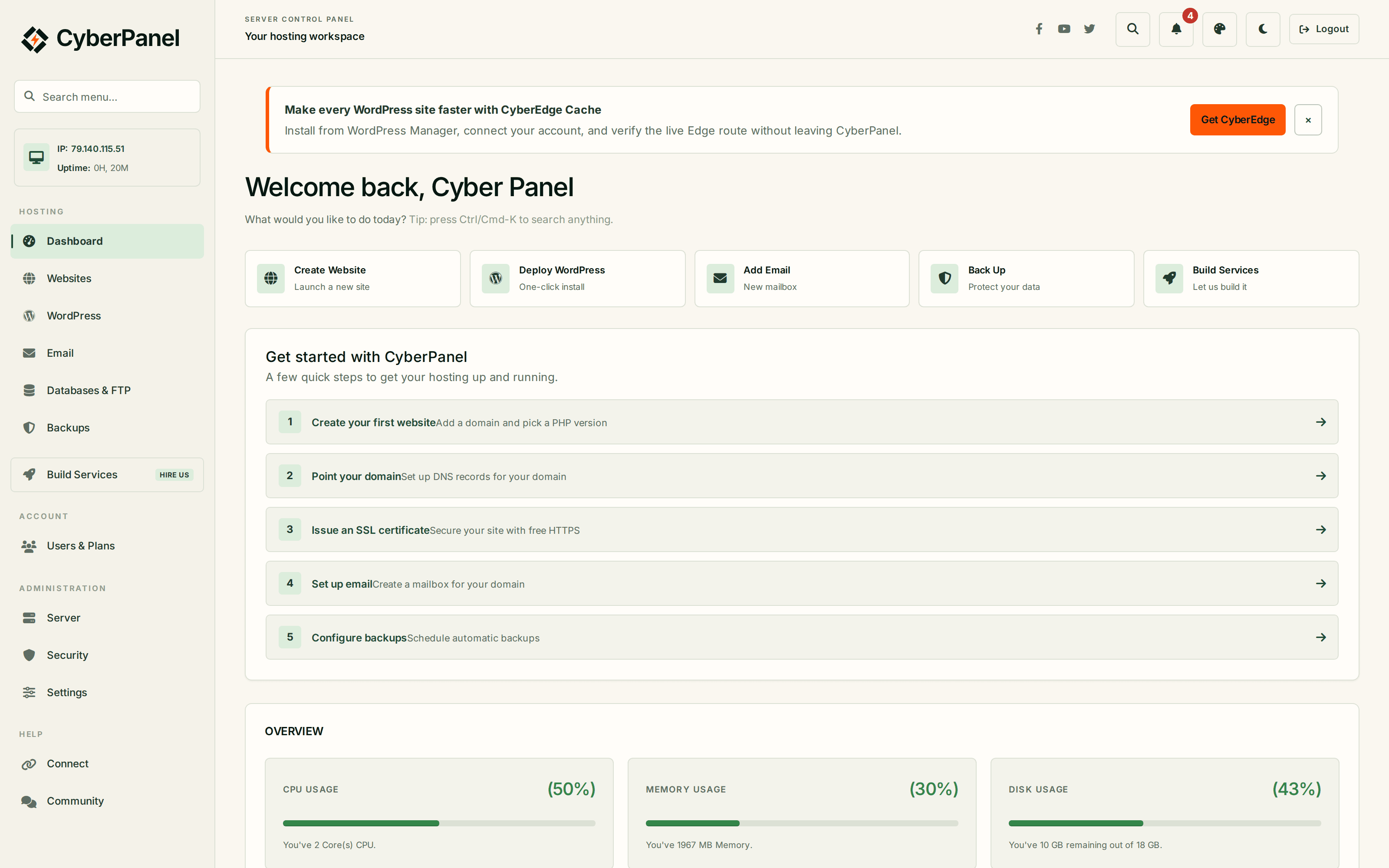
CyberPanel's home after login is the OpenLiteSpeed-oriented dashboard (websites, WordPress one-click, SSL). The minimal flag kept mail and DNS off the box, which is what you want if mail will live elsewhere.
aaPanel opens on a dense operations UI: software store, files, websites once LNMP exists, monitoring. Until Nginx and MySQL finish in that store, you have an admin UI without a public site stack.
Vendor floors match the story the idle numbers tell. Hestia's docs put the minimum at 1 GB without SpamAssassin and ClamAV, and recommend 4 GB for a comfortable install. CyberPanel's install page asks for 1 GB RAM and 10 GB disk, with OpenLiteSpeed free for unlimited domains or LiteSpeed Enterprise behind a paid path. aaPanel still advertises 512 MB as the absolute floor and 1 GB as the comfortable start, which is the panel alone: the App Store LNMP stack is a second bill against RAM. Those numbers are for the control plane, not for your sites. A 2 GB guest that already sits at 450 to 560 MiB idle has maybe a gigabyte left for PHP workers, MariaDB, and traffic before the OOM killer starts editing your weekend.
Hestia remains Debian/Ubuntu only (including 24.04 and 26.04 on current docs). CyberPanel and aaPanel still list AlmaLinux and Rocky alongside Ubuntu. If the VPS image is already Ubuntu, all three install. If you need RHEL-family packages, Hestia is off the table before you curl anything.
Skip these on a 2 GB plan
| Tempting default | What happened / what to do |
|---|---|
| Hestia with ClamAV + SpamAssassin | Docs put the 1 GB floor only when those are off. Leave them off on 2 GB; turn them on when you have 4 GB and real mail volume. |
| CyberPanel full install | Adds PowerDNS, Postfix, Pure-FTPd. Use -m unless this VPS is also the mail server. |
CyberPanel via sudo from ubuntu | Installer exits: run sudo su - first. |
| aaPanel counted as "light" after LNMP | Panel-only was already 563 MiB here. Budget more once Nginx/MySQL/PHP land. |
| Opening 8083 / 8090 / the aaPanel port on the public internet with the default password | Change the password, restrict the panel port in the provider firewall, or put the panel behind a VPN. |
Which one to pick
If you want a conventional small-host panel with mail accounts, DNS packages, and Nginx in front of PHP-FPM, Hestia was the lightest finished stack in this lab and the only one that shipped a usable web stack inside the idle number. Keep ClamAV and SpamAssassin off until the box grows.
If you opened this tab for OpenLiteSpeed and LiteSpeed Cache for WordPress, install CyberPanel with -v ols -m and keep mail elsewhere. Idle landed 91 MiB above Hestia.
If you want the Soft store UI and will add LNMP from that list yourself, aaPanel installs fast. The 512 MB marketing floor is not "room for WordPress"; the panel alone used more RAM here than Hestia's full web stack.
A hand-built WordPress on Nginx and MariaDB still beats any of these when you only need one site and can live without a GUI. A compose catalog is Docker Compose on a VPS. What else fits beside the panel is the 2 GB idle RSS roundup. Putting HTTPS in front of a compose stack instead of a panel stack is Caddy vs Traefik vs Nginx Proxy Manager.
Ports to open
| Panel | Panel UI | Sites |
|---|---|---|
| Hestia | TCP 8083 | 80, 443 |
| CyberPanel | TCP 8090 | 80, 443 (and UDP 443 if you enable HTTP/3 later) |
| aaPanel | the port printed at install | 80, 443 once LNMP exists |
Mail ports only matter if you left Exim/Dovecot on (Hestia default) or skipped -m on CyberPanel. Port 25 is often blocked at the provider; that story is Which VPS providers still open port 25.
Questions people ask before they pick
Is aaPanel lighter than Hestia?
The panel process set alone used 563 MiB here. Hestia with Nginx, PHP-FPM, and MariaDB used 452 MiB. Which looks lighter depends on whether you are comparing dashboards or finished web stacks.
Do I need ClamAV on Hestia?
Not on a 2 GB VPS that barely sends mail. The Hestia getting-started page puts the 1 GB minimum on installs without ClamAV and SpamAssassin.
Can two panels share one VPS?
No. Each installer expects a clean OS and will fight over ports, PHP packages, and databases.
Why did CyberPanel fail the first time?
Running under sudo without a root login, then retrying on a guest where MariaDB was already half-configured. Wipe the disk (or take a pre-install snapshot) and use sudo su - plus bash cyberpanel.sh -v ols -m.
Is this a replacement for cPanel?
For a single admin who accepts Nginx or OpenLiteSpeed and free tooling, yes for many sites. You lose the cPanel plugin ecosystem and the paid support contract. Budget time for the panel's own updates the way you would for the apps behind Caddy.