
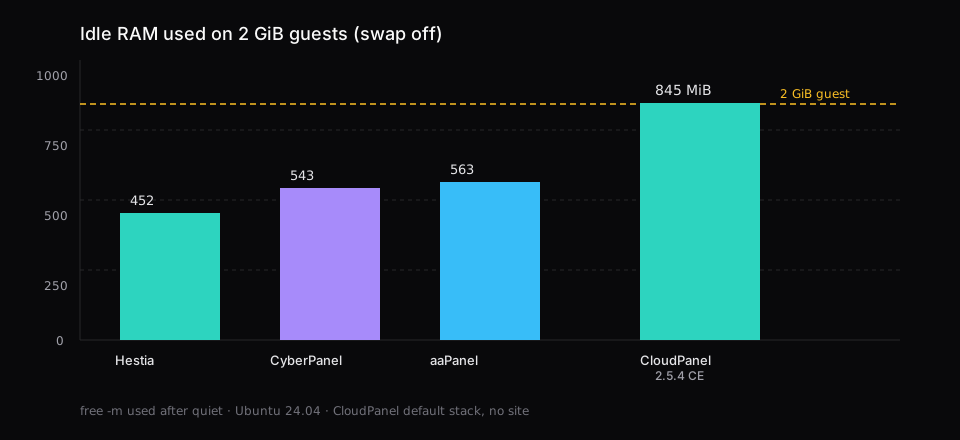
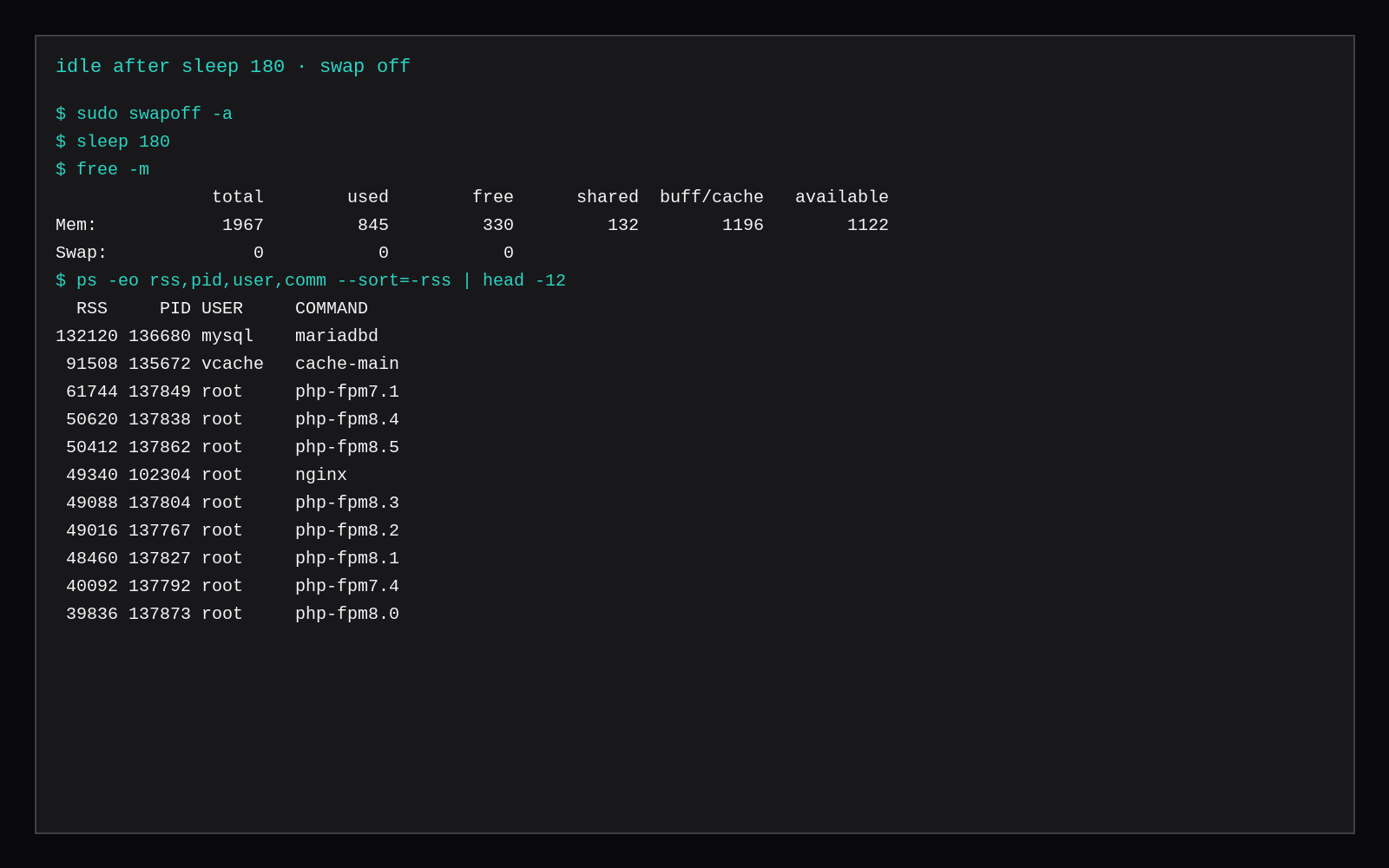
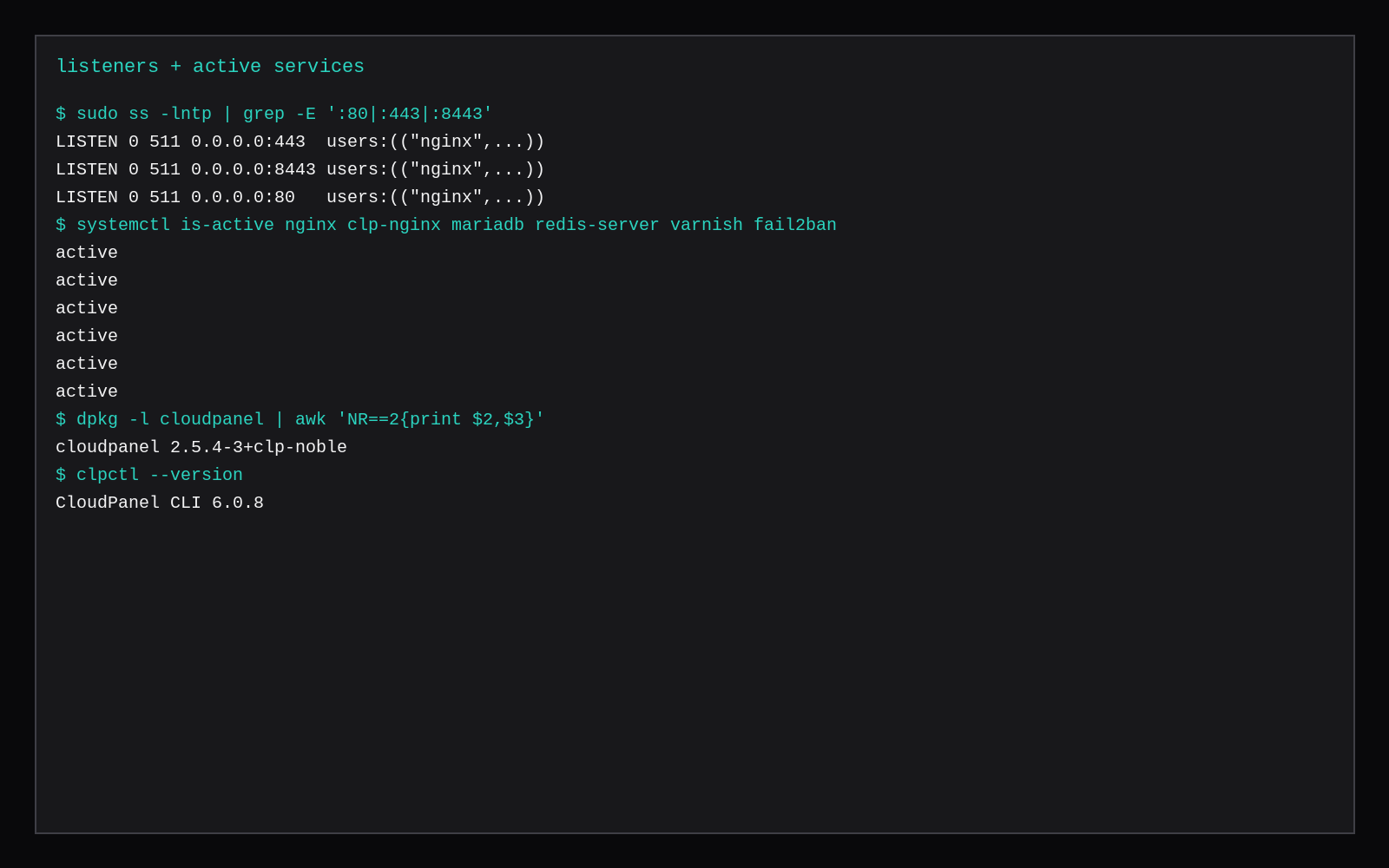
CloudPanel CE 2.5.4 on a fresh Ubuntu 24.04 guest capped at 2 GiB RAM, swap off, sat at 845 MiB used in free -m after the admin UI answered and the box sat quiet for three minutes. Available memory was 1122 MiB. No site existed yet. The stack that stayed up included Nginx on 80/443, a second Nginx for the panel on 8443, MariaDB 12.3.3, Redis, Varnish, Memcached, Fail2ban, Postfix, ProFTPD, and PHP-FPM pools from 7.1 through 8.5.
On the same lab protocol, HestiaCP landed at 452 MiB, CyberPanel at 543 MiB, and aaPanel panel-only at 563 MiB. CloudPanel's installer leaves Nginx, several PHP versions, and the cache stack running when it exits.
| This run | |
|---|---|
Idle used (free -m) | 845 MiB |
| Available | 1122 MiB |
| Swap | 0 |
| CloudPanel | 2.5.4-3+clp-noble |
| CLI | clpctl 6.0.8 |
| Database | MariaDB 12.3.3 (DB_ENGINE=MARIADB_12.3) |
| Install wall | ~7 min |
| Disk after install | 6.2 GiB used on a 19 GiB root |
| Panel URL | https://YOUR_IP:8443 |
| Top RSS | mariadbd ~129 MiB, Varnish cache-main ~89 MiB, then a line of php-fpm* masters |
What CloudPanel expects from the VPS
The requirements page lists at least 2 GB RAM, at least 10 GB disk, and a KVM guest. LXC and OpenVZ are out. Supported OS lines include Ubuntu 24.04, and this lab used the Ubuntu 24.04 cloud image. CE is free and Nginx-based. cPanel / DirectAdmin / Plesk use a per-site licence meter.
If you only need one app and no multi-tenant hosting UI, a marketplace Compute Instance without a panel is often enough. Use CloudPanel when you want sites, PHP versions, databases, and TLS from a UI on a single VPS.
Install on Ubuntu 24.04
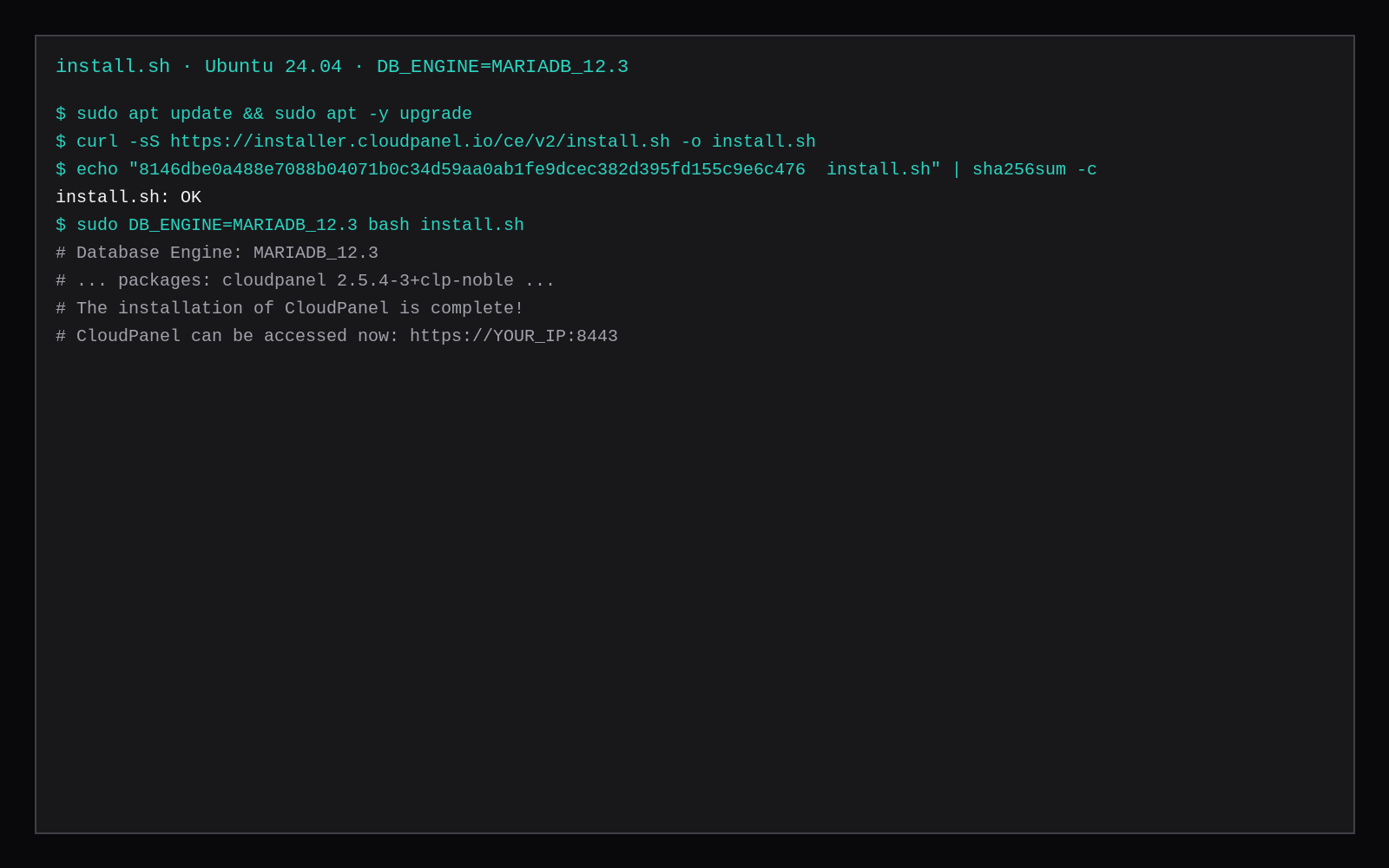
Use a clean OS. The other / bare-metal installer is a hashed install.sh. Verify the checksum before you run it; the hash below is the one printed in the vendor docs for this CE v2 script.
sudo apt update && sudo apt -y upgrade
sudo apt -y install curl wget sudo

curl -sS https://installer.cloudpanel.io/ce/v2/install.sh -o install.sh
echo "8146dbe0a488e7088b04071b0c34d59aa0ab1fe9dcec382d395fd155c9e6c476  install.sh" | sha256sum -c

sudo DB_ENGINE=MARIADB_12.3 bash install.sh
DB_ENGINE picks the database. Docs also list MYSQL_8.4, MARIADB_11.8, and older MariaDB lines depending on the OS tab. This lab used MariaDB 12.3 on Noble. The installer printed the panel URL on port 8443 when it finished. Wall clock from the start of install.sh to the complete banner was about seven minutes on a 2 vCPU nested guest with a warm apt cache.
Open https://YOUR_IP:8443 once. The first visit is Admin User Creation. You set the first admin yourself. Change that password before DNS points at the box. Do not leave 8443 on the public internet without a firewall allowlist or a VPN if the VPS has a routable address.
A normal site later needs 22, 80, 443, and 8443 for the panel.
What stays running after a quiet boot
After install, swapoff -a, wait until :8443 returns HTTP, then sleep 180:
sudo swapoff -a
sleep 180
free -m
ps -eo rss,pid,user,comm --sort=-rss | head -20
systemctl list-units --type=service --state=running | grep -iE 'nginx|maria|php|redis|varnish|fail2|memcach|postfix|proftpd|clp'
This guest reported 845 MiB used and 0 swap. Top RSS was MariaDB, Varnish, and the PHP-FPM master processes. Ten php*-fpm.service units were active by default (7.1 through 8.5), plus the panel's own PHP worker. Redis, Memcached, Fail2ban, Postfix, and ProFTPD were active too.
That multi-PHP default is why CloudPanel sits above Hestia on the same 2 GiB protocol. Hestia in the comparison post installed one PHP-FPM line for the sites you enable. CloudPanel ships many interpreters so the Sites UI can pick a version per site without another apt trip.
A second sample stopped and disabled the 7.1 through 8.2 pools, and used memory dropped to 771 MiB. PHP 8.3, 8.4, 8.5, and the panel's PHP stayed up, with MariaDB and Varnish at the top of ps. Trim the old pools when nothing you host needs them, and keep 845 MiB as the number for the default install.
Panel URL, Nginx, and clpctl
| Item | Where / what |
|---|---|
| Panel | https://IP:8443 (self-signed until you attach a domain) |
| Site vhosts | under /etc/nginx/ (sites-enabled/default.conf rejects unknown hosts with return 444 until you add a site) |
| App / htdocs | under /home/clp/ for the panel; site roots appear when you create sites in the UI |
| CLI | clpctl (export/import DB, varnish purge, permissions reset, and more) |
| Updates | clp-update on the PATH |
sudo head -20 /etc/nginx/sites-enabled/default.conf
clpctl --version
# vendor updater when you are ready to patch the panel
sudo clp-update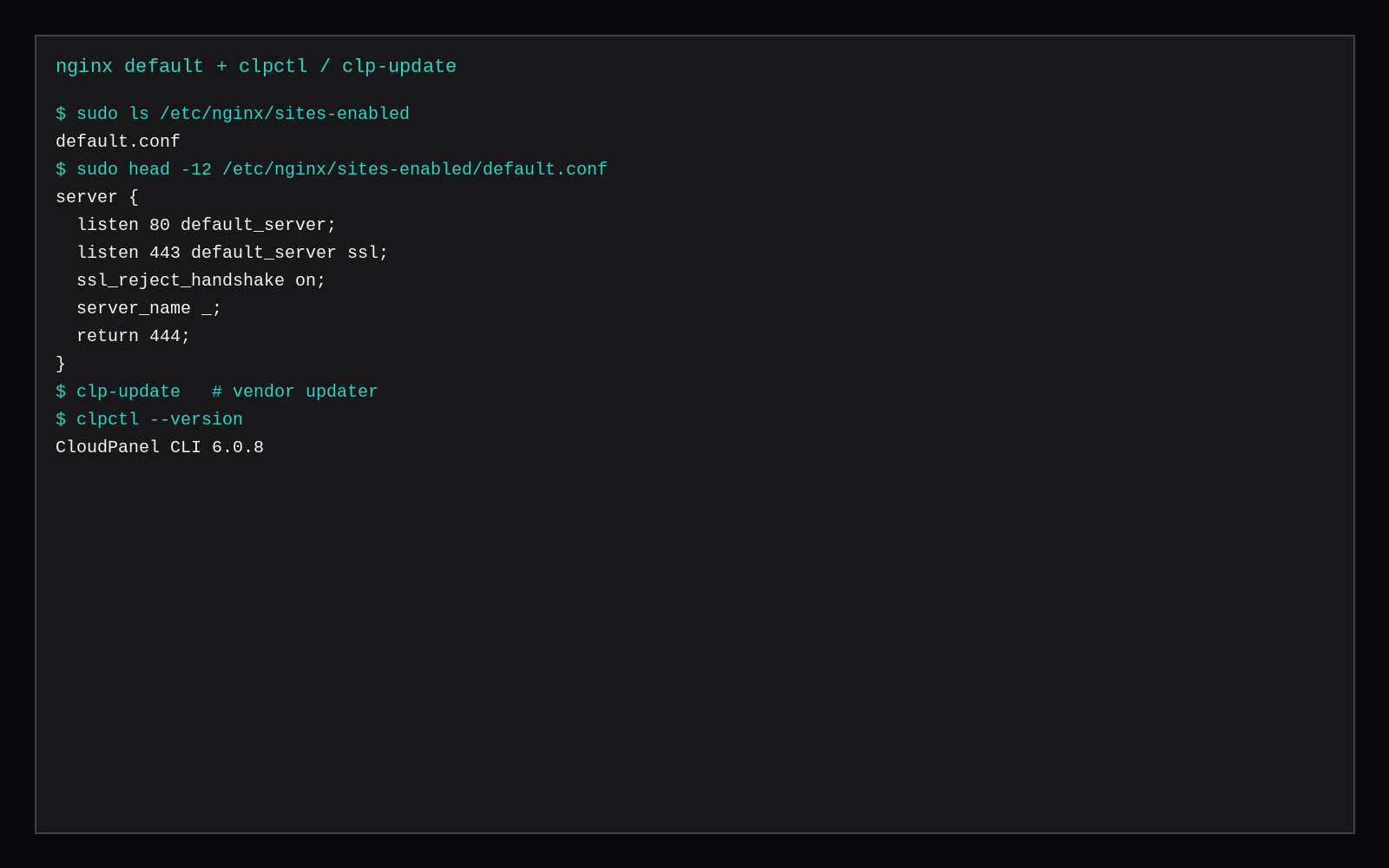
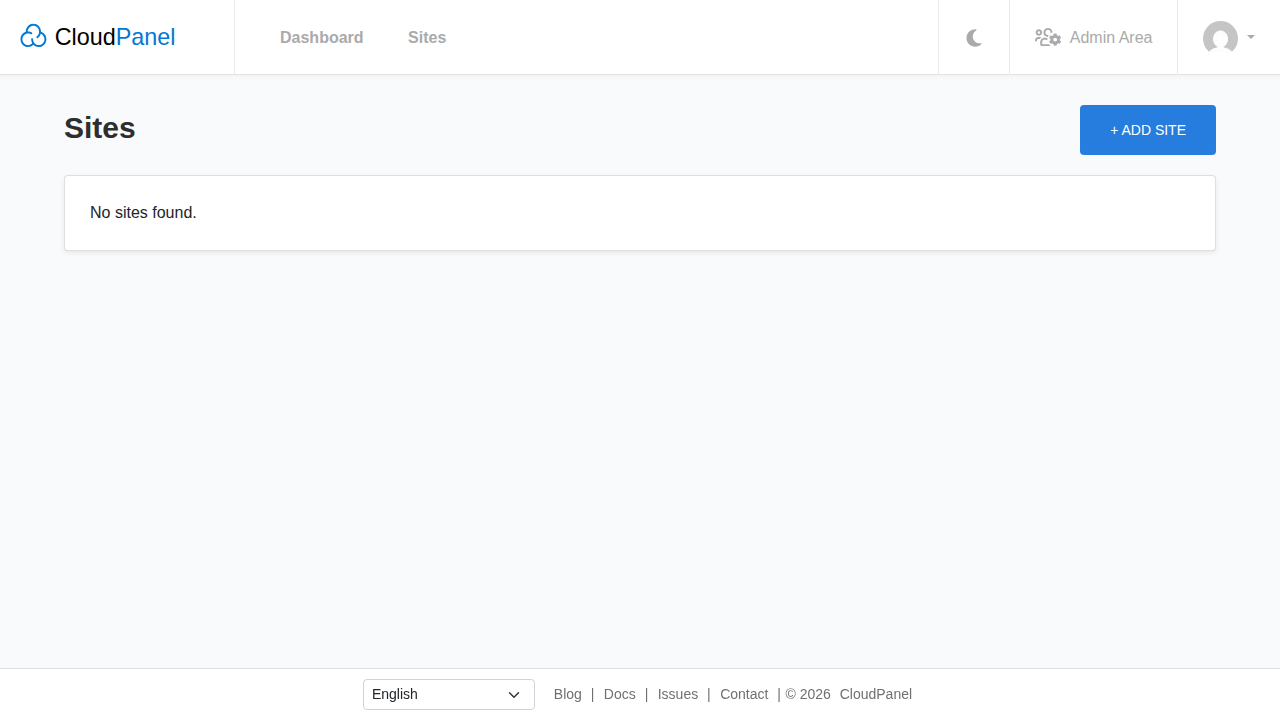
The empty Sites screen is where you add WordPress or a PHP app from the UI. This idle sample stopped before that step, so 845 MiB is the panel and the default stack only.
Skip this
| Skip this | Do this instead |
|---|---|
| CloudPanel on LXC / OpenVZ | Use KVM (or a provider VM that is real virt) |
| A 1 GB VPS "because Nginx is light" | Meet the 2 GB floor; this idle already used 845 MiB |
Running install.sh without sha256sum -c | Pin the hash from the current docs |
| Opening 8443 to the world with a weak admin | Create a long password; restrict the port |
Quoting "lightweight" without free -m | Measure after quiet with swap off |
How it sits next to the other free panels
Use CloudPanel for Nginx, many PHP versions, Varnish, and the CE admin UI. Hestia stays lower at idle, a classic hosting panel with mail knobs you can turn off. Pick CyberPanel when the point is OpenLiteSpeed, and aaPanel when you want the Soft store and will add LNMP yourself.
A 2 GB plan fits this default stack and a small site, as long as you leave room for PHP workers under load. When Varnish, several PHP pools, and a busy MariaDB share the guest with large traffic, use a larger plan.
For a single WordPress site without a hosting panel, WordPress on Nginx and MariaDB or Docker Compose WordPress keep the guest thinner. Paid panel licences are in DirectAdmin vs cPanel vs Plesk licence cost. For a RAM budget across apps, start from 2 GB VPS idle memory.
Official 2 GB floor vs production sizing
CloudPanel’s requirements page lists Ubuntu 22.04/24.04/26.04 or Debian 12/13, x86 or ARM64, at least 1 core, 2 GB RAM, and 10 GB disk, with ports 22/80/443/8443 free on a clean OS. That 2 GB line is enough to finish the installer and run light staging; vendor and hoster write-ups still push 4 GB once MySQL buffer pools and PHP-FPM workers share the guest under real traffic, because OOM kills on a 2 GB box often take the database with them. The panel’s LEMP-shaped stack is lighter than mail-and-billing panels, which is why a measured idle on 2 GB can look fine until the first traffic spike. Use this lab’s RSS as the quiet tax, then size the VPS for sites plus MySQL, not for the installer checkbox alone.
FAQ
CloudPanel vs Hestia? Both are free hosting panels on one VPS. Hestia idle was 452 MiB in the earlier lab with mail scanners off. CloudPanel idle was 845 MiB with the full CE default stack, including the panel UI and PHP-FPM from 7.1 through 8.5.
How do you update? clp-update on the host. Read the changelog before you run it on a box that already has sites.
MySQL or MariaDB? Set DB_ENGINE before bash install.sh. This run used MARIADB_12.3. Changing engines after the installer finishes takes more than a single command.
Can you add WordPress from the UI? Yes. In Sites, create a site and choose the application once you are happy with the idle headroom. The 845 MiB figure is from before that site exists.