

Enzonix
Shared Compute - General Compute
$5.00/mo
1 vCPU · 1 GB · 20 GB
Choose location
Ashburn, United States
| Provider | Plan | vCPU | RAM | Disk | Regions | Billing | Price |
|---|---|---|---|---|---|---|---|
| Enzonix | Shared Compute - General Compute | 1 | 1 GB | 20 GB | Ashburn, United States | Fixed price | $5.00/mo |
| Enzonix | Shared Compute - General Compute | 1 | 1 GB | 20 GB | Amsterdam, Netherlands | Fixed price | $5.00/mo |
| Enzonix | Shared Compute - General Compute | 2 | 4 GB | 80 GB | Amsterdam, Netherlands | Fixed price | $9.00/mo |
| Enzonix | Shared Compute - General Compute | 2 | 4 GB | 80 GB | Ashburn, United States | Fixed price | $9.00/mo |
| Enzonix | Shared Compute - General Compute | 4 | 8 GB | 160 GB | Amsterdam, Netherlands | Fixed price | $16.00/mo |
| Enzonix | Shared Compute - General Compute | 4 | 8 GB | 160 GB | Ashburn, United States | Fixed price | $16.00/mo |
| Enzonix | Shared Compute - General Compute | 8 | 16 GB | 320 GB | Amsterdam, Netherlands | Fixed price | $32.00/mo |
| Enzonix | Shared Compute - General Compute | 8 | 16 GB | 320 GB | Ashburn, United States | Fixed price | $32.00/mo |
| Enzonix | Shared Compute - General Compute | 1 | 1 GB | 20 GB | Ashburn, United States | Hourly | $0.007/hr |
| Enzonix | Shared Compute - General Compute | 1 | 2 GB | 40 GB | Ashburn, United States | Hourly | $0.01/hr |
| Enzonix | Shared Compute - General Compute | 2 | 4 GB | 80 GB | Ashburn, United States | Hourly | $0.015/hr |
| Virtualized | Shared Compute - General Compute | 2 | 4 GB | 40 GB | Phoenix, United States | Fixed price | $12.49/mo |
| Virtualized | Shared Compute - General Compute | 3 | 6 GB | 60 GB | Phoenix, United States | Fixed price | $17.49/mo |
| Virtualized | Shared Compute - General Compute | 4 | 8 GB | 80 GB | Phoenix, United States | Fixed price | $22.99/mo |
| Virtualized | Shared Compute - General Compute | 8 | 16 GB | 160 GB | Phoenix, United States | Fixed price | $44.99/mo |
| Virtualized | Shared Compute - General Compute | 16 | 32 GB | 320 GB | Phoenix, United States | Fixed price | $79.99/mo |
| Virtualized | Shared Compute - General Compute | 32 | 64 GB | 640 GB | Phoenix, United States | Fixed price | $139.99/mo |
Ollama Instant App
Ollama runs local language models on your VPS. This Instant App boots with Phi-4 Mini for CPU-friendly chat, a browser UI, and the Ollama API so you can keep prompts on hardware you control.

Ollama
Instant App on marketplace VPS
Live marketplace offers
Choose billing and size, compare providers side by side, pick a location, then launch.
Shared Compute - General Compute
$5.00/mo
1 vCPU · 1 GB · 20 GB
Choose location
Ashburn, United States
1 provider
Ollama is a self-hosted runtime for local language models. This Instant App ships Phi-4 Mini for CPU-friendly chat so you can talk to a model without a GPU or OpenAI bill. Use it instead of paying for OpenAI API spend. Sign in to the chat UI after boot, or call the Ollama API from your own apps. No Instant App form fields are required at create time.
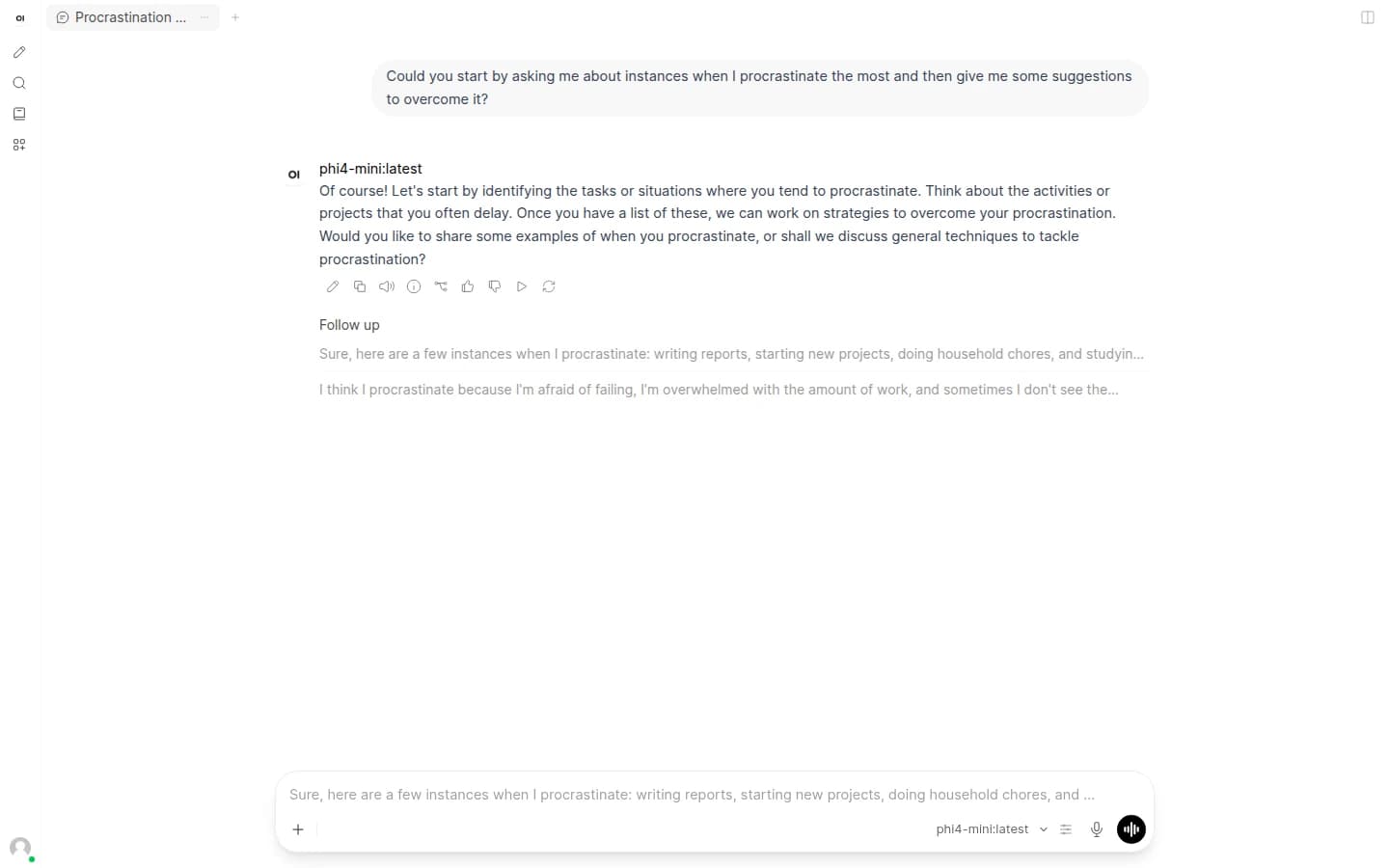
Open the browser UI, sign in as admin, and start a chat with Phi-4 Mini instead of wiring clients by hand on day one.
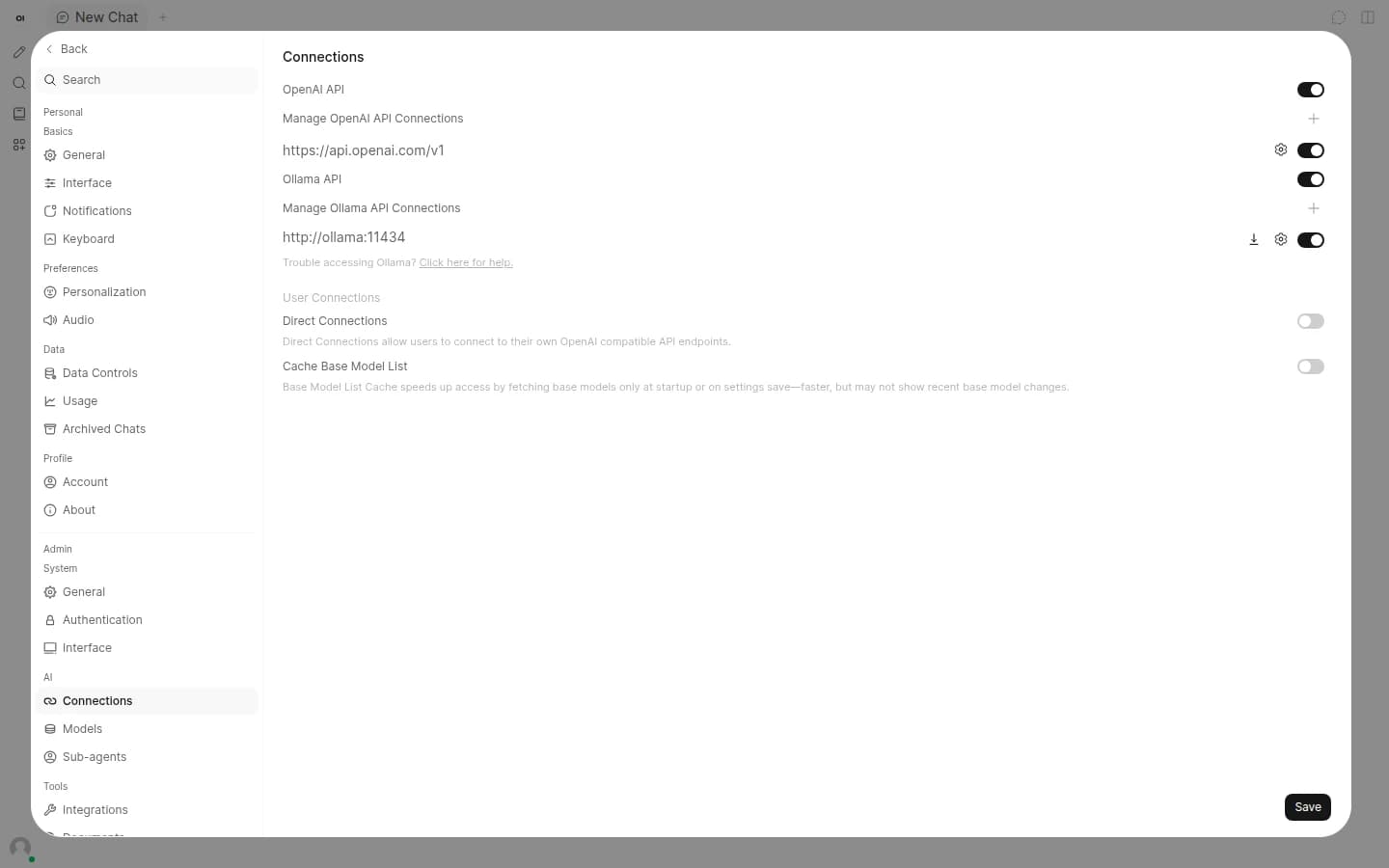
The chat UI talks to Ollama on your VPS over the internal Docker network. Phi-4 Mini is pulled on first boot for CPU use.
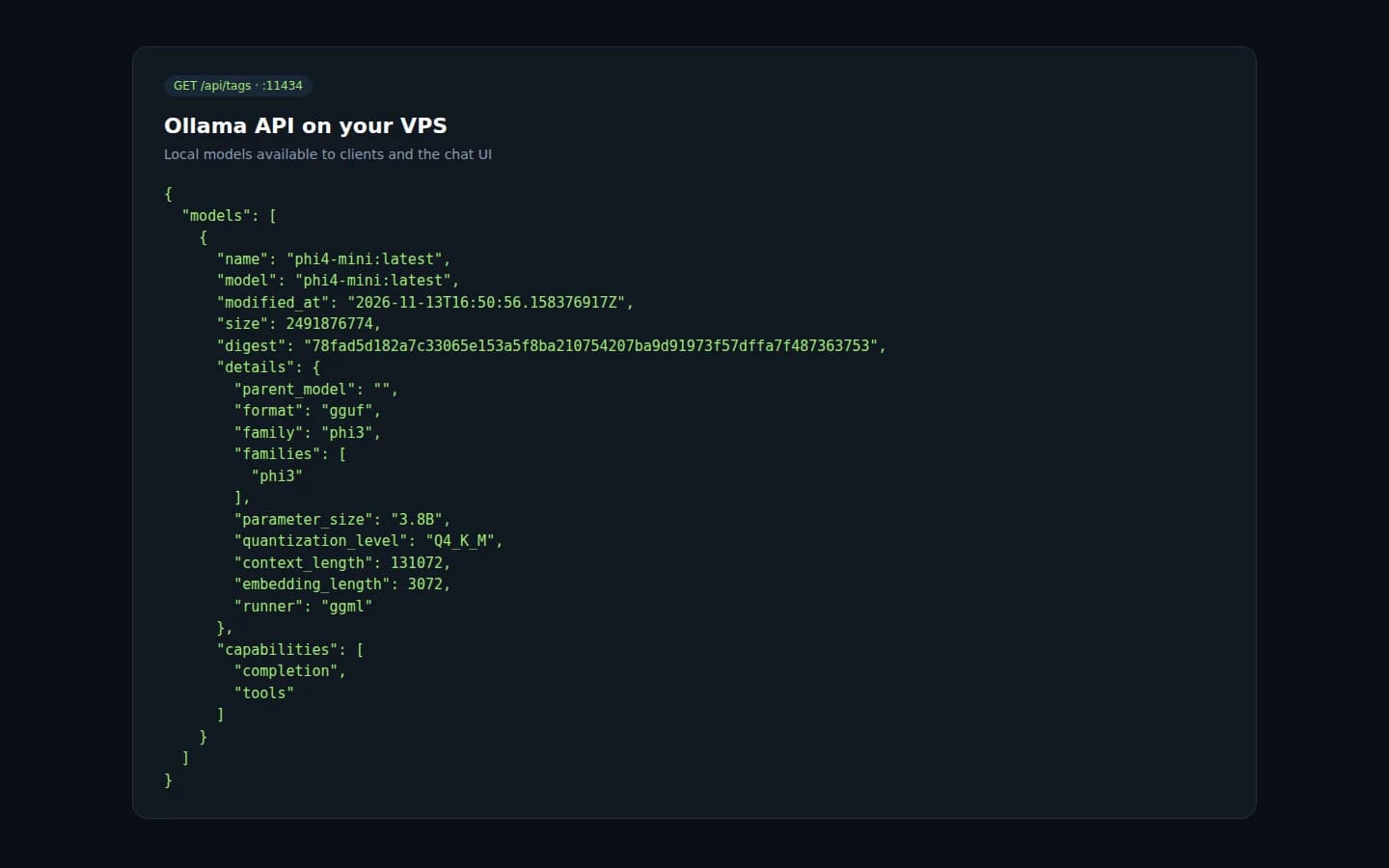
Point scripts and apps at the Ollama API on your server. Keep prompts and completions on hardware you control.
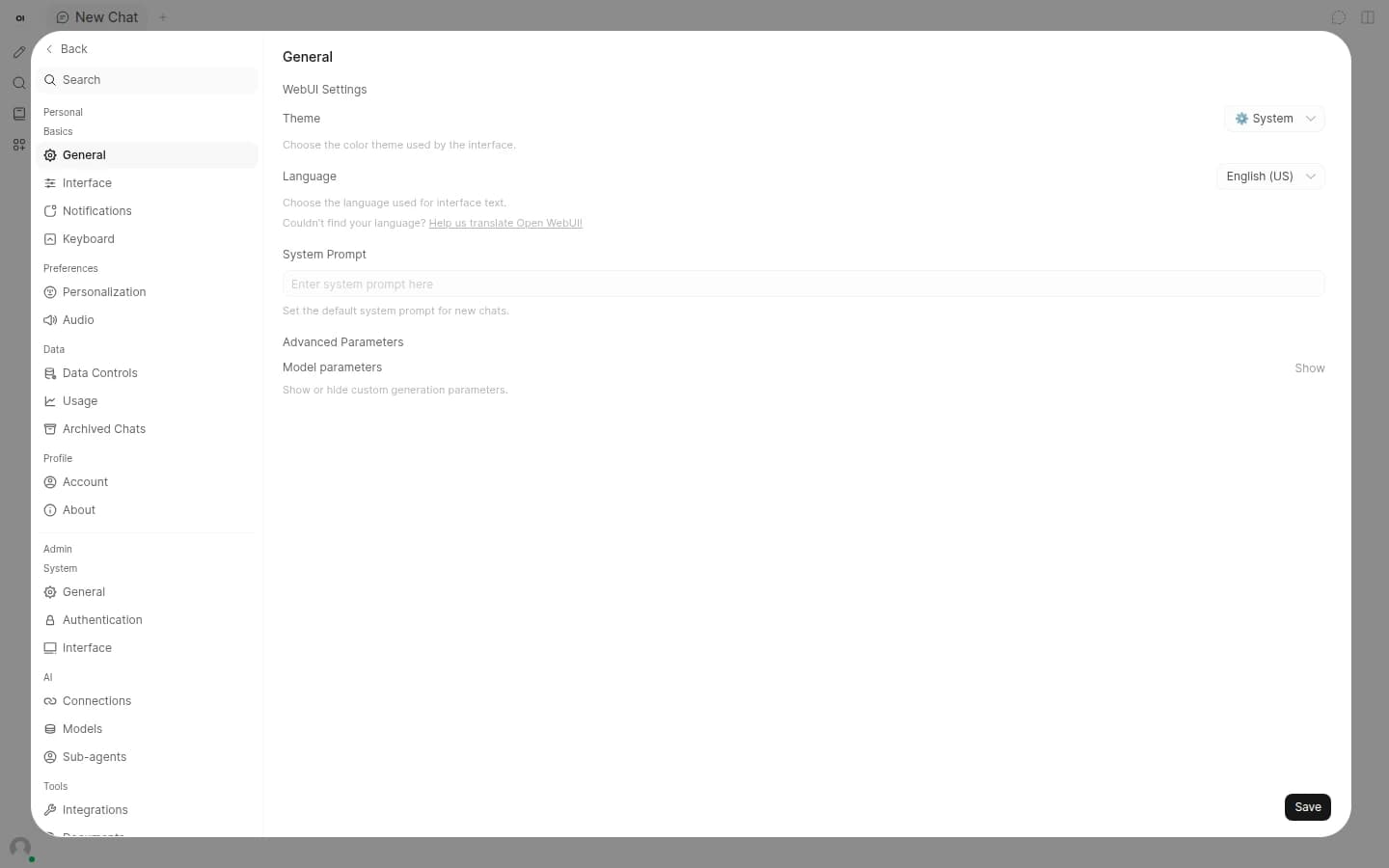
Manage users, connections and defaults from the UI. Root SSH stays yours for backups and extra models.
Compare live Ollama VPS plans from independent providers, then self-host a local LLM with Phi-4 Mini on CPU on the offer you pick. Use it instead of paying for OpenAI API spend.
See live prices, regions and plan sizes before you buy. Shop local LLM hosts across independent providers, from a 4 GB CPU box upward.
Pick a plan and Ollama is prepared with Phi-4 Mini pulled for CPU use, plus a chat UI and admin account. You still get root access.
Compatible offers list cities and countries. Keep latency low for your tools or keep prompts in a place that matches policy.
Weights and chats live on your VPS volume. You control SSH, DNS and who can call the Ollama API on port 11434.
Most Ollama VPS pages sell one company's servers. NodeRings lists Compute Instance plans from independent providers so you can compare local LLM offers by price, size and region, then launch on the one that fits.
Ollama Instant App prepares Ollama on the provider VPS you selected. NodeRings does not operate that hardware or sell its own VPS fleet.
Compare plans, pick a provider offer, and launch Ollama on that server.
01
Browse live offers below. A 2 vCPU / 4 GB / 40 GB plan is a solid start for Phi-4 Mini on CPU. More RAM helps longer context and extra models.
02
Choose the provider plan and region. There are no Instant App form fields to fill for Ollama.
03
Confirm checkout and wait for the server. First boot pulls Phi-4 Mini, then open the site URL and sign in with the admin email and password from your server notes. You keep root SSH.
NodeRings Instant App brings Ollama up with Docker Compose and prepares first-boot access for you. Use the sections below to reach the UI, find passwords, and operate the stack.
Credentials are written on first boot to:
/root/.noderings_passwordRead them over SSH:
cat /root/.noderings_passwordCompose project directory
/opt/noderings/ollama
/opt/noderings/ollama/docker-compose.yml
/opt/noderings/ollama/.env
Working directory for compose, the stack file, and generated secrets.
Credentials file
/root/.noderings_passwordWritten once on first boot.
Boot unit
/etc/systemd/system/noderings-ollama.serviceBrings compose up after Docker is ready.
Compose runs Ollama plus Open WebUI. Chat is on port 80; the Ollama API is on port 11434.
open-webuiChat UI on HTTP port 80, talking to local Ollama.
ollamaOllama model server API on host port 11434.
Container status
cd /opt/noderings/ollama && docker compose psLive logs
cd /opt/noderings/ollama && docker compose logs -fRestart containers
cd /opt/noderings/ollama && docker compose restartsystemd unit status
systemctl status noderings-ollamaYour Ollama app starts on http://. Cloudflare can give visitors a padlock without installing anything on the VPS.
Add your domain
Sign up at Cloudflare and add the domain you want to use.
Point it at your VPS
Create an A record to your server IP and leave the orange cloud on.
Open the https site
Visit https://your-domain for the chat UI and sign in with the admin credentials from your server notes.
Only allow Cloudflare
Optional. With SSH (port 22) already allowed and everything else blocked by default, open only Cloudflare to ports 80 and 443:
curl -s https://www.cloudflare.com/ips-v4 | while read ip; do sudo ufw allow from "$ip" to any port 80,443 proto tcp; doneThat is enough for a first secure visit. You can tighten SSL in Cloudflare later if you need it. Keep port 22 allowed for SSH; leave other ports denied except this Cloudflare allow for 80 and 443.
This Instant App targets CPU VPS plans with Phi-4 Mini preloaded. Larger models and long context windows need more RAM and disk. These are starting points, not guarantees.
| Workload | Illustrative starting point | Note |
|---|---|---|
| Phi-4 Mini chat on CPU | 2 vCPU / 4 GB RAM / 40+ GB disk | Suggested Instant App floor for Ollama, Phi-4 Mini and the chat UI. |
| Longer context or extra models | 8 GB RAM or more | KV cache and additional weights grow quickly. Size RAM to the models you keep loaded. |
| GPU acceleration later | NVIDIA host + drivers | The default image runs on CPU. Move to a GPU plan when you want faster tokens. |
| API clients and Open WebUI pairing | Same size; API on 11434 | Call Ollama from your apps, or keep using the included chat UI on port 80. |
These are starting points, not guarantees. Needs depend on model size, context length and how many clients hit the API.
This is self-hosted Ollama on a provider VPS, not a managed OpenAI product. You pick the plan. Ollama is prepared on that server. Day-to-day care stays with you.
Ollama is prepared with Phi-4 Mini pulled for CPU use, a chat UI, and an admin account. No Instant App form variables are collected at create time.
Root SSH on the VPS. You own models, chats, DNS, TLS, OS updates and API exposure unless a provider product says otherwise.
Managed TLS, GPU drivers and commercial model licenses beyond what you pull yourself are not bundled. Lock down port 11434 if you do not want a public API.
NodeRings helps with marketplace, billing and console. Provider hardware issues go to that provider. Looking after Ollama on the server is yours.
Ollama is a free, open-source runtime for running language models locally. Developers use it as an API and chat backend on hardware they control.
Phi-4 Mini is pulled on first boot for CPU-friendly chat. You can pull more models later with ollama pull over SSH.
No. Ollama Instant App asks for no form variables at create time. After the VPS is ready, sign in with the admin email and password from your server notes.
No for Phi-4 Mini on this Instant App. It is configured for CPU on generic VPS plans. A GPU host is faster when you outgrow small models.
No. NodeRings is a marketplace. Independent providers list VPS plans. You pick a plan, Ollama is prepared on that provider server, and you manage models from there.
No. You get a virtual machine with Ollama prepared for you, plus root access. That is different from a managed product that owns updates and support for you.
Open http://YOUR_IP/ and sign in with ollama_admin_email and ollama_admin_pass from /root/.noderings_password. The API listens on port 11434.
Open WebUI Instant App is a chat UI you point at cloud APIs or a model host. Ollama Instant App installs the local model runtime with Phi-4 Mini and includes a chat UI already wired to it.
A common starting point is about 2 vCPU, 4 GB RAM and 40 GB disk for Phi-4 Mini on CPU. Larger models need more RAM and disk. Use the sizing guide above and compare plans in the list.
You confirm the plan and finish checkout. When the server is ready, open the site URL and sign in. First boot can take longer while Phi-4 Mini downloads.
Yes. Each compatible plan lists available regions. Pick the city or country that matches latency and compliance needs.