

Enzonix
Shared Compute - General Compute
$5.00/mo
1 vCPU · 1 GB · 20 GB
Choose location
Amsterdam, Netherlands
| Provider | Plan | vCPU | RAM | Disk | Regions | Billing | Price |
|---|---|---|---|---|---|---|---|
| Enzonix | Shared Compute - General Compute | 1 | 1 GB | 20 GB | Amsterdam, Netherlands | Fixed price | $5.00/mo |
| Enzonix | Shared Compute - General Compute | 1 | 1 GB | 20 GB | Ashburn, United States | Fixed price | $5.00/mo |
| Enzonix | Shared Compute - General Compute | 2 | 4 GB | 80 GB | Amsterdam, Netherlands | Fixed price | $9.00/mo |
| Enzonix | Shared Compute - General Compute | 2 | 4 GB | 80 GB | Ashburn, United States | Fixed price | $9.00/mo |
| Enzonix | Shared Compute - General Compute | 4 | 8 GB | 160 GB | Amsterdam, Netherlands | Fixed price | $16.00/mo |
| Enzonix | Shared Compute - General Compute | 4 | 8 GB | 160 GB | Ashburn, United States | Fixed price | $16.00/mo |
| Enzonix | Shared Compute - General Compute | 8 | 16 GB | 320 GB | Amsterdam, Netherlands | Fixed price | $32.00/mo |
| Enzonix | Shared Compute - General Compute | 8 | 16 GB | 320 GB | Ashburn, United States | Fixed price | $32.00/mo |
| Enzonix | Shared Compute - General Compute | 1 | 1 GB | 20 GB | Ashburn, United States | Hourly | $0.007/hr |
| Enzonix | Shared Compute - General Compute | 1 | 2 GB | 40 GB | Ashburn, United States | Hourly | $0.01/hr |
| Enzonix | Shared Compute - General Compute | 2 | 4 GB | 80 GB | Ashburn, United States | Hourly | $0.015/hr |
| Virtualized | Shared Compute - General Compute | 2 | 4 GB | 40 GB | Phoenix, United States | Fixed price | $12.49/mo |
| Virtualized | Shared Compute - General Compute | 3 | 6 GB | 60 GB | Phoenix, United States | Fixed price | $17.49/mo |
| Virtualized | Shared Compute - General Compute | 4 | 8 GB | 80 GB | Phoenix, United States | Fixed price | $22.99/mo |
| Virtualized | Shared Compute - General Compute | 8 | 16 GB | 160 GB | Phoenix, United States | Fixed price | $44.99/mo |
| Virtualized | Shared Compute - General Compute | 16 | 32 GB | 320 GB | Phoenix, United States | Fixed price | $79.99/mo |
| Virtualized | Shared Compute - General Compute | 32 | 64 GB | 640 GB | Phoenix, United States | Fixed price | $139.99/mo |
Mattermost Instant App
Mattermost is an open-source Slack alternative for channels, DMs and file sharing. Compare live VPS prices, CPU, RAM, disk and regions, launch Mattermost on the plan you choose, and keep root access so your messages stay on your server.

Mattermost
Instant App on marketplace VPS
Live marketplace offers
Choose billing and size, compare providers side by side, pick a location, then launch.
Shared Compute - General Compute
$5.00/mo
1 vCPU · 1 GB · 20 GB
Choose location
Amsterdam, Netherlands
1 provider
Mattermost is a free, open-source team messaging platform for channels, direct messages and file sharing. Sign in as admin, invite teammates, and keep conversations on the VPS you control. No Instant App form fields are required at create time, and a starter team is ready after boot.
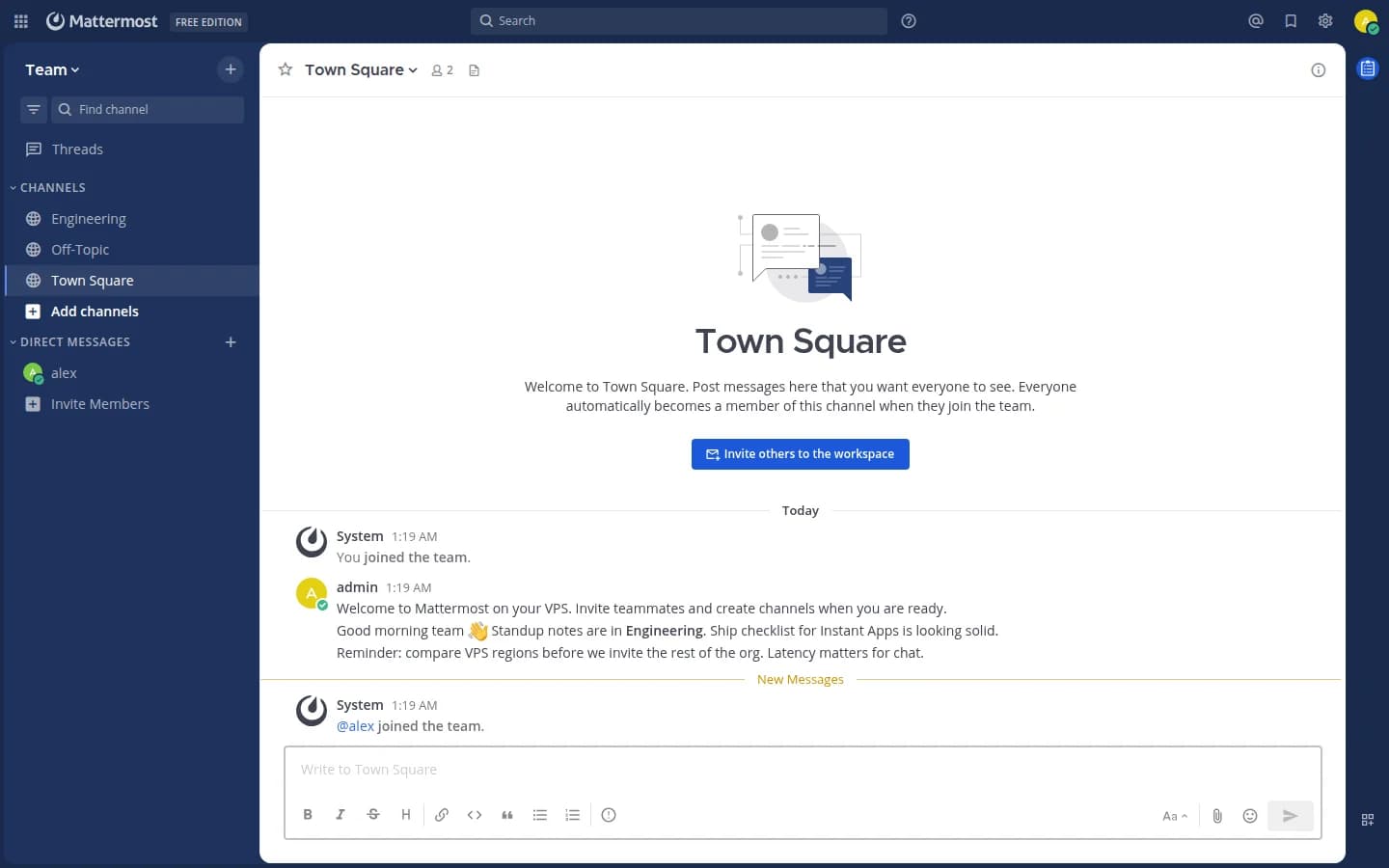
Open Town Square and start posting. Channels, threads and mentions work without finishing a long setup wizard first.
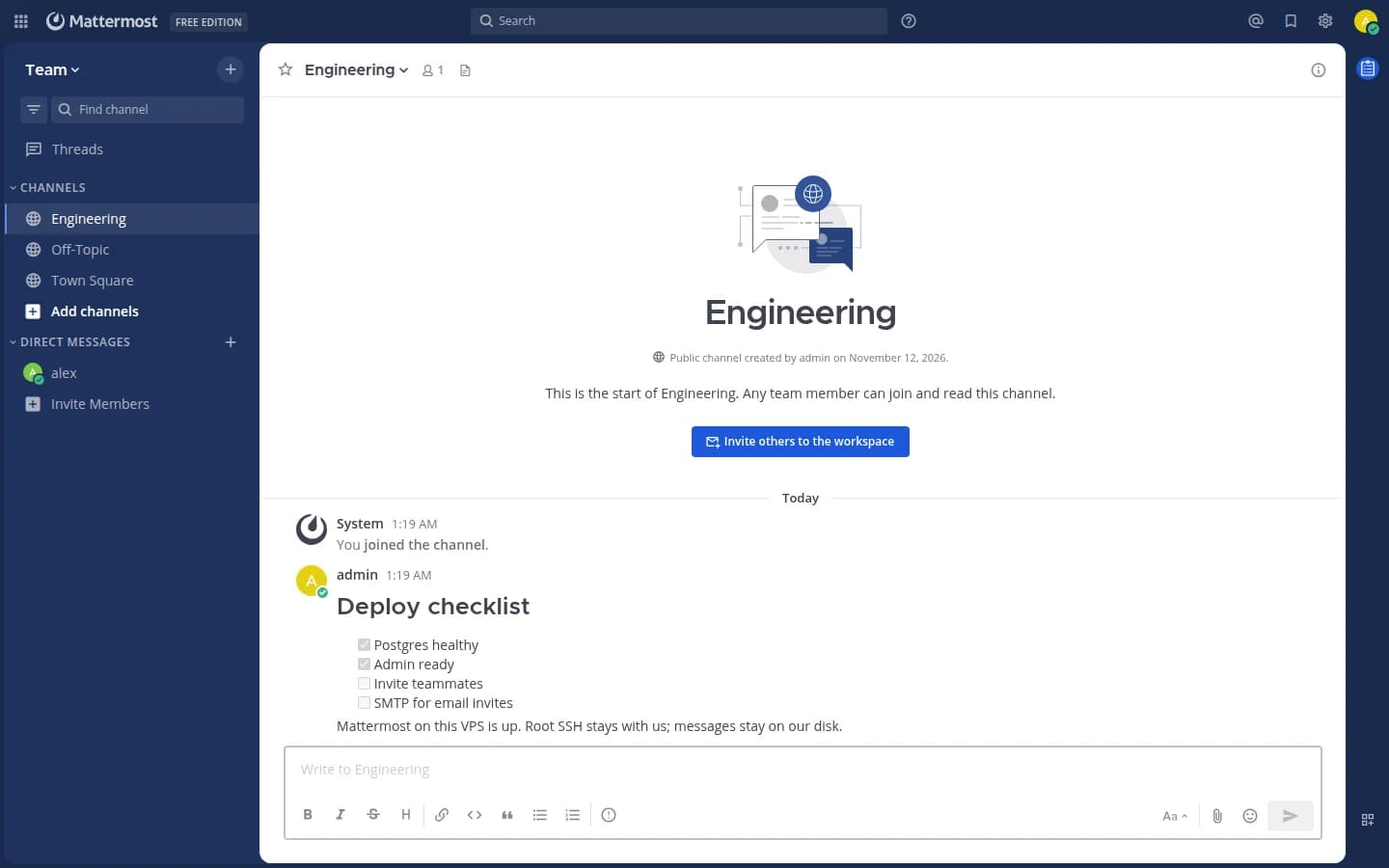
A starter team is prepared for you. Add members, create channels and keep work talk separate from side projects.
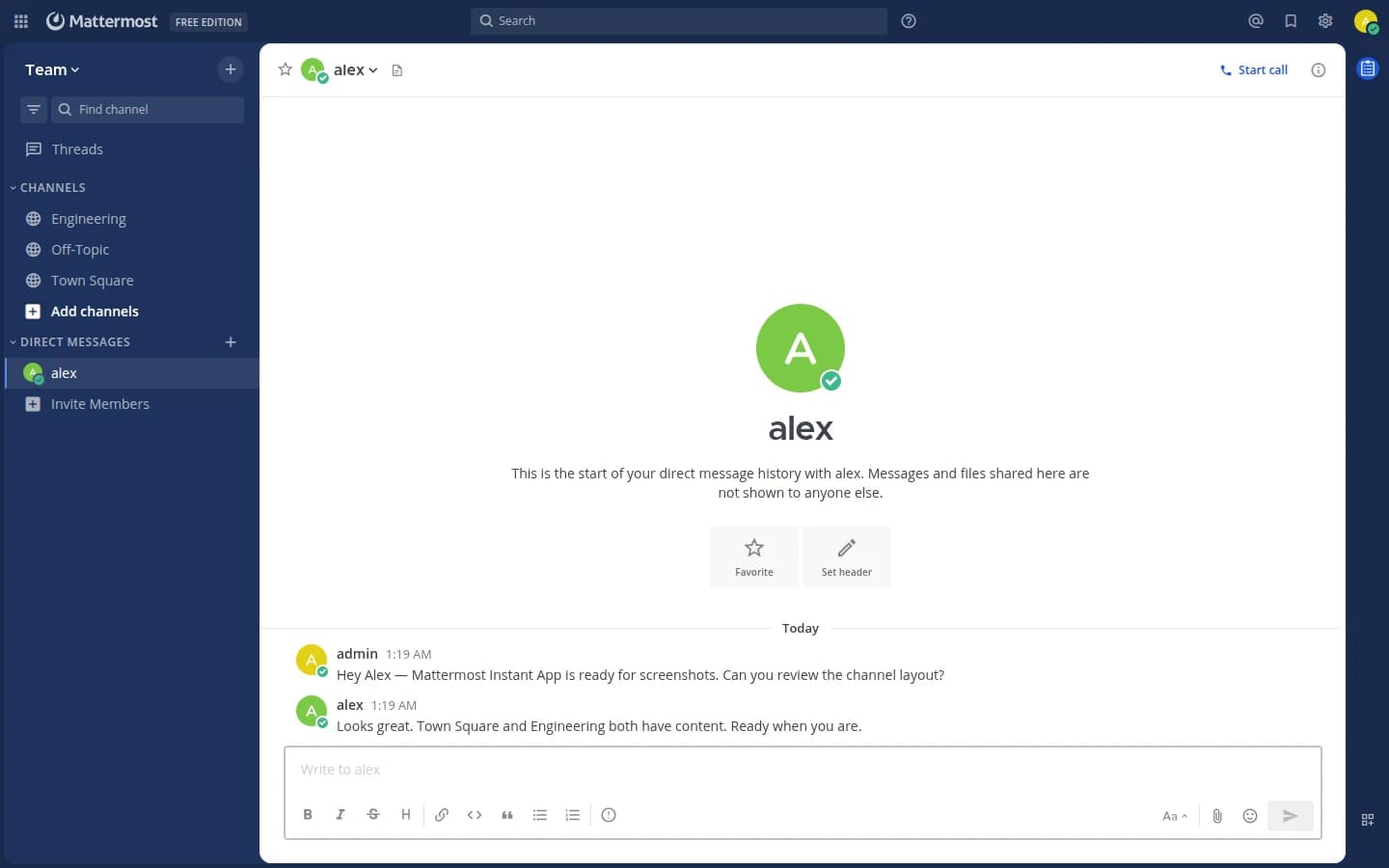
Reach one person or the whole channel. Search history and keep decisions next to the files you upload.
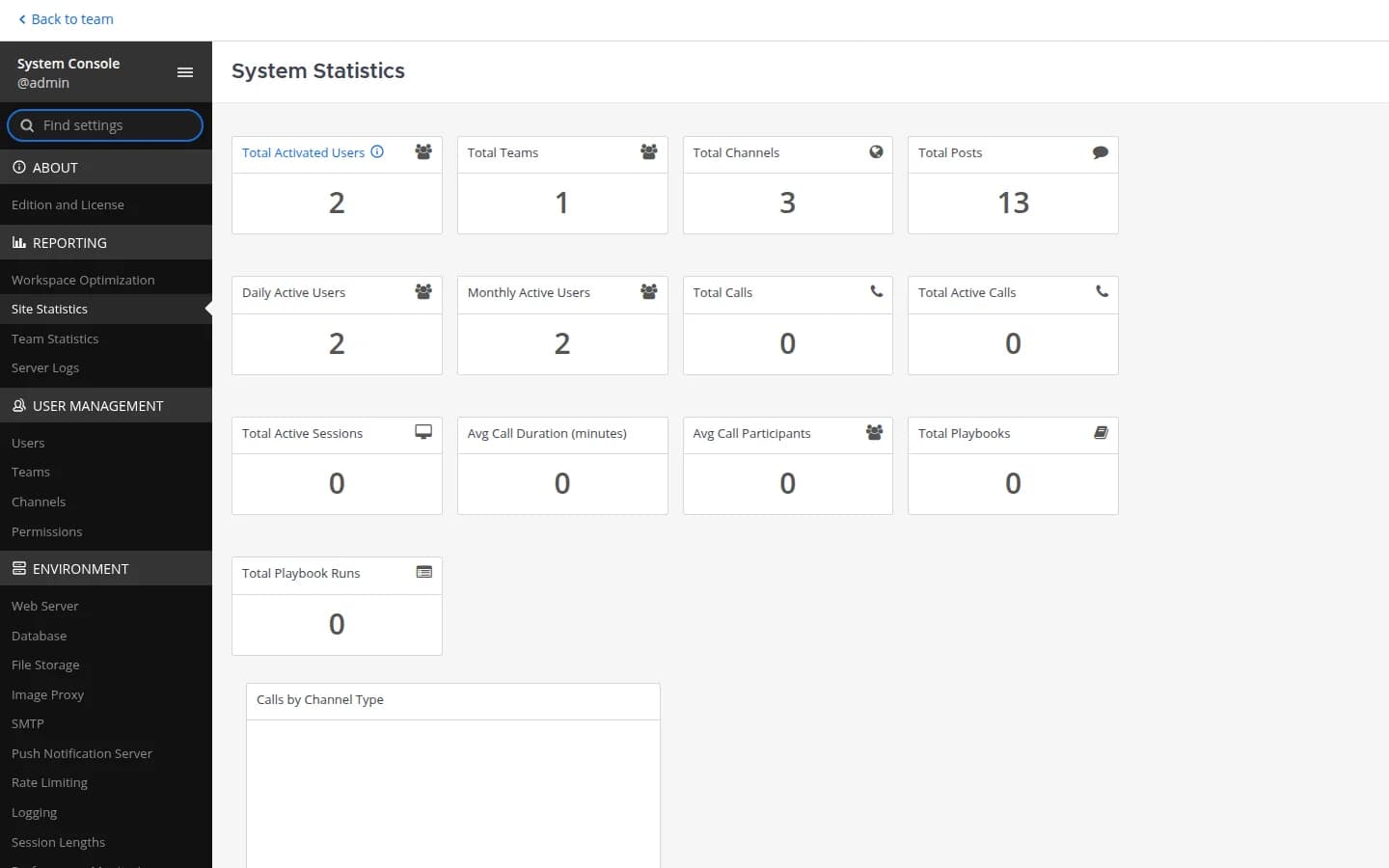
The first system admin is created for you. Sign in with the username and password from your server notes, then open System Console when you need settings.
Compare live Mattermost VPS plans from independent providers, then self-host team chat on the offer you pick.
See live prices, regions and plan sizes before you buy. Shop self-hosted team chat hosts across independent providers, from a 4 GB box upward.
Pick a plan and Mattermost is prepared on that VPS for you, including the system admin account and a starter team. You still get root access.
Compatible offers list cities and countries. Latency for desktop and mobile clients follows the region you pick.
Messages and uploads live on your VPS volume. You control SSH, DNS and who can join the workspace.
Most Mattermost VPS pages sell one company's servers. NodeRings lists Compute Instance plans from independent providers so you can compare self-hosted Slack alternative offers by price, size and region, then launch on the one that fits.
Mattermost Instant App prepares Mattermost on the provider VPS you selected. NodeRings does not operate that hardware or sell its own VPS fleet.
Compare plans, pick a provider offer, and launch Mattermost on that server.
01
Browse live offers below. Prefer enough RAM for your team size and enough disk for uploads. Sort by provider, size, price and region.
02
Choose the provider plan and region. There are no Instant App form fields to fill for Mattermost.
03
Confirm checkout and wait for the server. Then open the site URL and sign in with the admin username and password from your server notes. You keep root SSH.
Mattermost Team Edition is light when quiet. Lab notes show roughly two hundred MiB idle for the app and database together. Active channels, file uploads and calls raise RAM and CPU. Disk grows with attachments. These are starting points, not guarantees.
| Workload | Illustrative starting point | Note |
|---|---|---|
| Small team chat | 2 vCPU / 4 GB RAM / 40+ GB disk | Suggested Instant App floor for a handful of people and light file sharing. |
| Growing company channels | 2 to 4 vCPU / 6 to 8 GB RAM | More headroom when many channels stay busy and uploads are common. |
| Calls and large attachments | Often 8+ GB RAM and more CPU | Voice and video plugins plus big files need more than idle chat. |
| Long message history | Disk sized to uploads plus database growth | Keep backups off-box. History and files grow faster than the binary. |
These are starting points, not guarantees. Needs depend on user count, plugins, calls and how large attachments grow.
This is self-hosted Mattermost on a provider VPS, not managed Slack. You pick the plan. Mattermost is prepared on that server. Day-to-day care stays with you.
Mattermost is prepared on the VPS with no Instant App form variables. The system admin account and a starter team are created for you.
Root SSH on the VPS. You own messages, uploads, DNS, TLS, OS updates and backups unless a provider product says otherwise.
Managed Slack migration, automatic SMTP for invites and hands-off OS patching are not bundled in. Add mail and invite teammates after the server is up.
NodeRings helps with marketplace, billing and console. Provider hardware issues go to that provider. Looking after Mattermost on the server is yours.
Mattermost is a free, open-source team messaging platform. It gives you channels, direct messages and file sharing on hardware you control, without a per-seat Slack invoice for Team Edition itself.
No. Mattermost Instant App asks for no form variables at create time. After the VPS is ready, sign in with the admin username and password from your server notes.
No. NodeRings is a marketplace. Independent providers list VPS plans. You pick a plan, Mattermost is prepared on that provider server, and you manage the workspace from there.
No. You get a virtual machine with Mattermost prepared for you, plus root access. That is different from a managed product that owns updates and support for you.
It prepares Mattermost on the VPS you choose so you skip hunting through install guides by hand. It is still your self-hosted server, not a separate managed hosting brand.
Open the site URL from your server notes and sign in with mattermost_admin_username and mattermost_admin_pass from /root/.noderings_password. Nothing was collected from you at checkout for Mattermost.
A common starting point for a small team is about 2 vCPU, 4 GB RAM and 40 GB disk. Busier workspaces and calls usually need more. Use the sizing guide above and compare plans in the list.
Yes for private team chat on your own server. Features and clients differ from Slack. Try your workflows before you migrate everything.
Yes after you sign in. A starter team is prepared. Email invites need SMTP you configure; you can also create accounts as admin.
You confirm the plan and finish checkout. When the server is ready, open the site URL and sign in with the admin credentials from your server notes.
Yes. Each compatible plan lists available regions. Pick the city or country that matches latency and compliance needs.