
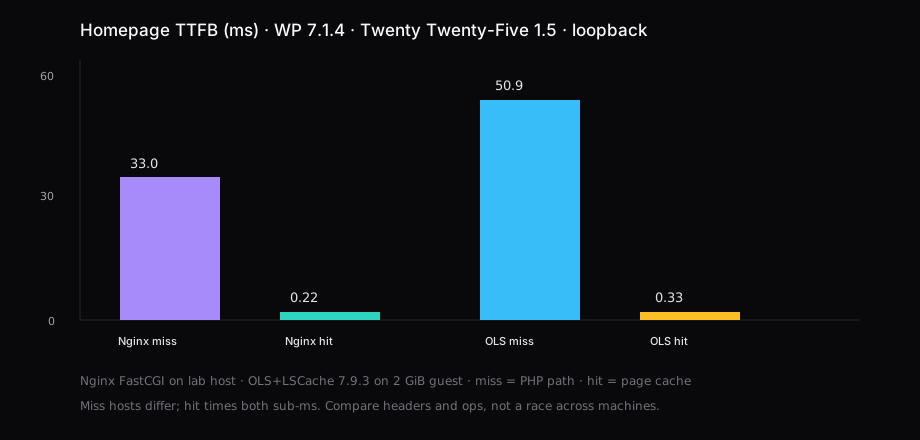
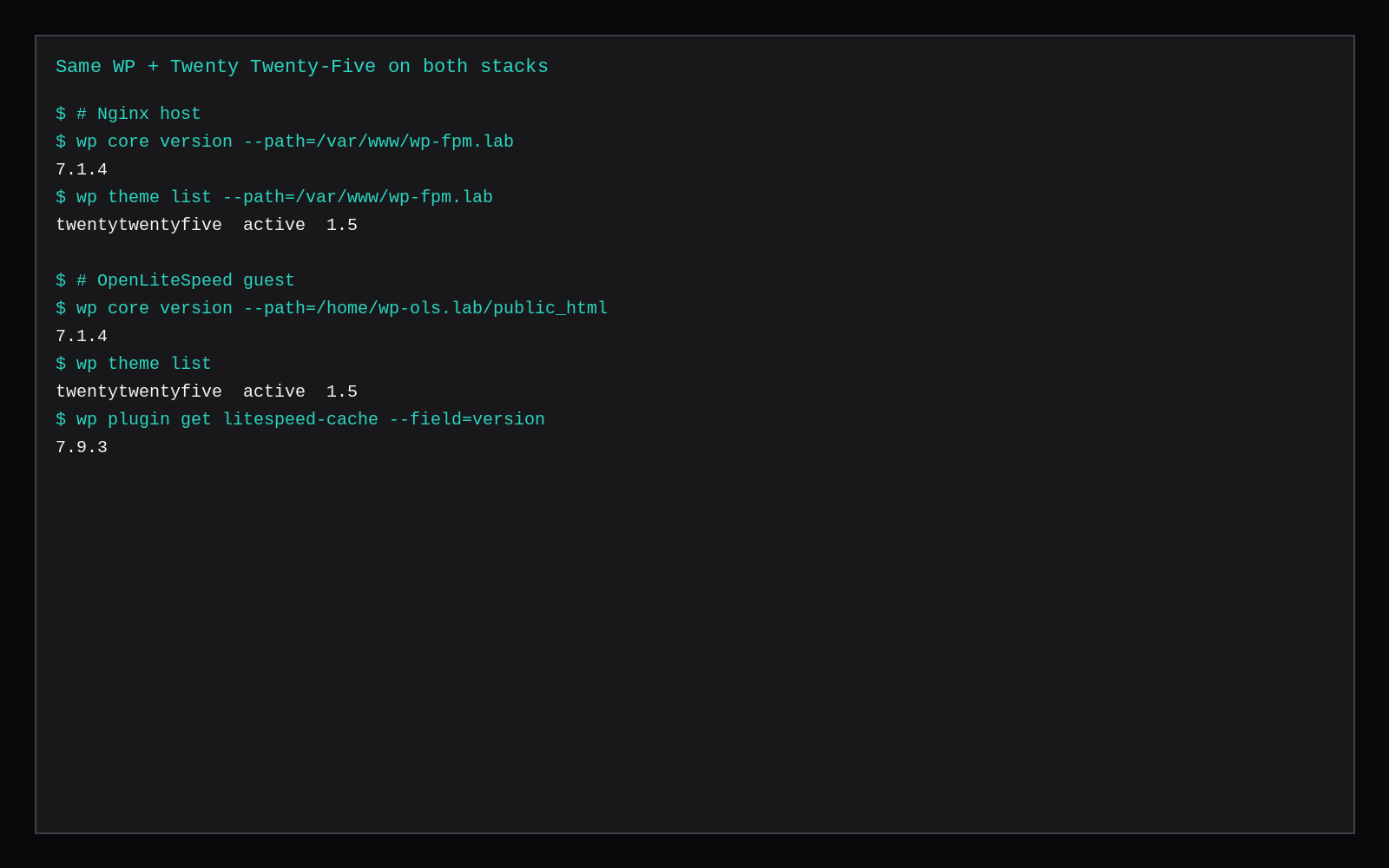
Same WordPress 7.1.4, same active theme (Twenty Twenty-Five 1.5), same anonymous homepage path. On Nginx 1.24.0 with fastcgi_cache, a warm hit answered in 0.22 ms median TTFB (X-FastCGI-Cache: HIT). On OpenLiteSpeed with LiteSpeed Cache 7.9.3, a warm hit answered in 0.33 ms (x-litespeed-cache: hit). Misses stayed in the tens of milliseconds on both stacks: Nginx miss median 32.99 ms on the lab host, OLS uncached median 50.89 ms on a 2 GiB guest. Hits skip PHP either way.
Miss milliseconds sit on different hardware: Nginx on the lab host, OLS inside the CyberPanel guest from the OLS + LSCache TTFB lab. The fair claim is narrower. With the same theme and page class, both page caches put anonymous HTML under a millisecond on loopback once warm. Pick the stack you already operate.
| Nginx FastCGI cache | OpenLiteSpeed + LSCache | |
|---|---|---|
| WordPress | 7.1.4 | 7.1.4 |
| Theme | Twenty Twenty-Five 1.5 | Twenty Twenty-Five 1.5 |
| Miss / uncached median TTFB | 32.99 ms (MISS) | 50.89 ms (plugin off) |
| Hit median TTFB | 0.22 ms | 0.33 ms |
| Hit p95 | 0.31 ms | 0.40 ms |
| Samples (hit) | 20 | 20 |
| Cache header | X-FastCGI-Cache: HIT | x-litespeed-cache: hit |
| Where measured | lab host loopback | 2 GiB guest loopback |
Page cache versus object cache
fastcgi_cache and LSCache (public page cache) store the finished HTML for anonymous GET requests. A hit never starts PHP-FPM or lsphp for that URL. Redis/Valkey object cache is a different layer: PHP still runs, MariaDB work shrinks. You can run page cache and object cache together.
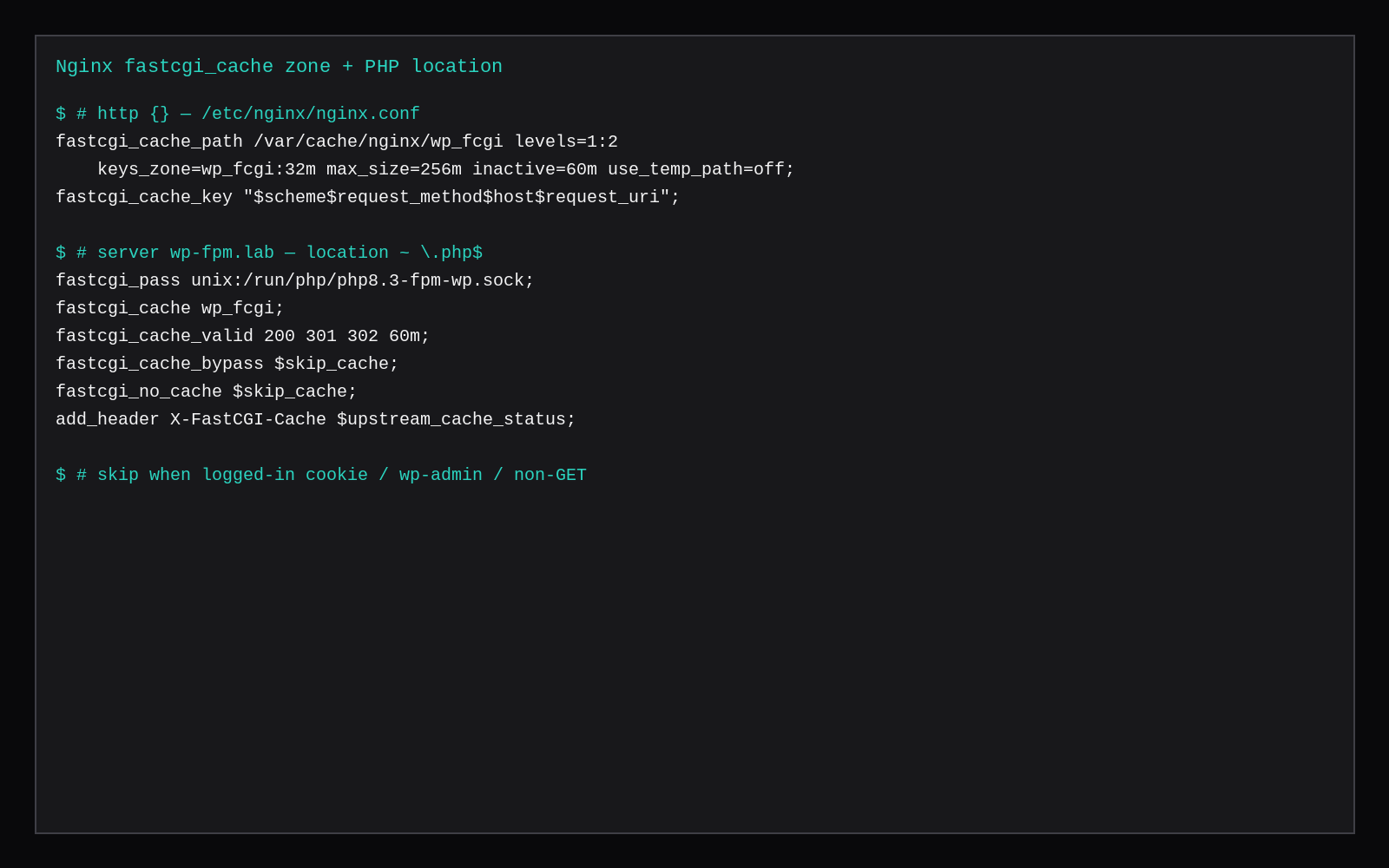
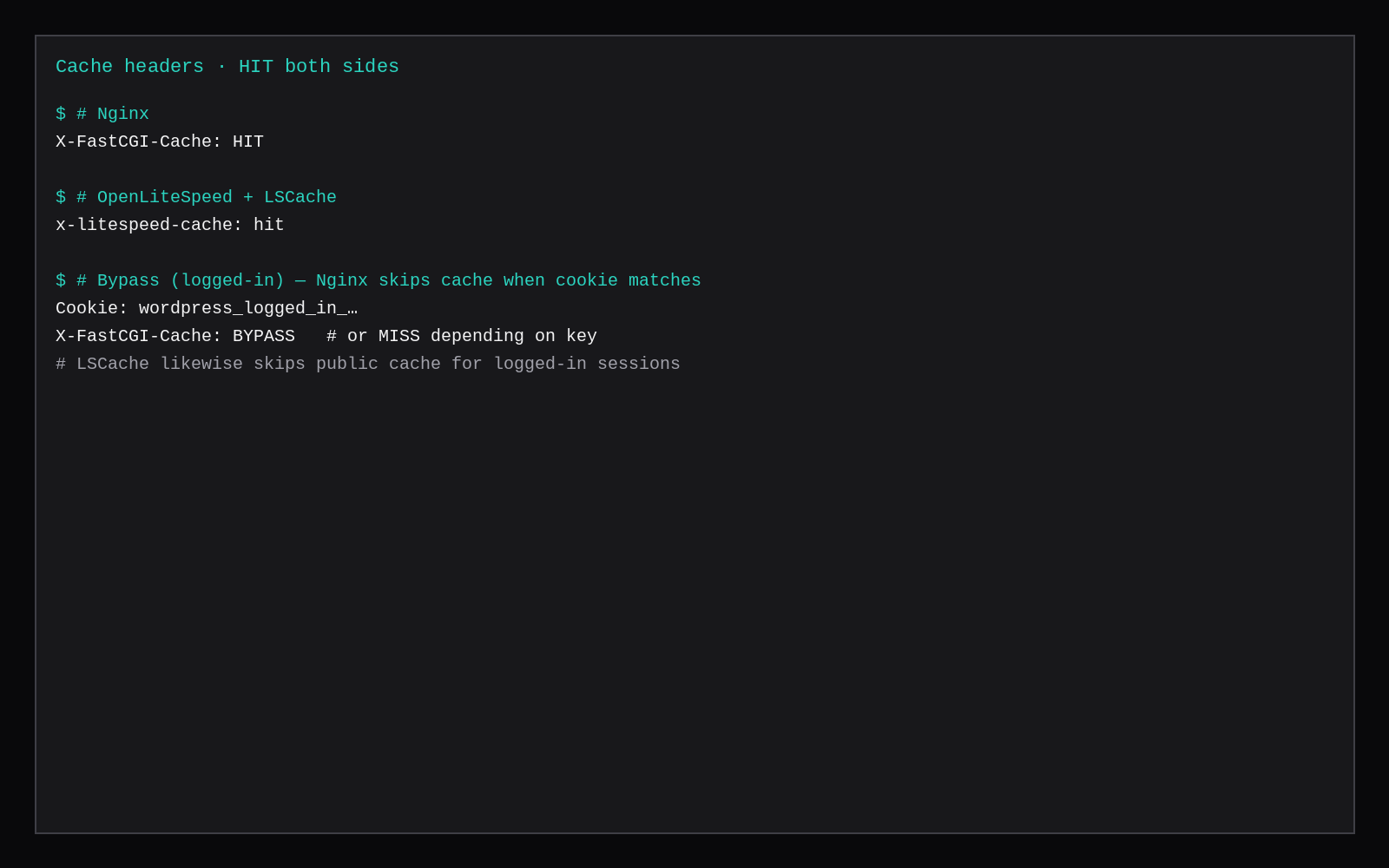
Logged-in cookies, carts, and wp-admin must bypass the public page cache. Both setups above do that.
Nginx FastCGI cache
# http {
fastcgi_cache_path /var/cache/nginx/wp_fcgi levels=1:2
    keys_zone=wp_fcgi:32m max_size=256m inactive=60m use_temp_path=off;
fastcgi_cache_key "$scheme$request_method$host$request_uri";

map $http_cookie $skip_cache_cookie {
    default 0;
    ~*wordpress_logged_in_ 1;
    ~*comment_author_ 1;
    ~*wp-postpass_ 1;
}
# }
# server — location ~ \.php$
fastcgi_pass unix:/run/php/php8.3-fpm-wp.sock;
fastcgi_cache wp_fcgi;
fastcgi_cache_valid 200 301 302 60m;
fastcgi_cache_bypass $skip_cache;
fastcgi_no_cache $skip_cache;
add_header X-FastCGI-Cache $upstream_cache_status;Set $skip_cache from method, cookie map, and /wp-admin/ URI checks. Then:
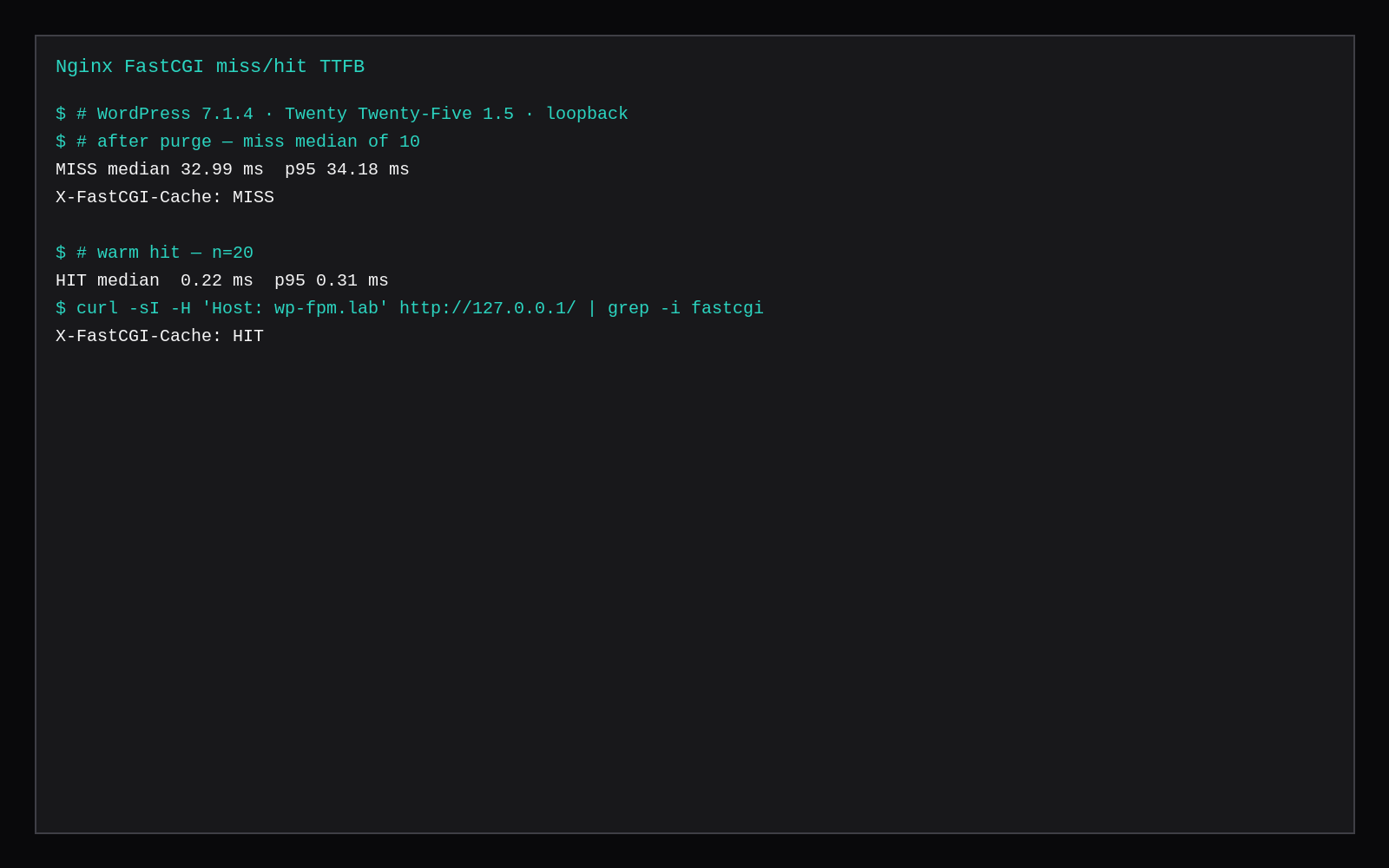
curl -sI -H 'Host: wp-fpm.lab' http://127.0.0.1/ | grep -i fastcgi
# X-FastCGI-Cache: HIT   (after a warm request)

curl -s -o /dev/null -w '%{time_starttransfer}\n' \
  -H 'Host: wp-fpm.lab' http://127.0.0.1/
This lab’s miss median was 32.99 ms after purge (10 samples). Hit median was 0.22 ms (20 samples). The site was the PHP-FPM pool WordPress on the host LEMP stack.
OpenLiteSpeed + LSCache
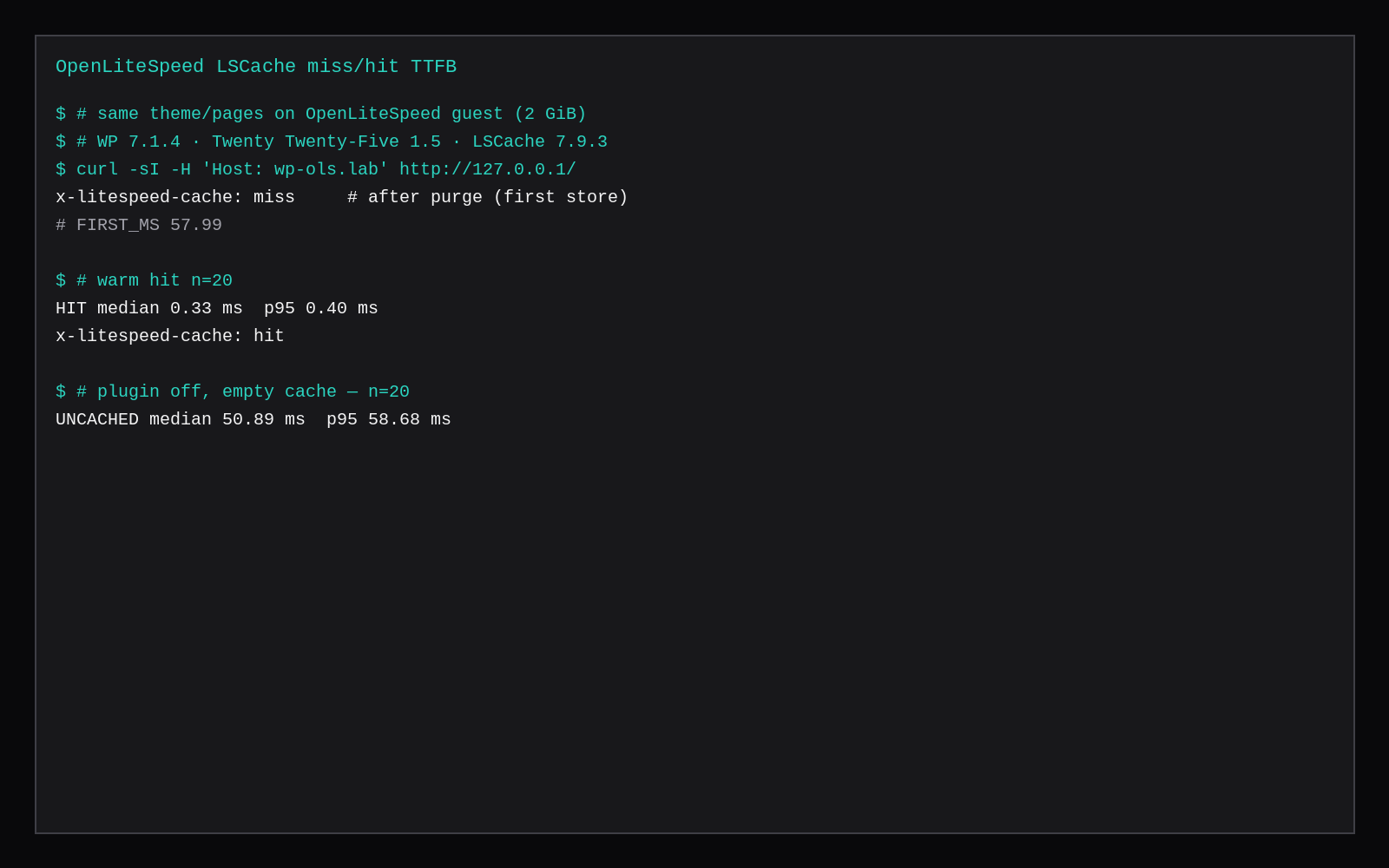
On the CyberPanel OLS guest, LiteSpeed Cache 7.9.3 was active with public cache on. After emptying object files under the vhost cache data dir (leave .cacheman*), the first request showed x-litespeed-cache: miss at 57.99 ms. Twenty warm hits: median 0.33 ms, p95 0.40 ms, header hit. With the plugin deactivated, median TTFB was 50.89 ms.
# on the OLS host
wp plugin activate litespeed-cache
wp litespeed-option set cache 1

curl -sI -H 'Host: wp-ols.lab' http://127.0.0.1/ | grep -i litespeed
# x-litespeed-cache: hit
Full install and header walkthrough: OpenLiteSpeed and LSCache TTFB.
How the stacks differ in ops
Nginx FastCGI is config in files: purge by deleting files under the cache path or using a helper module, no WordPress UI unless you add a plugin. LSCache ships a WP plugin with purge-on-publish, ESI options, and a CyberPanel/OLS path that already expects it.
QUIC/HTTP3 and OLS-specific features are outside this loopback HTTP/1.1 test. On the numbers that matter for anonymous HTML, both hits are “PHP is out of the way.”
Skip these
| Skip this | What to do |
|---|---|
| Comparing one stack’s hit to the other’s miss | Quote miss and hit for each, with headers |
| Measuring through a CDN | Origin loopback first |
| Logged-in or cart cookies in the “hit” sample | Anonymous client only |
| Calling object cache a page-cache win | Different layer |
| Treating host vs guest miss ms as a product ranking | Same hardware if you need a miss race |
Where this fits on a VPS
A marketplace Compute Instance at 2 GB runs either LEMP + FastCGI cache or OLS/CyberPanel + LSCache. If you already live in Nginx, add fastcgi_cache. If you already run CyberPanel, turn on LSCache and confirm x-litespeed-cache: hit. Size PHP workers for the misses that remain (pool sizing).
What broader benches say about the same fight
Cached WordPress homepage benches that pair OpenLiteSpeed or LiteSpeed with LSCache against Nginx with FastCGI cache usually put the LiteSpeed family ahead on requests per second and warm TTFB when PHP never runs. Uncached dynamic PHP often flips or narrows the gap toward Nginx + PHP-FPM. FastCGI cache is application-agnostic and easy to mis-purge; LSCache’s WordPress plugin owns cookie varies and WooCommerce hooks at the cost of living inside that plugin. Use this lab’s same-theme timings as the number for this guest, and treat vendor “12×” claims as upper bounds on their hardware.
FAQ
Which is faster? On this theme and URL, both hits are under half a millisecond on loopback. The gap is noise next to WAN RTT.
Do I need both? No. One page cache for anonymous HTML is enough. Add object cache if logged-in or dynamic PHP is the pain.
Purge on publish? LSCache does this in-plugin. On Nginx, wire a purge hook or clear the cache path from deploy.
HTTP/3? Not in this lab. Enable it on the edge you already trust; re-measure there.
Anonymous page cache is the same job on both sides: store HTML, serve it, skip PHP. Match theme and headers, then choose Nginx or OLS for the rest of your ops. Let WAN RTT and purge workflow decide, not a tenth of a millisecond on loopback.