
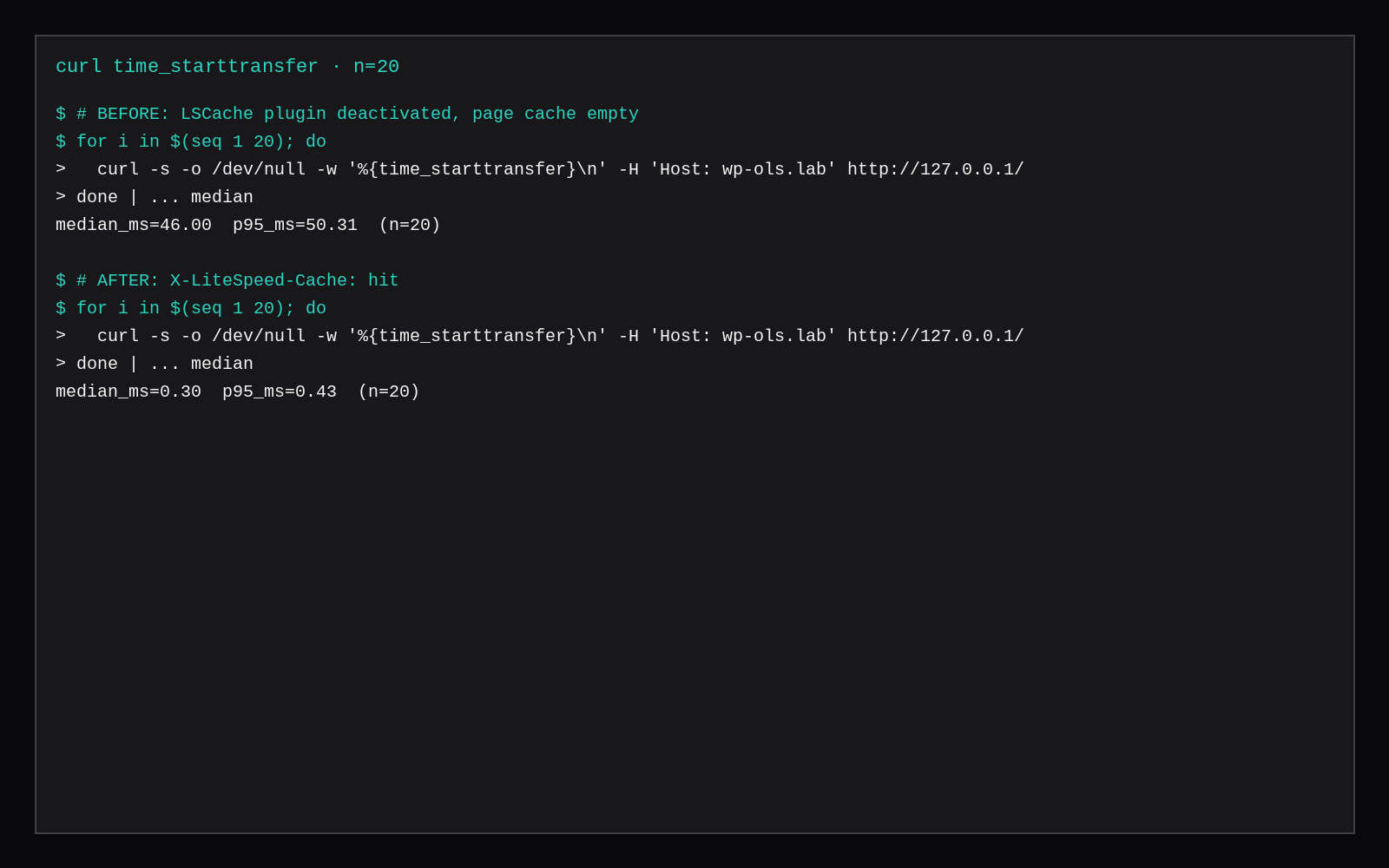
WordPress 7.1.4 on a CyberPanel OpenLiteSpeed guest answered the anonymous homepage in 46.00 ms median TTFB. The LiteSpeed Cache plugin was off and the page cache was empty. Once LSCache 7.9.3 was on and the cache was filled, the response had x-litespeed-cache: hit and the same URL's median was 0.30 ms. Both figures are the median of twenty curl time_starttransfer samples against 127.0.0.1 with Host: wp-ols.lab. DNS is out of the path.
A hit returns the stored page from the cache module. The 46.00 ms row is full WordPress, and a miss runs that render through PHP.
| Before | After (hit) | |
|---|---|---|
| Median TTFB | 46.00 ms | 0.30 ms |
| p95 | 50.31 ms | 0.43 ms |
| Samples | 20 | 20 |
| Cache header | none | x-litespeed-cache: hit |
| WordPress | 7.1.4 | 7.1.4 |
| LSCache plugin | deactivated | 7.9.3 active |
| Server | OpenLiteSpeed (CyberPanel-OLS/2.5.7, package 1.9.4) | same |
| PHP | lsphp 8.3.36 | same |
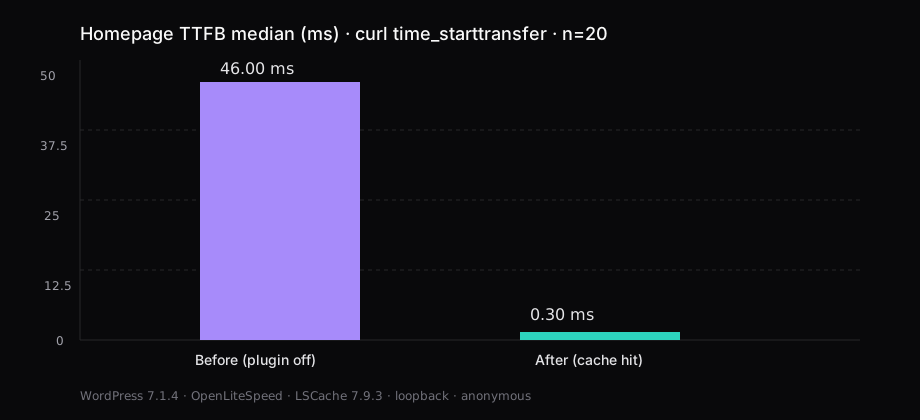
Time to first byte on loopback
curl -s -o /dev/null -w '%{time_starttransfer}\n' -H 'Host: wp-ols.lab' http://127.0.0.1/time_starttransfer is time to first byte. Samples ran on the guest against loopback, so DNS and WAN RTT stay out of the number. Drop the first request when you want steady state. The before row had the plugin off and an empty page cache. On the after row, every sample carried x-litespeed-cache: hit.
A logged-in session or a cart cookie misses the public cache, and so does the request right after a publish purge. Count the 0.30 ms only when the response has x-litespeed-cache: hit.
OpenLiteSpeed vhost, then WordPress
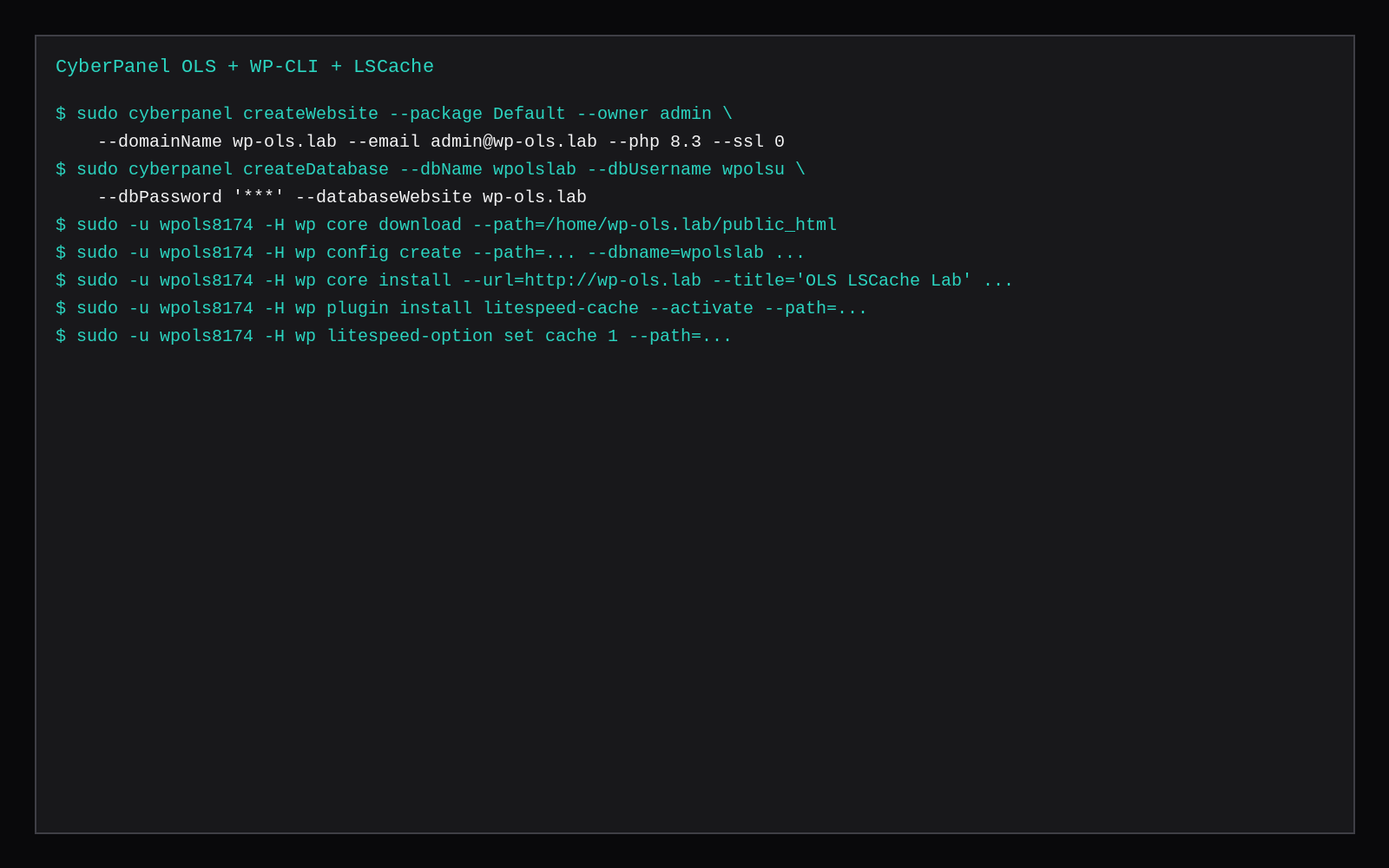
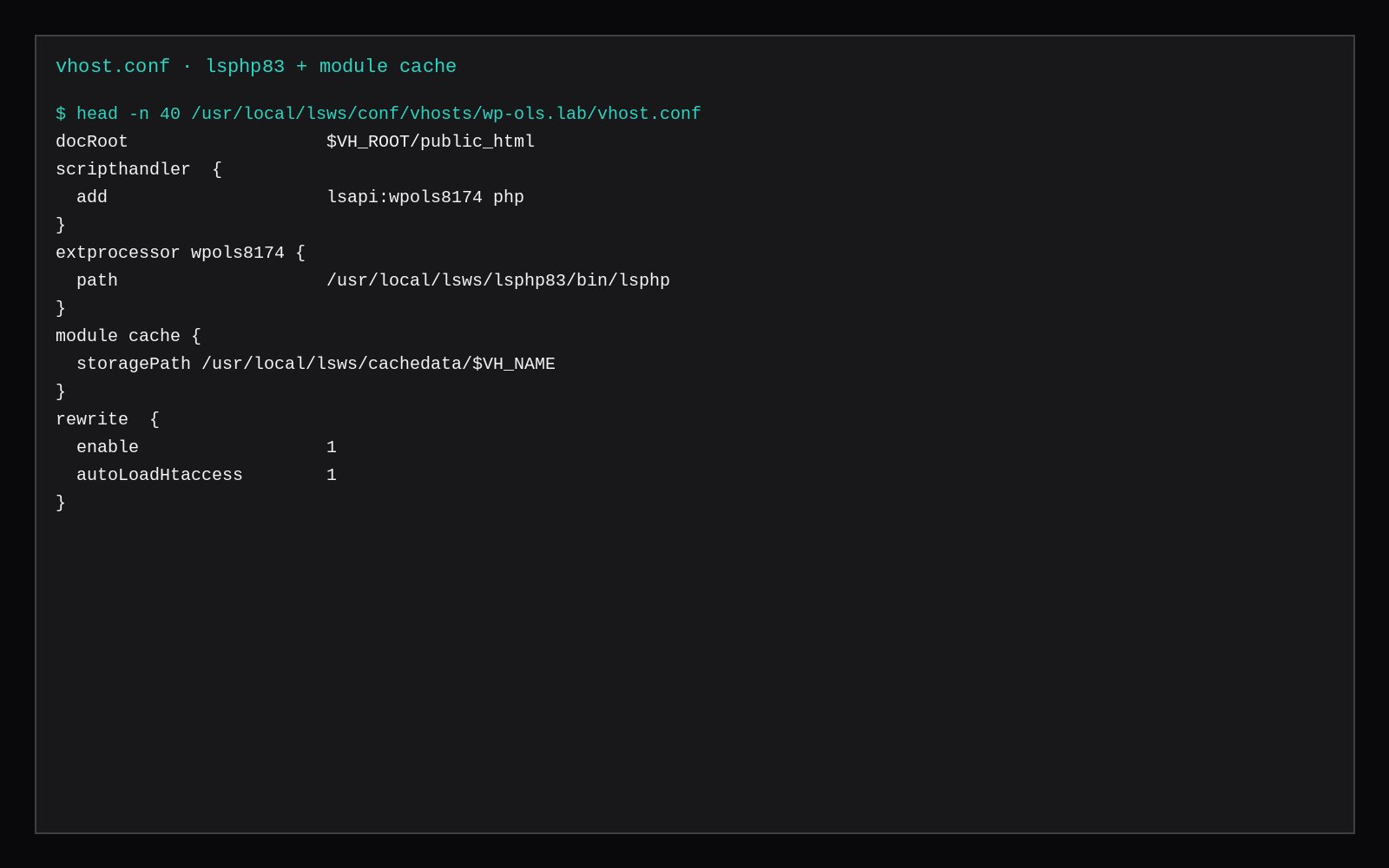
This lab reused a 2 GiB Ubuntu 24.04 guest that already ran CyberPanel with OpenLiteSpeed. Plain OLS needs a vhost, docRoot on the site, lsphp, and the cache module's storagePath.
sudo cyberpanel createWebsite --package Default --owner admin \
  --domainName wp-ols.lab --email [email protected] --php 8.3 --ssl 0

sudo cyberpanel createDatabase --dbName wpolslab --dbUsername wpolsu \
  --dbPassword 'choose-a-long-secret' --databaseWebsite wp-ols.lab
CyberPanel's installWordPress CLI returned success here without writing files, so the site was installed with WP-CLI as the site user (replace wpols8174 with the owner of your docroot):
DOCROOT=/home/wp-ols.lab/public_html
SITEUSER=$(stat -c %U "$DOCROOT")

curl -sS -o /usr/local/bin/wp https://raw.githubusercontent.com/wp-cli/builds/gh-pages/phar/wp-cli.phar
chmod +x /usr/local/bin/wp

sudo -u "$SITEUSER" -H wp core download --path="$DOCROOT"
sudo -u "$SITEUSER" -H wp config create --path="$DOCROOT" \
  --dbname=wpolslab --dbuser=wpolsu --dbpass='choose-a-long-secret' --dbhost=localhost
sudo -u "$SITEUSER" -H wp core install --path="$DOCROOT" \
  --url='http://wp-ols.lab' --title='OLS LSCache Lab' \
  --admin_user=wpadmin --admin_password='choose-a-long-secret' \
  [email protected] --skip-email
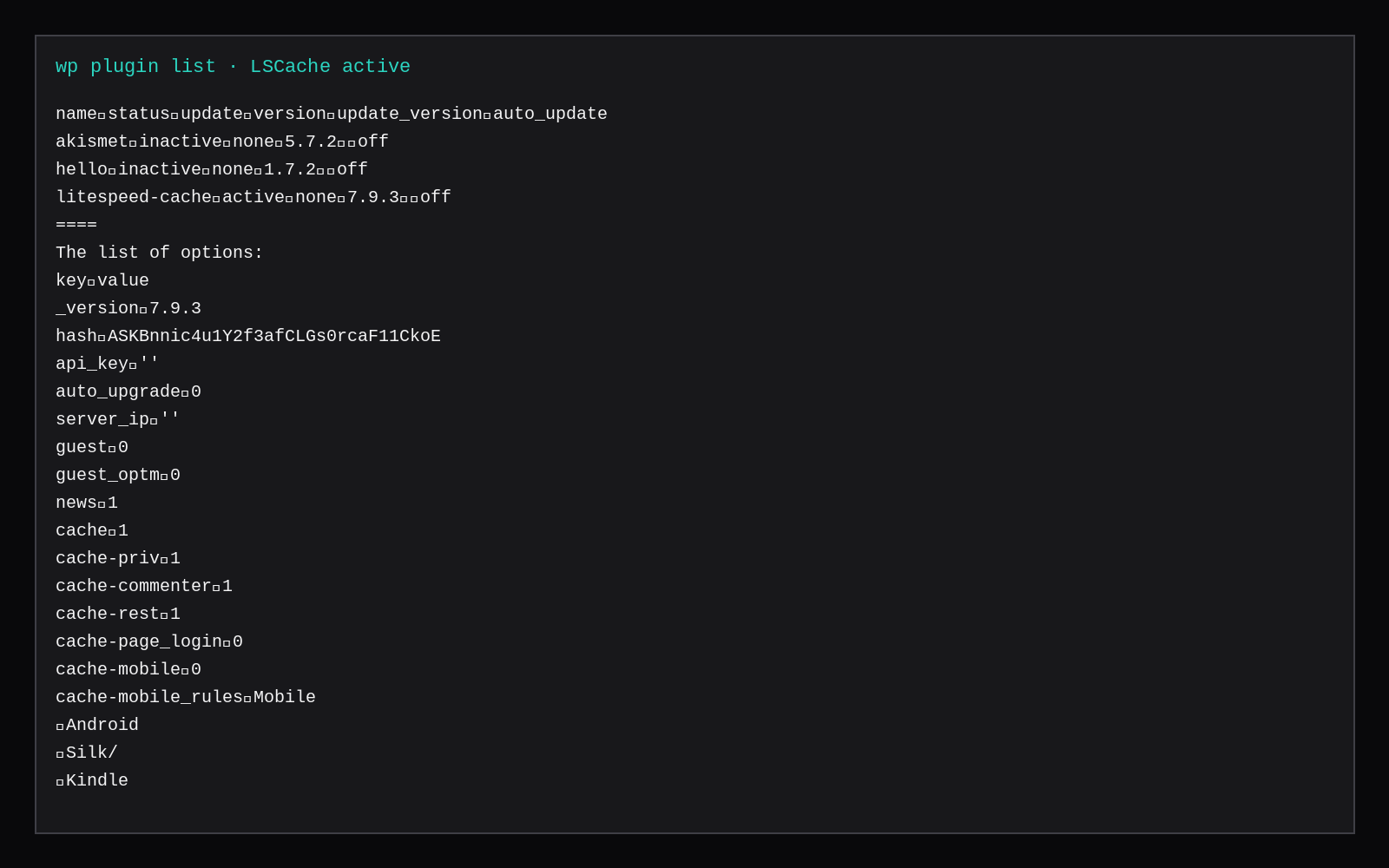
Twenty Twenty-Five 1.5 was the active theme. Akismet and Hello Dolly stayed inactive.
LSCache on, then the hit header
sudo -u "$SITEUSER" -H wp plugin install litespeed-cache --activate --path="$DOCROOT"
sudo -u "$SITEUSER" -H wp litespeed-option set cache 1 --path="$DOCROOT"
The plugin in this run was 7.9.3, with public cache on. The vhost already had:
module cache {
  storagePath /usr/local/lsws/cachedata/$VH_NAME
}
and lsphp 8.3 as the script handler. .htaccess gained the LSCache block with CacheLookup on after activation.
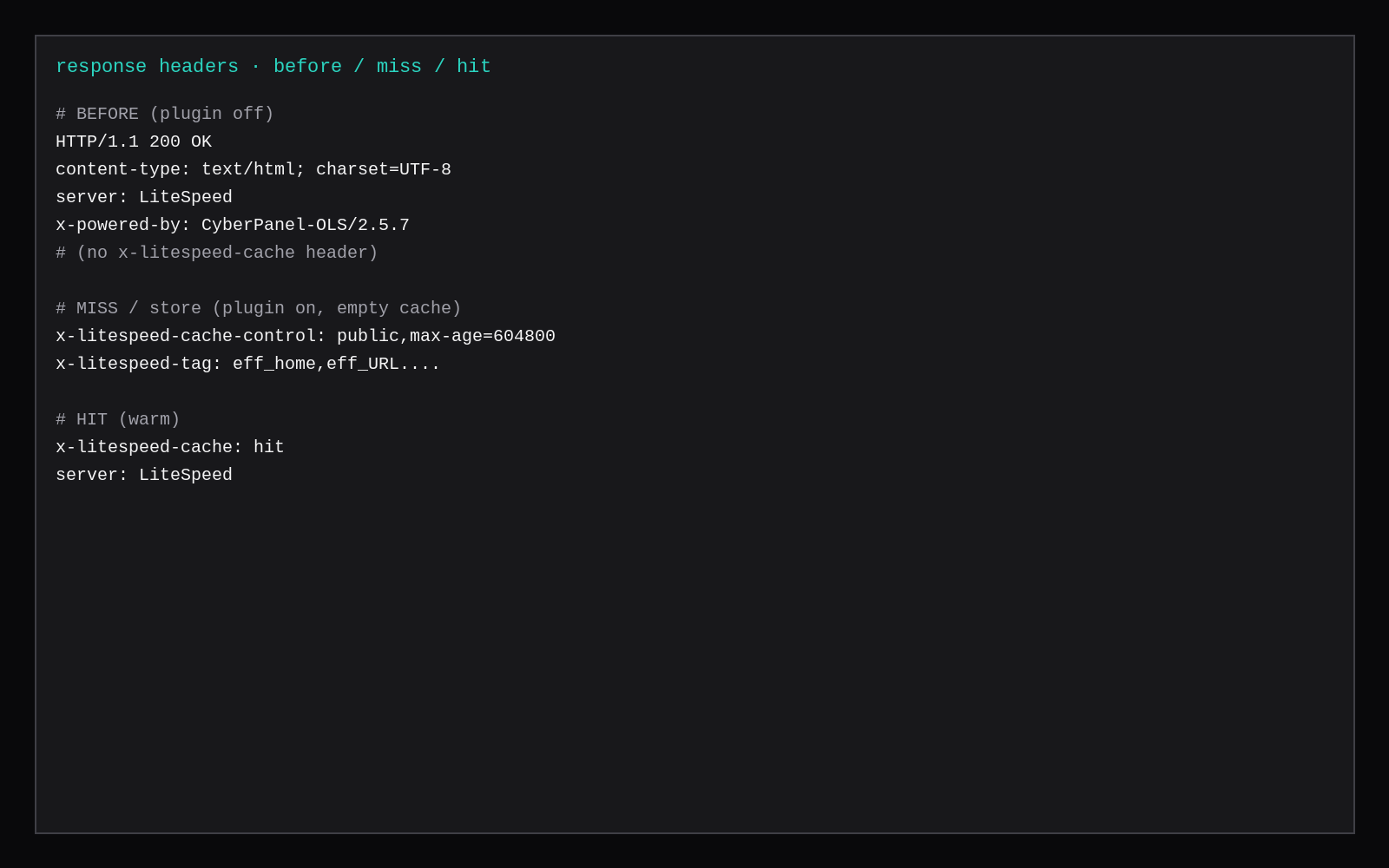
Clear the object files under the vhost cache directory when you want a clean miss, and leave .cacheman* so the module can rebuild. Request once to store the page, then again for the hit:
# miss / store: plugin on, empty object files
curl -sI -H 'Host: wp-ols.lab' http://127.0.0.1/
# expect x-litespeed-cache-control: public,max-age=...

# after a few GETs
curl -sI -H 'Host: wp-ols.lab' http://127.0.0.1/
# expect x-litespeed-cache: hit| Stage | Header to look for |
|---|---|
| Plugin off, empty cache | No x-litespeed-cache* |
| Miss / store | x-litespeed-cache-control: public,... and x-litespeed-tag: ... |
| Hit | x-litespeed-cache: hit |
Skip these when you report the 0.30 ms
| Skip this | What to do |
|---|---|
| Calling a miss "after" because the plugin is installed | Wait for x-litespeed-cache: hit |
| Measuring while logged into wp-admin | Use an anonymous client (curl without cookies) |
| Crediting QUIC/HTTP3 for a loopback number | This lab is HTTP/1.1 on 127.0.0.1, so the TTFB drop is the page cache. |
| Putting Cloudflare in front for the comparison | Measure the origin first. A CDN is a second layer. |
Wiping all of cachedata/ including .cacheman* | Delete object files under the vhost dir and leave cacheman metadata |
Next to the Nginx login number
WordPress on Nginx and MariaDB measured warm /wp-login.php on Nginx, page cache off, 47.3 ms median on 2 GB. This before row is the OLS homepage with LSCache off, 46.00 ms. The times are close, and both are uncached PHP on different URLs and stacks. The 0.30 ms row is anonymous HTML from disk/memory in the web server.
WordPress on Docker Compose is Compose-only WordPress, without OLS. Panel idle RAM for CyberPanel is in the CyberPanel vs Hestia vs aaPanel table. One site and no panel fits on a marketplace Compute Instance. Run Nginx or OLS there, depending on which page cache you want.
Why cached TTFB fights favour LSCache
Independent WordPress server benches that pair OpenLiteSpeed with LSCache against Nginx with FastCGI cache keep showing OLS ahead on cached homepage throughput and latency when the page never enters PHP. Vendor HTTP/2 WordPress numbers from LiteSpeed/OLS are even more dramatic; treat those as upper bounds on tuned hardware. Uncached dynamic PHP is a different race: Nginx + PHP-FPM often looks competitive or better once every request runs the app. FastCGI cache is application-agnostic but purge and cookie varies are easy to misconfigure; LSCache talks to the server module through the WordPress plugin with built-in WooCommerce and logged-in varies. Use this lab’s before/after TTFB as the number for this theme and guest, and remember a cold cache always looks like PHP until the first hit warms.
FAQ
OpenLiteSpeed vs Nginx for one WordPress? Nginx plus a PHP page cache, or a CDN, can serve fast hits. OpenLiteSpeed with LSCache puts the server module and the WordPress plugin on one cache protocol, which is where the headers above come from.
Do you need LiteSpeed Enterprise? No. This run used OpenLiteSpeed with the cache module and the free LSCache plugin.
CyberPanel or bare OLS? CyberPanel was the lab host. Bare OLS uses the same module cache block and lsphp, and skips the panel.
Logged-in users and carts? A logged-in session or a cart cookie bypasses the public cache. The 0.30 ms number is anonymous traffic. Purge on publish so readers see the new post.
A 2 GB VPS held this stack for the measurement. Size PHP workers and MySQL for concurrent misses, including when every visitor is logged in or every URL is unique.