
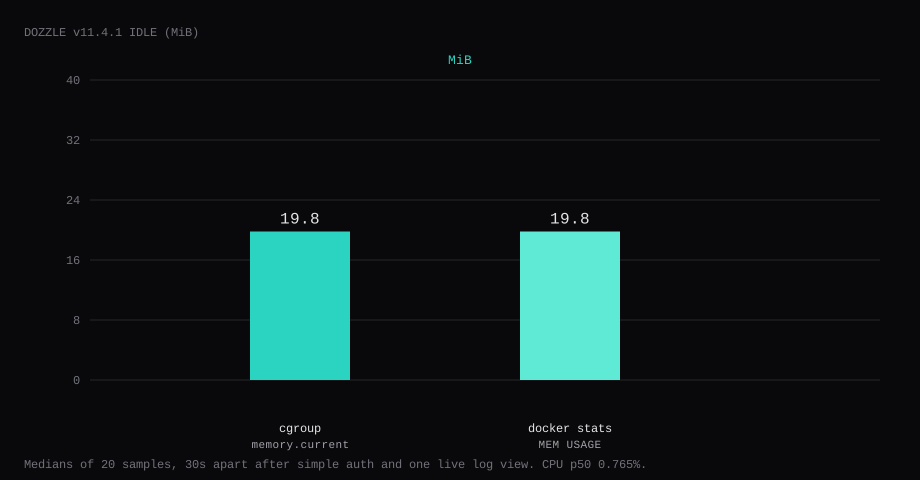
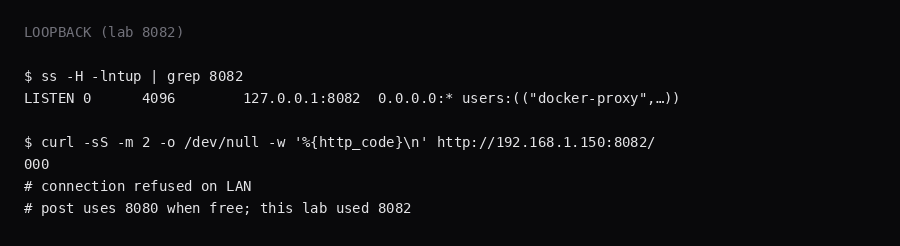
Dozzle v11.4.1 held 19.8 MiB idle on this lab host after simple auth was on and one live log stream had been opened for an already-running container. That is cgroup memory.current, the median of twenty samples taken 30 seconds apart with a quiet UI. docker stats printed 19.8 MiB. CPU percent sat at 0.77. Port 8082 listened on 127.0.0.1 only on this lab (host 8080 was taken). A curl to the guest's LAN address on that port was refused. Use 127.0.0.1:8080:8080 when 8080 is free.
Dozzle is a real-time Docker log viewer in the browser. It tails container stdout/stderr with a searchable UI, multi-container views, and optional swarm support. You use it when docker logs -f across five services is too clumsy and a full Loki/ELK stack is too heavy for a single VPS. Because it mounts the Docker socket, it can see every container the daemon can see.
The getting started guide publishes 8080:8080, mounts docker.sock and /data, and leaves authentication off. Competing guides stop when the container table loads. Pin v11.4.1 by digest, bind the port to loopback, turn on DOZZLE_AUTH_PROVIDER=simple with a generated users.yml, open live logs for one container from the stack, leave actions and shell off, and put Caddy on 443.
Mounting docker.sock gives Dozzle the same control as root on the host, so simple auth and the loopback bind belong in the first install.
| Reading | Value |
|---|---|
cgroup memory.current | 19.8 MiB, median of 20 |
docker stats | 19.8 MiB |
| CPU percent | 0.77, median |
| Host listener | 127.0.0.1:8082 (lab) / 127.0.0.1:8080 (post) |
| After proof | Login required; whoami-lab log stream open |
| Image | amir20/dozzle:v11.4.1 |
| Skip this | What this run did |
|---|---|
8080:8080 on every interface | Published 127.0.0.1:8080:8080 |
| Auth left off on a public IP | DOZZLE_AUTH_PROVIDER=simple + users.yml |
Floating latest | Pinned v11.4.1 by digest |
| Stopping at the container table | Opened live logs for whoami-lab |
| Enabling actions / shell by default | Left both unset |
| Opening 8080 on the panel firewall | Left the app port closed; Caddy on 80/443 |
How do you install Dozzle on Docker?
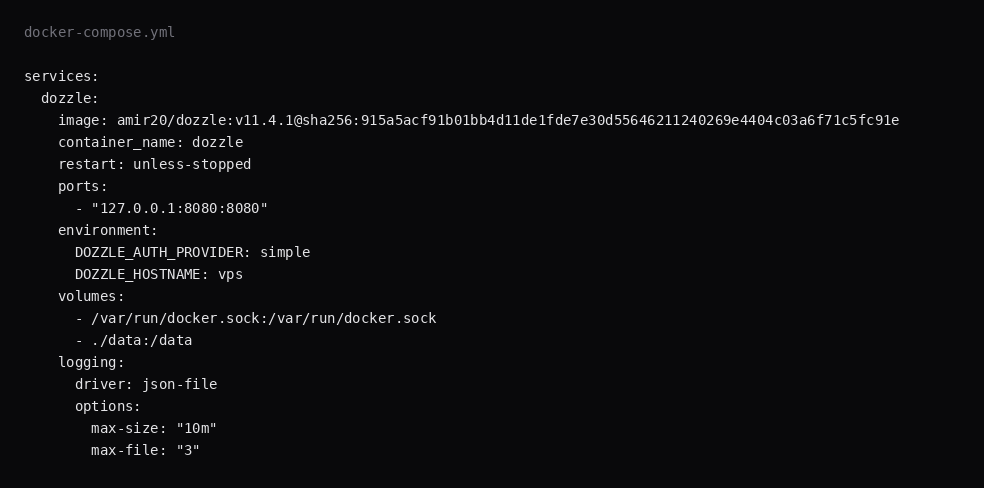
The image is amir20/dozzle:v11.4.1, digest sha256:915a5acf91b01bb4d11de1fde7e30d55646211240269e4404c03a6f71c5fc91e. Generate a users.yml before the first up:
mkdir -p ~/dozzle/data
cd ~/dozzle
docker run -i --rm amir20/dozzle:v11.4.1 generate labadmin \
  --email [email protected] --name "Lab Admin" > data/users.yml
# paste password on stdin, or: echo "$PASSWORD" | docker run -i --rm …
chmod 600 data/users.yml
services:
dozzle:
image: amir20/dozzle:v11.4.1@sha256:915a5acf91b01bb4d11de1fde7e30d55646211240269e4404c03a6f71c5fc91e
container_name: dozzle
restart: unless-stopped
ports:
- "127.0.0.1:8080:8080"
environment:
DOZZLE_AUTH_PROVIDER: simple
DOZZLE_HOSTNAME: vps
volumes:
- /var/run/docker.sock:/var/run/docker.sock
- ./data:/data
logging:
driver: json-file
options:
max-size: "10m"
max-file: "3"Leave DOZZLE_ENABLE_ACTIONS and DOZZLE_ENABLE_SHELL out of the file until you need stop, start, or exec from the browser. Log rotation matches the Compose checklist.
docker compose up -d
curl -sS -o /dev/null -w '%{http_code}\n' http://127.0.0.1:8080/
A working process redirects to /login (often 307) when simple auth is on.
How should you harden and use Dozzle day to day?
Keep actions and shell features off unless you intentionally want restart/stop from the UI; a compromised session with actions on is remote root via the socket (Dozzle security notes). Simple auth with a strong password (or forward-auth / Authentik) is the minimum. A :ro mount of docker.sock does not make the API read-only (OWASP Docker cheat sheet); for log-only access put tecnativa/docker-socket-proxy in front with CONTAINERS=1, INFO=1, and POST=0. Never expose Dozzle’s port in forward-proxy mode without the proxy: Dozzle trusts Remote-User and grants all roles if no roles header is present. Filter noise with the UI search; /data holds users and settings for backups.
If you run many hosts, prefer Dozzle agents over legacy remote hosts. Pair with Dockge for Compose edits and keep log viewing separate from stack mutation when you can.
Why must the port stay on loopback?
Anyone who reaches Dozzle with docker.sock mounted can read every container's logs. With actions or shell on, that same person can change containers. Publishing 8080 on every interface puts the UI on the internet without TLS.
ss -H -lntup | grep 8080On this lab host the publish was 127.0.0.1:8082. Curl to the guest LAN address failed with connection refused. Leave the app port closed in the panel firewall. Open 80 and 443 for Caddy. Docker published ports often bypass UFW inside the guest, so the loopback bind kept the LAN address quiet. The public-address case is in provider-side firewall.
How do you turn on simple auth?
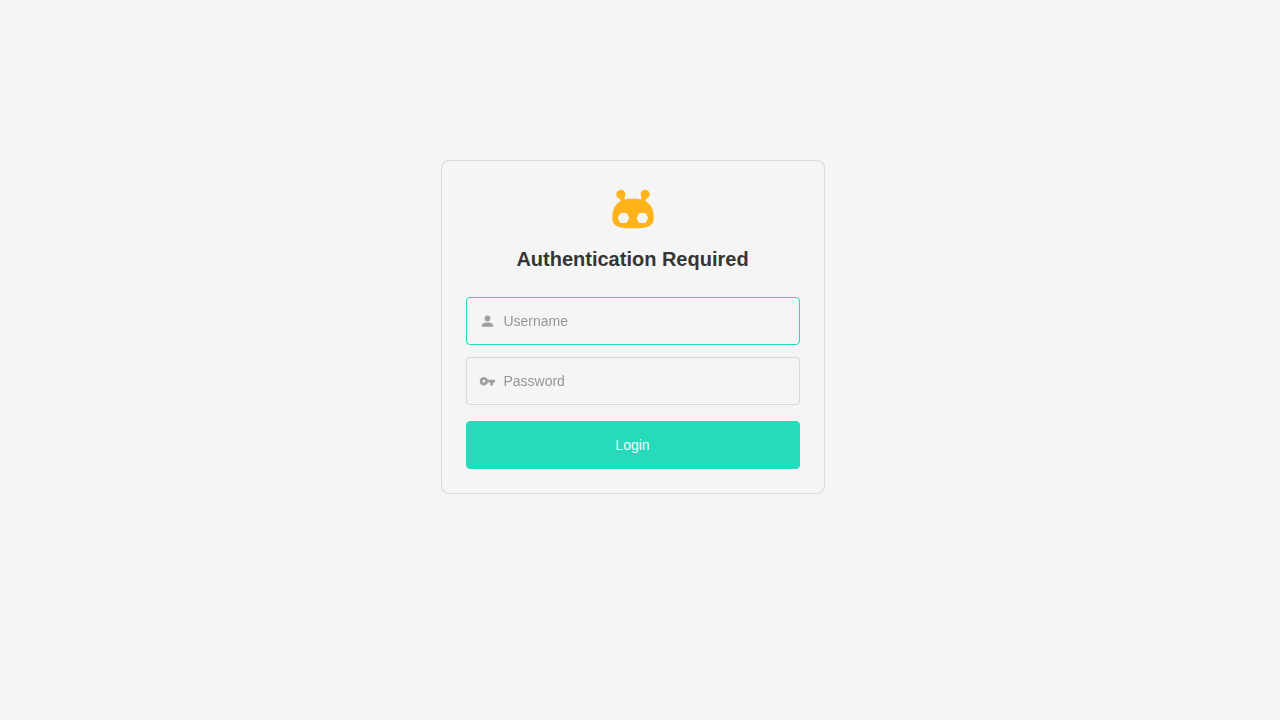
DOZZLE_AUTH_PROVIDER=simple reads users.yml from /data. The generate command writes bcrypt hashes. Open http://127.0.0.1:8080 (or the tunnel) and sign in with the username you generated. Crop the password from screenshots.
ssh -N -L 8080:127.0.0.1:8080 user@YOUR_VPS_IPForward-proxy auth (Authentik, Authelia) passes Remote-User, and Dozzle trusts that header when the proxy is the only gate. Keep the container off the public interface in that setup.
What does one live log stream prove?
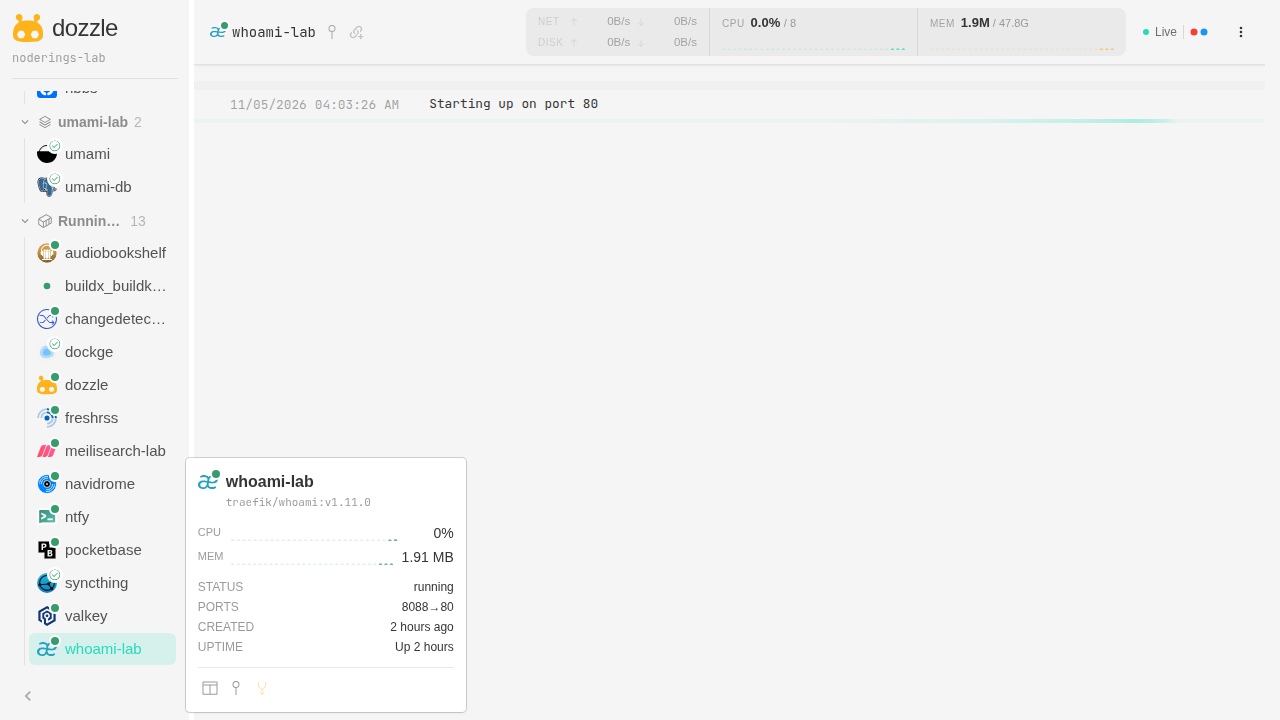
Pick a container that already runs on the VPS. This lab opened whoami-lab and hit its loopback URL a few times so new access lines appeared in the stream. The sidebar listed the rest of the stack under the hostname label. Seeing those other containers means Dozzle is attached to the host Docker engine.
Merged streams and SQL search can wait, since one named container with scrolling lines is the install check.
Where does Caddy go?
logs.example.com {
	reverse_proxy 127.0.0.1:8080
}
TLS setup is in the Caddy HTTPS post. Put Dozzle on a hostname and skip a path prefix.

How do you back up data?
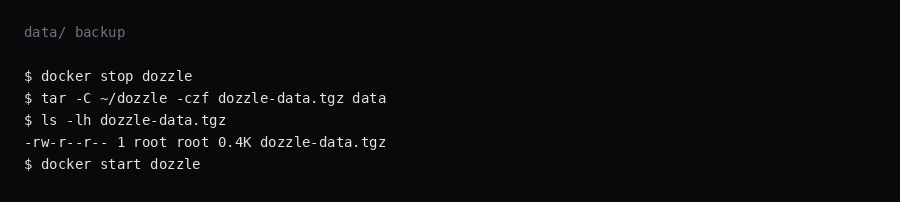
/data holds users.yml, session material, and settings. Stop the container, archive data/, start again:
docker compose stop dozzle
tar -C ~/dozzle -czf dozzle-data.tgz data
docker compose start dozzle
On this lab the archive was under 1 KB for a fresh users file and session secret. Point Restic at that tarball.
What belongs in Dozzle vs elsewhere?
Use Dozzle for “what is this container saying right now?” Use journald or a log shipper for weeks of history. Filter by container name when a compose project is noisy. Dark theme and wrap settings are local preferences. If the UI is blank behind Cloudflare, check WebSockets and Rocket Loader the same way code-server docs warn. Revoke simple-auth passwords by regenerating users.yml and recreating the container.
FAQ
Is :ro on docker.sock enough? A read-only mount passes Docker API calls through the socket. Use a socket proxy for an allow-list. The security notes cover that.
Actions and shell? Leave both out of the compose file. Either flag lets the UI stop, start, or exec into containers.
Dozzle or Dockge? Dockge edits Compose stacks in the browser. Dozzle streams logs and stats for containers that are already running.
Multi-host? Remote agents are optional. This install uses one VPS and one docker.sock.
Does UFW block a published 8080? Inside the guest, published Docker ports often bypass UFW. Bind 127.0.0.1:8080:8080 and leave 8080 closed on the panel firewall.