
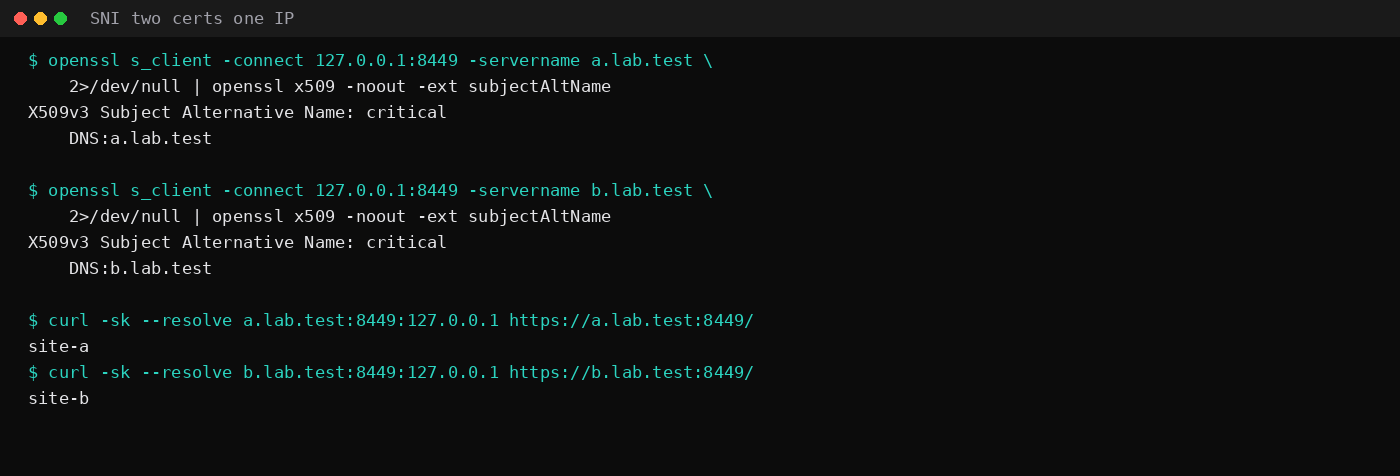
Two HTTPS sites on 127.0.0.1:8449 returned different certificates when OpenSSL sent different Server Name Indication values. a.lab.test got a cert whose SAN was DNS:a.lab.test. b.lab.test got DNS:b.lab.test. Both answered on the same address and port. That is what SNI is for, and it is why HTTPS alone is a weak reason to buy a second IPv4.
A dedicated IP still earns its fee in two narrower places: outbound mail when that address is the one that connects (with a matching PTR), and anything that allowlists or rate-limits by IP. SEO is not on the list. Google does not rank pages by whether the A record is shared or exclusive.
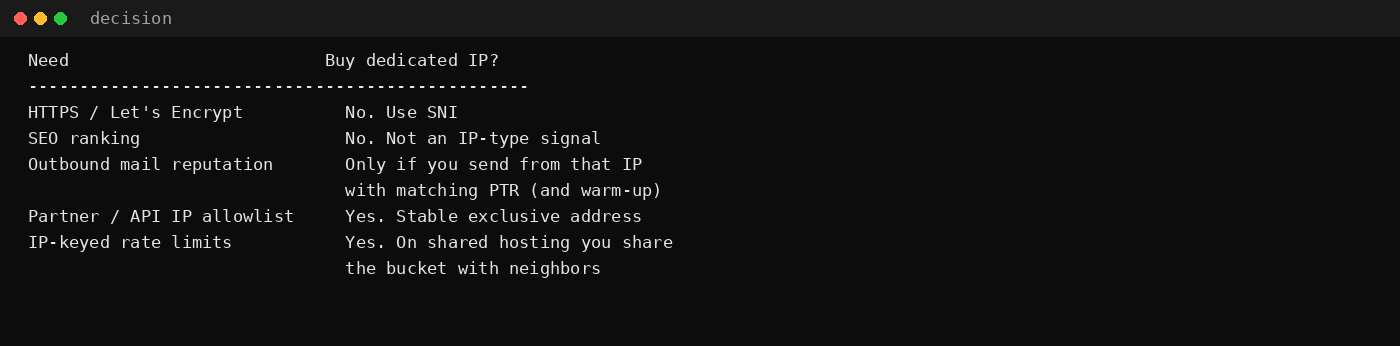
| Goal | Dedicated IP? |
|---|---|
| Let's Encrypt / HTTPS | No. Use SNI on the shared or VPS address |
| "Better SEO" | No. Ranking is not an IP-type signal |
| Outbound mail reputation | Only if you send from that IP, with PTR + forward confirm |
| Partner / API allowlist | Yes. They need one stable address that is yours |
| IP-keyed rate limits on shared hosting | Yes. On a shared IP you share the bucket |
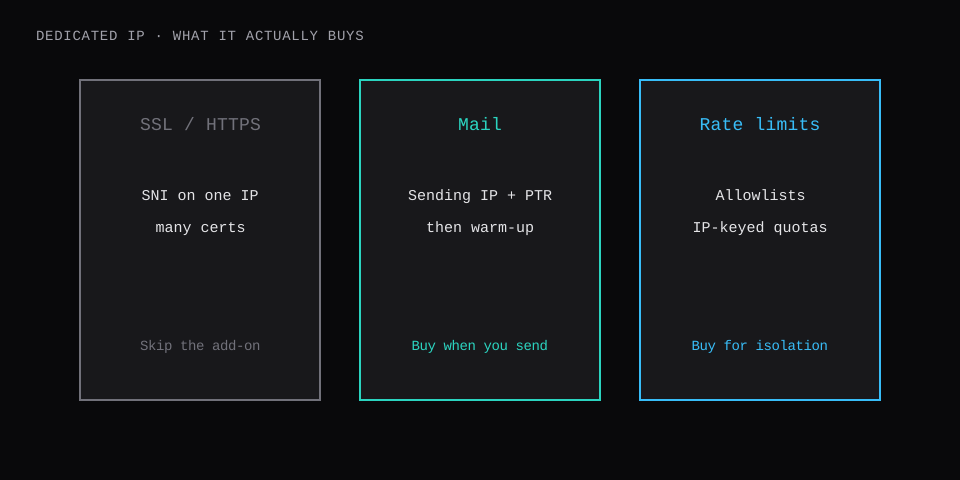
What "dedicated" means on shared hosting vs a VPS
On shared hosting, many accounts share one public IPv4. The panel's "dedicated IP" add-on moves your site (and sometimes your outbound mail) onto an address that only your account uses.
On a typical KVM VPS you already have an exclusive primary IPv4. That address is not shared with another customer's WordPress. Hosts increasingly charge for it as a line item; the IPv4 cost post prices that meter. Buying another dedicated IP on a VPS means a second address: a second PTR, a second allowlist entry, or a clean sending IP beside the web IP.
| Shared hosting IP | VPS primary IPv4 | Extra dedicated IP | |
|---|---|---|---|
| Who else uses it | Many accounts | Usually only your VM | Only what you bind |
| Common buy reason | Escape noisy neighbors | Included or $0.50–$1+/mo | Mail split, allowlists |
| SSL | SNI | SNI | Still SNI |
SSL: SNI already solved the old problem
Before Server Name Indication, the TLS handshake picked a certificate before the server knew the hostname. One IP meant one cert. SNI, in RFC 6066, sends the hostname in ClientHello so one address can present many certificates. Modern browsers and Certbot's nginx/Caddy plugins assume that.
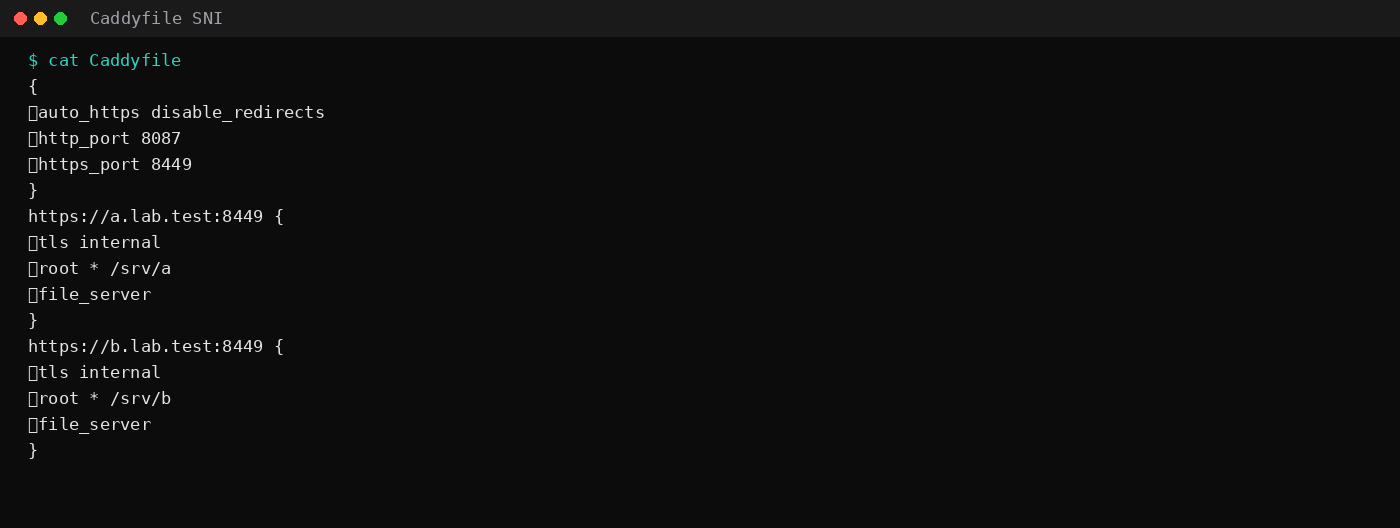
This lab ran Caddy with two https:// site blocks on one port:
{
	auto_https disable_redirects
	https_port 8449
}
https://a.lab.test:8449 {
	tls internal
	root * /srv/a
	file_server
}
https://b.lab.test:8449 {
	tls internal
	root * /srv/b
	file_server
}
openssl s_client -connect 127.0.0.1:8449 -servername a.lab.test \
2>/dev/null | openssl x509 -noout -ext subjectAltName
# DNS:a.lab.test
openssl s_client -connect 127.0.0.1:8449 -servername b.lab.test \
2>/dev/null | openssl x509 -noout -ext subjectAltName
# DNS:b.lab.test
curl -sk --resolve a.lab.test:8449:127.0.0.1 https://a.lab.test:8449/
# site-a
curl -sk --resolve b.lab.test:8449:127.0.0.1 https://b.lab.test:8449/
# site-bSame IP, same port, two certs, two bodies. A Let's Encrypt certificate on a shared hosting IP uses the same mechanism. The Caddy automatic HTTPS and LEMP + Certbot posts install that path without a second address.
Mail: the address that connects is the one that matters
Receivers score the IP that opens the SMTP session. On shared hosting, that is often a pooled outbound address. One neighbor's spam complaint can list the pool. A dedicated sending IP isolates your history, and it starts cold. Low or spiky volume often delivers better from a warm shared pool than from a brand-new dedicated address that has never sent clean mail.
Configuration that has to be true either way:
- You actually send from the address you paid for (panel "dedicated IP" that only covers HTTP leaves mail on the shared pool).
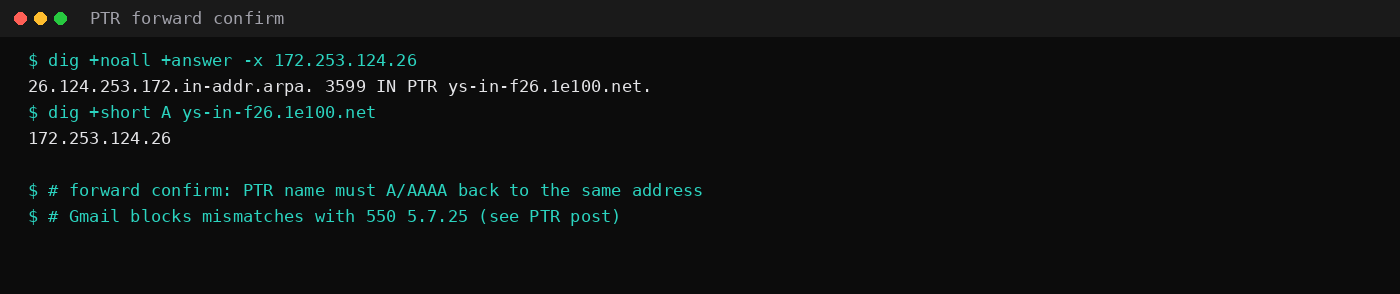
- The address has a PTR, and the PTR name has an A/AAAA that returns the same address. Gmail's block for a miss is 550 5.7.25 in the PTR post.
- SPF, DKIM, and DMARC line up for the domain (SPF/DKIM/DMARC).
- Port 25 is open if you send yourself (port 25).
Forward/reverse confirm, same shape as the PTR lab:
dig +noall +answer -x 172.253.124.26
# 26.124.253.172.in-addr.arpa. … PTR ys-in-f26.1e100.net.

dig +short A ys-in-f26.1e100.net
# 172.253.124.26
That pair matches. Buy the dedicated IP for mail only when you will put that pair on your sending path and keep volume steady enough to warm it.
ESP write-ups (Mailgun and peers) usually treat a dedicated sending IP as worthwhile once volume is high and steady, on the order of hundreds of thousands of messages a month, with a warm-up plan. A contact form that fires twenty receipts a day rarely clears that bar. Managed WordPress hosts often send mail through their own ESP ranges anyway, so paying for a site IP does not move the SMTP reputation at all. Whitelisting is the other clean yes: payment gateways and corporate firewalls that pin a single egress address need an IP only you use. Speed and SEO do not come with the address.
Rate limits and allowlists: the clear yes
Payment gateways, SaaS APIs, corporate firewalls, and some CDN rules still allowlist a fixed IPv4. Shared hosting cannot promise that your request leaves from an address only you use. A VPS primary IP, or an extra dedicated IP bound to the app, can.
IP-keyed rate limits work the same way. On a shared IP, your traffic and a neighbor's traffic land in one bucket. On an exclusive address, the bucket is yours, for better and worse. If you scrape or burst, you own the throttle.
That is the add-on that matches the invoice line.
Skip these reasons
| Pitch | Reality |
|---|---|
| "Needed for SSL" | SNI covers modern HTTPS |
| "Better Google rankings" | Ranking is not dedicated-vs-shared IP |
| "Mail will improve overnight" | Only if sending IP + PTR change, then warm-up |
| "My VPS is shared unless I buy the add-on" | KVM primary IPv4 is usually already exclusive |
FAQ
Does a VPS already include a dedicated IP?
Usually you get one exclusive IPv4 (sometimes billed separately). That is "dedicated" relative to shared hosting. The paid add-on on a VPS is typically a second address.
When is a second IPv4 worth it?
Separate web and mail, publish a second PTR, or give a vendor an allowlist that must not change when you rebuild the web box. Price it against the IPv4 monthly cost.
Does IPv6 replace this?
AAAA + PTR under ip6.arpa matters for dual-stack mail. Many allowlists are still IPv4-only. Keep an exclusive IPv4 until the partner accepts IPv6.
Will Certbot fail on a shared IP?
Certbot fails when HTTP-01 or DNS-01 cannot prove the name, not because the IP is shared. Many hostnames on one address is normal under SNI.