
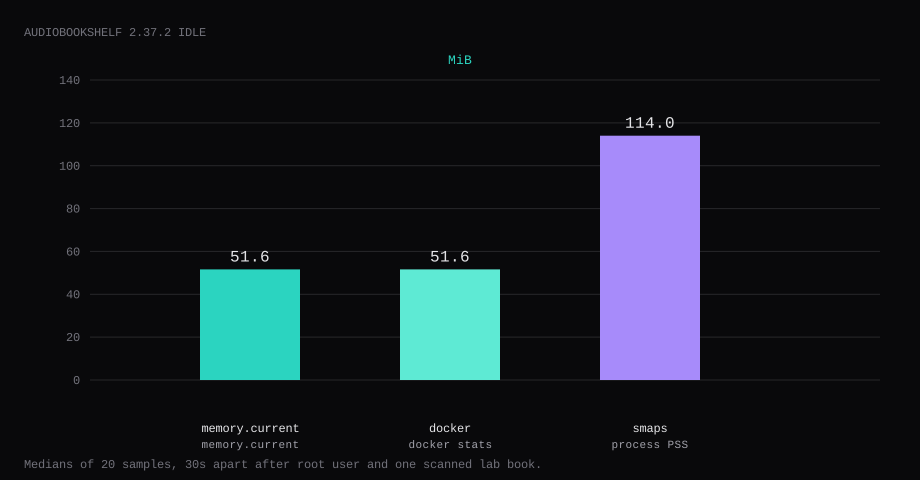
Audiobookshelf 2.37.2 held 51.6 MiB idle on this lab host after the root user existed and one library pointed at /audiobooks was scanned. That is cgroup memory.current, the median of twenty samples taken 30 seconds apart with a quiet UI. docker stats printed 51.6 MiB. Process PSS from /proc/…/smaps was 114.0 MiB. Port 13378 listened on 127.0.0.1 only. A curl to the guest's LAN address on 13378 was refused. /status returned "serverVersion":"2.37.2" with no cookie.
Audiobookshelf is a self-hosted server for audiobooks and podcasts. It scans library folders, matches metadata, tracks progress per user, and serves a web player plus mobile apps. Chapters, bookmarks, and multi-user libraries are first-class. Compared with a generic media server it is aimed at long-form audio listening.
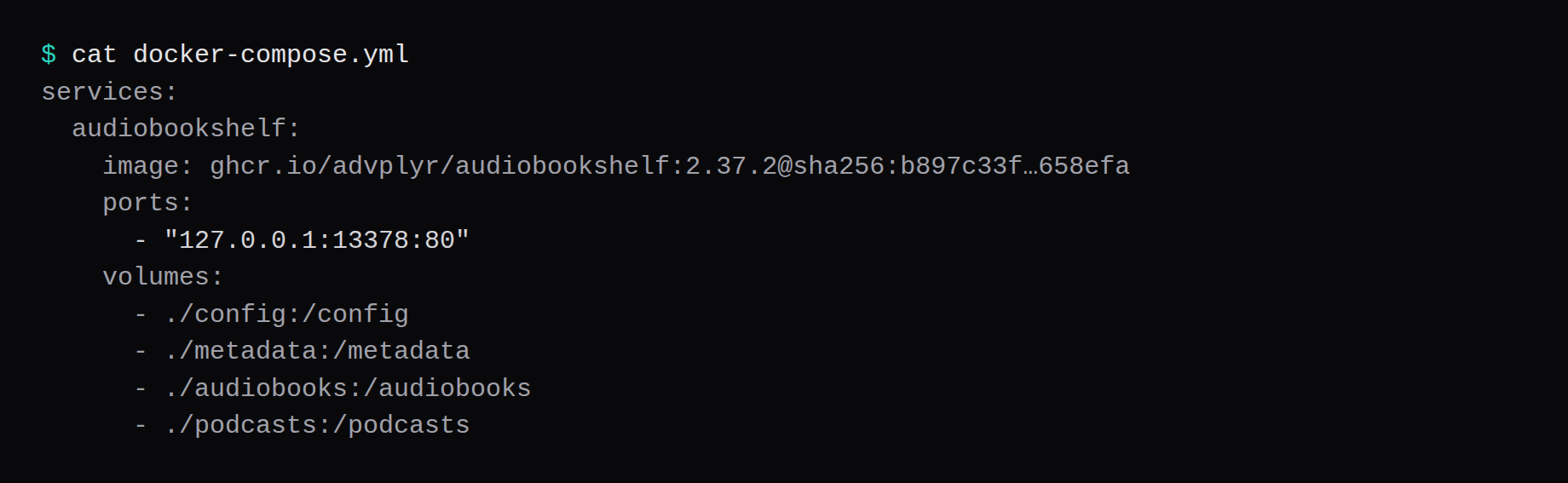
The Docker install publishes 13378:80 and mounts /config, /metadata, plus media folders. That host port is on every interface. Pin 2.37.2 by digest and publish loopback only. Create the first root user in the UI, scan one library, and keep Caddy as the only public path. Keep /config on the VM's disk because SQLite over NFS corrupts that database.
| Reading | Value |
|---|---|
cgroup memory.current | 51.6 MiB, median of 20 |
docker stats | 51.6 MiB |
process PSS (smaps) | 114.0 MiB |
| CPU percent | 0.02, median |
| Host listener | 127.0.0.1:13378 → container :80 |
/status (no cookie) | "serverVersion":"2.37.2", isInit true after setup |
| Image | about 125 MB compressed on Hub |
| Skip this | What this run did |
|---|---|
13378:80 on every interface | Published 127.0.0.1:13378:80 |
:latest without a digest | Pinned 2.37.2 by digest |
/config on a NAS share | Local bind mount for SQLite |
| Nested volume paths | Separate config, metadata, audiobooks, podcasts |
| Proxy without websockets | Caddy reverse_proxy (Upgrade is the default) |
How do you install Audiobookshelf on Docker?
The image is ghcr.io/advplyr/audiobookshelf:2.37.2, digest sha256:b897c33f05972fb1bf484f7487bc878fa91ec8691335c1db6e2929c3a7658efa. On this pull, :latest pointed at the same digest. Pin 2.37.2 in Compose. Docker Hub advplyr/audiobookshelf is the same family.
mkdir -p ~/audiobookshelf/{config,metadata,audiobooks,podcasts}
cd ~/audiobookshelf
services:
audiobookshelf:
image: ghcr.io/advplyr/audiobookshelf:2.37.2@sha256:b897c33f05972fb1bf484f7487bc878fa91ec8691335c1db6e2929c3a7658efa
container_name: audiobookshelf
restart: unless-stopped
ports:
- "127.0.0.1:13378:80"
volumes:
- ./config:/config
- ./metadata:/metadata
- ./audiobooks:/audiobooks
- ./podcasts:/podcasts
environment:
TZ: UTC
logging:
driver: json-file
options:
max-size: "10m"
max-file: "3"Inside the container the process listens on :80. The loopback publish is what keeps the host's public address quiet. Audiobookshelf does not use PUID/PGID. Set Compose user: if you need a different uid. Log rotation matches the Compose checklist.
docker compose up -d
curl -sS http://127.0.0.1:13378/status
Before the first account, isInit is false, and it is true once the root user exists.
How do you configure libraries and clients?
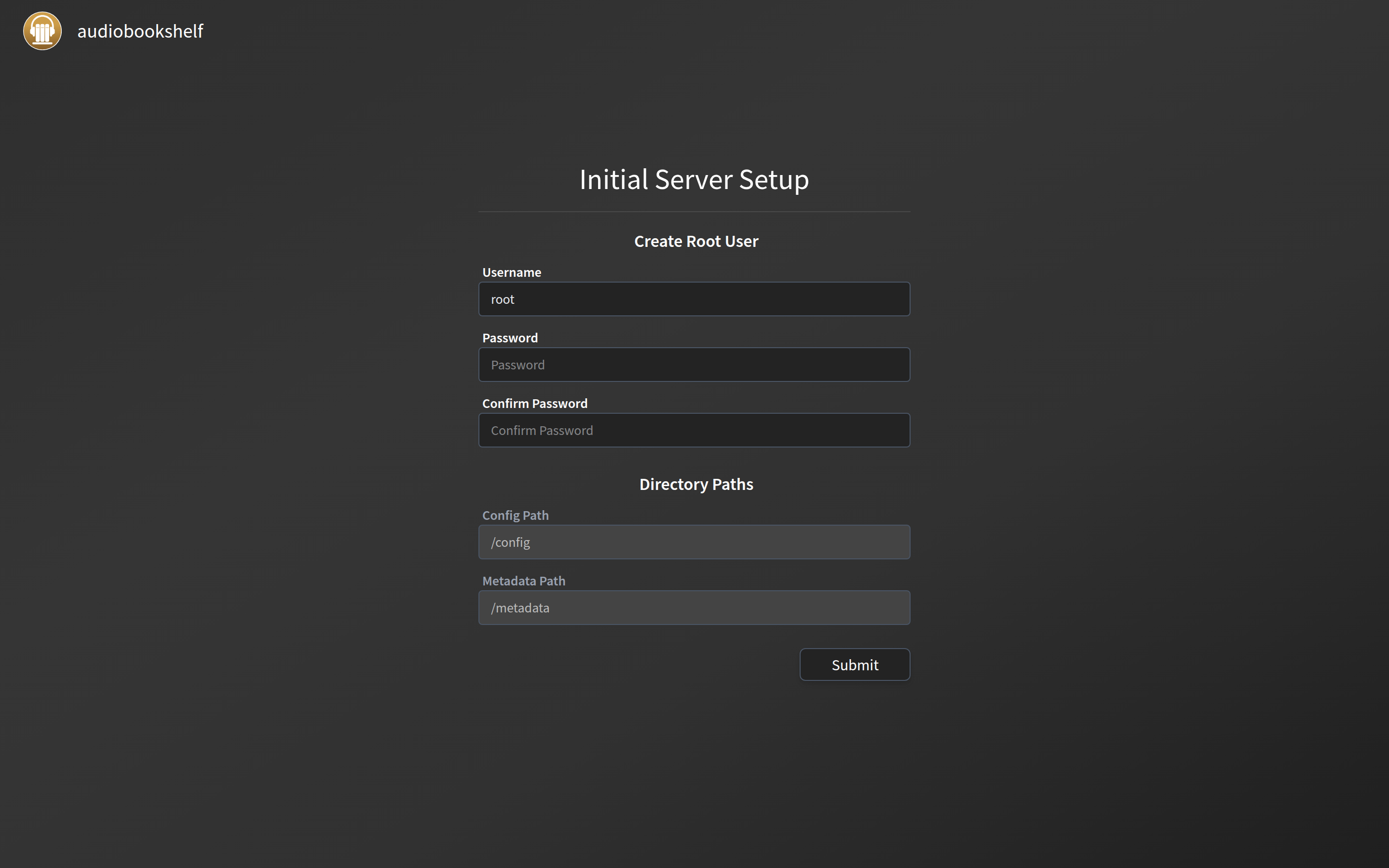
Create the root user on first visit before Caddy publishes the hostname: the setup page is open until isInit is true (kgaut.net). Check with /status. Keep /config (and preferably /metadata) on local disk; SQLite on NFS eventually corrupts (SSD Nodes, heretik.io). Audiobooks can be a read-only NFS mount; podcasts need a writable local folder because ABS downloads episodes there. Each mount must be its own directory, not nested inside another mount. Caddy needs WebSocket upgrades for live progress; default reverse_proxy is enough. Mobile apps want the HTTPS URL and user credentials.
Back up by stopping the container and copying config/absdatabase.sqlite, and also copy /metadata/backups off-box. Invite users explicitly.
Why must 13378 stay on loopback?
The same port serves the library UI and admin settings. Publishing 13378 on every interface puts that stack on the internet without TLS.
ss -H -lntup | grep 13378On this host that printed 127.0.0.1:13378. Curl to 192.168.1.150:13378 failed with connection refused. Leave 13378 closed in the panel firewall. Open 80 and 443 for Caddy. Docker published ports often bypass UFW inside the guest, so the loopback bind is what kept the LAN address quiet. The public-address case is in provider-side firewall.

How do you create the first root user?
Open http://127.0.0.1:13378 on the guest, or tunnel:
ssh -N -L 13378:127.0.0.1:13378 user@YOUR_VPS_IPThe first visit shows the init form. There is no published default password. Pick a username and a long password, submit, then sign in. That account is type root. Crop the password from screenshots.
What does one library scan prove?
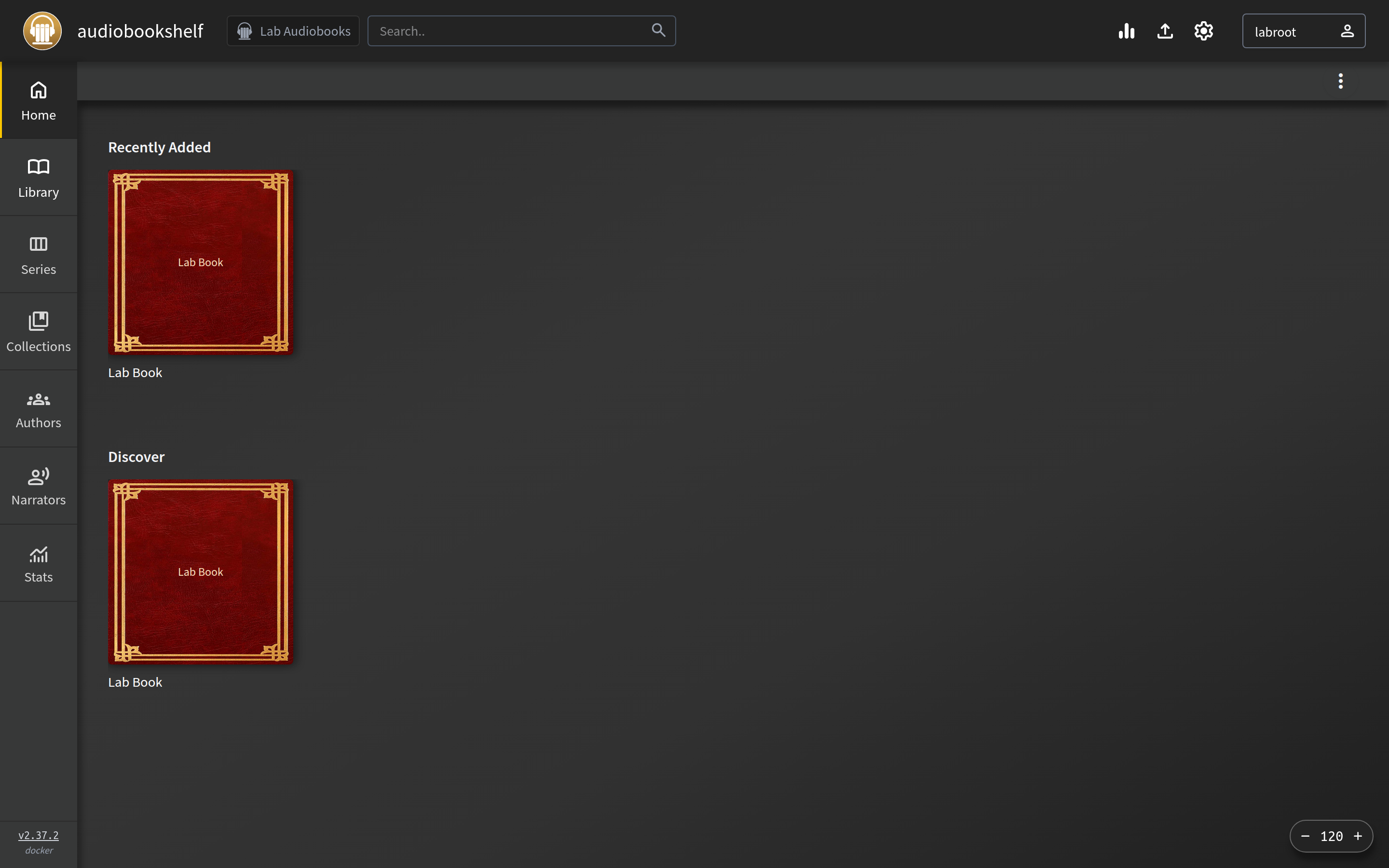
Put one short audio file under the audiobooks mount (this lab used a 3-second AAC file in audiobooks/Lab Book/). In Settings → Libraries, add a library pointed at /audiobooks, then scan. The API listed one item titled Lab Book. Empty /podcasts is fine until you need it.
curl -sS -X POST http://127.0.0.1:13378/login \
  -H 'Content-Type: application/json' \
  -d '{"username":"YOUR_USER","password":"YOUR_PASSWORD"}'
Use the returned bearer token for POST /api/libraries and POST /api/libraries/{id}/scan if you prefer the API over the UI.
Where does Caddy go?
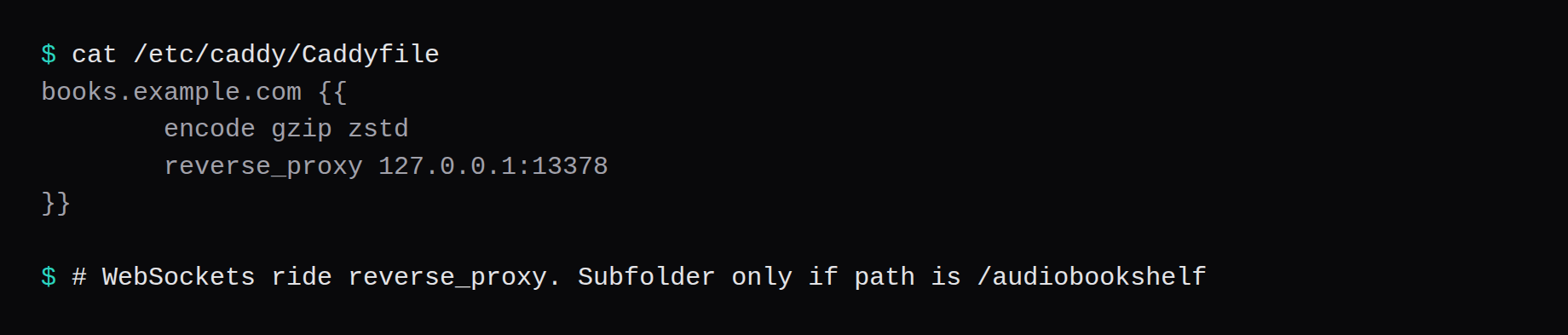
Audiobookshelf needs websockets. Caddy's reverse_proxy carries Upgrade by default:
books.example.com {
	encode gzip zstd
	reverse_proxy 127.0.0.1:13378
}
A subfolder works only when the path is exactly /audiobookshelf, so use a hostname. Nginx needs explicit Upgrade and Connection headers. The proxy docs show that block. TLS setup is in the Caddy HTTPS post.
How do you back up config and metadata?
/config holds the SQLite database. /metadata holds covers, cache, logs, and the app's own backup files. Stop the container, archive both, start again:
docker compose stop audiobookshelf
tar -czf abs-config-metadata.tgz config metadata
docker compose start audiobookshelf
On this lab the archive was about 27 KB for a starter library and one scanned item. Point Restic at that tarball, or at a consistent snapshot of both directories.

How do you run listening accounts?
One library per media type keeps podcasts out of novel shelves. Users get their own progress. Enable downloads in the apps for offline travel. Metadata matches improve with clean filenames. If a book will not play, check codec support and transcoding settings. Backup config before major version jumps.
FAQ
Why not put /config on the NAS? The docs say the SQLite database must be local to the machine running the container, while media mounts can point at network storage.
Is :v3 the same as 2.37.2? No. Pin the release tag you want. This lab used 2.37.2.
Healthchecks? The docs recommend them only with external monitoring. The image includes wget, not curl. A Compose restart policy handles crash loops.
Audiobookshelf or Jellyfin? Jellyfin is the video stack in Install Jellyfin with Docker on a VPS. Audiobookshelf is the audiobook and podcast server.
Does UFW block a published 13378? Often not inside the guest. Bind 127.0.0.1:13378:80 and leave 13378 closed on the panel firewall.