
Enzonix
Shared Compute - General Compute
$5.00/mo
1 vCPU · 1 GB · 20 GB
Choose location
Ashburn, United States
| Provider | Plan | vCPU | RAM | Disk | Regions | Billing | Price |
|---|---|---|---|---|---|---|---|
| Enzonix | Shared Compute - General Compute | 1 | 1 GB | 20 GB | Ashburn, United States | Fixed price | $5.00/mo |
| Enzonix | Shared Compute - General Compute | 1 | 1 GB | 20 GB | Amsterdam, Netherlands | Fixed price | $5.00/mo |
| Enzonix | Shared Compute - General Compute | 2 | 4 GB | 80 GB | Amsterdam, Netherlands | Fixed price | $9.00/mo |
| Enzonix | Shared Compute - General Compute | 2 | 4 GB | 80 GB | Ashburn, United States | Fixed price | $9.00/mo |
| Enzonix | Shared Compute - General Compute | 4 | 8 GB | 160 GB | Amsterdam, Netherlands | Fixed price | $16.00/mo |
| Enzonix | Shared Compute - General Compute | 4 | 8 GB | 160 GB | Ashburn, United States | Fixed price | $16.00/mo |
| Enzonix | Shared Compute - General Compute | 8 | 16 GB | 320 GB | Amsterdam, Netherlands | Fixed price | $32.00/mo |
| Enzonix | Shared Compute - General Compute | 8 | 16 GB | 320 GB | Ashburn, United States | Fixed price | $32.00/mo |
| Enzonix | Shared Compute - General Compute | 1 | 1 GB | 20 GB | Ashburn, United States | Hourly | $0.007/hr |
| Enzonix | Shared Compute - General Compute | 1 | 2 GB | 40 GB | Ashburn, United States | Hourly | $0.01/hr |
| Enzonix | Shared Compute - General Compute | 2 | 4 GB | 80 GB | Ashburn, United States | Hourly | $0.015/hr |
Tunnel Panel Instant App
Tunnel Panel is a GRE / port-forward panel for tunnel ops between servers. Compare live prices, deploy, sign in with the ready admin, and build paths on the VPS you picked.

Tunnel Panel
Instant App on marketplace VPS
Live marketplace offers
Choose billing and size, compare providers side by side, pick a location, then launch.
Shared Compute - General Compute
$5.00/mo
1 vCPU · 1 GB · 20 GB
Choose location
Ashburn, United States
1 provider
Tunnel Panel is a GRE / port-forward ops panel. It is not Outline/Marzban-style phone VPN. The Instant App creates the admin and writes the panel URL to the credentials file.
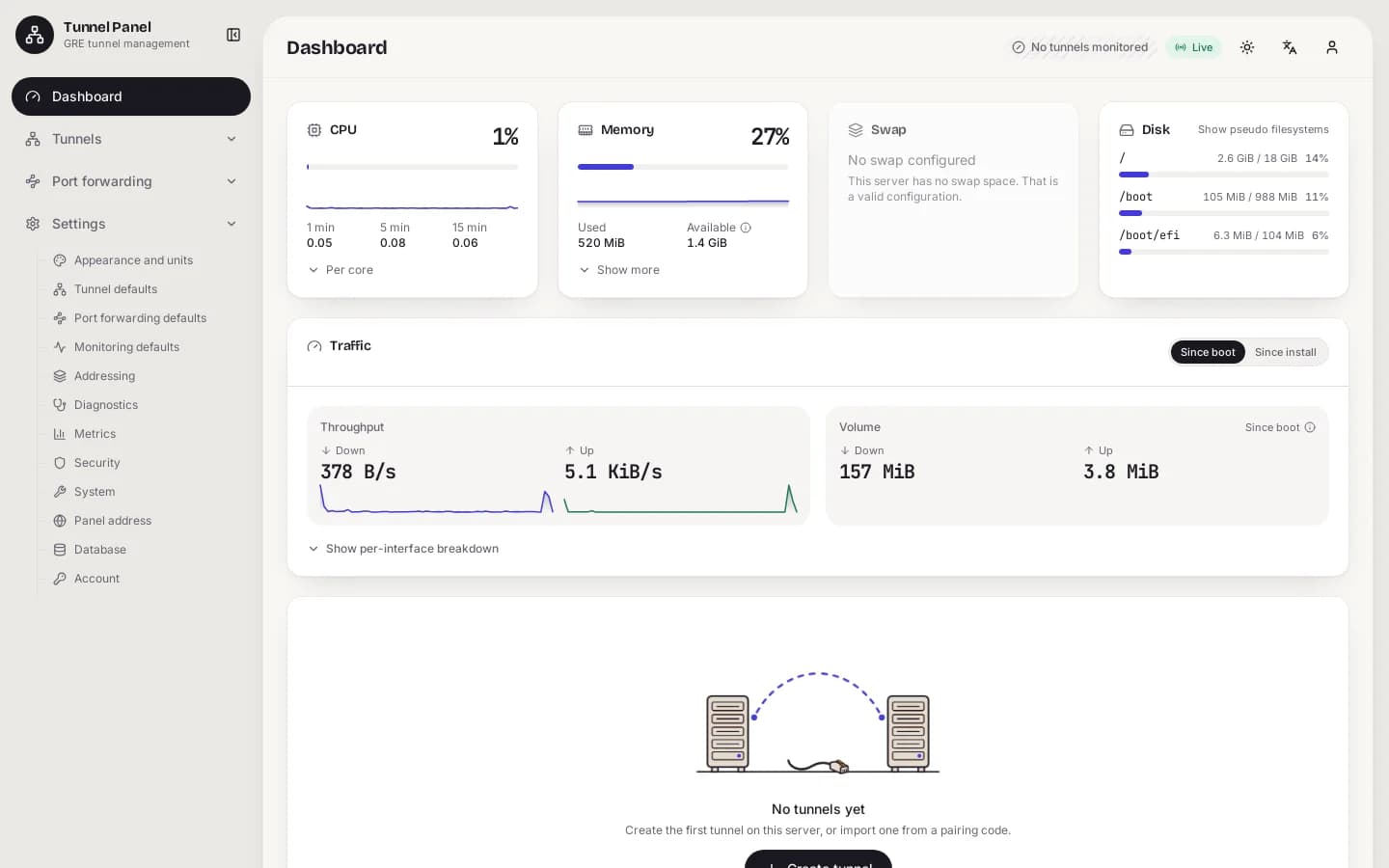
Sign in to the GRE tunnel management dashboard on the VPS.
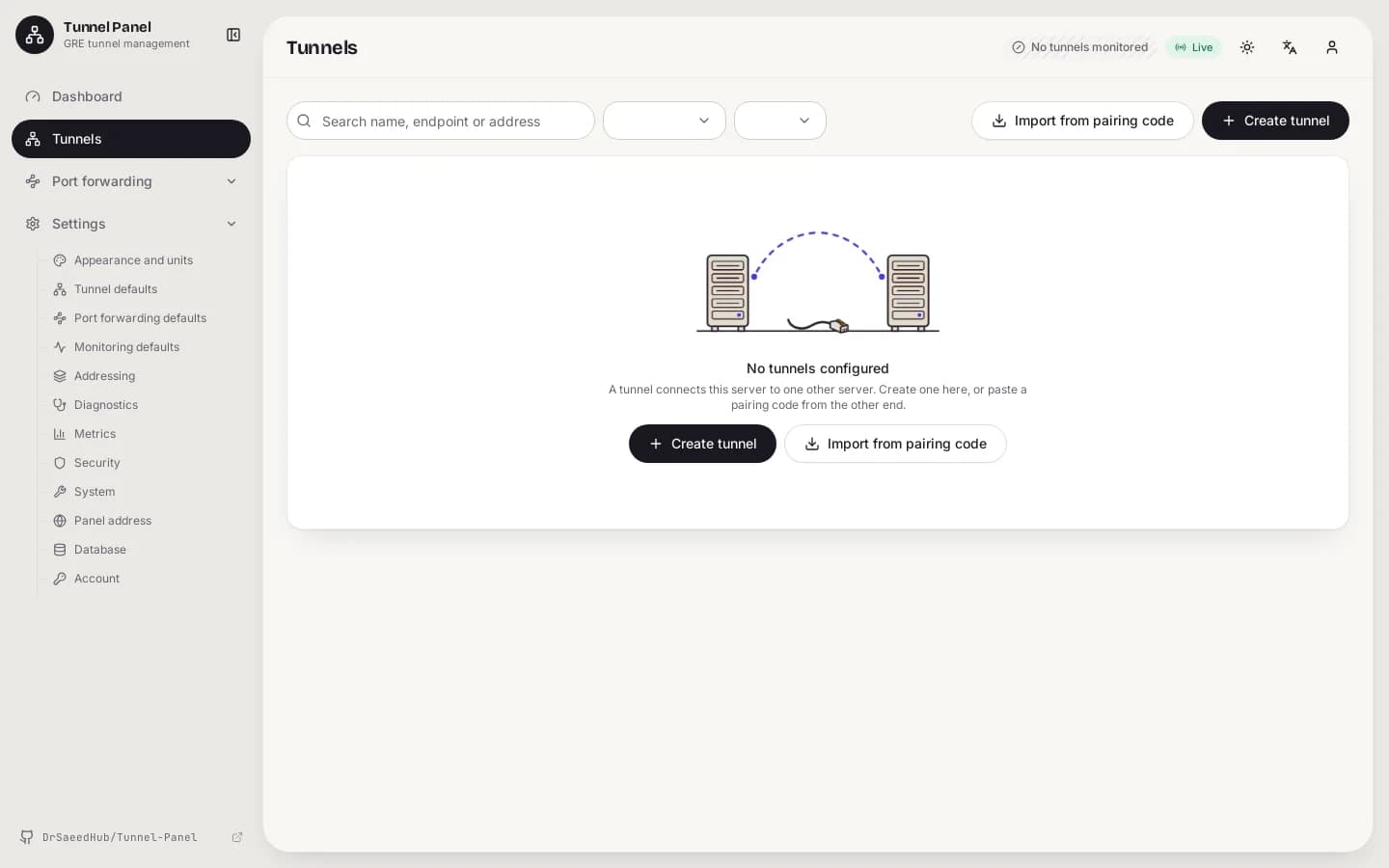
Create and manage GRE tunnels between servers from the Tunnels page.
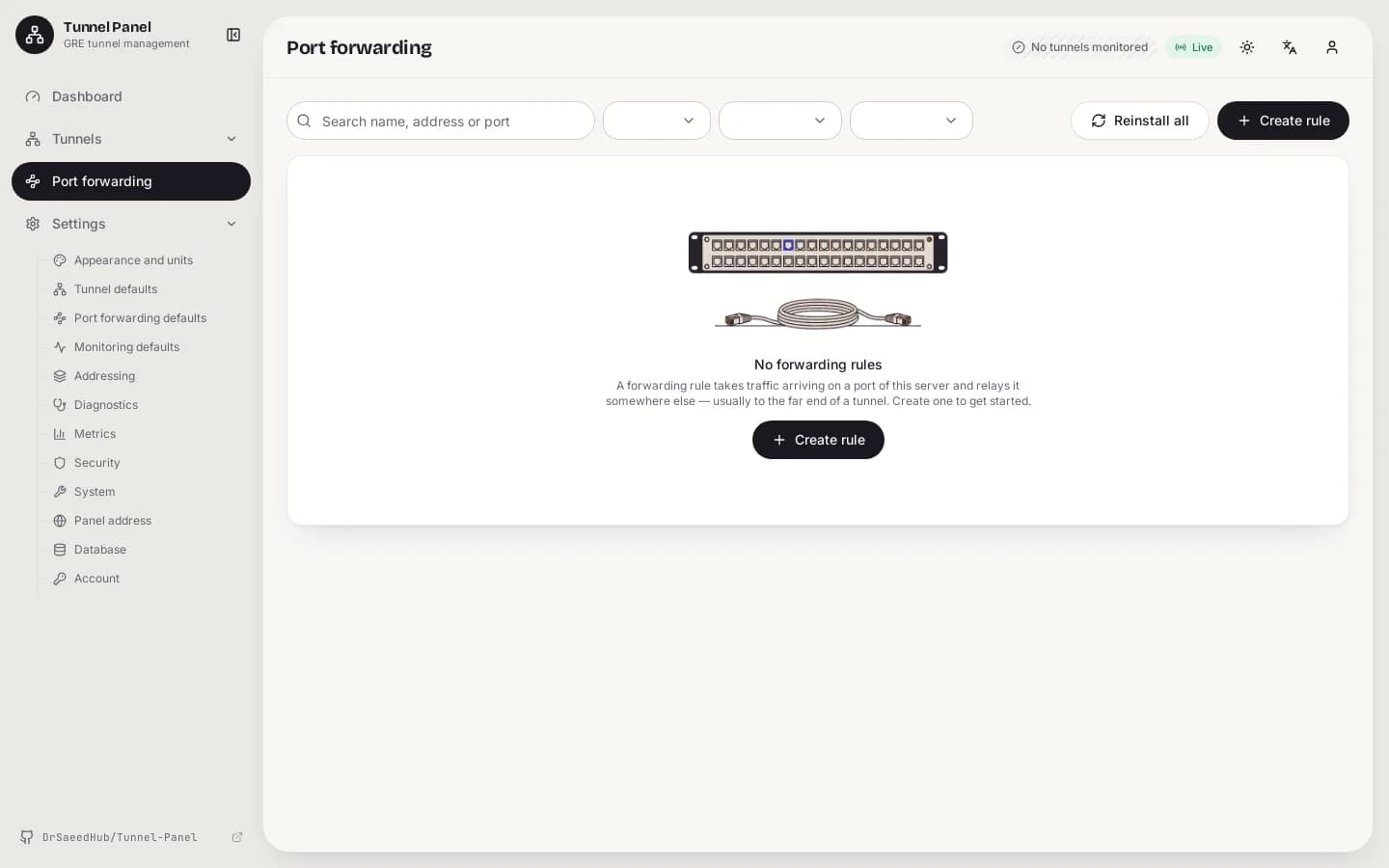
Configure forward rules for services that ride the tunnel.
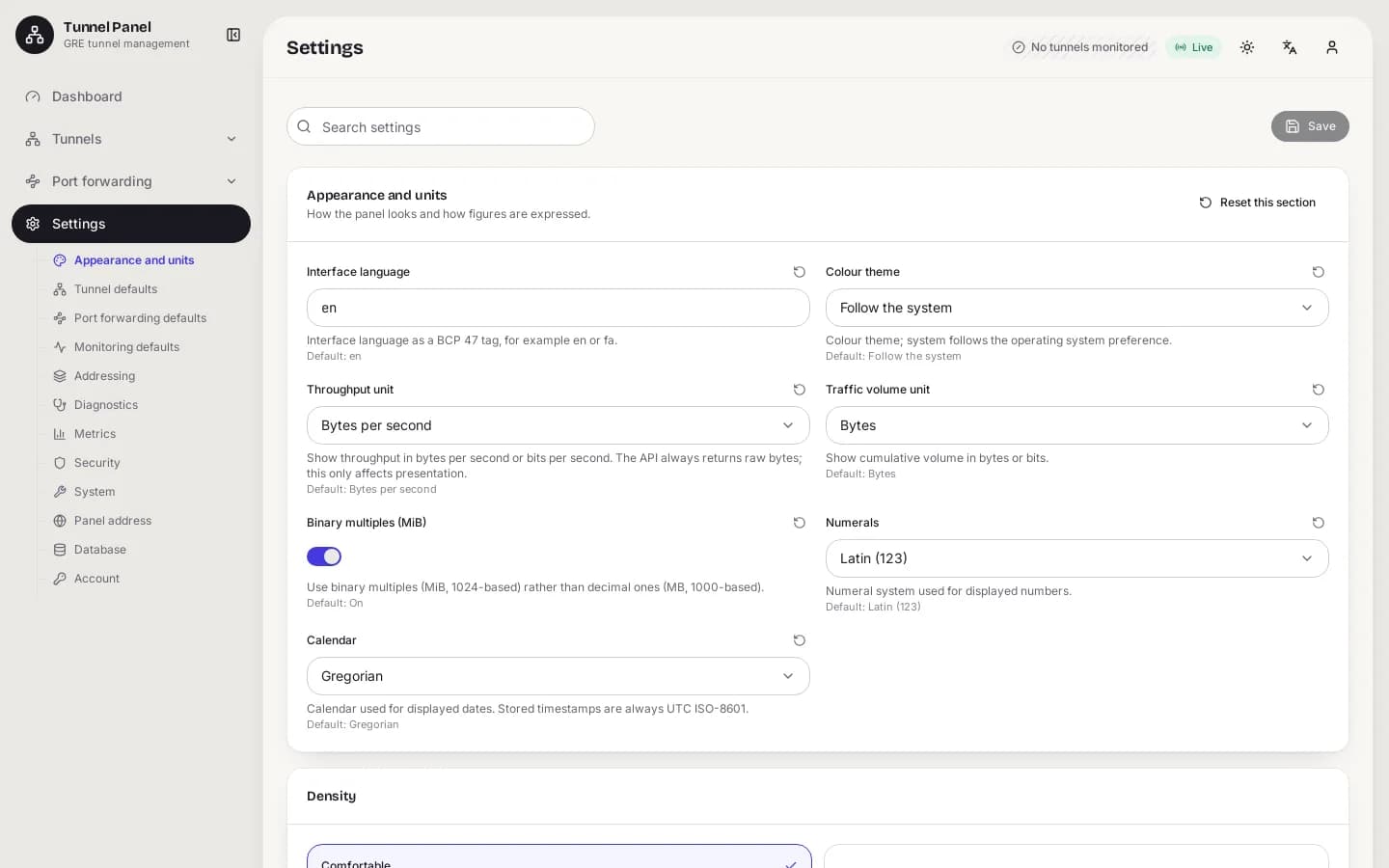
Account, monitoring, and security defaults stay in the panel UI.
GRE / port-forward
Tunnel Panel drives host tunnel engines from a web UI. Phones do not import a subscription from this panel.
Open the panel URL and change the admin password.
01
SSH in as root.
cat /root/.noderings_password02
Use the panel URL from that file.
03
Use the admin user and password. Change the password after first login.
04
TCP 22 for SSH. TCP 8443 for the HTTPS panel under a secret web-path.
05
Server-to-server tunnels — not phone VPN keys.
The Instant App creates the first admin. Add peers in the panel.
01
Sign in as the admin.
02
Follow the panel wizard for GRE / FRP / forwards.
03
Use panel health checks after apply.
04
Tear down the tunnel or disable the operator.
05
Do not post the panel URL.
End users typically hit a hub public port that forwards to a foreign VPS.
01
Create the tunnel in the panel.
02
Point traffic at the hub IP or forward as documented.
03
Confirm traffic reaches the far side.
04
Use panel health features when available.
05
Check firewalls, peer IPs, and engine compatibility.
Consumer VPN clients do not import Tunnel Panel admin logins. Use Outline Server / Marzban / 3X-UI Instant Apps for phone VPN.

See Outline Server Instant App.

Use with a separate Xray panel Instant App.

Use with Hiddify Manager Instant App for phone VPN.
Used for Iran multi-carrier backhaul and dual-VPS routing — not as a retail phone VPN.
| Situation | Fit | What to expect |
|---|---|---|
| Iran multi-carrier backhaul | Often used | Common hub-and-spoke pattern between Iran and foreign VPS hosts. |
| Phone privacy exit | Poor match | Use Outline Server or Marzban Instant Apps instead. |
| Lab dual-VPS drills | Often used | Useful when you control both ends. |
| China phone circumvention | Poor match | This panel does not hand out VLESS Reality subscriptions. |
Compare live Tunnel Panel VPS plans from independent providers, then run the GRE / port-forward web panel with a ready admin login on the offer you pick.
See live prices, regions, and sizes before you buy.
Ready admin login in the credentials file. You keep root SSH.
The provider region is where your tunnel endpoints live.
Change the admin password after first login.
Most Tunnel Panel guides assume one server you already own. NodeRings lists Compute Instance plans across providers.
The Instant App deploys on the provider VPS you selected. The provider operates that machine.
Compare plans, pick a provider offer, and launch Tunnel Panel on that server.
01
Start near 1 vCPU / 1 GB RAM / 20 GB disk.
02
Launch the Instant App. No form fields.
03
Read the credentials file, open the panel, change the password, build tunnels.
The Instant App installs Tunnel Panel and writes the admin login to the credentials file.
Credentials are written on first boot to:
/root/.noderings_passwordRead them over SSH:
cat /root/.noderings_passwordCredentials file
/root/.noderings_passwordWritten on first boot.
Install log
/tmp/tunnel-panel-admin.logFirst-boot log.
Tunnel Panel installs as a host service/binary. A placeholder Compose unit may also be present.
panelTunnel Panel web UI.
Credentials
cat /root/.noderings_passwordThe panel is light. Bandwidth matters more once several peers are online.
| Workload | Illustrative starting point | Note |
|---|---|---|
| One hub + one peer | 1 vCPU, 1 GB RAM, 20 GB disk | Instant App floor. |
| Several peers | 2 vCPU, 2 GB RAM, 20 GB disk | More headroom. |
| Busy hub | 2–4 vCPU, 4 GB RAM, 40 GB disk | Bandwidth caps first. |
Illustrative only.
You get root on a provider VPS. NodeRings lists the plan and deploys Tunnel Panel.
Admin password, tunnels, peer IPs, provider terms.
The VPS and network.
Marketplace and Instant App deploy — not your tunnels.
No. Use Outline Server, Marzban, or 3X-UI for that.
TCP 22 for SSH. TCP 8443 for the HTTPS panel under a secret web-path.
No. You operate the panel on the provider VPS.
SSH in and run cat /root/.noderings_password.