

Virtualized
Shared Compute - General Compute
$12.49/mo
2 vCPU · 4 GB · 40 GB
Choose location
Phoenix, United States
| Provider | Plan | vCPU | RAM | Disk | Regions | Billing | Price |
|---|---|---|---|---|---|---|---|
| Virtualized | Shared Compute - General Compute | 2 | 4 GB | 40 GB | Phoenix, United States | Fixed price | $12.49/mo |
| Virtualized | Shared Compute - General Compute | 3 | 6 GB | 60 GB | Phoenix, United States | Fixed price | $17.49/mo |
| Virtualized | Shared Compute - General Compute | 4 | 8 GB | 80 GB | Phoenix, United States | Fixed price | $22.99/mo |
| Virtualized | Shared Compute - General Compute | 8 | 16 GB | 160 GB | Phoenix, United States | Fixed price | $44.99/mo |
| Virtualized | Shared Compute - General Compute | 16 | 32 GB | 320 GB | Phoenix, United States | Fixed price | $79.99/mo |
| Virtualized | Shared Compute - General Compute | 32 | 64 GB | 640 GB | Phoenix, United States | Fixed price | $139.99/mo |
aaPanel Instant App
aaPanel is a free Linux server management panel for websites, databases, FTP and one-click apps. Compare live VPS prices, CPU, RAM, disk and regions, launch aaPanel on the plan you choose, and keep root access.

aaPanel
Instant App on marketplace VPS
Live marketplace offers
Choose billing and size, compare providers side by side, pick a location, then launch.
Shared Compute - General Compute
$12.49/mo
2 vCPU · 4 GB · 40 GB
Choose location
Phoenix, United States
1 provider
aaPanel is a free self-hosted Linux server management panel on a single VPS. Use it instead of paying for cPanel. From the browser you manage websites, databases, FTP and one-click stacks on that host. The panel is the management layer. The sites you deploy are the workload.
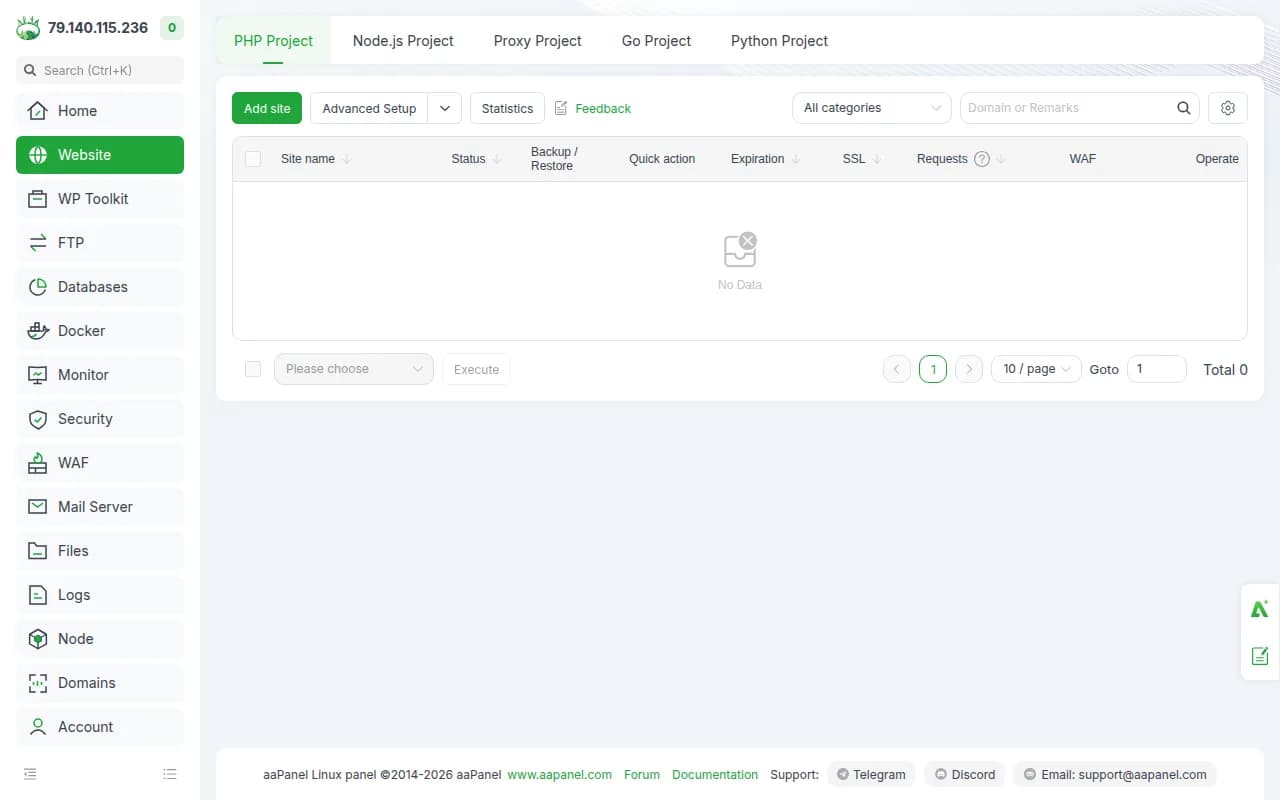
After you sign in, create sites, bind domains and manage certificates from the panel. Root SSH is still there when you want the shell.
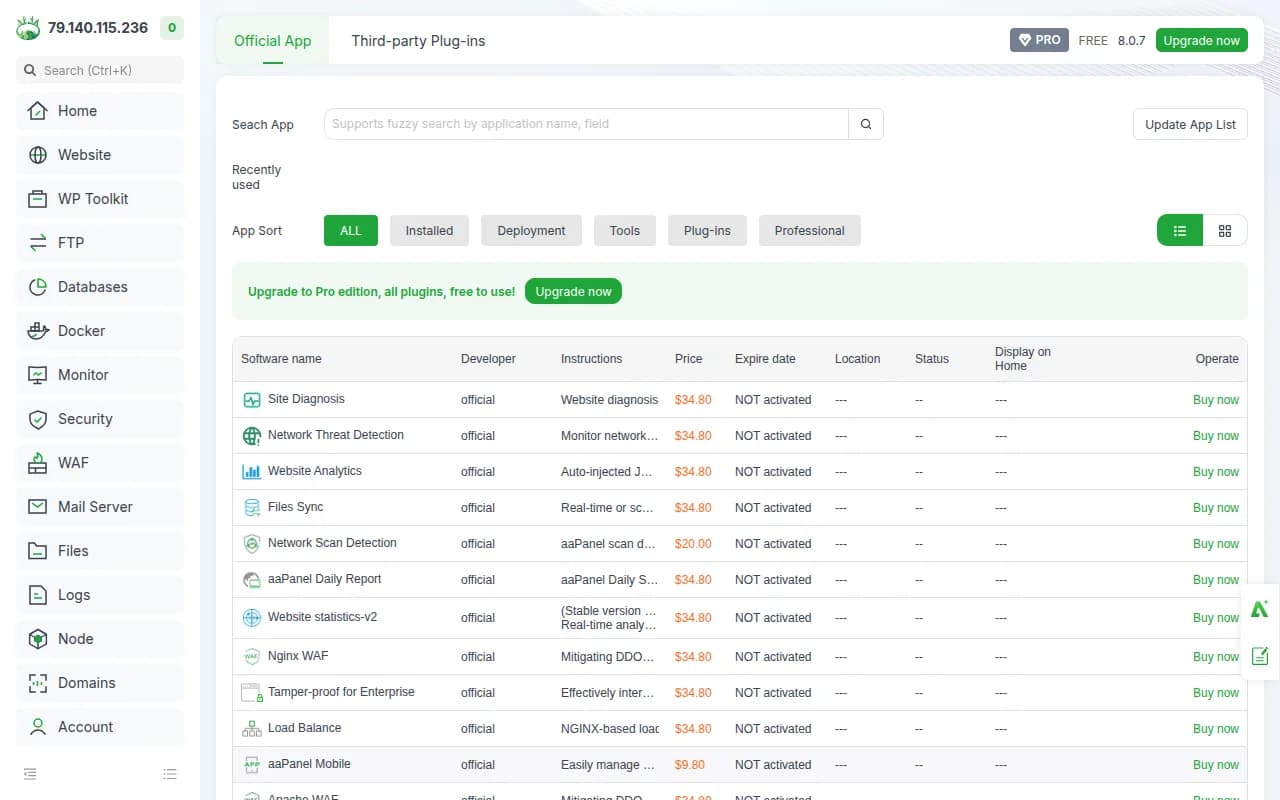
Use the app store for common stacks on the same VPS when you want a guided install instead of composing everything by hand.
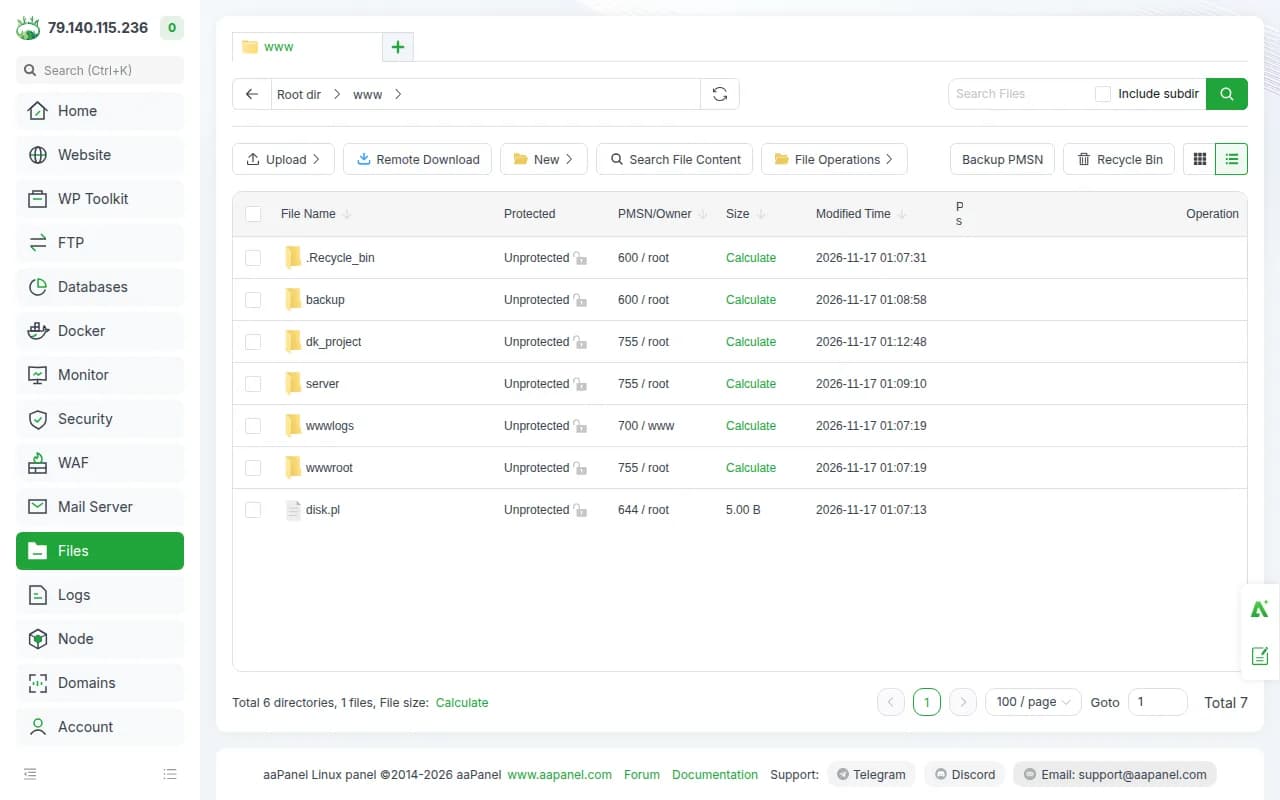
Manage databases and browse files from the UI when you prefer not to live in SSH alone.
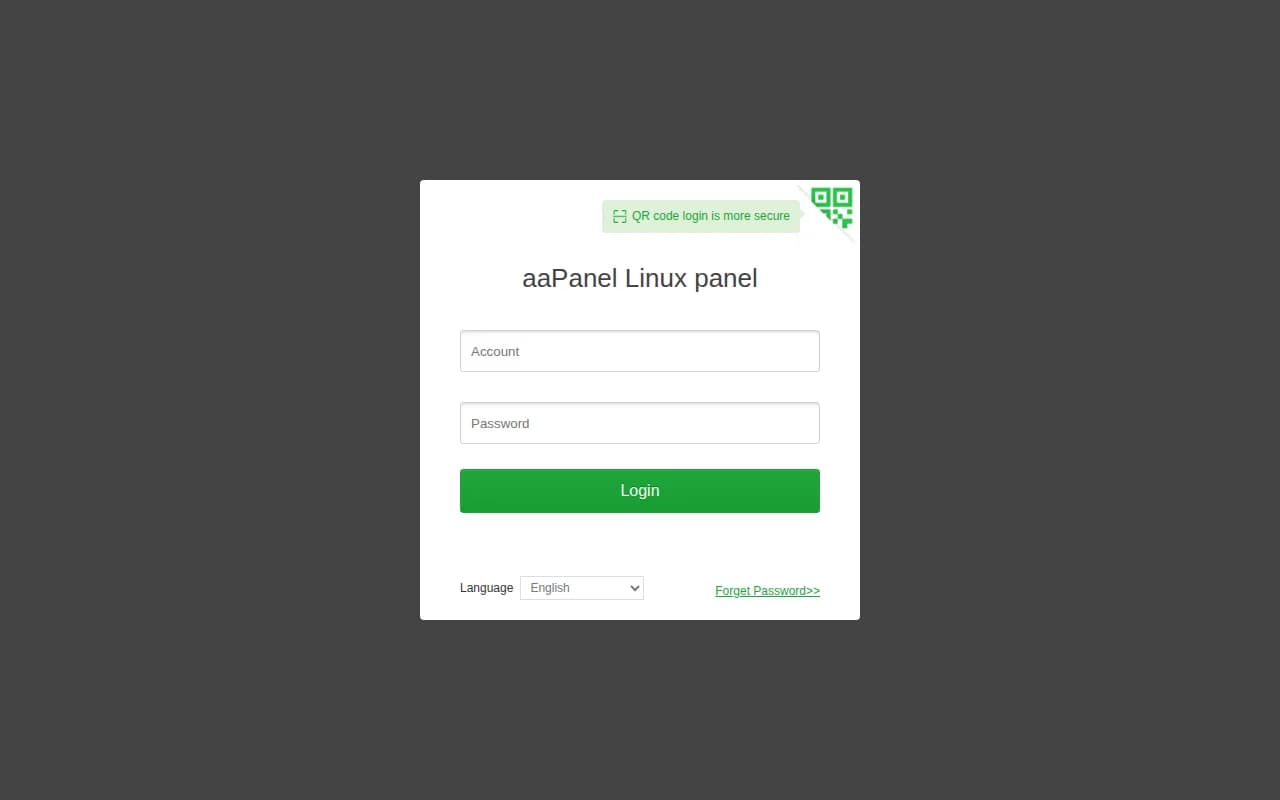
The admin account and a secret URL path are prepared for you. Strangers who hit the bare IP do not get a public signup page.
Compare live aaPanel VPS plans from independent providers, then self-host a free Linux server panel on the offer you pick. Use it instead of paying for cPanel.
See live prices, regions and plan sizes before you buy. Shop Linux panel hosts across independent providers, from the 1 vCPU and 2 GB floor upward.
Pick a plan and aaPanel is prepared on that VPS for you, with an admin account and safe path. You still get root access for the shell.
Compatible offers list cities and countries. The panel itself is light. The sites you run are what visitors feel, so pick the region for those workloads.
Websites, databases and files live on your VPS. You control SSH, the safe path, and how you back the disk up.
Most aaPanel or cPanel pages sell one company's servers. NodeRings lists Compute Instance plans from independent providers so you can compare aaPanel-ready offers by price, size and region, then launch on the one that fits.
aaPanel Instant App prepares aaPanel on the provider VPS you selected. NodeRings does not operate that hardware or sell its own VPS fleet.
Compare plans, pick a provider offer, and launch aaPanel on that server.
01
Browse live offers below. Every general-compute plan is listed — pick the size you want. Size the plan for the sites you intend to run, not for the panel alone.
02
Choose the provider plan and region. The workloads you want on the host come after you sign in.
03
Confirm checkout and wait for the server. Then open the aaPanel address in your server notes (including the safe path) and sign in with the admin username and password stored there. You keep root SSH.
NodeRings Instant App installs aaPanel with the official unattended installer and prepares first-boot access for you. Use the sections below to reach the UI, find passwords, and operate the panel.
Credentials are written on first boot to:
/root/.noderings_passwordRead them over SSH:
cat /root/.noderings_passwordInstall secrets (Instant App)
/opt/noderings/aapanel/.envGenerated username, password, port and safe path for first boot.
aaPanel data
/www/server/panelPanel install directory from the official installer.
Credentials file
/root/.noderings_passwordWritten once on first boot.
aaPanel installs as the bt service (BT-Panel). The panel listens on HTTP port 80 behind the safe path.
btaaPanel / BT-Panel web UI and API.
Service status
/etc/init.d/bt statusShow default login
bt defaultRestart panel
/etc/init.d/bt restartYour aaPanel UI starts on http://. Cloudflare can give visitors a padlock without installing anything on the VPS. You can also enable panel SSL later inside aaPanel.
Add your domain
Sign up at Cloudflare and add the domain you want to use.
Point it at your VPS
Create an A record to your server IP and leave the orange cloud on.
Open the https site
Visit https://your-domain/SAFE_PATH and sign in with the admin credentials from your server notes.
Only allow Cloudflare
Optional. With SSH (port 22) already allowed and everything else blocked by default, open only Cloudflare to ports 80 and 443:
curl -s https://www.cloudflare.com/ips-v4 | while read ip; do sudo ufw allow from "$ip" to any port 80,443 proto tcp; doneKeep port 22 allowed for SSH. Leave other ports denied except this Cloudflare allow for 80 and 443.
aaPanel itself is a management panel. A quiet host can start around 1 vCPU, 2 GB RAM and 40 GB disk. Websites, databases and backups are what move you to a bigger plan.
| Workload | Illustrative starting point | Note |
|---|---|---|
| aaPanel plus a couple of small sites | 1 vCPU / 2 GB RAM / 40+ GB disk | Suggested start. Enough when the panel and light sites share the box. |
| Several sites | 2 vCPU / 2 to 4 GB RAM | Room for more databases and sites that stay running together. |
| An app host with a database | 2 vCPU / 4 GB RAM | Databases need more headroom than the panel UI. Measure the workloads, not the dashboard. |
| Many sites or large backups | Often 2 to 4 vCPU / 4 to 8 GB RAM and more disk | Site files and backups fill disk first. No universal site count. |
These are starting points, not guarantees. Needs depend on the sites and databases you run on the same VPS. aaPanel itself stays modest.
This is self-hosted aaPanel on a provider VPS, not managed hosting. You pick the plan. aaPanel is prepared on that server. Day-to-day care stays with you.
aaPanel is prepared, an admin account and safe path are created. Sign in at the address in your server notes with the admin username and password stored there.
Root SSH on the VPS. You own DNS, TLS, updates, backups and day-to-day care unless a provider product says otherwise.
A domain, TLS certificates, backup jobs and paid aaPanel add-ons are not part of the Instant App. You get aaPanel on the one VPS you picked.
NodeRings helps with marketplace, billing and console. Provider hardware issues go to that provider. Looking after aaPanel and the sites on the server is yours.
aaPanel is a free Linux server management panel. On this VPS it manages websites, databases, FTP and apps on that same host. You sign in from a browser. Root SSH on the server is still yours.
Yes in the sense that it is a self-hosted web panel for a Linux VPS. Feature sets differ. You get aaPanel, not a commercial cPanel license.
No. NodeRings is a marketplace. Independent providers list VPS plans. You pick a plan, aaPanel is prepared on that provider server, and you manage the host from there.
No. You get a virtual machine with aaPanel prepared for you, plus root access. Sites and day-to-day care remain yours unless a provider product says otherwise.
It prepares aaPanel on the VPS you choose, with an admin account and safe path, so you skip hunting through the install by hand. It is still your self-hosted host, not a separate managed hosting brand.
A quiet host can start around 1 vCPU, 2 GB RAM and 40 GB disk. Size the plan for the sites and databases you will run.
aaPanel hides the login behind a secret URL path. Your server notes include that path. Opening the bare IP without it does not present a public signup form.
You confirm the plan and finish checkout. When the server is ready, open the aaPanel address in your server notes and sign in with the admin username and password stored there. Keep that password private.
Yes. Each compatible plan lists available regions. Pick a city near the people who will use the sites on that host.
You do, unless you add backup tooling yourself or a provider product explicitly includes it.
You can move to a larger plan from the same or another marketplace provider when sites outgrow the disk and RAM. Volumes do not move themselves.