
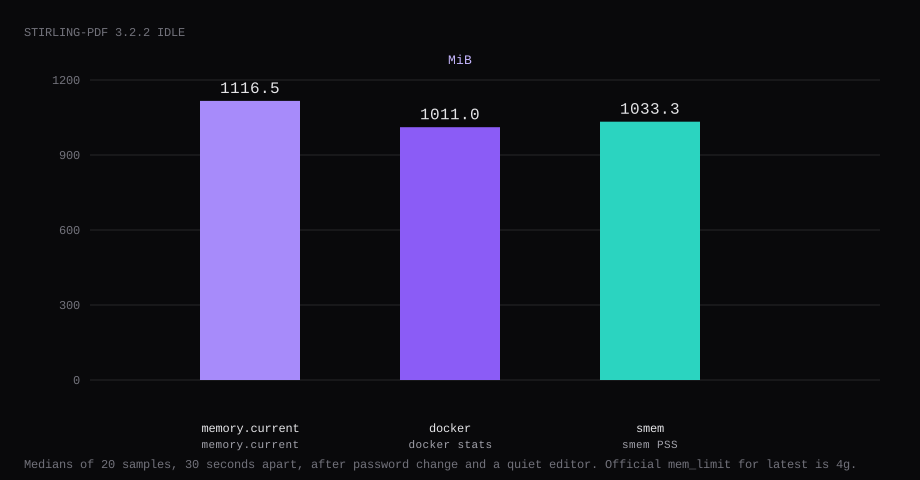
Stirling-PDF 3.2.2 held 1116.5 MiB idle on this lab host. That is cgroup memory.current, the median of twenty samples taken 30 seconds apart after the forced password change and a quiet editor. docker stats printed 1011.0 MiB. smem put the same processes at 1033.3 MiB PSS. Port 8080 listened on 127.0.0.1 only. A curl to the public address was refused. The first login was still admin / stirling until that password change finished.
Stirling-PDF is a self-hosted PDF toolbox in the browser: merge, split, convert, OCR, sign, and dozens of other operations that people otherwise dump into random websites. The server keeps files on your disk for the job, then you download the result. The standard Docker image is JVM-heavy; plan RAM accordingly.
The Docker install publishes 8080:8080 and suggests mem_limit: 4g for the standard image. 8080:8080 listens on every interface, and admin / stirling still signs in. Change that password and publish 127.0.0.1:8080:8080 before any DNS record points at the guest.
| Reading | Value |
|---|---|
cgroup memory.current | 1116.5 MiB, median of 20 |
docker stats | 1011.0 MiB |
smem PSS | 1033.3 MiB |
| CPU percent | 0.18, median |
| Host listener on 8080 | 127.0.0.1 |
| Image (compressed pull) | about 1.17 GB |
Doc mem_limit for latest | 4g |
| Skip this | What this run did |
|---|---|
frooodle/s-pdf or floating latest | Pinned 3.2.2 by digest |
-p 8080:8080 on every interface | Published 127.0.0.1:8080:8080 |
Leaving admin / stirling after first login | Forced password change before any public hostname |
SECURITY_ENABLELOGIN=false on a public name | Login left on |
latest-ultra-lite on the internet | Standard login image; ultra-lite has no login |
How do you install Stirling-PDF on Docker?
The image is docker.stirlingpdf.com/stirlingtools/stirling-pdf:3.2.2, digest sha256:c6872dd056b0046a14c5de1e9970283e7f1e1ff685bb08090c6b37a231127d31. The same tag lives on Docker Hub and GHCR if the project registry is unreachable. Skip floating latest in the file you keep.
| Tag | Login | Includes | Suggested RAM |
|---|---|---|---|
latest / 3.2.2 | Yes | LibreOffice, OCR, Ghostscript, and the usual converters | 4 GB |
latest-fat / 3.2.2-fat | Yes | Everything in latest, plus the bundled AI engine (off until you enable it) | 6 GB |
latest-ultra-lite / 3.2.2-ultra-lite | No | Core PDF tools only | 2 GB |
mkdir -p ~/stirling-pdf/stirling-data/{configs,logs,customFiles,pipeline,storage,tessdata}
cd ~/stirling-pdf
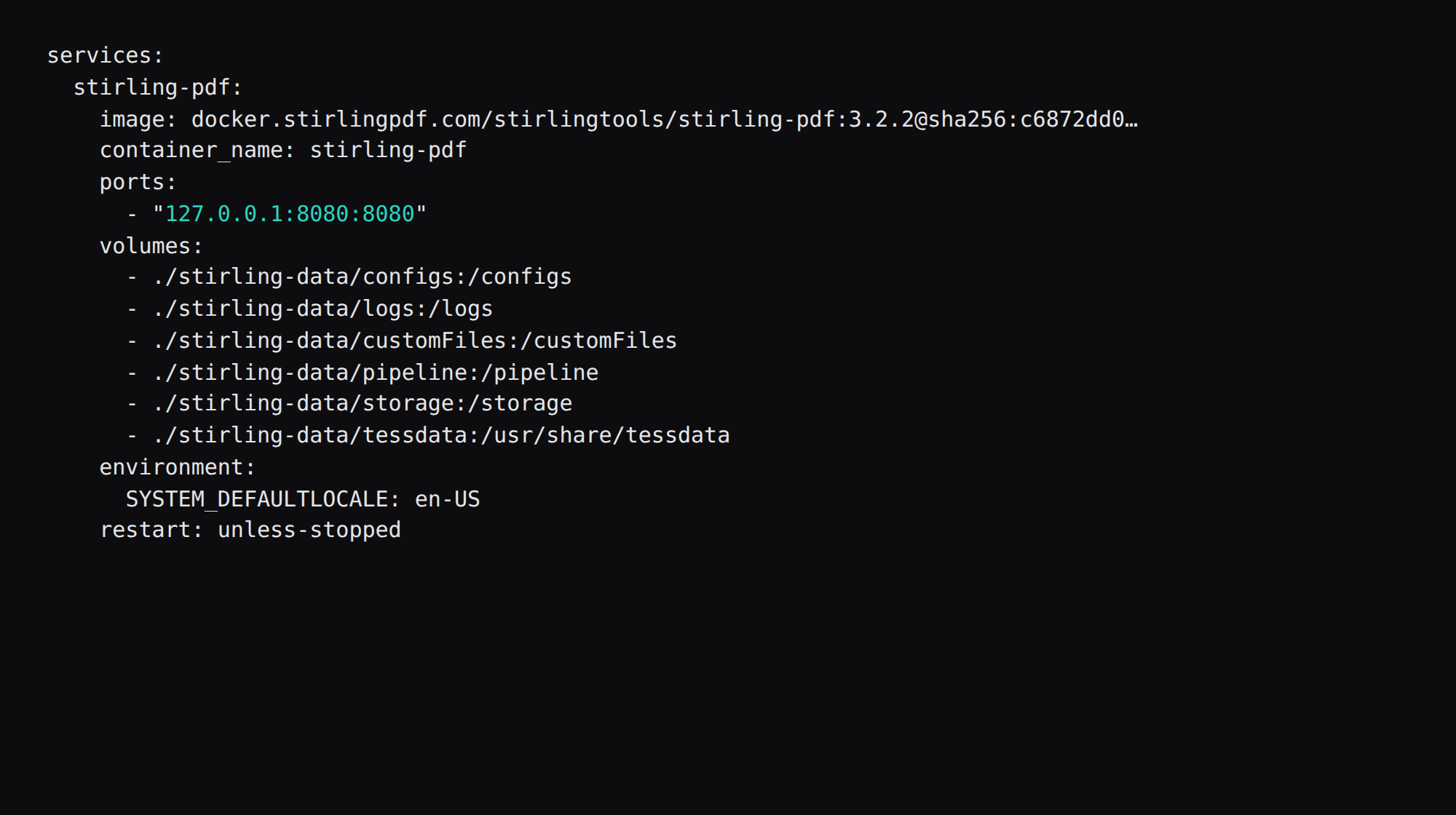
services:
stirling-pdf:
image: docker.stirlingpdf.com/stirlingtools/stirling-pdf:3.2.2@sha256:c6872dd056b0046a14c5de1e9970283e7f1e1ff685bb08090c6b37a231127d31
container_name: stirling-pdf
ports:
- "127.0.0.1:8080:8080"
volumes:
- ./stirling-data/configs:/configs
- ./stirling-data/logs:/logs
- ./stirling-data/customFiles:/customFiles
- ./stirling-data/pipeline:/pipeline
- ./stirling-data/storage:/storage
- ./stirling-data/tessdata:/usr/share/tessdata
environment:
SYSTEM_DEFAULTLOCALE: en-US
restart: unless-stopped
logging:
driver: json-file
options:
max-size: "10m"
max-file: "3"docker compose up -dThe six mounts match the Docker volumes list. /configs holds settings and the user database. /storage holds files users save on the server. Leave tessdata mounted, including when the languages come from the image, so a recreate keeps that directory on the host. Log rotation matches the Compose checklist.
Add mem_limit: 4g and memswap_limit: 4g when the guest still has that RAM after Ubuntu and Caddy. The 1116.5 MiB median had no cap. Plan from that uncapped idle, and leave room above it for a merge or OCR job.
How do you harden and tune Stirling-PDF?
Change admin / stirling immediately and keep login enabled on any public hostname. Better: set SECURITY_INITIALLOGIN_USERNAME / SECURITY_INITIALLOGIN_PASSWORD before the first start so the default pair never exists (Stirling system security docs); those env vars apply only while the user DB is empty, so remove them after the first boot. Ultra-lite images have no login module; stick to the standard/fat image when the UI is reachable. The production deployment guide also mounts tessdata, configs, logs, and pipeline, sets SYSTEM_GOOGLEVISIBILITY=false, and caps upload size with SYSTEMFILEUPLOADLIMIT (numeric part must be 0–999). Set mem_limit near what they suggest (often 4G for the standard image). Behind Caddy, raise upload body limits to match. Treat the app as a trusted-user tool, not an anonymous public utility.
Back up the configs volume after password change; media is ephemeral per job unless you retain uploads on purpose.
Why must 8080 stay on loopback?
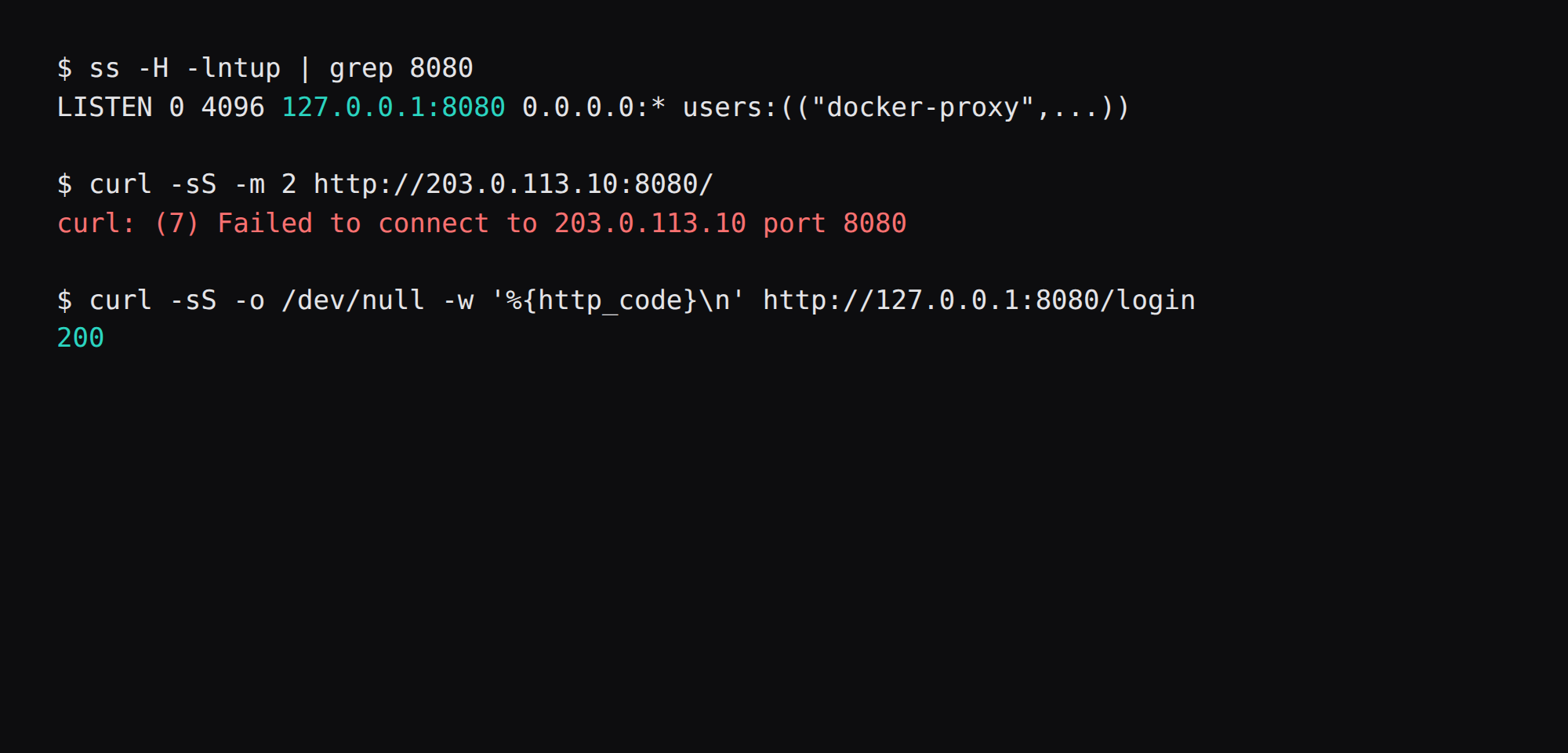
The stock Compose line opens 8080 on every interface, so anyone who can reach the public address can sign in as admin / stirling until you change the password. Publish the host side on loopback and put HTTPS in front:
ss -H -lntup | grep 8080On this host that printed 127.0.0.1:8080. Curl to the public address failed. Curl to http://127.0.0.1:8080/login returned 200. Leave 8080 closed in the panel firewall. Open 80 and 443 for Caddy.
What do you do with admin / stirling?
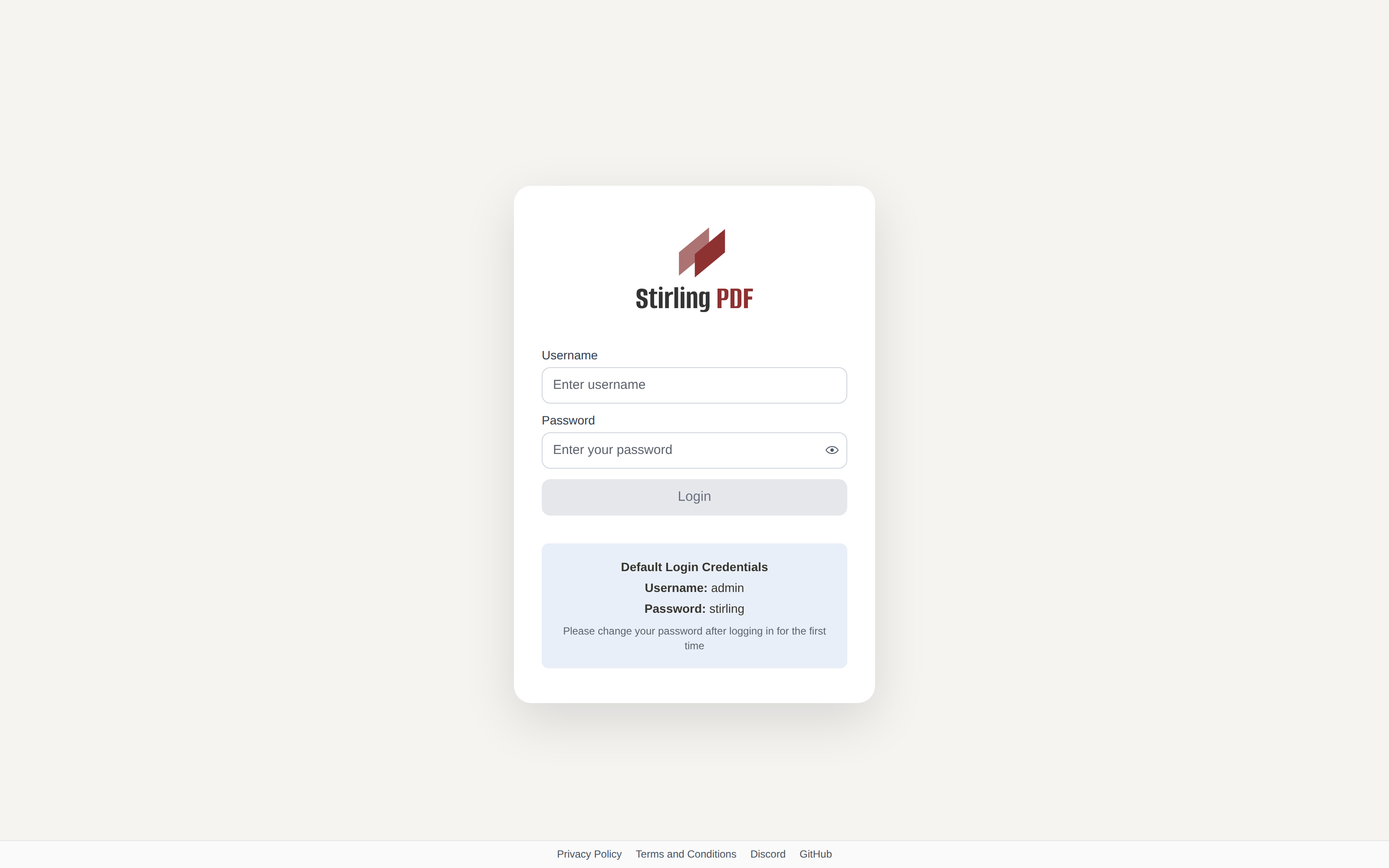
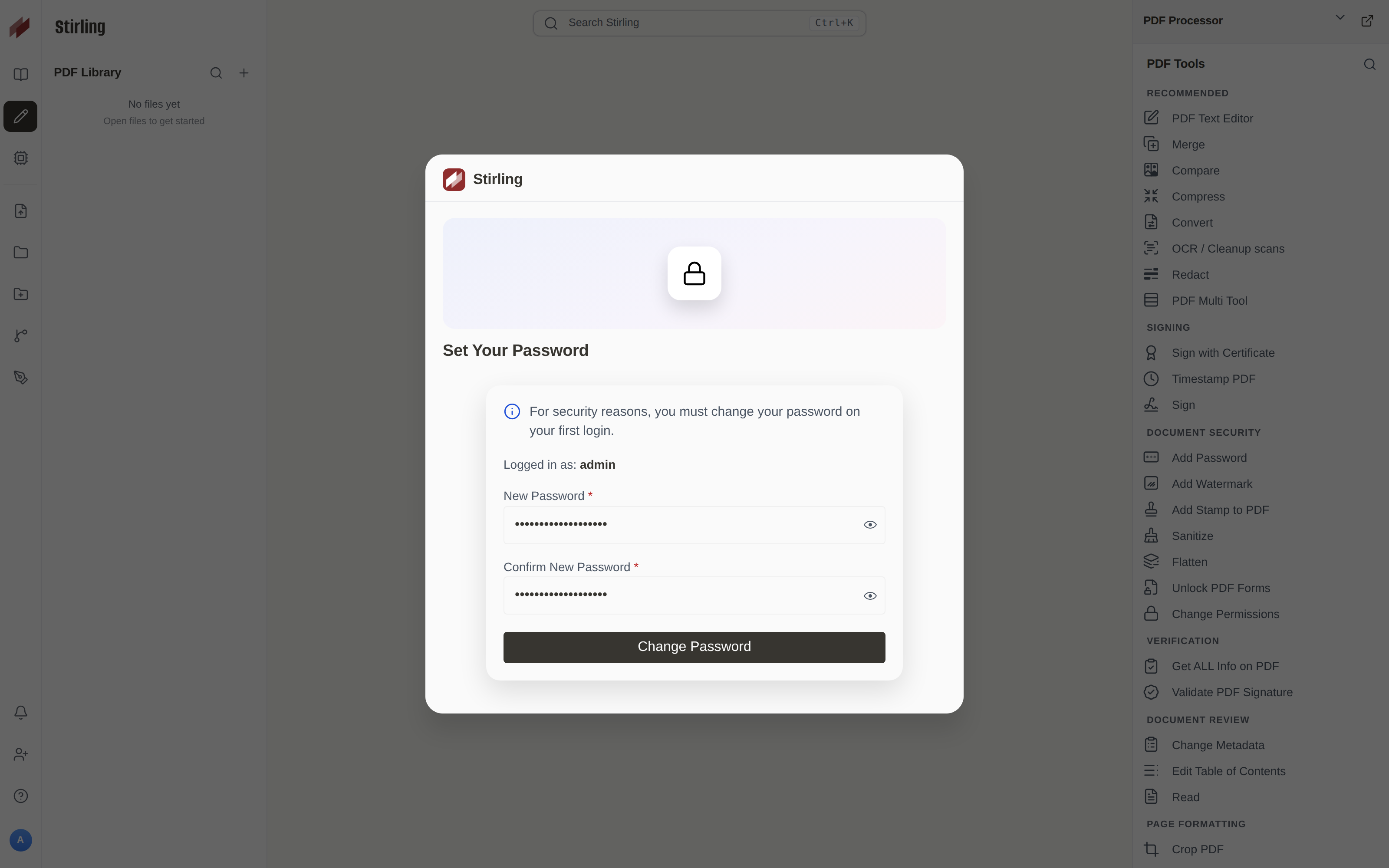
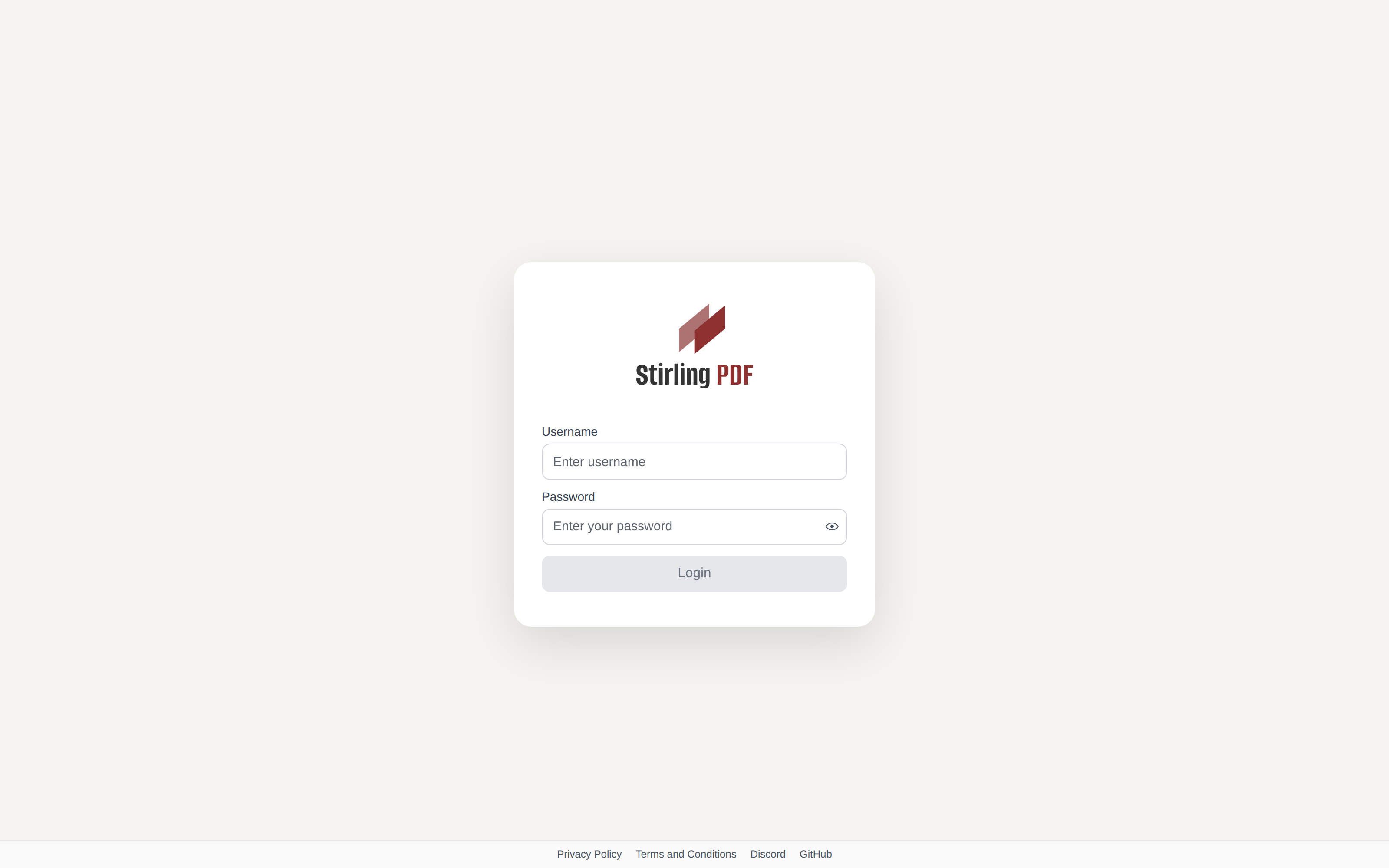
A fresh login build creates admin with password stirling. The login page says so in plain text. On first sign-in this build opened a modal that required a new password before the tool grid stayed usable. After that change, admin / stirling returned "Invalid username or password". The new password opened /editor.
Change that password before any A record points at the guest. Crop the new secret out of screenshots. You can also set SECURITY_INITIALLOGIN_USERNAME and SECURITY_INITIALLOGIN_PASSWORD before the first start if you want your own pair from boot; they apply only while the database has no users.
When does a public hostname keep login on?
Reach the UI through Caddy on 443, with Stirling still on 127.0.0.1:8080 and login left on. SECURITY_ENABLELOGIN=false disables login, so anyone who can open the hostname can use the tools. latest-ultra-lite has no login, so keep that tag off public DNS.
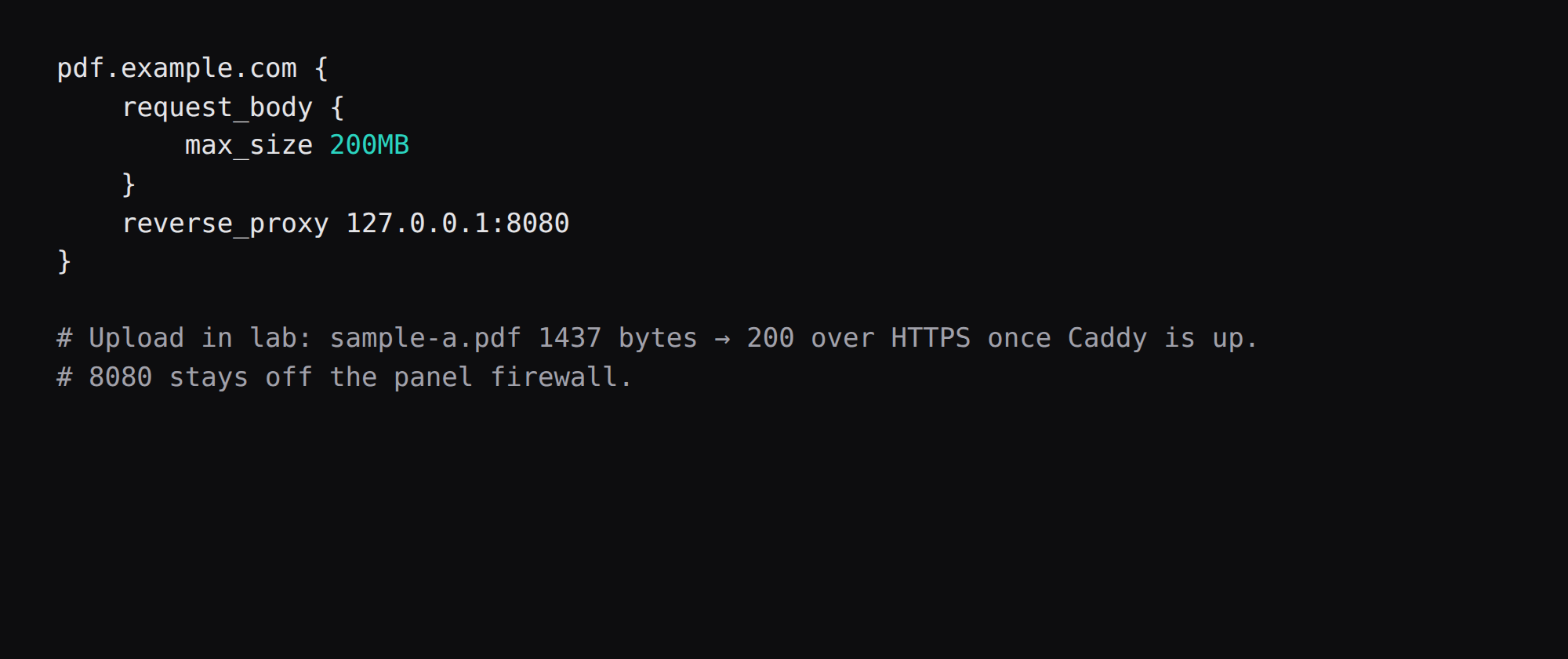
Terminate TLS in Caddy and set a body limit above the PDFs you upload. Stirling's own upload limit defaults high; Caddy often rejects first.
pdf.example.com {
    request_body {
        max_size 200MB
    }
    reverse_proxy 127.0.0.1:8080
}
Point the A record with DNS. The TLS path is in the Caddy HTTPS post. The PDFs on this host were 1437-byte one-page files. Raise max_size for real scans.
Which directories survive a recreate?
Keep the six bind mounts. Stop the stack, recreate the container on the same digest, and the changed admin password still works because /configs holds the database. Back up /configs before a major upgrade. Day-to-day off-box copies belong in restic to a storage box.
Which jobs belong on Stirling-PDF?
Merge, split, rotate, and compress are daily drivers. OCR helps scanned PDFs you will put into Paperless next. Avoid uploading confidential HR PDFs to a hostname shared with untrusted users. Clear temp directories if a job fails mid-way and disk grows. Prefer the ultra-lite image only after you confirm needed tools are present.
FAQ
Is 2 GB enough? Idle on latest here was already about 1.1 GiB before any merge or OCR. Use a 4 GB guest for the standard image, matching the doc mem_limit. Use latest-ultra-lite when you accept no login and fewer converters, and keep it off a public hostname.
Why not ultra-lite on a small VPS? It drops login, OCR, and Office conversion. That is fine on a WireGuard-only host, and pdf.example.com should stay on the standard image.
What about frooodle/s-pdf? That Hub name moved to stirlingtools/stirling-pdf. Pull from docker.stirlingpdf.com or Hub under the new path.
Does UFW block a published 8080? Docker's published ports often bypass UFW inside the guest. Bind to 127.0.0.1 and keep 8080 closed on the panel firewall.
iLovePDF or this? Browser SaaS keeps the file on someone else's disk for the job. This stack keeps the upload on your VPS once 8080 is on loopback only and the default password is gone.