
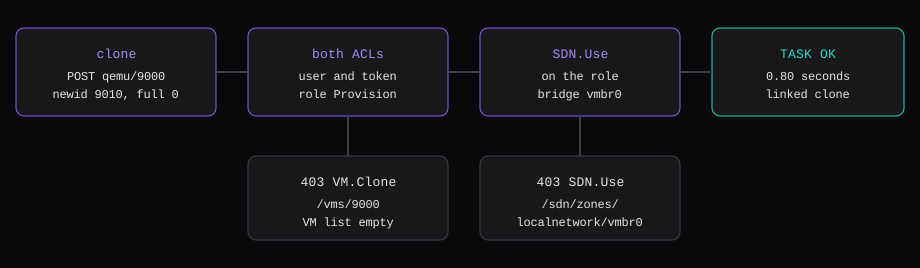
The token is provision@pve!agent. Privilege separation is on, and the role on it is Provision, a custom role with 14 privileges. With that role on the user and on the token, a linked clone of template 9000 finished TASK OK in 0.80 seconds. Remove either ACL and the same clone returns 403 with Permission check failed (/vms/9000, VM.Clone), and GET /nodes/pve/qemu comes back 200 with an empty list. GET /api2/json/version still returns release 9.2, version 9.2.24. Drop SDN.Use from the role, with both ACLs left in place, and the clone returns 403 with Permission check failed (/sdn/zones/localnetwork/vmbr0, SDN.Use). Creating a user with the same header returns 403 with Permission check failed (/access/realm/pve, Realm.AllocateUser).
| What | Result |
|---|---|
| User | provision@pve, realm pve, comment Provisioning |
| Token | provision@pve!agent, privilege separation on, expire never |
| Role | Provision, 14 privileges, Built-in No |
| One ACL missing | VM list empty, clone 403 VM.Clone on /vms/9000 |
SDN.Use missing | clone 403 on /sdn/zones/localnetwork/vmbr0 |
Both ACLs, SDN.Use on | linked clone of 9000, TASK OK in 0.80 seconds |
| Create a user | 403 Realm.AllocateUser on /access/realm/pve |
The node is the one from Install Proxmox VE 9 on bare metal: pve-manager 9.2.24, qemu-server 9.2.13, storage local-lvm, bridge vmbr0. Template 9000 is the one from Build a cloud-init template on Proxmox. The secret stays on this machine. Why your Proxmox API token should never leave the cluster is about what happens when that copy is pasted somewhere else.
Create the user in the Proxmox realm
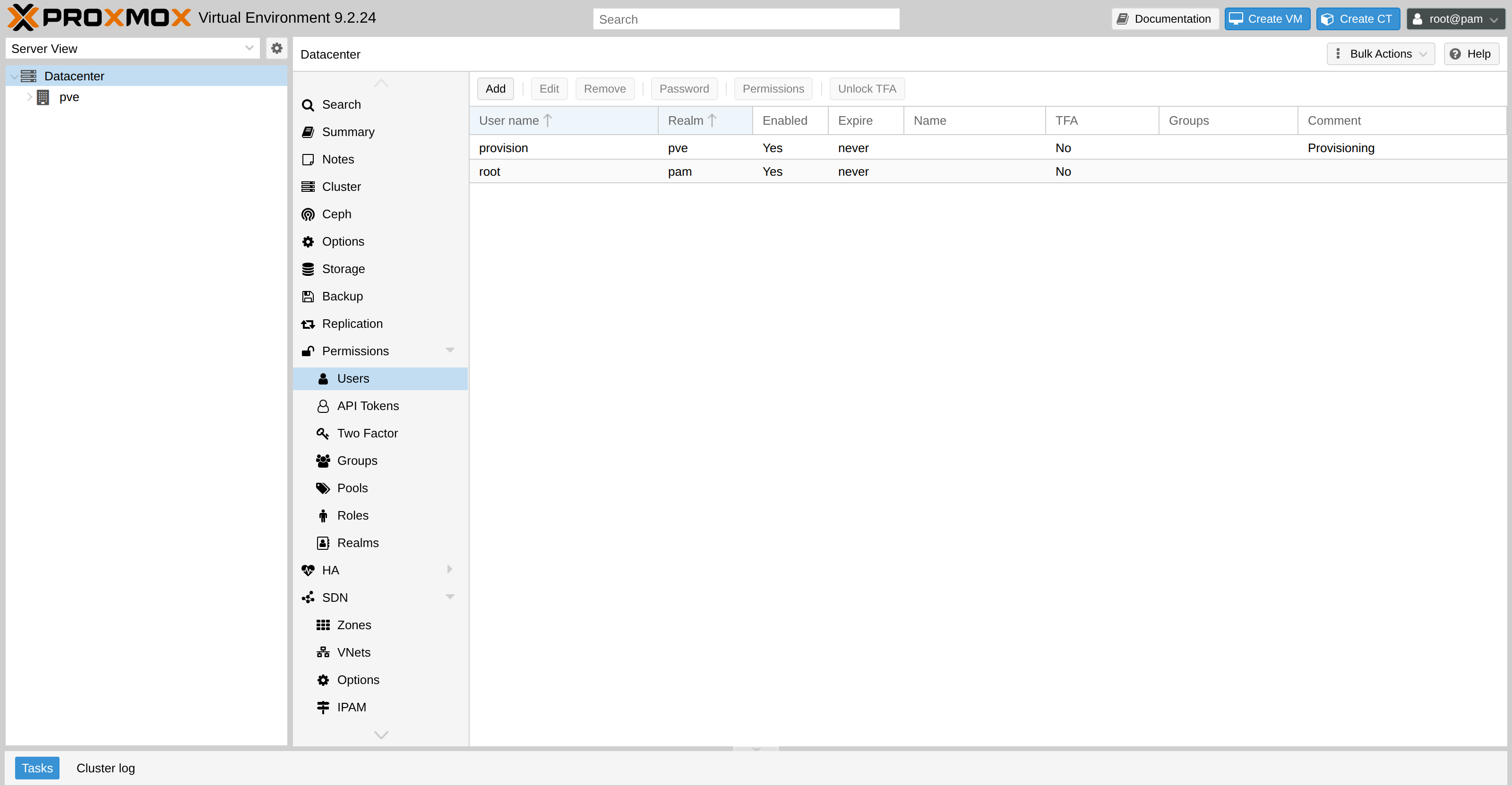
Datacenter, Permissions, Users. The account is provision@pve. The realm is pve, the one Proxmox uses for users you add here. root@pam is the Linux account logged into the UI. The token belongs to provision@pve.
pveum user add provision@pve --comment "Provisioning"The row shows the user enabled, expiry never, TFA off, comment Provisioning.
Create a Proxmox role for provisioning
Datacenter, Permissions, Roles, then Edit on Provision. The Built-in column says No. Administrator is the other kind of role, the special one that holds every privilege.
These are the 14 names pveum stored on the role:
| Privilege | What it covers on this node |
|---|---|
VM.Allocate | a new VMID, here 9010 |
VM.Clone | the clone call on /vms/9000 |
VM.Audit | reading the guest, including the cloud-init dump |
VM.Config.CDROM | the cloud-init drive, which is a CD |
VM.Config.CPU | cores copied onto the clone |
VM.Config.Memory | memory |
VM.Config.Disk | the scsi disk |
VM.Config.Network | the NIC |
VM.Config.Cloudinit | ciuser, cipassword, sshkeys, ipconfig |
VM.PowerMgmt | start and stop. This clone made no power call |
Datastore.AllocateSpace | new volumes on local-lvm |
Datastore.Audit | seeing that storage |
Sys.Audit | node and storage status |
SDN.Use | attaching the NIC to vmbr0 |
The two we took off and watched fail were VM.Clone, by removing an ACL, and SDN.Use, by editing the role. The others stayed on because a clone of this template writes a disk, a NIC, and a cloud-init drive.
pveum role add Provision -privs "Datastore.AllocateSpace,Datastore.Audit,SDN.Use,Sys.Audit,VM.Allocate,VM.Audit,VM.Clone,VM.Config.CDROM,VM.Config.CPU,VM.Config.Cloudinit,VM.Config.Disk,VM.Config.Memory,VM.Config.Network,VM.PowerMgmt"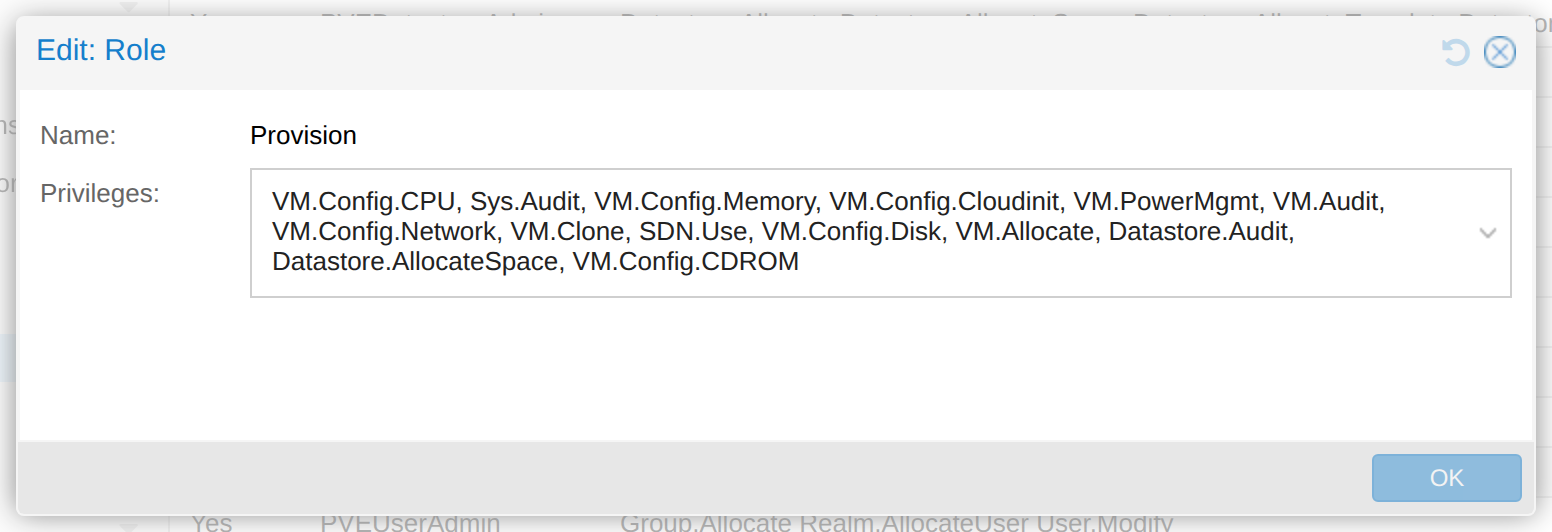
The quick start uses a longer role, noderings-role, for the operator. That list has 21 names. On top of these 14 it adds Datastore.AllocateTemplate, VM.Backup, VM.Console, VM.Snapshot, VM.Snapshot.Rollback, VM.Config.HWType, and VM.Config.Options. It also sets an ACL on each storage path, because the operator uploads ISOs and writes backups. This run stopped at the clone. Propagating Provision from / was enough for VM 9010 on local-lvm.
Grant the role to the user and to the token
The user management chapter describes separated privileges as the token's permissions intersected with the user's. We removed each ACL in turn.
With the role only on provision@pve, the clone returned 403 VM.Clone and the VM list was empty. With the role only on provision@pve!agent, the clone returned the same 403 and the list was empty again. With both rows present, the clone could see template 9000 and get as far as the bridge check.
pveum acl modify / --users provision@pve --roles Provision --propagate 1
pveum acl modify / --tokens 'provision@pve!agent' --roles Provision --propagate 1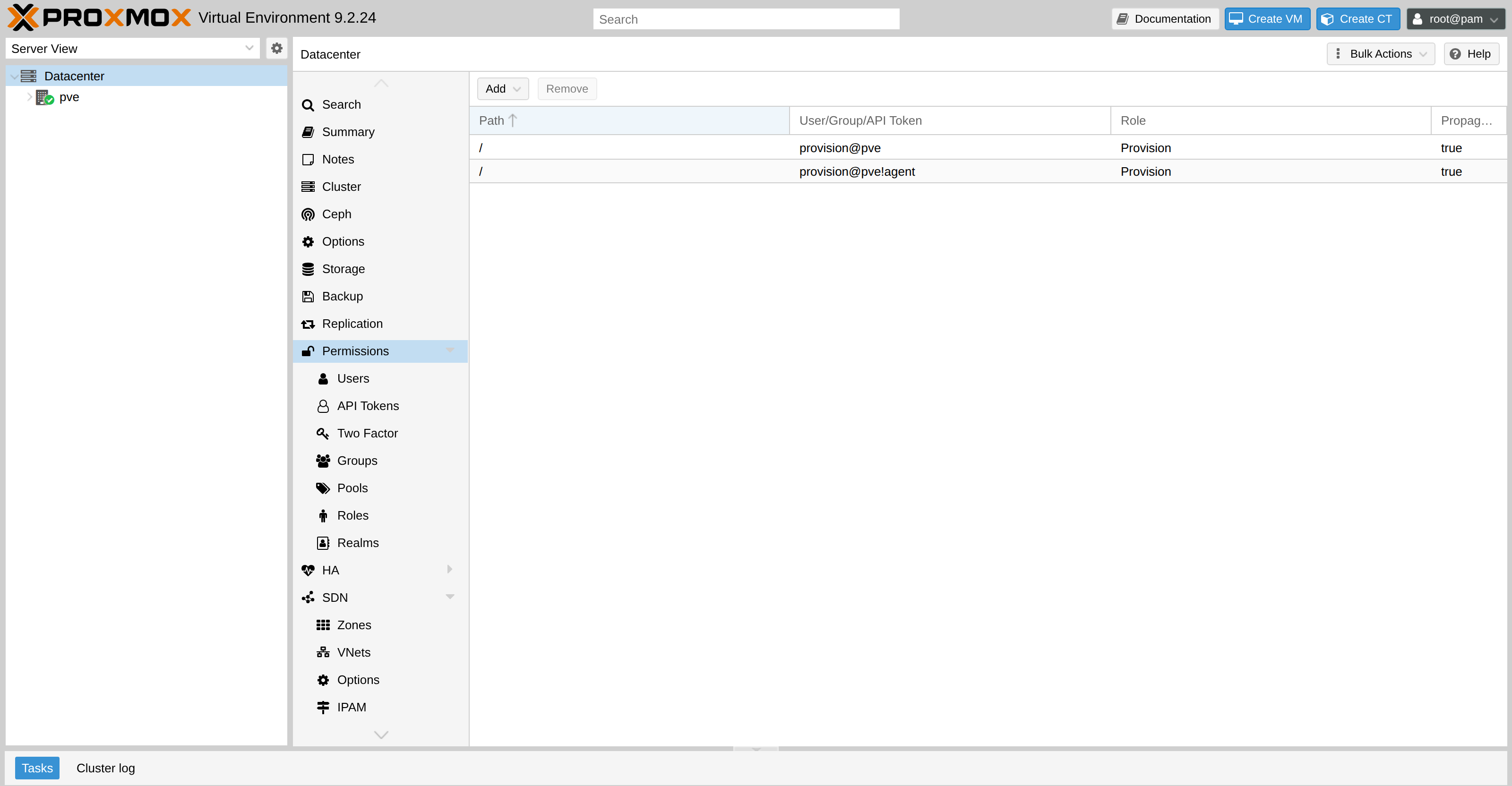
Leave privilege separation checked
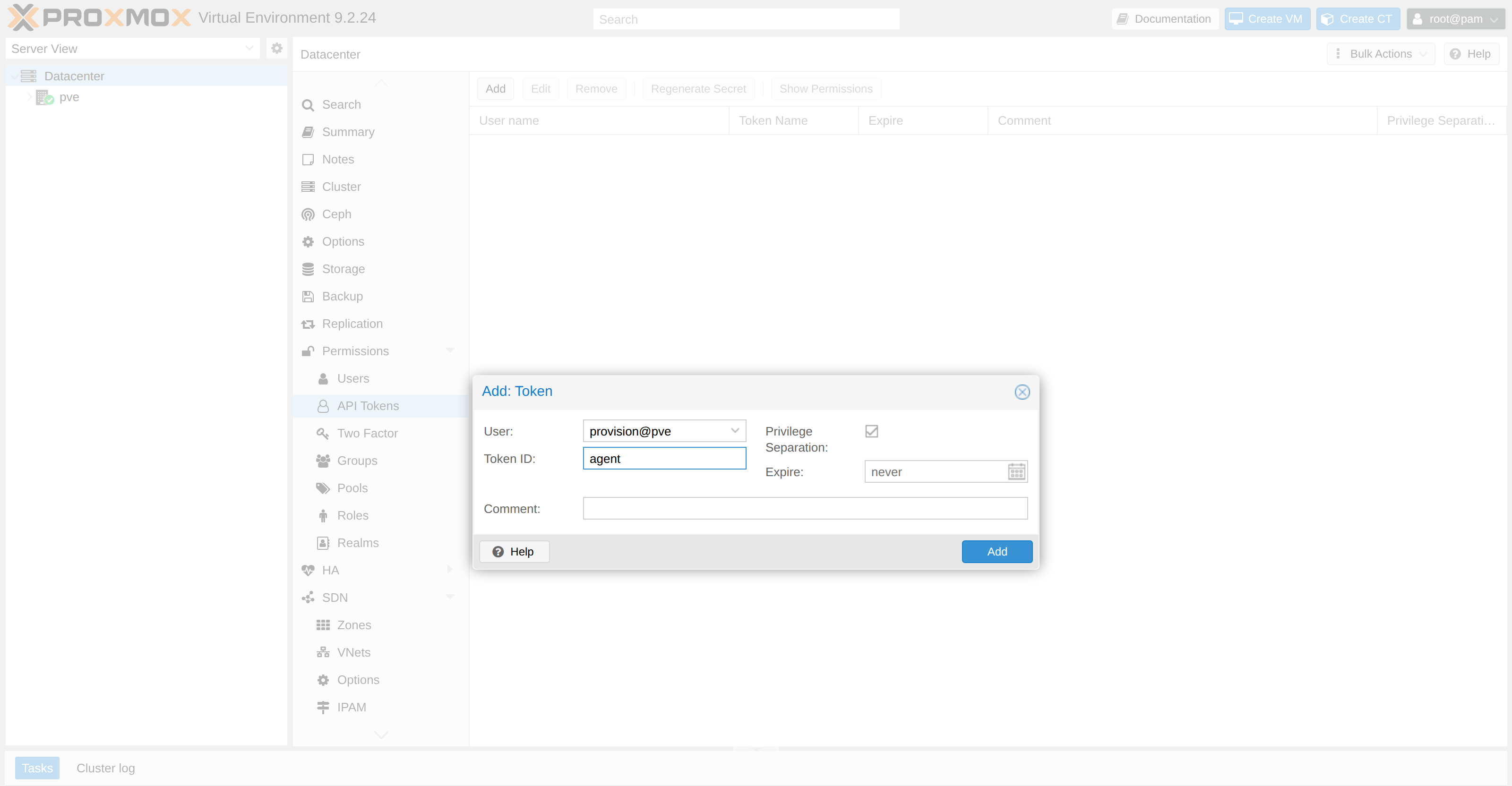
Datacenter, Permissions, API Tokens, Add. User provision@pve, Token ID agent, expiry never. The Privilege Separation box is already checked when the dialog opens. The manual calls that the default for a new token. Leave it. The token we added reports privsep 1.
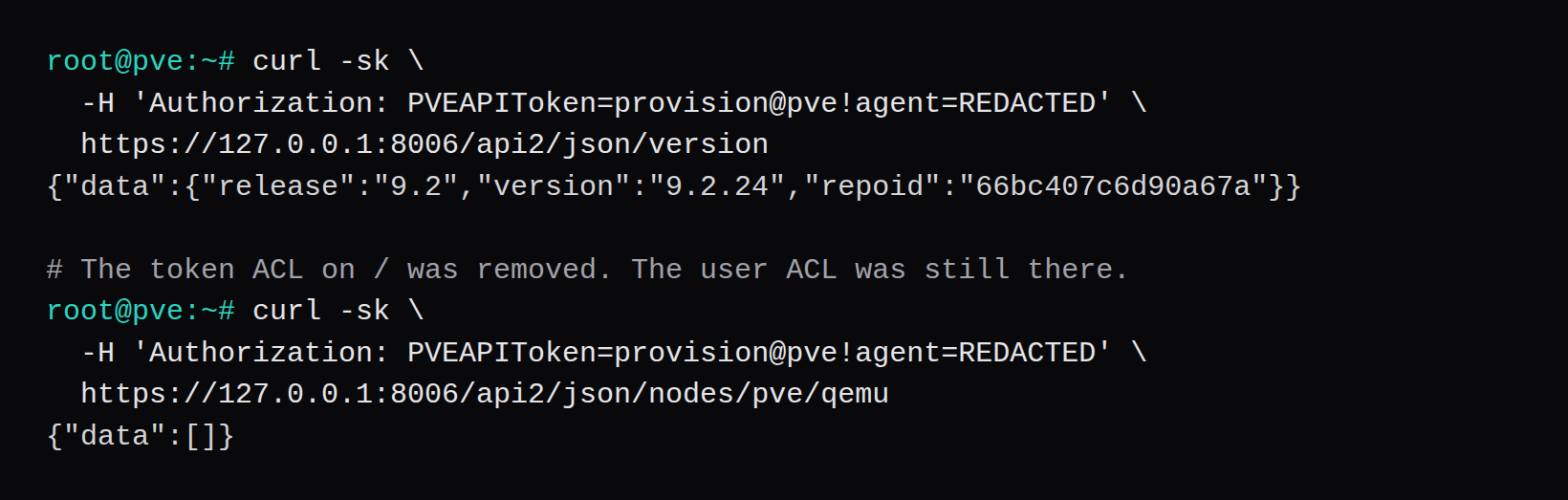
The header on every call is:
curl -sk \
  -H "Authorization: PVEAPIToken=provision@pve!agent=REDACTED" \
  https://127.0.0.1:8006/api2/json/version
That header is the whole login. Run it on the node and the host is 127.0.0.1. A wrong secret returns 401 and an empty body. A secret that is accepted, on a token that lacks VM.Clone, returns the 403 above.
The secret is shown once
After Add, Proxmox opens Token Secret. Token ID is provision@pve!agent. The secret field is shown once. The line under it reads: "Please record the API token secret - it will only be displayed now." The manual says the value is returned when the token is generated. Close the dialog and a later API call has nothing to return.
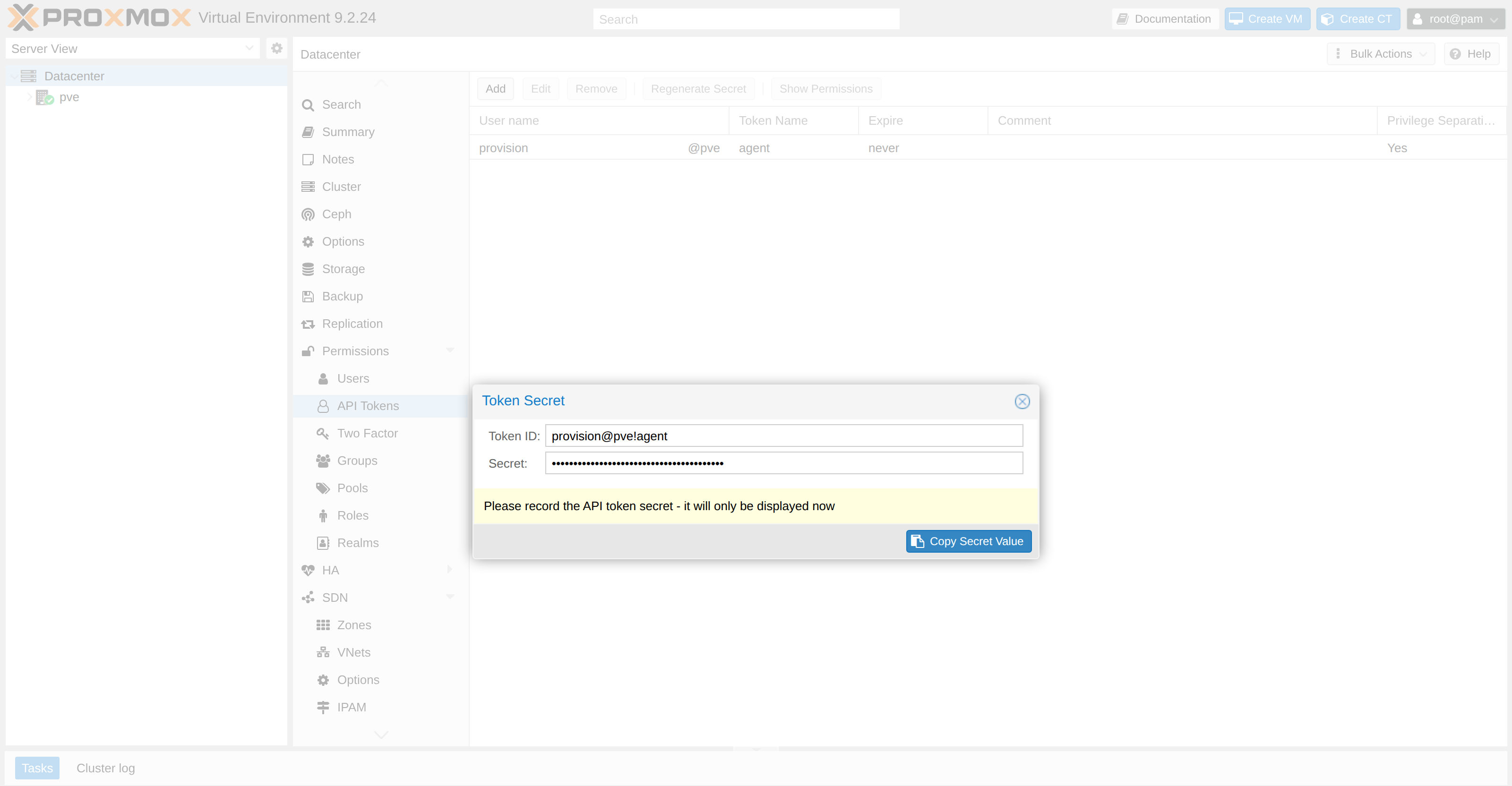
Lose the secret and you add a new token. The old value stops working. pveum user token remove provision@pve agent deletes it, and Add issues a new one. The ACL on provision@pve!agent has to be put back if the remove dropped it. Ours did.
The place that copy lives is the node, where the thing that clones guests can read it. Pasting it into a billing panel on another server is the move the other piece argues against.
/version returns JSON before the token can list a VM
GET /api2/json/version answered while the token ACL was gone:
{"data":{"release":"9.2","version":"9.2.24","repoid":"66bc407c6d90a67a"}}The VM list at the same moment was {"data":[]}. Guests 900, 9000, 9001, and 9002 were on the node. The token had no VM.Audit, so the list left them out and still returned 200.
The clone returns 403 until SDN.Use is on the role
Three calls, same header, provision@pve!agent=REDACTED.
First, token ACL absent. POST /nodes/pve/qemu/9000/clone with newid=9010 and full=0:
{"message":"Permission check failed (/vms/9000, VM.Clone)\n","data":null}Second, both ACLs restored. POST /access/users with userid=nobody@pve:
{"data":null,"message":"Permission check failed (/access/realm/pve, Realm.AllocateUser)\n"}Third, SDN.Use removed from Provision, both ACLs still on /. The same clone:
{"data":null,"message":"Permission check failed (/sdn/zones/localnetwork/vmbr0, SDN.Use)\n"}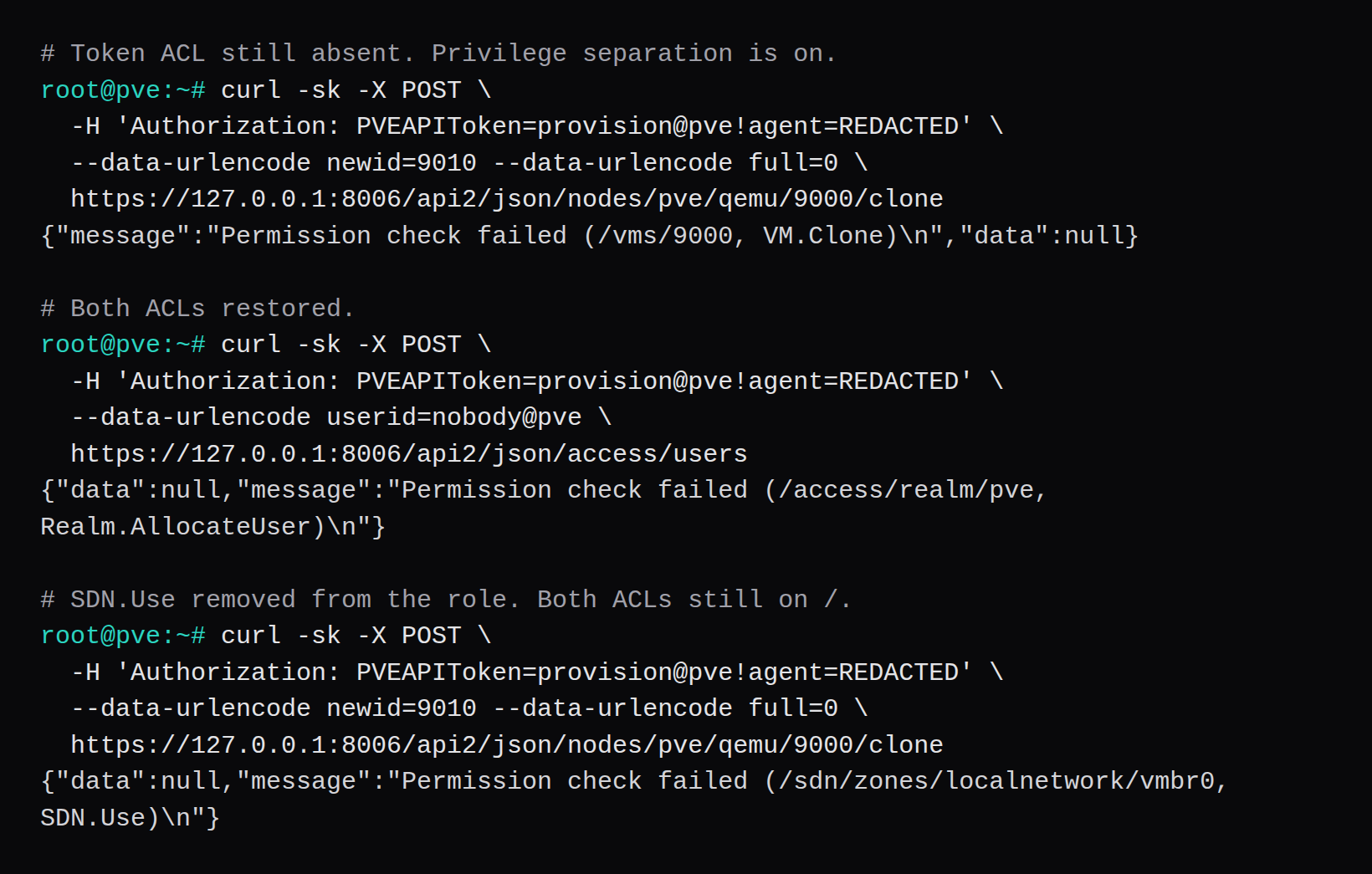
That SDN.Use path is the one the quick start names for vmbr0 on current Proxmox. VM.Config.Network covers the NIC definition. The bridge check is SDN.Use, and that is the 403 this clone hit once the ACLs were in place. Datastore.AllocateSpace stayed on the role. The 403 we recorded named /sdn/zones/localnetwork/vmbr0.
SDN.Use went back on the role. The clone returned 200 and a task for qmclone of VM 9000 as provision@pve!agent. The task status was OK 0.80 seconds after the POST. full=0 linked the guest disk and still copied the cloud-init drive:
creating a clone of VM 9000 with ID 9010
create full clone of drive ide2 (local-lvm:vm-9000-cloudinit)
  WARNING: You have not turned on protection against thin pools running out of space.
  WARNING: Set activation/thin_pool_autoextend_threshold below 100 to trigger automatic extension of thin pools before they get full.
  Logical volume "vm-9010-cloudinit" created.
  WARNING: Sum of all thin volume sizes (<18.52 GiB) exceeds the size of thin pool pve/data and the amount of free space in volume group (<4.88 GiB).
  Logical volume pve/vm-9010-cloudinit changed.
allocated target volume 'local-lvm:vm-9010-cloudinit'
create linked clone of drive scsi0 (local-lvm:base-9000-disk-0)
  WARNING: You have not turned on protection against thin pools running out of space.
  WARNING: Set activation/thin_pool_autoextend_threshold below 100 to trigger automatic extension of thin pools before they get full.
  Logical volume "vm-9010-disk-0" created.
  WARNING: Sum of all thin volume sizes (<22.02 GiB) exceeds the size of thin pool pve/data and the amount of free space in volume group (<4.88 GiB).
  Logical volume pve/vm-9010-disk-0 changed.
TASK OK
The thin-pool warning is the same one the template import printed, with a larger sum this time. The copy still finished. Build a cloud-init template on Proxmox has the pool detail. VM 9010 was destroyed after the task. Clone 9001 already holds 192.0.2.10.
VM.Config.Cloudinit unmasks the password line
On this node the dump endpoint is GET /nodes/pve/qemu/{vmid}/cloudinit/dump, and the permission on that method is VM.Audit. qemu-server 9.2.13 then masks the password unless the caller also has VM.Config.Cloudinit.
We set cipassword on the clone while the role had VM.Config.Cloudinit. The PUT returned 200. The dump's password line was a crypt hash. The privilege came off the role. The same dump returned 200, and the password line was password: **********.
The changelog shipped in qemu-server 9.2.13 records the 9.2.11 change that narrowed VM.Config.Network. Setting ciuser, cipassword, sshkeys, or ipconfig requires VM.Config.Cloudinit. nameserver and searchdomain accept either VM.Config.Cloudinit or VM.Config.Network. A cicustom volume is also checked against the storage. This template has no cicustom.
The operator that will use a token like this is described in Agents. It reads the secret on the cluster. The role in the quick start is the longer one, with the storage ACLs, for that install.
Does /version mean the Proxmox token can clone?
GET /api2/json/version returned release 9.2 and version 9.2.24 while the token's VM list was empty. The clone, with newid set and full=0, is the call that shows whether VM.Clone is on both ACLs.
Why does the clone return 403 when the user has the role?
Privilege separation intersects the two. The grant on provision@pve and the grant on provision@pve!agent are separate. The permissions list needs both rows, path /, role Provision, propagate on. Either row on its own left the VM list empty and the clone at 403 VM.Clone.
Can Proxmox show an API token secret again?
The Token Secret dialog says the value is displayed only now. A later request comes back without a secret. Remove agent and add it again. You get a new secret, and the ACL for provision@pve!agent has to be created again if the remove cleared it.
Is this the NodeRings operator role?
Provision is the 14 privileges this clone used. noderings-role in the quick start is the 21-privilege set, granted to the user and the token on / and on each storage. Use that list when the caller also takes backups, snapshots, a console, and ISO uploads. The token in both cases is created with privilege separation on, and the secret stays where the caller runs.