
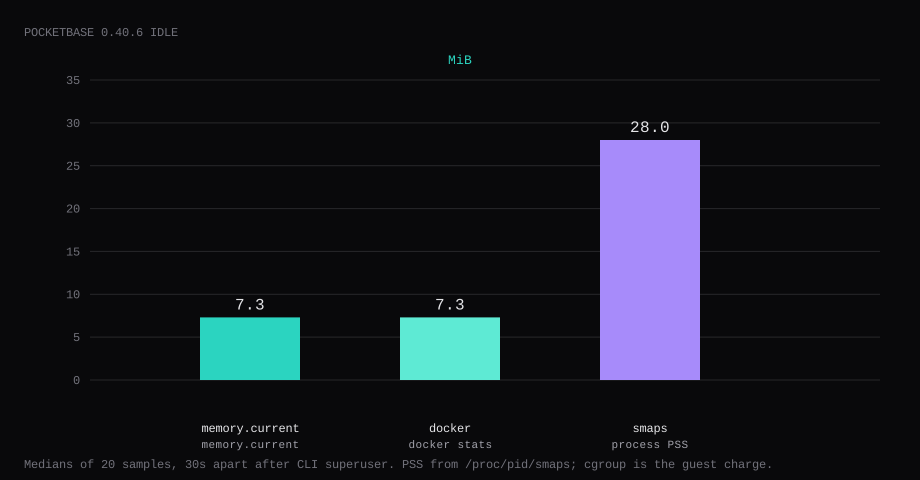
PocketBase 0.40.6 held 7.3 MiB idle on this lab host. That is cgroup memory.current, the median of twenty samples taken 30 seconds apart after a CLI superuser upsert and a quiet admin UI. docker stats printed 7.3 MiB. Process PSS from /proc/…/smaps was 28.0 MiB. Port 8090 listened on 127.0.0.1 only. /api/health returned HTTP 200 with no cookie. A curl to the guest's LAN address on 8090 was refused.
PocketBase is an open-source backend in one binary: embedded SQLite, realtime subscriptions, file storage, an admin UI, and a REST API. You use it when a small app needs auth and collections without standing up a separate API framework. The Go binary is the product; community Docker images exist, but this post builds from the official release zip so the digest is yours.
The going to production docs show the binary behind Caddy or nginx on 127.0.0.1:8090, with a 360s read timeout and a 10MB body limit. There is no official Docker image. Community Compose files often publish 8090:8090. Pin the release zip by sha256 and wrap the binary in a short Dockerfile. Publish loopback only. Create the first superuser from the CLI, and have Caddy serve the public hostname.
| Reading | Value |
|---|---|
cgroup memory.current | 7.3 MiB, median of 20 |
docker stats | 7.3 MiB |
process PSS (smaps) | 28.0 MiB |
| CPU percent | 0.0, median |
| Host listener | 127.0.0.1:8090 |
/api/health (no cookie) | "message":"API is healthy.", code 200 |
| Binary | about 33.5 MB; image about 64 MB |
| Skip this | What this run did |
|---|---|
Community image with 8090:8090 | Built from the official binary; published 127.0.0.1:8090:8090 |
| Trusting an unsigned download | Checked sha256 8e9805c9…6ffa30 for v0.40.6 |
| First superuser only in the browser | superuser upsert over docker compose exec |
Default Caddy reverse_proxy alone | read_timeout 360s and request_body 10MB |
Copying pb_data while the process writes | Stopped the container, then tar |
How do you install PocketBase on Docker?
Download the Linux amd64 release, check the checksum, and copy the binary into an Alpine image. On this lab the file was 33,513,632 bytes and matched:
8e9805c9d92c50a4ff2bce97579d13e2ddfa138cab10cf6f9e8f6db8016ffa30mkdir -p ~/pocketbase && cd ~/pocketbase
# download pocketbase_0.40.6_linux_amd64.zip from GitHub Releases, then:
unzip pocketbase_0.40.6_linux_amd64.zip
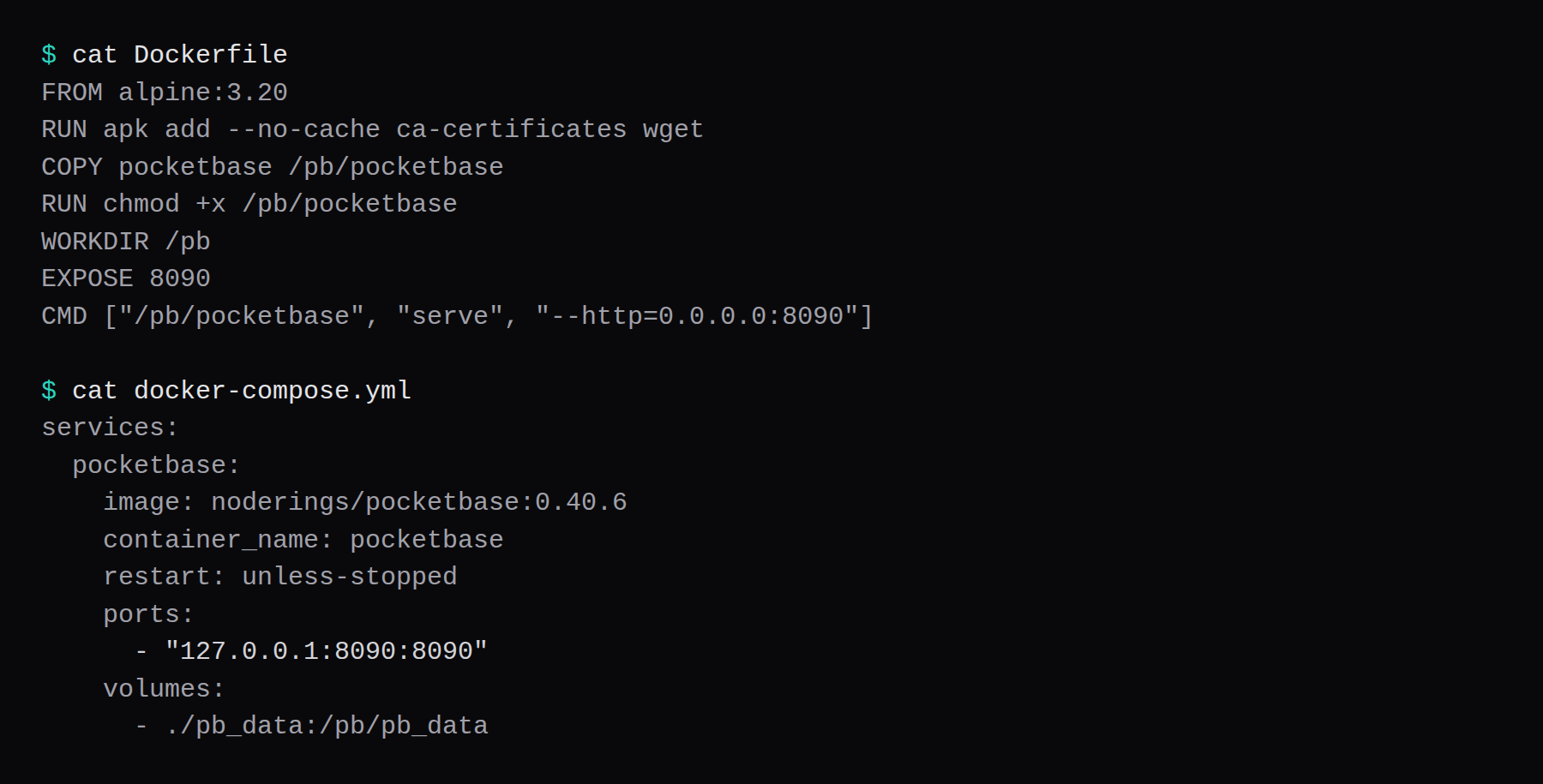
sha256sum pocketbaseFROM alpine:3.20
RUN apk add --no-cache ca-certificates
COPY pocketbase /pb/pocketbase
RUN chmod +x /pb/pocketbase
WORKDIR /pb
EXPOSE 8090
CMD ["/pb/pocketbase", "serve", "--http=0.0.0.0:8090"]docker build -t noderings/pocketbase:0.40.6 .Compose publishes loopback and mounts pb_data next to the binary's working directory:
services:
  pocketbase:
    image: noderings/pocketbase:0.40.6
    container_name: pocketbase
    restart: unless-stopped
    ports:
      - "127.0.0.1:8090:8090"
    volumes:
      - ./pb_data:/pb/pb_data
    logging:
      driver: json-file
      options:
        max-size: "10m"
        max-file: "3"
mkdir -p pb_data
docker compose up -d
curl -sS http://127.0.0.1:8090/api/healthInside the container the process listens on 0.0.0.0:8090. The loopback publish is what keeps the host's public address quiet. Log rotation matches the Compose checklist.
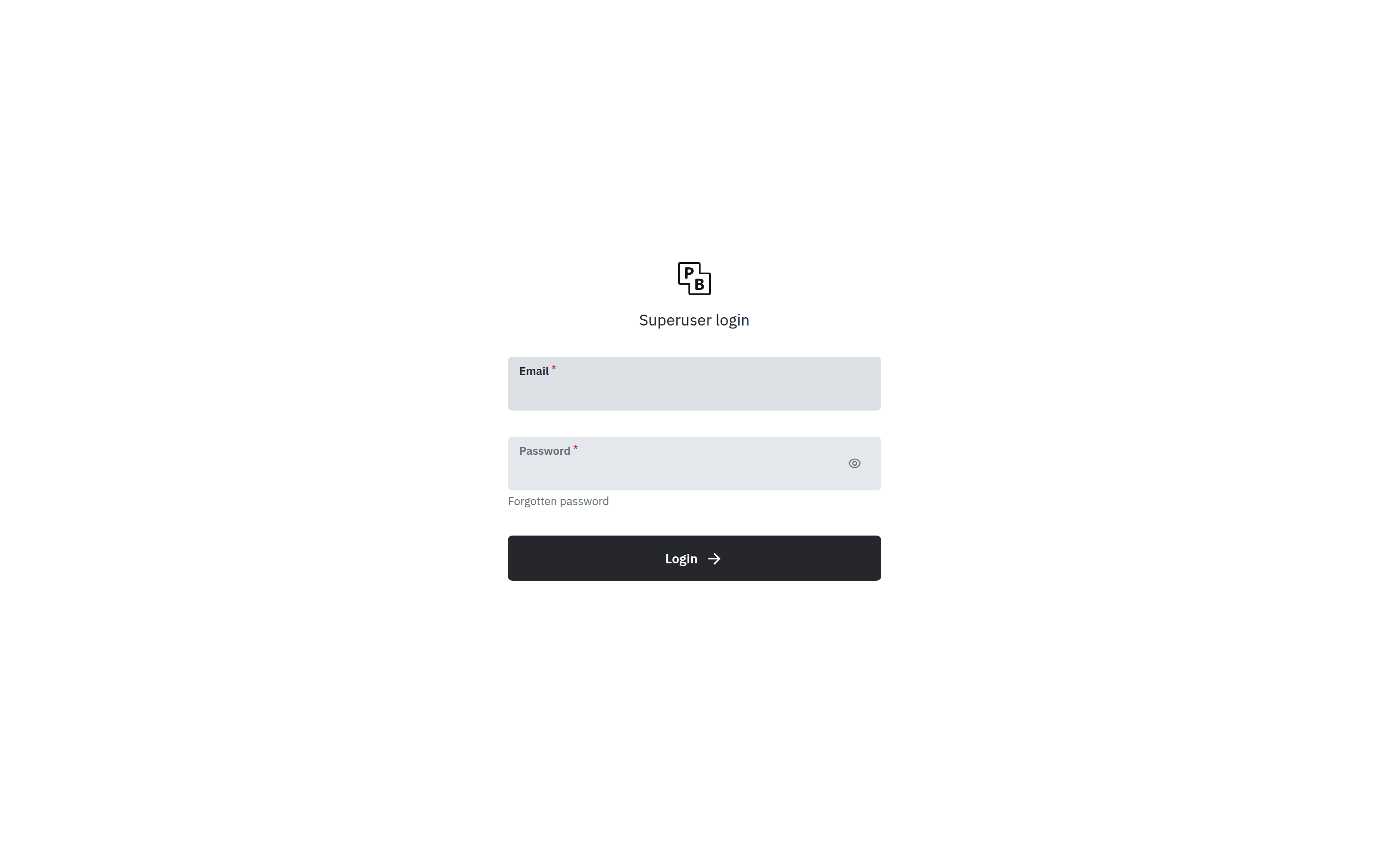
Create the first superuser from the CLI. After the upsert, /_/ is the login page.
docker compose exec pocketbase /pb/pocketbase superuser upsert [email protected] 'YOUR_LONG_PASSWORD'Crop the password from screenshots and shell history.
What can you build and how do you tune it?
Collections, auth providers, and file fields live in the admin UI under /_/. Realtime is built in for subscribed clients (SSE, not WebSockets). For production the going to production page wants the binary on loopback, a reverse proxy with a long read_timeout (SSE), a request_body max (their Caddy sample uses 10MB), and backups of pb_data. Do not gzip or buffer the /api/realtime stream; PocketBase already sends X-Accel-Buffering: no for nginx, and Traefik/Coolify defaults that compress everything break subscriptions (discussion #5593). Set “User IP proxy headers” (X-Forwarded-For / X-Real-IP) in the dashboard so rate limits and logs see the client, not Caddy (SelfHost Atlas PocketBase). Brinolo’s PocketBase Docker notes also recommend locking /_/ to your IP in Caddy on a public hostname. Turn on the builtin rate limiter (v0.23+) for auth and create endpoints. Migrations and schema exports help when you promote from lab to the VPS. Keep superuser credentials out of compose files; create them with ./pocketbase superuser upsert.
Do not put pb_data on flaky network filesystems. Snapshot or copy it only after stop, or enable Settings → Backups (cron + optional S3) as in rasc.ch’s production notes. Scale is vertical first: one process, one SQLite file, enough disk for uploads.
Why must 8090 stay on loopback?
PocketBase is an admin UI, an API, and a realtime endpoint on one port. Publishing 8090 on every interface puts that stack on the internet without TLS.
ss -H -lntup | grep 8090On this host that printed 127.0.0.1:8090. Curl to 192.168.1.150:8090 failed with connection refused. Leave 8090 closed in the panel firewall. Open 80 and 443 for Caddy. Docker published ports often bypass UFW inside the guest, so the loopback bind is what kept the LAN address quiet on this lab. The public-address case is in provider-side firewall.
When this guest already runs Caddy for other apps, leave ./pocketbase serve yourdomain.com off 80 and 443. Caddy terminates TLS, and PocketBase stays on 8090.

What does /api/health prove?
curl -sS http://127.0.0.1:8090/api/healthThat curl sends no cookie. You get HTTP 200 and {"message":"API is healthy.","code":200,"data":{}}. The same URL on the LAN address did not connect.

How do you log in to the admin UI?
Open http://127.0.0.1:8090/_/ on the guest, or tunnel:
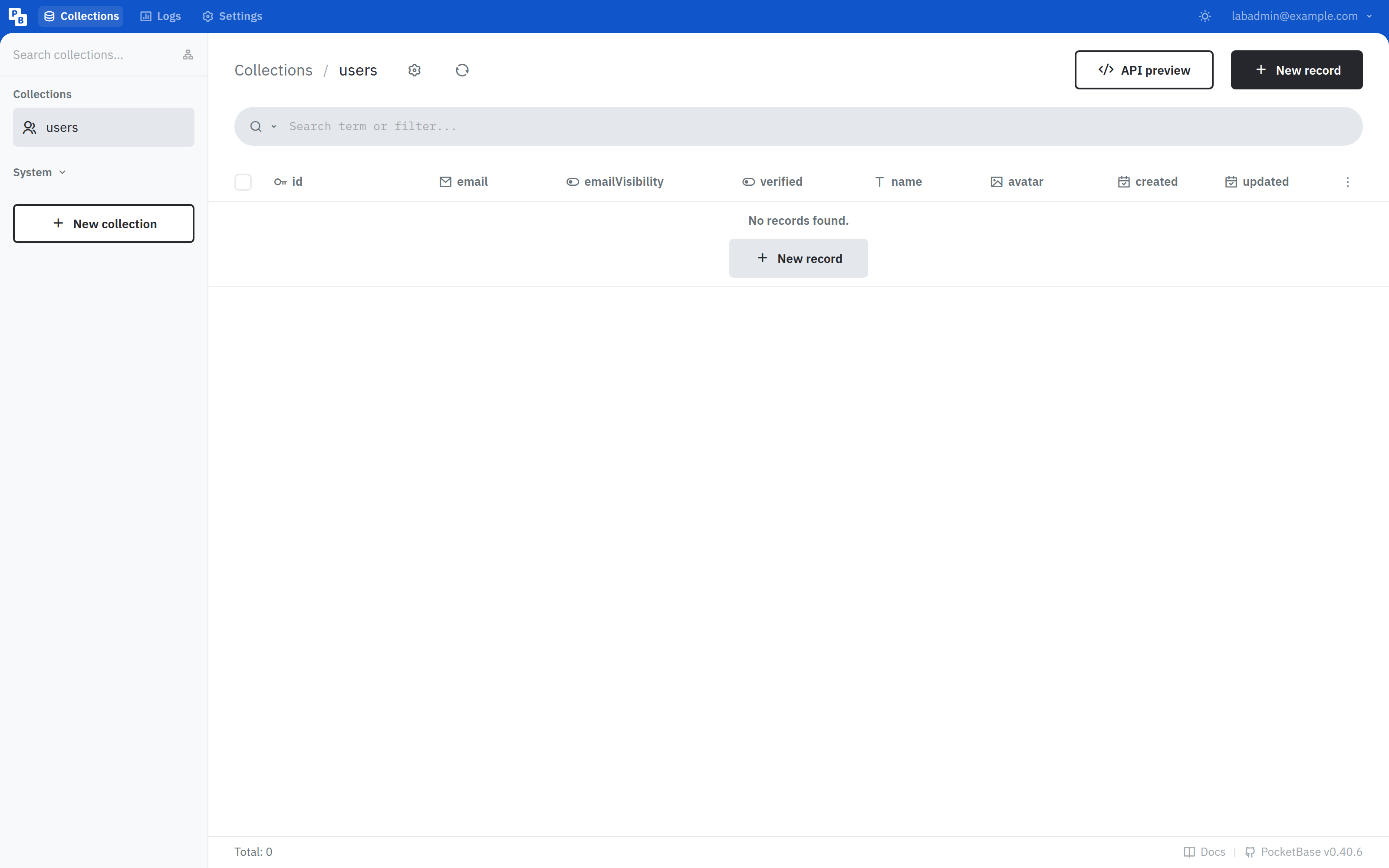
ssh -N -L 18090:127.0.0.1:8090 user@YOUR_VPS_IPThen browse http://127.0.0.1:18090/_/. Sign in with the email and password from superuser upsert. This lab landed on Collections for users with PocketBase v0.40.6 in the footer.
Where does Caddy go?
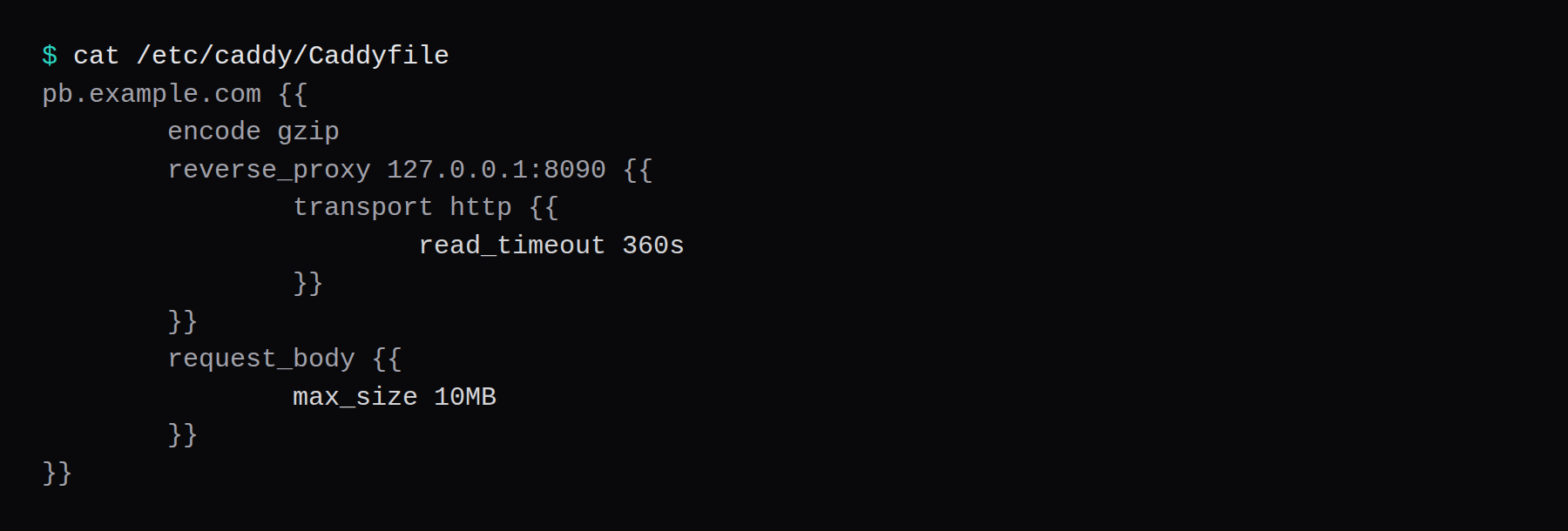
Terminate TLS in Caddy and proxy to loopback. PocketBase's production docs set a long read timeout for realtime and a 10MB body limit:
pb.example.com {
	encode gzip
	reverse_proxy 127.0.0.1:8090 {
		transport http {
			read_timeout 360s
		}
	}
	request_body {
		max_size 10MB
	}
}
TLS setup is in the Caddy HTTPS post. In the PocketBase dashboard, set User IP proxy headers (X-Real-IP, X-Forwarded-For). Log lines then show the client address. Before that change, they show Caddy's address.
How do you back up pb_data?
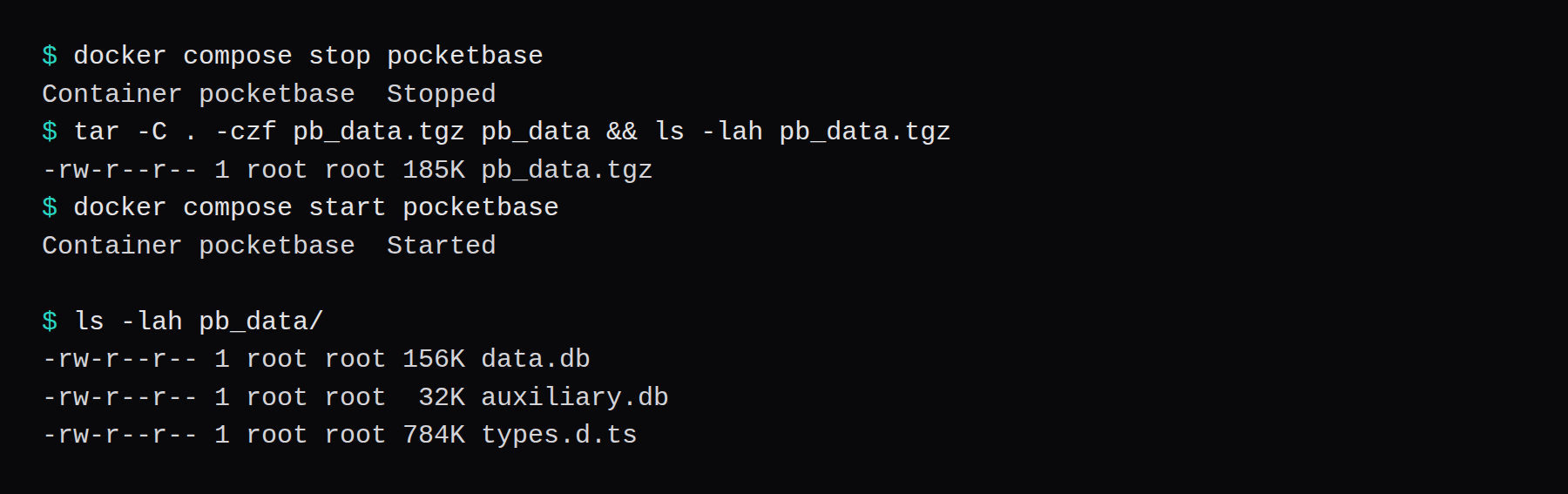
Stop the container, archive the directory, and start it again. On this lab the tree held data.db, auxiliary.db, and types.d.ts. A gzip tar of that empty starter project was about 185 KB:
docker compose stop pocketbase
tar -C . -czf pb_data.tgz pb_data
docker compose start pocketbase
The dashboard also has a Backups ZIP. For a copy off the box, point Restic at that archive, or at a consistent snapshot of pb_data.
How do you evolve a PocketBase app?
Design collections before writing clients. Use API rules so anon cannot read everything. Files belong in PocketBase fields, not a second object store, until you outgrow disk. Realtime subscriptions need the long proxy timeout already in Caddy. When schema changes, test migrations on a copy of pb_data. Pin the binary version; automatic upgrades of the release zip are on you.
FAQ
Is there an official image? No. Build from the release binary or use a community image, and pin a digest. Publish loopback.
Why not serve yourdomain.com? That command has PocketBase take 80 and 443 itself. On a multi-app VPS, Caddy already owns those ports. Keep PocketBase on 8090, bound to loopback.
Does UFW block a published 8090? Often not inside the guest. Bind 127.0.0.1:8090:8090 and leave 8090 closed on the panel firewall.
Optional IP allowlist? An allowlist in front of the admin UI is fine when only you administer it. API clients need a route on the path the app calls.
Which version did this lab pin? v0.40.6. Refresh the checksum when you move minor versions.