
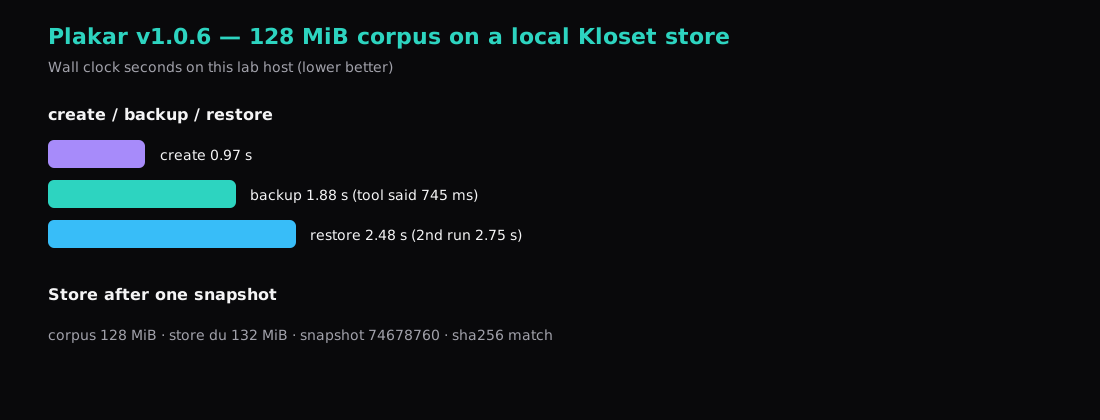
Snapshot 74678760 held 128 MiB from a generated tree on this lab. plakar restore -to wrote it into an empty directory in 2.48 seconds of wall clock (a second run took 2.75 s). The sha256 manifest matched the source byte for byte. The backup that produced the snapshot took 1.88 s; Plakar’s own line said 745 ms of work and “wrote 129 MiB.” The store on disk measured 132 MiB after that one snapshot. Binary: plakar/v1.0.6, 65 MiB on amd64.
OVHcloud’s Plakar guide sells the same tool as a product shape: order a VPS as the backup host, wire Object Storage as an S3 connector, pull sources over SSH/SFTP on a timer. Plakar itself is open source. You can run the Kloset store on any VPS disk (or point a connector at S3-compatible storage you already pay for) without buying that bundle.
| Reading | Value |
|---|---|
| Version | plakar/v1.0.6 |
| Corpus | 134,225,939 bytes (~128 MiB) |
create | 0.97 s |
backup | 1.88 s wall · ~745 ms reported |
restore | 2.48 s (2nd 2.75 s) |
check | OK |
Store du -sh | 132 MiB |
| Manifest | sha256 match |
Why run this yourself
OVH’s SBG2 fire is the short form of the lesson: a “backup” that shares the building with production can burn with it. A dedicated backup VPS plus object storage in another region is one honest shape. A Compute Instance you control, with the store on a second disk or an S3 endpoint you chose, is the same idea without the OVH SKU list.
Plakar sits on the same shelf as Restic and Borg: encrypted, deduplicated snapshots. Restic and Borg have longer production scars and simpler SFTP/SSH stories. Plakar adds connectors (S3, sources over SFTP), a web UI (plakar ui), and the OVH-shaped guide. Use it when that model fits; stay on Restic or Borg when that is already what you run at 03:00.
How do you install Plakar on Ubuntu?
This lab built from the v1.0.6 tag. The apt repo at plakar.io/dist/repos/deb rejected our keyring on the day of the run (NO_PUBKEY), so the binary came from source:
git clone --depth 1 --branch v1.0.6 \
  https://github.com/PlakarKorp/plakar.git
cd plakar
go build -o /usr/local/bin/plakar .
plakar version
# plakar/v1.0.6
When the distro keyring works, the package path is the usual signed-by list + apt install plakar. Pin a version either way. Newer tags on the module wanted a newer Go toolchain than this host’s 1.25.5; v1.0.6 built cleanly.
install -d -m 700 /etc/plakar
printf 'choose-a-long-secret\n' | install -m 600 /dev/stdin /etc/plakar/passphrase
export PLAKAR_PASSPHRASE="$(cat /etc/plakar/passphrase)"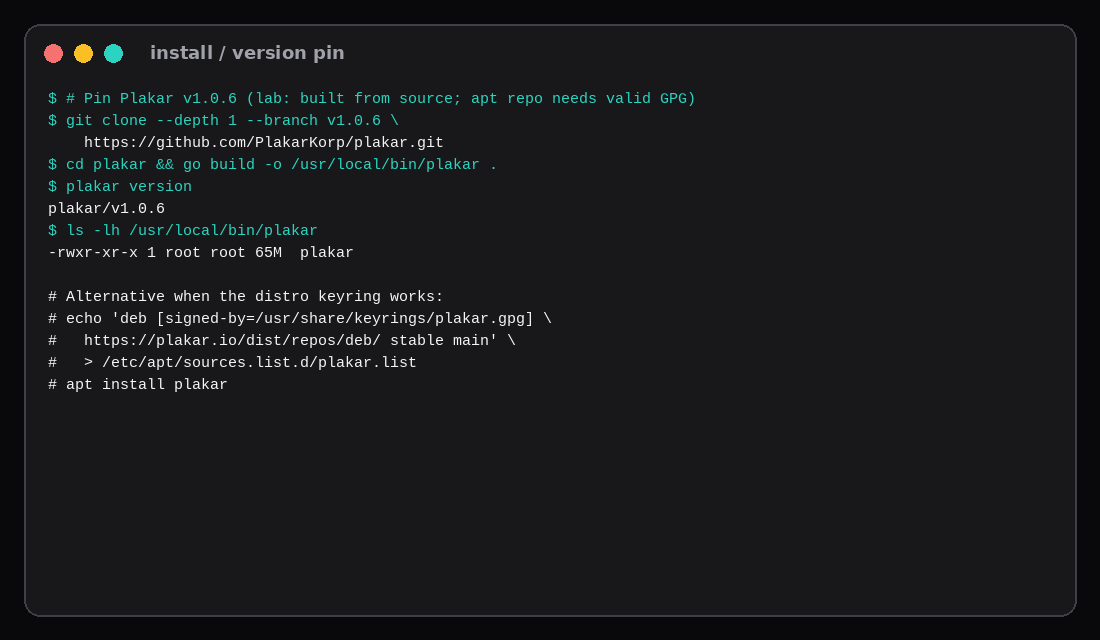
Create a store and take a backup
A Kloset store is the repository. Local path first:
mkdir -p /var/backups/plakar
plakar at /var/backups/plakar create
plakar at /var/backups/plakar backup /srv/src
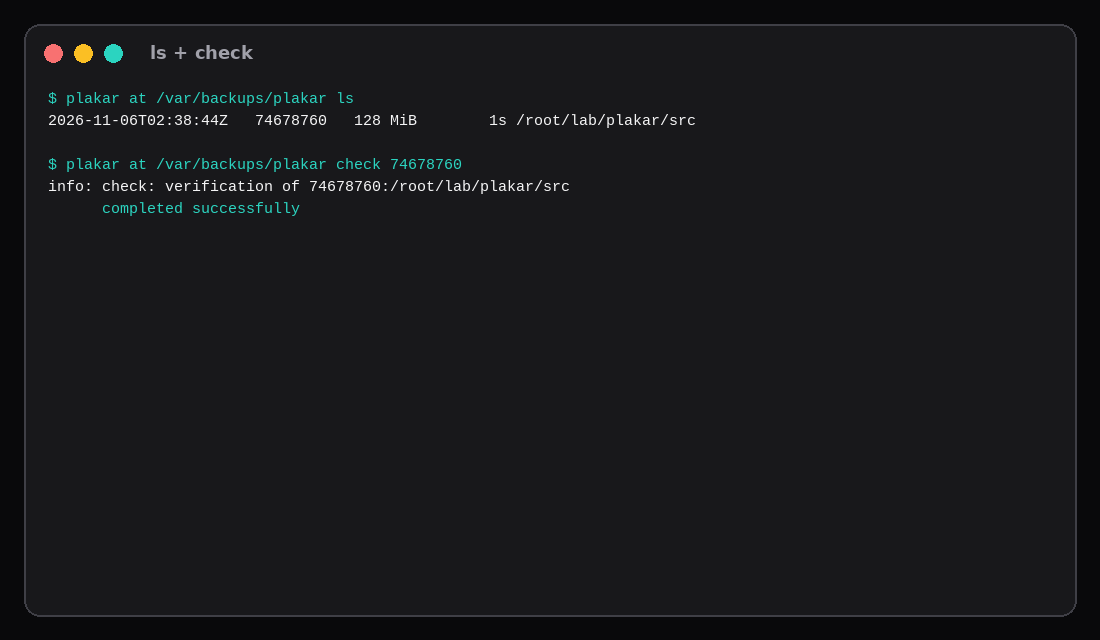
plakar at /var/backups/plakar ls
plakar at /var/backups/plakar check 74678760
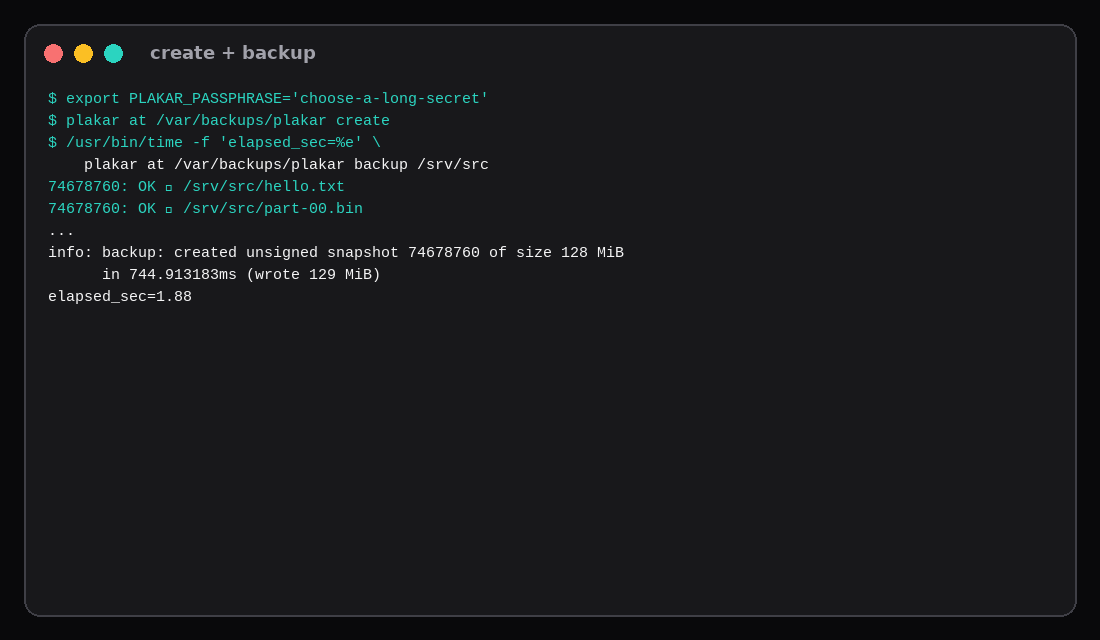
Lab output for the backup:
info: backup: created unsigned snapshot 74678760 of size 128 MiB
      in 744.913183ms (wrote 129 MiB)
ls showed 74678760 at 128 MiB for /root/lab/plakar/src (your path will be /srv/src). check completed successfully.
The corpus was four 32 MiB random parts, hello.txt, and a 20-row sqlite file so dedup could not shrink the story into nonsense.
Restore and prove it
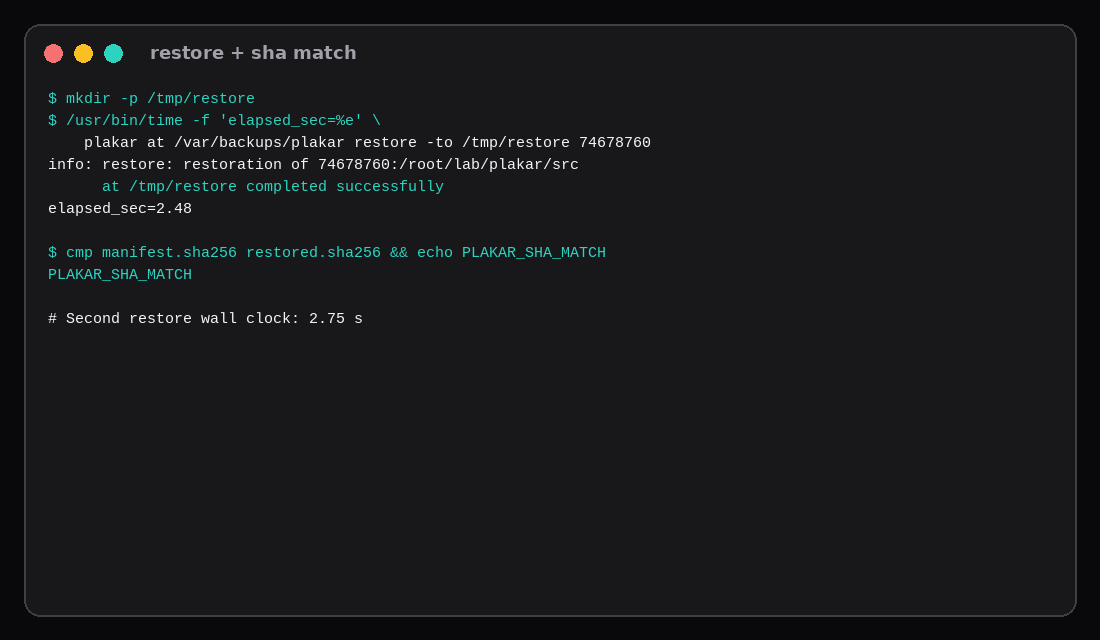
mkdir -p /tmp/restore
plakar at /var/backups/plakar restore -to /tmp/restore 74678760
Wall clock on this host: 2.48 s, then 2.75 s on a repeat into a fresh directory. Manifest compare:
cd /srv/src && find . -type f -print0 | sort -z | xargs -0 sha256sum > /var/tmp/manifest.sha256
# same command inside the restored tree
cmp /var/tmp/manifest.sha256 /var/tmp/manifest-restored.sha256
Both matched. Restore to a temporary path first; a careless -to / will fight live configs.
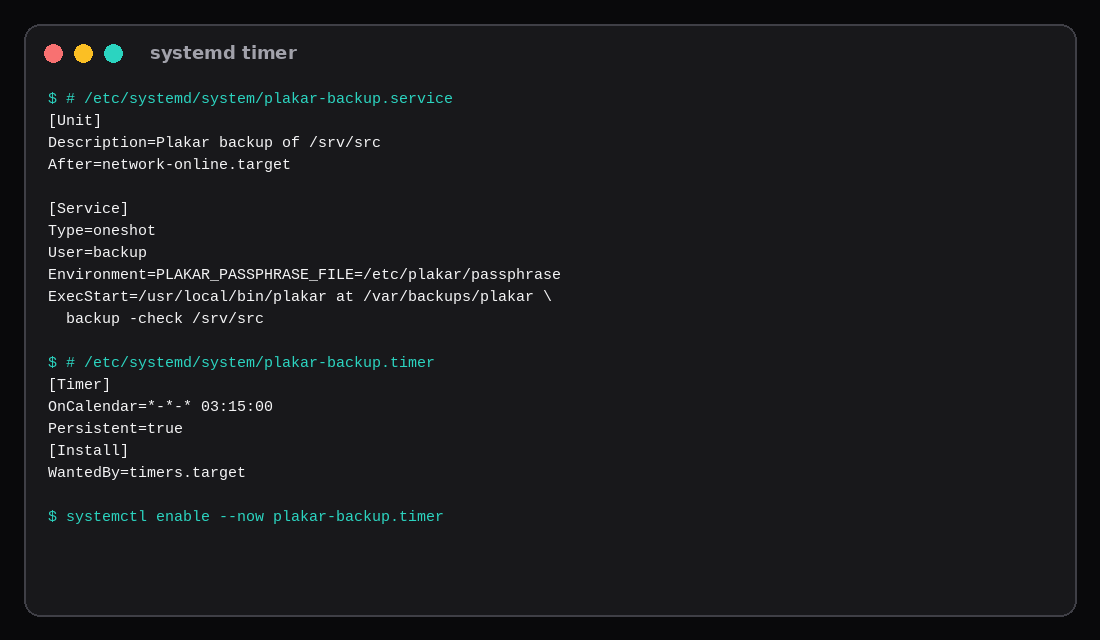
Systemd timer (Plakar has no built-in cron)
# /etc/systemd/system/plakar-backup.service
[Unit]
Description=Plakar backup of /srv/src
After=network-online.target

[Service]
Type=oneshot
User=backup
EnvironmentFile=/etc/plakar/env
ExecStart=/usr/local/bin/plakar at /var/backups/plakar backup -check /srv/src
# /etc/systemd/system/plakar-backup.timer
[Unit]
Description=Daily Plakar backup
[Timer]
OnCalendar=*-*-* 03:15:00
Persistent=true
[Install]
WantedBy=timers.targetsystemctl daemon-reload
systemctl enable --now plakar-backup.timerPut PLAKAR_PASSPHRASE=… in /etc/plakar/env mode 600. OVH’s own guide uses the same oneshot pattern with backup -check against named source connectors.
How the OVH Object Storage connector fits
When you have S3 credentials (OVH Object Storage or anything compatible, including a Garage bucket):
plakar login -email [email protected]   # required by some pkg installs
plakar pkg add s3
plakar store add ovh-s3-backups \
  location=s3://s3.eu-west-par.io.cloud.ovh.net/BUCKET \
  access_key=… secret_access_key=… \
  use_tls=true \
  passphrase='…'
plakar at "@ovh-s3-backups" create
plakar at "@ovh-s3-backups" backup /srv/src
In that layout the VPS runs Plakar and object storage holds the Kloset. Sources can also be remote SFTP connectors so one backup host pulls several web VPS trees. This lab stayed on a local path so the restore clock stayed independent of an OVH account. The commands above are from OVH’s and Plakar’s published guides; swap the endpoint for your region.
Keep the store off the production disk and, when you can, off the production building. The SBG2 post is the long form of that rule.
| Skip this | What this lab did |
|---|---|
| Trusting apt without checking the key | Built v1.0.6 from the tagged source |
Stopping at backup OK | Timed restore + sha256 |
Store on the same volume as /srv only | Documented second disk / S3 for real ops |
Floating @latest Go module | Pinned v1.0.6 |
Restoring onto / | Restored under /tmp/restore |
Plakar next to Borg and restic on a storage box
Plakar sits in the same job family as Borg and restic: encrypted, deduplicated snapshots to a remote store. OVH-style backup products and SFTP/S3 backends change the network path more than the local CLI shape. Prefer a restore drill on a fresh directory before you trust retention; backup success without a timed restore is only half the product. If you already standardised on restic to a storage box elsewhere on this site, Plakar is an alternate client with its own repository format—do not mix tools in one repository. Schedule after quiet hours and watch first-full vs incremental durations the way this lab records them.
FAQ
Plakar or Restic? Restic if you already live in SFTP/S3 scripts and want the tool measured in the storage-box posts. Plakar if you want OVH-shaped connectors and are fine pinning a younger project.
Unsigned snapshot? The lab snapshot printed “unsigned.” Add signing in production if your threat model cares; encryption still depends on the passphrase.
Agent warnings? First run may print a security-check notice. plakar -disable-security-check is optional; reading release notes is better.
UI? plakar at /var/backups/plakar ui opens a local web UI. Keep it on loopback or behind Caddy with auth.
What to run on the VPS
A 2 GB Compute Instance is enough to host Plakar as a backup brain: pin the binary, create the store on a volume that is not the only copy of production, prove one restore, then enable the timer. Point plakar store add at object storage when you want the OVH architecture without the marketing stack.