
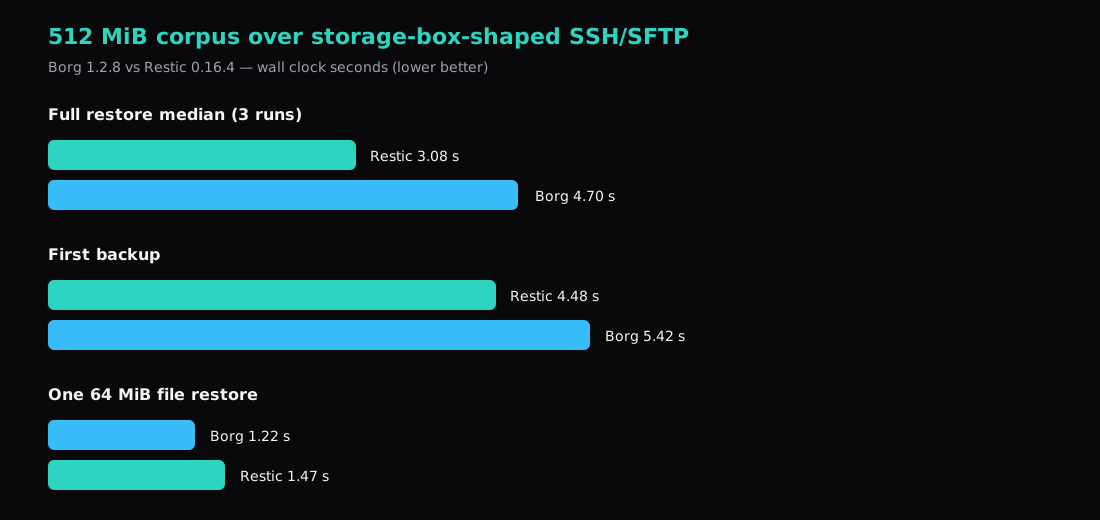
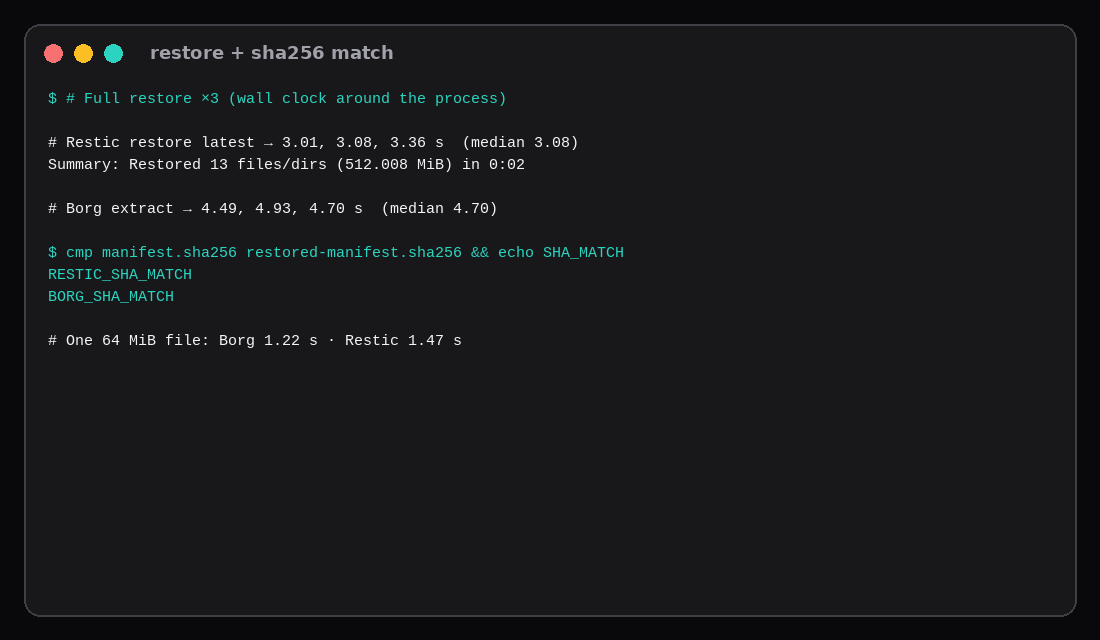
A 512.008 MiB tree (eight 64 MiB random parts plus a 50-row sqlite file) went to a storage-box-shaped SSH endpoint on this lab, then came back with a matching sha256 manifest for both tools. Full restore wall clocks, three runs each: Restic 3.01, 3.08, 3.36 seconds (median 3.08). Borg 4.49, 4.93, 4.70 seconds (median 4.70). First backup was 4.48 s for Restic and 5.42 s for Borg. Repositories landed at 514 MiB and 513 MiB.
The Restic storage-box post already walks a larger Restic-only restore. This page is the head-to-head on the same corpus and the same kind of backend Hetzner’s Storage Box access doc describes: SFTP for Restic, SSH with a remote borg for BorgBackup.
| Restic 0.16.4 | Borg 1.2.8 | |
|---|---|---|
| Transport | SFTP (sftp:storagebox:restic-repo) | SSH (ssh://storagebox/./borg-repo) |
| First backup | 4.48 s | 5.42 s |
| Full restore (median of 3) | 3.08 s | 4.70 s |
| One 64 MiB file | 1.47 s | 1.22 s |
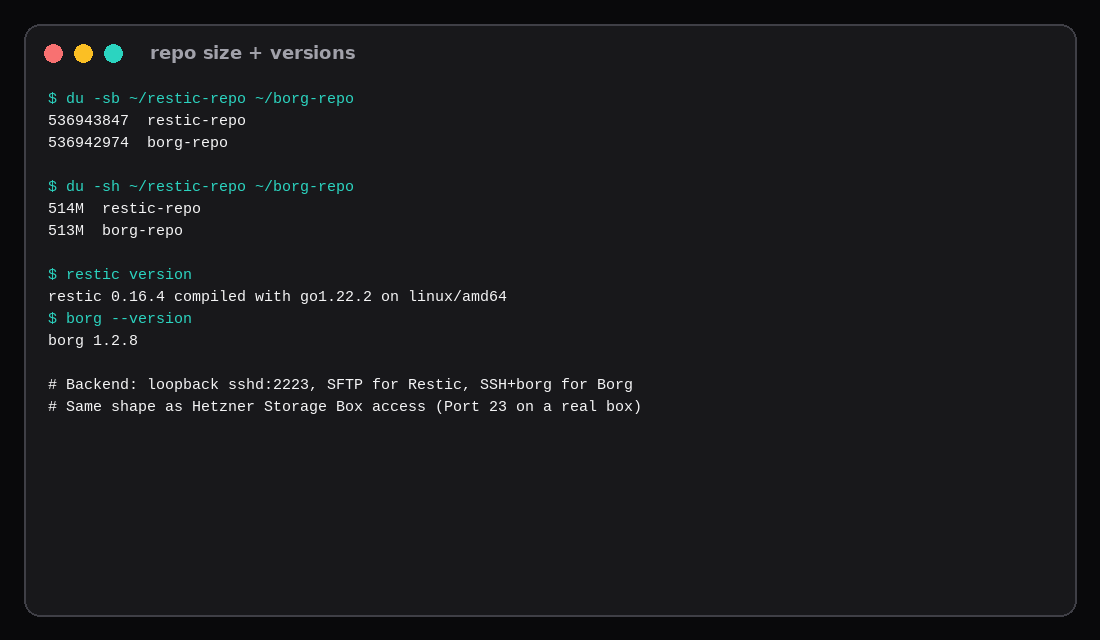
Repo du -sh | 514 MiB | 513 MiB |
| Manifest | sha256 match | sha256 match |
How does a Storage Box talk to each tool?
Hetzner’s access doc lists Restic over SFTP (and optionally rclone), and Borg over SSH with a remote Borg binary selected by --remote-path (for example borg-1.4). Extended SSH is port 23. The hostname looks like uXXXXX.your-storagebox.de. Only paths under the account home are writable.
This lab copied that shape on loopback: OpenSSH on 127.0.0.1:2223, key-only user boxlab, SFTP subsystem on for Restic, shell + system borg for Borg. On a real BX11 you swap HostName/Port and add --remote-path=borg-1.4 (or whatever version the box offers). The BX11 page is still the 1 TB / unlimited-traffic SKU people mean by “storage box.”
How do you point Restic at the box?
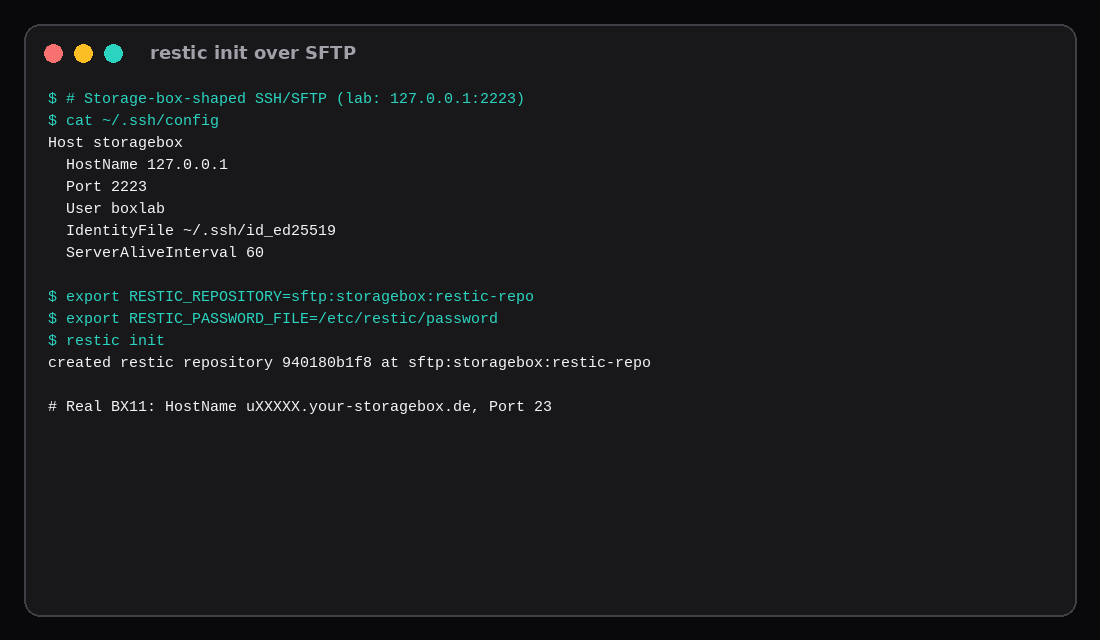
Host storagebox
  HostName uXXXXX.your-storagebox.de
  User uXXXXX
  Port 23
  IdentityFile ~/.ssh/id_ed25519
  ServerAliveInterval 60
  ServerAliveCountMax 240
install -d -m 700 /etc/restic
install -m 600 /dev/stdin /etc/restic/password # passphrase only
export RESTIC_REPOSITORY=sftp:storagebox:restic-repo
export RESTIC_PASSWORD_FILE=/etc/restic/password
restic init
restic backup /srv/src --tag lab
restic snapshots
restic checkLab init printed created restic repository 940180b1f8 at sftp:storagebox:restic-repo. On this host Restic’s SSH child ignores $HOME for config resolution when the process runs as root, so the timed runs used -o sftp.command='ssh -F /path/to/ssh_config storagebox -s sftp'. Putting the Host block in /root/.ssh/config (or the unix user’s real home) is the normal production form.
How do you point Borg at the box?
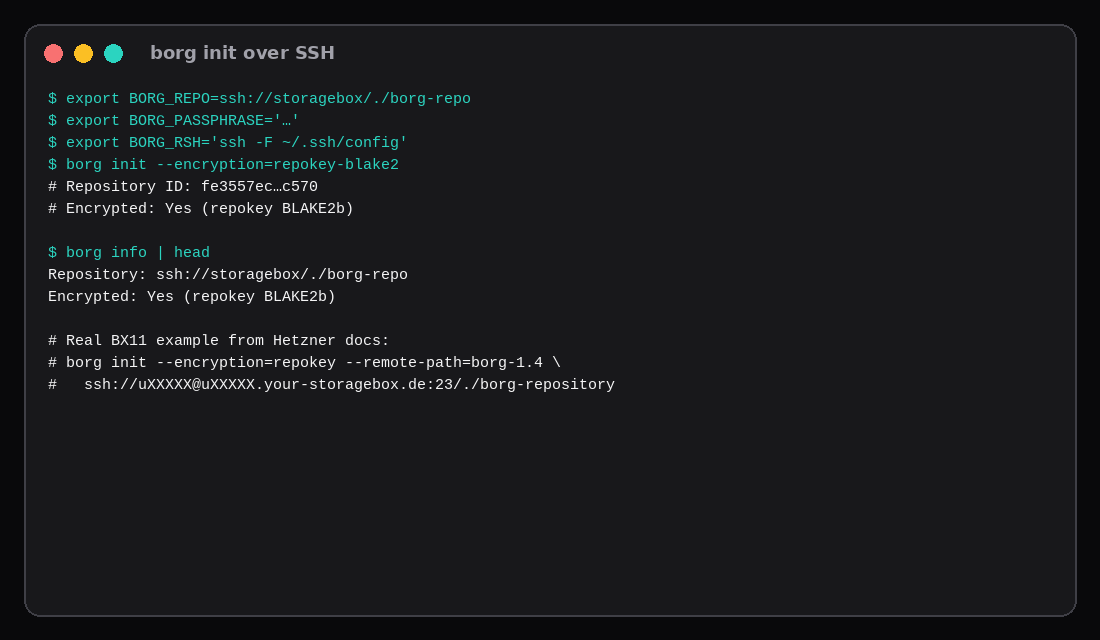
export BORG_REPO=ssh://uXXXXX@uXXXXX.your-storagebox.de:23/./borg-repo
export BORG_PASSPHRASE='…'   # or BORG_PASSCOMMAND
borg init --encryption=repokey-blake2 --remote-path=borg-1.4
borg create --stats '::{hostname}-{now}' /srv/src
borg list
This lab used repokey-blake2, BORG_RSH='ssh -F …/ssh_config', and ssh://storagebox/./borg-repo without --remote-path because the remote PATH already had Ubuntu’s borg 1.2.8. Export the key with borg key export when you use a keyfile mode; with repokey the key lives in the repo and the passphrase still matters.
Append-only is a Storage Box Borg feature worth reading in the same Hetzner doc: a restricted key can create archives while an unrestricted client is what actually removes them. Restic’s append-only story is different (backend ACLs / rclone flags). Pick the enforcement model you can operate.
What was in the corpus?
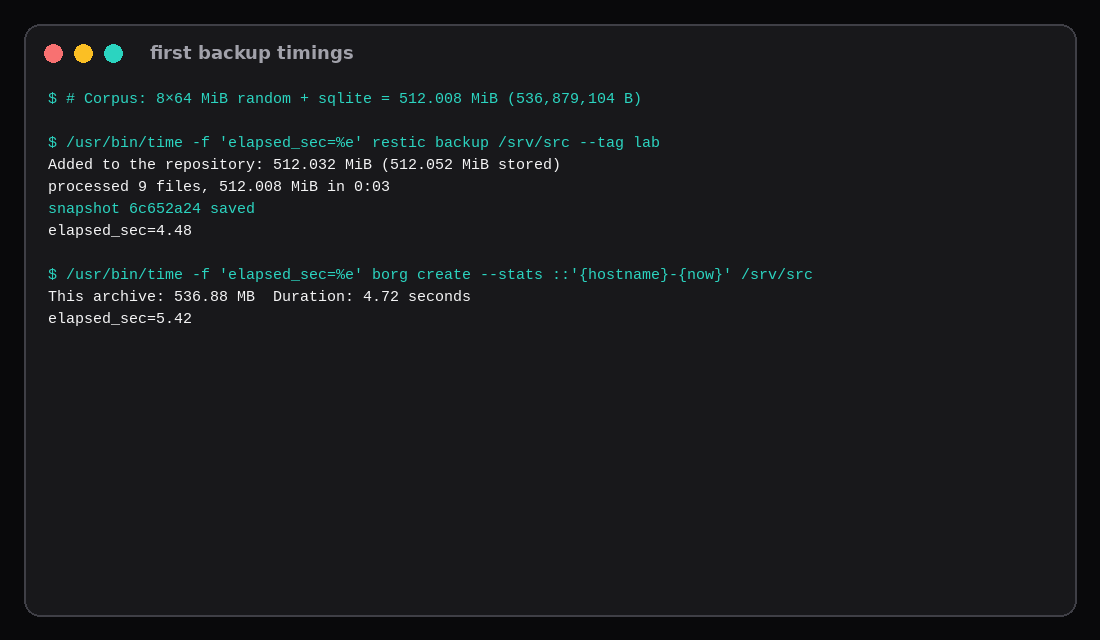
Eight files part-00.bin … part-07.bin, each 64 MiB from os.urandom, plus app.db with 50 rows. du -sb of the source was 536,879,104 bytes (512.008 MiB of file payload plus directory overhead). Random bytes keep both tools from collapsing the store under dedup so the restore clock measures real data movement.
cd /srv/src && find . -type f -print0 | sort -z | xargs -0 sha256sum > /var/tmp/manifest.sha256Nine lines. Both restored trees matched that manifest byte for byte.
Backup and restore timings
| Step | Restic | Borg |
|---|---|---|
| First backup (wall) | 4.48 s | 5.42 s |
| Tool-reported duration | ~3 s processed | 4.72 s archive |
| Full restore run 1 | 3.01 s | 4.49 s |
| Full restore run 2 | 3.08 s | 4.93 s |
| Full restore run 3 | 3.36 s | 4.70 s |
| Full restore median | 3.08 s | 4.70 s |
One part-00.bin (64 MiB) | 1.47 s | 1.22 s |
Restic was faster on the full restore that matters after a lost VPS. Borg edged the single-file extract. Repo sizes after one snapshot were effectively tied (514 MiB vs 513 MiB). Treat the absolute seconds as lab numbers on a quiet loopback link; a BX11 across the internet will be slower for both, in roughly the same order when the bottleneck stays the client and the protocol instead of a saturated uplink.
Repo footprint
536943847  restic-repo   # 514M
536942974  borg-repo     # 513M
Nearly identical on this incompressible corpus. Dedup and compression differences show up on real home directories full of logs and source trees; random parts are there to keep the restore honest.
Which one should you run?
Choose Restic when you want SFTP with no remote agent, the same tool for S3/B2 later, or the faster full restore on this lab’s numbers. The sibling Restic storage-box post covers systemd timers and a cross-guest restore in more depth.
Choose Borg when the Storage Box’s append-only Borg mode is the control you need, you already operate Borg elsewhere, or single-file extracts dominate your recovery drills. Peak RAM often favours Borg on larger trees; this 512 MiB run did not need to stress that.
| Skip this | What this lab did |
|---|---|
Timing only backup and calling it done | Timed three full restores + sha256 |
| Local disk repos labelled “storage box” | SFTP/SSH to a dedicated box user |
| Floating latest binaries | Ubuntu restic 0.16.4, borg 1.2.8 |
| One restore run | Median of three |
| Ignoring remote Borg path on BX11 | Documented --remote-path=borg-1.4 for production |
Restore speed is the argument people underweight
Recent local bake-offs on mixed multi-gigabyte trees often show restic restoring faster than Borg on the same guest (one 2026 lab: ~14 s vs ~30 s on a seeded 6 GB set), with Borg frequently winning on peak RSS during backup. Older remote SSH/SFTP benches swing harder: restic’s rest-server path can restore an order of magnitude quicker than Borg extract over a high-latency link, while Borg still looks efficient when the repository stays on a tight SSH box. Compression defaults and dataset entropy move repository size more than brand loyalty does; a tree full of already-compressed media will shrink the gap. Keep this post’s storage-box timings as the numbers for that backend, and use the third-party spreads only as a reminder to time a restore before you trust a retention plan.
FAQ
Is loopback the same as Falkenstein? No. It keeps protocol and client behaviour comparable without burning BX11 quota. Expect higher absolute times on a real box; use these numbers for relative order.
Borg 2? Still treat Borg 1.x as the production line until your box and runbooks say otherwise. This lab used 1.2.8.
Can Borg use pure SFTP without remote borg? Not as a first-class backend. People mount sshfs and point Borg at a path; that is a different failure mode than borg serve.
Password files? Mode 600, owned by the user that runs the timer. Losing the passphrase loses the data for both tools.
What to run on the VPS
The Compute Instance is the client: install Restic or Borg, drop the ssh Host block, init once, prove one restore before you trust the timer. The storage box holds the repository. A timed restore with a matching manifest is the check that counts.