
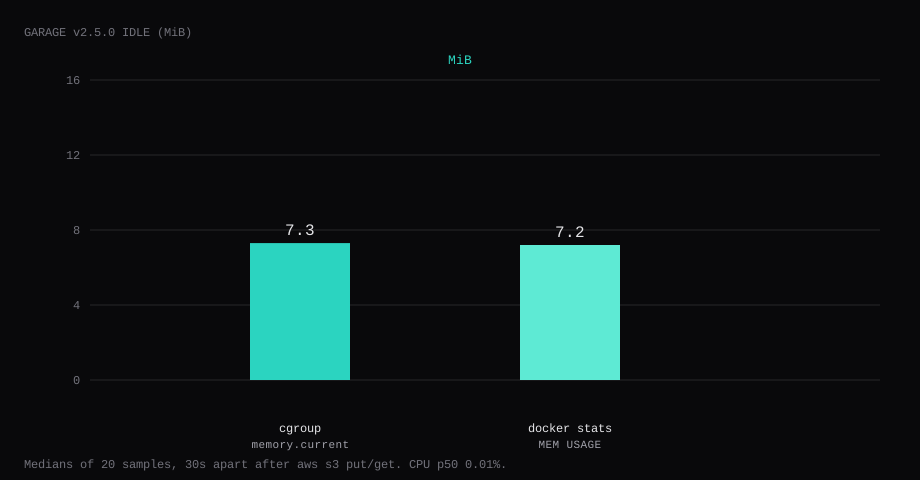
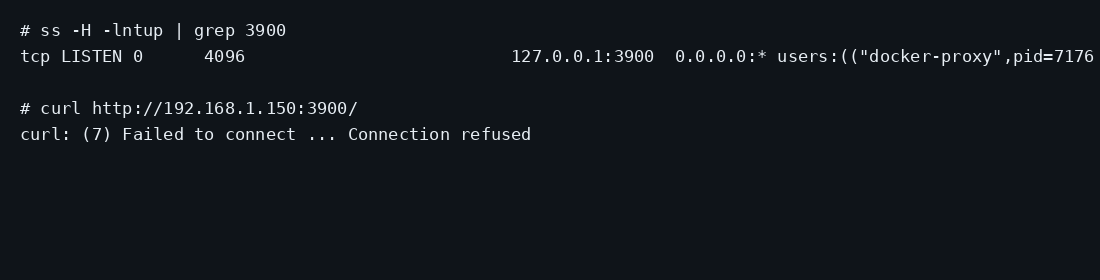
Garage v2.5.0 held 7.3 MiB idle on this lab host after a single-node layout existed and one aws s3 cp put/get round-trip matched on sha256. That is cgroup memory.current, the median of twenty samples taken 30 seconds apart with a quiet S3 API. docker stats printed 7.2 MiB. CPU percent sat at 0.01. Port 3900 listened on 127.0.0.1 only. A curl to the guest's LAN address on 3900 was refused.
Deuxfleurs Garage is an S3-compatible object store built for disks that may live in different places, including slow or second-hand machines across sites. The project markets itself for redundancy across zones, a single dependency-free binary, and an Amazon S3 API that already works with Nextcloud, Matrix media backends, Mastodon, PeerTube, rclone, and Cyberduck. On one VPS it is still useful: a local S3 endpoint without MinIO’s footprint, for backups, static assets, or an app that wants aws s3 semantics on disk you control.
The quick start now ships --single-node --default-bucket. Competing guides publish 3900:3900 and stop at garage status. Pin v2.5.0 by digest, keep S3 on loopback, put meta and data on persistent directories, create a key that can write a bucket, prove put and get, and terminate TLS on Caddy if the API must be public.
Single-node means replication_factor = 1. There is no second copy if the disk dies. Say that up front and move on. Multi-node is the product’s real shape: same rpc_secret, layout assign/apply, and capacity across machines. This post stays on one disk so the install proof stays small.
| Reading | Value |
|---|---|
cgroup memory.current | 7.3 MiB, median of 20 |
docker stats | 7.2 MiB |
| CPU percent | 0.01, median |
| Host listener | 127.0.0.1:3900 (S3), 127.0.0.1:3903 (admin) |
| After proof | lab-bucket / lab.txt; sha256 match on download |
| Image | dxflrs/garage:v2.5.0 (~26 MB) |
| Backup | stopped tar of meta+data+toml ~30 KB |
| Skip this | What this run did |
|---|---|
3900:3900 on every interface | Published 127.0.0.1:3900:3900 |
Data under /tmp | Mounted ./meta and ./data |
| Skipping layout / single-node | server --single-node --default-bucket |
Stopping at garage status | aws s3 cp up and down with matching sha256 |
| Opening 3900 on the panel firewall | Left S3 closed; Caddy on 80/443 when public |
Floating latest | Pinned v2.5.0 by digest |
How do you install Garage on Docker?
The image is dxflrs/garage:v2.5.0, digest sha256:677e5b758e4425a325b811c425c026bf35a4bf42f7ddbaa773de3f4fd779a5a5. Write a garage.toml with fresh secrets and persistent paths:
mkdir -p ~/garage/{meta,data}
cd ~/garage
openssl rand -hex 32   # rpc_secret
openssl rand -base64 32  # admin_token
metadata_dir = "/var/lib/garage/meta"
data_dir = "/var/lib/garage/data"
db_engine = "sqlite"
replication_factor = 1
rpc_bind_addr = "[::]:3901"
rpc_public_addr = "127.0.0.1:3901"
rpc_secret = "PASTE_OPENSSL_HEX"
[s3_api]
s3_region = "garage"
api_bind_addr = "[::]:3900"
root_domain = ".s3.garage.localhost"
public_endpoint = "http://127.0.0.1:3900"
[s3_web]
bind_addr = "[::]:3902"
root_domain = ".web.garage.localhost"
index = "index.html"
[admin]
api_bind_addr = "[::]:3903"
admin_token = "PASTE_OPENSSL_BASE64"
metrics_token = "PASTE_ANOTHER_BASE64"# .env - mode 600
GARAGE_DEFAULT_ACCESS_KEY=GKPASTE_HEX_16_BYTES
GARAGE_DEFAULT_SECRET_KEY=PASTE_HEX_32
GARAGE_DEFAULT_BUCKET=lab-bucketservices:
garage:
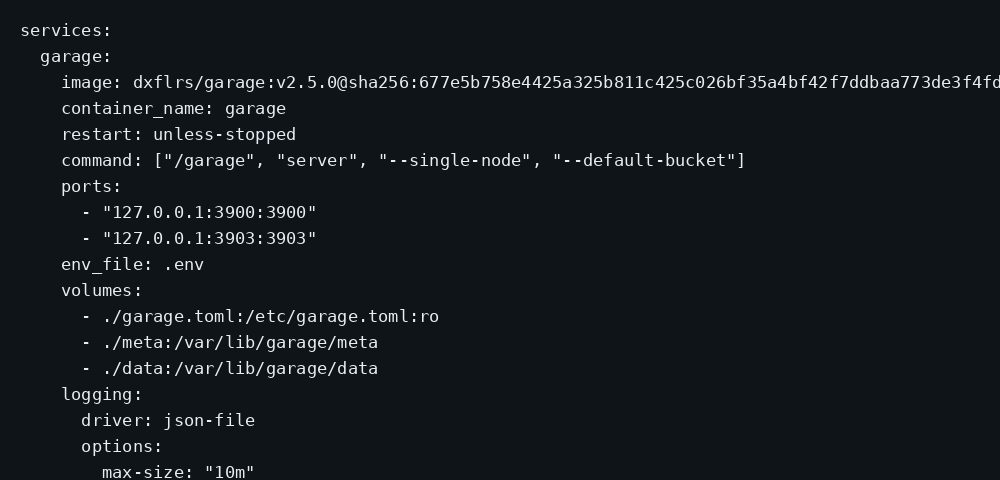
image: dxflrs/garage:v2.5.0@sha256:677e5b758e4425a325b811c425c026bf35a4bf42f7ddbaa773de3f4fd779a5a5
container_name: garage
restart: unless-stopped
command: ["/garage", "server", "--single-node", "--default-bucket"]
ports:
- "127.0.0.1:3900:3900"
- "127.0.0.1:3903:3903"
env_file: .env
volumes:
- ./garage.toml:/etc/garage.toml:ro
- ./meta:/var/lib/garage/meta
- ./data:/var/lib/garage/data
logging:
driver: json-file
options:
max-size: "10m"
max-file: "3"chmod 600 .env garage.toml
docker compose up -d
docker exec garage /garage status--single-node builds the initial layout. --default-bucket creates the access key and bucket named in the env file. garage status should show one healthy node in zone dc1 with capacity. Log rotation matches the Compose checklist.
RPC (3901) and the static web port (3902) stay inside the container network on this lab. Only S3 and admin are published, and only on loopback.
Without --single-node (or on older Garage), assign and apply the layout by hand:
docker exec garage /garage status
docker exec garage /garage layout assign -z dc1 -c 100G NODE_ID_PREFIX
docker exec garage /garage layout apply --version 1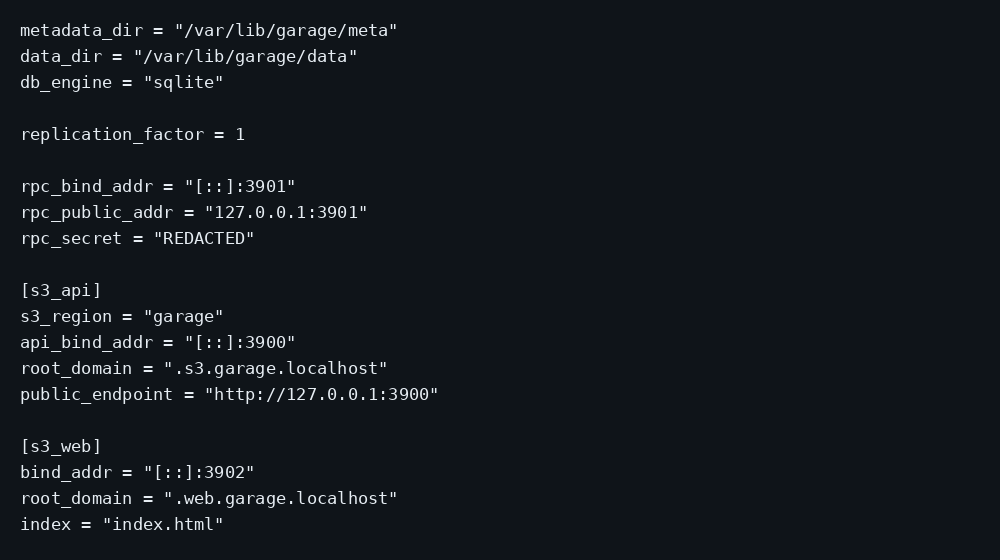
What can you point at Garage?
Anything that speaks path-style or virtual-host S3 against a custom endpoint. Common VPS pairings: rclone remotes, Restics’s S3 backend, Mastodon/PeerTube media, Synapse media_storage_provider style setups that talk S3, and ad-hoc aws s3 cp from CI. Website mode (s3_web on 3902) can serve a bucket as a static site when you need that; this lab left 3902 unpublished. Admin on 3903 is for metrics and cluster ops; keep it on loopback the same way as S3 unless you have a private admin path.
Tune garage.toml for the one-node case with replication_factor = 1, persistent metadata_dir / data_dir, and a fixed rpc_secret you can reuse if a second node appears later. Compression and block size defaults are fine until you measure. Capacity in the layout is a planning number for the cluster; on one disk it still needs to be set so the node is marked usable.
Why must S3 stay on loopback?
Garage’s S3 API accepts your access key and writes objects. Publishing 3900 on every interface puts that API on the internet without TLS.
ss -H -lntup | grep 3900On this lab host the line showed 127.0.0.1:3900. Curl to the guest LAN address failed with connection refused. Leave 3900 closed in the panel firewall. Open 80 and 443 for Caddy when the API must be public. Docker published ports often bypass UFW inside the guest, so the loopback bind kept the LAN address quiet. The public-address case is in provider-side firewall.
What does one put and get prove?
Point awscli at the loopback endpoint with the default key from .env (awscli 1.29+ / 2.13+ understands AWS_ENDPOINT_URL):
export AWS_ENDPOINT_URL='http://127.0.0.1:3900'
export AWS_DEFAULT_REGION='garage'
export AWS_ACCESS_KEY_ID='GK…'
export AWS_SECRET_ACCESS_KEY='…'

aws s3 ls
echo 'garage lab object' > lab.txt
aws s3 cp lab.txt s3://lab-bucket/lab.txt
aws s3 cp s3://lab-bucket/lab.txt lab-down.txt
sha256sum lab.txt lab-down.txt
Matching digests mean the layout accepted writes and the key could read them back. garage status alone only shows the node is up. Crop keys from screenshots and shell history.
ssh -N -L 3900:127.0.0.1:3900 user@YOUR_VPS_IP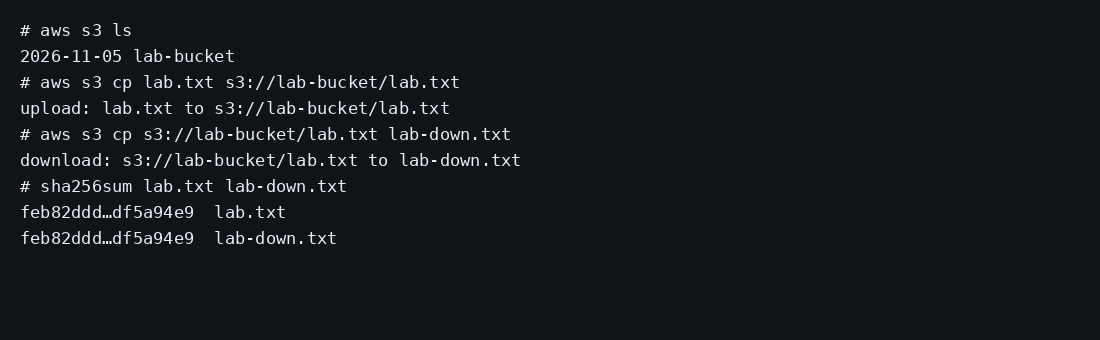
Where does Caddy go?
Set public_endpoint in garage.toml to the HTTPS URL clients will use, then proxy S3:
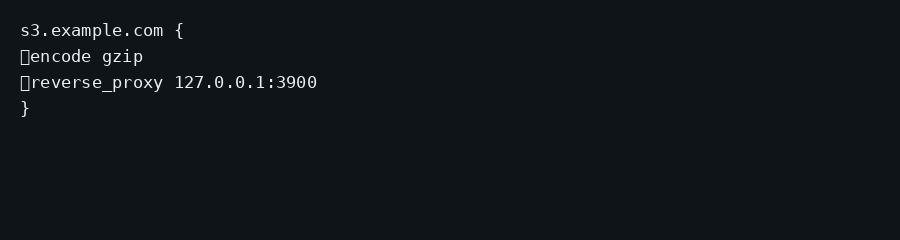
s3.example.com {
	encode gzip
	reverse_proxy 127.0.0.1:3900
}
# garage.toml
public_endpoint = "https://s3.example.com"Restart Garage after changing public_endpoint. TLS setup is in the Caddy HTTPS post. Path-style addressing with a single hostname is the usual fit for a VPS.
How do you back up Garage data?
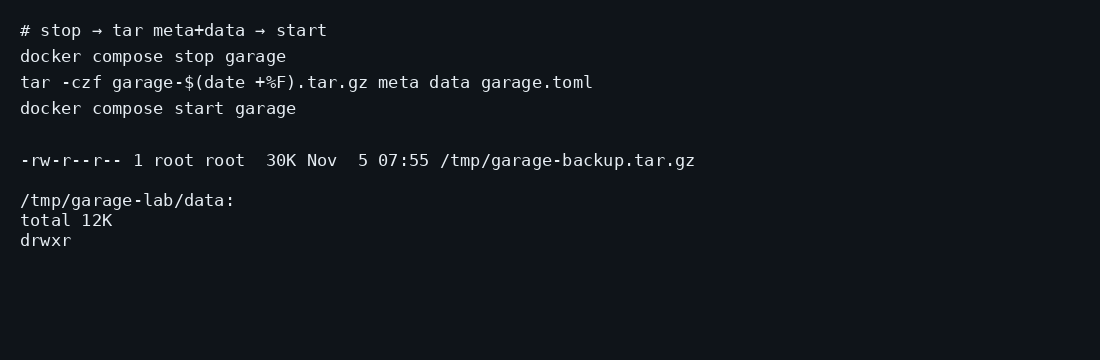
meta holds cluster state; data holds object blocks. Stop the container, archive both plus garage.toml, start again:
docker compose stop garage
tar -C ~/garage -czf garage-$(date +%F).tar.gz meta data garage.toml
docker compose start garage
On this lab the stopped archive was about 30 KB with one small object. Point Restic at that tarball. Copying while Garage writes risks a torn layout.
How do you operate Garage after put/get works?
Rotate access keys with garage key when someone leaves. Keep rpc_secret and admin tokens in a password manager; losing them means a painful cluster re-init. Watch disk fill on data_dir the same way you watch any object store. For a second node later, match version and secret, then assign layout capacity before applying. Website buckets and anonymous read policies are separate decisions from a private backup bucket.
Apps that speak S3 should use path-style addressing against your Caddy hostname when virtual-host DNS is a hassle. Build with Matija’s Garage+Payload guide calls out the same footgun: leave out forcePathStyle (or the SDK’s path-style flag) and uploads fail oddly against a single hostname. Cap uploads at Caddy with request_body { max_size 2GB } if you want a hard ceiling; that limit applies per request (and per multipart part), not to the whole object (Melonslab). A 413 with an nginx error page means the proxy rejected the body before Garage saw it (Sbaronda). On a single node, prefer db_engine = "sqlite" with metadata_fsync = true and metadata_auto_snapshot_interval (for example 6h); back up snapshots under meta/snapshots, not the live meta file while Garage is writing. Test restore by downloading a known object after every major Garage upgrade.
FAQ
Garage or MinIO? MinIO is a heavier single-vendor S3 stack with a large UI surface. Garage is smaller and aimed at multi-site disks; on one VPS the win is the idle footprint and a plain S3 API.
Add a second node later? Raise capacity with garage layout assign / apply and match rpc_secret across nodes. This post stays on one disk and replication_factor = 1.
What about port 3902? That is the optional website endpoint for buckets used as static sites. Leave it unpublished until you need it.
Admin API on 3903? Useful for metrics and admin tokens. Keep it on loopback the same way as S3 unless you know you need it remotely.
Does UFW block a published 3900? Inside the guest, published Docker ports often bypass UFW. Bind 127.0.0.1:3900:3900 and leave 3900 closed on the panel firewall.