
You already know the game, and you probably already know the host. A Minecraft world, a FiveM city, a Rust wipe, a Palworld server, from a company whose machines you trust. What you still need after that choice is the rest of a game server. Start and stop, a console, a place for the world and the mods, backups, and a record of how hard the server was working last week.
NodeRings sits between those two. The host integrates and lists the plan. You order your game from them. We run the panel.
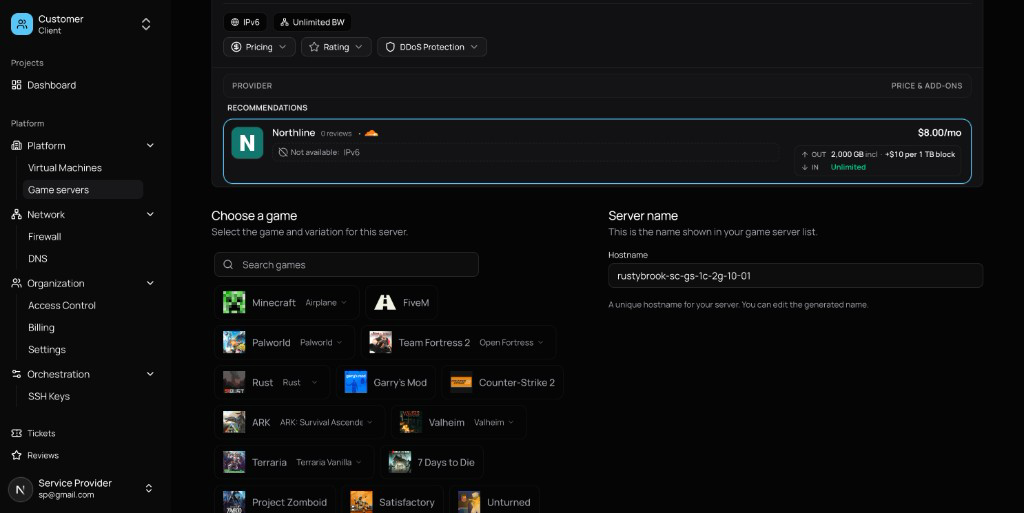
You see the plan, the region, and the provider, you select the game, and that's it. The price is on their card, next to the city and the size. One core and 2 GB is a small world with friends. A modpack, FiveM, or a wipe wants more, and the bigger plans are on the same page. Bandwidth is on the card before you pay, so the overage is part of the choice. Under the card is the game. Minecraft, FiveM, Palworld, Rust, Counter-Strike 2, Valheim, ARK, Terraria, and the rest of the list if you search. The name on the right is yours to keep or replace. It is the name in your server list.
The panel is the part we run
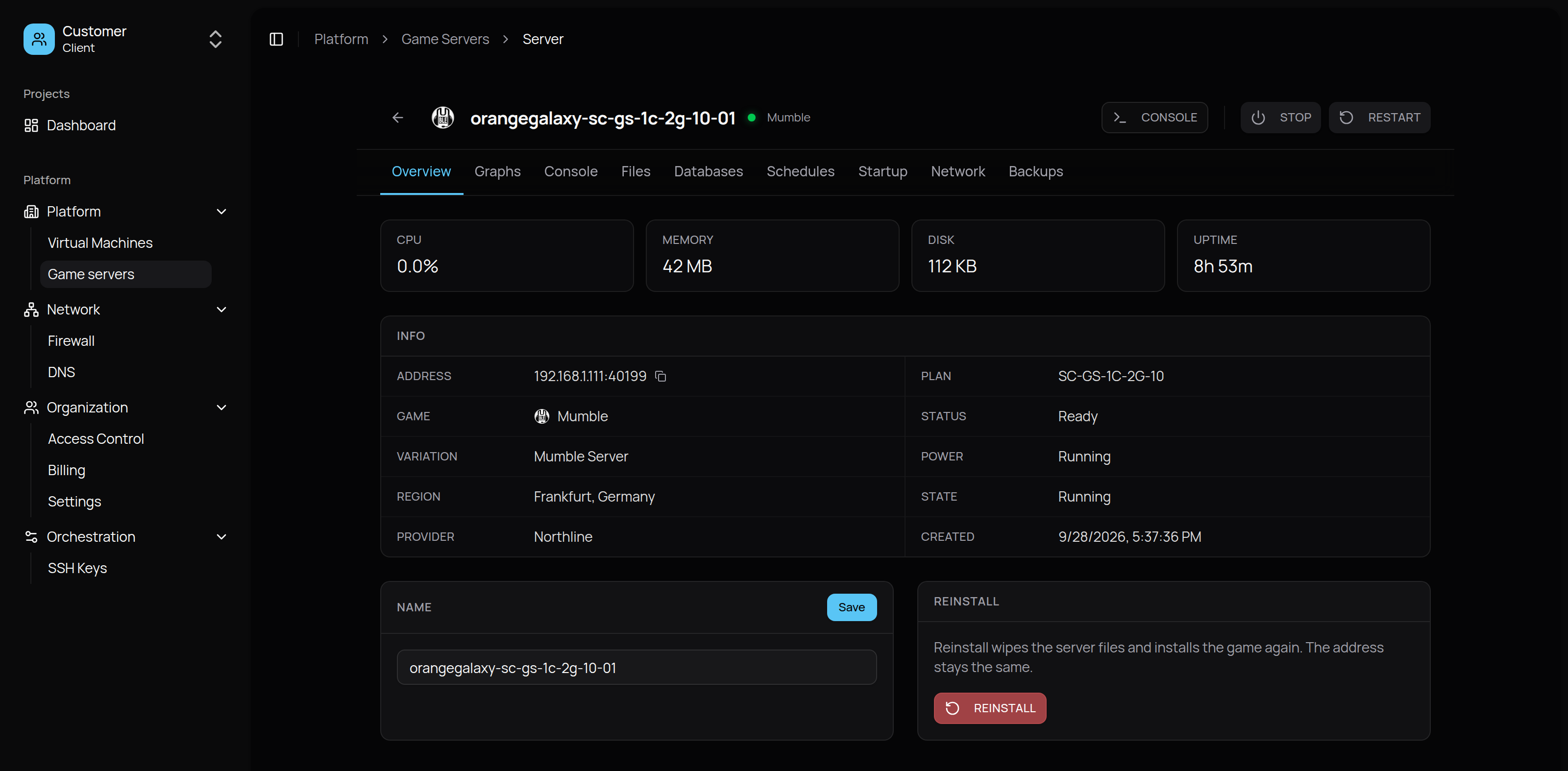
What comes back is a server page, and that page is the management. The pictures are a Mumble server a player ordered this way, the voice server a group runs beside the game. Minecraft and FiveM from the same grid land here too. Ready, Running, Frankfurt, up for a bit over eight hours. Stop and Restart are at the top. Reinstall puts a fresh copy of the game down and leaves the address where it is. Invite people from this page once it says Ready.
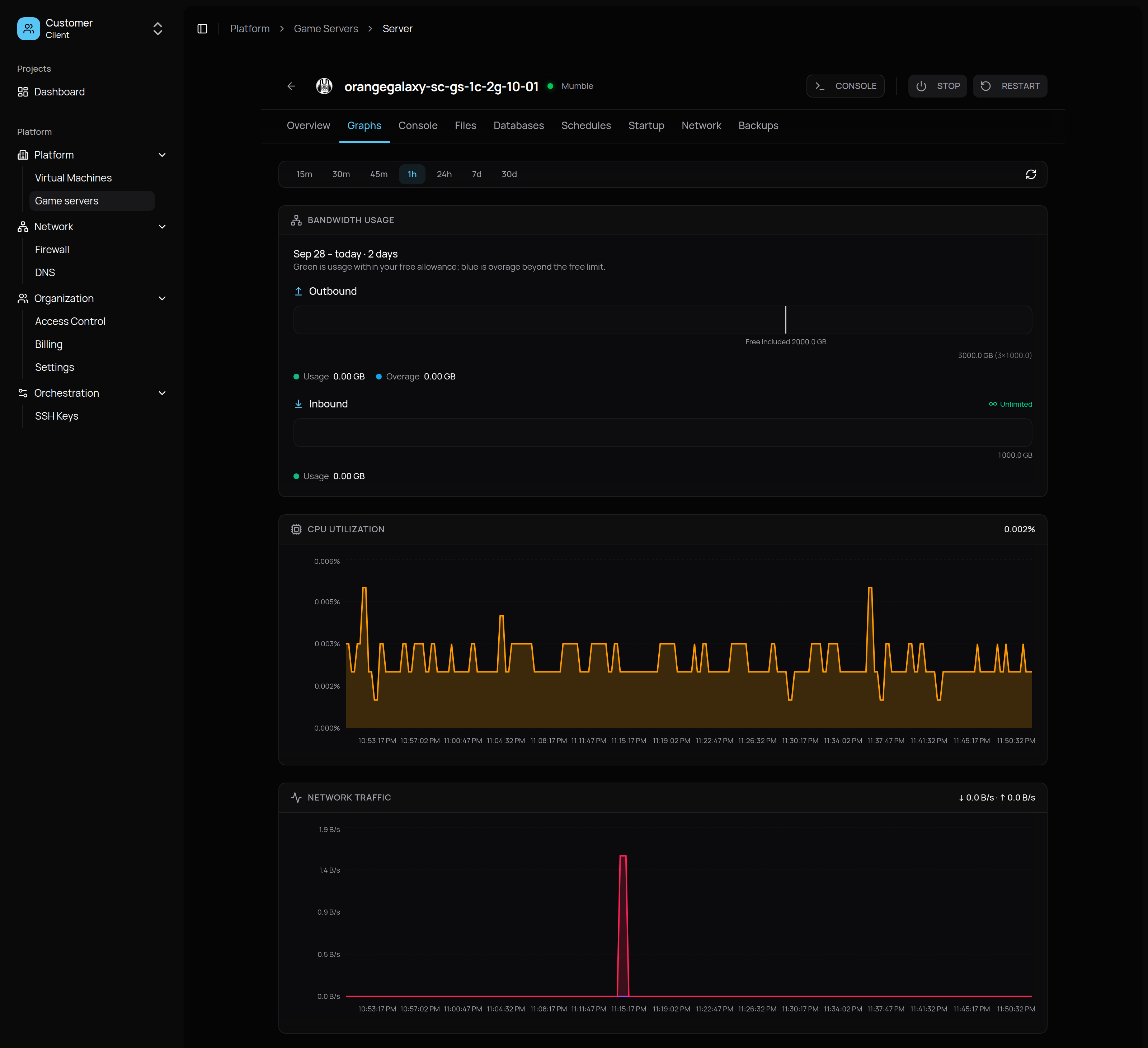
The graphs are the long record. CPU, memory, disk, and network for this server, from the last 15 minutes out to 30 days. The Mumble channel in the picture is quiet, a CPU line near the floor and one spike of traffic, which is what an empty voice server looks like. A full Rust server draws a different line on the same chart. Because the history stays, a bad night is still there on Thursday. You can see when the group was on, and when the server was the problem.
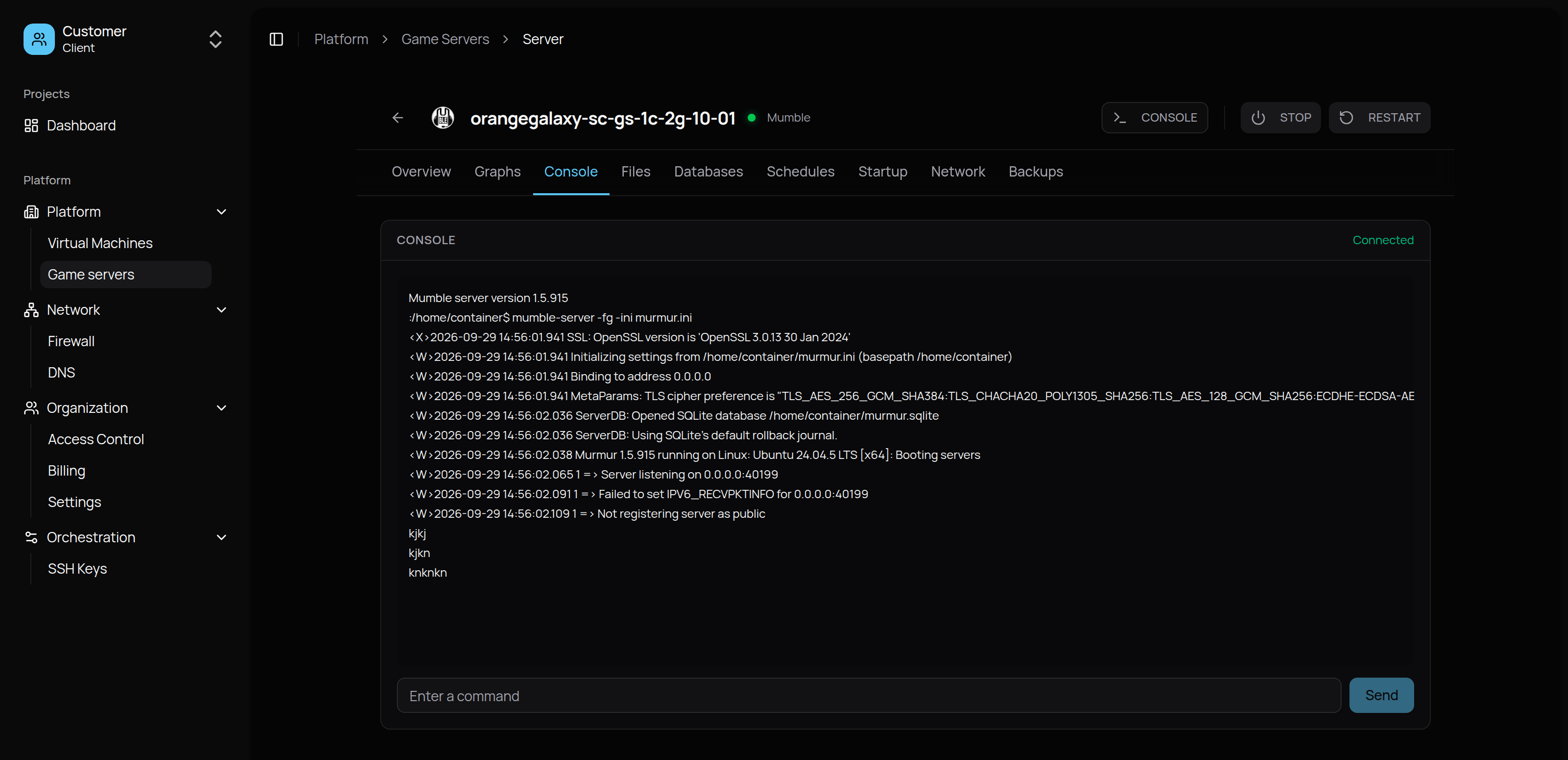
The console is the log and a box for commands. This one is Mumble starting up. On Minecraft it is the boot log and the command you needed at midnight. Files holds the world, the mods, and the config. Databases, schedules, startup options, network, and backups are the other tabs. Schedules restart the server or warn people before a save. Backups are there when the plan includes them. The game is already installed when the page says Ready. You open this panel to play, to fix the world, and to bring the server back before everyone logs in.
Hosts sell the plan. Players pick the game.
A host who wants to sell game servers integrates with NodeRings. Their plans show up on that order page, with their name, their region, and their price. A player who already likes them can order Minecraft, or whatever else they install, without a second store. After the order, the player lives in the panel above. Power, files, the console, schedules, backups, and the 30-day graphs are the part we provide. The host keeps the machines the game runs on. Their name stays on the server, which is how the player knows who they bought it from.
A second game can come from a different host and still land in the same account. Same panel, different company on the row.
Game servers are supported now, for the player ordering one and for the host selling one. Players start at noderings.com/product/game-servers. Hosts start by becoming a provider.