
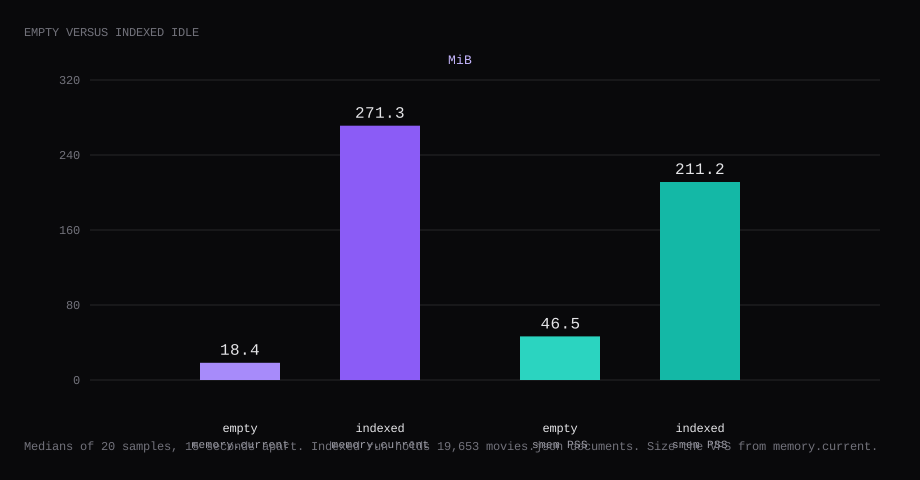
Meilisearch v1.56.1 held 18.4 MiB idle with an empty index. That is cgroup memory.current, the median of twenty samples taken 15 seconds apart, after production mode came up and /health returned available. docker stats printed 18.3 MiB. smem put the same processes at 46.5 MiB PSS. After the official movies sample finished indexing (19,653 documents), the idle median rose to 271.3 MiB of memory.current, 169.0 MiB in docker stats, and 211.2 MiB PSS. A search for botman under a 1 GB mem_limit returned HTTP 200. Port 7700 listened on loopback only, 127.0.0.1.
Meilisearch is a search engine API for apps and sites: typo-tolerant full-text search, facets, filters, and optional vector/hybrid search for AI features. You push JSON documents, then query with an API key. Self-hosting keeps the index on your VPS; Cloud is the managed option. A single binary (or Docker image) is enough for many product catalogs and doc sites.
The Docker docs tell you to pin a version. The data directory matches the engine that wrote it, so two hosts that both track latest can be on different engines. Production mode refuses to start without a master key of at least 16 bytes. /health stays open, and the other routes need a key.
| Reading | Empty index | After movies.json |
|---|---|---|
cgroup memory.current | 18.4 MiB, median of 20 | 271.3 MiB, median of 20 |
docker stats | 18.3 MiB | 169.0 MiB |
smem PSS | 46.5 MiB | 211.2 MiB |
| Documents | 0 | 19,653 |
| Host listener on 7700 | 127.0.0.1 | 127.0.0.1 |
/health, no key | available | available |
| Skip this | What this run did |
|---|---|
getmeili/meilisearch:latest | Pinned v1.56.1 by digest |
-p 7700:7700 on every interface | Published 127.0.0.1:7700:7700 |
MEILI_ENV left at development | production, master key in a mode 600 .env |
| Master key in the browser | Default Search API key for search |
No volume on /meili_data | ./meili_data:/meili_data |
Does a 1 GB plan hold the movies index?
A 1 GB cap held this movies index. Indexing 19,653 documents took about 3.5 seconds on the lab host, and data.ms plus snapshots landed near 103 MiB on disk after the index task. Under mem_limit: 1g and memswap_limit: 1g, repeated searches for botman and batman dark returned HTTP 200, with peak memory.current at 22.5 MiB after the remount (cold pages under the cap). Size the guest from the uncapped indexed idle of 271.3 MiB. A 1 GB marketplace guest has to run the OS beside the container.
The huge virtual map in process listings is the index mmap. Use memory.current for the plan size.
How do you install Meilisearch on Docker?
The image is getmeili/meilisearch:v1.56.1, digest sha256:b7ba431bf6f9b26cc86132798f3640964147a699cf23f026b74c6c05dbb1d60d. Skip latest, nightly, and the floating v1 tag.
The machine was Ubuntu 24.04, Docker 29.1.3, swap at 0. Generate a master key once and keep it out of the compose file:
mkdir -p ~/meilisearch && cd ~/meilisearch
openssl rand -hex 32 | awk '{print "MEILI_MASTER_KEY="$0}' > .env
chmod 600 .env
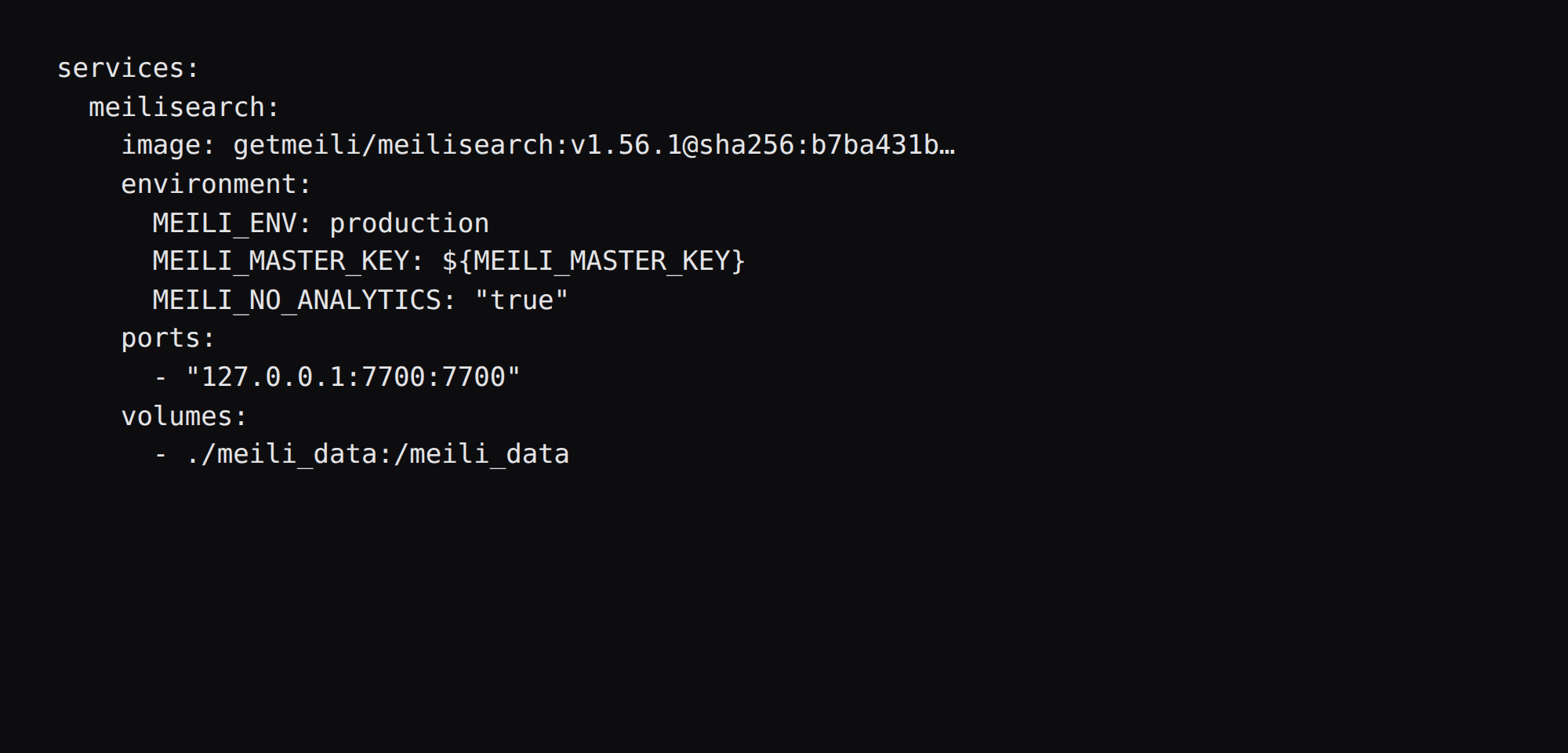
services:
meilisearch:
image: getmeili/meilisearch:v1.56.1@sha256:b7ba431bf6f9b26cc86132798f3640964147a699cf23f026b74c6c05dbb1d60d
container_name: meilisearch
restart: unless-stopped
environment:
MEILI_ENV: production
MEILI_MASTER_KEY: ${MEILI_MASTER_KEY}
MEILI_NO_ANALYTICS: "true"
ports:
- "127.0.0.1:7700:7700"
volumes:
- ./meili_data:/meili_data
logging:
driver: json-file
options:
max-size: "10m"
max-file: "3"Inside the container Meilisearch still listens on 0.0.0.0:7700. The loopback publish is what keeps the host's public address quiet. Setting MEILI_HTTP_ADDR=127.0.0.1:7700 inside the container breaks the published host port.
MEILI_NO_ANALYTICS=true turns off anonymous telemetry. Drop that line if you prefer the project default.
docker compose up -d
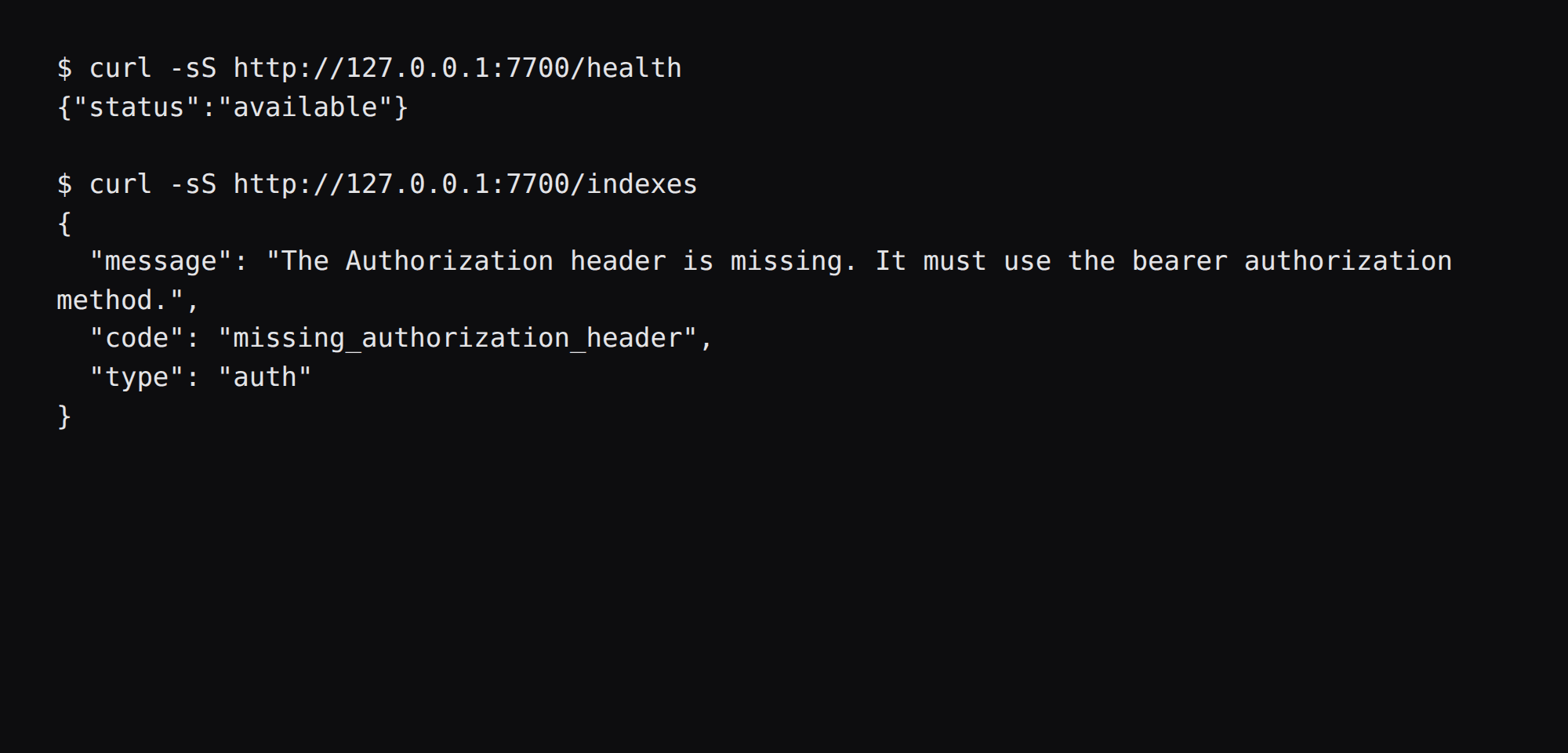
curl -sS http://127.0.0.1:7700/health
You want {"status":"available"}.
What does a short master key do in production?
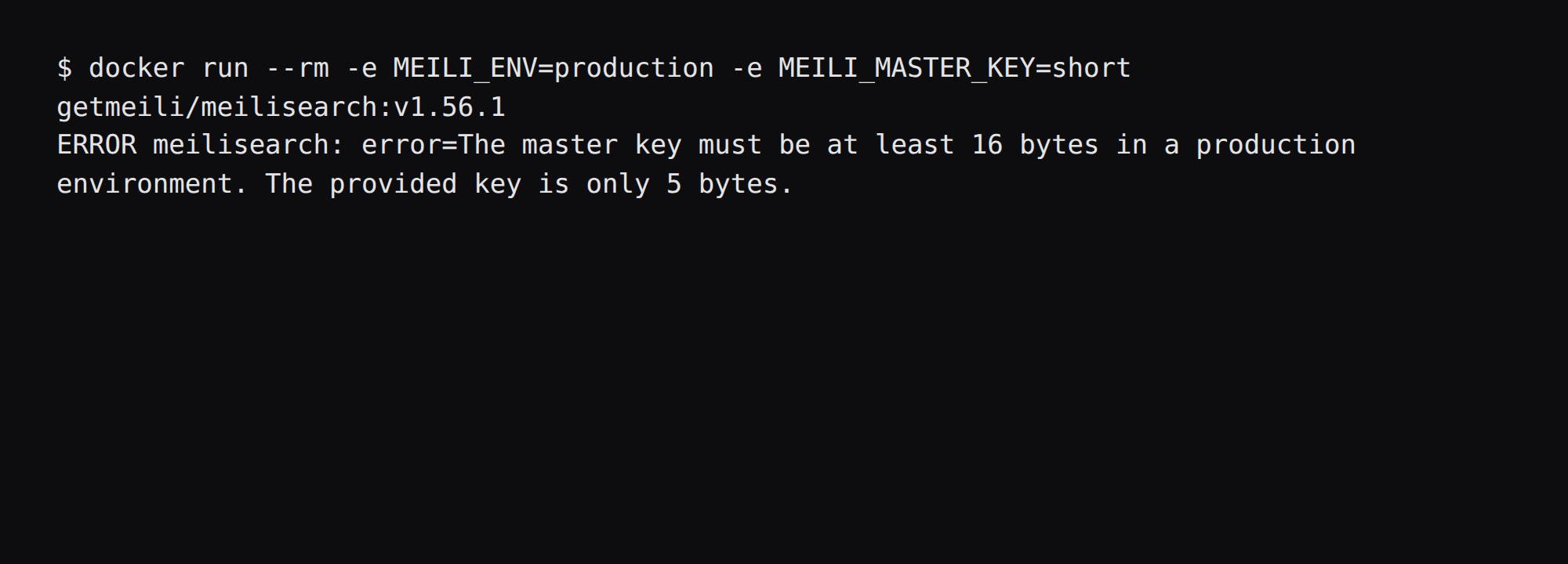
Production mode exits. A five-byte key printed:
The master key must be at least 16 bytes in a production environment. The provided key is only 5 bytes.Meilisearch also prints a suggested --master-key you can paste into .env and restart. Development mode without a key leaves routes open, so this VPS lab stayed in production.
Once that key is in place, /health answers with no Authorization header. /indexes with no key returns missing_authorization_header and HTTP 401.
Which keys may leave the server?
On start with a master key, this build created four defaults:
| Name | Actions (this run) | Use |
|---|---|---|
| Default Search API Key | search | Front ends and public search clients |
| Default Admin API Key | * | Backend indexing and day-to-day admin |
| Default Read-Only Admin API Key | *.get, keys.get | Read-only ops |
| Default Chat API Key | chatCompletions, search | Chat features if you use them |
List them with the master key:
curl -sS http://127.0.0.1:7700/keys \
  -H "Authorization: Bearer $MEILI_MASTER_KEY"
Use the search key in the browser, and give the indexer the admin key or a tighter key you create with POST /keys. Leave the master key on the server for creating and deleting keys. Changing the master key invalidates every derived key.
This run indexed with the master key once for the lab, then searched with the Default Search API key. botman returned Batman titles in 1 to 2 ms of processingTimeMs.
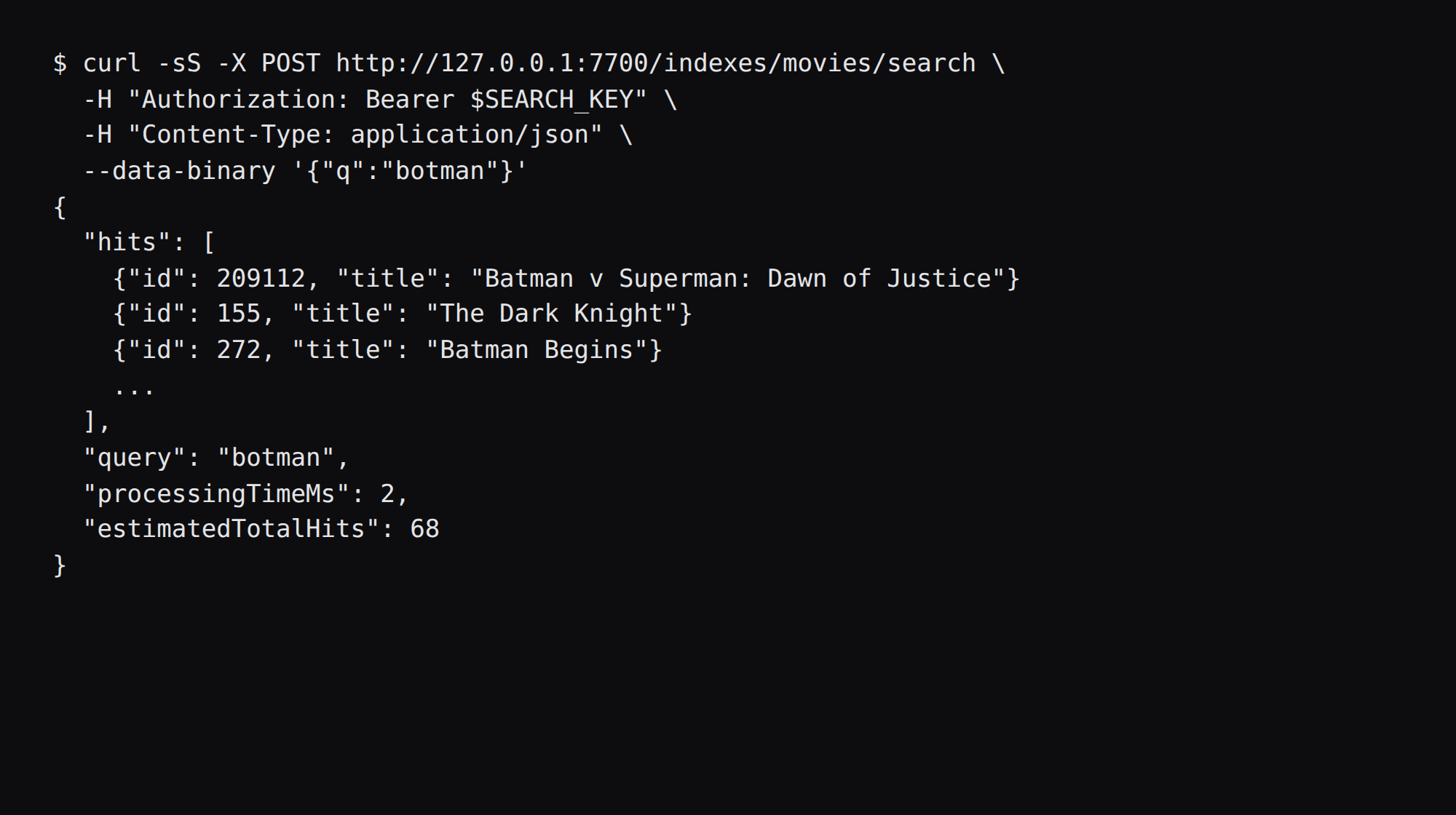
Documents came from the getting started movies sample (19,653 rows on this download):
curl -sS -X POST 'http://127.0.0.1:7700/indexes/movies/documents?primaryKey=id' \
  -H "Authorization: Bearer $MEILI_MASTER_KEY" \
  -H 'Content-Type: application/json' \
  --data-binary @movies.json
Poll /tasks/{uid} until status is succeeded.
How do you fine-tune indexes and keys?
Create a dedicated index per entity type (products, docs, posts). Configure searchable attributes, displayed attributes, and ranking rules for your domain. Keep the master key in .env only; list default keys with GET /keys and ship the Default Search API key to browsers (SelfHost Atlas Meilisearch, security docs). Changing the master key rotates every derived key. Snapshots restore fast on the same engine version; dumps are slower but version-portable. Schedule snapshots with MEILI_SCHEDULE_SNAPSHOT / MEILI_SNAPSHOT_DIR, and set TMPDIR to a large volume when /tmp is small: snapshot staging copies the whole DB there first (configuration reference). MEILI_NO_ANALYTICS=true turns off telemetry if you want that quiet.
Hybrid and embedder features need extra CPU/RAM; enable them only when you have a semantic search requirement. Measure indexed idle the same way this lab did before committing a 1 GB plan to a larger corpus.
How do you prove 7700 is closed on the public address?
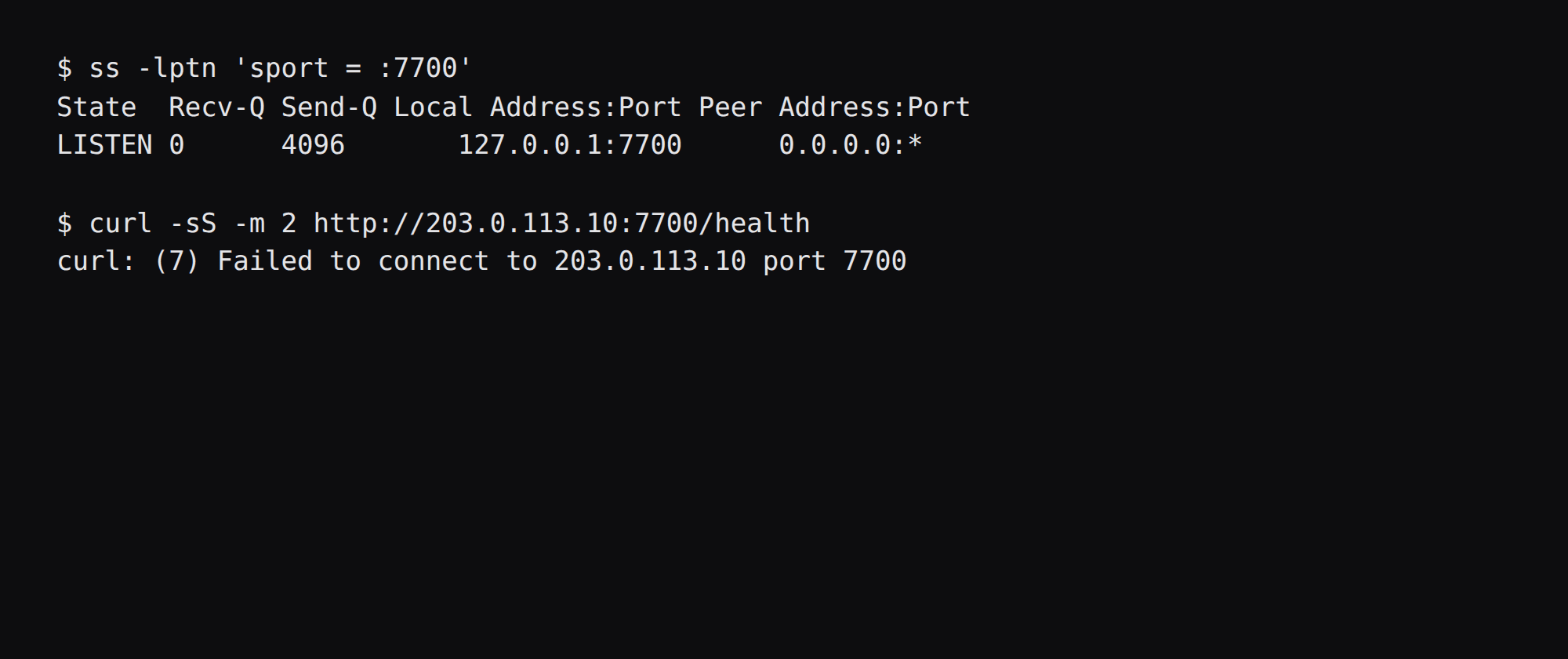
ss -lptn 'sport = :7700'This lab showed 127.0.0.1:7700 for docker-proxy. A curl to the public address on 7700 failed to connect. Leave 7700 closed on the public side of the panel firewall, since the publish address is loopback. Docker published ports often bypass UFW inside the guest, so the loopback bind is what kept the public address quiet on this lab.
Where does Caddy go?
When a phone or another host must reach search over the internet, put Caddy (or another proxy) in front and terminate TLS. On the host:
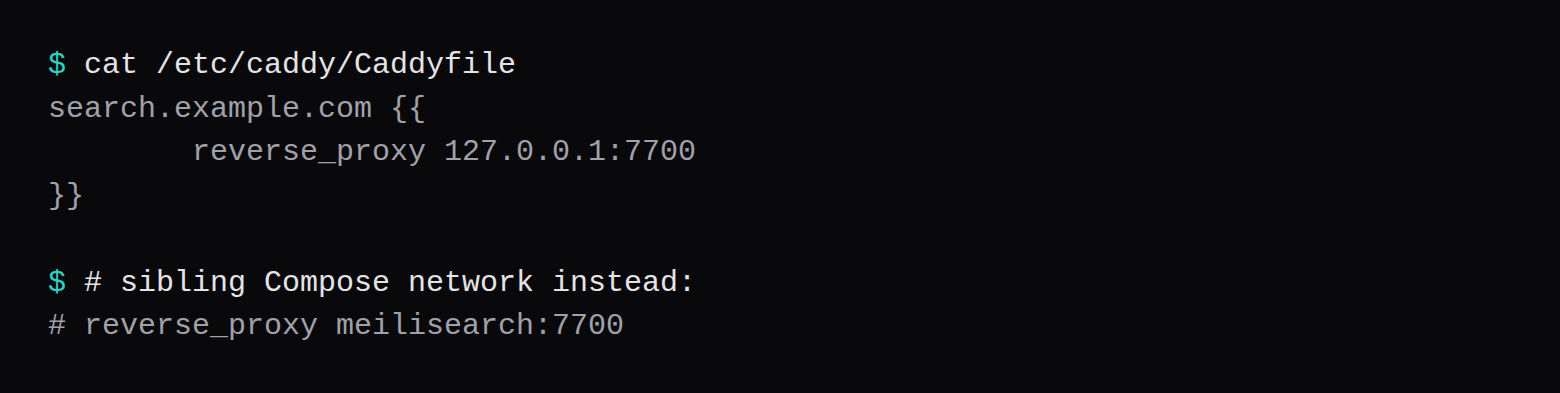
search.example.com {
	reverse_proxy 127.0.0.1:7700
}
If Caddy runs in a sibling container on the same Compose network, proxy to meilisearch:7700. 127.0.0.1 inside that container is Caddy itself. Certificate issuance is in the Caddy HTTPS post. Log rotation and the restart policy are in the Compose checklist.
If the only client is a backend on the same VPS, use loopback and skip the public hostname.
What remains after a restart and a snapshot?
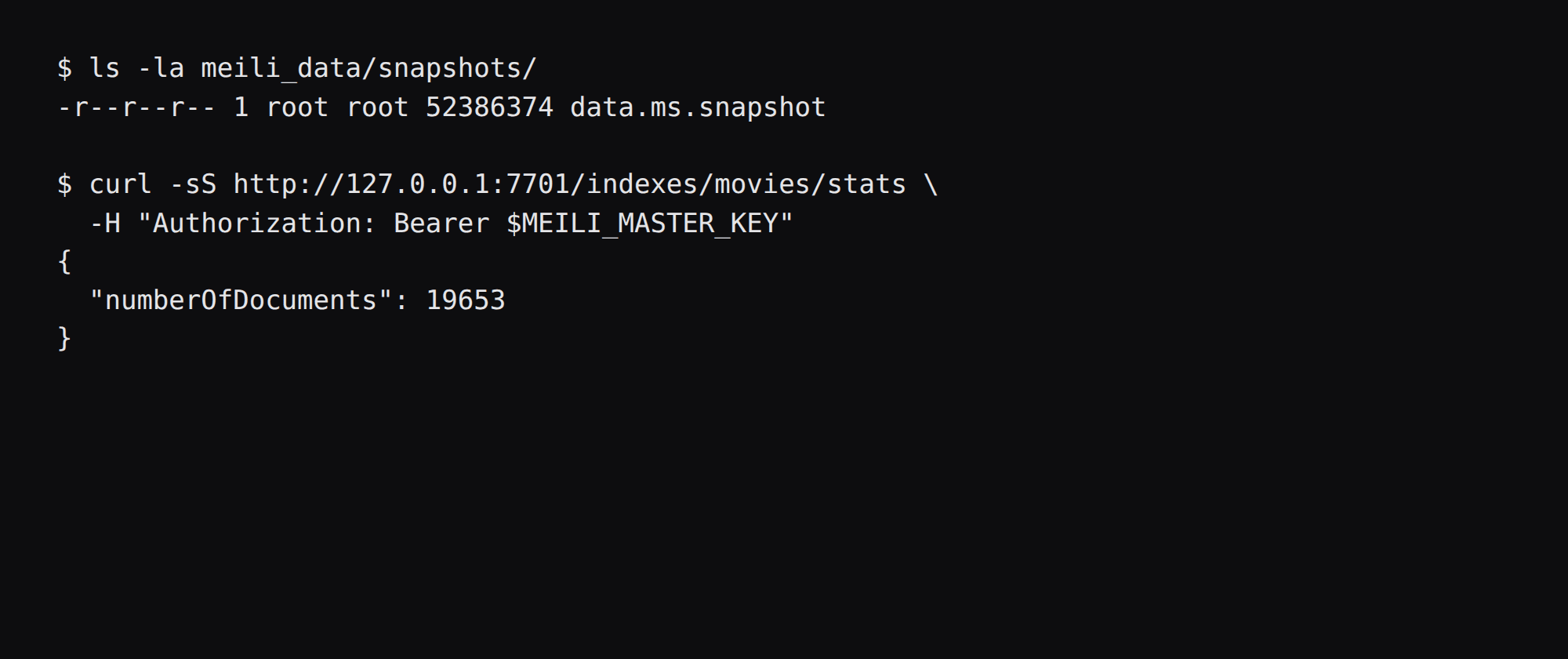
docker compose restart kept numberOfDocuments at 19,653. A snapshot through the admin key wrote meili_data/snapshots/data.ms.snapshot at 52,386,374 bytes. Importing that file into an empty data directory on the same tag and the same master key brought the count back to 19,653:
docker run --rm \
  -v "$PWD/restore:/meili_data" \
  -e MEILI_ENV=production \
  -e MEILI_MASTER_KEY="$MEILI_MASTER_KEY" \
  getmeili/meilisearch:v1.56.1 \
  meilisearch --import-snapshot=/meili_data/data.ms.snapshot \
  --master-key="$MEILI_MASTER_KEY" --env=production
A snapshot restores this engine version. A dump or a major upgrade was outside this lab. For a copy off the box, point Restic at the volume.
FAQ
Is 1 GB enough? Yes for the movies sample, where indexed idle was 271.3 MiB of memory.current. A larger index needs more RAM, so measure that corpus the same way.
Meilisearch or Typesense? Typesense is a different engine. These numbers are from Meilisearch v1.56.1 on this lab.
Why is VmSize huge? The index files are memory-mapped, so VmSize includes that map. The plan size is memory.current.
Can the front end use the master key? Put the Default Search API key in the front end, or a key you create with only search on the indexes you need. The master key stays in .env.
Does UFW block a published 7700? Often not inside the guest. Bind 127.0.0.1:7700:7700 and leave 7700 closed on the panel firewall.