
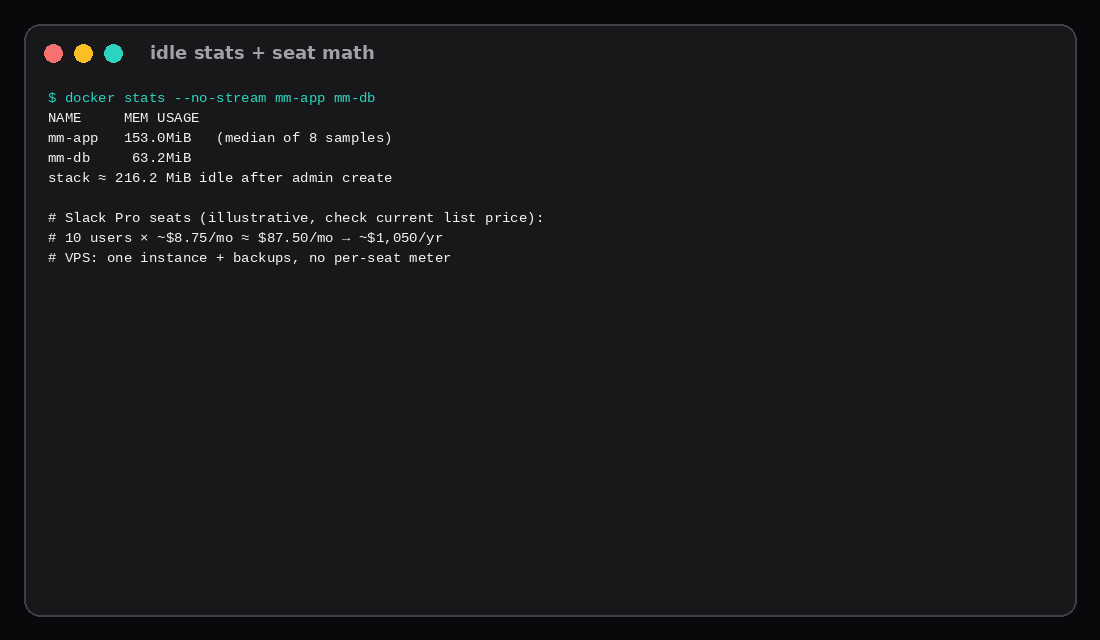
GET /api/v4/system/ping on this lab returned {"status":"OK","ActiveSearchBackend":"database"}. Mattermost Team Edition 10.5.2 was listening on 127.0.0.1:8065 with Postgres 15 behind it. The first user created via POST /api/v4/users came back as system_admin. Quiet docker stats sat around 153 MiB for the app and 63 MiB for the database (stack median ~216 MiB). No Slack workspace, no per-active-user invoice.
Slack Pro list price (U.S., as published for 2026 planning) is about $8.75 per active user per month on monthly billing, or $7.25 when billed annually. Ten people on monthly Pro is roughly $87.50/mo (~$1,050/yr). Your VPS is one monthly instance plus backups. Feature parity is not the claim. Calls quality, marketplace apps, and SaaS uptime are different products. The claim is chat you host without a seat meter.
| Reading | Value |
|---|---|
| Image | mattermost/mattermost-team-edition:10.5.2 |
| Database | postgres:15-alpine |
| Listen | 127.0.0.1:8065 |
| Ping | status: OK |
| First user | admin → system_admin |
| Idle app / db / stack | ~153 / ~63 / ~216 MiB |
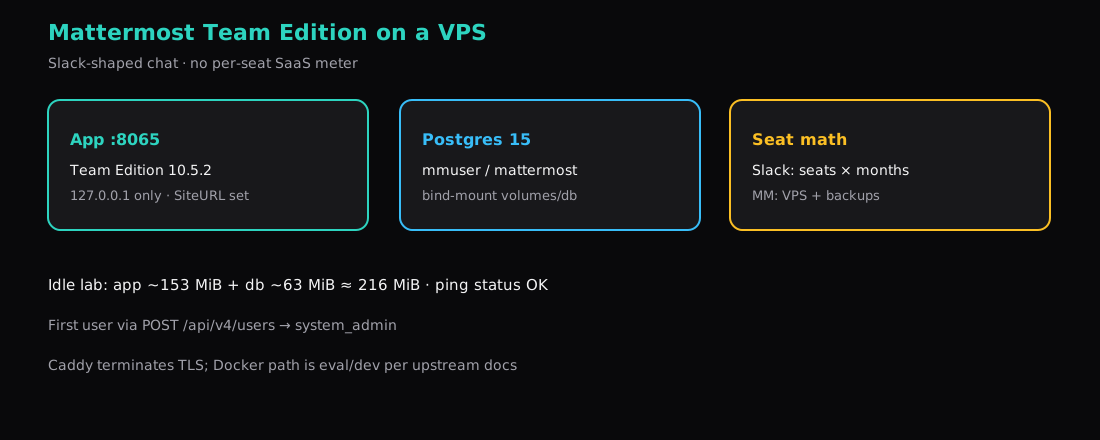
Seat fee vs one box
| Team size | Slack Pro monthly (~$8.75/seat) | Slack Pro annual (~$7.25/seat × 12) |
|---|---|---|
| 5 | ~$43.75/mo | ~$435/yr |
| 10 | ~$87.50/mo | ~$870/yr |
| 25 | ~$218.75/mo | ~$2,175/yr |
Confirm current numbers on Slack’s pricing page before you budget. Mattermost Team Edition itself has no per-seat SaaS fee; you pay for the Compute Instance, disk, and off-box backups (Restic).
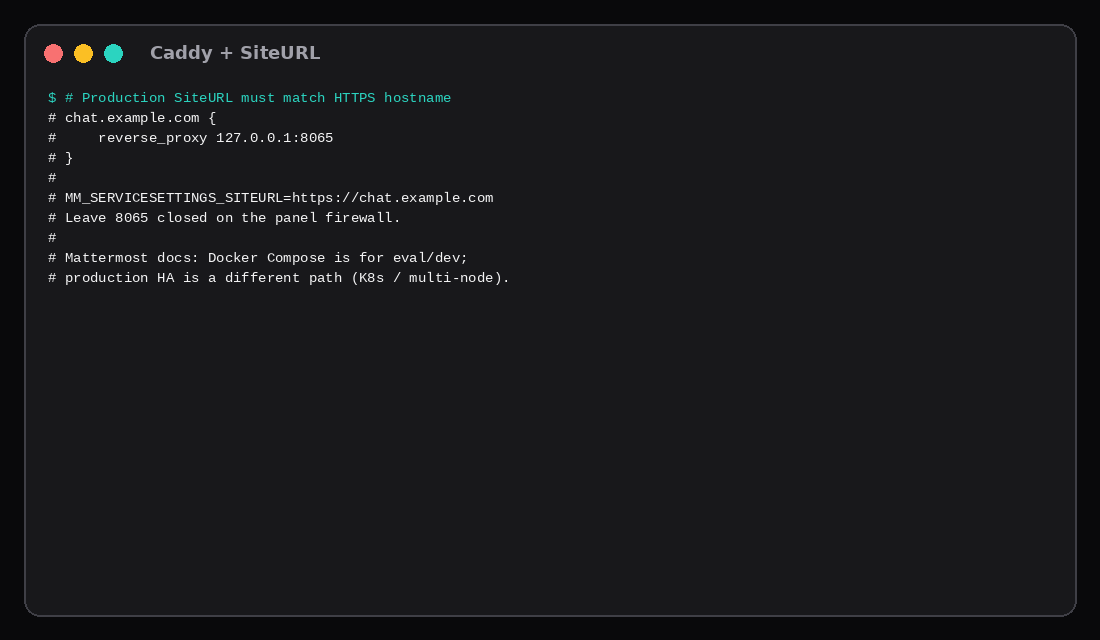
Upstream docs treat Docker Compose as evaluation / development, not HA production. Fine for a small team on one VPS if you accept single-node risk. Clustered HA is a different install path.
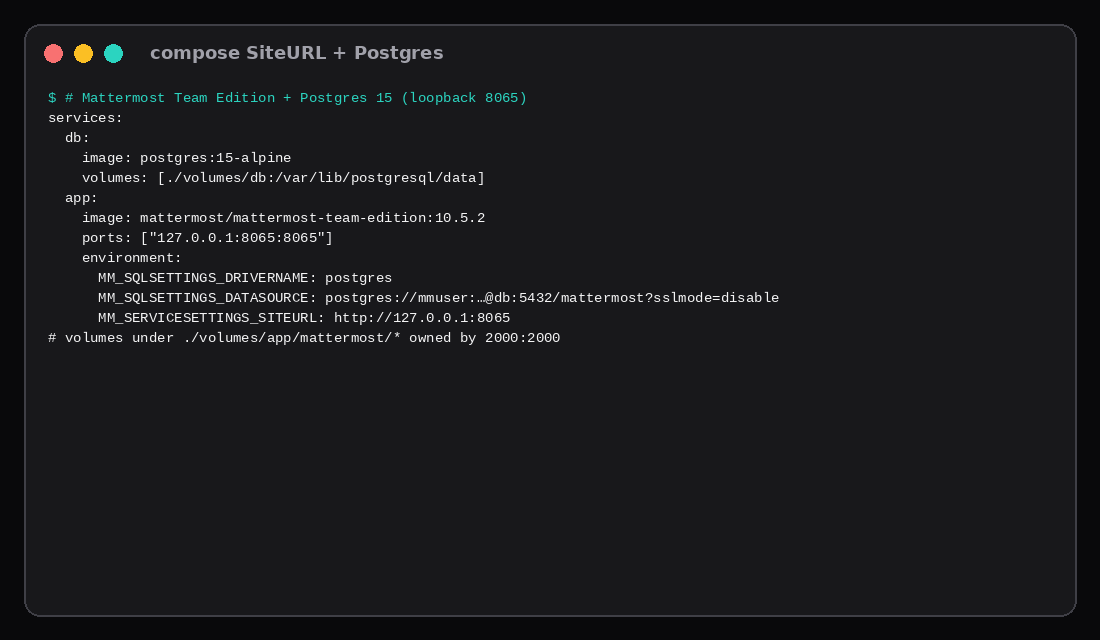
Compose with SiteURL and Postgres
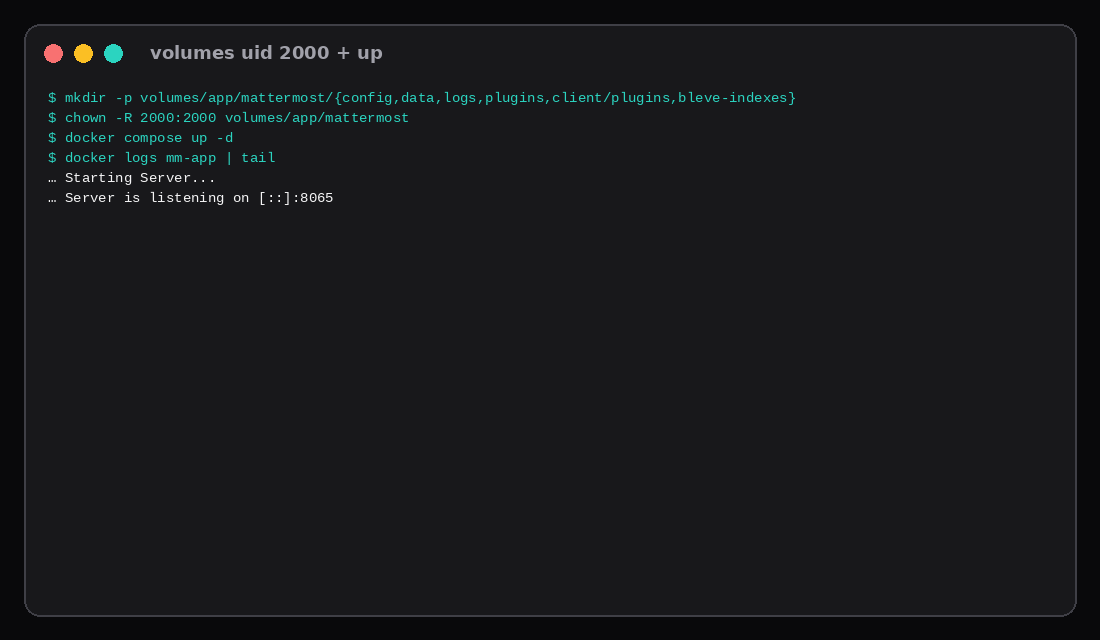
Volumes must be writable by uid 2000 (Mattermost’s container user):
mkdir -p volumes/app/mattermost/{config,data,logs,plugins,client/plugins,bleve-indexes}
mkdir -p volumes/db
chown -R 2000:2000 volumes/app/mattermostservices:
db:
image: postgres:15-alpine
container_name: mm-db
restart: unless-stopped
environment:
POSTGRES_USER: mmuser
POSTGRES_PASSWORD: ${POSTGRES_PASSWORD}
POSTGRES_DB: mattermost
volumes:
- ./volumes/db:/var/lib/postgresql/data
healthcheck:
test: ["CMD-SHELL", "pg_isready -U mmuser -d mattermost"]
interval: 5s
timeout: 5s
retries: 12
app:
image: mattermost/mattermost-team-edition:10.5.2
container_name: mm-app
restart: unless-stopped
depends_on:
db:
condition: service_healthy
ports:
- "127.0.0.1:8065:8065"
environment:
MM_SQLSETTINGS_DRIVERNAME: postgres
MM_SQLSETTINGS_DATASOURCE: postgres://mmuser:${POSTGRES_PASSWORD}@db:5432/mattermost?sslmode=disable&connect_timeout=10
MM_SERVICESETTINGS_SITEURL: ${MM_SERVICESETTINGS_SITEURL}
MM_SERVICESETTINGS_LISTENADDRESS: ":8065"
MM_BLEVESETTINGS_INDEXDIR: /mattermost/bleve-indexes
volumes:
- ./volumes/app/mattermost/config:/mattermost/config:rw
- ./volumes/app/mattermost/data:/mattermost/data:rw
- ./volumes/app/mattermost/logs:/mattermost/logs:rw
- ./volumes/app/mattermost/plugins:/mattermost/plugins:rw
- ./volumes/app/mattermost/client/plugins:/mattermost/client/plugins:rw
- ./volumes/app/mattermost/bleve-indexes:/mattermost/bleve-indexes:rw# .env (mode 600)
POSTGRES_PASSWORD='choose-a-long-secret'
MM_SERVICESETTINGS_SITEURL=http://127.0.0.1:8065docker compose up -d
docker logs -f mm-appLook for Server is listening on 8065. SMTP will fail until you configure mail; that does not block the web UI.
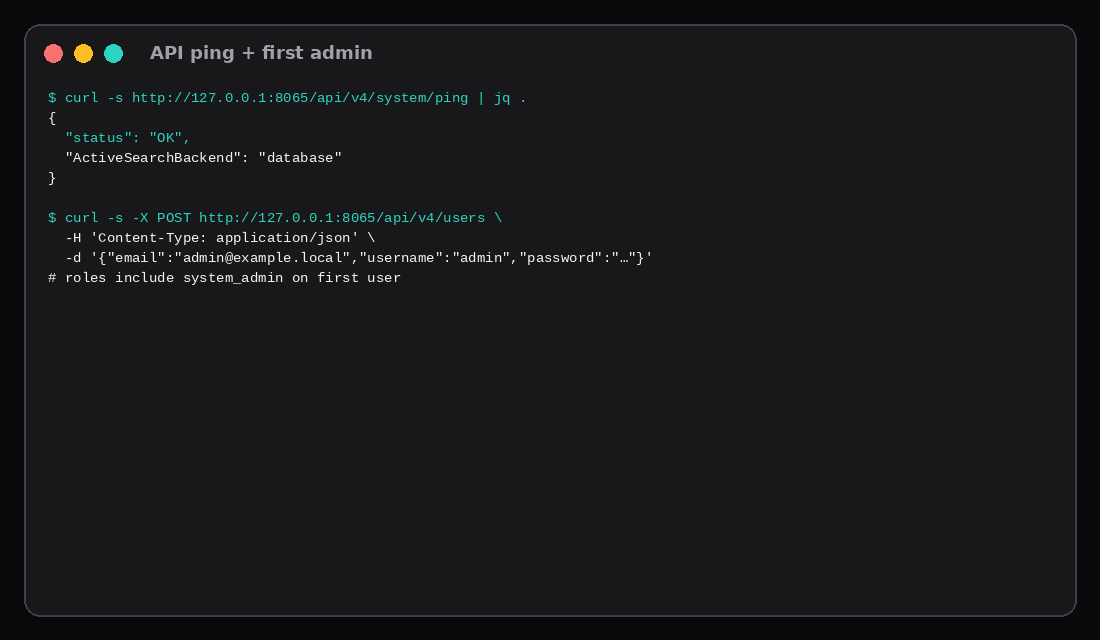
Prove ping and create the first admin
curl -s http://127.0.0.1:8065/api/v4/system/ping | jq .Lab body:
{
  "status": "OK",
  "ActiveSearchBackend": "database"
}
First boot allows creating the initial admin (browser wizard or API):
curl -s -X POST http://127.0.0.1:8065/api/v4/users \
  -H 'Content-Type: application/json' \
  -d '{"email":"[email protected]","username":"admin","password":"a-long-password"}'
This lab’s response included "roles": "system_admin system_user". Login with POST /api/v4/users/login and keep the Token header for further API work.
Idle RAM on this lab
| Container | Median MiB (8 samples) |
|---|---|
mm-app | ~153 |
mm-db | ~63 |
| Stack | ~216 |
Active channels, file uploads, and Calls push memory up. Treat ~216 MiB as a quiet floor after first-admin create, not a load test.
Caddy and SiteURL
chat.example.com {
    reverse_proxy 127.0.0.1:8065
}MM_SERVICESETTINGS_SITEURL=https://chat.example.comRecreate the app container after changing SiteURL. Leave 8065 closed on the panel firewall. TLS pattern matches the Caddy HTTPS post. Compose layout matches Docker Compose on a VPS.
| Skip this | What this lab did |
|---|---|
| Publishing 8065 on all interfaces | 127.0.0.1:8065:8065 |
| Leaving SiteURL blank | Set explicitly (lab HTTP, prod HTTPS) |
| Root-owned volume dirs | chown -R 2000:2000 |
| Calling Docker “production HA” | Noted upstream eval/dev guidance |
Skipping /api/v4/system/ping | Curled status: OK |
Official floors vs the Compose defaults
Mattermost’s hardware page still lists about 1 vCPU and 2 GB RAM for teams up to roughly 1,000 registered users, with PostgreSQL 15+ on the side. The official Docker Compose sample is sized for larger ceilings: mem_limit: 4G on the Mattermost service and mem_limit: 16G on Postgres. Those caps are enterprise-scale guardrails, not a claim that a quiet small-team box will allocate 20 GB. On a 2–4 GB VPS you keep the Compose topology (app + Postgres), drop or lower the sample mem_limit values so Docker cannot reserve more RAM than the guest has, and size from measured idle plus active file-sharing peaks. Docker remains a supported path for Linux single-node installs; the docs still push Kubernetes when you need HA, shared storage, and failover. RHEL 7/8 drop out as targets from server v12.0 onward, so stick to Ubuntu 22.04/24.04, Debian Bookworm+, or a current container host.
FAQ
Team Edition vs Enterprise? Team Edition is the free self-host build used here. Enterprise features and support are a commercial path.
Email? Configure SMTP (or a relay) before password resets matter. This lab logged SMTP refused on localhost:10025 and still served the UI.
Calls / WebRTC? The Calls plugin may need UDP ports and a reachable public address. Loopback-only lab is not a Calls production guide.
Backups? Snapshot Postgres (pg_dump) and volumes/app/mattermost/data. Off-box with Restic.
What to run on the VPS
A Compute Instance with 2 GB holds this quiet stack with headroom for a small team; bump RAM when file history and concurrent clients grow. Pin 10.5.2, keep 8065 on loopback, set HTTPS SiteURL, prove ping, create the first admin, then invite people without a seat spreadsheet.