
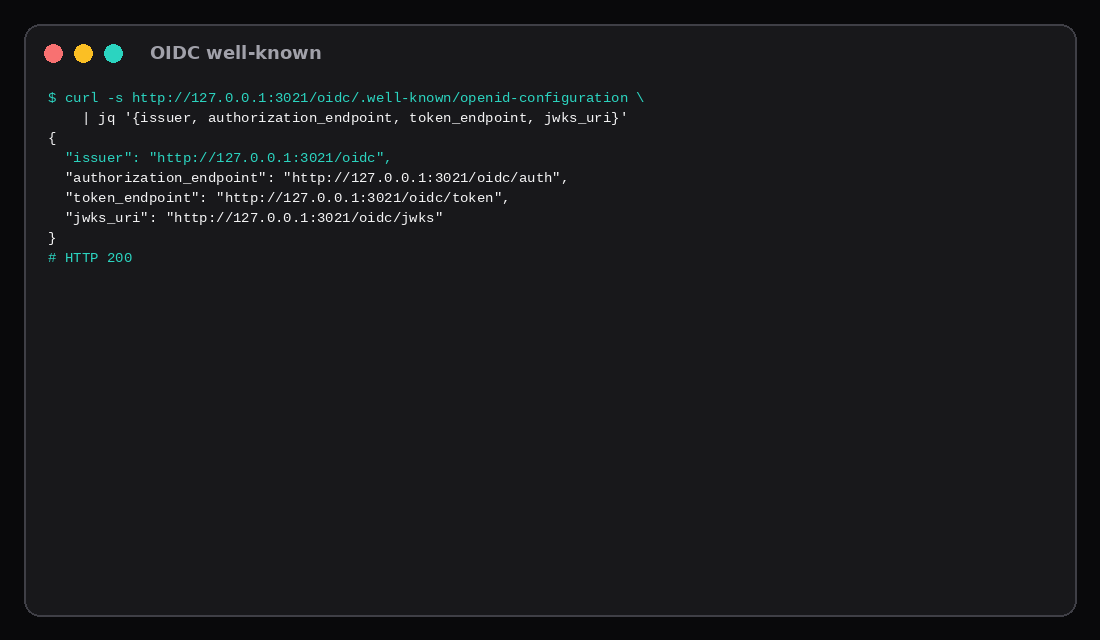
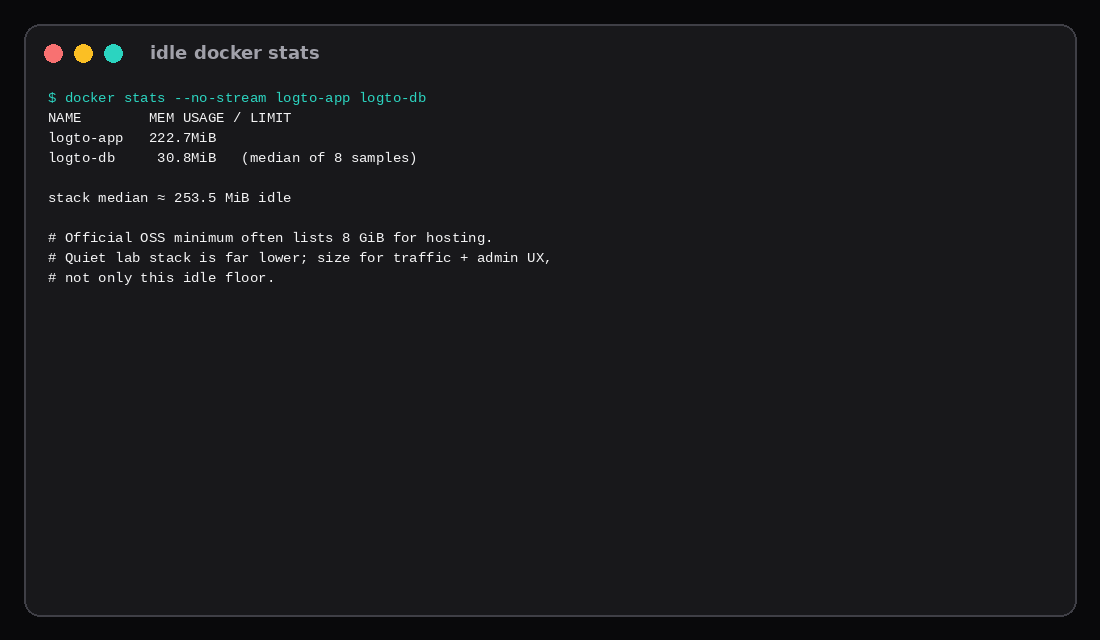
GET /oidc/.well-known/openid-configuration on this lab returned HTTP 200 with "issuer": "http://127.0.0.1:3021/oidc", plus authorization_endpoint, token_endpoint, and jwks_uri under the same host. Logto 1.40.1 had seeded Postgres once (cli db seed --swe) and was listening for core on mapped port 3021 and admin on 3022. Quiet docker stats sat at 222.7 MiB for the app and about 30.8 MiB for Postgres (stack median ~253.5 MiB). No AWS account, no Cognito user pool bill.
The Cognito-shaped job is apps, users, hosted sign-in, and OIDC clients you control. Authentik is the sibling post when you want reverse-proxy SSO for the whole homelab stack; Logto leans application CIAM.
| Reading | Value |
|---|---|
| Image | svhd/logto:1.40.1 (sha256:dabb2b3d…00ab1f3) |
| Database | postgres:17-alpine named volume |
| Core (OIDC) | 127.0.0.1:3021 → container 3001 |
| Admin | 127.0.0.1:3022 → container 3002 |
| Issuer | http://127.0.0.1:3021/oidc |
| Well-known | HTTP 200 |
| Idle app / db / stack | 222.7 / ~30.8 / ~253.5 MiB |
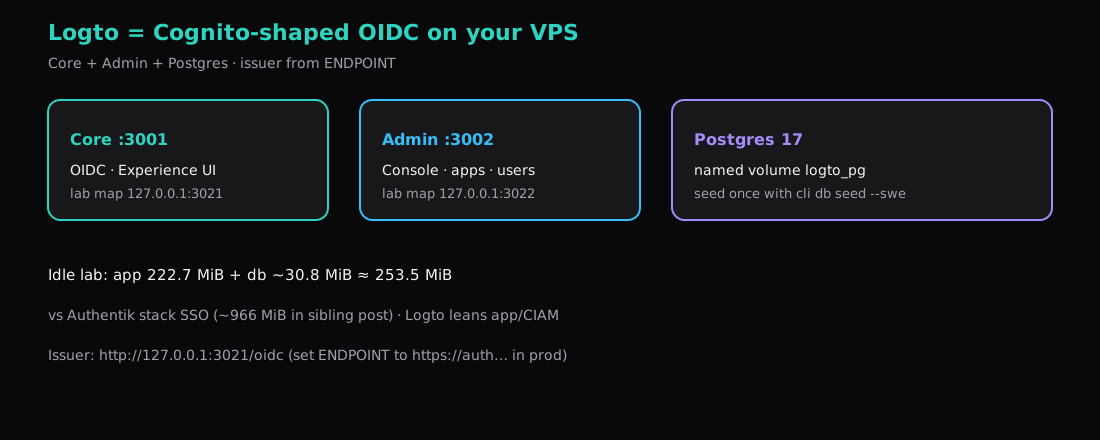
Cognito vs Logto in one screen
| Cognito idea | Logto OSS |
|---|---|
| User pool | Users / tenants in Postgres |
| App client | Application in Admin Console |
| Hosted UI | Experience on the core endpoint |
| Issuer URL | {ENDPOINT}/oidc |
| AWS account | Your VPS + backups |
Official OSS docs often list roomy minimums (on the order of 8 GiB RAM for hosting). This quiet lab stack used ~254 MiB. Size for admin UX, peak logins, and growth; treat the idle number as a floor, not a capacity plan.
Compose with a database that survives restart
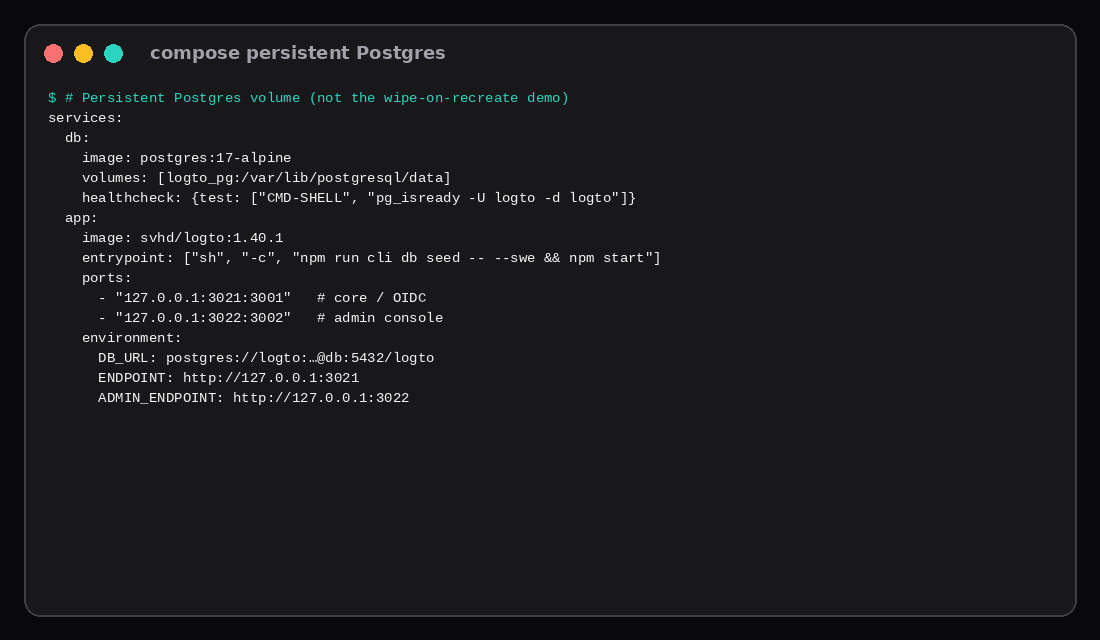
The upstream demo docker-compose.yml warns that re-running it can create a fresh bundled database and drop data. For a VPS, use a named volume and seed explicitly:
services:
  db:
    image: postgres:17-alpine
    container_name: logto-db
    restart: unless-stopped
    environment:
      POSTGRES_USER: logto
      POSTGRES_PASSWORD: ${POSTGRES_PASSWORD}
      POSTGRES_DB: logto
    volumes:
      - logto_pg:/var/lib/postgresql/data
    healthcheck:
      test: ["CMD-SHELL", "pg_isready -U logto -d logto"]
      interval: 5s
      timeout: 5s
      retries: 10

  app:
    image: svhd/logto:1.40.1
    container_name: logto-app
    restart: unless-stopped
    depends_on:
      db:
        condition: service_healthy
    entrypoint: ["sh", "-c", "npm run cli db seed -- --swe && npm start"]
    ports:
      - "127.0.0.1:3001:3001"
      - "127.0.0.1:3002:3002"
    environment:
      DB_URL: postgres://logto:${POSTGRES_PASSWORD}@db:5432/logto
      ENDPOINT: ${ENDPOINT}
      ADMIN_ENDPOINT: ${ADMIN_ENDPOINT}
      TRUST_PROXY_HEADER: ${TRUST_PROXY_HEADER:-0}

volumes:
  logto_pg:
# .env (mode 600)
POSTGRES_PASSWORD='choose-a-long-secret'
ENDPOINT=http://127.0.0.1:3001
ADMIN_ENDPOINT=http://127.0.0.1:3002
TRUST_PROXY_HEADER=0This lab mapped 3021/3022 because 3001/3002 were already taken on the host. Same idea: loopback only.
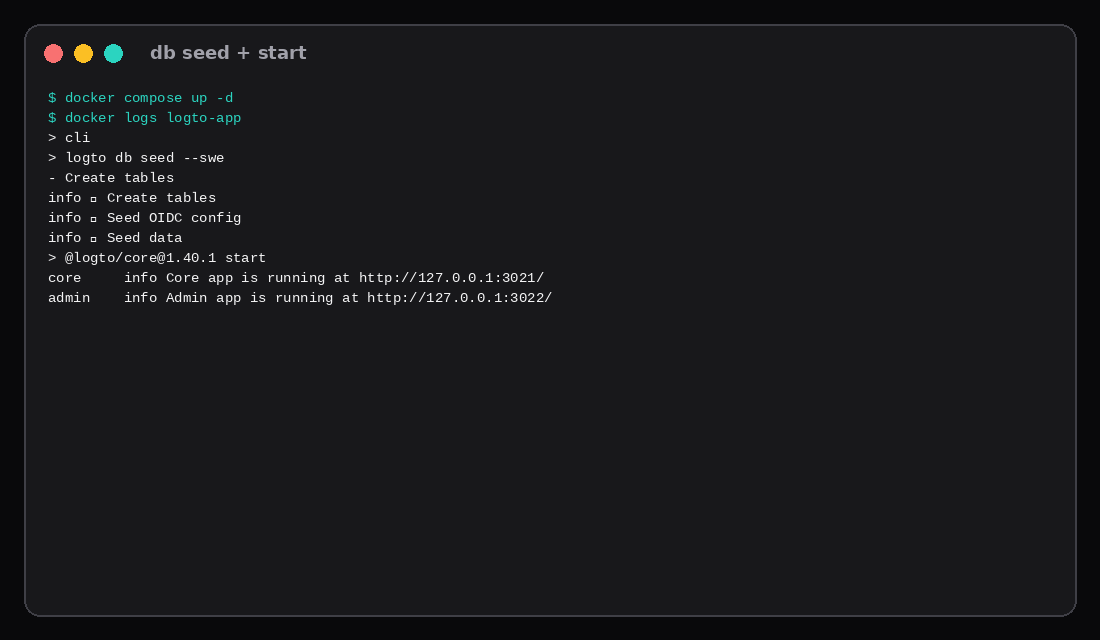
docker compose up -d
docker logs -f logto-app
You want Create tables, Seed OIDC config, then Core app is running / Admin app is running.
Prove OIDC discovery
curl -s http://127.0.0.1:3001/oidc/.well-known/openid-configuration \
  | jq '{issuer, authorization_endpoint, token_endpoint, jwks_uri}'
Lab output (ports 3021):
{
  "issuer": "http://127.0.0.1:3021/oidc",
  "authorization_endpoint": "http://127.0.0.1:3021/oidc/auth",
  "token_endpoint": "http://127.0.0.1:3021/oidc/token",
  "jwks_uri": "http://127.0.0.1:3021/oidc/jwks"
}
Register an Application in the admin console (ADMIN_ENDPOINT), set redirect URIs to match your app, and point the app’s OIDC client at this issuer. Changing ENDPOINT later changes the issuer and breaks existing clients, so set the public HTTPS URL before you ship.
Idle RAM on this lab
| Container | Median MiB (8 samples) |
|---|---|
logto-app | 222.7 |
logto-db | ~30.8 |
| Stack | ~253.5 |
Authentik’s sibling post measured about 966 MiB for server+worker+Postgres after setup. Different product shapes: Authentik for proxy SSO across many apps; Logto for user-pool style OIDC. Pick from the problem, then check RAM.
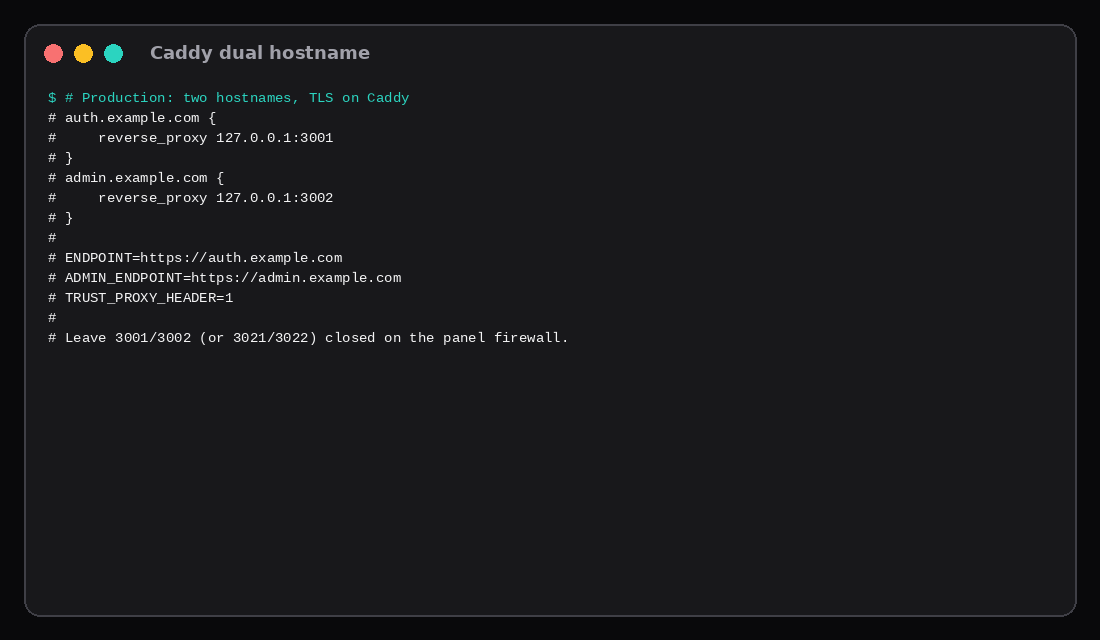
Caddy with two hostnames
auth.example.com {
    reverse_proxy 127.0.0.1:3001
}
admin.example.com {
    reverse_proxy 127.0.0.1:3002
}ENDPOINT=https://auth.example.com
ADMIN_ENDPOINT=https://admin.example.com
TRUST_PROXY_HEADER=1Recreate the app container after changing endpoints. Leave core/admin ports closed on the panel firewall. TLS pattern matches the Caddy HTTPS post. Restrict admin by VPN or IP allowlist when you can.
| Skip this | What this lab did |
|---|---|
| Demo compose that recreates the DB | Named volume + db seed --swe |
| Publishing 3001/3002 on all interfaces | 127.0.0.1 only |
Leaving ENDPOINT as localhost in production | Documented HTTPS values before clients |
| Calling idle 254 MiB “enough for forever” | Noted OSS 8 GiB-class guidance for hosting |
| Skipping well-known | Curled issuer + jwks |
Docs vs the demo Compose file
Official Logto OSS docs still warn that the bundled docker-compose.yml is a demonstration: it ships Postgres next to the app, and re-running the compose command can seed a fresh database and wipe what you had. Production is a persistent Postgres 14+ (or 17 alpine in current samples), DB_URL pointed at that instance, and ENDPOINT / ADMIN_ENDPOINT set to the final HTTPS hostnames before you register clients. Changing the public endpoint later invalidates issuers and redirect URIs that apps already stored.
The same docs recommend roughly 2 vCPU and 8 GiB as a comfortable hosting floor. Quiet lab idle on a smaller guest can look much lighter; the 8 GiB figure is headroom for admin UI, connectors, and concurrent sign-ins, not a claim that the process always holds that much. Behind Caddy or Nginx set TRUST_PROXY_HEADER=1 so the OIDC issuer stays on https://… instead of falling back to a loopback HTTP URL. Vultr-style Cognito-alternative guides map User Pools to Logto users, Hosted UI to Sign-in Experience, and Lambda triggers to asynchronous webhooks. Cognito Identity Pools (AWS IAM role federation) have no direct Logto twin; keep that work in AWS or replace it with app-side credentials.
FAQ
Logto or Authentik? Authentik if you need outposts and forward-auth for arbitrary apps. Logto if you want Cognito-like user pools and OIDC apps with a dedicated admin console.
Redis? Optional. This lab logged No Redis client initialized, skipping and still served discovery.
Backups? pg_dump the logto database; treat it like any CIAM store. Link Restic for off-box copies.
Social login? Configure connectors in Admin after the stack is up; outbound HTTPS from the VPS must reach the IdP.
What to run on the VPS
A Compute Instance with 2 GB can hold this quiet stack with headroom; follow Logto’s larger minimum if you expect heavy admin use or many concurrent logins. Pin 1.40.1, keep Postgres on a volume, prove .well-known, set HTTPS ENDPOINT values, then create your first Application.