
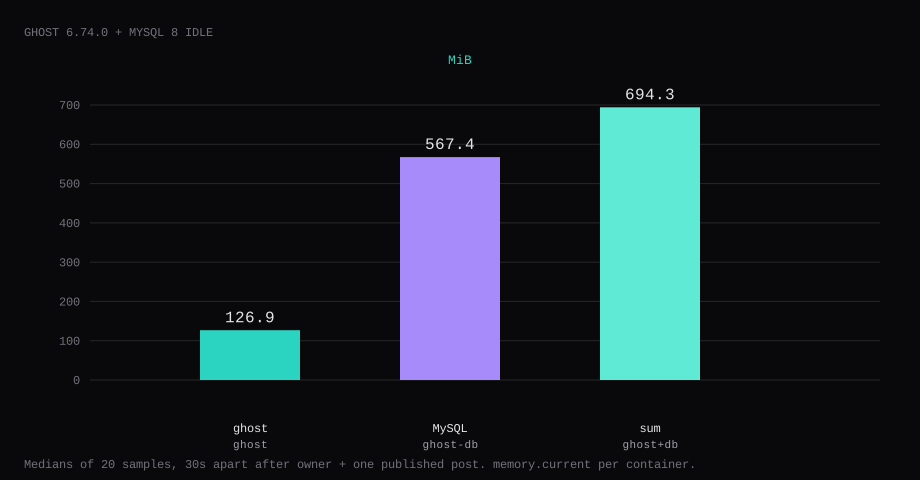
Ghost 6.74.0 held 126.9 MiB idle on this lab host after the owner account existed and one post was published. That is cgroup memory.current for the ghost container, the median of twenty samples taken 30 seconds apart with a quiet admin UI. docker stats printed 126.4 MiB. MySQL 8 next to it held 567.4 MiB of memory.current (435.0 MiB in docker stats). Together that is about 694.3 MiB before Ubuntu and Caddy. Port 2368 listened on 127.0.0.1 only. A curl to the guest's LAN address on 2368 was refused. The public origin for this lab was http://127.0.0.1:2368, with one publication and one content volume.
Ghost is a publishing platform for blogs and newsletters: an editor, members, paid subscriptions (when configured), themes, and a JSON API. The official production path is MySQL 8 plus Node, often via Docker or Ghost(Pro). On a VPS you own the content database and the outbound mail for member magic links.
The Docker Hub compose maps 8080:2368. On a multi-app VPS that host port is already spoken for. Production wants MySQL 8 and HTTPS, plus X-Forwarded-For, X-Forwarded-Host, and X-Forwarded-Proto. Pin the digests and publish 2368 on loopback. Set one url, create the owner at /ghost, publish one post, and keep Caddy as the only public path.
| Reading | ghost | ghost-db |
|---|---|---|
cgroup memory.current | 126.9 MiB, median of 20 | 567.4 MiB |
docker stats | 126.4 MiB | 435.0 MiB |
process PSS (smaps) | 178.2 MiB | 462.5 MiB |
| CPU percent | 0.02 | 0.27 |
| Host listener | 127.0.0.1:2368 | unpublished |
| Image | ghost:6-alpine → 6.74.0 | mysql:8.0 |
| Skip this | What this run did |
|---|---|
Hub's 8080:2368 | Published 127.0.0.1:2368:2368 |
| SQLite for production | MySQL 8 with a dedicated user |
url: http://localhost:8080 | One origin matching how you reach the site |
| Publishing 3306 | Left MySQL on the Compose network only |
| Staff login without SMTP and with device verification left on | security__staffDeviceVerification=false on a lab without mail, or configure SMTP |
How do you install Ghost on Docker?
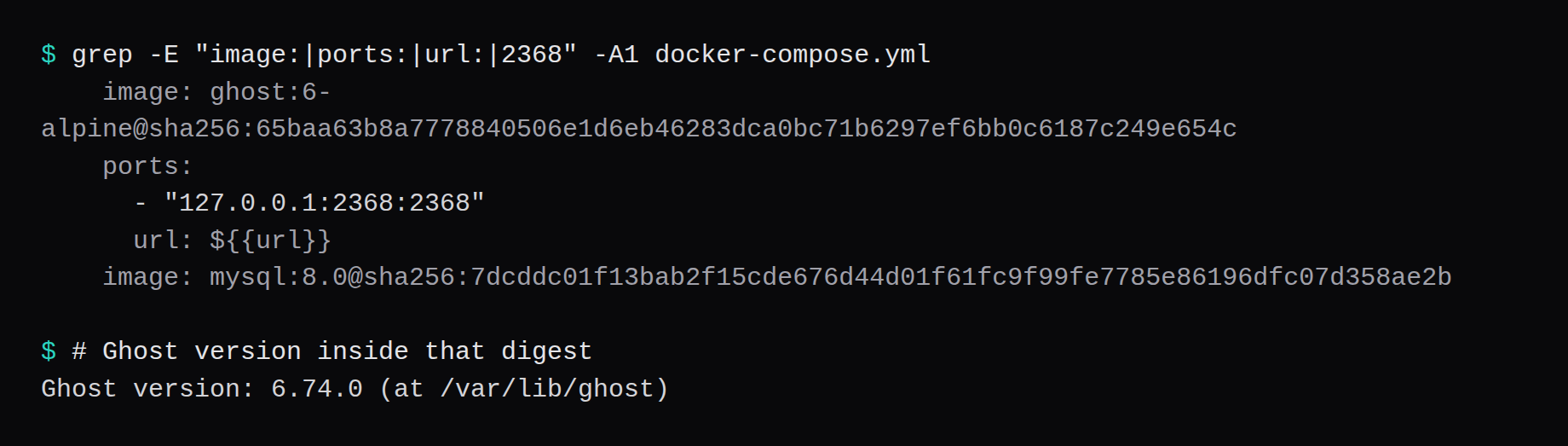
This lab pinned ghost:6-alpine@sha256:65baa63b8a7778840506e1d6eb46283dca0bc71b6297ef6bb0c6187c249e654c, and ghost version printed 6.74.0. MySQL was mysql:8.0@sha256:7dcddc01f13bab2f15cde676d44d01f61fc9f99fe7785e86196dfc07d358ae2b. Skip latest.
mkdir -p ~/ghost/{content,mysql} && cd ~/ghost
openssl rand -hex 24 | awk '{print "MYSQL_PASSWORD="$0}' > .env
openssl rand -hex 24 | awk '{print "MYSQL_ROOT_PASSWORD="$0}' >> .env
echo 'MYSQL_USER=ghost' >> .env
echo 'url=https://blog.example.com' >> .env
chmod 600 .env
For a first bring-up on loopback only, set url=http://127.0.0.1:2368 until Caddy and DNS are ready. Ghost uses that value for links and redirects.
services:
  ghost:
    image: ghost:6-alpine@sha256:65baa63b8a7778840506e1d6eb46283dca0bc71b6297ef6bb0c6187c249e654c
    container_name: ghost
    restart: unless-stopped
    ports:
      - "127.0.0.1:2368:2368"
    environment:
      database__client: mysql
      database__connection__host: db
      database__connection__user: ${MYSQL_USER}
      database__connection__password: ${MYSQL_PASSWORD}
      database__connection__database: ghost
      url: ${url}
    volumes:
      - ./content:/var/lib/ghost/content
    depends_on:
      db:
        condition: service_healthy
    logging:
      driver: json-file
      options:
        max-size: "10m"
        max-file: "3"

  db:
    image: mysql:8.0@sha256:7dcddc01f13bab2f15cde676d44d01f61fc9f99fe7785e86196dfc07d358ae2b
    container_name: ghost-db
    restart: unless-stopped
    environment:
      MYSQL_ROOT_PASSWORD: ${MYSQL_ROOT_PASSWORD}
      MYSQL_USER: ${MYSQL_USER}
      MYSQL_PASSWORD: ${MYSQL_PASSWORD}
      MYSQL_DATABASE: ghost
    volumes:
      - ./mysql:/var/lib/mysql
    healthcheck:
      test: ["CMD-SHELL", "mysqladmin ping -h 127.0.0.1 -p$$MYSQL_ROOT_PASSWORD || exit 1"]
      interval: 5s
      timeout: 5s
      retries: 30
      start_period: 20s
docker compose up -d
curl -sS -o /dev/null -w '%{http_code}\n' http://127.0.0.1:2368/You want HTTP 200 once migrations finish. Log rotation matches the Compose checklist.
How do you fine-tune Ghost after the first post?
Set url to the public HTTPS origin and never change it lightly; Ghost admin must run over HTTPS (hosting docs, config). Optional admin__url / ADMIN_DOMAIN on a separate hostname reduces attack surface, matching the official ghost-docker compose. Transactional SMTP is required for staff invites, password resets, and member magic links even when you never send newsletters (.env.example); Ghost still boots without it, but those flows fail. Themes install from the admin marketplace or a mounted theme folder. Members and newsletters need DNS alignment for links and a reputable ESP. Scale with a CDN/cache in front; Ghost does not cluster.
MySQL is most of the RAM; size the guest for Ghost + MySQL together (~700 MiB idle here before OS). Back up with mysqldump plus a stopped copy of the content volume (manual backup FAQ). Keep admin on /ghost behind HTTPS only.
Why must 2368 stay on loopback?
Ghost is the public site and the admin at /ghost on one port. Publishing 2368 on every interface puts that admin path on the internet without TLS.
ss -H -lntup | grep 2368On this host that printed 127.0.0.1:2368. Curl to 192.168.1.150:2368 failed with connection refused. Leave 2368 and 3306 closed in the panel firewall. Open 80 and 443 for Caddy. Docker published ports often bypass UFW inside the guest, so the loopback bind is what kept the LAN address quiet. The public-address case is in provider-side firewall.

How do you create the owner and publish one post?
Open the admin once:
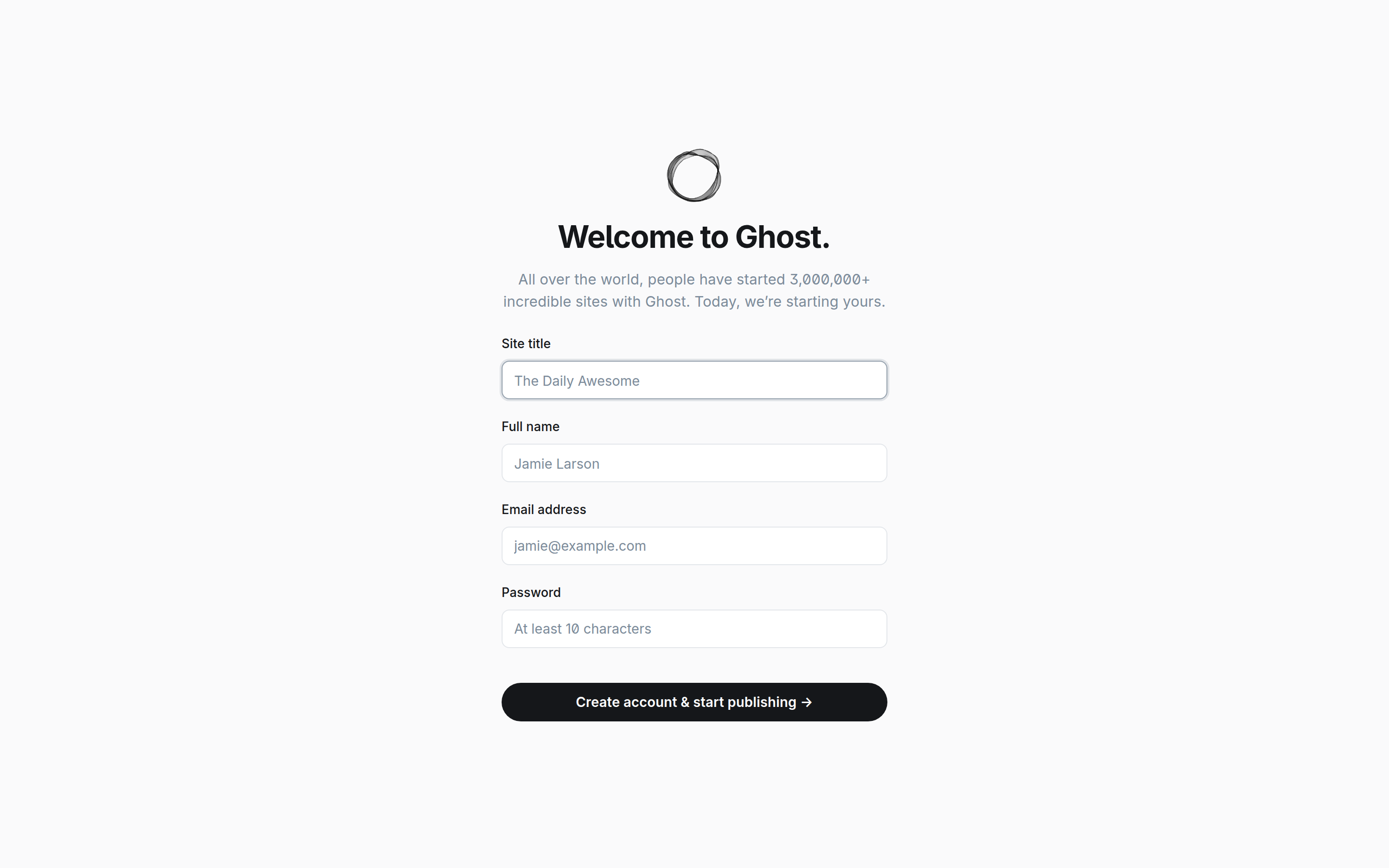
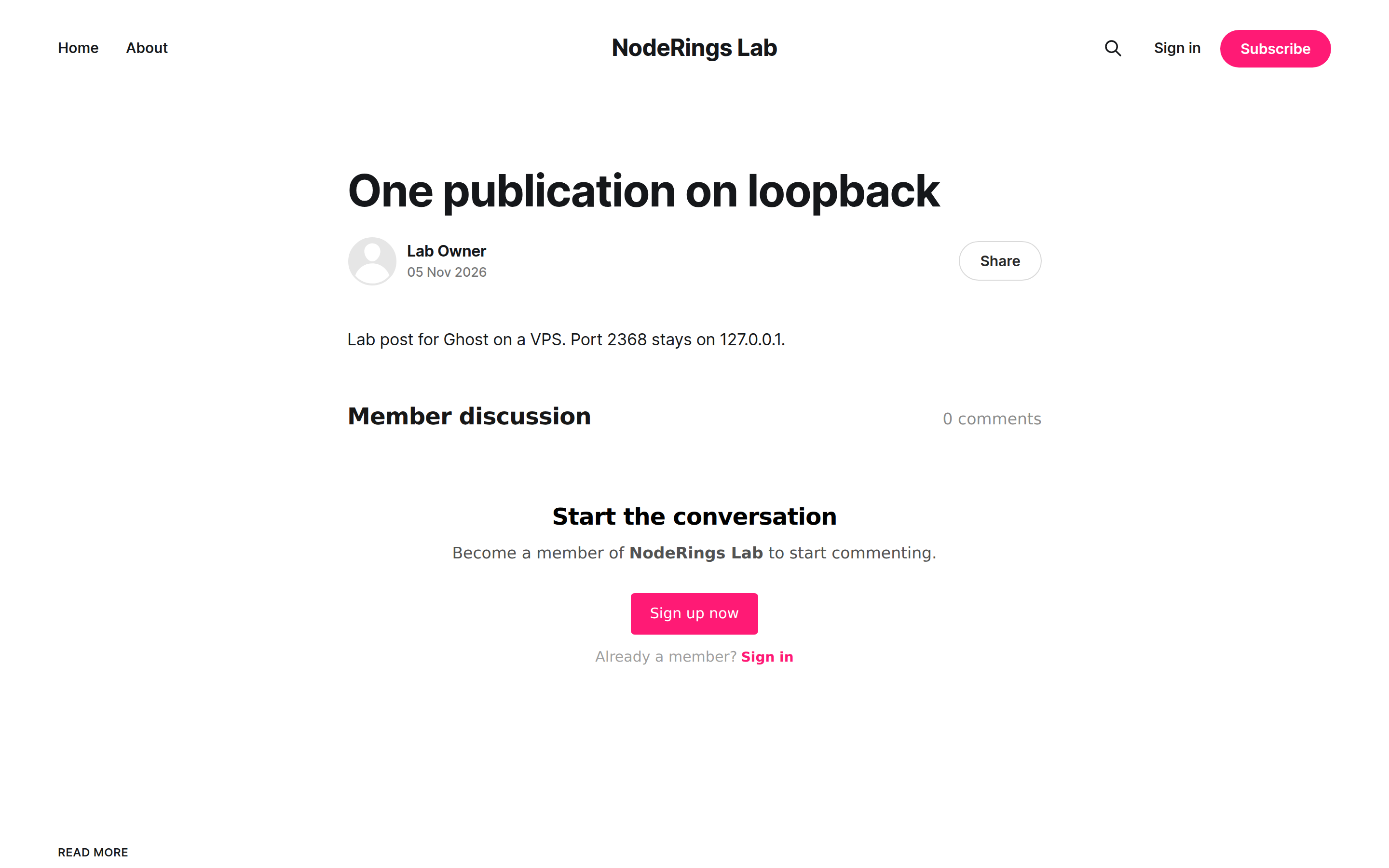
ssh -N -L 12368:127.0.0.1:2368 user@YOUR_VPS_IPBrowse http://127.0.0.1:12368/ghost/ and finish the setup form (site title, name, email, password). Crop the password. Write one post and publish it. This lab's post title was "One publication on loopback", slug one-publication-on-loopback, served at the site url.
Ghost production defaults turn on staff device verification by email. Without SMTP, staff sign-in returns Failed to send email. For a lab without mail, set security__staffDeviceVerification=false. On a real VPS, configure mail and leave verification on.
Where does Caddy go?
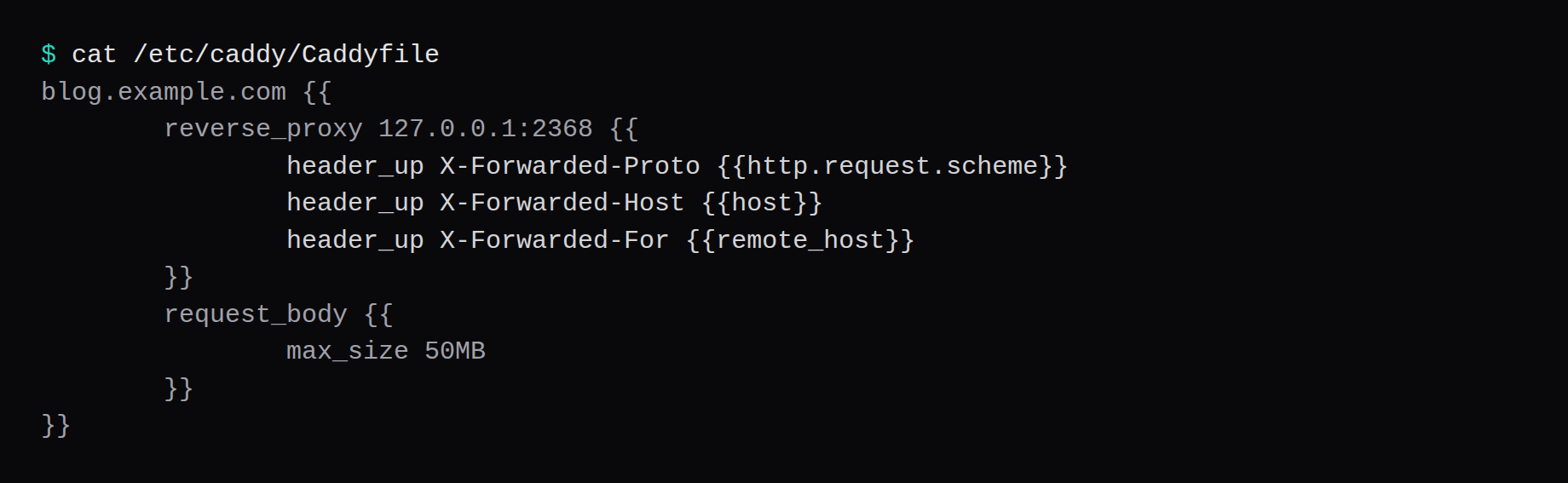
Terminate TLS in Caddy and proxy to loopback. Ghost wants the forwarded host and proto headers so redirects stay on https:
blog.example.com {
	reverse_proxy 127.0.0.1:2368 {
		header_up X-Forwarded-Proto {http.request.scheme}
		header_up X-Forwarded-Host {host}
		header_up X-Forwarded-For {remote_host}
	}
	request_body {
		max_size 50MB
	}
}
Set url in .env to that same https://blog.example.com before you point readers at it. A wrong X-Forwarded-Proto is a documented redirect loop. TLS setup is in the Caddy HTTPS post.
How do you back up content and MySQL?
Posts live in the ghost database, images and themes under /var/lib/ghost/content. A live dump plus a content archive is enough for a restorable pair:
docker compose exec -T db \
  mysqldump -ughost -p"$MYSQL_PASSWORD" --no-tablespaces ghost > ghost.sql
tar -C . -czf content.tgz content
On this lab the dump was about 203 KB and content.tgz about 85 KB for a starter theme and one post. Point Restic at both files, or stop both containers and archive content/ and mysql/ together when you want a cold copy.

How do you publish week to week?
Write in the admin editor, use tags and primary tags for routing, and schedule posts when useful. Members get magic-link email; without SMTP they cannot sign in. Newsletters reuse posts or dedicated letters depending on your workflow. Themes update carefully on a staging copy. Image sizes: let Ghost resize, and keep the content volume on fast disk. After Ghost upgrades, read the changelog for MySQL and Node requirements.
FAQ
Is 1 GB enough? The hosting page asks for at least 1 GB, and idle here was about 694.3 MiB for ghost plus MySQL before the OS. A 2 GB guest leaves headroom for Caddy, spikes, and theme assets.
Ghost-CLI or Docker? Ghost-CLI on Ubuntu with nginx is the long-supported host path and already proxies to 127.0.0.1:2368. This post is the Compose path with loopback publish and Caddy on a multi-app VPS.
MariaDB? The database FAQ names MySQL 8 for production. This compose follows Hub's mysql:8.0 line.
Does UFW block a published 2368? Often not inside the guest. Bind 127.0.0.1:2368:2368 and leave 2368 closed on the panel firewall.
Mail, Stripe, ActivityPub? Mail, Stripe, and ActivityPub were outside this lab. Configure SMTP before you rely on invites, member mail, or staff device verification.