
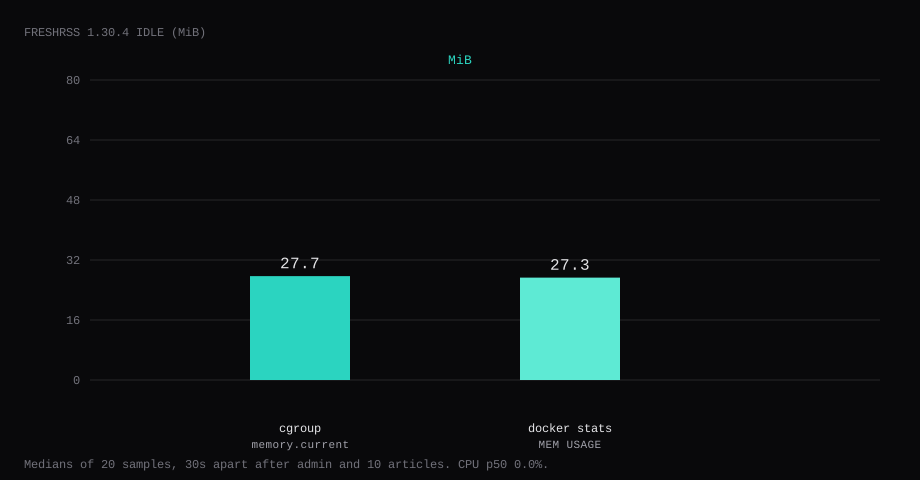
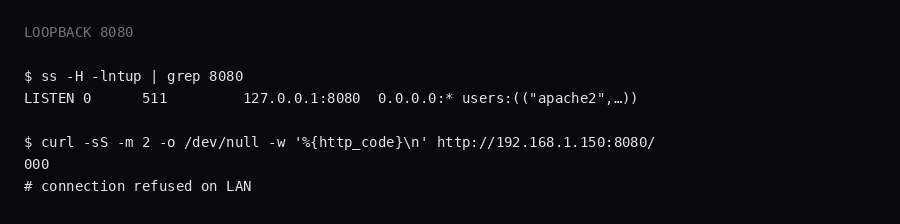
FreshRSS 1.30.4 held 27.7 MiB idle on this lab host after the install wizard finished and one feed held ten articles. That is cgroup memory.current, the median of twenty samples taken 30 seconds apart with a quiet UI. docker stats printed 27.3 MiB. CPU percent sat at 0. Port 8080 listened on 127.0.0.1 only. A curl to the guest's LAN address on 8080 was refused.
FreshRSS is a free, self-hostable RSS and Atom aggregator. It pulls blogs, podcasts, and video channel feeds into one reader, supports search and saved queries, OPML import/export, WebSub for faster updates, themes, extensions, and mobile clients (or the mobile web UI). The project’s own pitch is that it stays light while handling very large archives; for a personal VPS the win is “my subscriptions, my disk,” without a SaaS timeline.
The official Docker docs publish 8080:80, mount data and extensions, and leave CRON_MIN for you to set. Competing guides stop when the install wizard loads. Pin 1.30.4 by digest, bind 8080 to loopback, finish the wizard with SQLite and an admin user, subscribe until articles appear, set CRON_MIN, and put Caddy on 443.
| Reading | Value |
|---|---|
cgroup memory.current | 27.7 MiB, median of 20 |
docker stats | 27.3 MiB |
| CPU percent | 0, median |
| Host listener | 127.0.0.1:8080 |
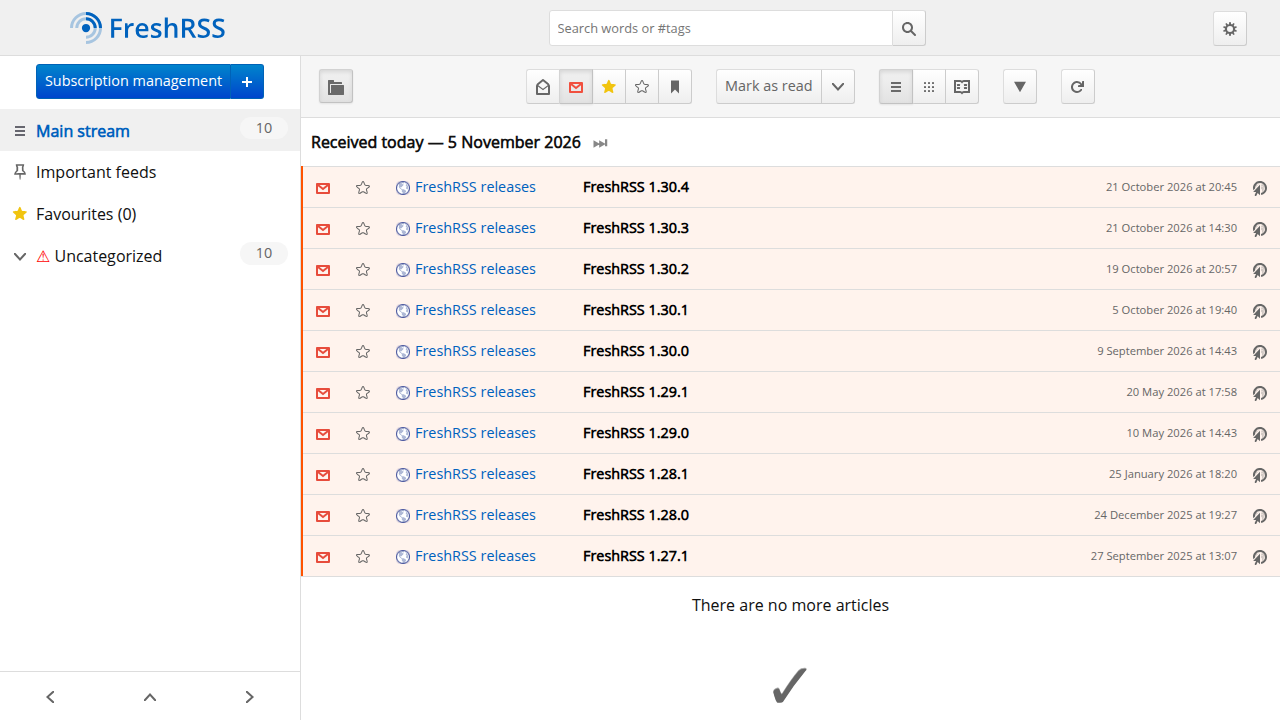
| After proof | 1 feed, 10 articles (FreshRSS releases) |
| Image | freshrss/freshrss:1.30.4 |
| Skip this | What this run did |
|---|---|
8080:80 on every interface | Published 127.0.0.1:8080:80 |
Floating latest | Pinned 1.30.4 by digest |
Leaving CRON_MIN unset | CRON_MIN=1,31 |
| Stopping at an empty reader | Actualized until ten articles showed |
| Opening 8080 on the panel firewall | Left 8080 closed; Caddy on 80/443 |
How do you install FreshRSS on Docker?
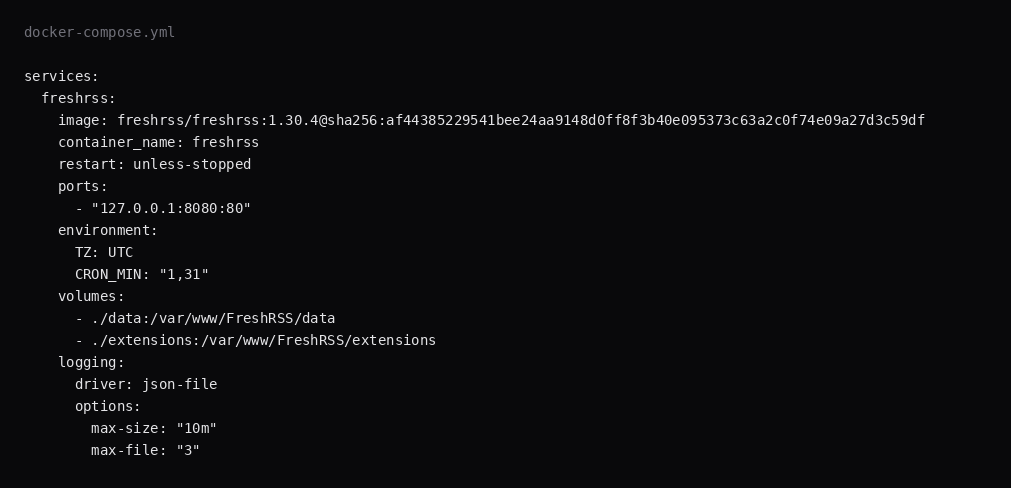
The image is freshrss/freshrss:1.30.4, digest sha256:af44385229541bee24aa9148d0ff8f3b40e095373c63a2c0f74e09a27d3c59df. Skip LinuxServer wrappers for this stack. If you install a newer stable tag than 1.30.4, pin that digest.
mkdir -p ~/freshrss/{data,extensions}
cd ~/freshrss
services:
freshrss:
image: freshrss/freshrss:1.30.4@sha256:af44385229541bee24aa9148d0ff8f3b40e095373c63a2c0f74e09a27d3c59df
container_name: freshrss
restart: unless-stopped
ports:
- "127.0.0.1:8080:80"
environment:
TZ: UTC
CRON_MIN: "1,31"
volumes:
- ./data:/var/www/FreshRSS/data
- ./extensions:/var/www/FreshRSS/extensions
logging:
driver: json-file
options:
max-size: "10m"
max-file: "3"Inside the container Apache listens on :80, and the loopback publish keeps the host's public address quiet. CRON_MIN runs the built-in feed refresh at those minutes each hour. Log rotation matches the Compose checklist.
docker compose up -d
curl -sS -o /dev/null -w '%{http_code}\n' http://127.0.0.1:8080/
A working process answers with a redirect into /i/ (often 302).
What can you do after the first feed works?
Import an OPML from another reader to bring the whole subscription list over. Use categories and labels so a dense unread list stays navigable. Saved searches pin queries you reopen daily. Extensions add sharing targets, full-text fetch for partial feeds, and UI tweaks; mount ./extensions so they survive recreates. Third-party mobile apps talk to FreshRSS over its API once you create an API password in the profile. Web scraping / HTML-to-feed helpers exist for sites without a proper feed; treat those as brittle and rate-limit them.
Tuning that matters on a VPS: set CRON_MIN so actualize runs inside the container without a host crontab. The official feed-update docs recommend about twice an hour and suggest minutes like 13,43 (this lab used 1,31); sa.net’s FreshRSS guide notes that going much faster than every 20 minutes buys little because feeds themselves are not refreshed that often. Set TZ so those minutes match local night. After Caddy is live, set base_url to the same HTTPS origin (Caddy subdomain notes); if the wizard ran on localhost first, fix it with php cli/reconfigure.php --base-url https://rss.example.com inside the container. Set TRUSTED_PROXY to the Docker bridge / Caddy CIDR so client IPs in logs are real. Archiving and retention control disk growth. SQLite is fine for a personal archive. If you scrape an origin on the Docker network, allow it with INTERNAL_HOST_ALLOWLIST rather than leaving internal fetches wide open (Docker README).
Why must 8080 stay on loopback?
The same port serves the reader UI, the install path, and the subscription tools. Publishing 8080 on every interface puts that stack on the internet without TLS.
ss -H -lntup | grep 8080On this host that printed 127.0.0.1:8080. Curl to the guest LAN address on 8080 failed with connection refused. Leave 8080 closed in the panel firewall. Open 80 and 443 for Caddy. Docker published ports often bypass UFW inside the guest, so the loopback bind kept the LAN address quiet. The public-address case is in provider-side firewall.
How do you finish the install wizard?
Open http://127.0.0.1:8080 on the guest, or tunnel:
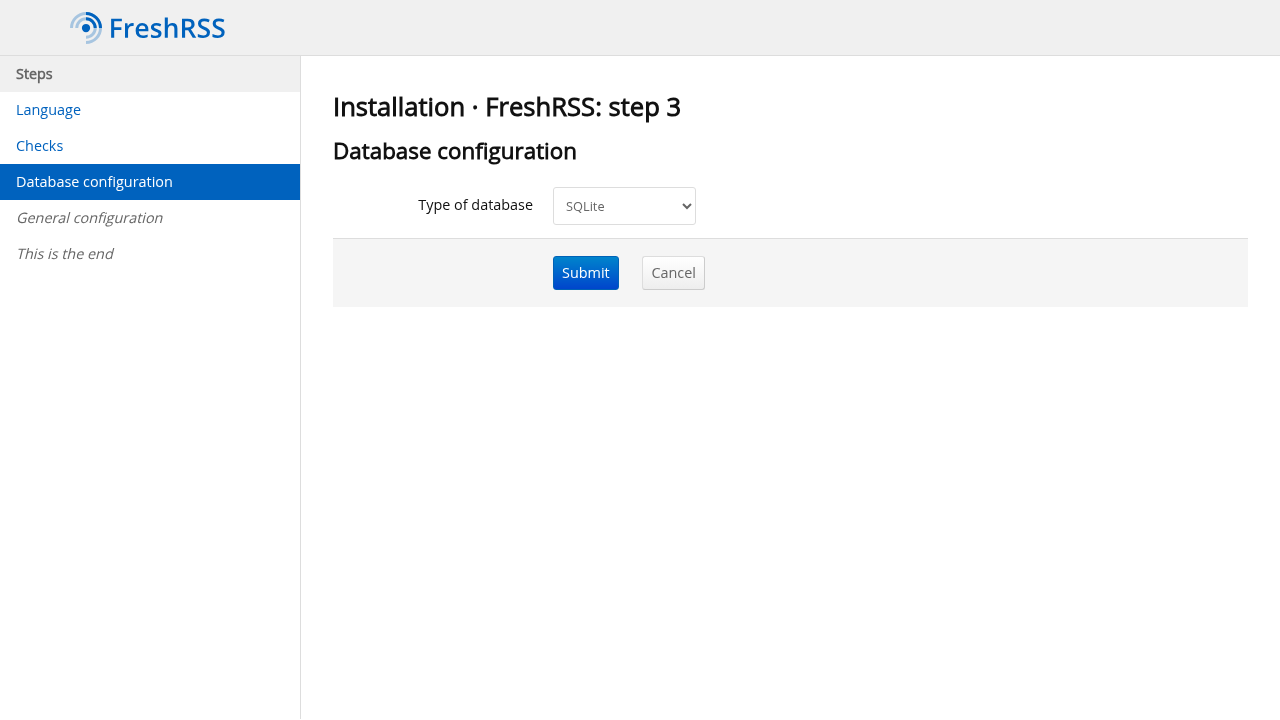
ssh -N -L 8080:127.0.0.1:8080 user@YOUR_VPS_IPPick a language, confirm the checks are green, choose SQLite for a single-VPS reader, then set the default username and a long password. Web form auth works for one admin. Crop the password from screenshots.
What does one subscribed feed prove?
The first install offered a FreshRSS releases feed. Click Actualize (or run php ./cli/actualize-user.php --user YOUR_USER in the container) until articles appear. This lab ended with ten unread items from that feed. Add your own URLs under Subscription management → Add a feed.
An empty Main stream after Actualize usually means the feed URL timed out from the guest, or the feed is private, so fix outbound HTTPS before you chase SQLite bugs.
Where does Caddy go?
rss.example.com {
	reverse_proxy 127.0.0.1:8080
}
After TLS is up, set FreshRSS base URL to https://rss.example.com under Configuration when absolute links point at localhost. TLS setup is in the Caddy HTTPS post.

How do you back up data?
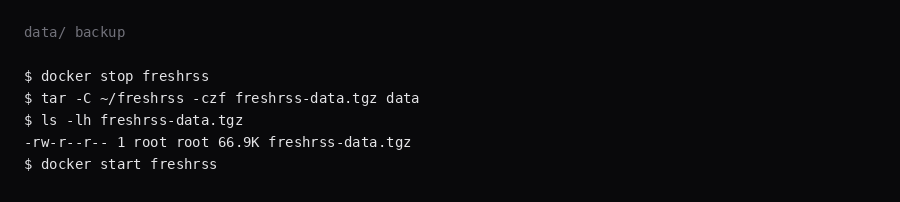
./data holds SQLite, config, cache, and user files. Extensions live under ./extensions. Stop the container, archive data/, start again:
docker compose stop freshrss
tar -C ~/freshrss -czf freshrss-data.tgz data
docker compose start freshrss
On this lab the archive was about 67 KB after the wizard and ten articles. Point Restic at that tarball, or at a consistent snapshot of data/ plus extensions/.
How do you live in FreshRSS day to day?
Mark-all-read by category keeps the unread count honest. Keyboard shortcuts speed triage. Export OPML before experiments. If a feed dies, FreshRSS keeps history; fix the URL or replace the feed rather than deleting the category blindly. Mobile apps need an API password from the profile page. Extensions that fetch full text can hammer origins; throttle them. Themes are cosmetic; extensions that change fetch behavior deserve a backup first.
For podcasts and YouTube, prefer proper Atom/RSS over scraping when the creator offers one.
FAQ
SQLite or Postgres? SQLite fits a personal reader on one VPS. FreshRSS supports Postgres and MySQL when you outgrow the single file.
Mobile apps? APIs compatible with Fever and Google Reader are under Configuration → Authentication / API. Point a client at the same Caddy hostname.
edge or 1.30.4? Pin the release tag you want. edge tracks rolling fixes, and this lab used 1.30.4.
Base URL behind Caddy? Set it to the public https:// hostname once the reverse proxy is live, so generated feed and share links use that hostname.
Does UFW block a published 8080? Inside the guest, published Docker ports often bypass UFW. Bind 127.0.0.1:8080:80 and leave 8080 closed on the panel firewall.