
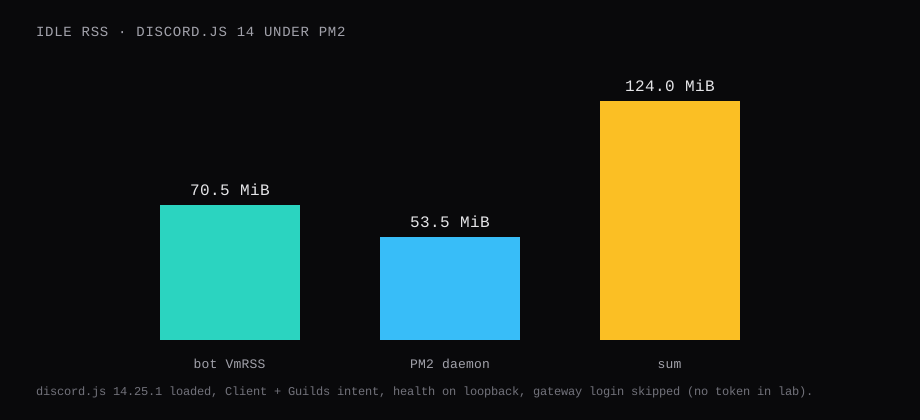
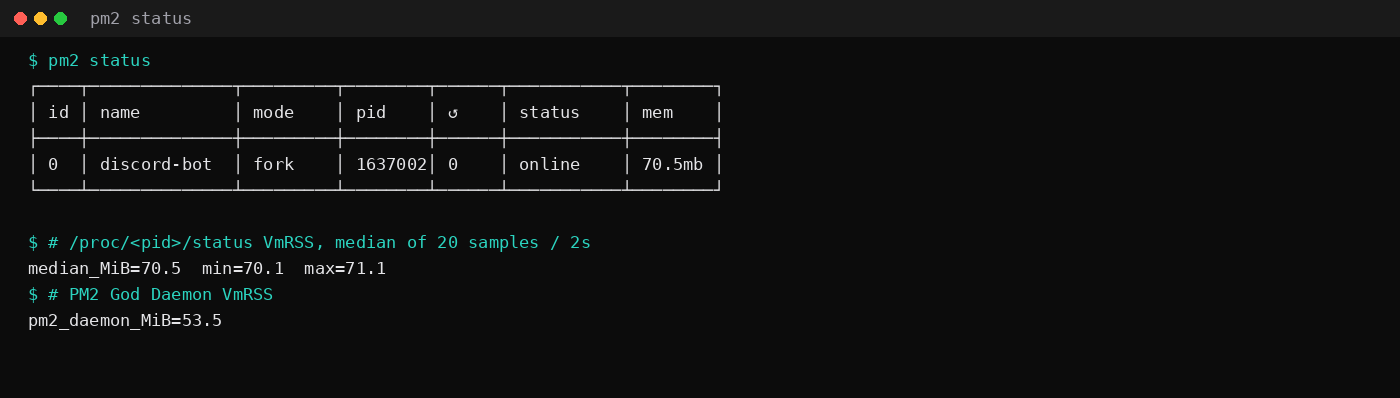
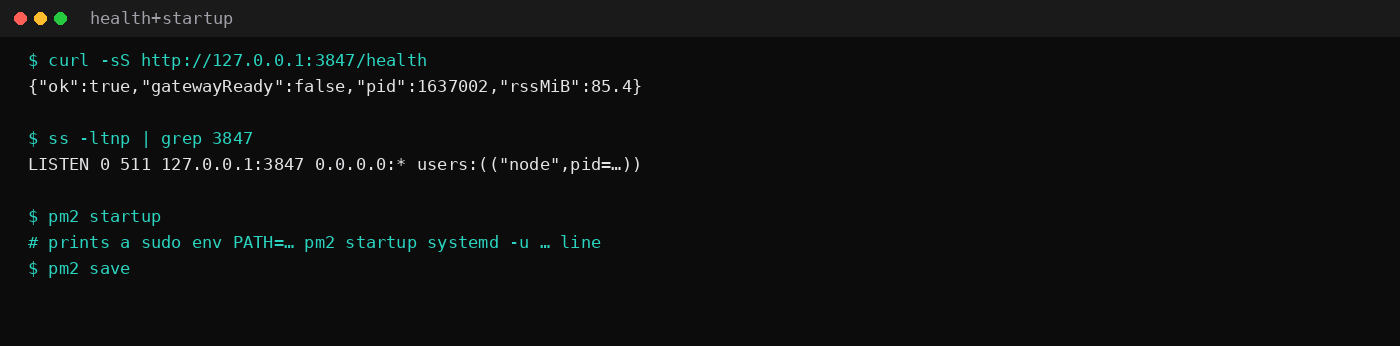
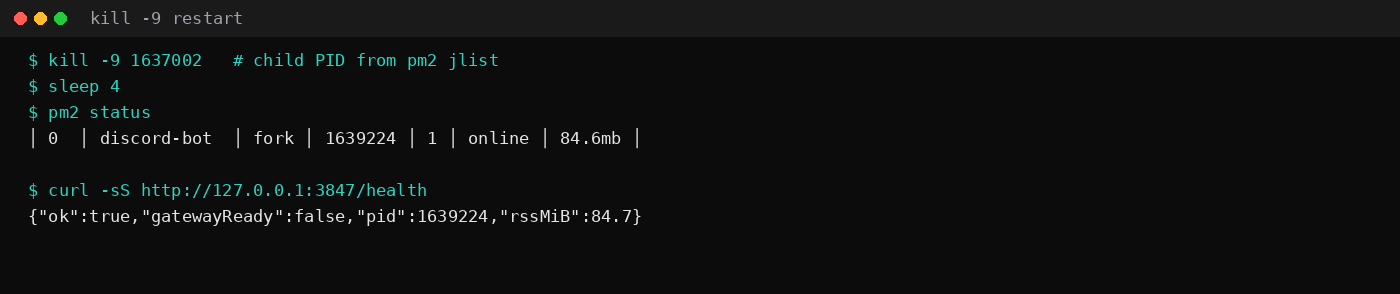
discord.js 14.25.1 under PM2 6.0.14 held 70.5 MiB idle VmRSS on this lab host. That is /proc/<pid>/status VmRSS, the median of twenty samples two seconds apart after a quiet window. pm2 jlist printed the same 70.5 MiB for the app. The PM2 God Daemon sat at 53.5 MiB VmRSS on its own. After kill -9 on the child PID, PM2 brought the process back with restart count 1 and status online. curl to http://127.0.0.1:3847/health returned 200 again.
A laptop bot dies when the lid closes. A VPS keeps the process on the network. PM2 is the process manager this audience already reaches for: crash restart, boot restore, logs. Size a 1 GB plan from that idle RSS plus the daemon. Music bots, AI wrappers, and guilds with the members intent climb from here.
| Reading | Value |
|---|---|
Bot VmRSS | 70.5 MiB, median of 20 |
pm2 monit memory | 70.5 MiB |
PM2 daemon VmRSS | 53.5 MiB |
| Health | 127.0.0.1:3847/health → 200 |
After kill -9 | restarts 1, status online |
| Stack | Node v20.19.5, PM2 6.0.14, discord.js 14.25.1 |
This lab left DISCORD_TOKEN unset so the process stayed up without a gateway session: Client constructed, Guilds intent only, slash /ping code loaded, health listener on loopback. gatewayReady in the health JSON stayed false. Paste a real token from the Discord developer portal into .env before you expect ready and slash commands in a server. Connected bots in a quiet guild usually stay in the same tens-of-MiB band until caches and intents grow.
| Skip this | What this run did |
|---|---|
node bot.js inside an SSH/screen session | PM2 fork mode with autorestart |
Token committed next to bot.js | .env / .env.example, token unset in lab |
| Cluster mode for one small bot | instances: 1, exec_mode: 'fork' |
max_memory_restart as the memory plan | Cap at 300M as a safety net; watched RSS instead |
Health on 0.0.0.0 | 127.0.0.1:3847 only |
How do you install Node, PM2, and the bot?
Use Node 20 LTS on Ubuntu 24.04. This lab had v20.19.5. Install PM2 globally and pin the app dependencies.
sudo npm install -g [email protected]
mkdir -p ~/discord-bot && cd ~/discord-bot
npm init -y
npm install [email protected] [email protected] --save-exact
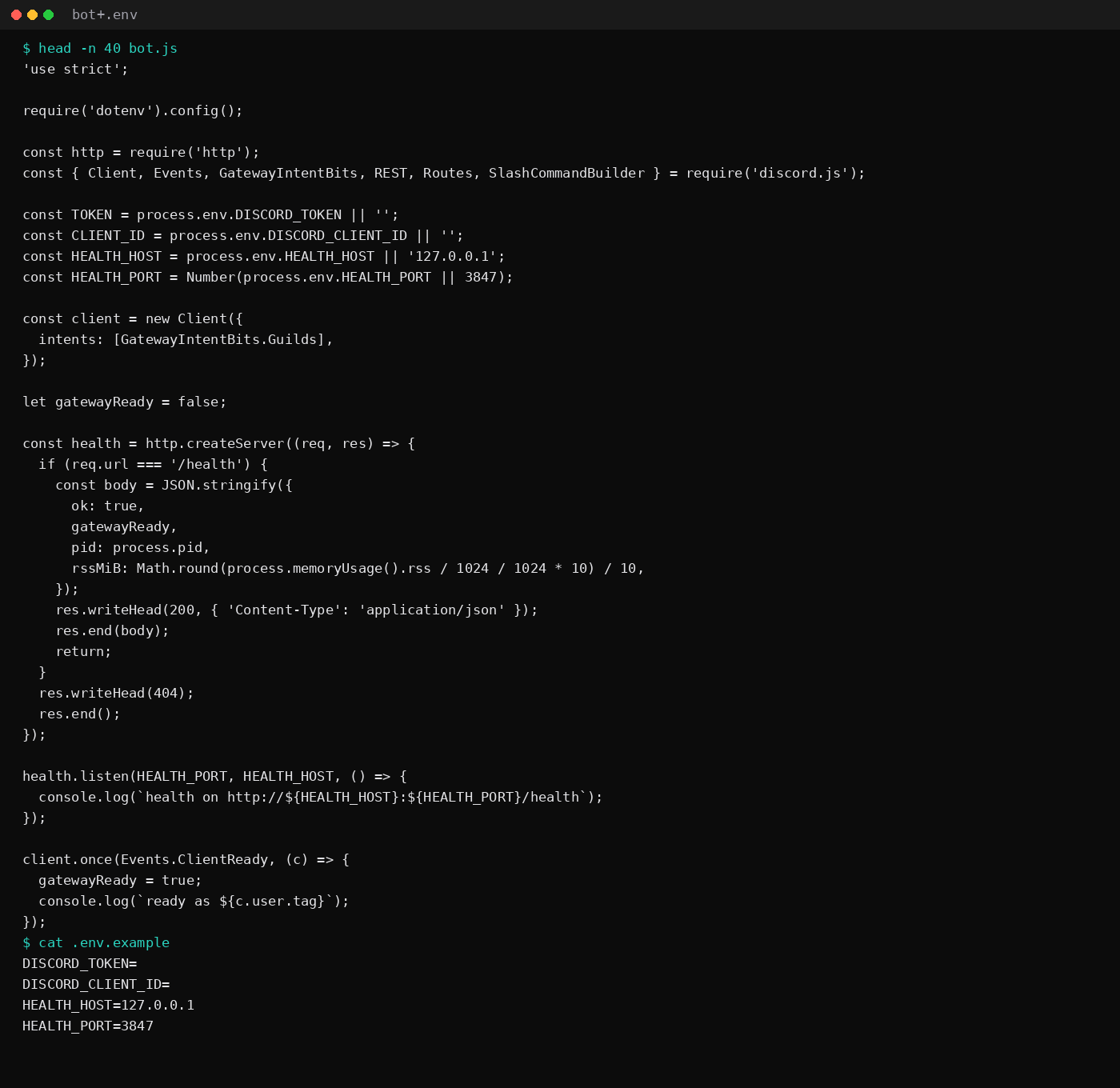
Create the bot entrypoint. The health server is for your own checks and for Healthchecks-style pings over a tunnel. Discord itself never asks for it.
'use strict';

require('dotenv').config();

const http = require('http');
const { Client, Events, GatewayIntentBits, REST, Routes, SlashCommandBuilder } = require('discord.js');

const TOKEN = process.env.DISCORD_TOKEN || '';
const CLIENT_ID = process.env.DISCORD_CLIENT_ID || '';
const HEALTH_HOST = process.env.HEALTH_HOST || '127.0.0.1';
const HEALTH_PORT = Number(process.env.HEALTH_PORT || 3847);

const client = new Client({
  intents: [GatewayIntentBits.Guilds],
});

let gatewayReady = false;

const health = http.createServer((req, res) => {
  if (req.url === '/health') {
    const body = JSON.stringify({
      ok: true,
      gatewayReady,
      pid: process.pid,
      rssMiB: Math.round(process.memoryUsage().rss / 1024 / 1024 * 10) / 10,
    });
    res.writeHead(200, { 'Content-Type': 'application/json' });
    res.end(body);
    return;
  }
  res.writeHead(404);
  res.end();
});

health.listen(HEALTH_PORT, HEALTH_HOST, () => {
  console.log(`health on http://${HEALTH_HOST}:${HEALTH_PORT}/health`);
});

client.once(Events.ClientReady, (c) => {
  gatewayReady = true;
  console.log(`ready as ${c.user.tag}`);
});

client.on(Events.InteractionCreate, async (interaction) => {
  if (!interaction.isChatInputCommand()) return;
  if (interaction.commandName === 'ping') {
    await interaction.reply({ content: `pong · ${Math.round(client.ws.ping)}ms`, ephemeral: true });
  }
});

async function registerCommands() {
  if (!TOKEN || !CLIENT_ID) return;
  const rest = new REST({ version: '10' }).setToken(TOKEN);
  const commands = [
    new SlashCommandBuilder().setName('ping').setDescription('Reply with pong and gateway latency').toJSON(),
  ];
  await rest.put(Routes.applicationCommands(CLIENT_ID), { body: commands });
  console.log('slash /ping registered');
}

async function main() {
  if (!TOKEN) {
    console.log('DISCORD_TOKEN unset: staying up for PM2/health lab without gateway login');
    return;
  }
  await registerCommands().catch((err) => {
    console.error('slash register failed', err.message);
  });
  await client.login(TOKEN);
}

main().catch((err) => {
  console.error(err);
  process.exit(1);
});
# .env.example
DISCORD_TOKEN=
DISCORD_CLIENT_ID=
HEALTH_HOST=127.0.0.1
HEALTH_PORT=3847Copy to .env, paste the bot token and application client id, and keep .env out of git. Reset the token in the portal if it ever lands in a screenshot or a gist.
How do you run it under PM2?
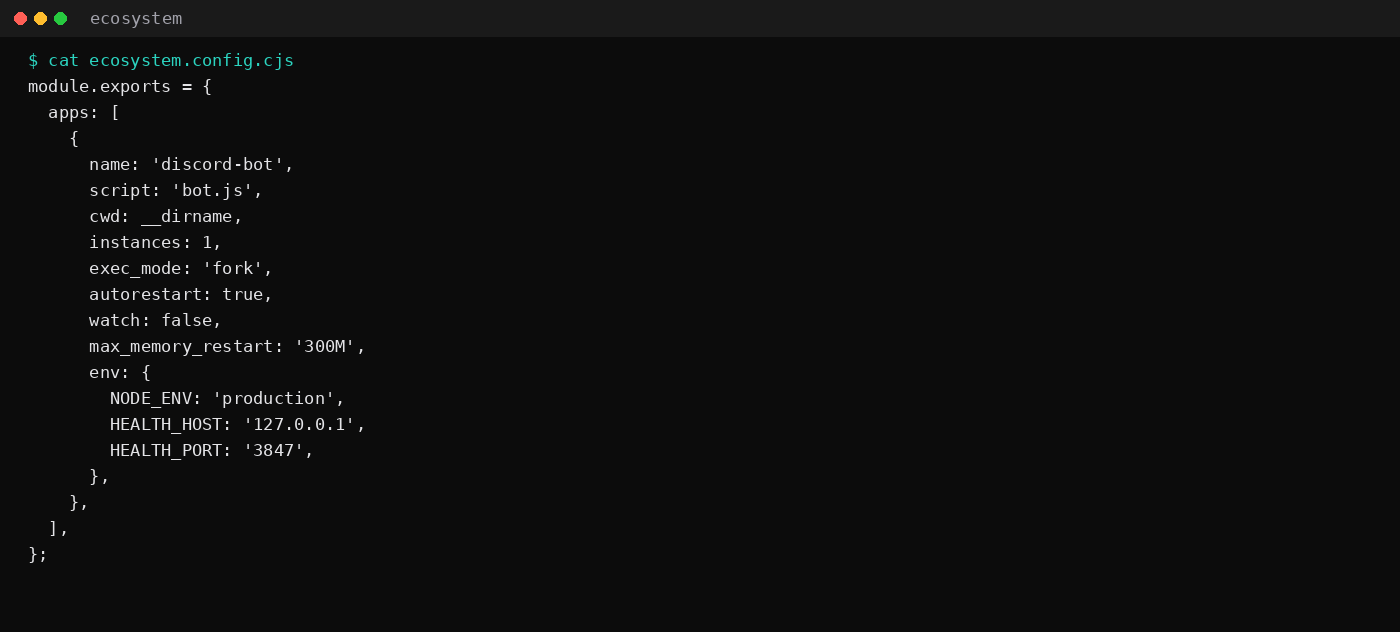
ecosystem.config.cjs keeps the flags in one file. Fork mode, one instance, autorestart, and a 300M memory ceiling as a tripwire.
module.exports = {
  apps: [
    {
      name: 'discord-bot',
      script: 'bot.js',
      cwd: __dirname,
      instances: 1,
      exec_mode: 'fork',
      autorestart: true,
      watch: false,
      max_memory_restart: '300M',
      env: {
        NODE_ENV: 'production',
        HEALTH_HOST: '127.0.0.1',
        HEALTH_PORT: '3847',
      },
    },
  ],
};
pm2 start ecosystem.config.cjs
pm2 status
curl -sS http://127.0.0.1:3847/healthdotenv loads .env from the app directory when bot.js starts. PM2's env block sets the health bind. Keep the token out of the ecosystem file; otherwise pm2 prettylist will echo it.
max_memory_restart is a blast-radius limit. It restarts the process when RSS crosses the line; it does not remove the leak. PM2's memory worker checks about every 30 seconds, so a spike can sit above the line briefly before a restart. Pair it with min_uptime, max_restarts, and restart_delay so a bad deploy cannot thrash Discord with login storms. One fork is the right shape for a single bot; PM2 cluster mode without sharding duplicates replies and cron jobs.
Most of a discord.js process's RSS is cache. Request only the intents you use, cap MessageManager / presence caches, and enable sweepers so old messages expire. Flat RSS after ready is normal. A line that climbs every hour for days is usually an unbounded Map, a listener added inside a command, or an interval started on every ready. Fix that in code; raising the VPS plan only buys a slower OOM.
Survive reboot:
pm2 startup
# run the sudo env PATH=… line it prints
pm2 save
The panel firewall leaves 3847 closed on the public interface. Discord's gateway is outbound. This bot opens no inbound port on the public interface; scrape health through a tunnel if you need it off-box.
What does a crash look like under PM2?
Take the child PID from pm2 jlist (or pm2 status) and send SIGKILL. PM2 should fork a new process within a few seconds.
kill -9 <pid>
sleep 4
pm2 status
curl -sS http://127.0.0.1:3847/health
This lab went from restart count 0 to 1, status stayed online, and health answered on the new PID. That is the uptime claim: the VPS can reboot the process without you being on SSH.
max_memory_restart: '300M' restarts the process when RSS crosses that line. That tripwire keeps a leak from OOMing the whole guest. Fix the leak when the graph climbs every hour; raising the cap only delays the page.
FAQ
PM2 or systemd for one Discord bot?
systemd is enough for a single unit and keeps the dependency count low. PM2 wins when you already live in npm, want pm2 logs / pm2 monit, and may add a second Node app later. This post measured PM2 because that is the string people search with "discord bot vps".
How much RAM do I buy?
This idle shape left about 124 MiB for bot plus daemon before Ubuntu's share. A 1 GB VPS holds a small command bot with room left. Budget 2 GB once you enable member caching across many guilds, run music/lavalink, or stack a database on the same guest. The 2 GB idle table is the wider context.
Does the bot need a public IP port?
Discord opens the gateway from your VPS outbound. Slash commands use that session. The loopback health port is optional and should stay off the public firewall. Use WireGuard or Tailscale if you want to scrape /health from elsewhere.
What if RSS climbs for days?
Log process.memoryUsage().rss on an interval, or watch pm2 monit. Growing caches and forgotten listeners are the usual causes. max_memory_restart masks a leak for a while. Pair alerts with ntfy or Healthchecks if you want a ping when the process flaps.