
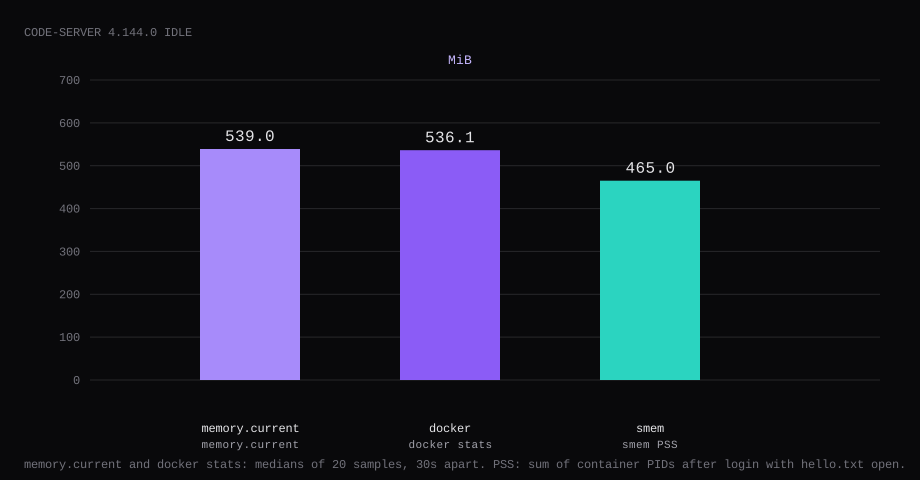
code-server 4.144.0 held 539.0 MiB idle on this lab host. That is cgroup memory.current, the median of twenty samples taken 30 seconds apart after login with one workspace file open. docker stats printed 536.1 MiB. PSS summed across the container PIDs was 465.0 MiB. Port 8080 listened on 127.0.0.1 only. /healthz returned JSON with no cookie. A curl to the public address on 8080 was refused.
code-server runs VS Code in the browser. Same editor UI, remote files on the VPS, integrated terminal, extensions from Open VSX. It is the path when you want a full IDE on a machine you SSH to anyway, without installing a desktop environment. The setup guide is blunt: never expose it to the internet without authentication and encryption, because a logged-in session is a shell on the host.
The install docs show Docker with a loopback publish. Other guides paste Compose and a plaintext password. Pin 4.144.0 by digest and set HASHED_PASSWORD. Mount one project folder. Close 8080 on the public address before DNS points at the box.
| Reading | Value |
|---|---|
cgroup memory.current | 539.0 MiB, median of 20 |
docker stats | 536.1 MiB |
| smem PSS (container PIDs) | 465.0 MiB |
| CPU percent | 2.51, median |
| Host listener | 127.0.0.1:8080 |
/healthz (no cookie) | "status":"alive" after a session |
| Image | about 375 MB |
| Skip this | What this run did |
|---|---|
codercom/code-server:latest without a digest | Pinned 4.144.0 by digest |
-p 8080:8080 on every interface | Published 127.0.0.1:8080:8080 |
Plaintext PASSWORD= in Compose | HASHED_PASSWORD (argon2) in a mode 600 .env |
| Opening 8080 on the panel firewall | Left 8080 closed; Caddy on 80/443 |
Mounting /var/run/docker.sock | Only ./config and ./workspace |
How do you install code-server on Docker?
The image is codercom/code-server:4.144.0, digest sha256:b9e8056bb74bd0c4f90284c7559eddeccd38400cfedc28e64c9d3ca50fef1f83. On this pull, latest pointed at the same digest. Keep the version in the Compose file.
Generate an argon2 hash (apt package argon2):
echo -n 'YOUR_LONG_PASSWORD' | argon2 "$(openssl rand -hex 16)" -e -id -k 65536 -t 3 -p 4mkdir -p ~/code-server/{config,workspace}
echo 'hello from the VPS workspace' > ~/code-server/workspace/hello.txt
chown -R 1000:1000 ~/code-server
cd ~/code-serverPut the full $argon2id$… string in a mode 600 .env. In Compose, every $ in that value becomes $$, or Compose interpolates the hash away (coder/code-server#5327). RDP.sh’s code-server VPS guide also skips publishing host 8080 when Caddy shares the Compose network and proxies code-server:8080 internally; either that pattern or 127.0.0.1:8080:8080 keeps the editor off the public address:
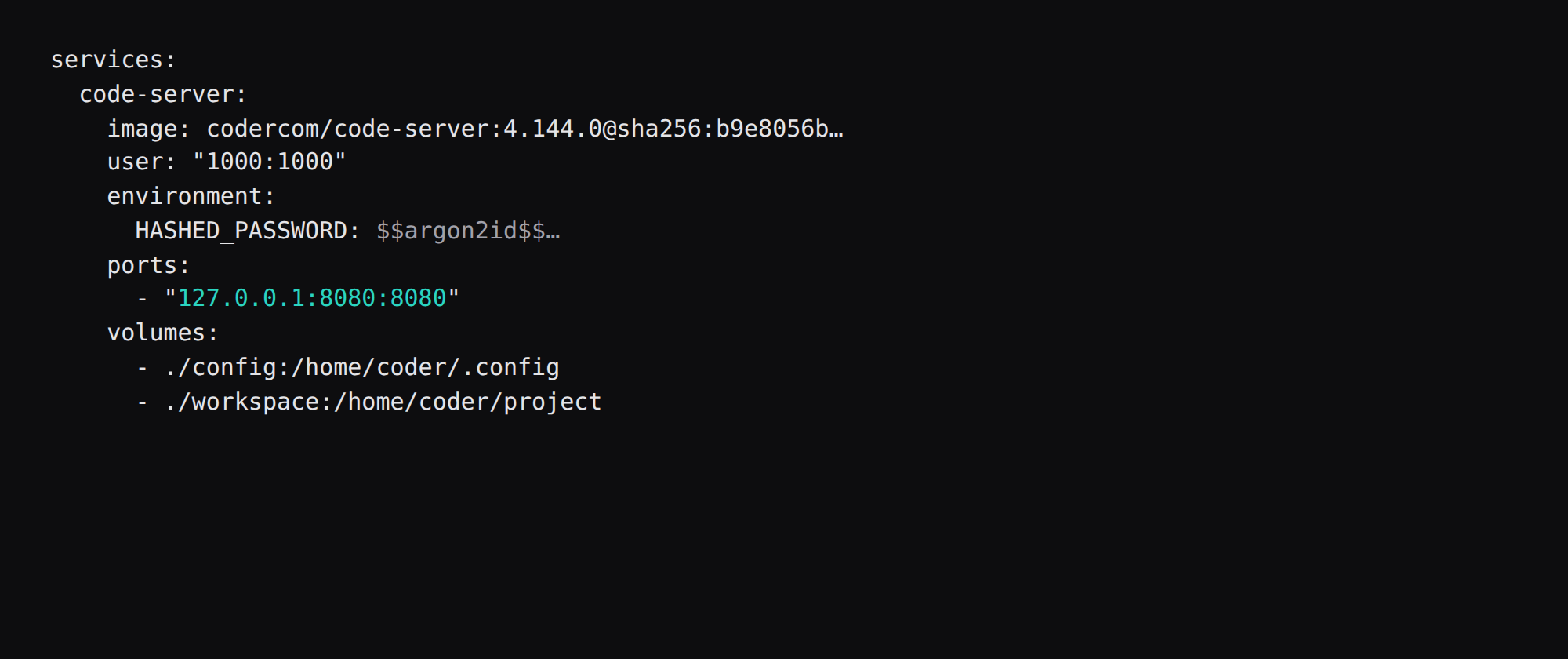
services:
  code-server:
    image: codercom/code-server:4.144.0@sha256:b9e8056bb74bd0c4f90284c7559eddeccd38400cfedc28e64c9d3ca50fef1f83
    container_name: code-server
    user: "1000:1000"
    environment:
      HASHED_PASSWORD: ${HASHED_PASSWORD}
      DOCKER_USER: coder
    ports:
      - "127.0.0.1:8080:8080"
    volumes:
      - ./config:/home/coder/.config
      - ./workspace:/home/coder/project
    restart: unless-stopped
    logging:
      driver: json-file
      options:
        max-size: "10m"
        max-file: "3"
docker compose up -d
curl -sS http://127.0.0.1:8080/healthzInside the container the process listens on 0.0.0.0:8080 (the image entrypoint). The loopback publish is what keeps the host's public address quiet. On this host the logs said Using password from $HASHED_PASSWORD. First start leaves a random password: line in config.yaml, and the login password stays HASHED_PASSWORD. Log rotation matches the Compose checklist.
What can you do inside code-server?
Edit files under the mounted workspace, open a terminal as the container user, install language extensions, and run builds on the VPS CPU. Git works if you mount credentials carefully or forward an SSH agent. The Ports panel can proxy a local dev server so a React or API process on port 3000 is reachable through code-server’s auth at /proxy/3000/ (or via a subdomain when you set --proxy-domain). That is useful on an iPad or a locked-down laptop where plain SSH port forwards are awkward.
What it is not: a multi-user Coder deployment, a replacement for proper secrets management, or a place to mount the host Docker socket “for convenience.” This compose only mounts config and workspace. Rate limits on password auth are two attempts per minute plus twelve per hour, so a public hostname without HTTPS and a strong hash is still a bad idea.
Why must 8080 stay on loopback?
code-server is an editor with a terminal. Publishing 8080 on every interface puts that shell on the internet.
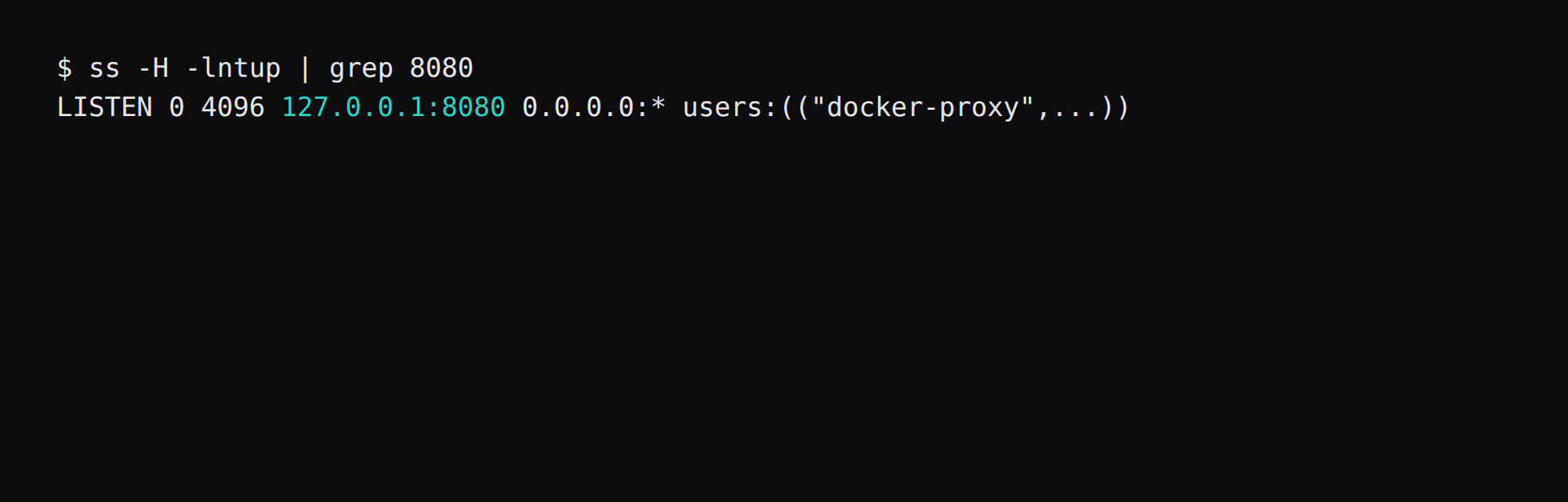
ss -H -lntup | grep 8080On this host that printed 127.0.0.1:8080. Curl to the public address failed. Leave 8080 closed in the panel firewall. Open 80 and 443 for Caddy. Docker published ports often bypass UFW inside the guest, so the loopback bind is what kept the public address quiet on this lab. The public-address case is in provider-side firewall.
What does /healthz prove?
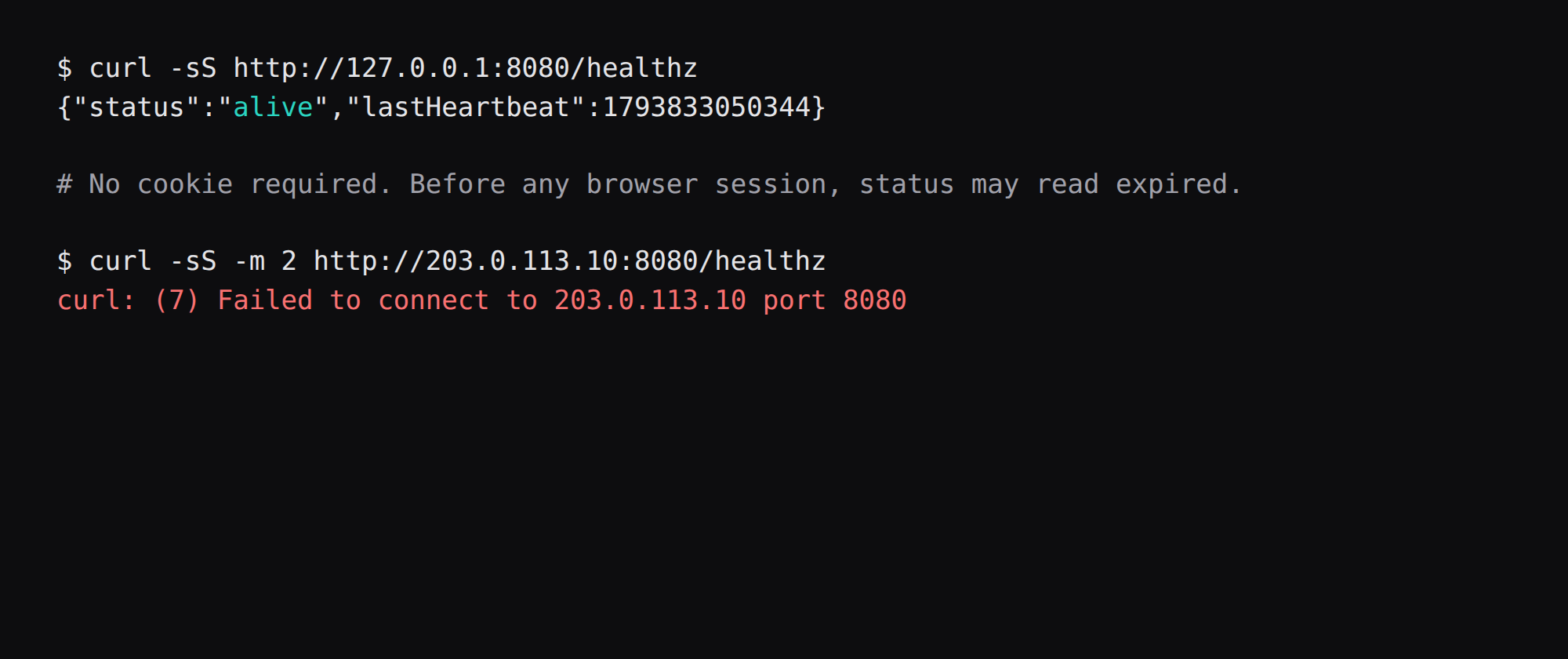
curl -sS http://127.0.0.1:8080/healthzThat curl sends no cookie. You get HTTP 200 and JSON. Before any browser session this lab returned "status":"expired". After the editor had a heartbeat it returned "status":"alive". The health check answers in both states when the request has no cookie. The same URL on the public address did not connect.
How do you log in and open the workspace?
Open http://127.0.0.1:8080 on the guest, or tunnel:
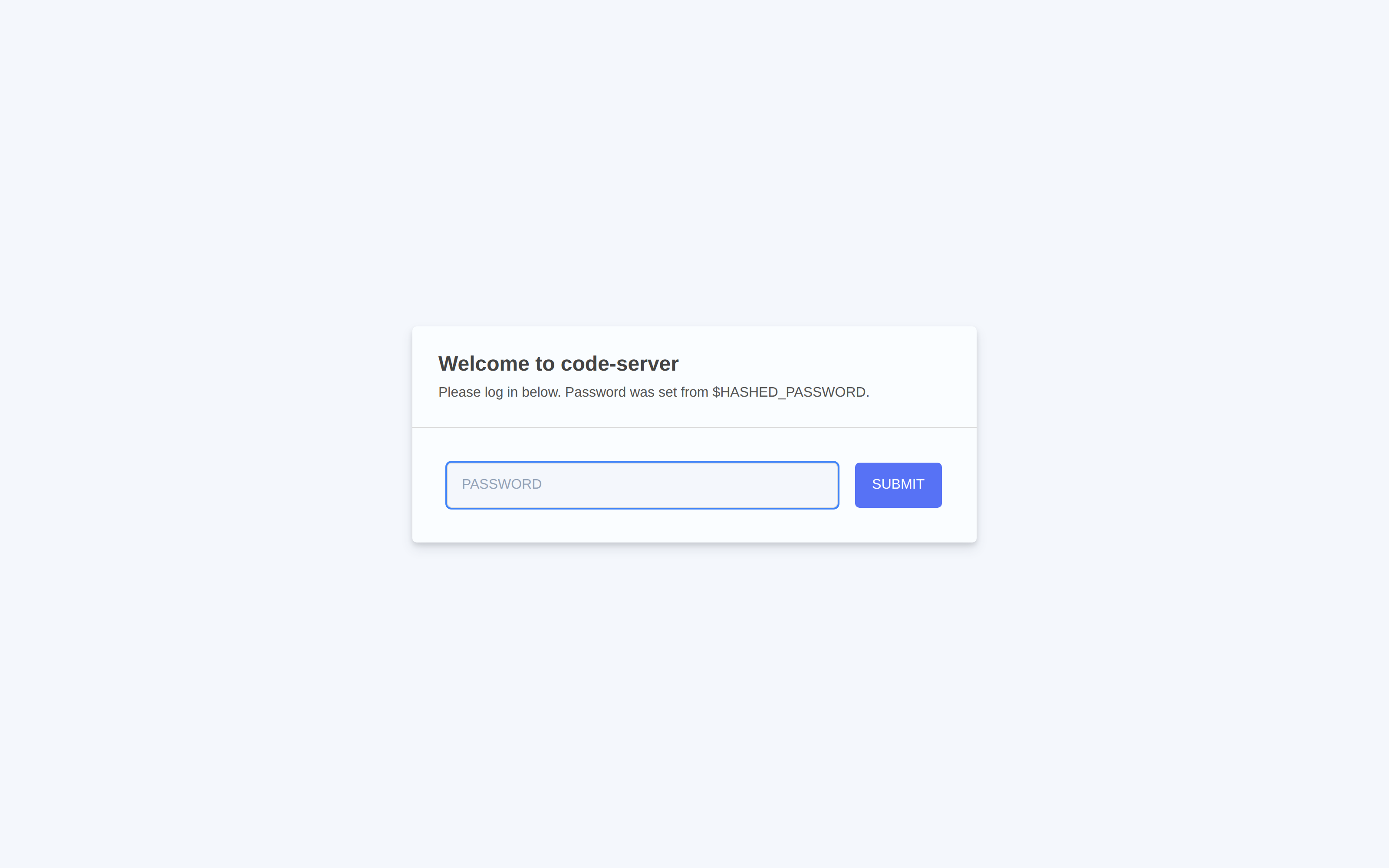
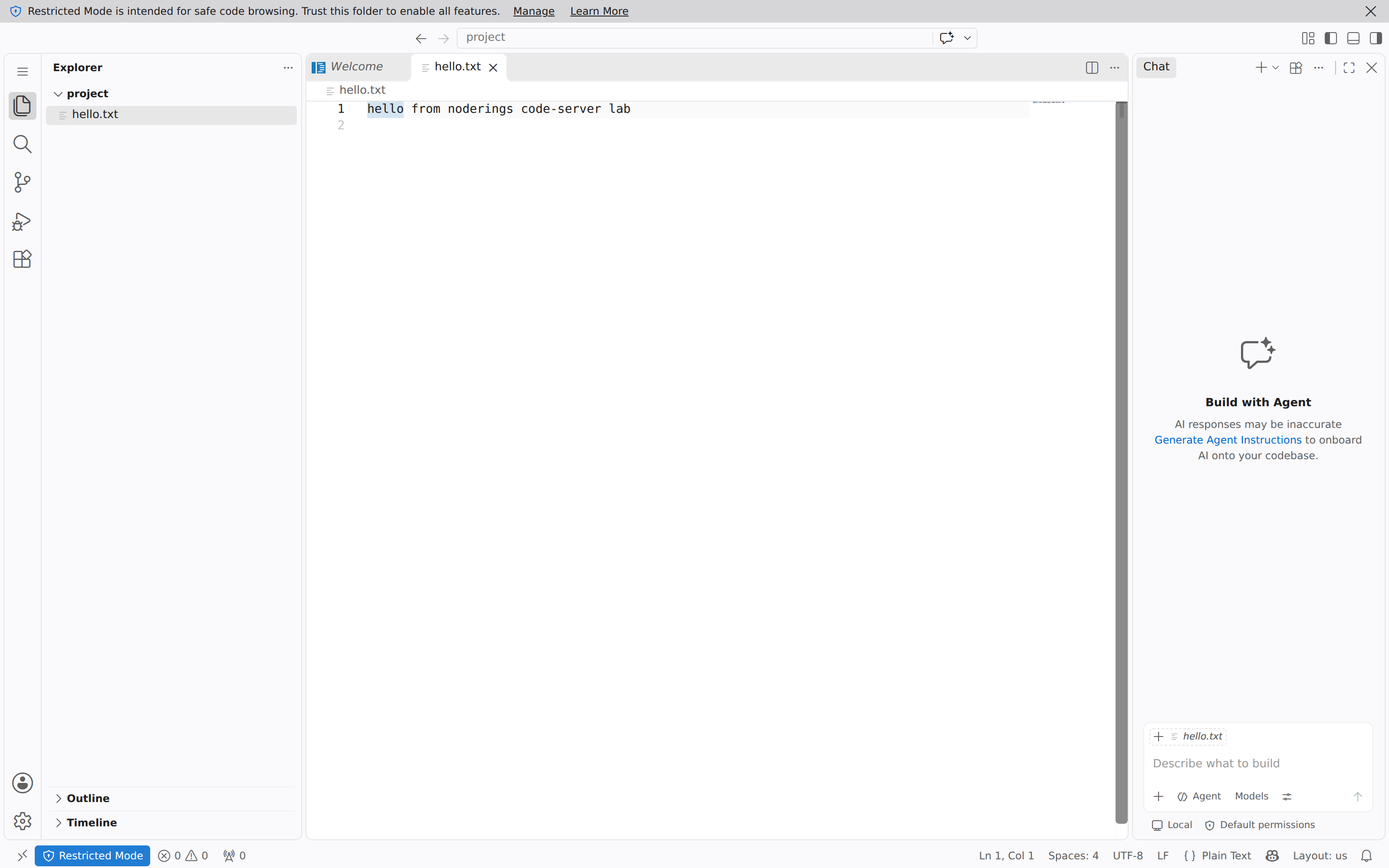
ssh -N -L 18080:127.0.0.1:8080 user@YOUR_VPS_IPThe login page on this lab said Password was set from $HASHED_PASSWORD. Type the plaintext password you hashed, then open /home/coder/project (the mounted workspace). This lab file hello.txt showed up in the explorer. Crop the password and the hash from screenshots.
How do you fine-tune access and proxies?
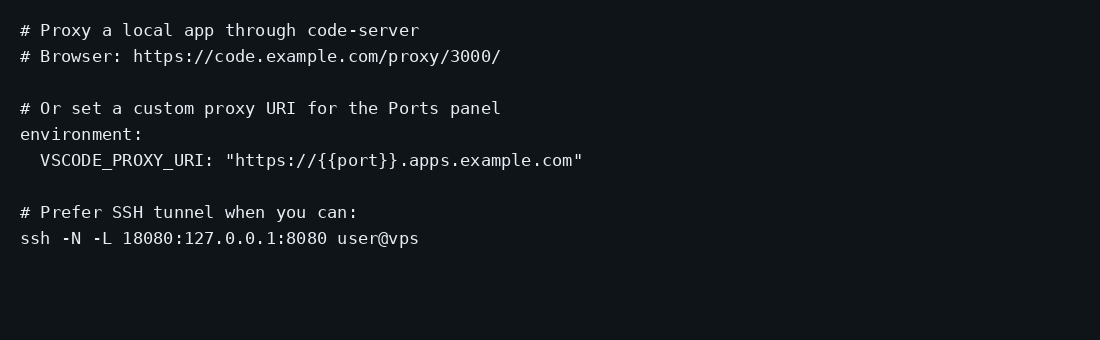
The docs prefer an SSH tunnel when you can: ssh -N -L 18080:127.0.0.1:8080 user@vps, optionally with auth: none only on that tunnel path. For a browser on the public hostname, keep password (or hashed) auth and put Caddy in front. WebSockets must pass the proxy or the editor stays blank. If you front with Cloudflare, turn Rocket Loader off for that hostname; it rewrites scripts and breaks CSP. Password auth is rate-limited to about two attempts per minute plus twelve per hour (setup guide); that is not a substitute for Fail2ban or SSO when the hostname is public. RDP.sh suggests Fail2ban on the Caddy log (use DOCKER-USER if you publish a container port, fail2ban.dev), Authentik/Authelia, or Tailscale when the editor does not need a public name. For port-forward previews, set --proxy-domain / PROXY_DOMAIN and a matching wildcard DNS+TLS so 3000.example.com can reach a process on the VPS.
Dev servers inside the workspace:
# path proxy (default)
https://code.example.com/proxy/3000/

# or teach the Ports panel a custom URI
# environment: VSCODE_PROXY_URI=https://{{port}}.apps.example.com
Frameworks that assume they own / (Create React App, some Vue/Angular setups) need /absproxy/ and matching PUBLIC_URL / publicPath settings from the guide. Prefer a subdomain proxy when you control DNS. Do not mount /var/run/docker.sock into this container; if you need containers, use a separate runner host or a Compose stack you exec into from SSH.
Where does Caddy go?
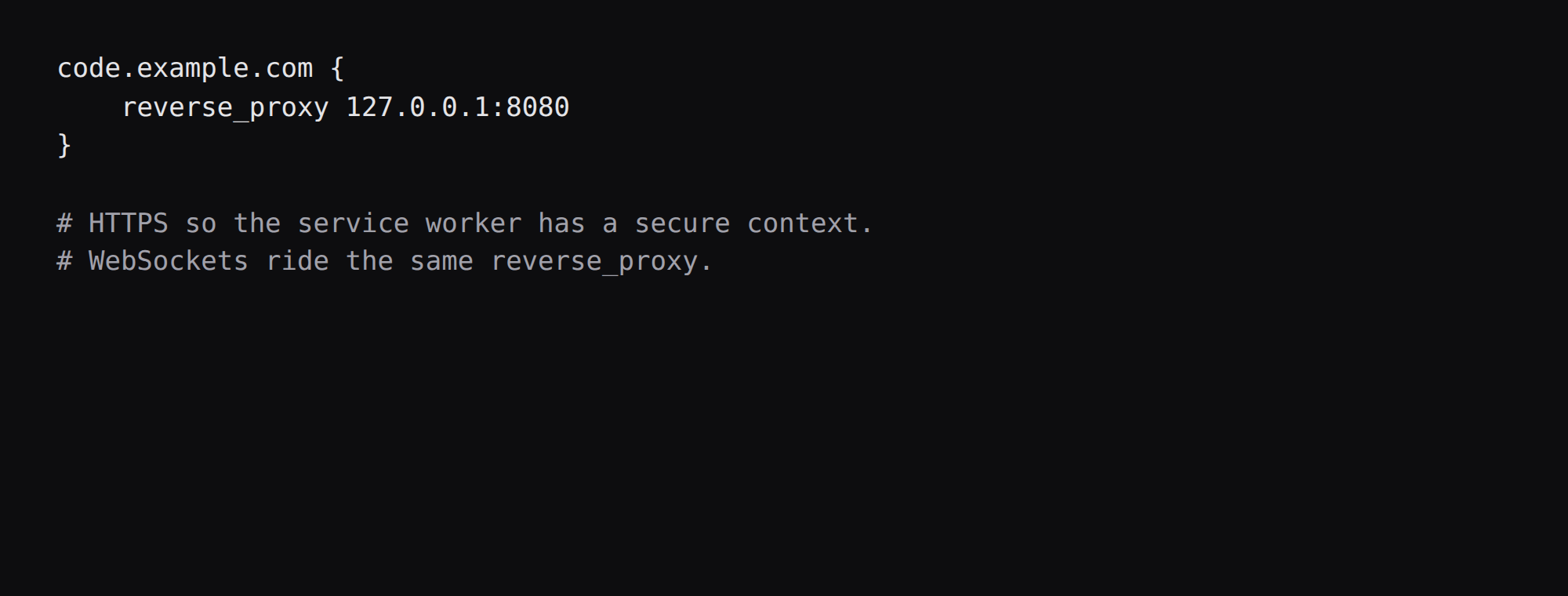
Daily use off localhost needs HTTPS so the service worker can register. Terminate TLS in Caddy and proxy to loopback:
code.example.com {
    reverse_proxy 127.0.0.1:8080
}
WebSockets ride that same reverse_proxy. TLS setup is in the Caddy HTTPS post. Leave cert: false in code-server and let Caddy hold the certificate.
How do you back up the workspace?
workspace/ is your project tree; config/ holds code-server settings. Stop or quiesce editors, then archive both (or use Restic against the directory while you are not mid-write):
tar -C ~/code-server -czf code-server-$(date +%F).tar.gz config workspaceExtensions and UI state live under the config mount. Treat the argon2 password and .env as secrets in the same backup set with mode 600.
How do you work comfortably in the browser IDE?
Trust the workspace folder when prompted so extensions activate. Install language support from Open VSX as needed. Forward Git SSH via agent forwarding when cloning private repos. Keep secrets in env files that are gitignored inside the workspace. Close heavy extensions if the 2 GB guest swaps. For iPad use HTTPS + password auth; SSH tunnels need a real SSH client.
FAQ
Is 1 GB enough? The docs list about 1 GB of RAM. Idle here was about 540 MiB of memory.current with a tiny workspace. Builds and language servers need more. A 2 GB guest is safer for daily editing.
HASHED_PASSWORD or PASSWORD? Prefer the argon2 hash. HASHED_PASSWORD is the login password when plaintext PASSWORD is also set, and when first start has written a random password into config.yaml.
Why not auth none? That path is for an SSH tunnel only. On a public hostname leave password auth on.
Open VSX or the Microsoft marketplace? code-server uses Open VSX by default. Some Microsoft-marketplace extensions are absent.
PWA / service worker? Needs HTTPS on the hostname you use daily. Loopback HTTP is fine for a quick SSH tunnel test.
Does UFW block a published 8080? Often not inside the guest. Bind 127.0.0.1:8080:8080 and leave 8080 closed on the panel firewall.