
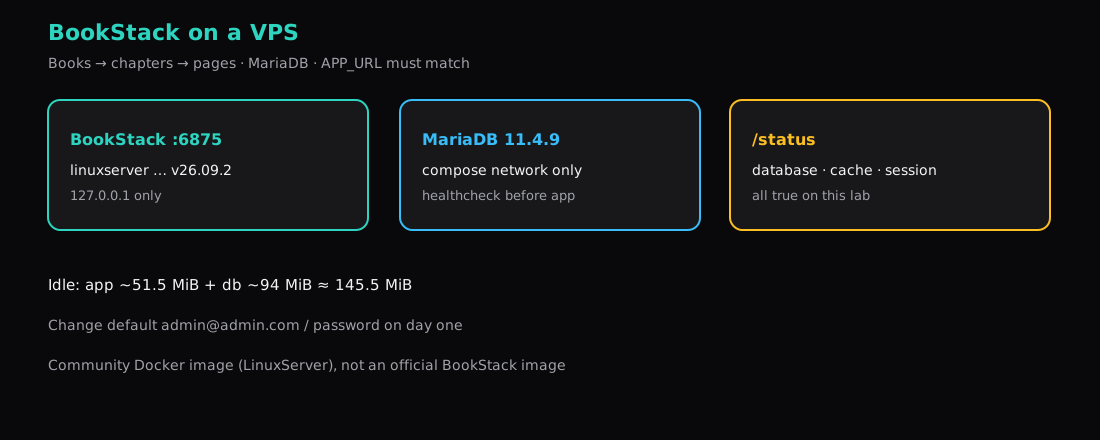
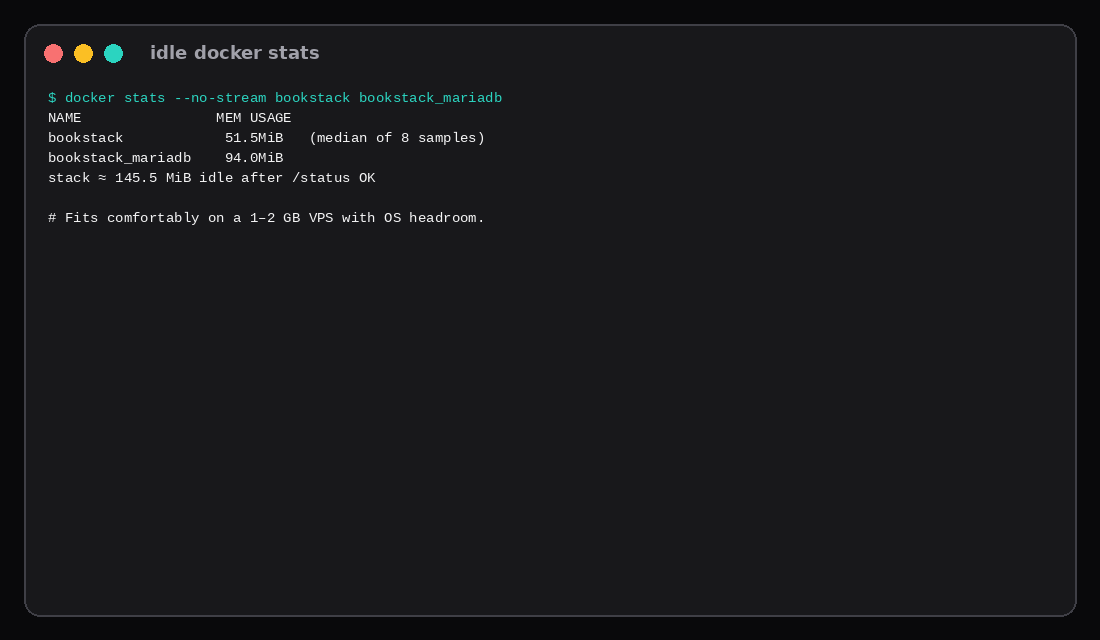
GET /status on this lab returned {"database":true,"cache":true,"session":true}. BookStack version-v26.09.2 (LinuxServer image) sat behind 127.0.0.1:6875 with MariaDB 11.4.9 on the compose network. The login page answered HTTP 200. Quiet docker stats sat around 51.5 MiB for the app and 94 MiB for MariaDB (stack median ~145.5 MiB). Docs live as books, chapters, and pages on your box, not a Notion workspace you rent by seat.
BookStack does not ship an official Docker image. The project points at community images; this lab uses LinuxServer’s. That is fine for a VPS wiki if you pin tags and back up /config volumes. The failure mode that burns an evening is APP_URL not matching the hostname in the browser (localhost vs 127.0.0.1 is enough for a 419 Page Expired on login).
| Reading | Value |
|---|---|
| App image | linuxserver/bookstack:version-v26.09.2 |
| Database | linuxserver/mariadb:11.4.9 |
| Listen | 127.0.0.1:6875 → container 80 |
/status | database · cache · session all true |
| Login | HTTP 200 |
| Idle app / db / stack | ~51.5 / ~94 / ~145.5 MiB |
| Default admin | [email protected] / password (change immediately) |
Why BookStack instead of “another wiki”
| Shape | BookStack |
|---|---|
| Hierarchy | Book → chapter → page |
| Storage | MariaDB / MySQL (no bundled SQLite) |
| Audience | Internal docs, runbooks, handbooks |
| Auth | Local users; LDAP optional on bare install |
If you want a Notion-like wiki with a different UX, Outline is a sibling title in the backlog. This post stays on BookStack’s book model and the Docker gotchas that actually block first login.
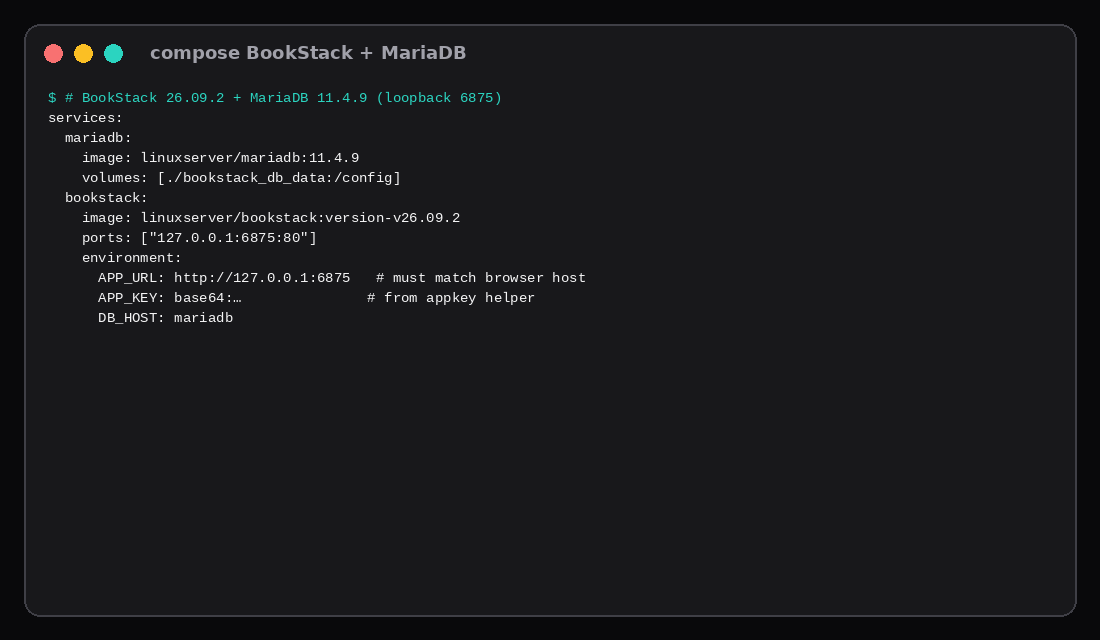
Compose with APP_KEY and a matching APP_URL
mkdir -p bookstack_app_data bookstack_db_data
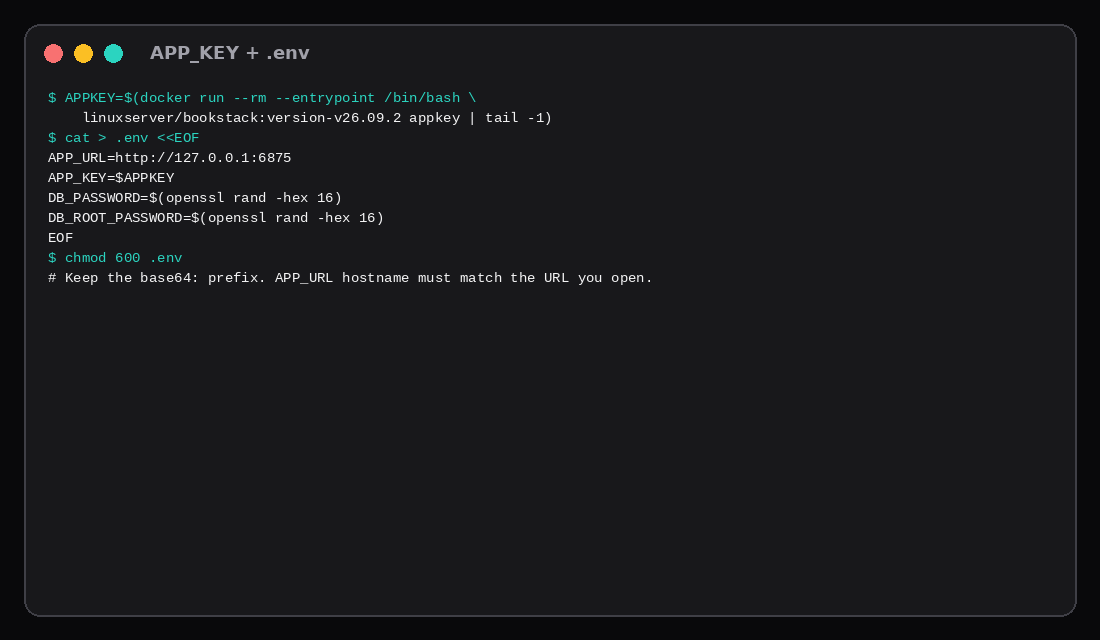
APPKEY=$(docker run --rm --entrypoint /bin/bash \
  linuxserver/bookstack:version-v26.09.2 appkey | tail -1)

cat > .env <<EOF
APP_URL=http://127.0.0.1:6875
APP_KEY=${APPKEY}
DB_PASSWORD=$(openssl rand -hex 16)
DB_ROOT_PASSWORD=$(openssl rand -hex 16)
EOF
chmod 600 .env
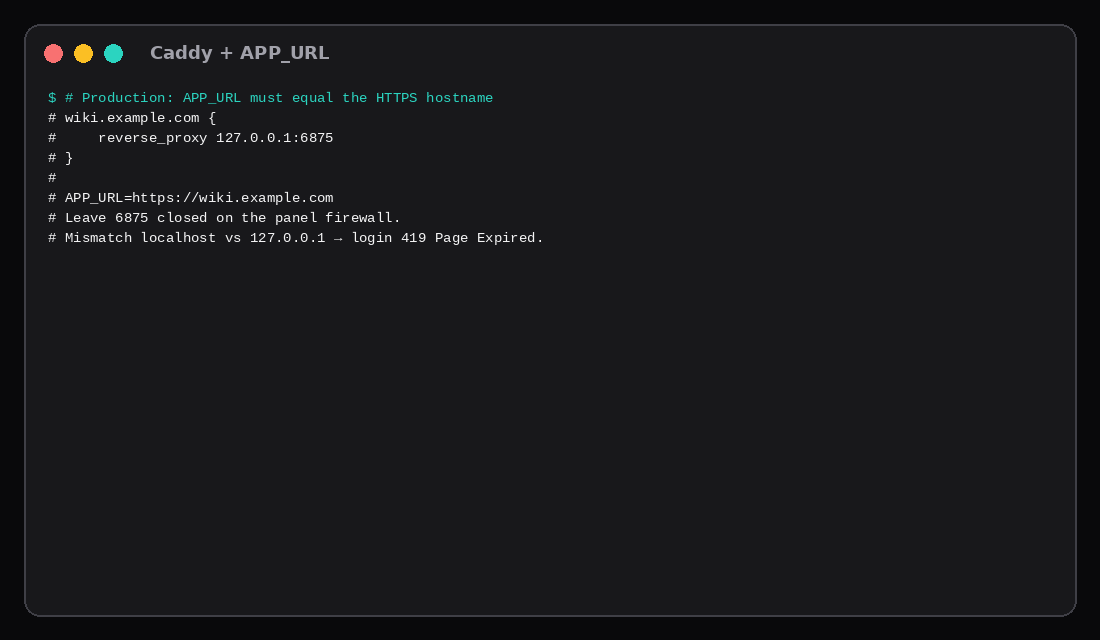
Keep the base64: prefix on APP_KEY. For production set APP_URL=https://wiki.example.com to the exact public URL.
services:
  mariadb:
    image: linuxserver/mariadb:11.4.9
    container_name: bookstack_mariadb
    restart: unless-stopped
    environment:
      - PUID=1000
      - PGID=1000
      - TZ=Etc/UTC
      - MYSQL_ROOT_PASSWORD=${DB_ROOT_PASSWORD}
      - MYSQL_DATABASE=bookstack
      - MYSQL_USER=bookstack
      - MYSQL_PASSWORD=${DB_PASSWORD}
    volumes:
      - ./bookstack_db_data:/config
    healthcheck:
      test: ["CMD-SHELL", "mariadb-admin ping -h 127.0.0.1 -u root -p$$MYSQL_ROOT_PASSWORD --silent || exit 1"]
      interval: 10s
      timeout: 5s
      retries: 12
      start_period: 40s

  bookstack:
    image: linuxserver/bookstack:version-v26.09.2
    container_name: bookstack
    restart: unless-stopped
    depends_on:
      mariadb:
        condition: service_healthy
    environment:
      - PUID=1000
      - PGID=1000
      - TZ=Etc/UTC
      - APP_URL=${APP_URL}
      - APP_KEY=${APP_KEY}
      - DB_HOST=mariadb
      - DB_PORT=3306
      - DB_DATABASE=bookstack
      - DB_USERNAME=bookstack
      - DB_PASSWORD=${DB_PASSWORD}
    volumes:
      - ./bookstack_app_data:/config
    ports:
      - "127.0.0.1:6875:80"
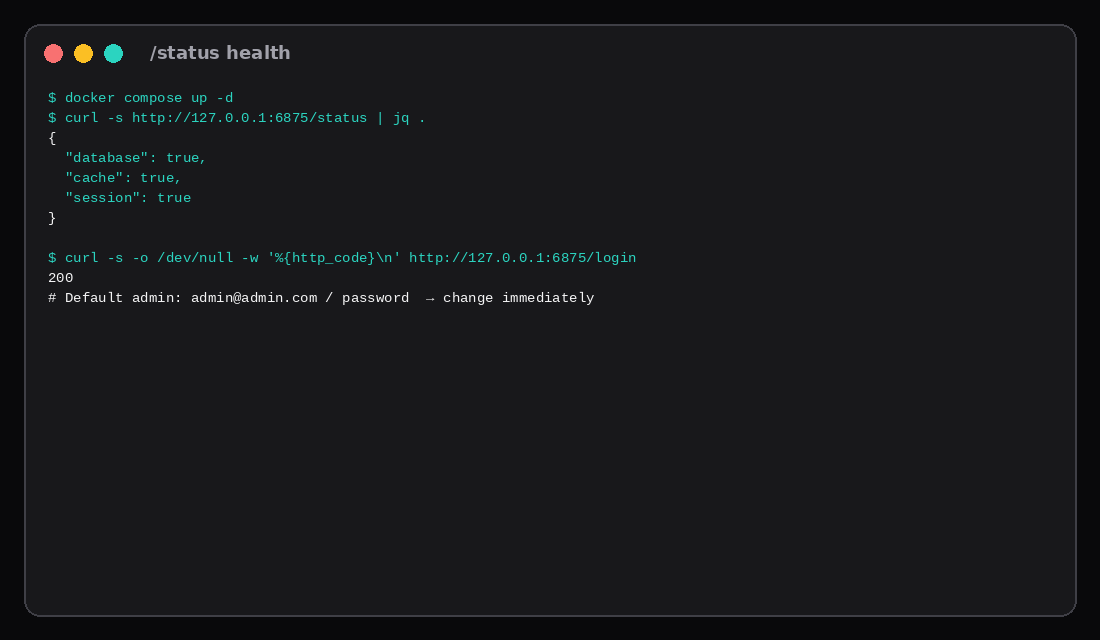
docker compose up -dFirst boot runs migrations; give it half a minute before panicking.
Prove /status and change the default admin
curl -s http://127.0.0.1:6875/status | jq .Lab body:
{
  "database": true,
  "cache": true,
  "session": true
}
Open http://127.0.0.1:6875/login with the same host string as APP_URL. Default credentials are [email protected] / password; change them before the wiki holds anything real. Leave 6875 closed on the panel firewall.
Idle RAM on this lab
| Container | Median MiB (8 samples) |
|---|---|
bookstack | ~51.5 |
bookstack_mariadb | ~94 |
| Stack | ~145.5 |
A Compute Instance with 1–2 GB holds this quiet stack with OS headroom. Upload-heavy books and search grow disk more than this idle floor.
Caddy and the APP_URL trap
wiki.example.com {
    reverse_proxy 127.0.0.1:6875
}APP_URL=https://wiki.example.comRecreate the app container after changing APP_URL. If you set http://localhost:6875 but browse http://127.0.0.1:6875, expect session/cookie pain (often a 419). TLS pattern matches the Caddy HTTPS post; layout matches Docker Compose on a VPS.
Back up bookstack_app_data and bookstack_db_data (or mysqldump). Off-box with Restic.
| Skip this | What this lab did |
|---|---|
| Publishing 6875 on all interfaces | 127.0.0.1:6875:80 |
Empty APP_KEY | Generated via appkey |
Mismatched APP_URL host | Lab URL matches curl host |
| Leaving default admin forever | Documented day-one change |
Floating latest only | Pinned version-v26.09.2 + MariaDB 11.4.9 |
Community images and PHP patches
BookStack does not ship an official container. The install docs point at community images (LinuxServer.io and solidnerd) plus MySQL 8.0+ or MariaDB 10.6+. Current app minimums sit at PHP 8.2 with a planned bump toward 8.3; popular images already run PHP 8.5. When the PHP project ships a critical fix, BookStack’s security notes tell internet-facing hosts to update or take the wiki offline until php -v inside the container shows a patched build (for example 8.5.12). Image tags such as 26.09.2 can still point at an older layer until you re-pull, so verify the PHP version after every recreate. Shared PHP hosting is unsupported; HA is outside what the project promises. Pin the image tag, keep MariaDB off the public NIC, and treat prompt image pulls as part of ops the same way you treat Composer updates on a bare-metal install.
Default first login on a fresh tree is still the documented admin pair until you change it. Set APP_URL to the final HTTPS hostname before you create content, or you chase mixed-content and wrong redirect URLs later.
FAQ
Official image? No. LinuxServer (and others) are community; pin digests/tags and follow BookStack’s own upgrade notes when you bump.
SQLite? Not supported. Plan MariaDB/MySQL from day one.
LDAP / SAML? Available in BookStack’s admin features; this lab is local auth only.
Subfolder proxy? Set APP_URL to the full external URL including path, or BookStack asset/login URLs break.
What to run on the VPS
Pin BookStack version-v26.09.2, generate APP_KEY, keep MariaDB on the compose network, publish 6875 on loopback only, prove /status, set HTTPS APP_URL, change the default admin, then write the first book. A small Compute Instance is enough for this idle footprint; size disk for attachments and backups.