
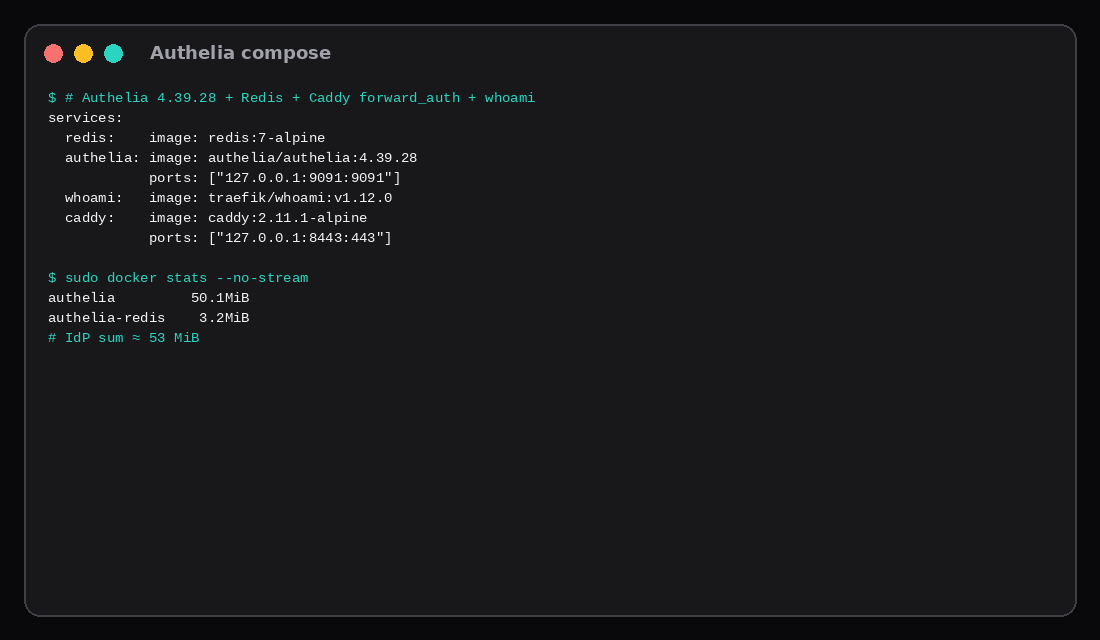
Same 4 GB Ubuntu 24.04 guest, two stacks run one after the other. Authelia 4.39.28 with Redis settled at about 53 MiB (docker stats: Authelia ~50 MiB, Redis ~3 MiB). With Caddy and a shared whoami backend the whole Authelia path sat near 68 MiB. Authentik 2026.8.5 from the official compose (server, worker, Postgres 16) settled near 832 MiB (server ~448, worker ~300, Postgres ~84). Five service hostnames (app1 through app5.lab.test) listed in Authelia access_control each returned 302 to https://auth.lab.test/?rd=... before any login.
| Authelia 4.39.28 | Authentik 2026.8.5 | |
|---|---|---|
IdP idle (docker stats sum) | ~53 MiB | ~832 MiB |
| Containers | authelia + redis | server + worker + postgres |
| How five apps are named | YAML access_control domains | Applications / outpost in the UI |
| Lab proof | Five Hosts → 302 to portal | API /api/v3/ 200, auth flow up |
| Sweet spot | Forward-auth on a small VPS | Full IdP (OIDC, SAML, flows) |
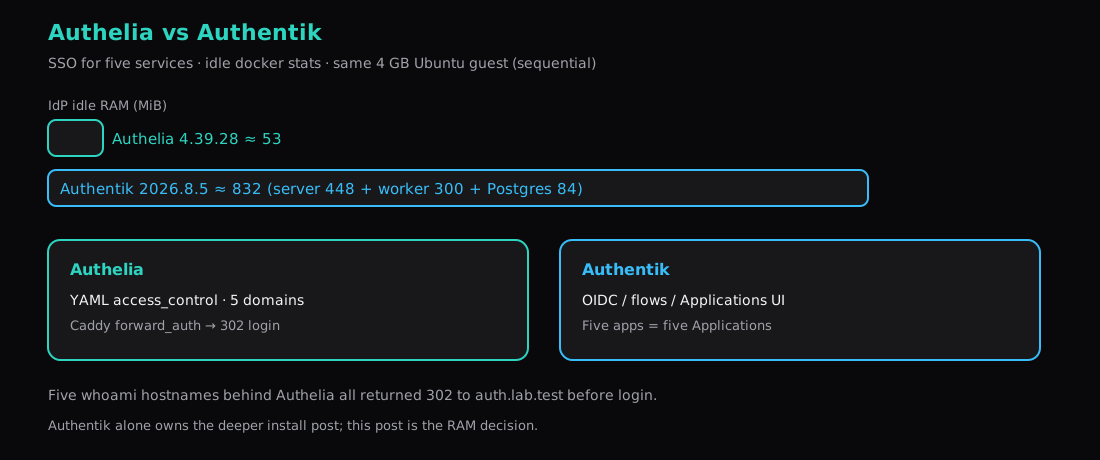
Authentik on a VPS is the deep Authentik install (that lab saw ~966 MiB with a slightly different compose shape). This post is the decision when you have about five apps and a RAM budget.
What you are choosing
Authelia is a Go forward-auth / OIDC IdP configured in YAML. Pair it with Caddy or Traefik forward_auth, list your domains under access_control, keep users in a file or LDAP. It stays small.
Authentik is a full identity provider with a browser UI: flows, stages, OAuth2/OIDC Applications, SAML, LDAP outposts, MFA policies. It wants Postgres and a worker. Five apps usually means five Applications (or a proxy outpost covering several hosts).
If every app only needs “are you logged in?” at the reverse proxy, Authelia is the smaller bill. If you need per-app OIDC clients, SAML for a vendor, or a flow designer, Authentik earns the RAM.
Authelia for five services
# compose (abridged)
services:
  redis:
    image: redis:7-alpine
  authelia:
    image: authelia/authelia:4.39.28
    volumes: [./config:/config]
    ports: ["127.0.0.1:9091:9091"]
  whoami:
    image: traefik/whoami:v1.12.0
  caddy:
    image: caddy:2.11.1-alpine
    ports: ["127.0.0.1:8443:443"]
    volumes:
      - ./Caddyfile:/etc/caddy/Caddyfile:ro
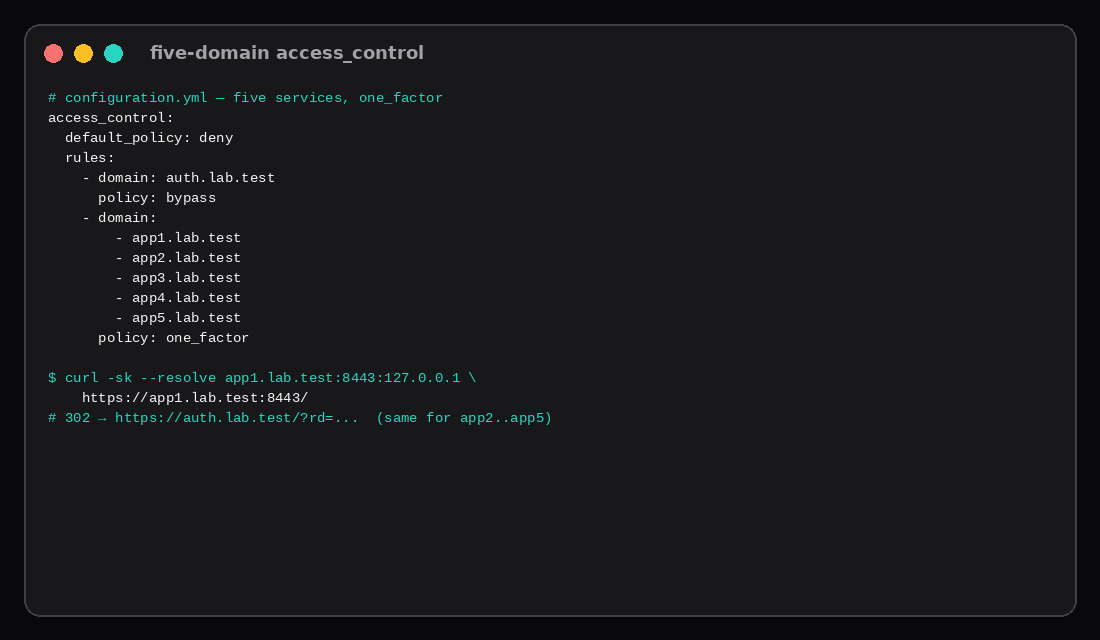
# configuration.yml - five backends, one policy
access_control:
default_policy: deny
rules:
- domain: auth.lab.test
policy: bypass
- domain:
- app1.lab.test
- app2.lab.test
- app3.lab.test
- app4.lab.test
- app5.lab.test
policy: one_factordocker compose up -d
curl -sk --resolve app1.lab.test:8443:127.0.0.1 https://app1.lab.test:8443/
# 302 Location: https://auth.lab.test/?rd=https%3A%2F%2Fapp1.lab.test%3A8443%2F...Session cookies need an https:// authelia_url on current Authelia; the lab used Caddy tls internal on loopback. Production uses real certificates the usual way (Caddy automatic HTTPS).
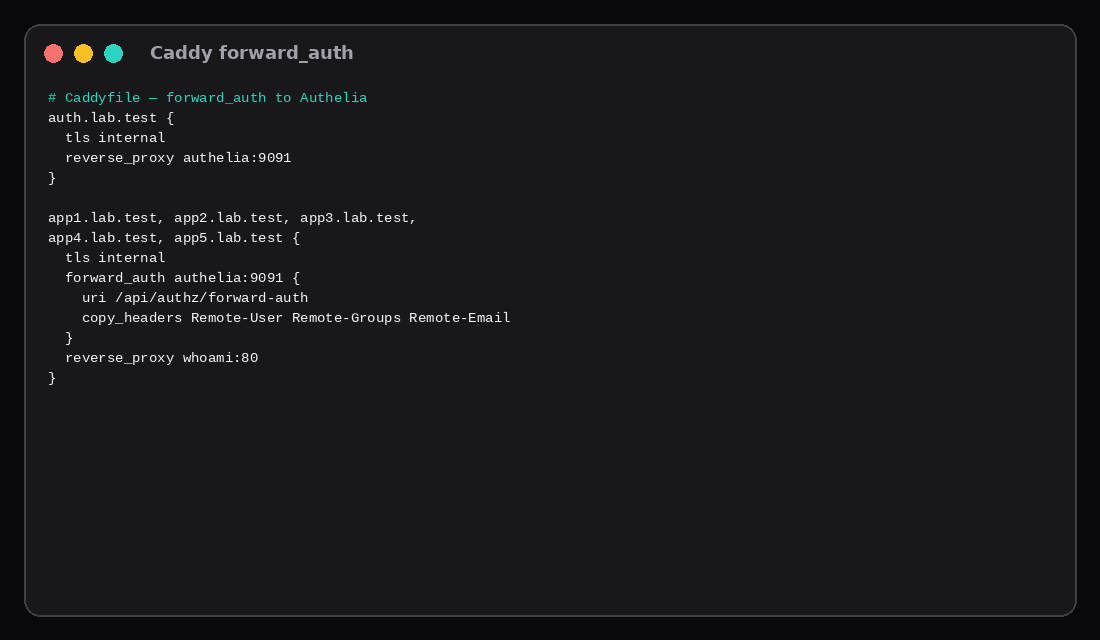
Caddy forward_auth
auth.lab.test {
  tls internal
  reverse_proxy authelia:9091
}

app1.lab.test, app2.lab.test, app3.lab.test,
app4.lab.test, app5.lab.test {
  tls internal
  forward_auth authelia:9091 {
    uri /api/authz/forward-auth
    copy_headers Remote-User Remote-Groups Remote-Email
  }
  reverse_proxy whoami:80
}
Unauthenticated requests to every appN host bounced to the Authelia portal with a return URL. One whoami container stood in for five backends; the important part is five rules and five Host checks.
Authentik on the same guest
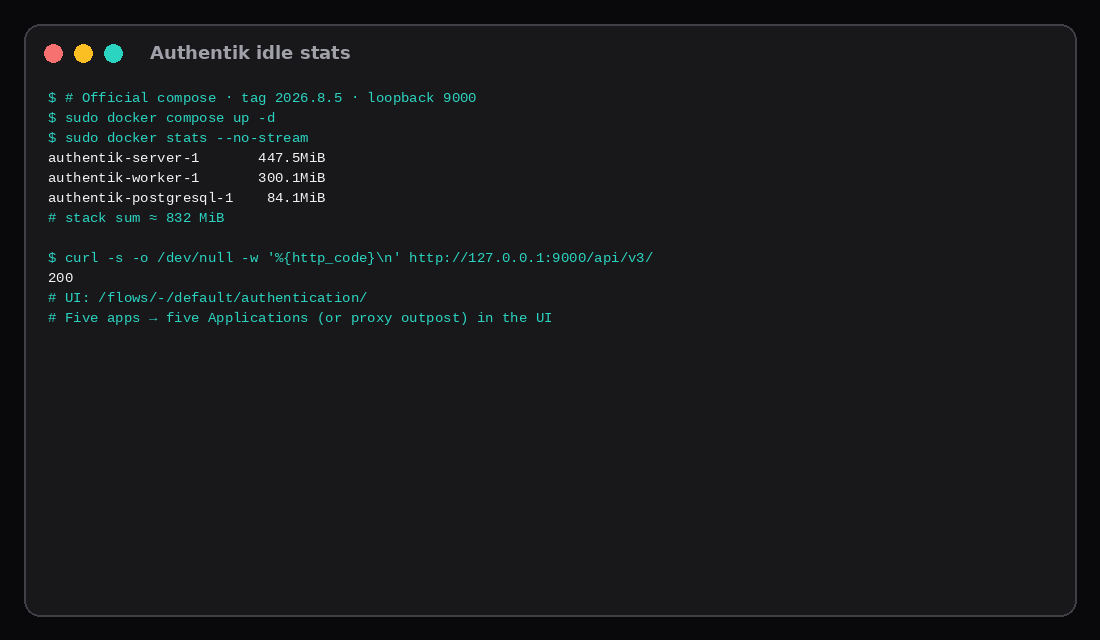
Official compose, tag 2026.8.5, ports on 127.0.0.1:9000 / 9443:
# .env holds PG_PASS, AUTHENTIK_SECRET_KEY, AUTHENTIK_TAG=2026.8.5
# optional: AUTHENTIK_BOOTSTRAP_PASSWORD / EMAIL
docker compose pull
docker compose up -d
curl -s -o /dev/null -w '%{http_code}\n' http://127.0.0.1:9000/api/v3/
# 200
Idle after quiet: server ~448 MiB, worker ~300 MiB, Postgres ~84 MiB, about 832 MiB together. The UI answered the default authentication flow. Modeling five apps means creating five OAuth2/OIDC Applications (or a proxy provider covering several hosts) in that UI. The RAM floor is already paid before the fifth click.
When to pick which
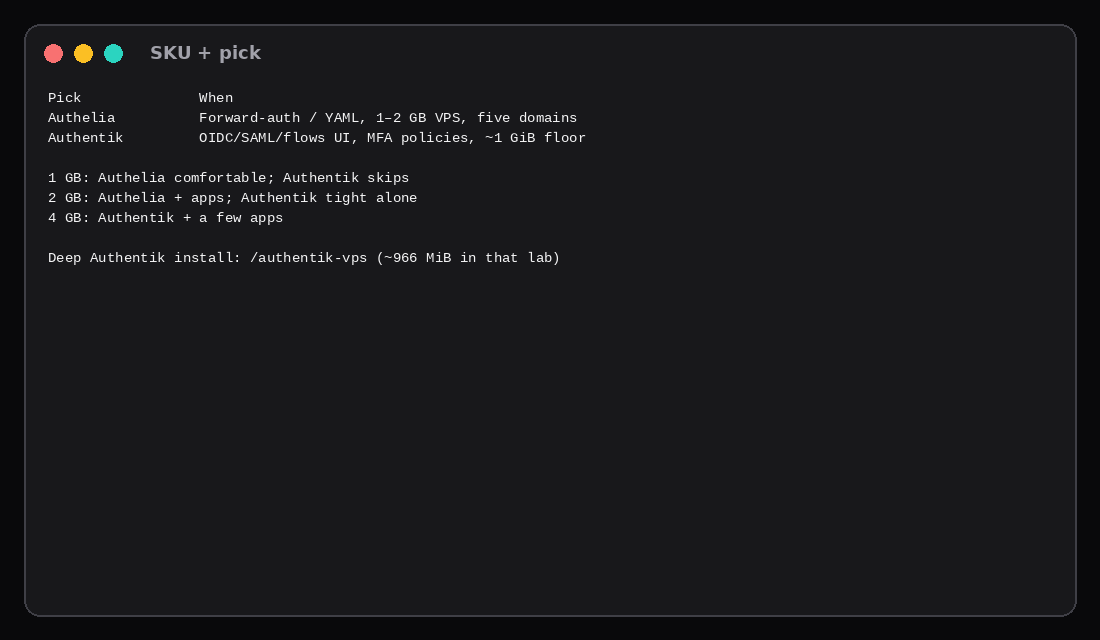
Pick Authelia when the reverse proxy can gate the apps, config-as-YAML is fine, and the VPS is 1–2 GB class. Five services are five domain rules.
Pick Authentik when apps speak OIDC/SAML as clients, you want a flow UI, or you already know you will grow past “proxy asks Authelia.” Budget roughly a gigabyte idle before the apps themselves.
Logto is the lighter app-centric CIAM shape if you only need OIDC for a couple of products without proxy SSO for every hostname.
OIDC, Redis, and the official floors
Authelia’s OpenID Connect provider is documented as an open beta even though it holds OpenID Certification for several OP profiles. That means OIDC clients are YAML blocks, hashed secrets, and signing keys on disk. Fine for a few apps; slower than Authentik’s form-driven Applications when you add clients often. Authentik’s 2026.8 line is certified for more logout profiles and ships Dynamic Client Registration; the UI paste-issuer workflow is the day-to-day difference.
Authentik’s compose docs still ask for at least 2 CPU cores and 2 GB of RAM. Redis dropped out of the default stack after the 2025.10 line (cache, tasks, and the embedded outpost moved onto Postgres), which is why this lab’s quiet set is three containers at ~832 MiB instead of four. Independent forward-auth bake-offs on Authelia 4.39.x and Authentik 2026.8.x report Authelia idling near 60 MiB and Authentik near 820–836 MiB, the same order of magnitude as our 53 MiB vs 832 MiB sequential guest. Cold start is the other gap those labs call out: Authelia answers in a couple of seconds; Authentik waits on migrations and the worker before /api/v3/ looks healthy.
Enterprise features in Authentik live under a separate licence tree; OIDC, SAML, LDAP, and proxy providers remain in the open-source set. Authelia stays Apache-2.0 with no paid edition on the pages we checked. An Authelia admin dashboard is still on the roadmap, so today you edit YAML.
SKU pick
| VPS RAM | Authelia | Authentik |
|---|---|---|
| 1 GB | IdP + small apps plausible | Skip for comfort |
| 2 GB | Comfortable | IdP alone is tight |
| 4 GB+ | Plenty | IdP + a few apps |
| Skip this | What this lab did |
|---|---|
Publishing Authelia/Authentik on 0.0.0.0 | Bound loopback ports |
| Counting only Authelia without Redis | Summed Authelia + Redis |
| Assuming Authentik is “about 200 MB” | Measured ~832 MiB on 2026.8.5 |
| Timing only after a manual browser login | Proved five unauthenticated 302s |
| Rebuilding the full Authentik tutorial here | Linked authentik-vps |
FAQ
Does Authelia do OIDC? Yes. This lab emphasized forward-auth because that is the usual five-app homelab pattern with Caddy.
Why is Authentik heavier here than some blog screenshots? Server + worker + Postgres on a quiet host still land near a gigabyte. Digests and tags move; re-check docker stats after upgrades.
Can both run together? They can, but you only need one IdP in front of the stack.
LDAP / Active Directory? Both can sit in front of LDAP; Authentik’s outposts cover more enterprise protocols. Authelia’s file backend was enough for this lab.
What to run on the VPS
Plan a Compute Instance from ~50 MiB for Authelia+Redis or ~0.8–1 GiB for Authentik, then add the five apps. Keep IdP ports on loopback, terminate TLS on Caddy, and pin image tags in Compose as in Docker Compose on a VPS. For the Authentik-only walkthrough with bootstrap admin and one OAuth Application, use Authentik on a VPS.