
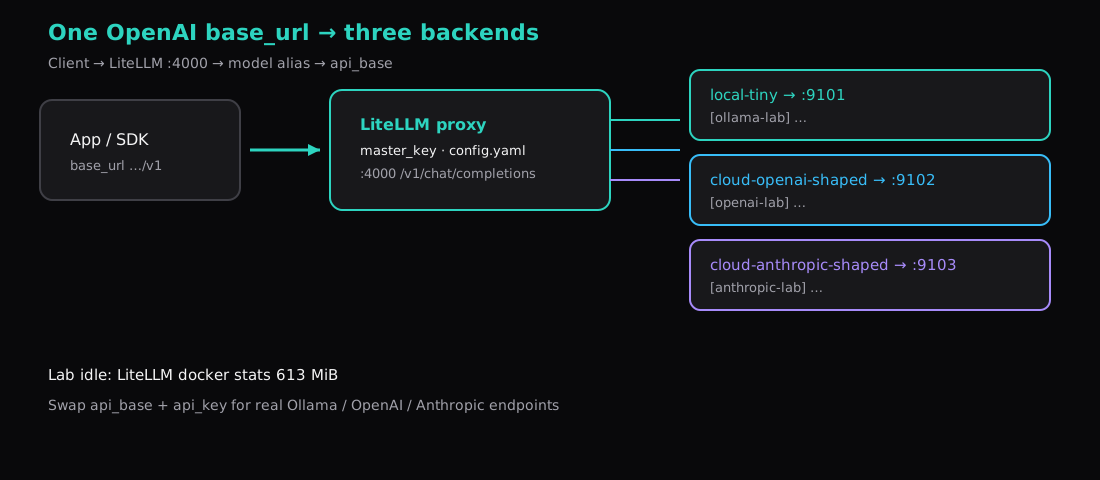
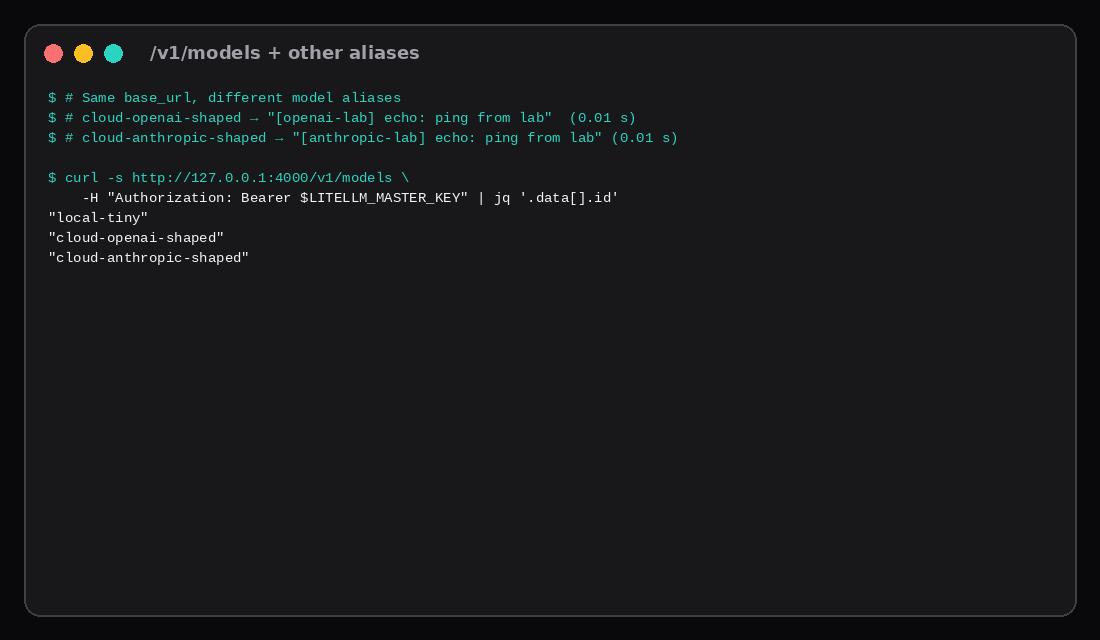
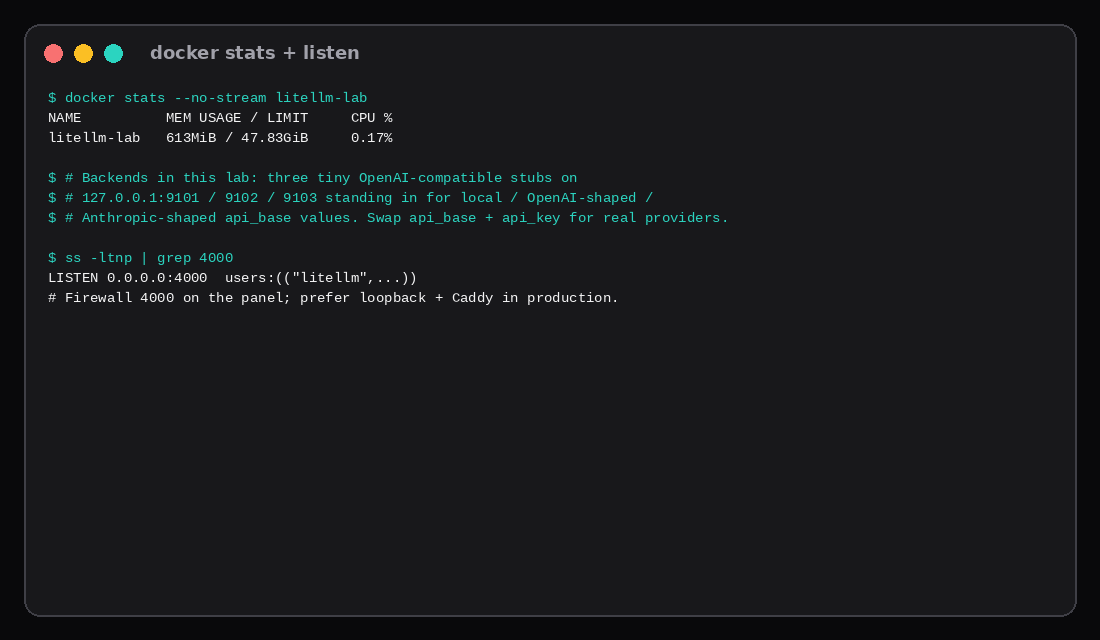
Three curl calls hit the same http://127.0.0.1:4000/v1/chat/completions URL with the same master key. Only the model field changed. The assistant text came back tagged [ollama-lab], [openai-lab], and [anthropic-lab] respectively. LiteLLM had loaded aliases local-tiny, cloud-openai-shaped, and cloud-anthropic-shaped from config.yaml. Idle docker stats for the proxy sat at 613 MiB. Image: litellm/litellm:main-latest (sha256:03012140…26378c9).
One OpenAI-shaped base_url for your apps, many providers behind it. The lab backends are tiny OpenAI-compatible stubs on ports 9101–9103. Real Ollama, OpenAI, or Anthropic endpoints plug in the same way: swap api_base and api_key.
| Alias | Upstream api_base | Response tag | Wall s |
|---|---|---|---|
local-tiny | 127.0.0.1:9101/v1 | [ollama-lab] echo: ping from lab | 0.35 |
cloud-openai-shaped | 127.0.0.1:9102/v1 | [openai-lab] echo: ping from lab | 0.01 |
cloud-anthropic-shaped | 127.0.0.1:9103/v1 | [anthropic-lab] echo: ping from lab | 0.01 |
Why put a gateway on the VPS
Apps hard-code OpenAI’s wire format. Providers multiply: a local Ollama box, a cloud chat API, a second vendor for overflow. Without a gateway you either rewrite clients or leak every vendor key into every service.
LiteLLM’s proxy speaks /v1/chat/completions and /v1/models. You give apps a single master key (or virtual keys if you turn the DB/UI on). Upstream keys stay in the proxy environment. Failover and spend tracking are optional later; this post stays on the routing proof.
A 2 GB Compute Instance can host the proxy. Budget roughly 600+ MiB for LiteLLM alone on this image; keep large models on another machine and point api_base at them.
config.yaml with three backends
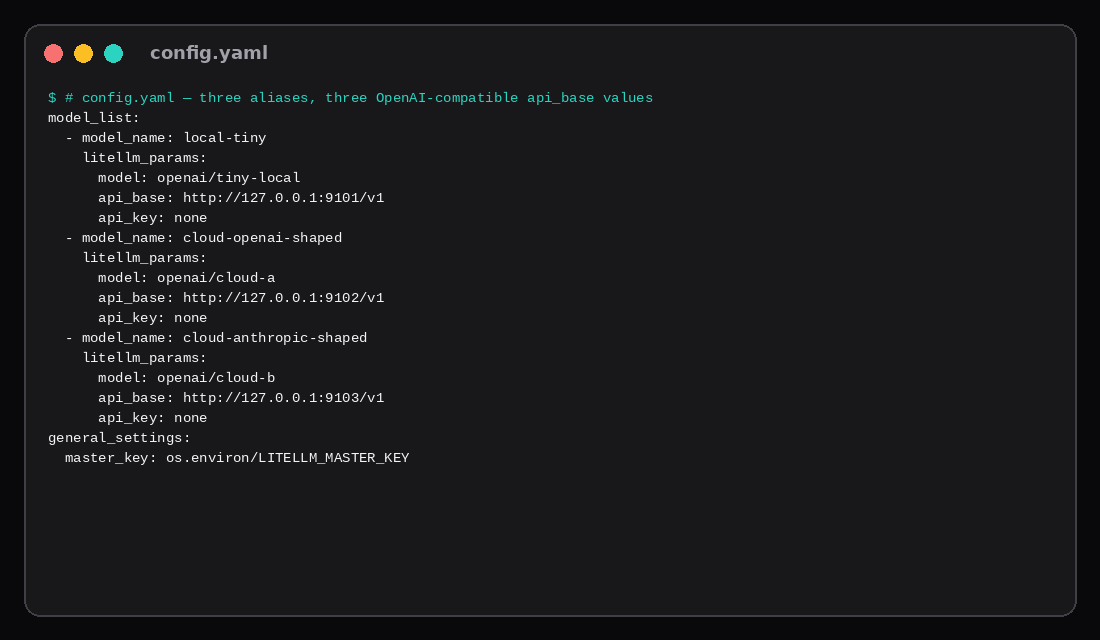
model_list:
  - model_name: local-tiny
    litellm_params:
      model: openai/tiny-local
      api_base: http://127.0.0.1:9101/v1
      api_key: none
  - model_name: cloud-openai-shaped
    litellm_params:
      model: openai/cloud-a
      api_base: http://127.0.0.1:9102/v1
      api_key: none
  - model_name: cloud-anthropic-shaped
    litellm_params:
      model: openai/cloud-b
      api_base: http://127.0.0.1:9103/v1
      api_key: none

general_settings:
  master_key: os.environ/LITELLM_MASTER_KEY

litellm_settings:
  drop_params: true
model_name is what clients send. litellm_params.model with the openai/ prefix tells LiteLLM the upstream is OpenAI-compatible. For a real OpenAI account you would use model: openai/gpt-4o-mini and api_key: os.environ/OPENAI_API_KEY. For Ollama, api_base: http://127.0.0.1:11434/v1 and the local tag name are the usual pair.
Compose (or docker run)
services:
  litellm:
    image: litellm/litellm:main-latest
    container_name: litellm
    restart: unless-stopped
    network_mode: host
    environment:
      LITELLM_MASTER_KEY: ${LITELLM_MASTER_KEY}
    volumes:
      - ./config.yaml:/app/config.yaml:ro
    command: ["--config", "/app/config.yaml", "--port", "4000"]
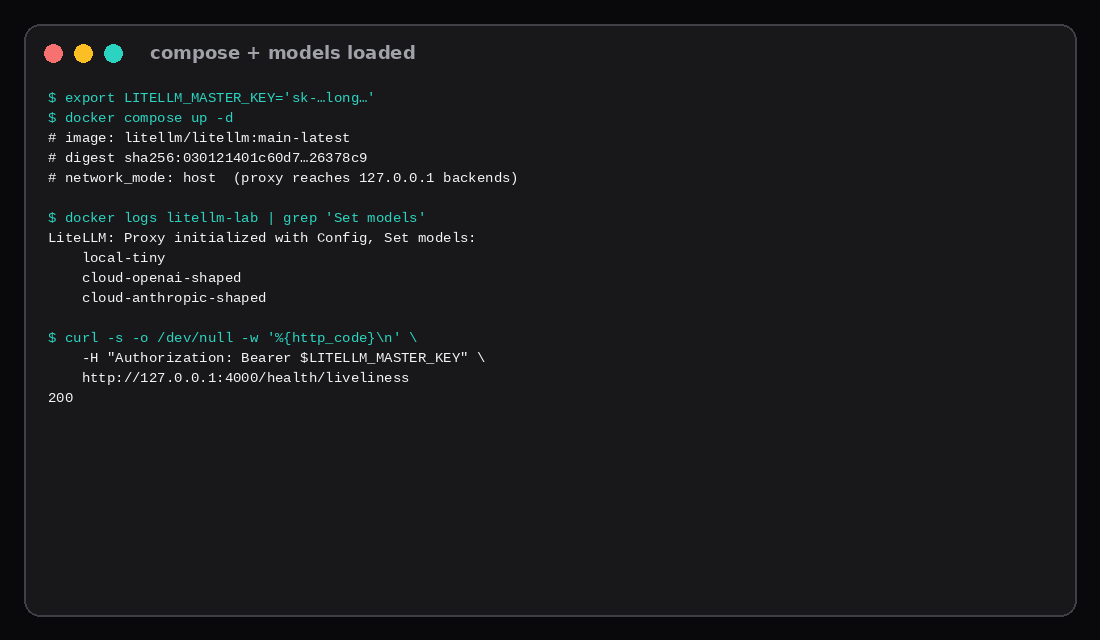
export LITELLM_MASTER_KEY='sk-choose-a-long-random-key'
docker compose up -d
docker logs litellm 2>&1 | grep 'Set models'Lab log line:
LiteLLM: Proxy initialized with Config, Set models:
    local-tiny
    cloud-openai-shaped
    cloud-anthropic-shaped
network_mode: host lets the container reach backends on 127.0.0.1. On a pure bridge network you would publish backends on a shared Docker network and use service DNS names instead. Pin by digest when you settle on a build (sha256:03012140… on this pull). Health: GET /health/liveliness returned 200 with the master key.
The process listened on 0.0.0.0:4000 in this lab. Close 4000 on the panel firewall and put Caddy in front when the API must leave the box. Prefer binding the publish to 127.0.0.1 when you are not on host networking.
Prove each backend through the gateway
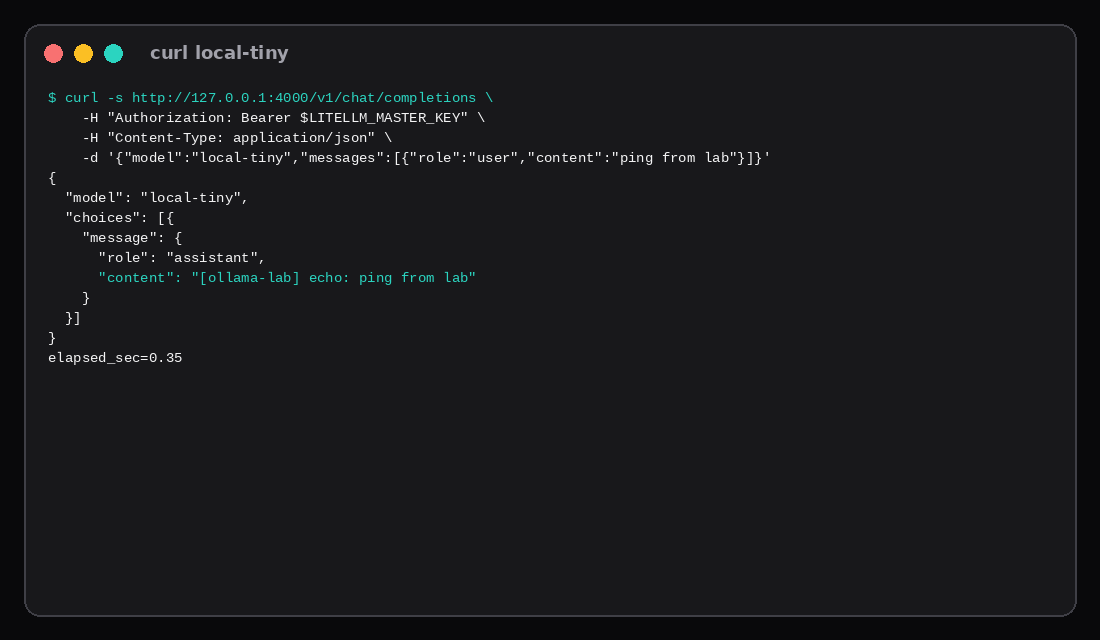
export LITELLM_MASTER_KEY='sk-…'
curl -s http://127.0.0.1:4000/v1/chat/completions \
  -H "Authorization: Bearer $LITELLM_MASTER_KEY" \
  -H "Content-Type: application/json" \
  -d '{
    "model": "local-tiny",
    "messages": [{"role": "user", "content": "ping from lab"}],
    "max_tokens": 32
  }'
Content: [ollama-lab] echo: ping from lab (0.35 s wall on the first call). Repeat with cloud-openai-shaped and cloud-anthropic-shaped to get the other two tags. /v1/models listed all three ids.
Point any OpenAI SDK at base_url="http://127.0.0.1:4000/v1" and api_key=$LITELLM_MASTER_KEY. Change model= in the app when you want a different backend; leave the URL alone.
Memory and what the stubs stand for
| Item | Value |
|---|---|
| Image | litellm/litellm:main-latest ~404 MiB on disk |
Idle docker stats | 613 MiB |
| CPU after quiet | 0.17% |
| Backends | three stdlib mock servers (OpenAI wire format) |
The stubs exist so the routing proof does not need GPU RAM or paid API calls. Replace port 9101 with Ollama’s /v1, 9102 with https://api.openai.com/v1, 9103 with an Anthropic OpenAI-compatible proxy or LiteLLM’s native anthropic/ model string when you leave the lab. The gateway config shape stays.
Hardening checklist
| Skip this | What this lab did |
|---|---|
| Publishing 4000 on the open internet | Curl on loopback; firewall note for 4000 |
| Putting vendor keys in the app | Master key only at the gateway |
One mega model: "*" catch-all | Explicit three aliases |
| Floating config without a digest pin | Recorded image digest |
| Assuming 1 GB RAM is enough | Measured 613 MiB idle for the proxy alone |
When Redis stops being optional
LiteLLM’s production docs treat the proxy as a stateless service you run with two or more replicas behind a load balancer. PostgreSQL holds keys, teams, users, and spend; Redis (7+) becomes required as soon as you have more than one instance or more than one worker process. Without Redis, rate limits, budgets, cooldowns, and cache hits stay local to each worker, so a 100 rpm key on four workers is effectively 400 rpm. At very high request rates the Redis transaction buffer batches spend writes so Postgres does not deadlock on UPDATE storms. A single-VPS lab with one worker can look fine without Redis; the moment you scale workers for throughput, copy the router_settings and cache_params Redis blocks from the prod guide or your limits lie. Size Postgres for the spend-log write path (roughly 1–2 KB per logged request without prompt storage), not for the cheap auth point reads.
FAQ
Native Anthropic instead of OpenAI-compatible? LiteLLM accepts model: anthropic/claude-… with ANTHROPIC_API_KEY. This lab used OpenAI-compatible stubs so all three paths looked the same in api_base.
Virtual keys and the admin UI? Need a database URL in general_settings. Skip it until routing works.
Streaming? /v1/chat/completions with "stream": true works when the upstream supports it. The stubs here return a single JSON body.
Ollama as backend four? Run Ollama on the host or another VM, set api_base: http://127.0.0.1:11434/v1, and add a fourth model_name. Tok/s belongs in the Ollama CPU post.
What to run on the VPS
Install Compose, drop config.yaml, set LITELLM_MASTER_KEY, prove three curls, then point your apps at the proxy. A Compute Instance with 2 GB is workable for the gateway if models live elsewhere; size up if you co-locate Ollama on the same guest.