
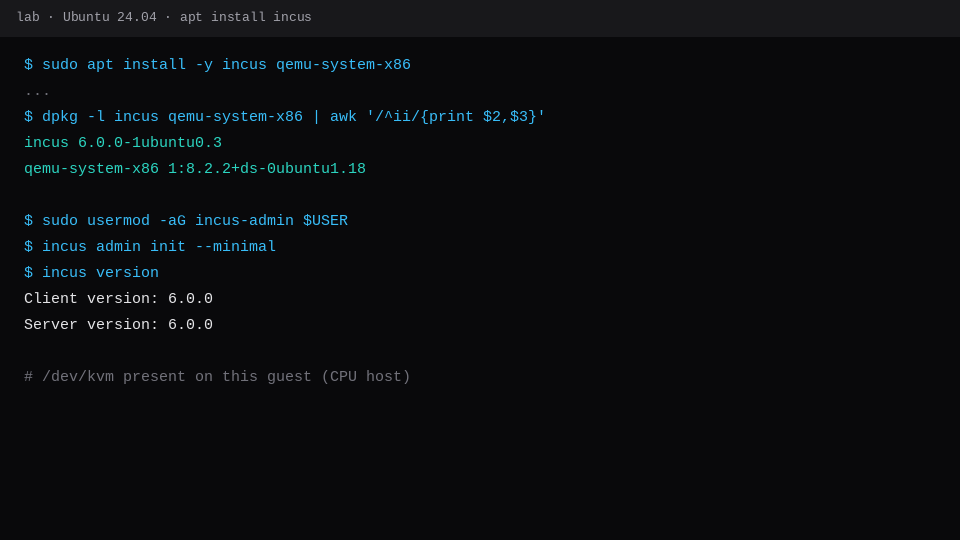
Ubuntu 24.04 ships Incus in universe. On this lab guest the packages were incus 6.0.0-1ubuntu0.3 and qemu-system-x86 1:8.2.2+ds-0ubuntu1.18. After incus admin init --minimal, the same CLI launched a system container and a QEMU VM:
incus launch images:ubuntu/24.04 c1
incus launch images:ubuntu/24.04 v1 --vm
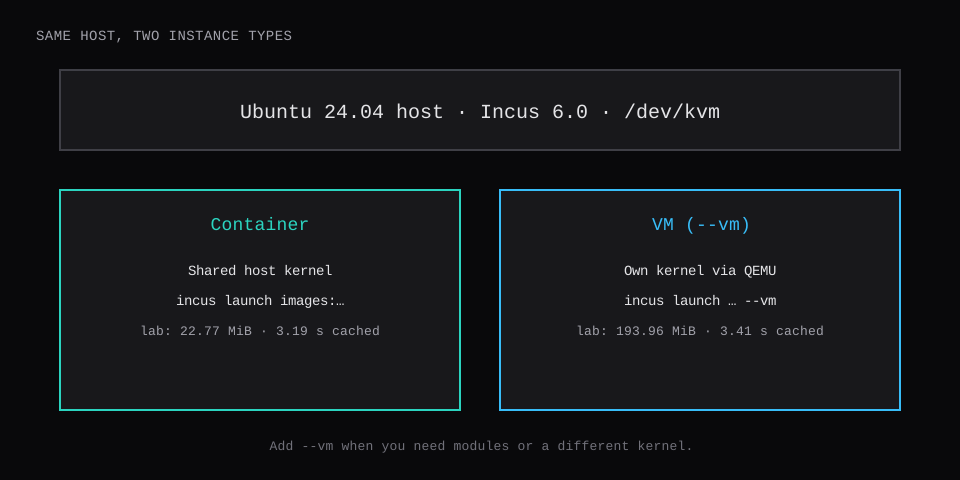
First launches (image pull included) took 12.43 s for the container and 19.27 s for the VM. With the image already local, a second container started in 3.19 s and a second VM in 3.41 s. incus info reported Memory (current) 22.77 MiB on c1 and 193.96 MiB on v1. Both guests printed Ubuntu 24.04.5 from /etc/os-release.
The guest was Ubuntu 24.04.5, 4 vCPU, 3.8 GiB RAM, CPU type host, with /dev/kvm present. Nested virt matters for the VM step. Containers still start without KVM; --vm needs it.
Container c1 | VM v1 | |
|---|---|---|
| Command | incus launch images:ubuntu/24.04 c1 | … v1 --vm |
| Type | CONTAINER | VIRTUAL-MACHINE |
| Kernel | host kernel | guest 6.8.0-147-generic |
| First launch | 12.43 s | 19.27 s |
| Cached launch | 3.19 s | 3.41 s |
| Memory (current) | 22.77 MiB | 193.96 MiB |
| Reach | incus exec c1 -- … | incus exec v1 -- … (after agent is up) |
Install Incus and QEMU
On Ubuntu 24.04 or later:
sudo apt update
sudo apt install -y incus qemu-system-x86
sudo usermod -aG incus-admin "$USER"
# re-login, or: sg incus-admin -c 'bash'
incus admin init --minimal
incus version
--minimal creates a local storage pool and the incusbr0 bridge with NAT. Interactive incus admin init is fine if you want to pick disk backend or clustering; this lab stayed minimal.
Zabbly publishes newer feature builds for LTS. This post used the Ubuntu archive LTS package so a stock VPS matches the versions above.
Confirm KVM before you promise a VM:
ls -l /dev/kvm
# crw-rw---- 1 root kvm … /dev/kvm
On Proxmox, the guest needs CPU host (or another type that exposes the extensions). Nested virt off is the usual reason --vm fails after a clean package install.
Launch a system container
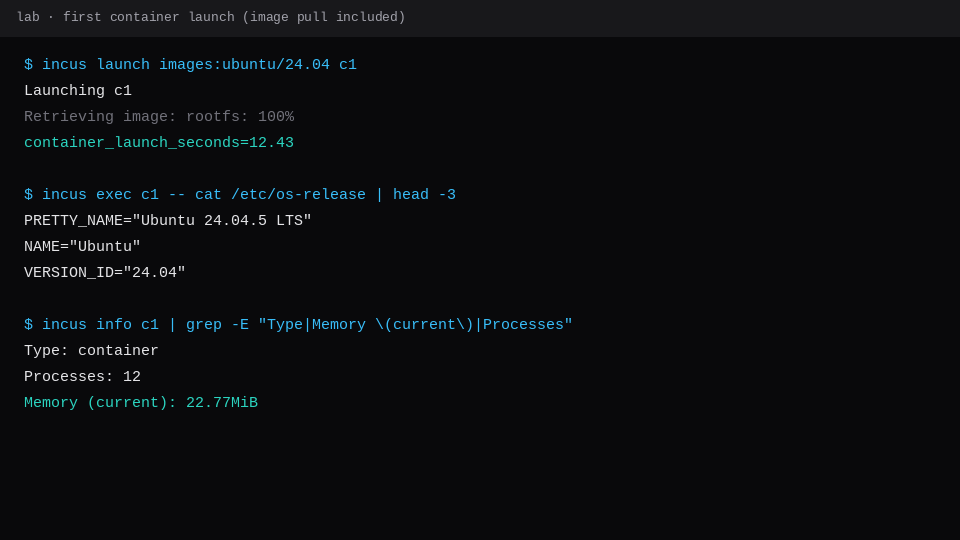
incus launch images:ubuntu/24.04 c1
incus list c1
incus exec c1 -- cat /etc/os-release
incus info c1
The first pull of images:ubuntu/24.04 dominated the 12.43 s wall time. A later c2 on the same image returned in 3.19 s. Twelve processes, 22.77 MiB current memory, Type container.
incus exec talks to the container over the Incus daemon, so a missing IPv4 on eth0 still leaves you a shell. This lab's incus list showed IPv6 on incusbr0 first; IPv4 DHCP can lag a bit on a quiet bridge.
Launch a VM with --vm
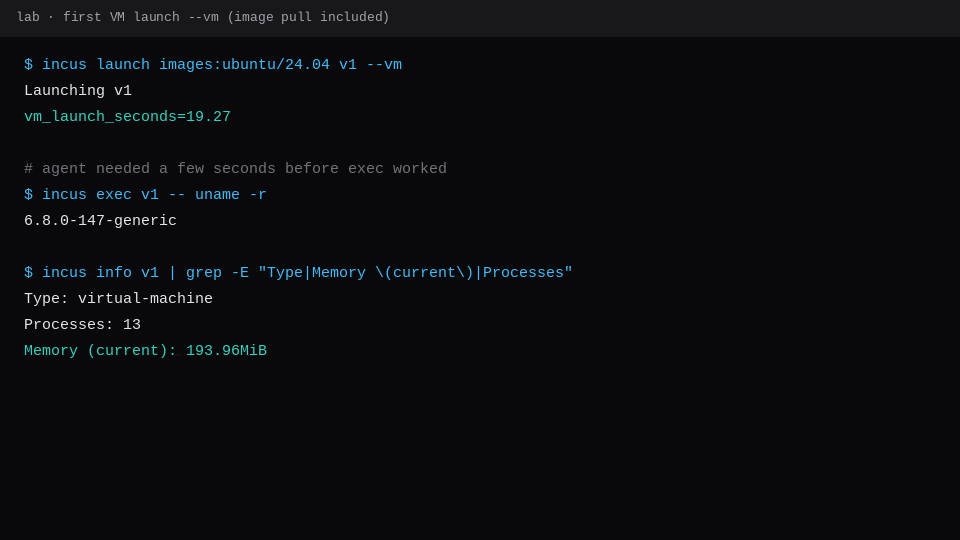
incus launch images:ubuntu/24.04 v1 --vm
incus list v1
QEMU needs the qemu-system-x86 package from the install step. The first VM launch here was 19.27 s including its image retrieve. A cached v2 started in 3.41 s.
Right after Launching v1, incus exec can print VM agent isn't currently running. Wait a few seconds and retry. Once the agent is up:
incus exec v1 -- uname -r
# 6.8.0-147-generic
incus exec v1 -- cat /etc/os-release
Memory (current) sat at 193.96 MiB with 13 processes. Empty cloud image, roughly 8.5× the container sample on the same host.
Need a larger disk from the start:
incus launch images:ubuntu/24.04 v-big --vm --device root,size=30GiBWhen to use which
Use a container when the workload is happy on the host kernel: most Linux services, build agents, throwaway Ubuntu environments. Use a VM when you need your own kernel modules, a different kernel series, or device pass-through that only QEMU handles cleanly.
Incus documents the split plainly. System containers are LXC with a full userspace on the shared host kernel. VMs are QEMU with KVM acceleration and their own kernel. The CLI stays the same; --vm is the fork in the road. That is why c1 sat near 23 MiB Memory (current) while empty v1 sat near 194 MiB: one guest is sharing the host's 6.8 kernel, the other boots its own.
Keep Docker-style app containers on a separate track. Incus can pull OCI images too, but this page is the "full Ubuntu with systemd" path. If you need Windows, a foreign kernel, nested virt, or clean PCI/GPU pass-through, take --vm. If you need twenty Linux guests on one VPS and they all tolerate the host kernel, stay on containers and save the RAM.
Both show up in one list:
incus list
incus stop c1 v1
incus delete c1 v1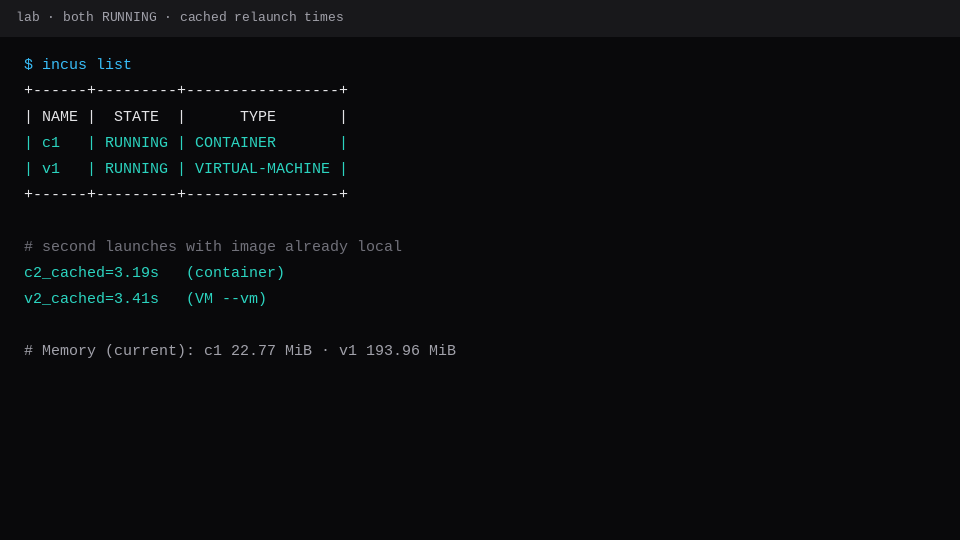
If you only need one guest OS and no density game, a marketplace Compute Instance is the hosted path: provider VM, root access, no Incus daemon to mind. Incus earns its keep when one VPS should hold many instances you create and destroy yourself. Docker Compose on a VPS covers the app-container track; this page is system containers and VMs under one tool. Proxmox templates stay in cloud-init on Proxmox when the hypervisor is already PVE.
FAQ
Is Incus the same as LXD?
Incus is the Linux Containers project continuation after the LXD fork. On Ubuntu 24.04 the package you install for new work is incus. Commands look familiar (launch, exec, list) with the incus binary.
Do I need qemu-system for containers only?
No. Skip it until you run --vm. The container path is apt install incus plus incus admin init.
Why did incus exec fail on the VM at first?
The guest agent was still starting. Wait and retry. incus list can already show RUNNING while exec is not ready.
Privileged containers?
Stay unprivileged unless you have a concrete reason. Local unix-socket access to Incus is already root-equivalent for attaching devices; treat incus-admin like sudo.
Can I put this on a $5 VPS?
Yes for a few small containers if RAM allows. Budget for the VM's ~200 MiB empty floor plus whatever you install, and confirm nested virt before you sell yourself on --vm.