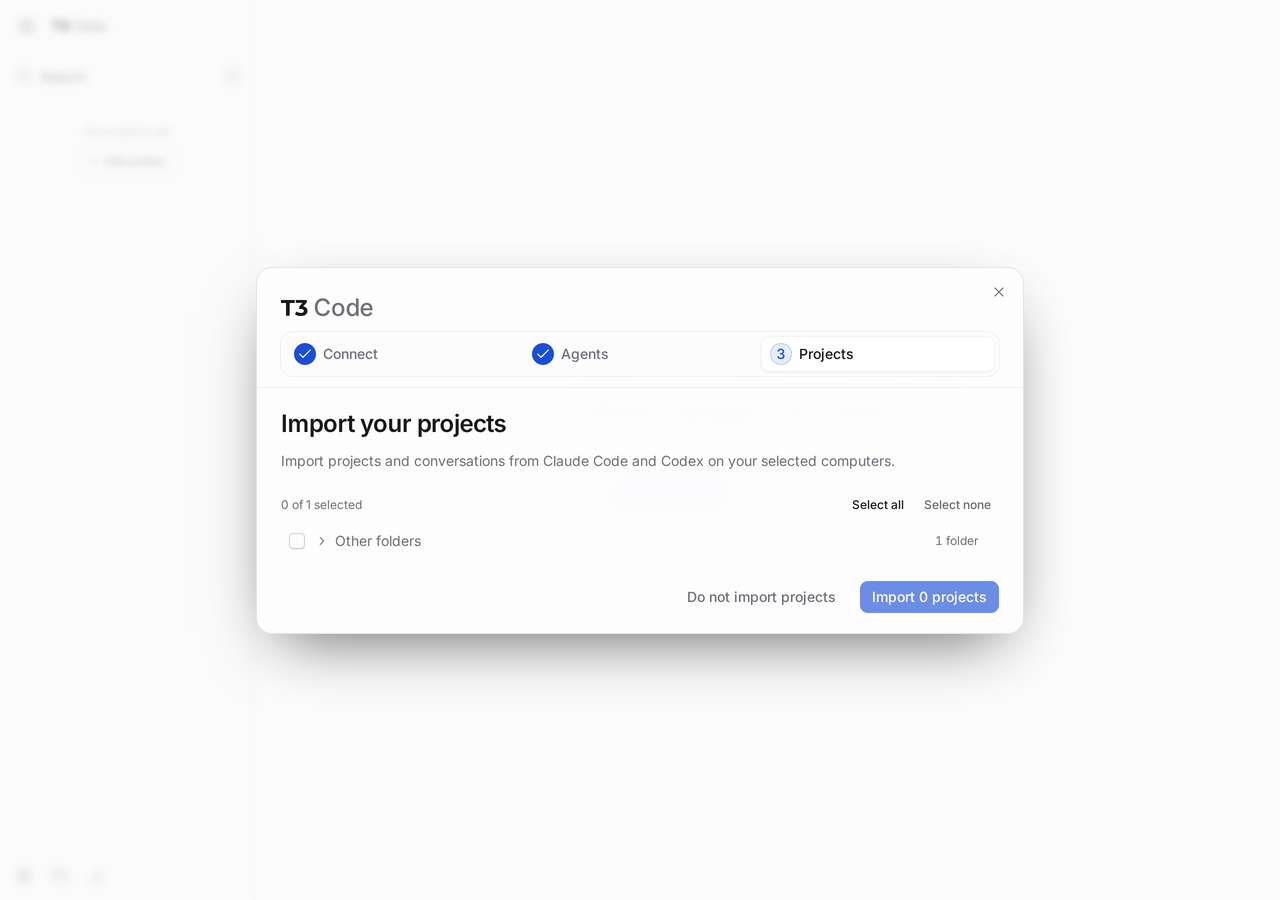
T3 Code 0.1.7 landed on this lab host as a 366 MiB runtime under ~/.t3/runtime/versions/0.1.7, with t3 linked from ~/.local/bin. t3 serve --port 4011 --host 127.0.0.1 --no-browser answered HTTP 200 with title T3 Code (Beta) and a 21702-byte HTML shell. The node-MainThread process held 409.4 MiB RSS while idle on loopback. Pairing opened a three-step wizard (Connect → Agents → Projects). Codex offered ChatGPT login; Claude reported claude missing from PATH. No coding-agent CLI was on the box yet, so the lab ends at a working control plane without a finished agent turn.
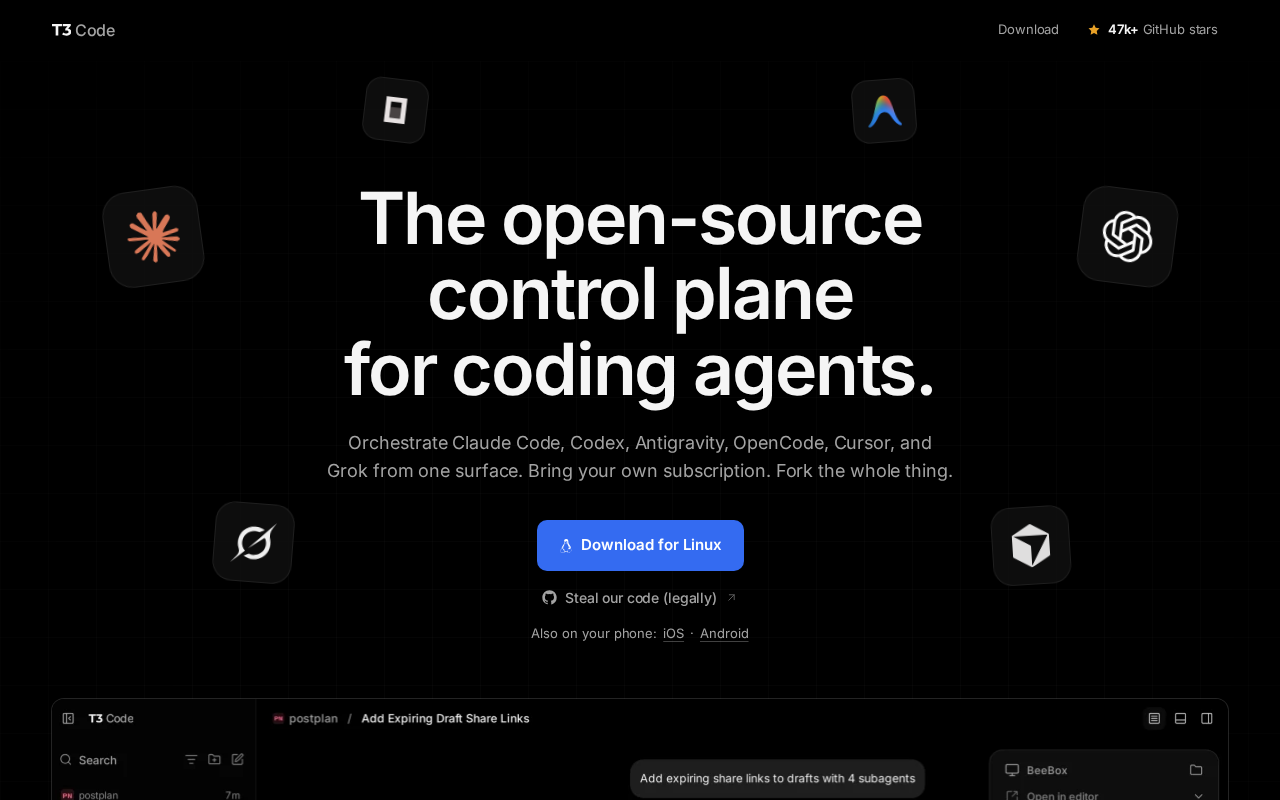
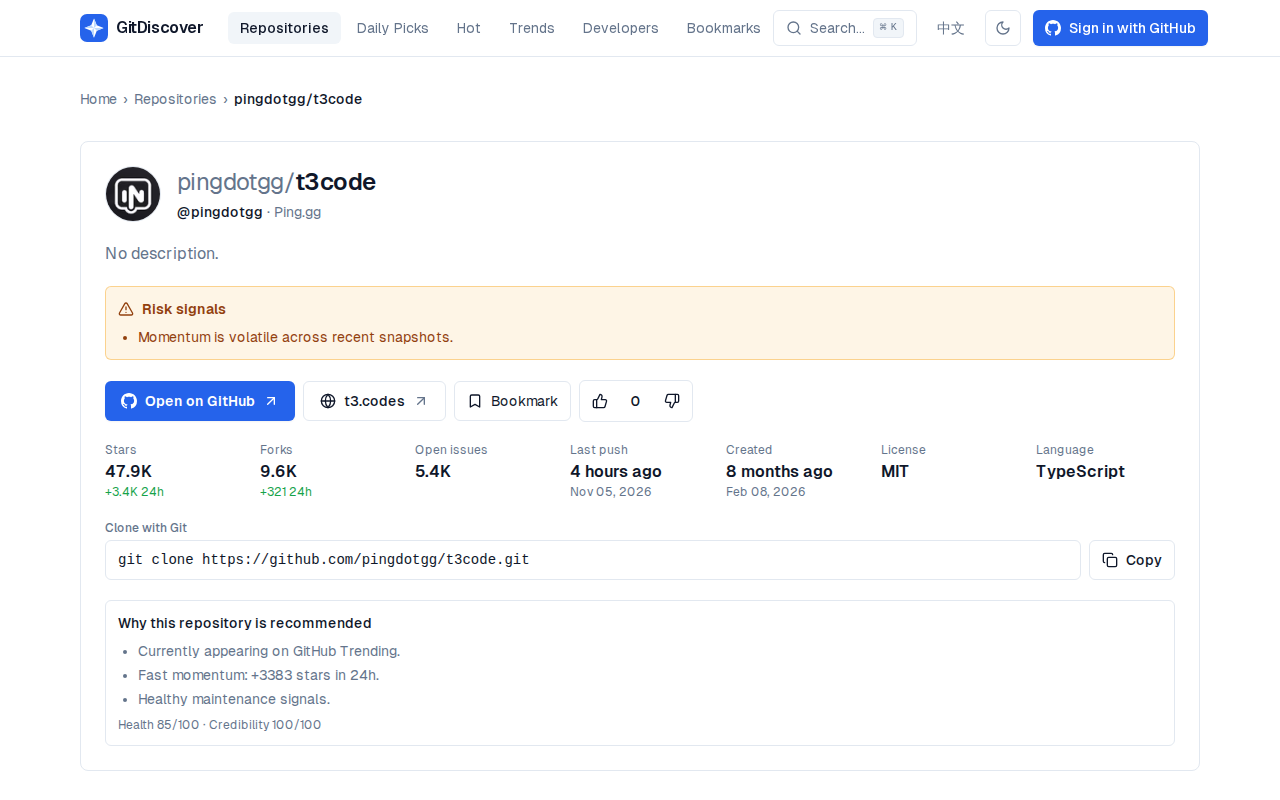
t3.codes and pingdotgg/t3code describe the same shape: an open-source control plane for coding agents you already pay for. It orchestrates Claude Code, Codex, Cursor, OpenCode, Grok, and related CLIs from web, desktop, or phone, and leaves token billing with those products. GitDiscover tracks the repo under MIT / TypeScript with homepage t3.codes. Star counts there move fast; treat them as a snapshot.
| Reading | Value |
|---|---|
| Pinned version | 0.1.7 via T3CODE_VERSION |
| Runtime on disk | 366 MiB (du -sh ~/.t3/runtime/versions/0.1.7) |
Idle RSS (t3 serve) | 409.4 MiB (ps RSS for node-MainThread) |
| Listener | 127.0.0.1:4011 |
| HTML title | T3 Code (Beta) |
| Document size | 21702 bytes |
| Background service | not installed (t3 status) |
| T3 Connect / LAN | both off |
What T3 Code is
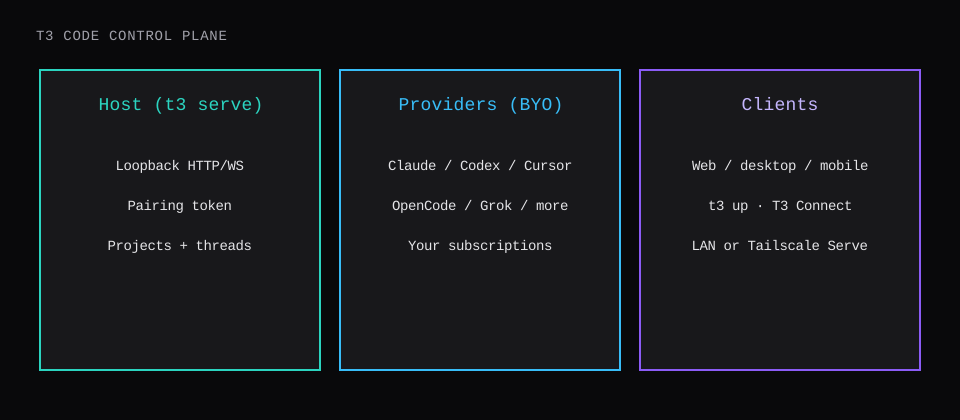
T3 Code is the UI and orchestration layer around agent CLIs that already live on a machine. The README calls it an agent-harness control surface: threads, projects, permissions, remote access, and provider cards, with the actual model work still done by Claude, Codex, Cursor (agent / cursor-agent), OpenCode, Grok Build, Antigravity, Kiro, and friends once those binaries are authenticated on the host.
Install paths from the docs:
- CLI:
curl -fsSL https://t3.codes/install.sh | sh(Windows: PowerShellinstall.ps1) - Desktop: GitHub Releases, winget, Homebrew cask,
.deb, Arch AUR, Nix - Mobile: App Store / Google Play, then pair to a running server
- One-shot try:
npx t3@latest(needs Node)
This lab used the CLI path on a Linux host named test1, with enough disk for the 366 MiB runtime and headroom for Chromium later if you enable the in-app browser tooling.
Install on Linux
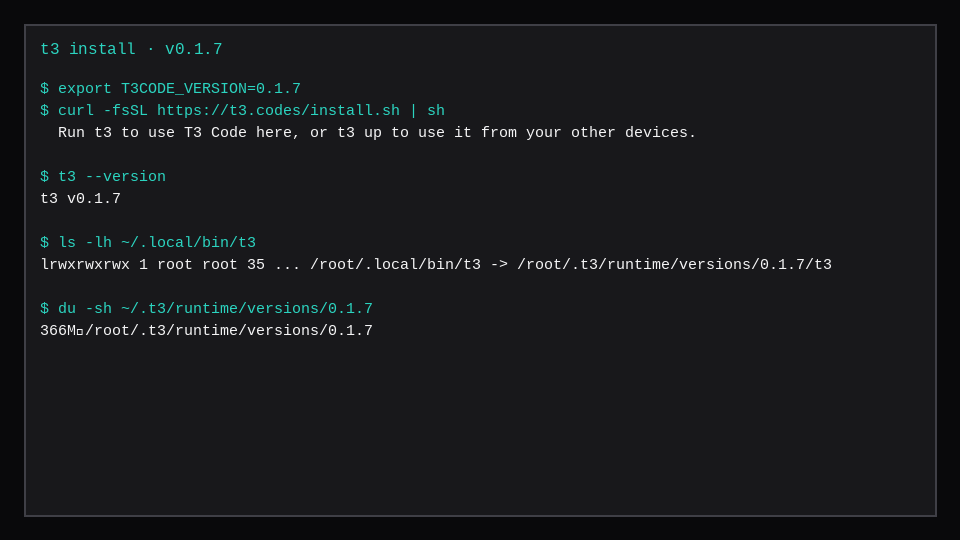
Pin the release so the blog and the box match:
export T3CODE_VERSION=0.1.7
curl -fsSL https://t3.codes/install.sh | sh
export PATH="$HOME/.local/bin:$PATH"
t3 --version   # t3 v0.1.7
The installer drops a launcher at ~/.local/bin/t3 that points into ~/.t3/runtime/versions/0.1.7/. If t3 is missing after install, that directory is not on PATH yet; the script prints the line to add. Nightlies use T3CODE_CHANNEL=nightly.
t3 doctor before the first successful serve raised DatabaseMissingError here. That is expected: the userdata database appears when the server creates it. After serve is up, doctor is the repair / reclaim path from the docs.
Run the server on loopback
For a VPS or SSH box you do not want opening a local GUI:
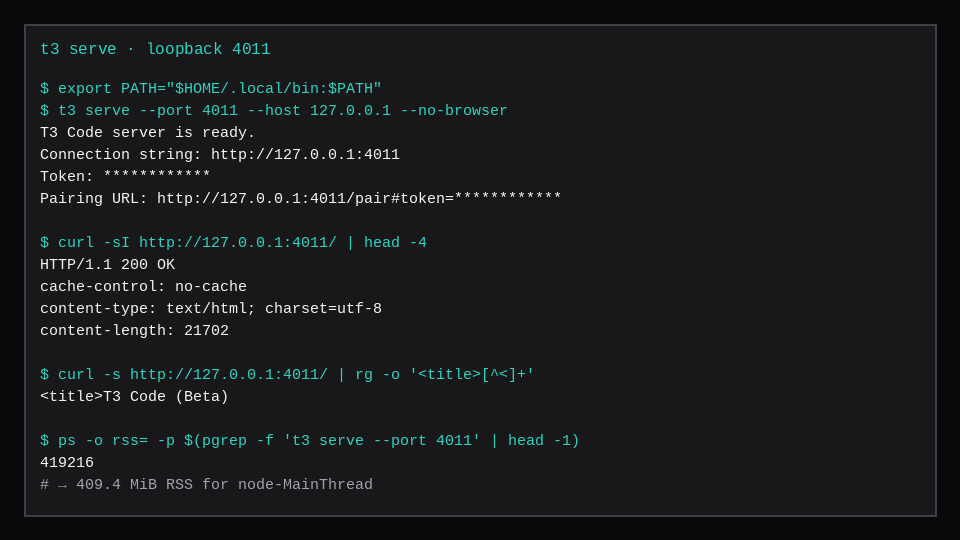
t3 serve --port 4011 --host 127.0.0.1 --no-browserFlags that matter on a remote host:
| Flag | Lab choice | Why |
|---|---|---|
--host 127.0.0.1 | yes | Keep HTTP/WS off the public interface |
--port 4011 | yes | Explicit port for SSH tunnels / reverse proxies |
--no-browser | yes | Headless SSH; open the URL from your laptop |
--lan / t3 up --lan | off | Pairing is the only lock on a LAN-open port |
--tailscale-serve | unused | HTTPS on the tailnet when you want that path |
The process printed a connection string, a one-time token, and a pairing URL (token redacted in the freeze below). A second t3 serve against the same userdata failed with ServerAlreadyRunningError until the first process was stopped. curl -sI http://127.0.0.1:4011/ returned 200 with content-type: text/html.
From a laptop through SSH:
ssh -L 4011:127.0.0.1:4011 user@your-vps
# then open http://127.0.0.1:4011/pair#token=… from the serve output
Or mint a fresh short-lived token later:
t3 pair --ttl 5mPairing and the first-run wizard
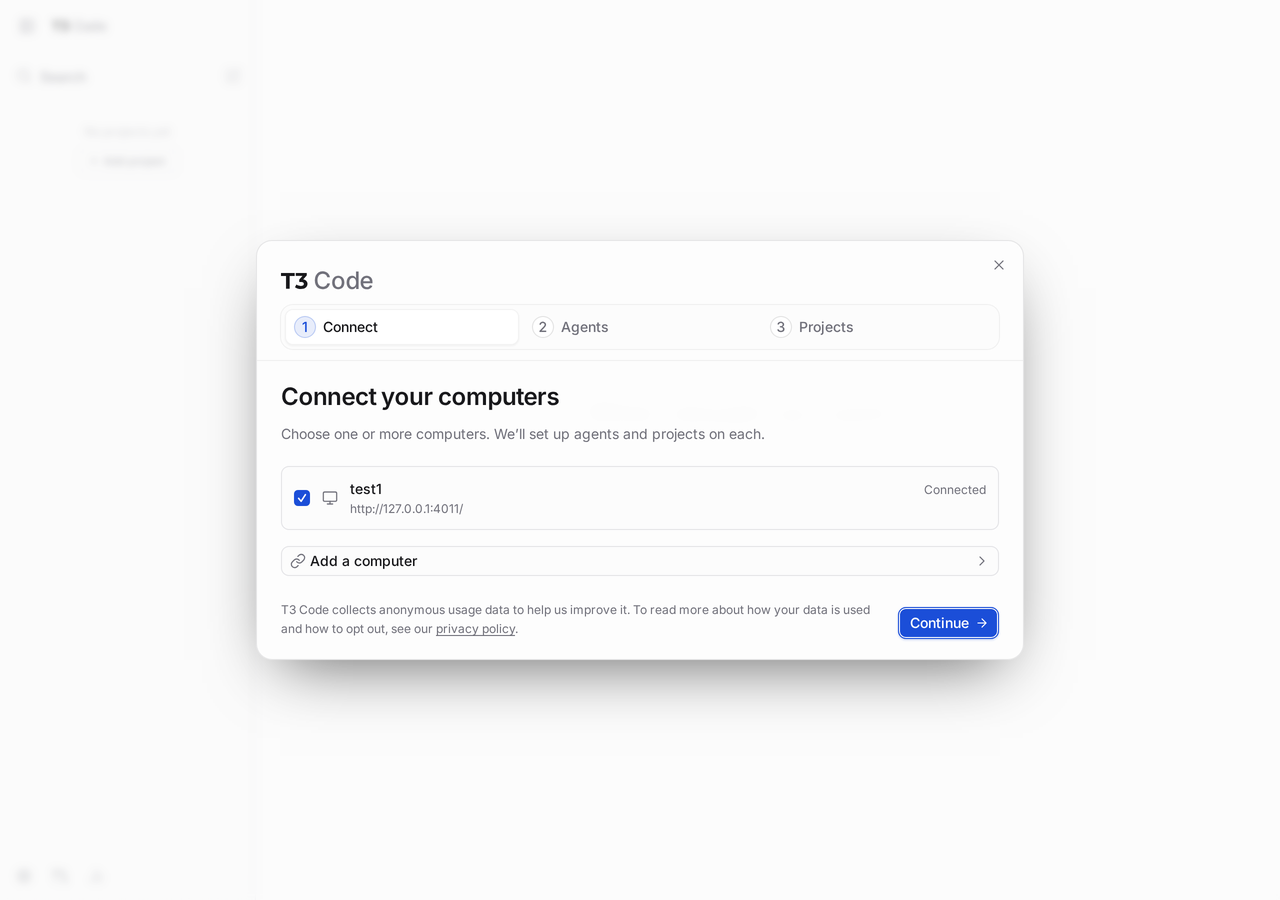
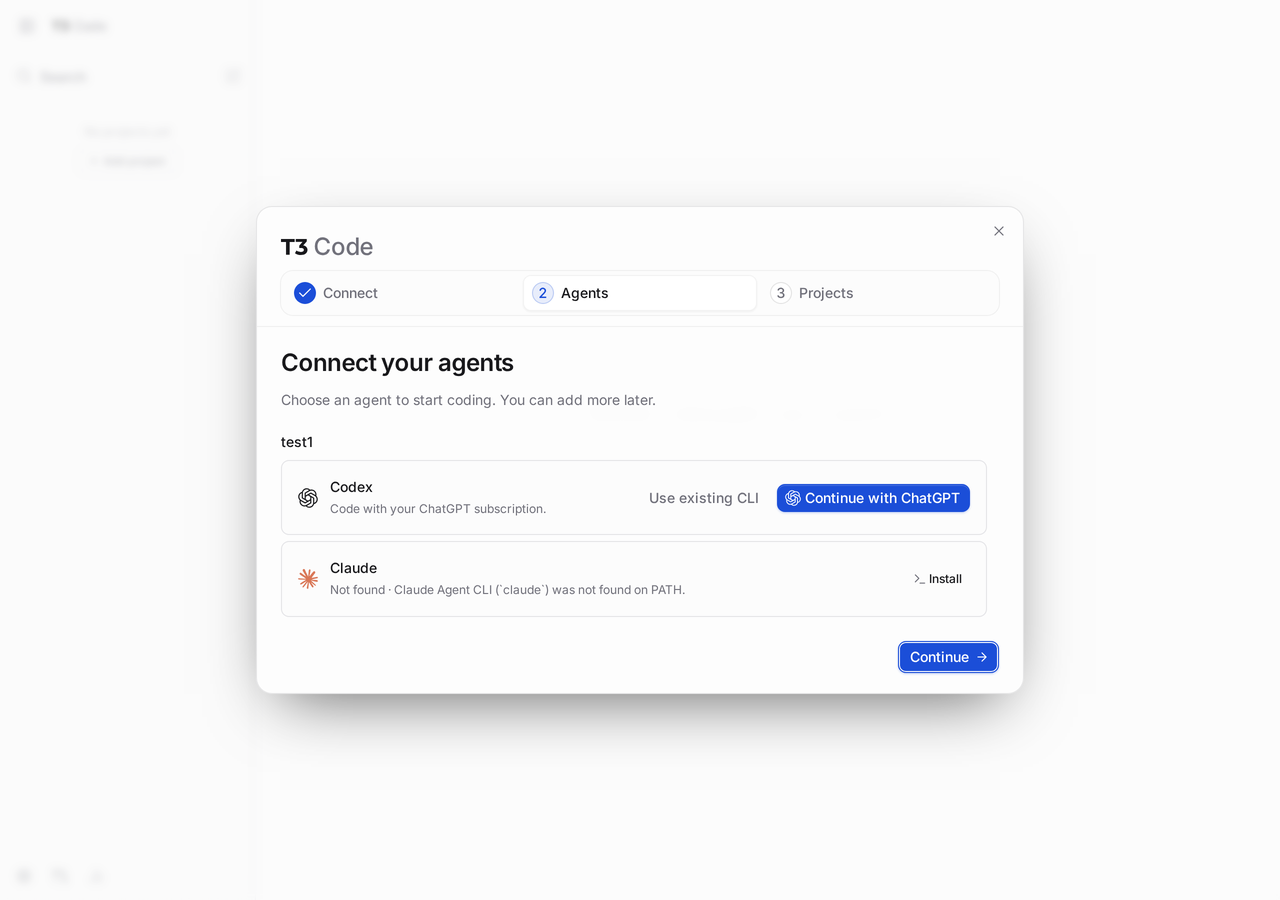
Opening the pairing URL (or pasting the token on /pair) unlocked the setup modal:
- Connect: pick computers. This host showed as
test1, Connected,http://127.0.0.1:4011/. - Agents: choose a provider. Codex offered Continue with ChatGPT / existing CLI. Claude showed Not found · Claude Agent CLI (
claude) was not found on PATH with an Install action. - Projects: import folders from Claude Code / Codex, or Do not import projects.
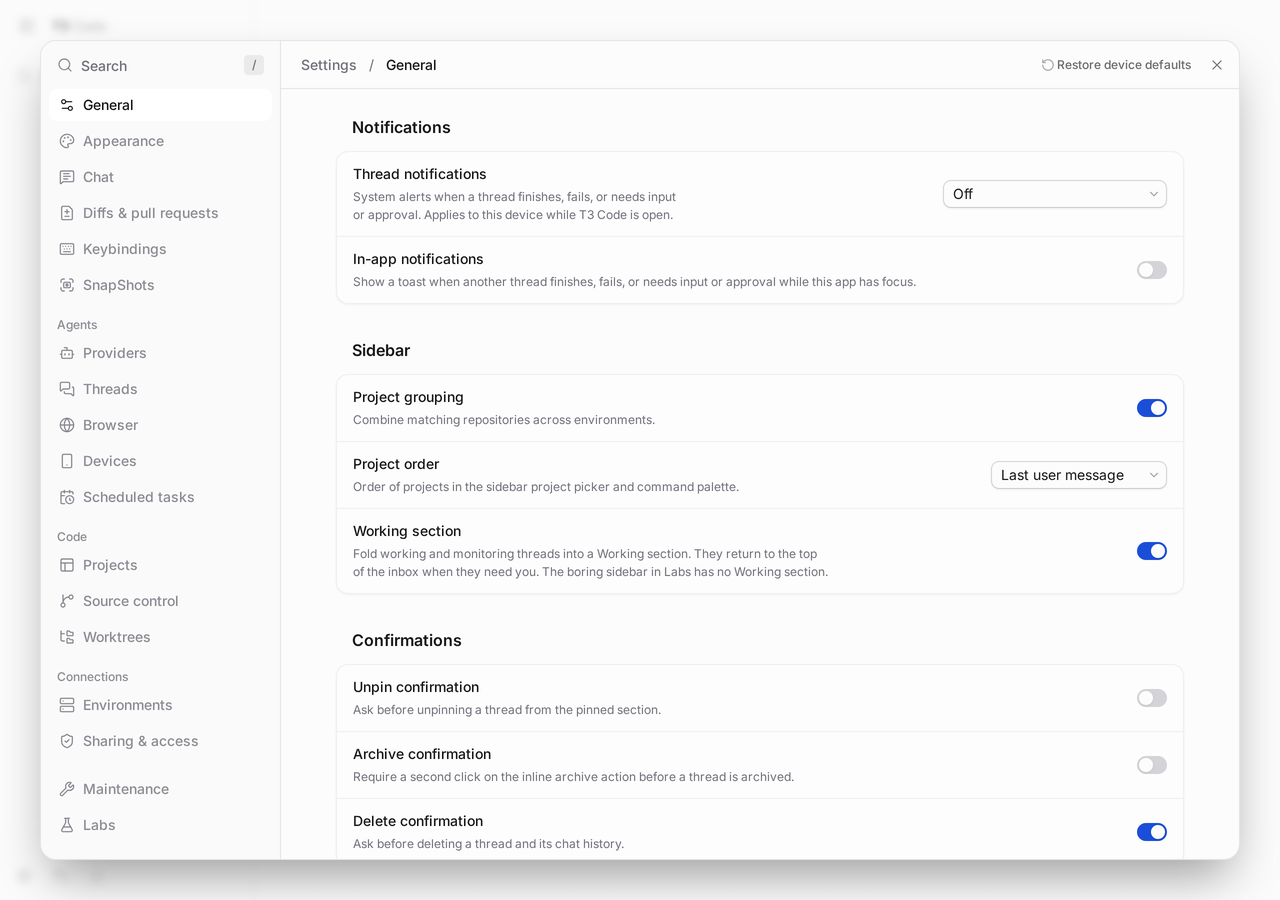
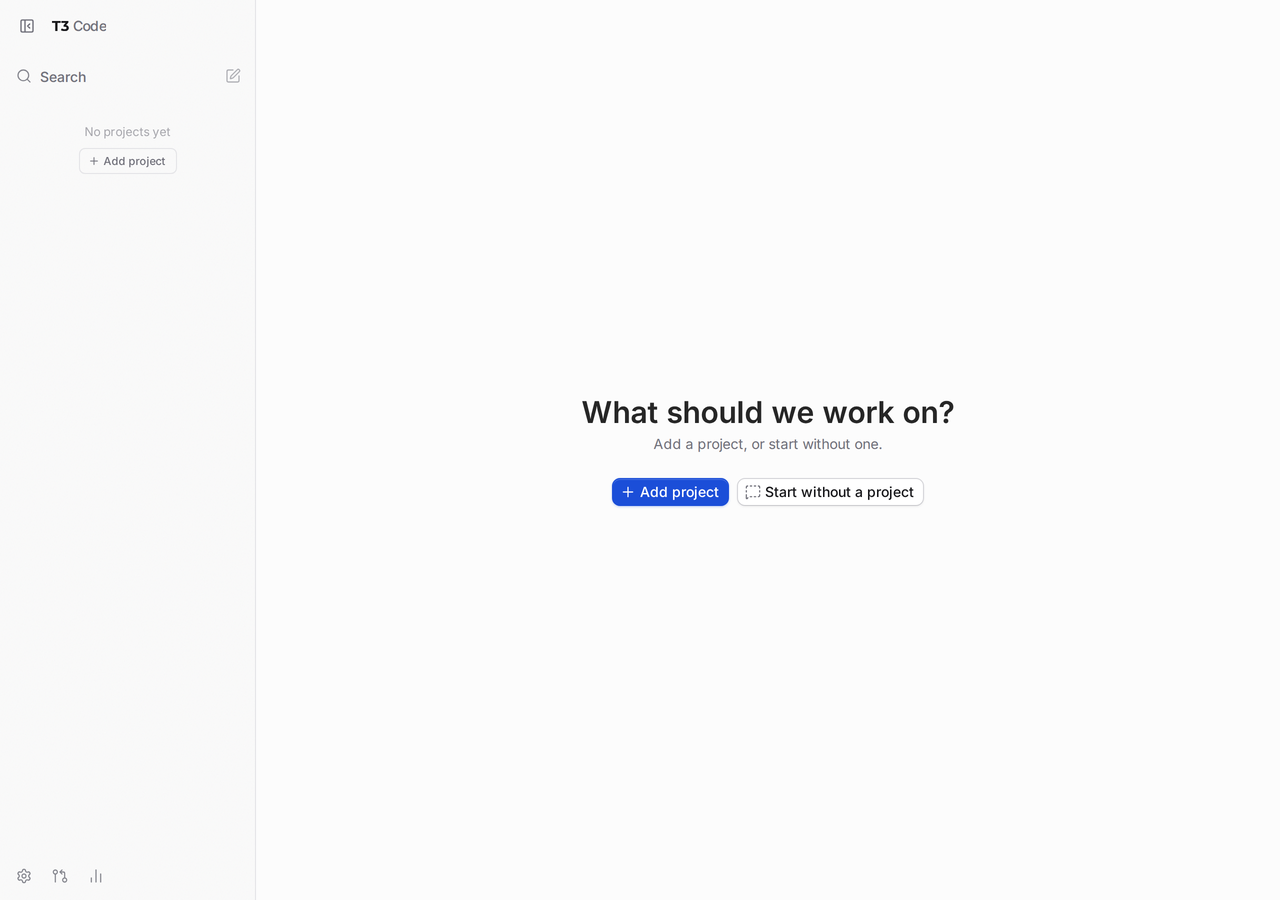
After skipping import, the empty home asked What should we work on? with Add project / Start without a project. The gear menu opened Settings with General, Providers, Sharing & access, Environments, and the rest of the control-plane surface.
Providers (BYO subscriptions)
Open Settings → Providers on the environment that runs the server. Auth belongs on that machine even when you drive it from a phone. From the install docs and this run:
| Provider | Typical auth on the host |
|---|---|
| Codex | ChatGPT connect in UI, or codex login |
| Claude | install Claude Code, claude auth login |
| Cursor | Cursor CLI, agent login (cursor-agent on PATH) |
| OpenCode | opencode auth login |
| Grok Build | grok login |
| Kiro | kiro-cli login (Early Access in 0.1.7 notes) |
| Antigravity | Install / Sign in with Google inside T3 settings |
| fx | fx login after their setup script |
On this lab host every CLI above was missing from PATH, so Agents stopped at install prompts. The control plane itself is lighter than a full IDE image; coding still waits on at least one provider binary, installed and logged in.
Remote access without opening the world
t3 status after serve:
This machine
  Service        not installed
  T3 Connect     off
  Local network  off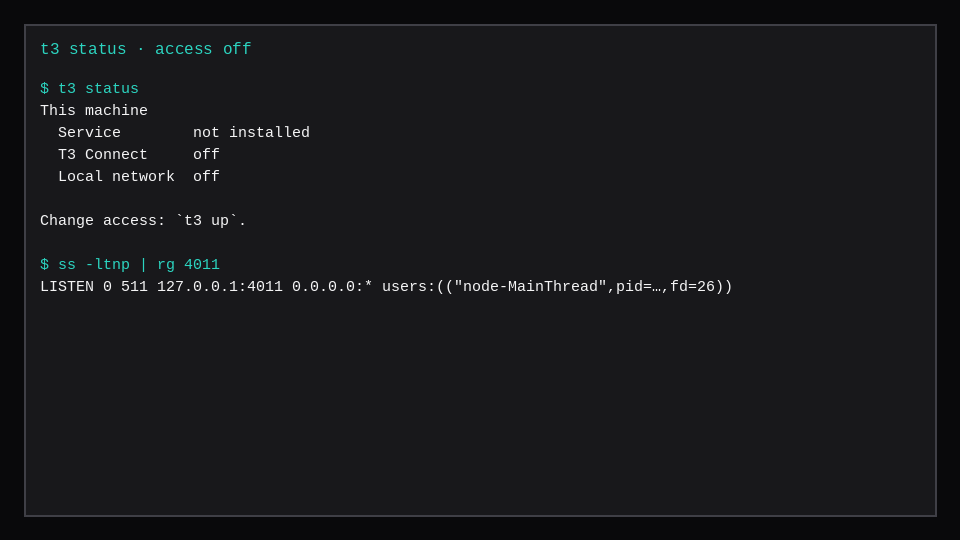
Remote access docs put the choices behind t3 up:
- T3 Connect: reach the host from other devices through their relay after sign-in (
t3 up --connectort3 connect). - LAN / tailnet:
--lanaccepts connections from the local network; pairing is the gate. Anyone on that L2/L3 path who gets a code is in. - Background service: on Linux/macOS,
t3 upcan install a service so the server survives logout; Windows keeps a terminalt3 serveor the desktop app.
For a marketplace VPS, prefer SSH tunnel or Tailscale Serve over --lan on a public NIC. Pairing tokens are one-time; do not paste live ones into tickets or screenshots.
Advantages that showed up in the lab
- One surface for several harnesses. The Agents step listed Codex and Claude side by side on the same host.
- BYO billing. Marketing and docs agree: subscriptions stay with Claude/Codex/Cursor; T3 orchestrates.
- Headless-friendly CLI.
t3 serve+--no-browser+t3 pairfit an SSH workflow. - Explicit remote modes.
t3 statusmakes Connect / LAN / service visible instead of burying them in UI alone. - MIT and forkable. The site’s “steal our code (legally)” line matches the license on GitHub.
Tradeoffs from the same run: ~366 MiB on disk before providers; ~409 MiB RSS idle for the server process; provider CLIs are separate installs; opening --lan without a tunnel is an invitation if the pairing code leaks.
When this fits a VPS
| Situation | Approach |
|---|---|
| SSH-only box, you on a laptop | t3 serve on loopback + SSH -L |
| Phone driving a home or cloud host | t3 up --connect after providers work |
| Always-on agent host | t3 service install / t3 up on Linux |
| Multiple accounts / orgs | Separate provider instances in Settings |
| Air-gapped curiosity | Install still needs the install script / release assets once |
A Compute Instance with a few gigabytes of RAM is enough for the control plane measured here. Budget more once Claude/Codex/Cursor processes and builds share the guest. For a browser IDE without agent orchestration, see code-server on a VPS.
Pairing and BYO agents on a rented box
T3 Code’s VPS shape is a long-lived serve process plus a way to pair a local client and point at the agent backends you already pay for. Treat API keys as secrets in the environment, not in the repo; bind the UI to loopback or Tailscale until you terminate TLS. Idle RSS on a quiet pair session is the floor; token spend and agent concurrency are the bill that grows. Prefer one agent provider per project until you have metrics for failover, and restart the serve unit with systemd so a reboot does not strand an SSH session.
FAQ
Is T3 Code another coding agent?
The model sessions still come from Claude Code, Codex, Cursor, and the other supported CLIs once they are installed and authenticated on the environment. T3 Code is the surface that starts threads, routes permissions, and pairs clients to that host.
Do I need the desktop app on the VPS?
No. This lab used only the CLI runtime and the web UI over loopback. Desktop and mobile are clients that pair to that server.
Why did t3 doctor fail right after install?
There was no userdata database yet. Start t3 / t3 serve once so the data directory is created, then doctor can inspect and repair.
Can two t3 serve processes share one home?
Not against the same userdata. The second start raised ServerAlreadyRunningError. Use a different --base-dir / T3CODE_HOME for an independent environment, or stop the owner process first.
Where did this show up on GitDiscover?
gitdiscover.org/repositories/pingdotgg/t3code lists the GitHub repo, MIT license, TypeScript, and homepage t3.codes. Use the page for discovery; pin T3CODE_VERSION from the release you actually install.