
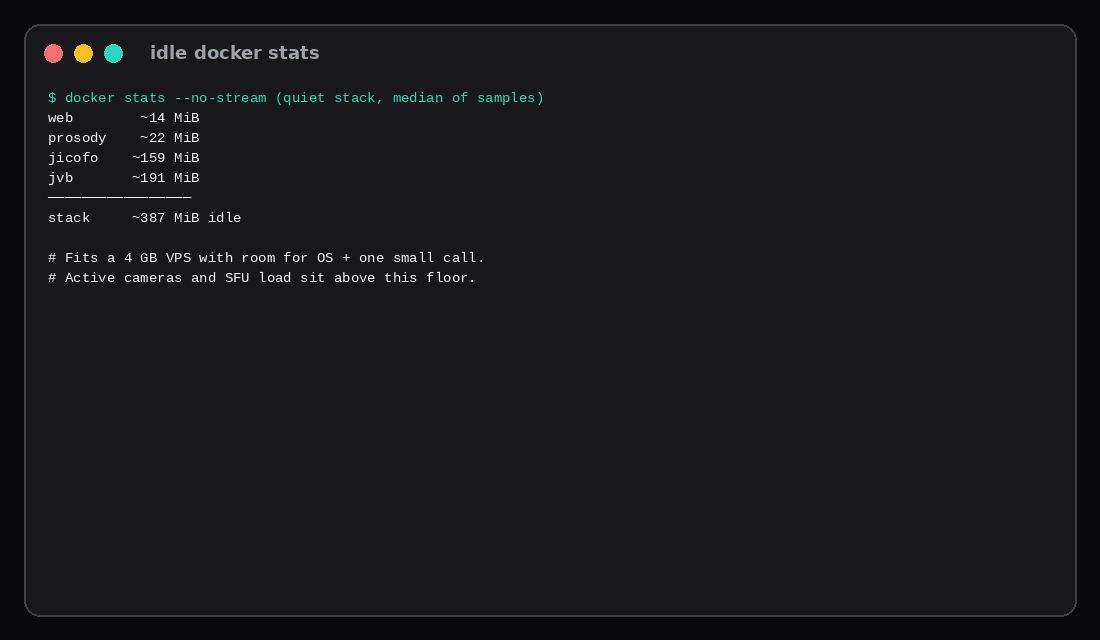
This lab brought up docker-jitsi-meet release stable-11248-3 (web, Prosody, Jicofo, JVB). The Meet UI answered HTTP 200. JVB joined [email protected]; Jicofo added the videobridge with correctedStress=0.00. Quiet docker stats medians: web ~14 MiB, Prosody ~22, Jicofo ~159, JVB ~191. Stack median about 387 MiB. That leaves most of a 4 GB VPS free before anyone turns a camera on.
One call is not “idle forever.” Jitsi’s handbook sizes 4 GB for small meetings, 8 GB as a general suggestion, and prefers about four dedicated cores. Bandwidth is usually the first wall: at planning rates, 720p is about 2.5 Mbit/s per stream. In SFU mode the bridge egress grows roughly with N × (N − 1) × rate. Two people may use P2P and spare the bridge; three cameras at 720p already plan around 15 Mbit/s out of the VPS.
| Reading | Value |
|---|---|
| Release | stable-11248-3 |
| Services | web · prosody · jicofo · jvb |
| Lab UI | HTTP 200 on mapped port |
| JVB | Joined brewery MUC |
| Idle stack | ~387 MiB median |
| Handbook RAM | 4 GB small / 8 GB general |
| Media port | UDP 10000 |
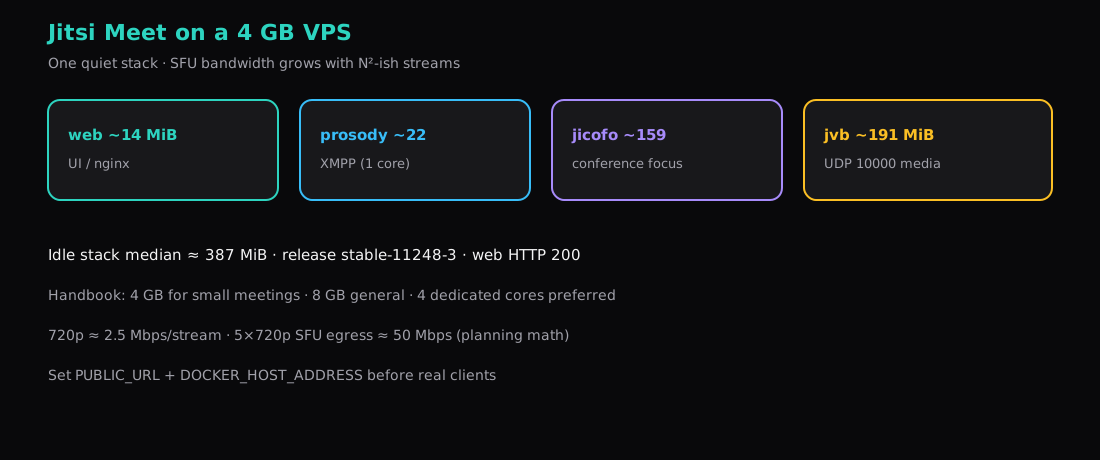
Why 4 GB is the interesting size
| Guidance (handbook) | Meaning |
|---|---|
| 2 GB | Tests / very small meetings |
| 4 GB | Small meetings (this title) |
| 8 GB | General recommendation |
| 4 dedicated cores | Basic server; Prosody is effectively one-core bound |
| ~20 GB disk | Before recording / heavy logs |
A Compute Instance with 4 GB matches the “small meeting” line if the uplink can carry the SFU table below. Shared burstable CPU is not the same as dedicated cores when the Java bridge is busy.
Install docker-jitsi-meet
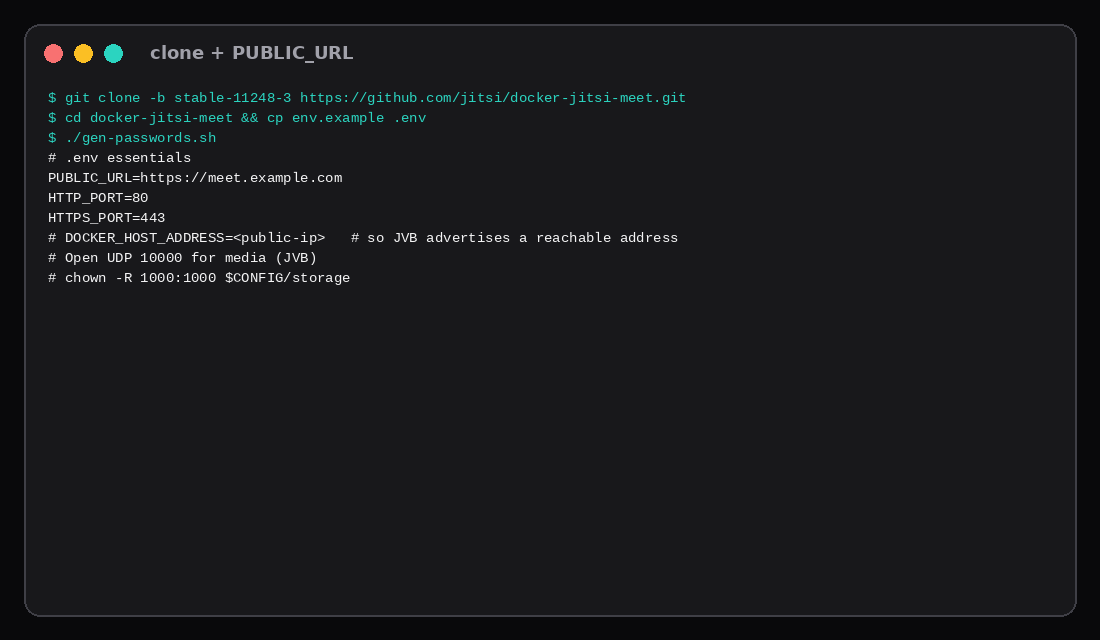
git clone -b stable-11248-3 https://github.com/jitsi/docker-jitsi-meet.git
cd docker-jitsi-meet
cp env.example .env
./gen-passwords.sh
Set at least:
PUBLIC_URL=https://meet.example.com
# DOCKER_HOST_ADDRESS=<your-public-ip>   # JVB advertises this for media
Open UDP 10000 (and 80/443 for the UI / TLS) on the panel firewall. Without a reachable UDP media port, clients fail in ways that look like “camera permissions.”
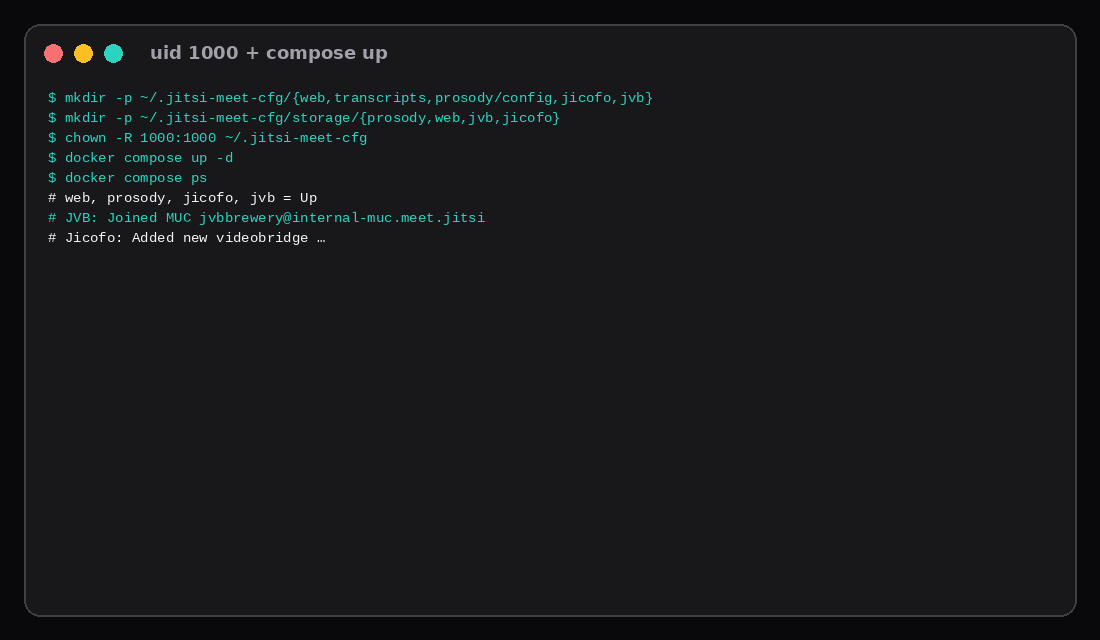
mkdir -p ~/.jitsi-meet-cfg/{web,transcripts,prosody/config,prosody/prosody-plugins-custom,jicofo,jvb}
mkdir -p ~/.jitsi-meet-cfg/storage/{prosody,web,jvb,jicofo}
chown -R 1000:1000 ~/.jitsi-meet-cfg   # Prosody/storage must be uid 1000-writable
docker compose up -d
This lab used alternate HTTP ports because 8000/8088 were already taken on the host, and pulled images via an alternate path when docker pull to ghcr.io hit TLS timeouts. Same release tag either way.
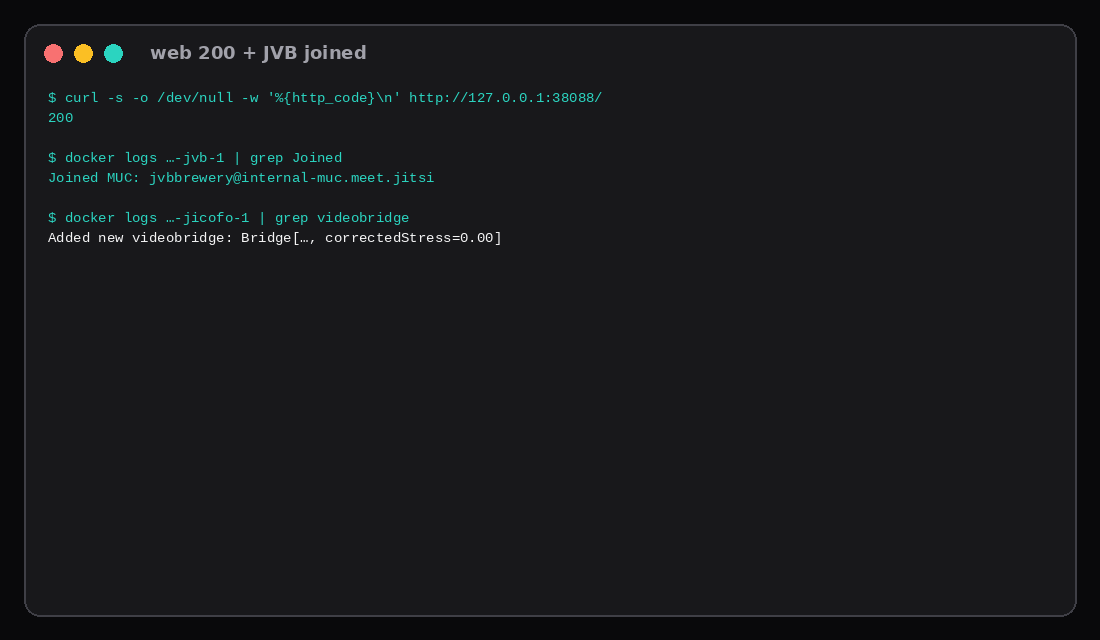
Prove the stack, not only the homepage
curl -s -o /dev/null -w '%{http_code}\n' https://meet.example.com/
# lab: HTTP 200 on the mapped web port

docker logs "$(docker compose ps -q jvb)" 2>&1 | grep Joined
# Joined MUC: [email protected]

docker logs "$(docker compose ps -q jicofo)" 2>&1 | grep videobridge
# Added new videobridge: Bridge[..., correctedStress=0.00]
If JVB logs not-authorized after you re-ran gen-passwords.sh, wipe $CONFIG and recreate containers so Prosody and JVB share the same secrets.
Idle CPU and RAM on this lab
| Container | Median MiB | Quiet CPU % |
|---|---|---|
| web | ~14 | ~0 |
| prosody | ~22 | ~0.1 |
| jicofo | ~159 | ~0 |
| jvb | ~191 | ~0.1 |
| Stack | ~387 | (quiet) |
Active participants, screen share, and higher resolutions raise JVB CPU and RAM. Treat ~387 MiB as the empty-room floor after a clean boot.
One call: bandwidth table
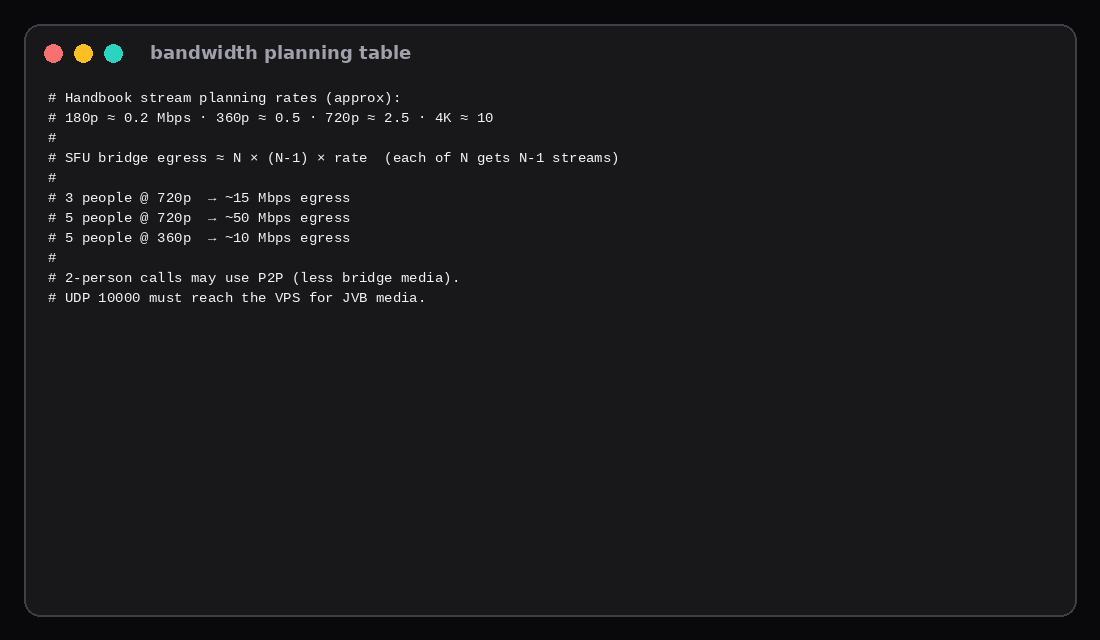
Handbook planning rates (approx):
| Resolution | ~Mbit/s per stream |
|---|---|
| 180p | 0.2 |
| 360p | 0.5 |
| 720p | 2.5 |
| 4K | 10 |
SFU bridge egress estimate: N × (N − 1) × rate (each of N people receives N − 1 other cameras from the bridge):
| Scenario | Planning egress |
|---|---|
| 2 people @ 720p (P2P possible) | Often little bridge video |
| 3 people @ 720p | ~15 Mbit/s |
| 5 people @ 360p | ~10 Mbit/s |
| 5 people @ 720p | ~50 Mbit/s |
Metered cloud egress turns that into a bill; unmetered VPS links care about sustained Mbps. See egress fees vs unmetered. This post uses handbook rates for planning; we did not drive a multi-browser camera load on this host.
Production TLS usually sits on Caddy or the compose HTTPS path with a real hostname (Caddy HTTPS). Keep PUBLIC_URL identical to what browsers open.
| Skip this | What this lab did |
|---|---|
Skipping PUBLIC_URL / host address | Documented for production clients |
| Ignoring UDP 10000 | Noted as media path |
| Root-only storage dirs | chown -R 1000:1000 |
| Calling idle RAM “capacity for 20 HD cameras” | Separated floor from SFU table |
| Homepage-only check | Verified JVB brewery join |
Handbook RAM and the UDP tax
Jitsi’s devops handbook treats Meet as a real-time system: network quality outranks disk, and mis-sizing kills calls instead of merely slowing pages. Their planning notes still suggest ~8 GB for a general server, ~4 GB for small meetings, and ~2 GB only for tests or tiny rooms, with about four dedicated cores and ~20 GB disk before recording. Shared or burstable vCPU is a poor match when other tenants steal cycles mid-call. Media needs UDP 10000 (plus 443/80 for the UI); when UDP is blocked, TURN fallback burns more CPU and bandwidth. Jibri recording is a separate machine-class problem (one Jibri per concurrent recorded meeting, often 8 GB+ for 720p), so keep it off a 4 GB Meet guest. Docker releases from stable-11146 run rootless with a read-only rootfs; create the storage and tmp dirs under CONFIG and make them writable by uid 1000 before the first compose up, or containers refuse to start.
FAQ
Is Docker production? Fine for a small self-hosted Meet. Large HA needs more bridges and ops than a single compose file.
Recording / Jibri? Extra containers and disk; not in this idle measurement.
TURN? Needed when clients cannot reach UDP 10000 directly. Add when remote users sit behind hostile NATs.
Why not 2 GB? Handbook allows tests there; small real meetings are the 4 GB line this title targets.
What to run on the VPS
A 4 GB Compute Instance matches handbook “small meeting” sizing if you open UDP 10000, set PUBLIC_URL, and keep the uplink above the SFU table for your expected N and resolution. Pin stable-11248-3, prove web + brewery join, then invite two people before you invite twelve.