
Panel 2.0.0-beta.2 is running on one Ubuntu 24.04.5 guest and Wings 1.13.4 is running on a second. The node list says Online. The panel is PHP 8.3.6, MariaDB 10.11.14, and Redis 7.0.15, behind nginx 1.24.0 at http://panel.example-hosting.com. Wings is the binary on the game machine, Docker 29.9.2, systemd-detect-virt printed kvm, and it is listening on 8080 and 2022. A Paper server on 192.0.2.21:25565 printed Done (24.330s) and settled at 752.01 MiB of its 2 GiB limit.
192.0.2.20 and 192.0.2.21 are documentation addresses. The panel is the first, Wings is the second. Each guest's hosts file is what made the names resolve. A public install uses DNS you control. This panel refused the node until wings.example-hosting.com resolved, and the message was The fqdn could not be resolved to a valid IP address.
| Piece | What this install used |
|---|---|
| Panel | 2.0.0-beta.2, PHP 8.3.6, nginx 1.24.0, MariaDB 10.11.14, Redis 7.0.15 |
| Panel machine | Ubuntu 24.04.5, kvm, http://panel.example-hosting.com, 192.0.2.20:80 |
| Wings | 1.13.4, Docker 29.9.2, kernel 6.8.0-147-generic |
| Wings machine | Ubuntu 24.04.5, kvm, 192.0.2.21, daemon 8080, SFTP 2022 |
| Node | name wings, scheme HTTP, 3072 MiB, 10240 MiB disk, status Online |
| Server | Paper 26.3 on Java 25, 192.0.2.21:25565, Done (24.330s), 752.01 MiB of 2048 |
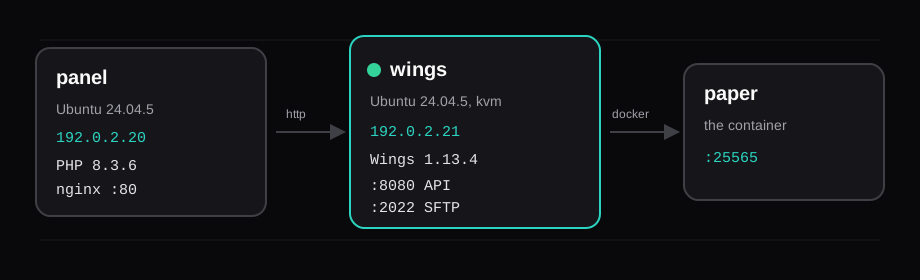
The panel install and the Wings install allow both on one machine. This run used two guests so the node name, the daemon port, and the token are their own step. Wings is the program that talks to Docker. The game server is the container. The panel archive is PHP on the first guest.
Ubuntu 24.04 is the release those docs mark as recommended, because PHP 8.3 is already in the archive. Ubuntu 26.04 is listed as supported and needs an extra repository for PHP 8.3. Both guests here are 24.04.5.
Point the names at the two guests
getent on the panel guest:

The Wings guest has the same two lines, with its own hostname on 192.0.2.21. The panel looks up the node FQDN when you save the node. Wings looks up APP_URL when it asks the panel for config.yml. If either name resolves to 127.0.1.1, which is what a stock Ubuntu cloud image writes for its own hostname, the other machine is talking to itself.
Install the panel on Ubuntu 24.04
The package line from the panel docs, on 24.04:
apt -y install php8.3 php8.3-{common,cli,gd,mysql,mbstring,bcmath,xml,fpm,curl,zip,intl} \
  mariadb-server redis-server tar unzip curl nginx
curl -sS https://getcomposer.org/installer | php -- --install-dir=/usr/local/bin --filename=composer
Composer came back as 2.11.1. Then the panel archive the same docs curl, v2.0.0-beta.2:
mkdir -p /var/www/pterodactyl
cd /var/www/pterodactyl
curl -Lo panel.tar.gz https://github.com/pterodactyl/panel/releases/download/v2.0.0-beta.2/panel.tar.gz
tar -xzf panel.tar.gz
chmod -R 755 storage bootstrap/cache
cp .env.example .env
COMPOSER_ALLOW_SUPERUSER=1 composer install --no-dev --optimize-autoloader
php artisan key:generate --force
key:generate ran once. The panel uses that key to encrypt API keys, node tokens, and two-factor secrets. Lose the only copy of .env and those values stay unreadable. The key stays off this page.
MariaDB, with the password kept in a root-only file:
CREATE USER IF NOT EXISTS 'pterodactyl'@'127.0.0.1' IDENTIFIED BY '…';
CREATE DATABASE IF NOT EXISTS panel;
GRANT ALL PRIVILEGES ON panel.* TO 'pterodactyl'@'127.0.0.1' WITH GRANT OPTION;
FLUSH PRIVILEGES;
The environment commands. Redis has to be running before p:environment:setup, because the command checks the connection. Cache, session, and queue are all Redis. Mail is sendmail, because this guest has no mail server.
php artisan p:environment:setup \
  [email protected] \
  --url=http://panel.example-hosting.com \
  --timezone=UTC \
  --cache=redis --session=redis --queue=redis \
  --redis-host=127.0.0.1 --redis-port=6379 \
  --settings-ui=true --telemetry=false

php artisan p:environment:database \
  --host=127.0.0.1 --port=3306 \
  --database=panel --username=pterodactyl --password='…'

php artisan p:environment:mail \
  --driver=sendmail \
  [email protected] \
  --from="Example Hosting"

php artisan migrate --seed --force
php artisan p:user:make \
  [email protected] --username=admin \
  --name-first=Admin --name-last=Example \
  --password='…' --admin=1
chown -R www-data:www-data /var/www/pterodactyl
migrate --seed loaded the eggs. Paper, Vanilla Minecraft, Forge, and Bungeecord are in that list. p:user:make created [email protected], username admin, and that is the account that signed in.
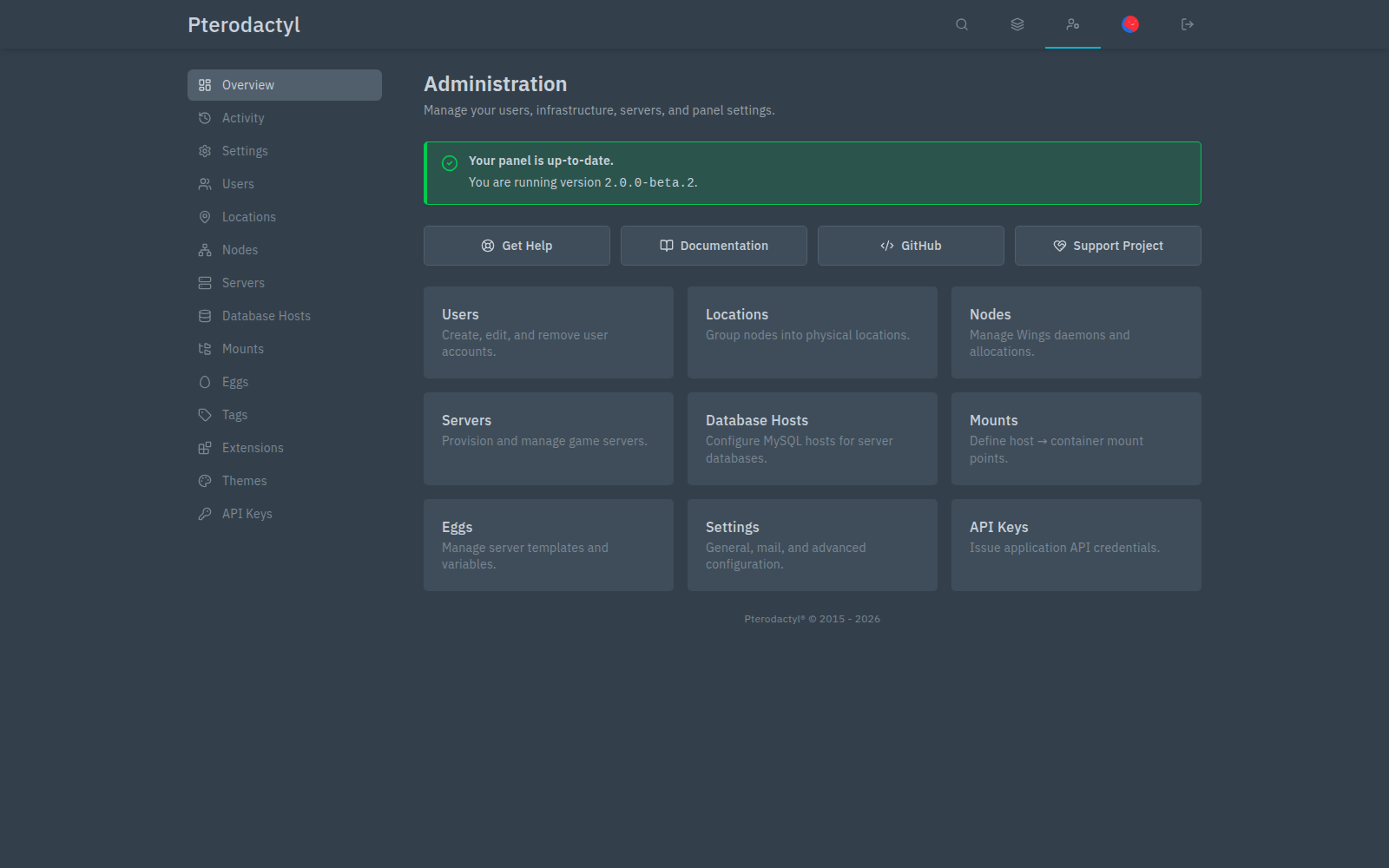
php artisan --version prints Laravel Framework 13.34.0. That is the framework. The panel version is on the Administration page, 2.0.0-beta.2.
One mail gotcha. --driver=sendmail wrote MAIL_DRIVER=sendmail. Laravel 13 reads MAIL_MAILER, and .env.example still had MAIL_MAILER=smtp with MAIL_HOST=smtp.example.com. The line that sendmail actually follows is MAIL_MAILER=sendmail.
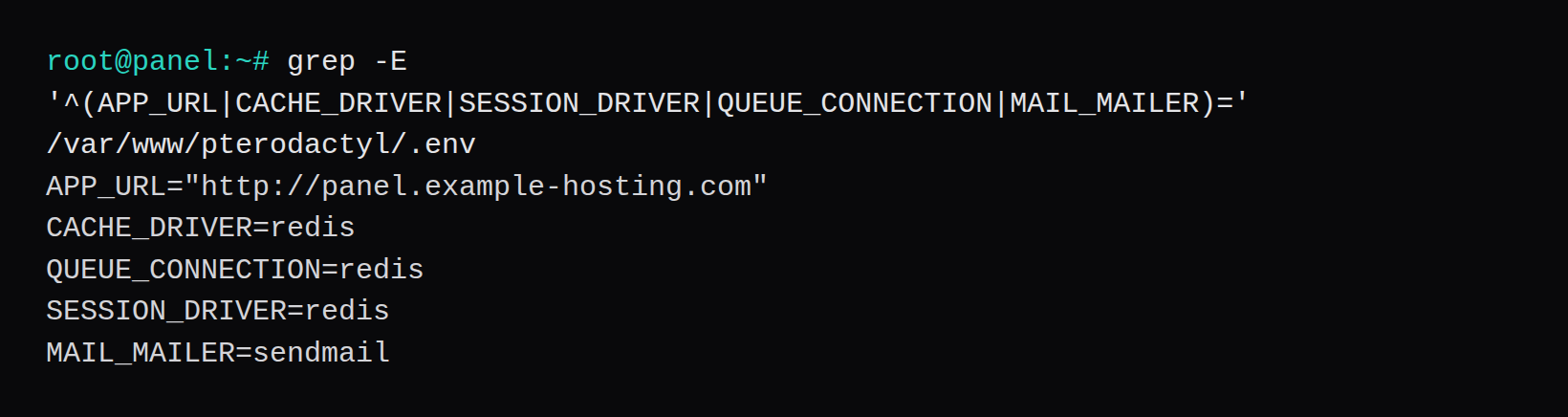
nginx on port 80, plus the queue
The docs' nginx example is an HTTPS server with a port 80 redirect. This lab has no certificate, so the site listens on 80 and the public root is /var/www/pterodactyl/public. The PHP socket is the 8.3 one. client_max_body_size 100m matches the panel's upload limit.
server {
    listen 80;
    listen [::]:80;
    server_name panel.example-hosting.com;
    root /var/www/pterodactyl/public;
    index index.php;
    client_max_body_size 100m;

    location / {
        try_files $uri $uri/ /index.php?$query_string;
    }

    location ~ \.php$ {
        fastcgi_split_path_info ^(.+\.php)(/.+)$;
        fastcgi_pass unix:/run/php/php8.3-fpm.sock;
        fastcgi_index index.php;
        include fastcgi_params;
        fastcgi_param SCRIPT_FILENAME $document_root$fastcgi_script_name;
        fastcgi_param HTTP_PROXY "";
    }
}
The file on the guest also has the docs' security headers and the /assets/ location. nginx -t passed. A 502 on this page is that socket missing, or php-fpm stopped. The login form came back, which means the socket was there.
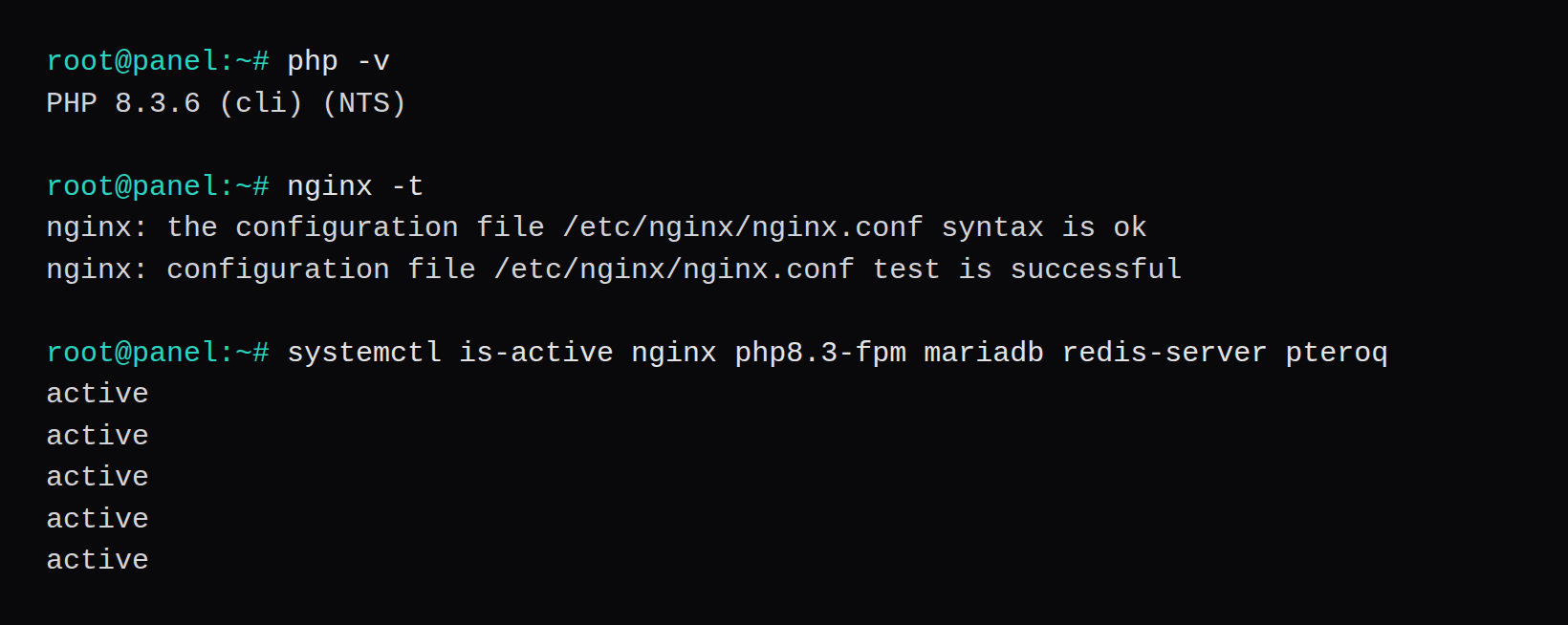
Cron and pteroq are what run tasks after the page is up. The schedule is the one-minute crontab for www-data. The unit is pteroq.service, user www-data, queues high,standard,low.
echo '* * * * * php /var/www/pterodactyl/artisan schedule:run >> /dev/null 2>&1' | crontab -
systemctl enable --now redis-server pteroq.service
Panel 2.0.0-beta.2 ships with reCAPTCHA enabled, on Pterodactyl's public site key. The first login on this panel stopped at Google's image challenge. RECAPTCHA_ENABLED=false in .env, then php artisan config:clear, and the form posted straight through. A public panel replaces that key with its own.
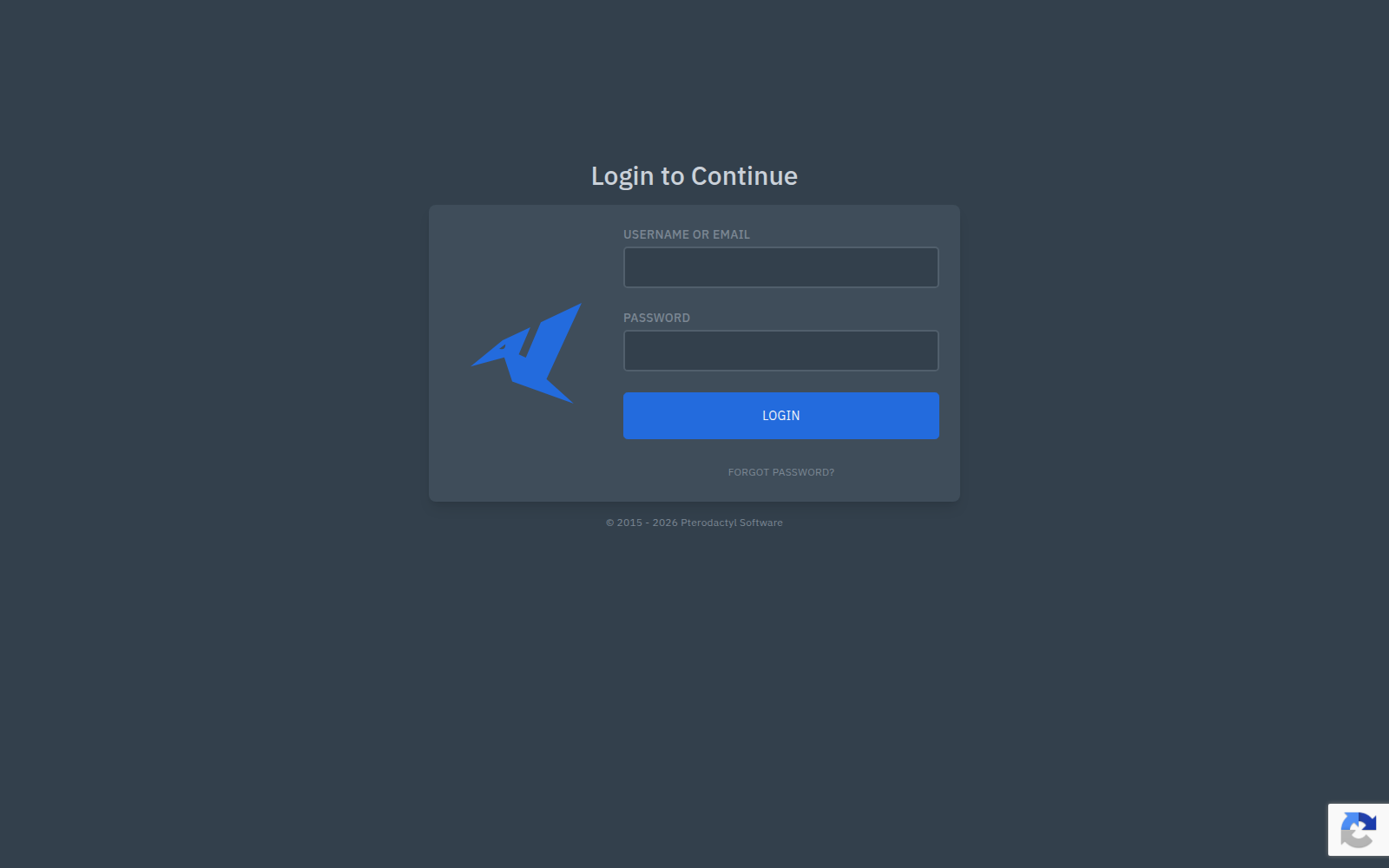
/admin returns 404. Administration is /panel, and that page is where the version string lives.
Put Wings on the second machine
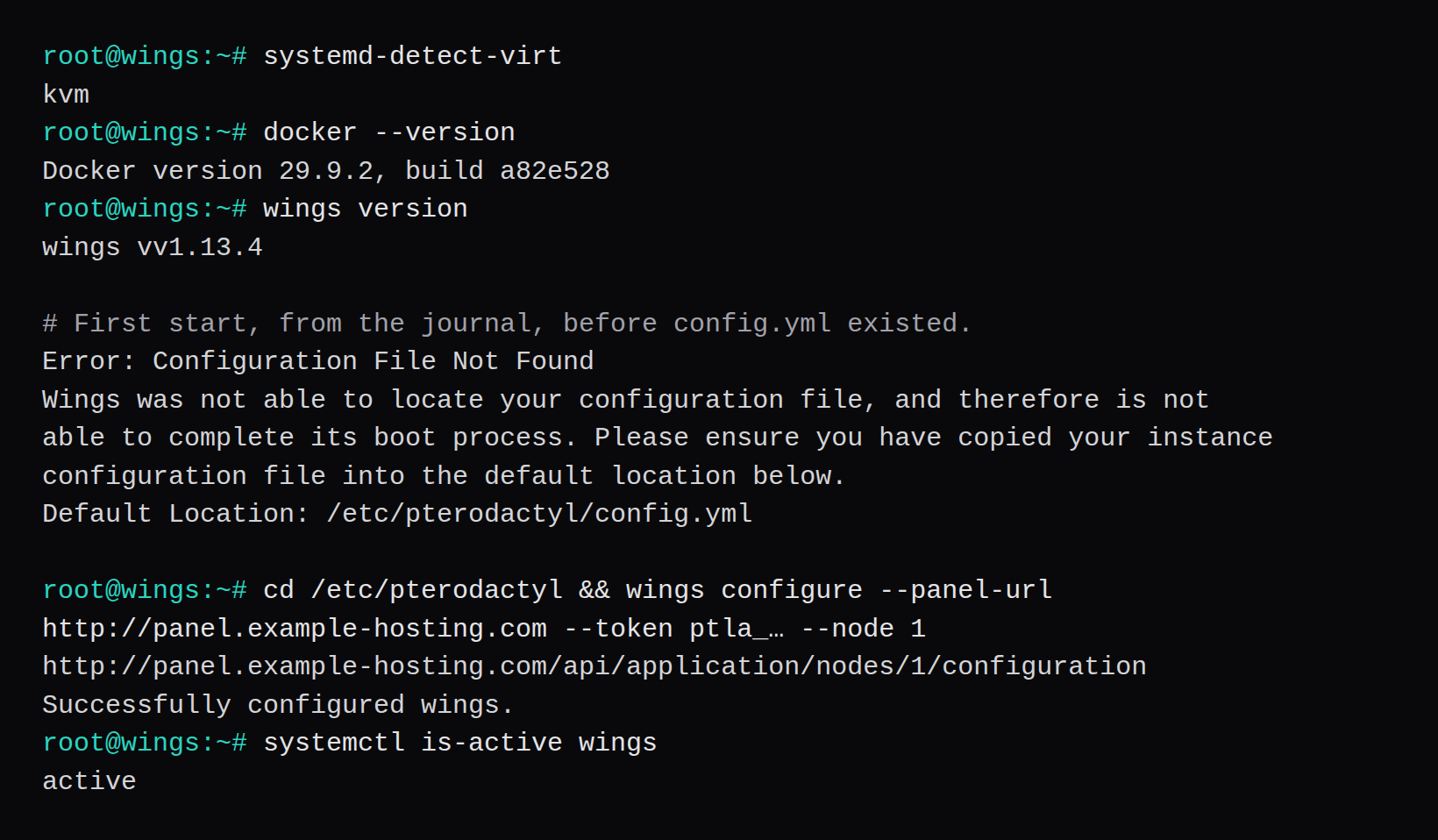
Docker from the stable channel, then the Wings binary the docs download from releases/latest. The binary printed wings vv1.13.4. The node About page reports the same daemon, v1.13.4, latest 1.13.4.
curl -fsSL https://get.docker.com/ | CHANNEL=stable bash
systemctl enable --now docker
mkdir -p /etc/pterodactyl
curl -fsSL -o /usr/local/bin/wings https://github.com/pterodactyl/wings/releases/latest/download/wings_linux_amd64
chmod u+x /usr/local/bin/wings
The guest kernel is 6.8.0-147-generic. Swap accounting is already on in 6.1 and later, so swapaccount=1 stayed out of grub. systemd-detect-virt printed kvm. Wings needs a guest where Docker can start containers. An LXC or OpenVZ guest is the usual place that fails.
Start the unit before config.yml exists and the journal prints:
Error: Configuration File Not Found
Wings was not able to locate your configuration file, and therefore is not
able to complete its boot process. Please ensure you have copied your instance
configuration file into the default location below.
Default Location: /etc/pterodactyl/config.yml
The unit file is the one from the Wings docs. User=root, WorkingDirectory=/etc/pterodactyl, After=docker.service, Requires=docker.service, LimitNOFILE=4096, ExecStart=/usr/local/bin/wings.
Create the node and a port range
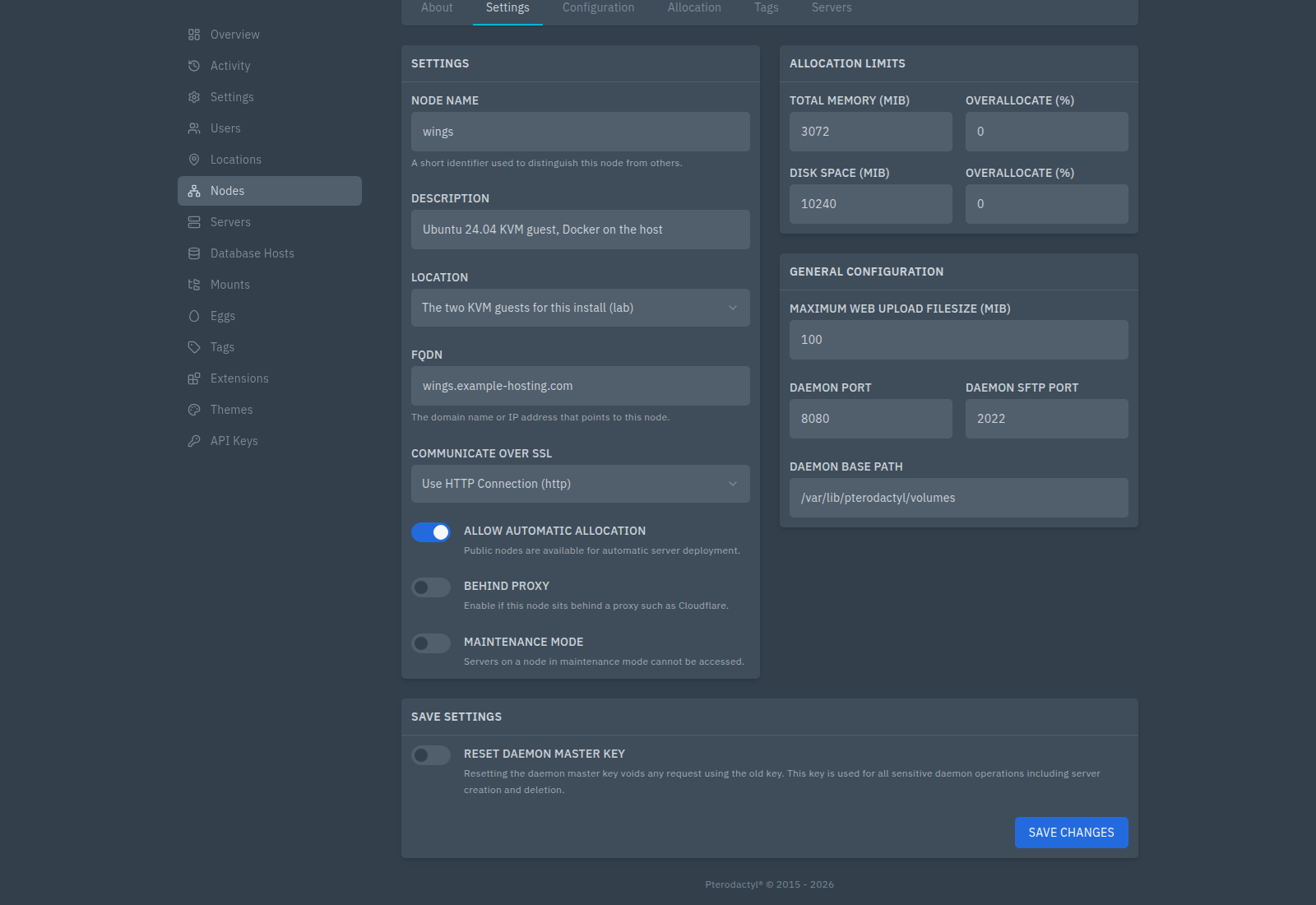
Admin, Nodes, New node. Name wings. FQDN wings.example-hosting.com. The form defaults to Use SSL Connection (https). This node is Use HTTP Connection (http), because nothing is serving a certificate for that name. Leave it on https and Wings will try to configure an HTTPS listener against the Let's Encrypt paths that config.yml already lists.
Location is a separate object. The short code here is lab. Memory is 3072 MiB, so the 4 GiB guest keeps room for the OS and Docker. Disk is the form's default, 10240 MiB. Daemon port 8080, SFTP 2022, base path /var/lib/pterodactyl/volumes. The node is public, which is the switch labelled Allow automatic allocation.
Saving those settings before Wings is running stores them and then warns that it could not push config.yml to the daemon. The panel's words: the daemon configuration has been updated, and you will need to update config.yml on the daemon yourself. That push is what wings configure does.
Allocations are the addresses players connect to. The IP is 192.0.2.21. 127.0.0.1 would be the guest talking to itself. The ports field took 25565-25570 and made six rows. Submitting 25565 again showed the same toast, "New allocations have been assigned," and the table stayed at six. Count the rows. The toast repeats either way.
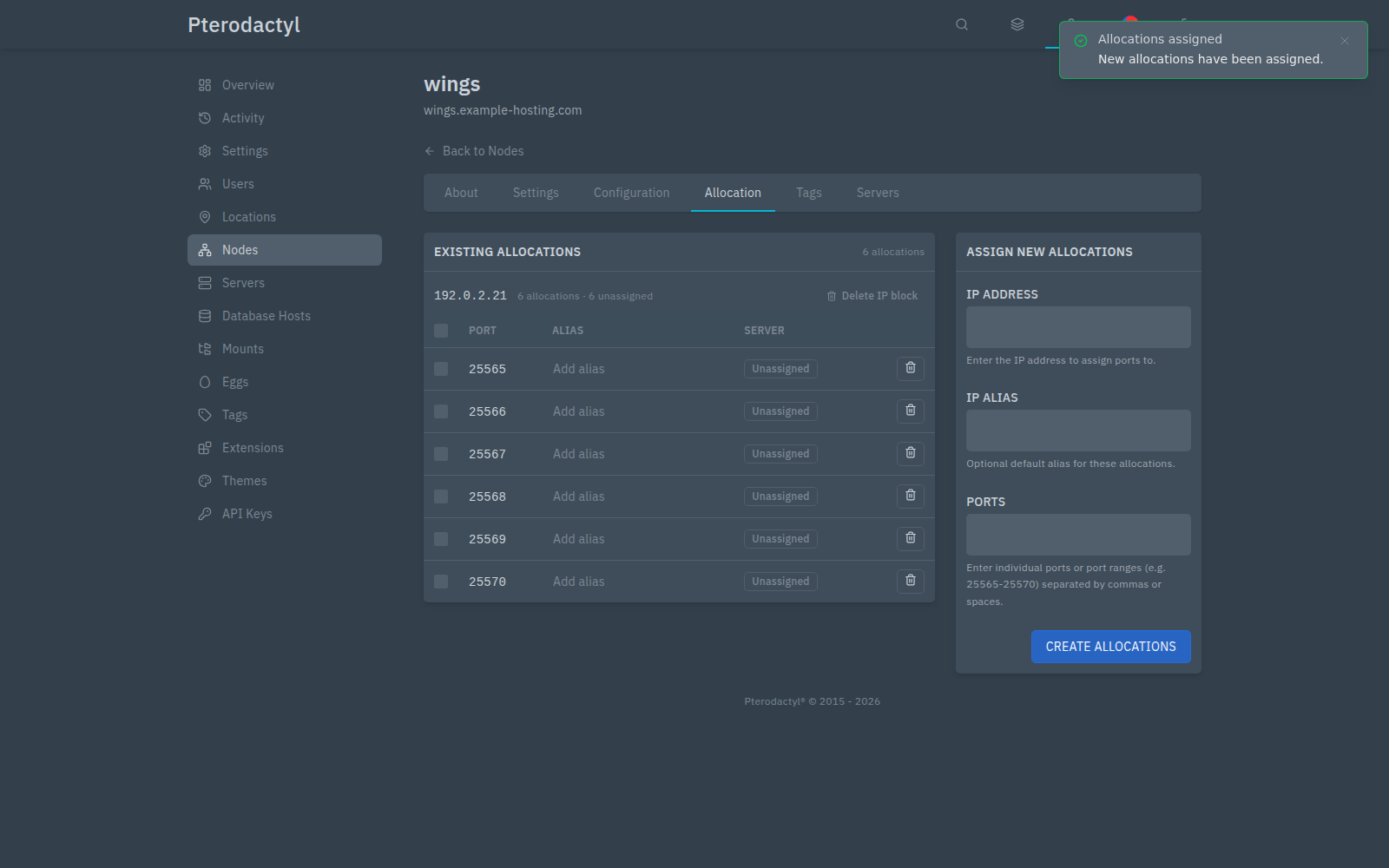
Two servers handed the same allocation are the case where Wings reports the address already in use. This list is how you see the port is taken before that happens.
config.yml, then the green row
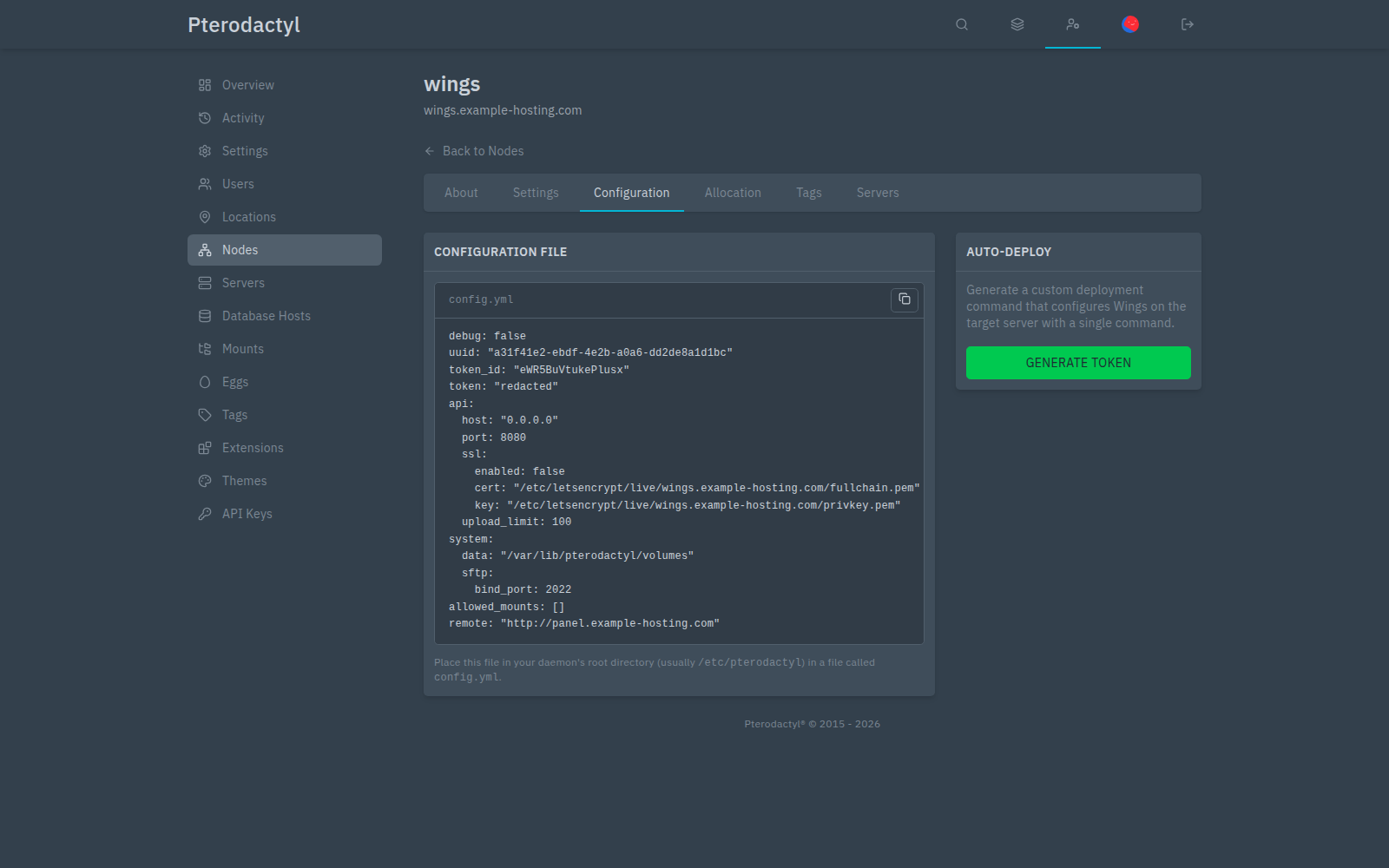
The configuration tab shows the file Wings will write, with ssl.enabled: false, remote: "http://panel.example-hosting.com", API port 8080, SFTP 2022. The token value in the figure is redacted. Generate Token prints the one command:
cd /etc/pterodactyl && sudo wings configure \
  --panel-url http://panel.example-hosting.com \
  --token ptla_… --node 1
systemctl enable --now wings
That command fetched http://panel.example-hosting.com/api/application/nodes/1/configuration and printed Successfully configured wings. The file is /etc/pterodactyl/config.yml, mode 600, owner root. Create that file as another user and Wings logs permission denied.
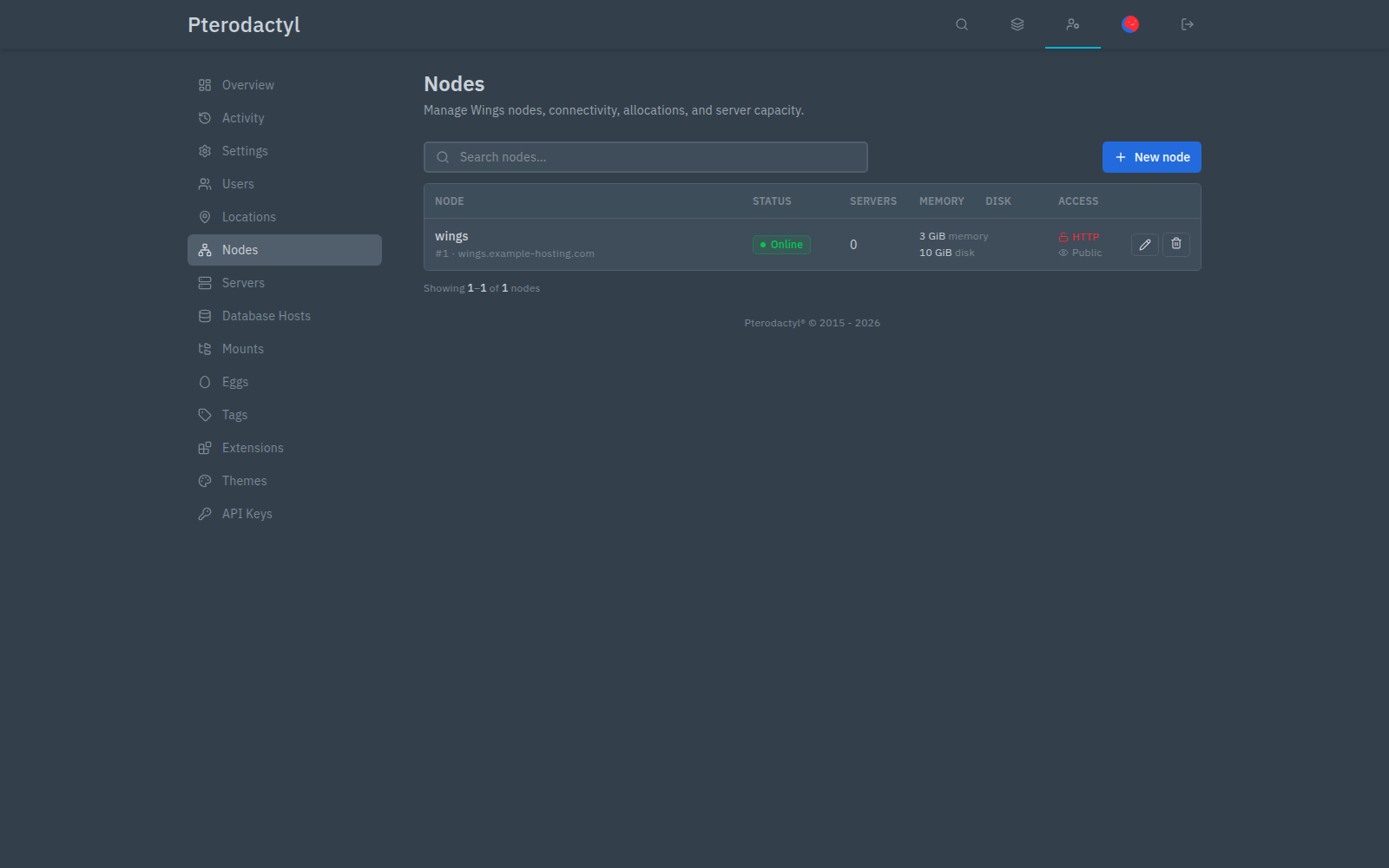
Refresh Nodes. The row is Online, in green, with 3 GiB memory, 10 GiB disk, access HTTP and Public. About reports daemon v1.13.4 on linux (amd64) 6.8.0-147-generic, 2 CPU threads.
A Paper server that reaches the console
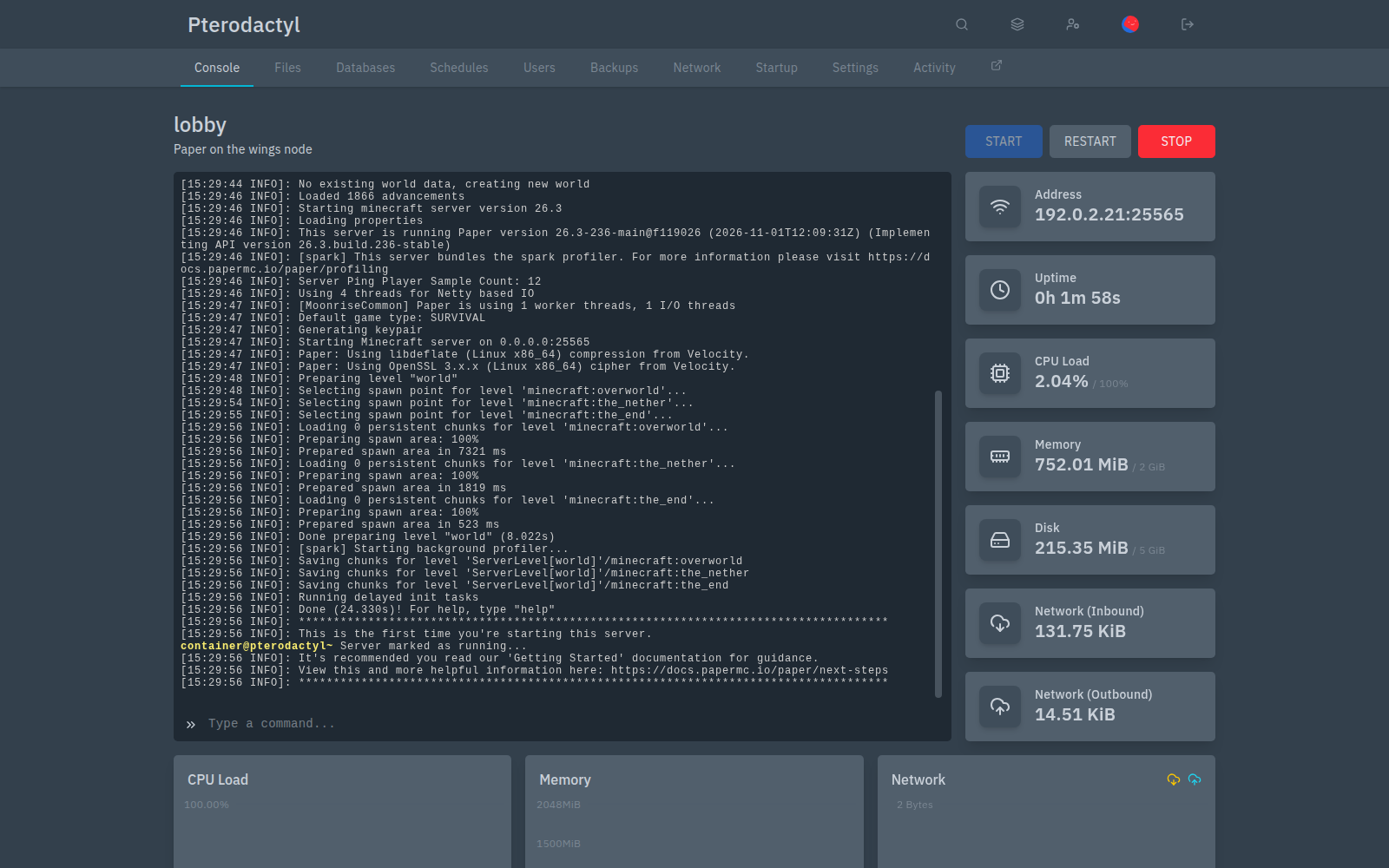
Admin, Servers, New. Name lobby, owner [email protected], node wings, allocation 192.0.2.21:25565. CPU 100, memory 2048 MiB, disk 5120 MiB. The egg is Paper. The image the form selected is Java 25, ghcr.io/pterodactyl/yolks:java_25. Startup is the egg's java line, with {{SERVER_JARFILE}}.
The install container finished, and the panel started the server on its own. The first process exited with:
You need to agree to the EULA in order to run the server. Go to eula.txt for more info.eula.txt in the server volume said eula=false. That file is the agreement with Mojang. Set eula=true, start again from the console, and the same server printed Done (24.330s)! For help, type "help" and Server marked as running.
Docker on the Wings guest publishes 192.0.2.21:25565->25565/tcp and the same mapping for udp. That is the allocation from the console.
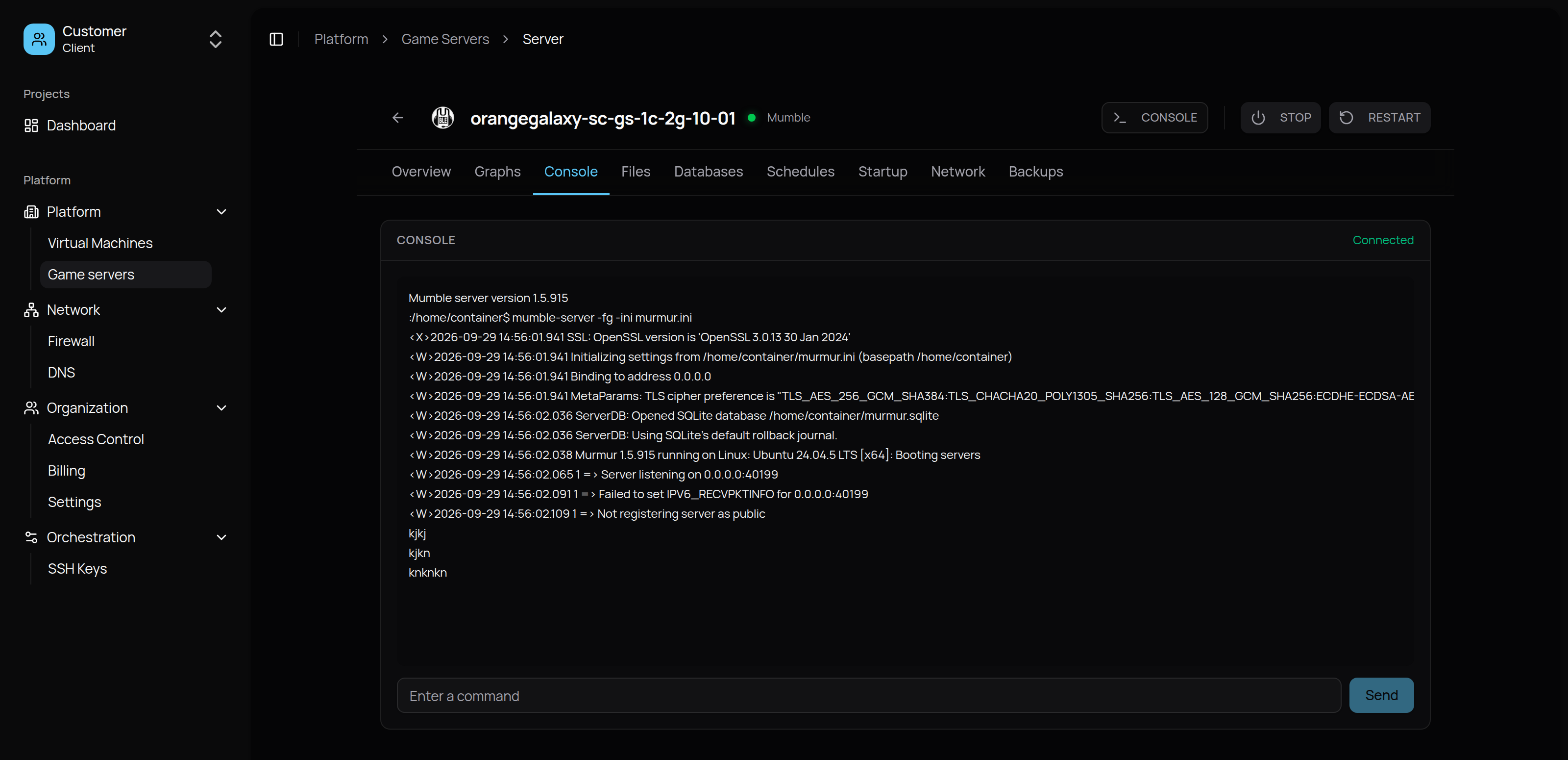
A player who orders a game opens the NodeRings console, a different panel in front of whatever the host installed. Order the game from your provider is that side of it. The picture there, and here, is a Mumble boot. The log above is the host's view of Paper.
An Application API key on this panel is the secret a billing system asks you to paste. What that key can do is Why Pterodactyl hosts hesitate to share an API key. Connecting this panel to NodeRings is the Pterodactyl quick start and the infrastructure guide. This install stopped at a green node and a console.
Can the panel and Wings share one machine?
The install docs say they can. Wings is the service that owns Docker, on a guest where containers run. A Wings container beside the panel is how the game port ends up unpublished. Two machines make the node FQDN, port 8080, and the token obvious. One machine works when those three are still deliberate.
Does Ubuntu 26.04 include PHP 8.3 for the panel?
The panel docs' operating system table says 26.04 needs an extra repository for PHP 8.3, and 24.04 includes it. This install is 24.04.5, and php -v printed PHP 8.3.6. Wings itself lists 22.04, 24.04, and 26.04.
Why is the node on HTTP?
The panel URL is http://panel.example-hosting.com, and the node scheme is HTTP, because this lab has no certificate. config.yml keeps the Let's Encrypt paths and sets ssl.enabled to false. An https panel URL makes Wings configure HTTPS, and that fails until the certificate files exist on the node.
Why did the first Paper start exit?
The egg install left eula=false. The server log said to agree in eula.txt. After eula=true, the next start printed Done (24.330s). eula.txt stays false until you change it.
Where does the node token live?
wings configure writes it into /etc/pterodactyl/config.yml on the Wings machine, mode 600. The same value is what the panel shows under Configuration. It is a credential for that node. The Application API key, the ptla_ string a billing panel asks for, is a different secret, created under API Keys, and it is the one the other essay is about.