
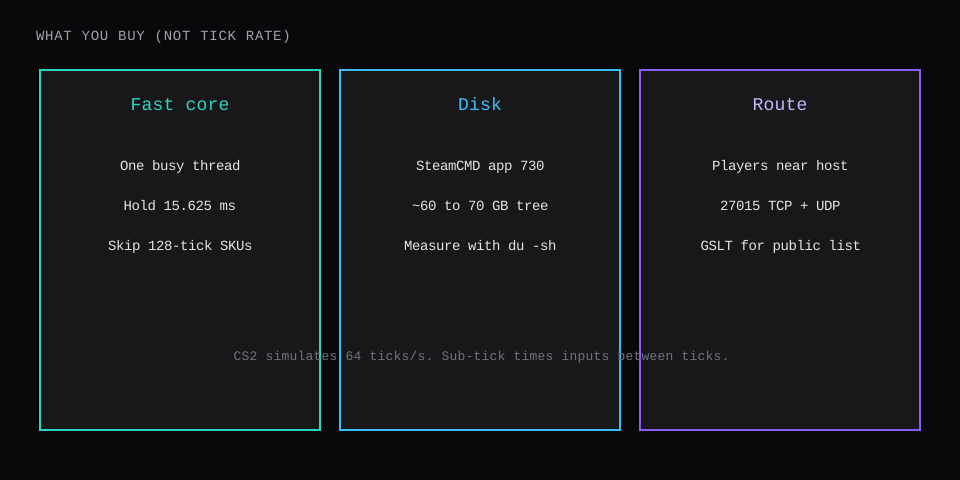
The CS2 dedicated server invoice is for CPU, disk, RAM, and location. The simulation already runs at 64 ticks a second (about 15.625 ms of budget per tick), with sub-tick timestamps on inputs. A plan page that still prints "128 tick" is selling a CS:GO habit. Pay for one fast core that finishes the tick, about 65 to 70 GB of disk for SteamCMD app 730, RAM above an empty map, and a short route to your players.
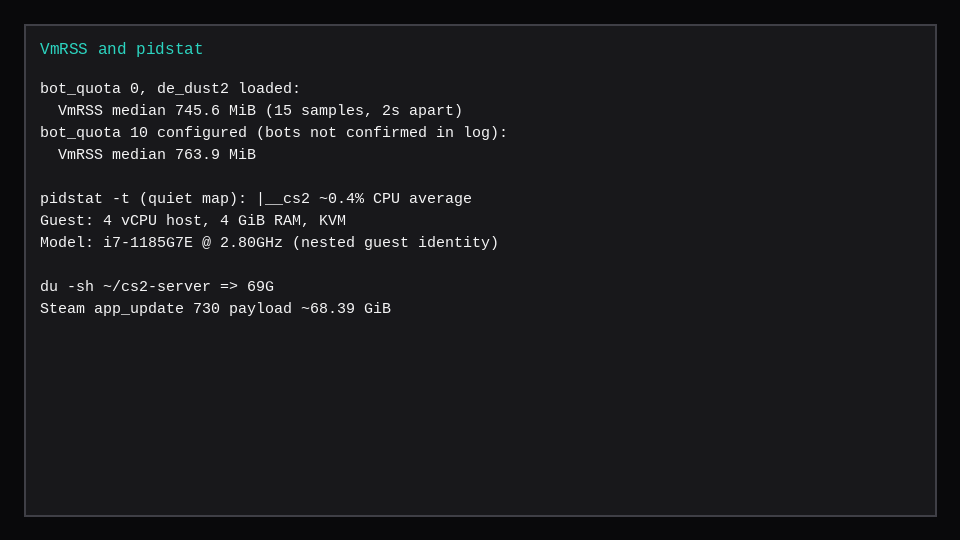
This lab cloned an Ubuntu 24.04 guest on Proxmox (4 GiB RAM, 4 vCPU, CPU model host), ran SteamCMD +app_update 730 validate, and landed a 69G tree under ~/cs2-server. After de_dust2 loaded with bot_quota 0, process VmRSS sat at a median 745.6 MiB over fifteen samples two seconds apart. SteamCharts still puts CS2 near the top of concurrent Steam play; the hosting keyword follows that demand.
| What hosts sell | What this lab measured / checked |
|---|---|
| "128 tick" SKU | Fixed 64 tick; drop CS:GO rate theater |
| Tiny disk | du -sh = 69G after validate |
| "2 GB RAM" floor (host quotes of Valve) | Empty dust2 ~746 MiB RSS; leave headroom |
| Many vCPUs | One busy thread; see game server CPUs |
| Any region | Ping and route beat core count |
What tick rate should I buy?
None. Hosts and community guides (Humbleservers, Server Room, ESAGAMES and others) treat CS2 as locked at 64 tick. Valve's dedicated-server wiki returned 403 from this lab, so the post leans on those host pages plus the server log, not a fresh Valve quote.
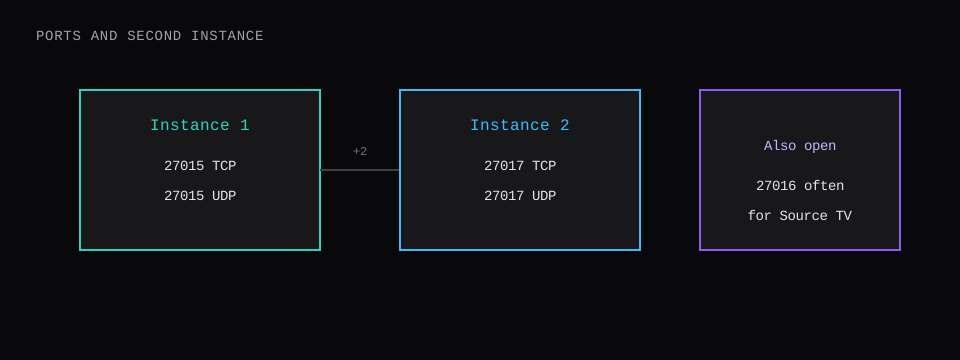
CS:GO let community servers raise tick with -tickrate 128 and matching sv_maxcmdrate / sv_maxupdaterate lines. CS2 timestamps inputs between ticks, so buying 128 for "accuracy" is the wrong lever. A tick that runs long still hurts: this lab logged Long frame (TerminateRound): 24.83ms elapsed on round end, already past the 15.625 ms budget.
Do not paste this into server.cfg:
// leftover CS:GO theater: does not buy you 128 tick on CS2
sv_mincmdrate 128
sv_maxcmdrate 128
sv_minupdaterate 128
sv_maxupdaterate 128
A lean lab file looked like this:
hostname "lab-cs2"
sv_lan 1
sv_cheats 0
bot_quota 0
sv_maxrate 0
sv_minrate 0
The log line SV: maxplayers set to 64 is the slot cap, not the tick rate. Easy to misread when you are hunting for "64" in the console.
Current CS2 convar dumps still list sv_maxrate (0 = unlimited) and sv_minrate (Valve's gameinfo.gi sets 98304). The CS:GO-era sv_mincmdrate, sv_maxcmdrate, sv_minupdaterate, and sv_maxupdaterate lines are gone. If an old paste still ships them, delete them; they do nothing useful and confuse the next person who greps the file.
What you can still tune after tick theater is gone: one fast core so the tick finishes inside the budget, sv_maxrate 0 unless you have a real reason to cap bandwidth, and a host close to the roster. Paid "128 tick" SKUs are selling a CS:GO habit with a CS2 binary behind them.
How do you install with SteamCMD?
On Ubuntu 24.04 with lib32gcc-s1 installed:
mkdir -p ~/steamcmd ~/cs2-server
cd ~/steamcmd
curl -fsSL -o steamcmd_linux.tar.gz \
  https://steamcdn-a.akamaihd.net/client/installer/steamcmd_linux.tar.gz
tar -xzf steamcmd_linux.tar.gz
./steamcmd.sh +force_install_dir ~/cs2-server \
  +login anonymous +app_update 730 validate +quit
du -sh ~/cs2-server
# 69G on this guest
Steam reported a payload of 73,434,849,358 bytes (~68.39 GiB) during download. After commit, du -sh printed 69G. Plan for 80 GB of free disk if you want room for logs, a second instance, or workshop content.
Many installs still need the Steam client library symlink:
mkdir -p ~/.steam/sdk64
ln -sfn ~/steamcmd/linux64/steamclient.so \
  ~/.steam/sdk64/steamclient.so
Launch competitive Dust II:
export LD_LIBRARY_PATH=~/cs2-server/game/bin/linuxsteamrt64:$LD_LIBRARY_PATH
~/cs2-server/game/cs2.sh -dedicated -console -usercon -port 27015 \
  +game_type 0 +game_mode 1 +map de_dust2 +exec server.cfg
Modes (type / mode): competitive 0/1, wingman 0/2, arms race 1/0, deathmatch 1/2, custom 3/0.
GSLT, ports, and a second instance
Without a Game Server Login Token the log prints:
*  No Steam account token was specified.           *
*  http://steamcommunity.com/dev/managegameservers *
Create a token for app 730 on an account that owns CS2, with a phone attached and no bans. Launch with +sv_setsteamaccount YOUR_TOKEN. Blur the token in any screenshot.
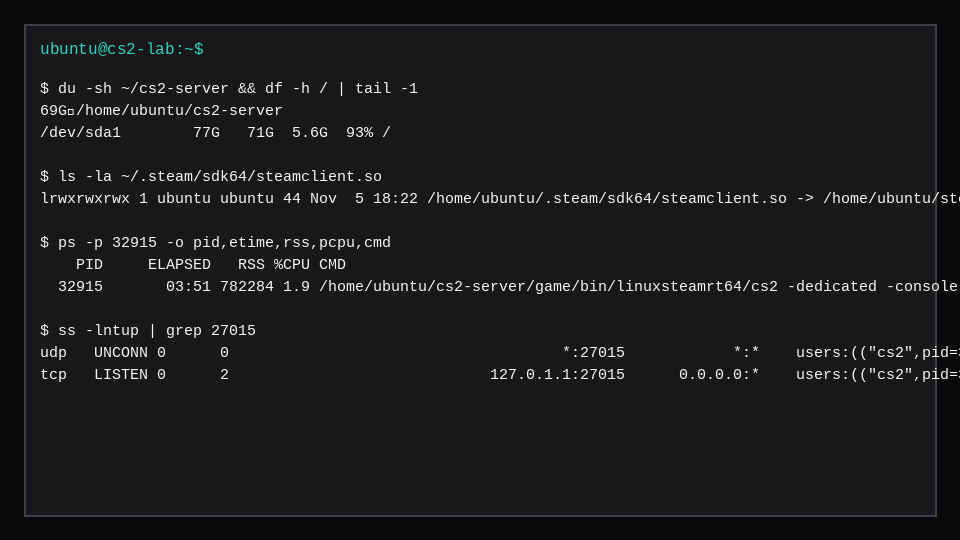
Ports on this guest after start: UDP *:27015, TCP listening on 127.0.1.1:27015 until you bind for public join. Open both TCP and UDP 27015 in the firewall. A second instance usually steps by two (27017, and often 27016 for Source TV style extras).
ufw allow OpenSSH
ufw allow 27015/tcp
ufw allow 27015/udp
ufw --force enable
ss -lntup | grep 27015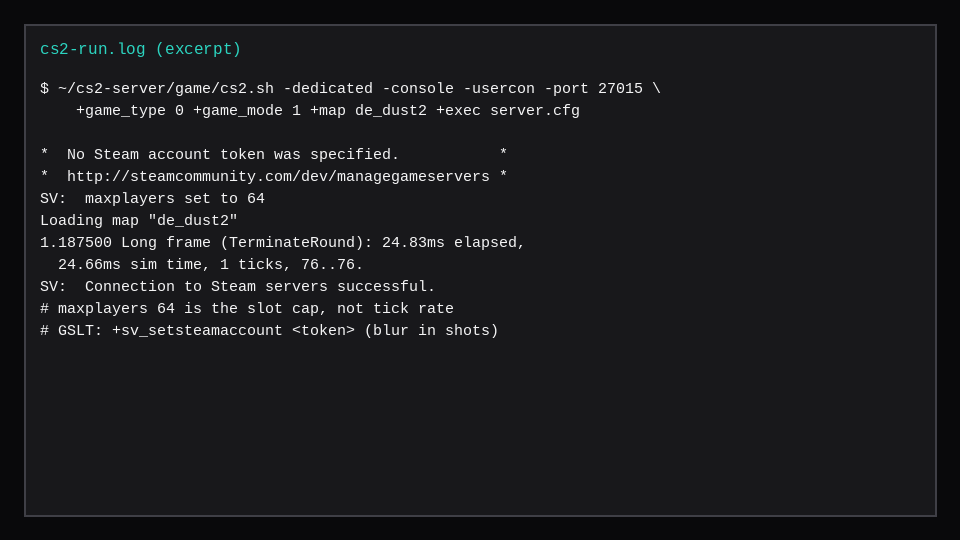
What RAM and CPU should you buy?
Empty de_dust2 with bot_quota 0 measured 745.6 MiB median VmRSS. With bot_quota 10 set, median rose to 763.9 MiB; this LAN guest did not log ClientPutInServer BOT lines on that pass, so treat 746 MiB as the firm empty floor and expect live players, plugins, and MetaMod/CounterStrikeSharp to sit above it. Host pages that quote Valve often cite about 2 GB RAM as a minimum for a stock server. A 4 GB guest left room for OS and headroom; a competitive public box with plugins wants more than the empty RSS alone.
pidstat -t on the quiet map showed the main |__cs2 thread under 1% CPU. An empty practice box stays cheap until ten players and plugins arrive. The shopping rule still matches Ryzen vs EPYC for game servers: pay for single-thread clock, prefer a dedicated CPU plan that names the SKU, and keep extra cores for a second instance or the panel.
This guest's lscpu model string was i7-1185G7E @ 2.80GHz under KVM. That is a nested identity, useful as a lab label, not a chip you should order from a game host page. Flags included sse4_2, ssse3, and popcnt (x86-64-v2 class). Hosts that mention Valve's x86-64-v2 requirement are pointing at that floor.
| Skip this | Better buy |
|---|---|
| Paying extra for "128 tick" | Fast core + low ping region |
| 40 GB disk because "games are small" | ≥80 GB free before SteamCMD |
| Shared noisy core for competitive | Dedicated CPU with a named SKU |
Forgetting GSLT / steamclient.so | Token + symlink before public launch |
| Reading maxplayers 64 as tick rate | 64 tick, separate from slot count |
Marketplace game servers and ordering the game from your provider cover panel paths. Raw SteamCMD is what this post measured.
FAQ
Can I run a 128 tick CS2 server?
Not as a supported product. Guides that still ship -tickrate 128 are carrying CS:GO muscle memory. Spend the money on CPU clock and location.
Do I need a GSLT for bots on LAN?
This guest reached de_dust2 and Steam without a token, with the warning above. Public browser listing and some online features expect a valid app 730 token.
How much disk for a second CS2 instance?
Another full app 730 tree is another ~69G unless you carefully share files. Most hosts bill disk per instance for a reason.
Is CounterStrikeSharp required?
No for a stock competitive server. Practice, retake, and admin plugins usually add MetaMod and CounterStrikeSharp later; budget RAM and a stable core for those, not a tick upgrade.